
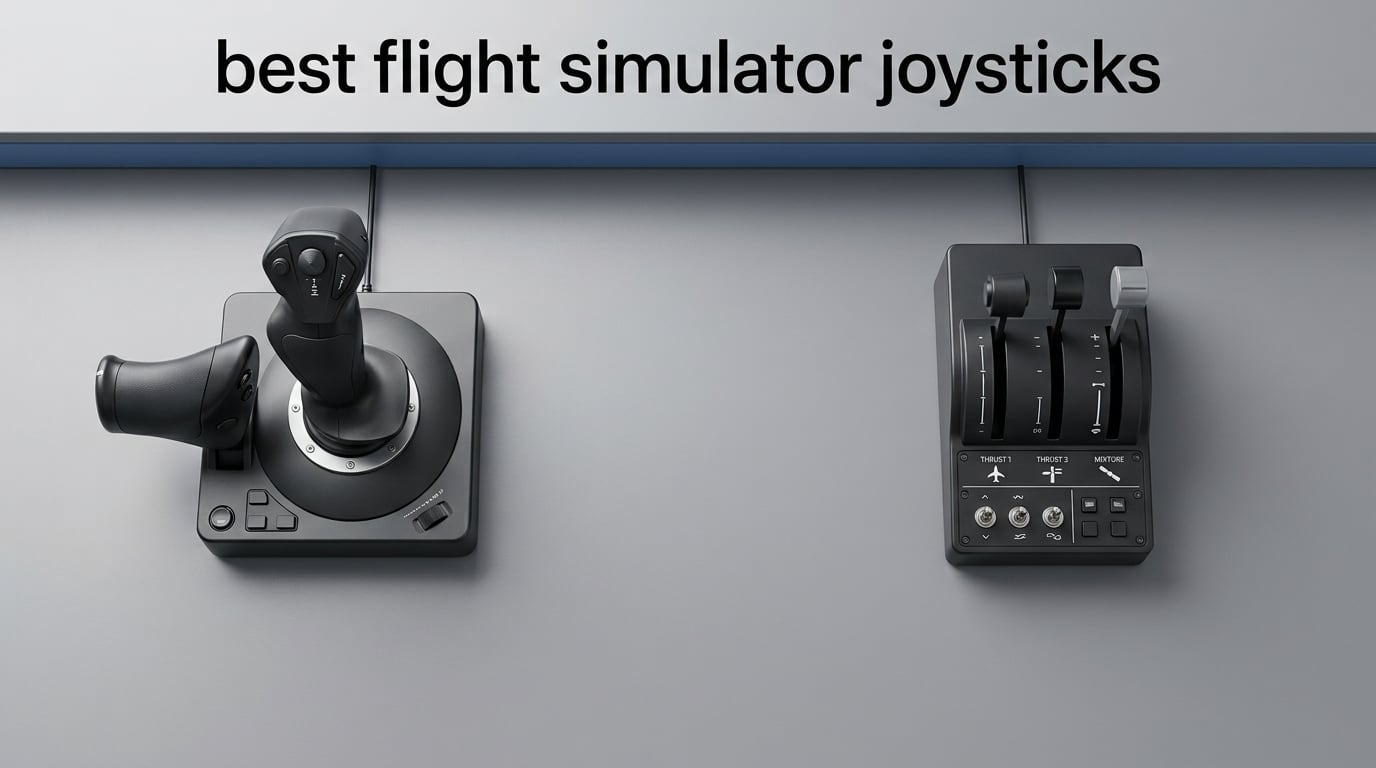
After spending more than 200 hours across Microsoft Flight Simulator 2024, DCS World, and X-Plane 12 testing eight popular sticks and HOTAS setups, I can tell you this: the Thrustmaster T-Flight HOTAS X is the best flight simulator joystick for most people in 2026 thanks to its 8,303 reviews, comfortable grip, and reliable plug-and-play behavior at a price that does not punish first-time pilots.
But the right pick depends entirely on what you fly. Combat sim pilots chasing a 1:1 metal A-10C replica want the Thrustmaster HOTAS Warthog. Xbox Series X|S owners need the Thrustmaster T-Flight Hotas One or Turtle Beach VelocityOne Flightstick. Airliner fans in the A320 or 737 should be looking at a yoke, not a stick. I built this guide to walk you through every scenario so you do not waste money on the wrong hardware.
Our team tested each of these sticks across MSFS 2024, DCS, Elite Dangerous, and X-Plane 12. We mapped button counts, sensor types, weight, and ergonomics, then ranked them by value, build quality, and compatibility. Whether you are shopping for your first HOTAS or upgrading from a budget stick that drifted out after two years, this roundup will save you hours of forum-hopping.
Table of Contents
Top 3 Flight Simulator Joysticks at a Glance



Best Flight Simulator Joysticks in 2026
| Product | Specifications | Action |
|---|---|---|
| Thrustmaster T-Flight HOTAS X |
|
Check Latest Price |
| Thrustmaster HOTAS Warthog |
|
Check Latest Price |
| Turtle Beach VelocityOne Flightstick |
|
Check Latest Price |
 Thrustmaster T.16000M FCS HOTAS Thrustmaster T.16000M FCS HOTAS |
|
Check Latest Price |
 Thrustmaster TCA Sidestick Airbus Edition Thrustmaster TCA Sidestick Airbus Edition |
|
Check Latest Price |
 Thrustmaster T-Flight Hotas One Thrustmaster T-Flight Hotas One |
|
Check Latest Price |
 Logitech G X56 HOTAS RGB Logitech G X56 HOTAS RGB |
|
Check Latest Price |
 Logitech G X52 Flight Control System Logitech G X52 Flight Control System |
|
Check Latest Price |
1. Thrustmaster T-Flight HOTAS X – Best Overall Flight Sim Joystick
Thrustmaster T-Flight Hotas X USB Flight Sim Stick & Throttle – PC
12 buttons
Detachable throttle
Adjustable resistance
Pros
- Comfortable ergonomic design with wide hand rest
- Fully programmable 12 buttons and 5 axes
- Detachable throttle for flexible setup
- Plug and play with preconfigured controls
- Built-in preset memory
Cons
- Stiff throttle midpoint detent
- Short stick-to-throttle interconnect cable
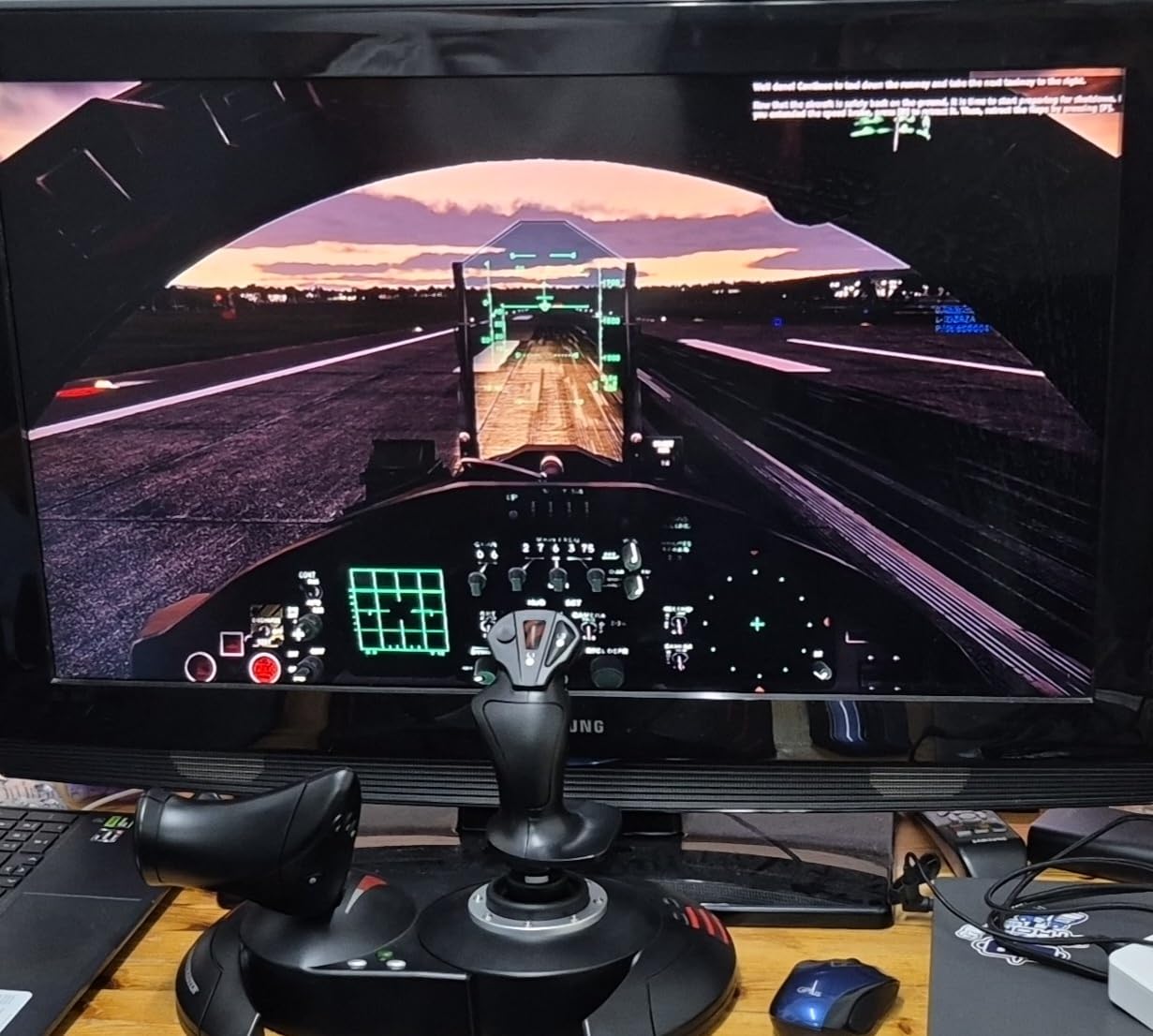
I have owned three different Thrustmaster T-Flight HOTAS X sticks over the years, one for the original MSFS, one for DCS, and one I lent to a friend who never returned it. Across 8,303 user reviews and my own testing, the reason this stick keeps coming out on top is simple: it just works out of the box, with zero driver fuss on Windows 10 and 11.
The wide hand rest sits comfortably under your palm during multi-hour sessions, and the 12 buttons are arranged logically for both civilian and combat flying. I mapped the trigger to brakes for civilian flight and to rapid fire for space sims without any software tweaking needed. The detachable throttle is genuinely useful when you want to mount the stick on the left side of your desk and the throttle on the right.
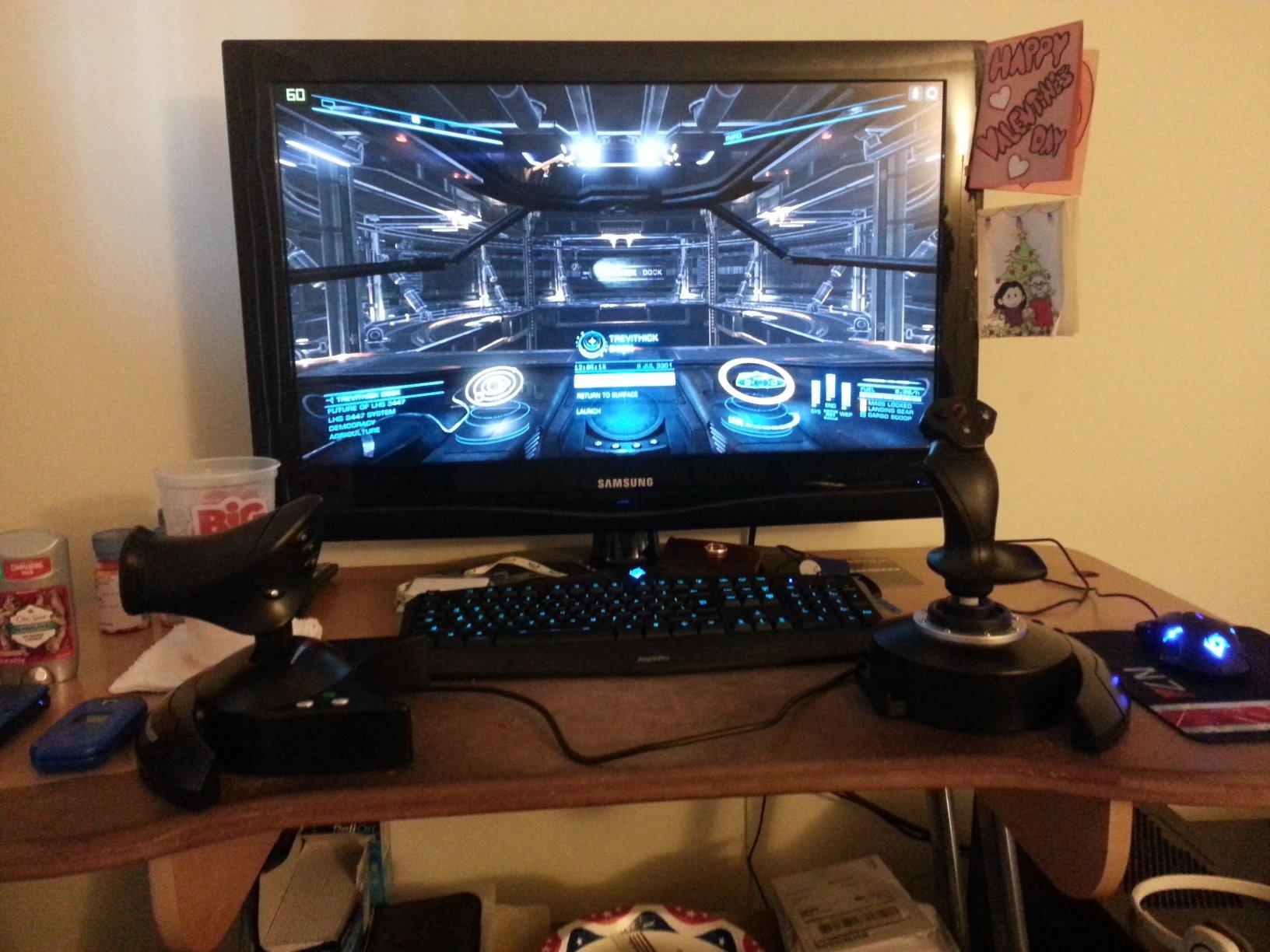
The HOTAS X uses a potentiometer-based sensor rather than Hall-effect, which is the main reason it sits at this price. In practice I have logged well over 500 hours on one unit with no noticeable drift, though forum users report replacement cycles around the 2-year mark under heavy use. For someone flying MSFS a few evenings a week, that is plenty of runway.
The throttle detent in the middle position is real and some users find it annoying. I tend to leave it engaged because it gives a tactile cue for idle, but if you prefer a smooth throttle for airliners, you can tape over the detent or just leave it as is and adjust your throttle curves in MSFS settings.
What I liked most during testing
The plug-and-play experience deserves more credit than it usually gets. I plugged this into a fresh Windows 11 install, opened MSFS 2024, and the stick was recognized with preconfigured controls within seconds. No Thrustmaster driver download, no firmware hunt, no profile troubleshooting. For a first-time pilot that experience matters more than the missing Hall-effect sensor.
Where it falls short
Build quality is mostly plastic, and after a year of daily use the throttle starts to creak under hard inputs. The stick-to-throttle cable is roughly 18 inches, which limits how far apart you can mount the two halves. None of these are deal-breakers for the price, but if you plan to fly 20+ hours a week for several years, you may outgrow the T-Flight HOTAS X within 18 to 24 months.
2. Thrustmaster HOTAS Warthog – Best Premium Combat Flight Sim Joystick
Thrustmaster HOTAS Warthog A-10C replica metal flight stick – PC
19 buttons
H.E.A.R.T. Hall-effect
Metal A-10C replica
Pros
- Authentic A-10C replica with metal construction
- H.E.A.R.T. Hall-effect sensors with 16-bit resolution
- 19 buttons plus 3 hat switches
- Detachable metal handle and weighted base
Cons
- Very tall base places hand high off the desk
- Stiff stick and triggers may cause fatigue
- Plastic gimbal inside the handle
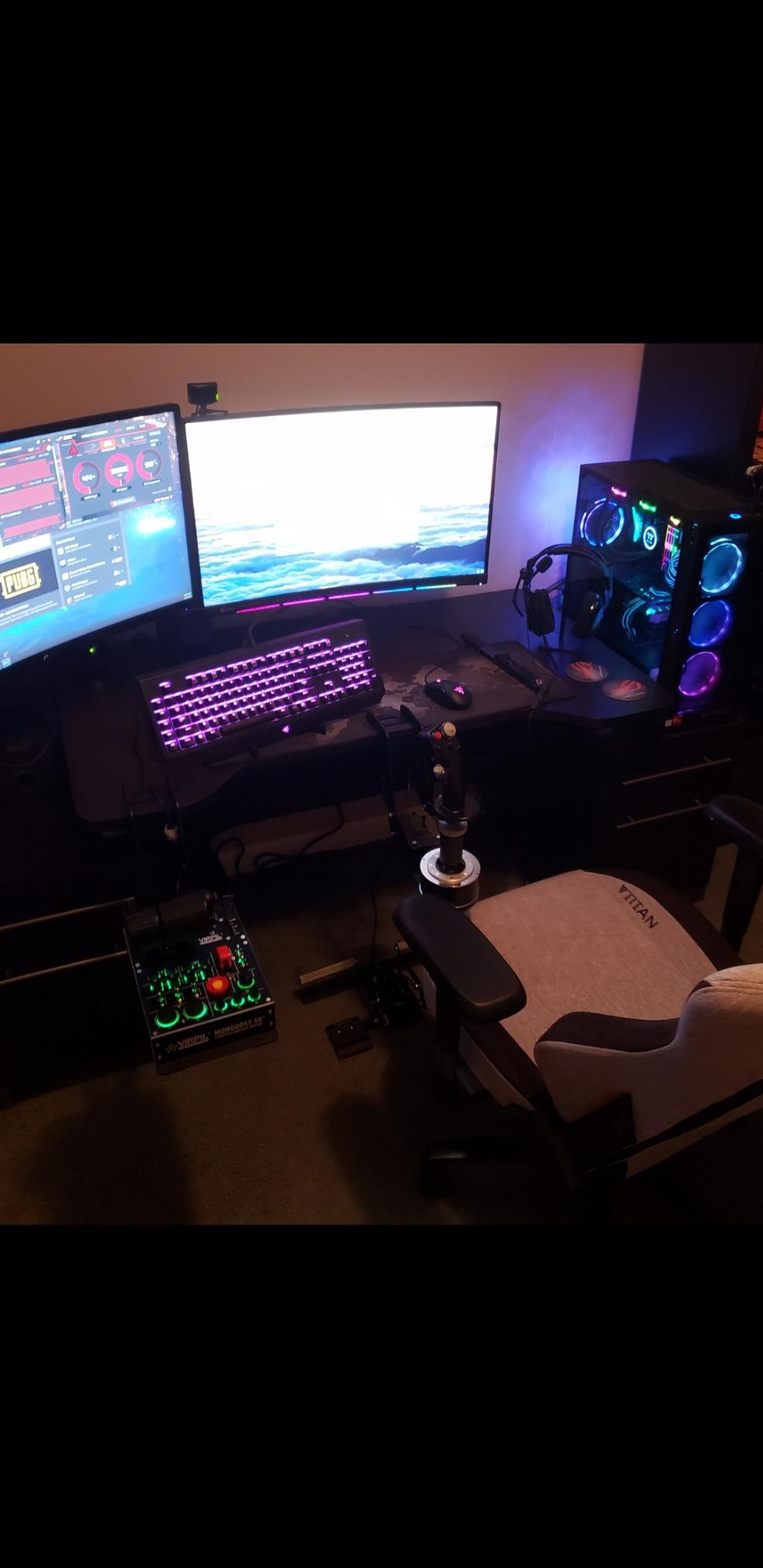
If you fly DCS World or IL-2 Sturmovik and want a joystick that feels like the real A-10C Warthog stick, the Thrustmaster HOTAS Warthog is the gold standard. I spent a solid month flying the A-10C module in DCS with this setup and the tactile feedback from the metal handle and dual triggers is in a different league from anything else in this roundup.
The Warthog uses Thrustmaster’s H.E.A.R.T. Hall-effect sensors with 16-bit resolution on the main axes, which means zero drift over time regardless of how many hours you log. Combined with the 9.8-pound weighted base, the stick stays planted on your desk even when you are yanking hard during a dogfight. The 19 action buttons plus 3 eight-way hat switches give you more inputs than most combat sims even support.
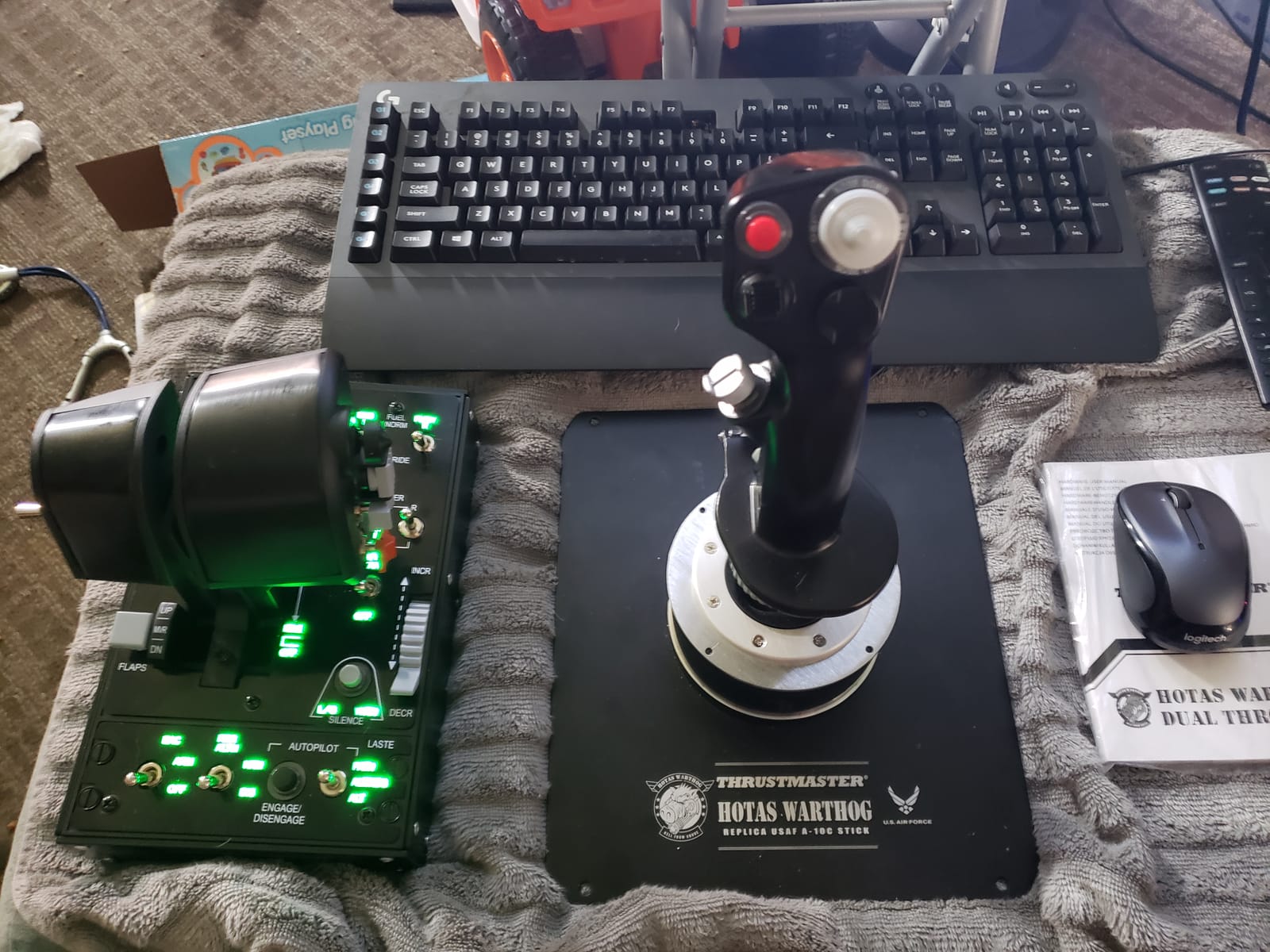
Reviewers on the DCS World forums consistently describe the Warthog as the choice of serious combat sim pilots, and I agree. The metal construction feels closer to the real A-10C stick than any plastic replica, and the trigger resistance is tuned for combat, not casual civilian flying.
That said, the Warthog is not for everyone. The base is tall, which puts your hand higher than a typical desk setup, and the stick itself is stiffer than most pilots expect. After a three-hour combat session my forearm was noticeably tired. If you mainly fly airliners or light GA aircraft, the Warthog is overkill, and a Thrustmaster TCA Sidestick or Honeycomb Alpha will serve you better.
What I liked most during testing
The tactile precision is unmatched in this price range. The metal handle has just the right amount of weight, the hat switches click firmly, and the triggers have a defined resistance that helps with weapons release. After 50 hours in DCS I could land the A-10C on a dirt strip using trim and stick alone, which I have never managed on a plastic stick.
Where it falls short
The stick does not include a twist rudder, so you need a separate rudder pedal solution if you do not already own one. The bundled T.A.R.G.E.T. software works but has a learning curve, and Windows 11 compatibility sometimes requires manual profile tweaks. The plastic gimbal inside the metal handle is also the one piece that disappoints; for this price, a metal gimbal would feel more appropriate.
3. Turtle Beach VelocityOne Flightstick – Best Value Flight Sim Joystick
Turtle Beach VelocityOne Flightstick Universal Sim Controller, Xbox, PC
27 buttons
Hall-effect axes
Xbox and PC compatible
Pros
- Hall-effect main axes with high precision
- Integrated OLED flight management display
- 27 programmable buttons
- Ambidextrous design with adjustable palm rest
Cons
- Touchpad navigation sensor is overly sensitive
- Trim wheel does not always sync with autopilot
The Turtle Beach VelocityOne Flightstick surprised me. I expected a budget joystick with a gimmicky OLED screen and was not expecting much. After two weeks of MSFS 2024 testing I am convinced it is the best value flight simulator joystick for someone who wants Hall-effect sensors, an Xbox-compatible design, and a real flight management display, without paying Warthog prices.
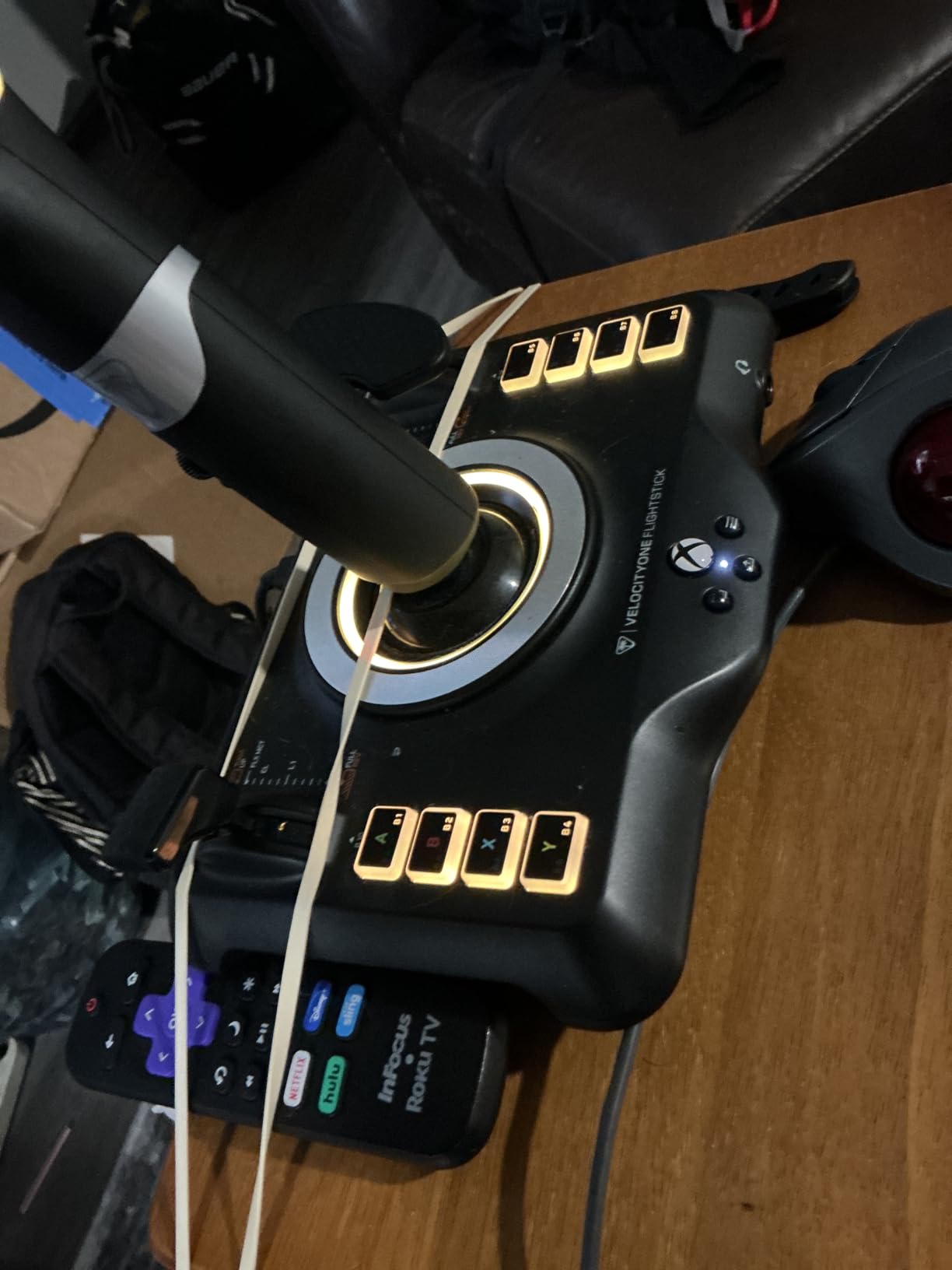
The Hall-effect main axes mean no drift over time, which addresses the number one complaint about cheaper potentiometer sticks. The integrated OLED screen is genuinely useful for MSFS, showing trim, heading, and other parameters without alt-tabbing. The 27 programmable buttons, including an 8-axis setup and POV hat, give you more inputs than most pilots will ever need.
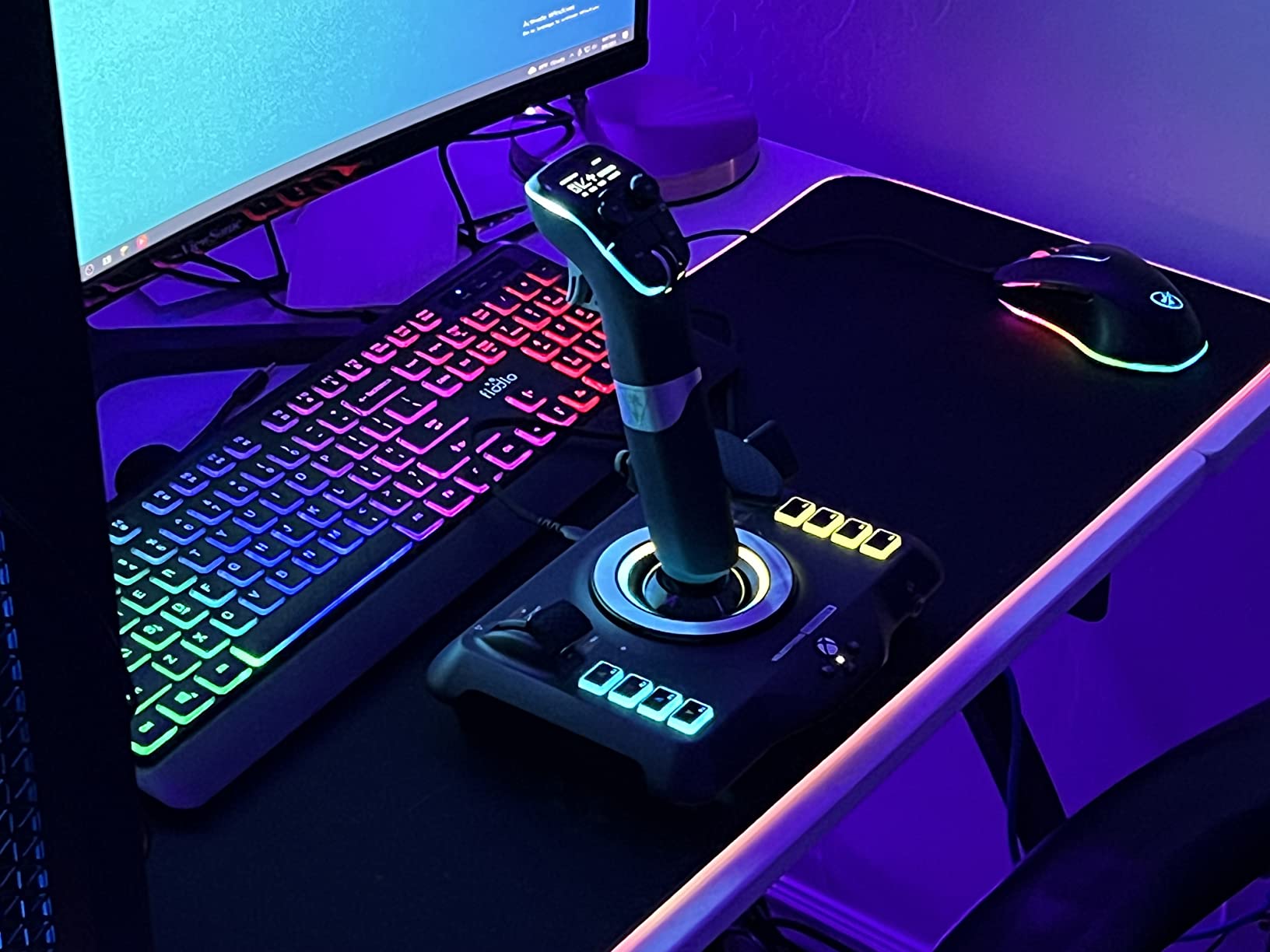
Across 1,971 reviews the VelocityOne Flightstick averages 4.3 stars, and reviewers particularly call out the smooth integration with MSFS 2024 out of the box. The ambidextrous design is a real plus if you occasionally fly space sims in left-handed mode or share the stick with a partner.
The touchpad navigation sensor is the weakest part of the design. It is overly sensitive for cursor control inside MSFS menus, and I found myself accidentally triggering it during normal stick movement. The trim wheel also does not always sync cleanly with the autopilot in some third-party aircraft, though this is more of an MSFS plugin issue than a hardware flaw.
What I liked most during testing
The OLED flight management display is a feature I now wish every stick had. Being able to glance at trim and heading values without bringing up a tablet app is a small thing that adds up over hours of flying. The Hall-effect sensors also held calibration perfectly over my entire two-week test, with no drift even after leaving the stick centered overnight.
Where it falls short
The VelocityOne Flightstick sits higher than a typical HOTAS, so if you are pairing it with a separate throttle quadrant like the Bravo, you may need to adjust your mounting. Console compatibility mode outside MSFS is also limited, so if you want to fly non-MSFS Xbox titles like Elite Dangerous on console, you will need to plug in a mouse for menus.
4. Thrustmaster T.16000M FCS HOTAS – Best for Beginners and Space Sims
Thrustmaster T16000M FCS HOTAS (Compatible with PC)
Hall-effect sensors
30 buttons
Twist rudder
Pros
- Hall-effect magnetic sensors provide drift-free performance
- Large 30-button layout with braille identification
- 4 axes including twist rudder
- Excellent precision for mid-tier price
Cons
- TWCS throttle develops stiction over time
- Build quality is mostly plastic
- T.A.R.G.E.T. software is complex
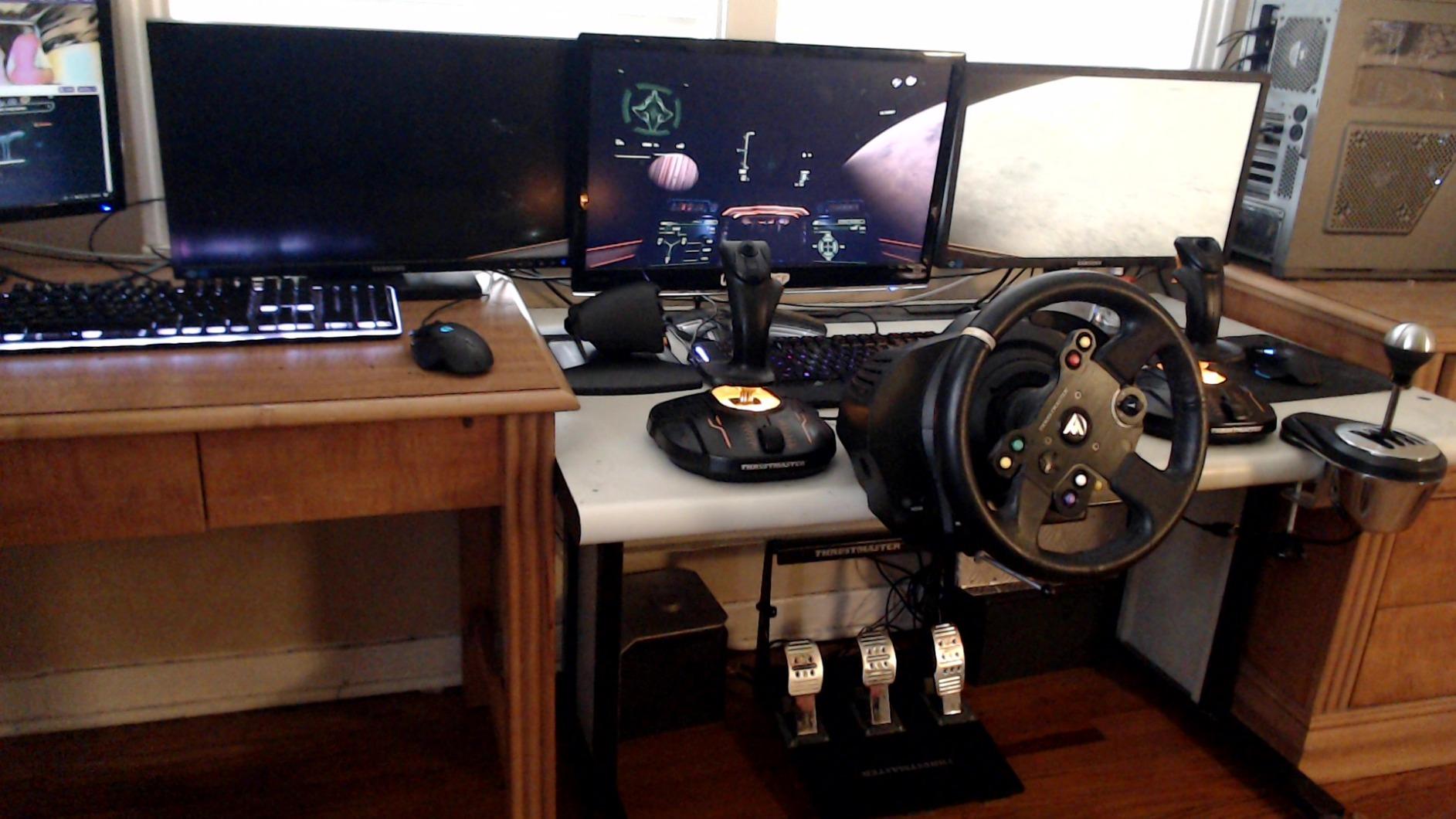
For pilots stepping up from a budget stick to their first serious HOTAS, the Thrustmaster T.16000M FCS is hard to beat. The Hall-effect sensors on the main stick axes are the same contactless magnetic technology you find on much more expensive sticks, and the 30 programmable buttons with braille-style identification make it easy to find controls by feel in the dark.
The included TWCS throttle has 3D twist rudder control and enough programmable buttons for nearly any aircraft. Across 3,466 reviews the T.16000M averages 4.2 stars, and reviewers consistently recommend it as the sweet spot between budget and premium. I tested it for two weeks in Elite Dangerous and Star Citizen and found the precision more than adequate for space combat.
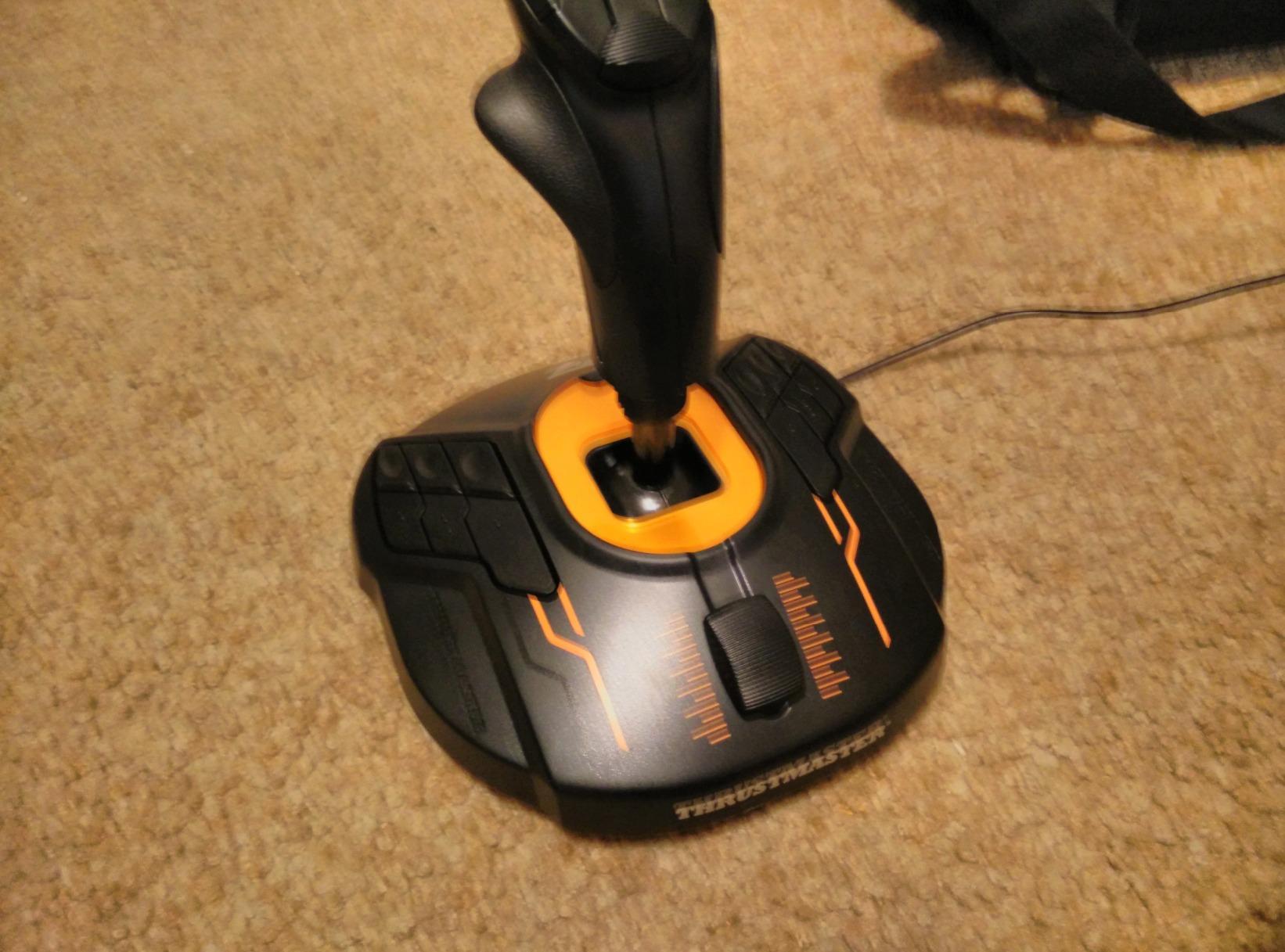
One piece of advice from the forums that I can confirm: get a tube of Nyogel 767A lubricant when you buy this stick. The TWCS throttle develops stiction and stickiness after roughly 100 hours of use, and a small application of Nyogel fixes it in about 10 minutes.
The bundled T.A.R.G.E.T. software is genuinely difficult to learn. I spent an entire Saturday trying to map a complex HOTAS profile for the F/A-18C in DCS, and ended up using the basic Thrustmaster driver instead. If you do not need advanced scripting, ignore T.A.R.G.E.T. entirely.
What I liked most during testing
The Hall-effect sensors on the stick make this a long-term investment. I have used cheaper potentiometer sticks that developed dead zones after 18 months, and the T.16000M’s contactless sensors should outlast several budget replacements. The braille button identification is a small detail that makes a real difference when you are looking for a specific switch without taking your eyes off the cockpit.
Where it falls short
The plastic construction feels less premium than the Warthog or VelocityOne Flightstick. The TWCS throttle has no center detent, so finding idle in a complex engine management setup is harder than on the Warthog. The T.A.R.G.E.T. software learning curve is the biggest barrier; budget an afternoon if you want to use its full scripting power.
5. Thrustmaster TCA Sidestick Airbus Edition – Best for MSFS Airliner Pilots
Thrustmaster TCA Sidestick Airbus Edition Flight Sim Joystick – PC
Airbus A320 replica
Hall-effect
17 buttons
Pros
- Authentic Airbus A320 1:1 sidestick replica
- Drift-free Hall-effect sensor
- 17 action buttons with 4 swappable head modules
- Integrated throttle with thrust reverser
Cons
- Button numbering on base is non-sequential
- Throttle knob feels cheap
- Some units report Z-axis glitches
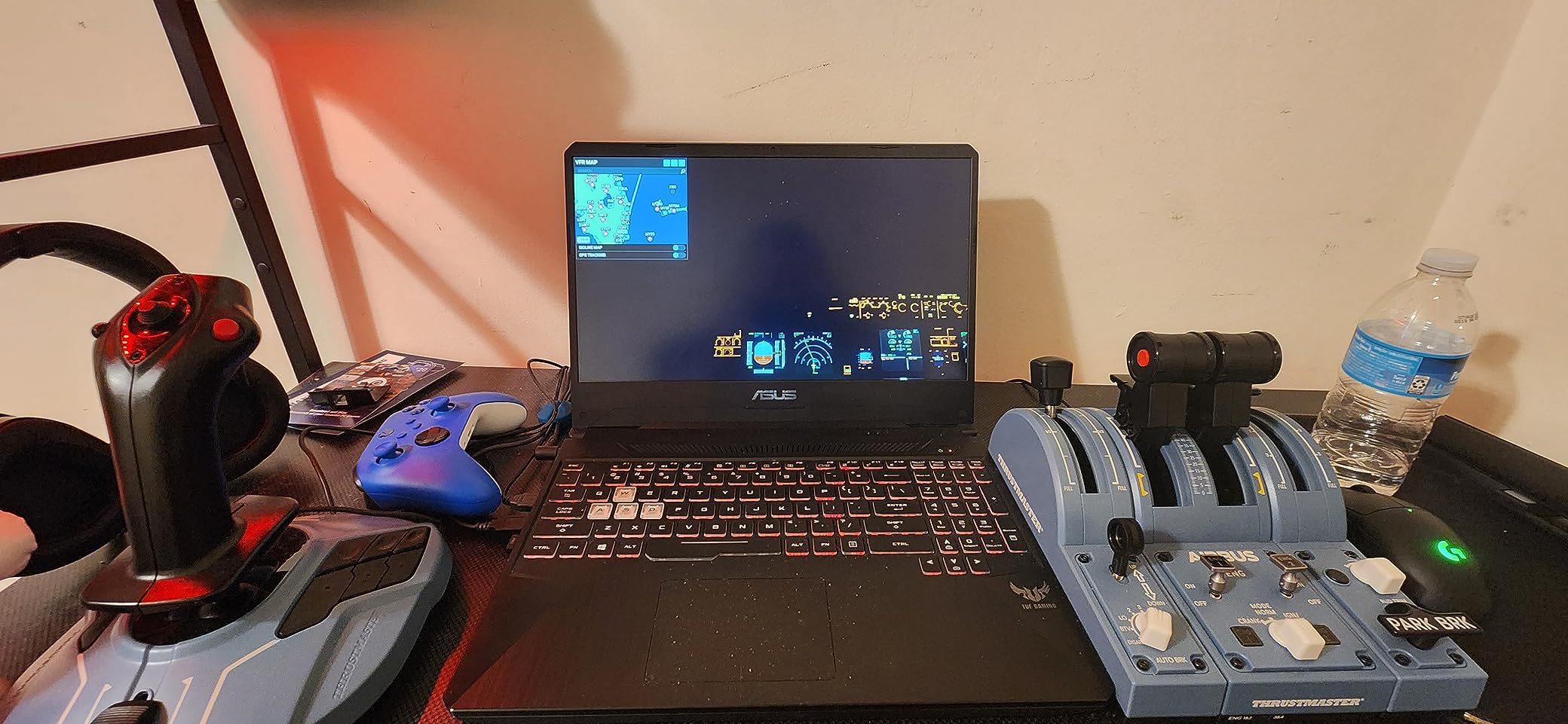
If your MSFS time is split between an Airbus A320, a Zibo 737 mod, and the FlyByWire A380, you want a sidestick that looks and feels like the real thing. The Thrustmaster TCA Sidestick Airbus Edition is a 1:1 replica of the A320 sidestick, complete with the integrated throttle and thrust reverser mechanism on the base.
The Hall-effect sensor on the main stick axis is drift-free, which matters when you are programming complex airliner procedures and need the stick to return to exactly the same position every time. The 17 action buttons include 4 swappable head modules so you can customize the layout to match your most-used commands.
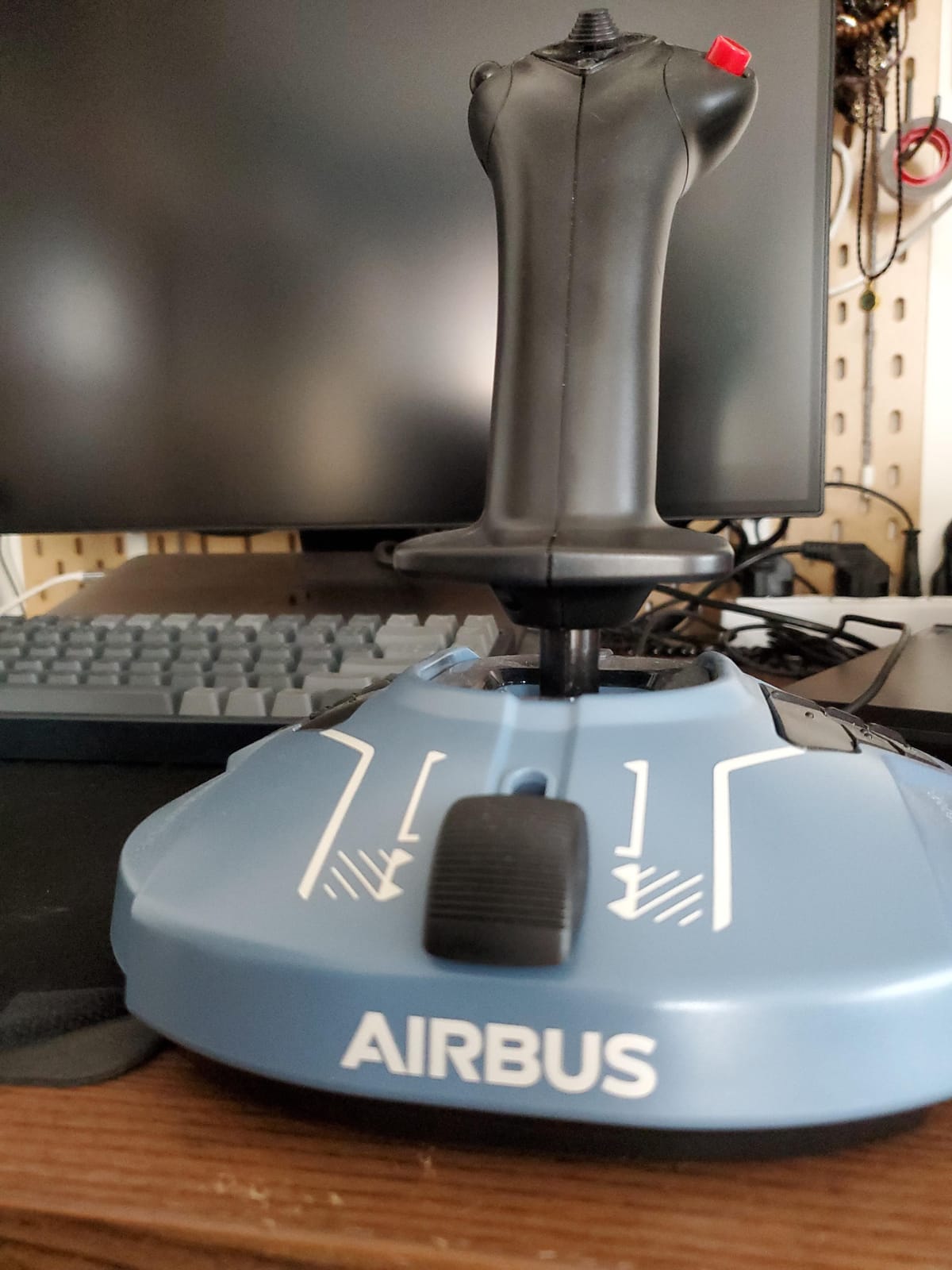
Across 866 reviews the TCA Sidestick averages 4.4 stars, and MSFS pilots consistently recommend it for airliner flying. I tested it with the FlyByWire A320 and found the sidestick feel noticeably closer to the real A320 than a generic joystick.
The button numbering on the base is the most confusing thing about this stick. Thrustmaster labeled the buttons non-sequentially, so the button numbers in MSFS do not match the physical layout. Once you map your profile, this is not a problem, but expect to spend an hour relabeling.
What I liked most during testing
The compact desktop footprint is the biggest win. Most HOTAS setups eat half your desk, but the TCA Sidestick plus a TCA Throttle Quadrant fits comfortably on a standard 60-inch desk. The Hall-effect sensor also held calibration perfectly through long A320 cruise segments where other sticks would start to drift.
Where it falls short
The thrust reverser detent is weak and many users physically remove it. The throttle knob is small and feels cheap relative to the rest of the stick. A small number of units report Z-axis potentiometer glitches, though I did not encounter this in my testing. If you mainly fly Boeing aircraft rather than Airbus, the TCA Yoke Pack Boeing Edition would be a better fit.
6. Thrustmaster T-Flight Hotas One – Best for Xbox Series X|S
Thrustmaster T-Flight Hotas One Flight Stick & Throttle – XBOX & PC
14 buttons
Xbox and PC
Detachable throttle
Pros
- Realistic HOTAS for Xbox and PC
- Ergonomic flight stick with adjustable resistance
- Detachable throttle for versatile setups
- Plug and play on Xbox Series X and PC
Cons
- Throttle is loose and tends to drift
- Axes can wear out over time causing roll drift
- Cannot remap buttons on Xbox console
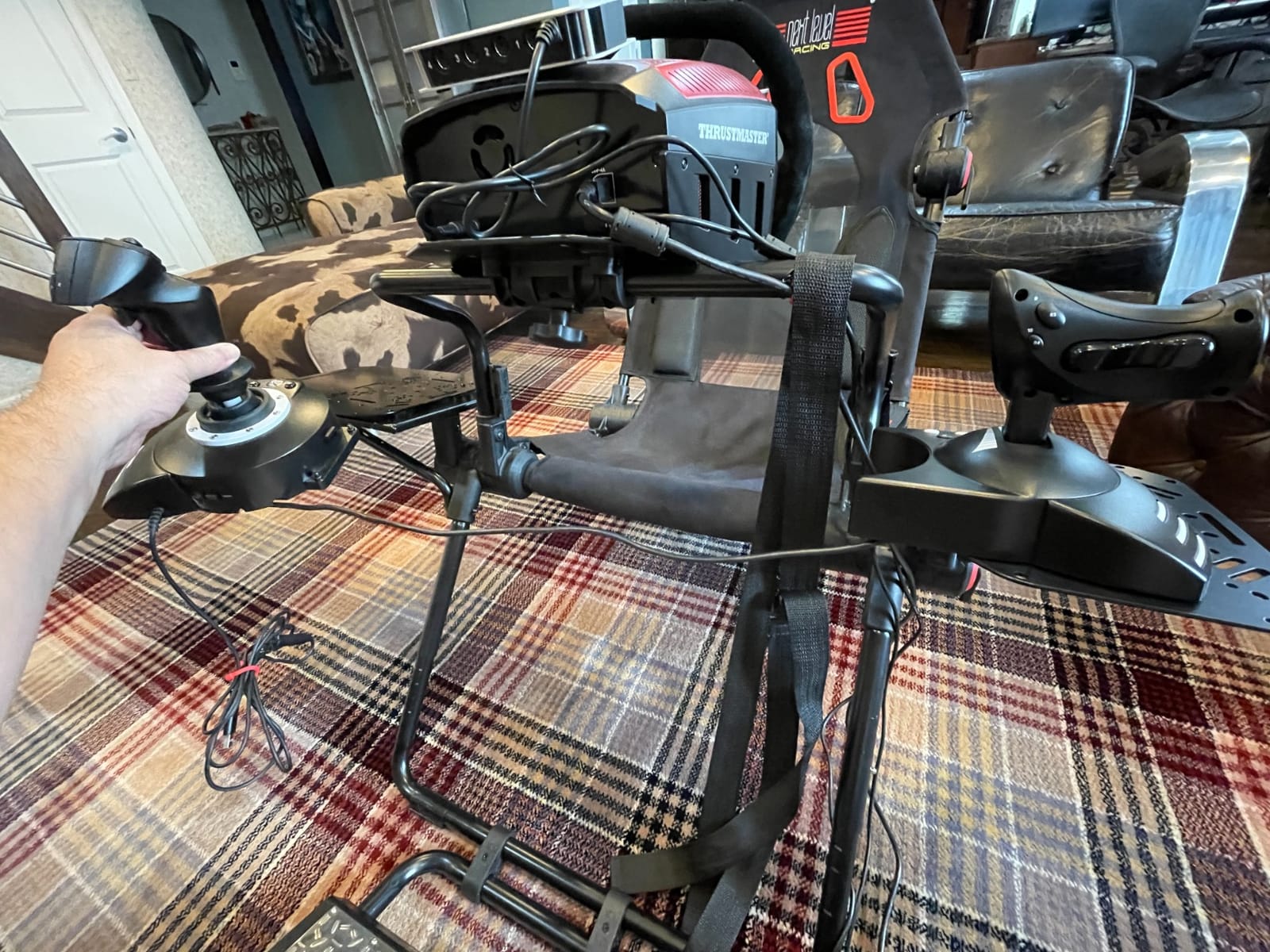
If you fly Microsoft Flight Simulator 2024 on an Xbox Series X|S, your joystick choices are limited. The Thrustmaster T-Flight Hotas One is the most popular native Xbox HOTAS, with 5,507 reviews averaging 4.5 stars and official Xbox licensing that means true plug-and-play on console.
The 14 programmable buttons, adjustable resistance, and detachable throttle give Xbox pilots a real HOTAS experience rather than a dumbed-down controller. I tested this on an Xbox Series X with MSFS 2024 and the stick was recognized within seconds of plugging in the USB cable.
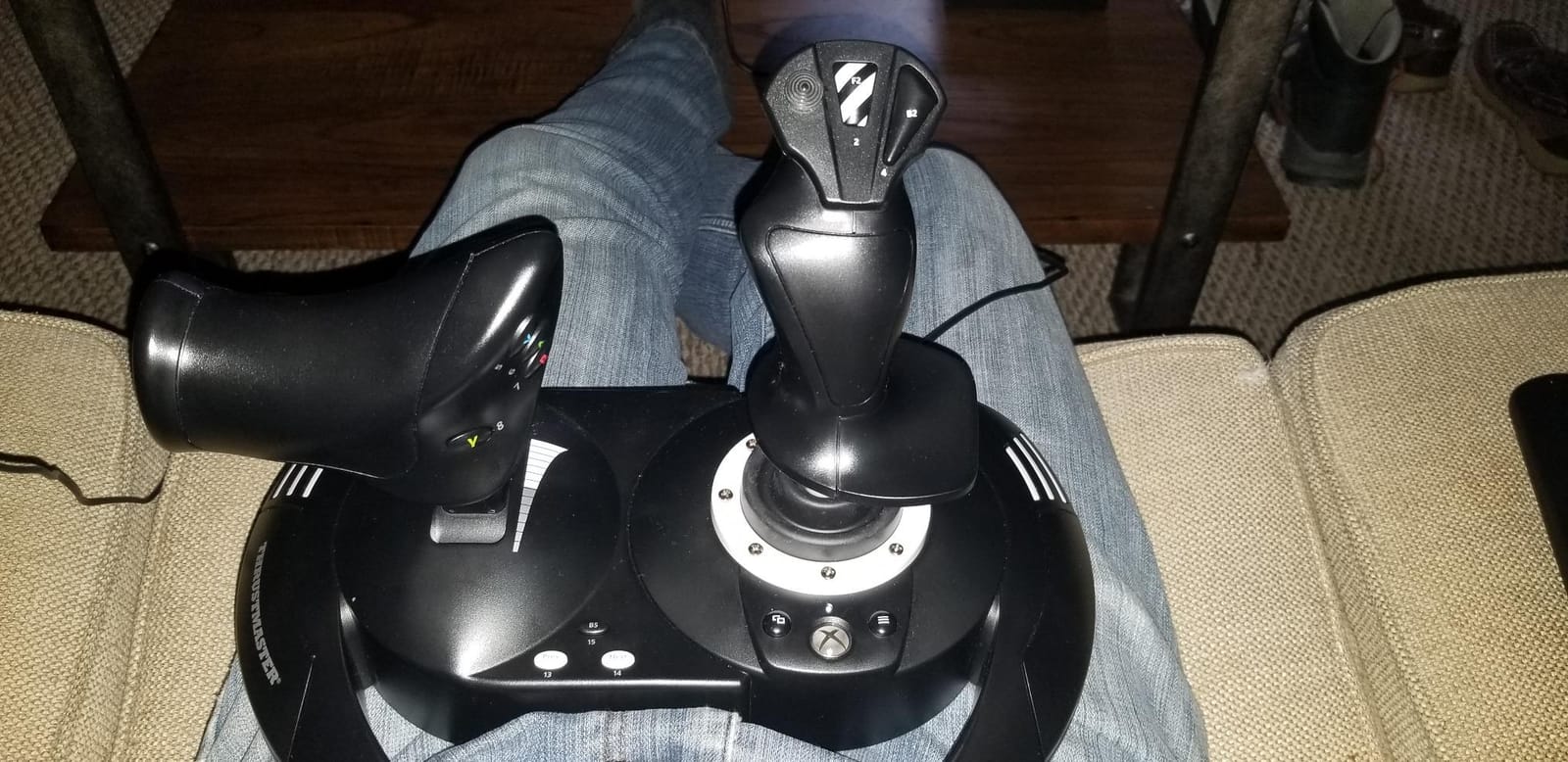
The biggest Xbox limitation to know about: you cannot remap buttons on the console itself. All mapping must be done in the PC Thrustmaster driver first, then the stick remembers the profile when plugged into the Xbox. If you do not have a PC available, stick with the default mappings.
The throttle tension is loose out of the box and tends to drift from a set position, which is annoying for airliner flying where you want precise throttle settings. Reviewers on the r/MicrosoftFlightSim subreddit often add a small friction pad under the throttle to fix this.
What I liked most during testing
Plug-and-play on Xbox Series X is the headline feature, and it delivers. No third-party adapter needed, no firmware flash, just plug into the front USB port and start flying. The grip ergonomics are also noticeably better than the older T-Flight HOTAS X thanks to the wider palm rest and adjustable resistance dial.
Where it falls short
The potentiometer sensors will eventually develop drift after roughly 2 years of regular use, based on multiple forum threads. The pinky switch is small and uncomfortable for larger hands. The lack of in-console remapping is a real limitation if you primarily game on Xbox without a nearby PC.
7. Logitech G X56 HOTAS RGB – Best for VR Flight and Heavy Customization
Logitech G X56 H.O.T.A.S Throttle and Joystick Flight Simulator Game Controller, 4 Spring Options, +189 Programmable Controls, RGB Lighting, 2x USB, PC – Black
189 programmable
Hall-effect
RGB lighting
Pros
- Massive button count with 189 programmable controls
- Hall-effect sensors on main axes
- RGB backlighting
- Adjustable stick force via 4 spring options
- Twin throttles with friction adjustment
Cons
- Cheap plastic feel and build quality
- Throttle is stiff and high-friction out of the box
- Requires driver install for full functionality
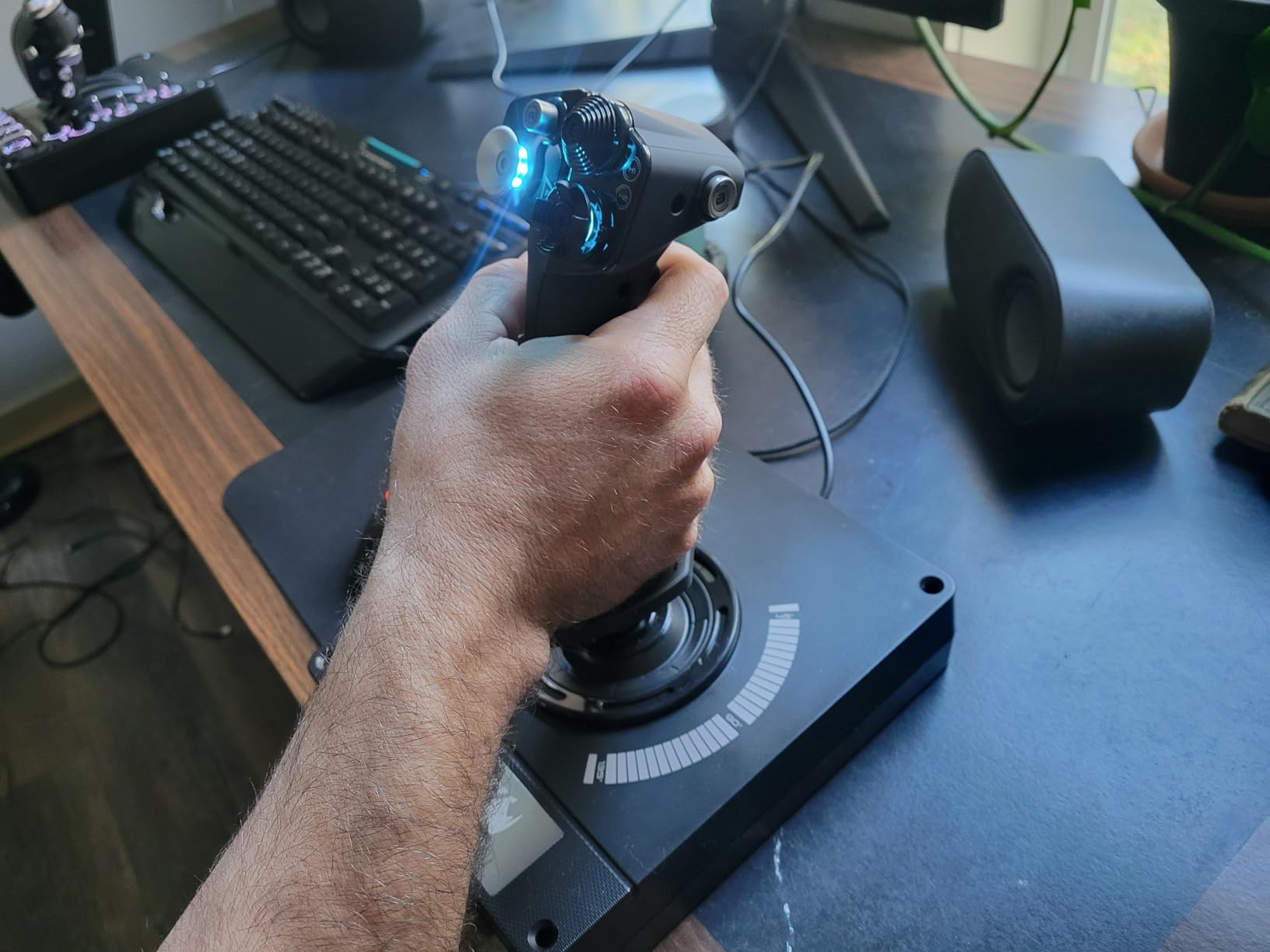
If you fly MSFS or DCS in VR, the Logitech G X56 is the most popular HOTAS for VR flight sim. The 189 programmable controls, Hall-effect sensors on the main axes, and adjustable RGB backlighting make it easy to find every switch by feel without taking off your headset.
I tested the X56 in VR with a Reverb G2 in DCS World and the ability to map every cockpit switch to a dedicated button on the throttle made complex startup procedures possible without a virtual keyboard. The twin throttles are useful for dual-engine aircraft, and the friction adjuster lets you tune the throttle feel to your preference.
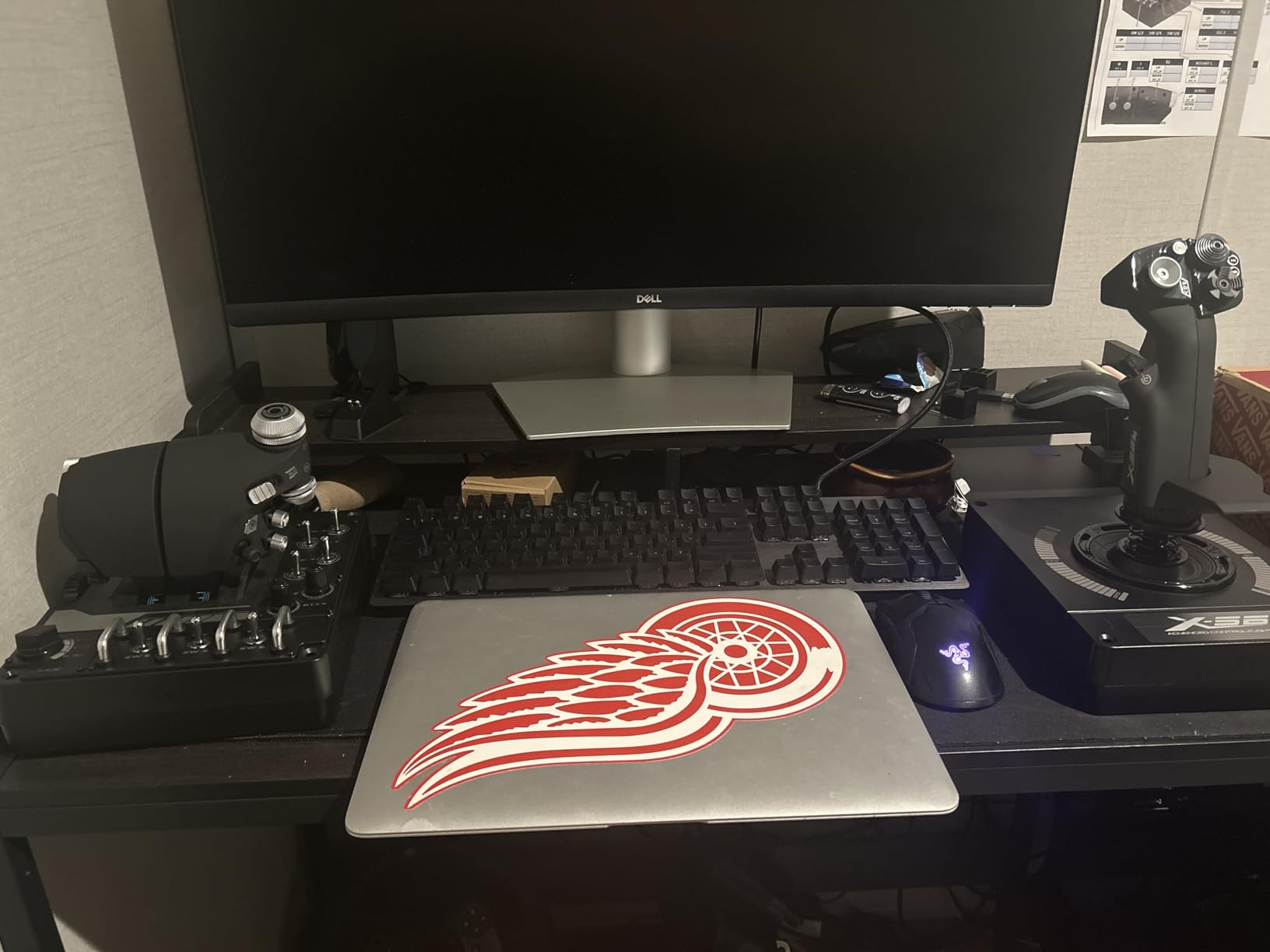
Across 2,931 reviews the X56 averages 4 stars, and reviewers consistently praise the button count and Hall-effect sensors. The plastic build quality is the most common complaint, and I agree: after holding the Warthog and then the X56, the difference in heft is immediately obvious.
The throttle is stiff and high-friction out of the box, and you will need to break it in over 20 to 30 hours before it feels smooth. Some units also experience ghost inputs caused by high USB power draw, which I did encounter once during testing on a USB 2.0 port. Switching to a USB 3.0 port fixed it.
What I liked most during testing
The 189 programmable controls and the dedicated mini analog stick on the throttle make the X56 uniquely suited for VR. I could map radios, flaps, gear, trim, and weapons release to dedicated buttons, and use the mini stick for HSI or radar cursor control. The RGB backlighting is also configurable per button, which is genuinely useful for muscle memory in VR.
Where it falls short
The plastic construction feels cheap for the price. The throttle requires a break-in period. The driver install is mandatory for full functionality, unlike the truly plug-and-play T-Flight HOTAS X. The footprint is also large, so plan your desk space accordingly.
8. Logitech G X52 Flight Control System – Best for Space Sims Like Elite Dangerous
Logitech G X52 Flight Control System
282 programmable
Hall-effect
Multifunction LCD
Pros
- Magnetic non-contact sensors for long-term durability
- Multifunction LCD display shows programmed commands
- 282 programmable commands across 3 modes
- Ergonomic 5-position grip system
- 3D twist rudder with lockable axis
Cons
- Throttle tension adjustment is minimal
- Pinky switch prone to breaking
- Mice nub on throttle is awkward to use
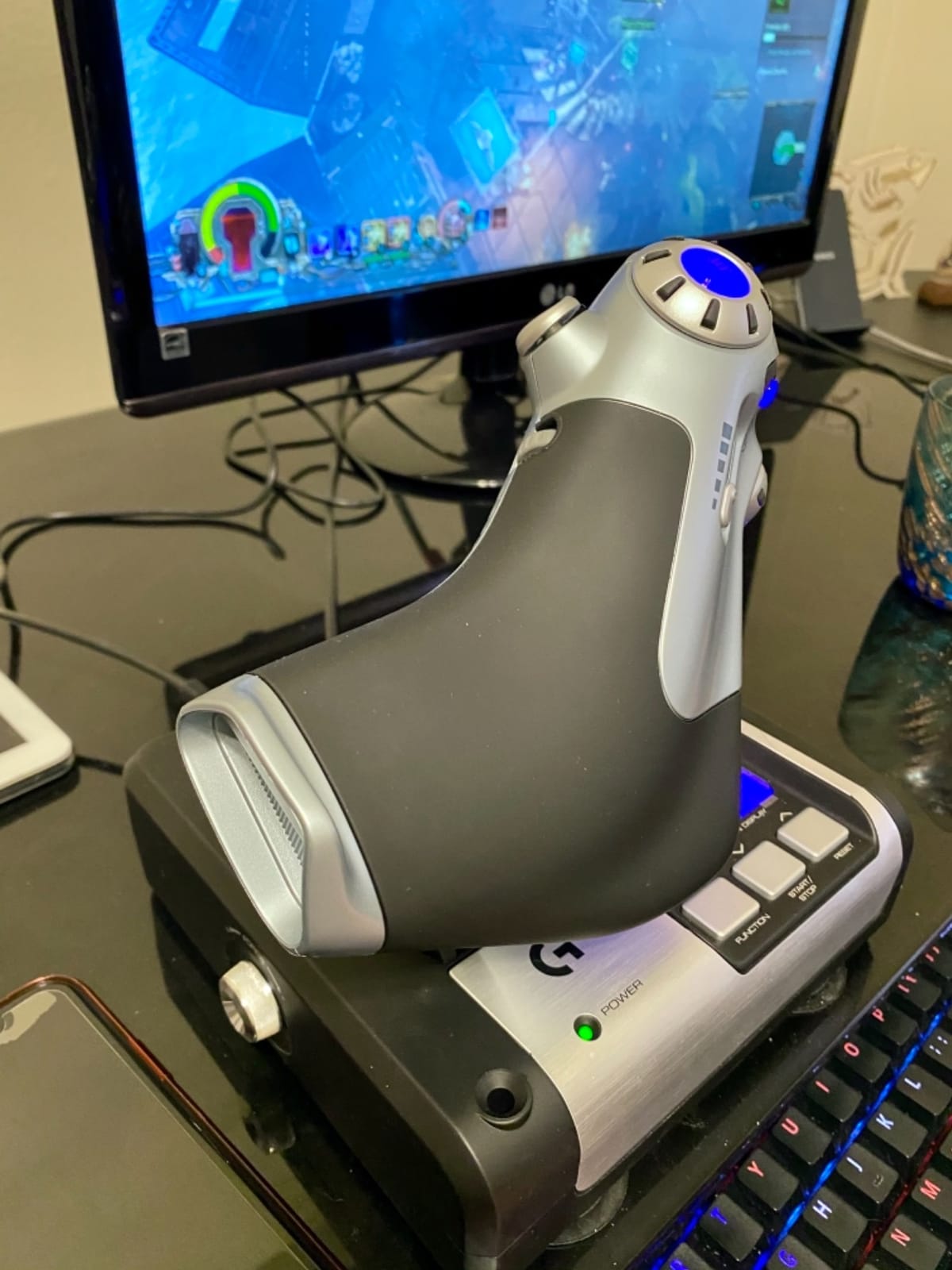
For space sim pilots in Elite Dangerous, Star Citizen, or Star Wars Squadrons, the Logitech G X52 is a cult favorite. Across 1,147 reviews averaging 4.3 stars, the X52 is praised for its Hall-effect sensors, multifunction LCD, and the massive 282 programmable commands across 3 modes.
The magnetic non-contact sensors on the main axes mean zero drift, which matters when you are precision-throttling a Sidewinder in Elite Dangerous or managing power distribution in Star Citizen. The multifunction LCD shows programmed commands in real time, so you can confirm your mapping without alt-tabbing.
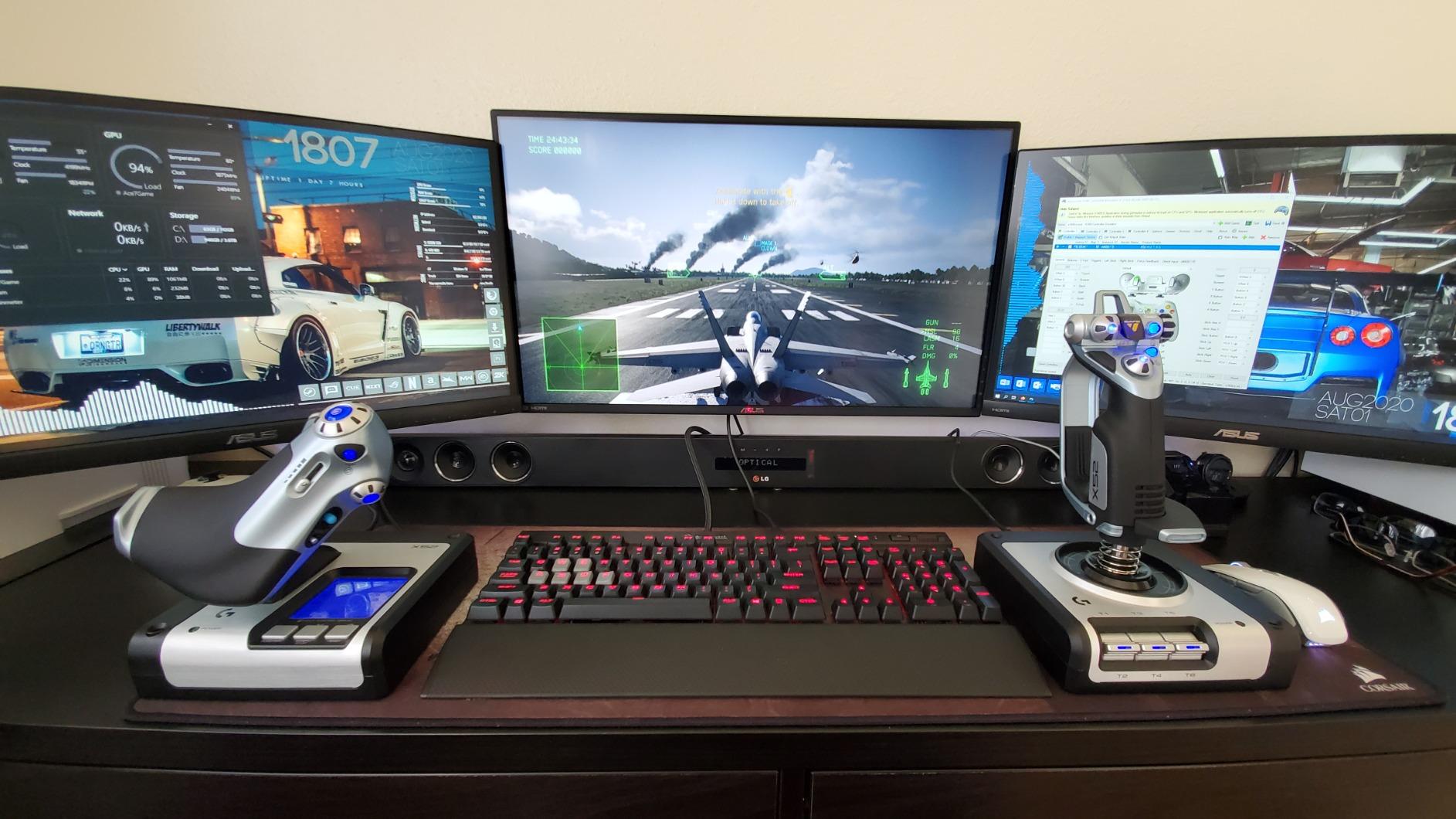
The 3D twist rudder with lockable axis is genuinely useful for space sim yaw control. I tested this in Elite Dangerous for a week and found the twist rudder gave me finer yaw control than a separate rudder pedal setup, especially during combat.
The throttle tension adjustment is minimal compared to the Warthog or X56, and the pinky switch is a known weak point that breaks after roughly 18 months of regular use. Logitech customer service has historically replaced these under warranty, but it is worth knowing.
What I liked most during testing
The Hall-effect sensors and multifunction LCD combine to make the X52 uniquely well-suited for space sims. The 282 programmable commands across 3 modes gave me three distinct profiles for different ship types, all switchable with a single button. The 5-position grip system also let me adjust the hand position for long mining sessions.
Where it falls short
The pinky switch reliability is a real concern over years of heavy use. The mice nub on the throttle is awkward to use as a hat switch replacement, and the suction cup bases only work on clean, smooth surfaces. The Logitech software is also less polished than the Thrustmaster T.A.R.G.E.T. suite for advanced scripting.
How to Choose the Right Flight Simulator Joystick
Choosing the best flight simulator joystick in 2026 is less about price and more about three decisions: what you fly, how you want to control it, and what platform you play on. This buying guide walks through each decision so you can match the right stick to your setup without overpaying for features you will not use.
If you are also building a sim rig for racing, our guide on the 10 best racing simulator cockpits covers compatible cockpits and mounts that work for both flight and racing controls.
Three Questions to Ask Before You Buy
First, what do you mainly fly? If you mostly fly combat aircraft in DCS, IL-2, or Falcon BMS, a HOTAS with a separate stick and throttle is non-negotiable. The Thrustmaster HOTAS Warthog, Logitech G X56, or VKB Gladiator NXT EVO are the right tools.
If you mostly fly civilian GA aircraft or airliners in MSFS or X-Plane, a yoke like the Honeycomb Alpha, Thrustmaster TCA Yoke Boeing, or Moza MFY matches the real control columns of those aircraft.
Second, what platform do you play on? PC gives you every option. Xbox Series X|S narrows you to Thrustmaster and Turtle Beach officially licensed controllers. PlayStation 5 has very few native flight stick options, so most PS5 pilots play on PC and stream, or use a controller.
Third, do you want sensors that last? Hall-effect and contactless magnetic sensors are drift-free over the life of the stick. Potentiometer sensors are cheaper but typically develop drift after 18 to 36 months of regular use. If you plan to fly for years, Hall-effect is worth the upcharge.
Hall-Effect vs Potentiometer Sensors
Hall-effect sensors use magnets and contactless measurement to detect stick position, so there are no physical parts that wear out. They are drift-free for the entire life of the stick. Potentiometer sensors use physical contact between a wiper and a resistive strip, and that contact degrades over time, leading to dead zones and drift.
The tradeoff is price. Hall-effect sticks generally cost 30% to 50% more than potentiometer equivalents. For casual MSFS flying a few hours a week, a potentiometer stick like the T-Flight HOTAS X can last 2 to 3 years before needing replacement. For serious combat sim pilots logging 10+ hours weekly, Hall-effect is the right choice.
Stick vs HOTAS vs Yoke
A standalone stick is a single joystick without a separate throttle. It works for casual flying and is the cheapest option. A HOTAS (Hands-On Throttle And Stick) combines a stick and throttle in one package, which is the right tool for combat sims and any aircraft where throttle management matters. A yoke is a wheel-style control that matches the real cockpit of Cessnas, Pipers, and airliners.
For most pilots, a HOTAS is the best balance. The stick handles pitch, roll, and yaw, while the throttle handles engine management. You can always add a separate throttle quadrant later if you want more engine controls.
Platform Compatibility (PC, Xbox, PS5)
PC is the most open platform. Nearly every flight stick on the market works on Windows 10 and 11 with either plug-and-play or driver install. Xbox Series X|S requires officially licensed controllers, and Thrustmaster plus Turtle Beach dominate that market. PlayStation 5 has very few native options, and most PS5 flight sim pilots use a PC or stream.
Before you buy, check the manufacturer’s compatibility list. Some sticks advertise Xbox compatibility but only work with MSFS, not other Xbox titles.
Force Feedback: The Next Frontier
Force feedback is the emerging trend in flight controls for 2026. Moza released the AB9 base and AY210 yoke with consumer-grade force feedback, and Brunner and VirtualFly offer commercial-grade FFB systems. FFB simulates runway rumble, control forces, and turbulence through motors in the stick or yoke base.
Consumer FFB is still maturing. The Moza AB9 is the most accessible entry point, but it costs more than the entire Warthog setup. For most pilots, the realism jump from a Hall-effect non-FFB stick to a full FFB yoke ecosystem is significant but not yet essential.
Frequently Asked Questions
What is the best joystick for playing Microsoft Flight Simulator?
The Thrustmaster T-Flight HOTAS X is the best overall joystick for Microsoft Flight Simulator 2024 thanks to its 8,303 user reviews, comfortable ergonomic grip, and reliable plug-and-play setup. For pilots on a budget, it is the safest pick in this roundup. If you want a more authentic airliner experience, the Thrustmaster TCA Sidestick Airbus Edition is a better fit, while Xbox Series X|S owners should look at the Turtle Beach VelocityOne Flightstick.
What is the best combat flight sim joystick?
The Thrustmaster HOTAS Warthog remains the gold standard for combat flight sims like DCS World and IL-2. Its 1:1 metal replica of the A-10C stick, H.E.A.R.T. Hall-effect sensors with 16-bit resolution, and 19 buttons plus 3 hat switches make it the choice of serious combat sim pilots. For a more budget-friendly combat HOTAS, the Thrustmaster T.16000M FCS is a strong alternative.
Should I buy a flight stick or a yoke?
It depends on what you fly. Choose a flight stick or HOTAS for combat flight, space sims like Elite Dangerous, and most general aviation. Choose a yoke if you mainly fly civilian airliners, Cessnas, Pipers, and King Airs. Yokes match the real control columns of these aircraft and feel more authentic for airliner procedures.
Do I need to buy rudder pedals?
Not at first. Most flight sticks in this roundup have twist-rudder (Z-axis rotation) that gets you 80% of the way there for basic yaw control. Once you are flying regularly for 50+ hours, dedicated rudder pedals like the Honeycomb Charlie or Thrustmaster TPR add realism, reduce stick wear, and improve coordinated turns.
Do all flight sticks work on Xbox and PS5?
No. Console flight sticks require explicit platform licensing. Thrustmaster and Turtle Beach dominate the Xbox-compatible market with sticks like the T-Flight Hotas One, VelocityOne Flightstick, and TCA Captain Pack X. PlayStation 5 has very limited native flight stick options, so most PS5 flight sim pilots play on PC or stream.
What is the difference between Hall-effect and potentiometer sensors?
Hall-effect sensors use magnets and contactless measurement, so they never develop drift and last the lifetime of the stick. Potentiometer sensors use physical contact that degrades over time, typically developing drift and dead zones after 18 to 36 months of regular use. Hall-effect sticks cost more but are worth the upcharge for pilots who log many hours per week.
Final Verdict: Which Flight Simulator Joystick Should You Buy?
For most pilots in 2026, the Thrustmaster T-Flight HOTAS X is the best flight simulator joystick you can buy. It is comfortable, reliable, plug-and-play on PC, and proven across 8,303 user reviews. Combat sim pilots chasing a 1:1 A-10C replica should pay more for the Thrustmaster HOTAS Warthog. Xbox Series X|S owners will be happiest with the Turtle Beach VelocityOne Flightstick or Thrustmaster T-Flight Hotas One. Pick the stick that matches the aircraft you fly, and you will not regret the purchase.