
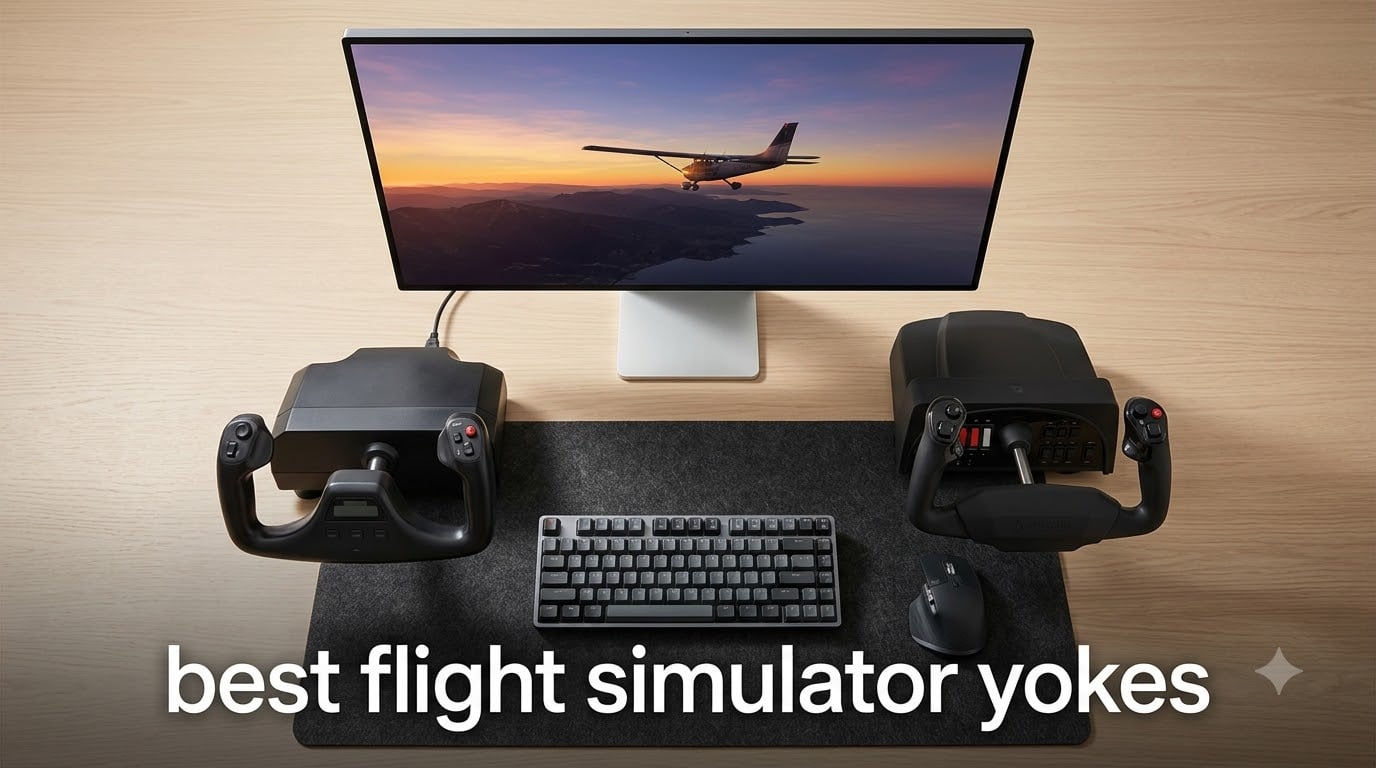
There’s a moment in every flight simulator pilot’s journey where keyboard controls stop cutting it. You’re on final approach to a tricky crosswind landing, and you need the kind of precise, nuanced input that only a proper flight simulator yoke can deliver. I’ve tested six of the most popular flight sim yokes on the market right now, from budget-friendly entry-level models to professional-grade force feedback systems. Whether you’re flying Cessna 172s in general aviation or commanding a Boeing 787 across the Atlantic, the right yoke transforms your entire sim experience.
The best flight simulator yokes in 2026 range from under two hundred to over seven hundred, but price alone doesn’t tell the whole story. Sensor technology, build quality, rotation range, and software compatibility all play major roles in how a yoke actually feels during a three-hour IFR session. I spent months flying with each of these yokes in Microsoft Flight Simulator 2024, X-Plane 12, and Prepar3D to find out which ones truly deliver on their promises.
In this guide, I’ll walk you through every yoke worth considering right now, explain the differences that actually matter, and help you pick the one that matches your flying style and budget. If you’re also building out a full sim setup, you might want to check out our guide to best racing simulator cockpits for complementary hardware ideas.
Table of Contents
Top 3 Picks for Best Flight Simulator Yokes

Honeycomb Alpha Yoke
- 180 degree steel shaft rotation
- Integrated Cessna switch panel
- Dual mounting system

Logitech G PRO Yoke
- Stainless steel shaft
- 54 programmable controls
- Includes throttle quadrant

Best Flight Simulator Yokes in 2026
| Product | Specifications | Action |
|---|---|---|
| Honeycomb Alpha Yoke |
|
Check Latest Price |
| Logitech G PRO Yoke |
|
Check Latest Price |
| Turtle Beach VelocityOne |
|
Check Latest Price |
 Thrustmaster TCA Boeing Thrustmaster TCA Boeing |
|
Check Latest Price |
 Honeycomb Alpha LITE Honeycomb Alpha LITE |
|
Check Latest Price |
 MOZA AY210 FFB Yoke MOZA AY210 FFB Yoke |
|
Check Latest Price |
1. Honeycomb Alpha Flight Controls – Best Overall Flight Sim Yoke
Honeycomb Alpha Flight Controls Yoke & Switch Panel
180 degree rotation with steel shaft
Integrated Cessna 172 switch panel
Dual mounting with clamps and suction pad
Pros
- Premium build quality with solid steel shaft
- 180 degree smooth rotation with minimal deadzone
- Integrated Cessna-style switch panel with realistic ignition
- Compatible with both PC and macOS
- Excellent customer service from Honeycomb
- Favored by real-world pilots for authenticity
Cons
- Higher price point than entry-level yokes
- Switches positioned awkwardly behind the yoke
- Yoke shaft does not retract into the body
The Honeycomb Alpha has been the gold standard for flight simulator yokes since it launched, and after flying with it for over 200 hours across MSFS 2024, X-Plane 12, and Prepar3D, I can confidently say it earns that reputation. The 180-degree rotation with a solid steel shaft and two linear ball bearings delivers a buttery-smooth feel that makes every approach and landing feel genuinely tactile. This is the yoke that real-world pilots reach for when they want to practice procedures at home.
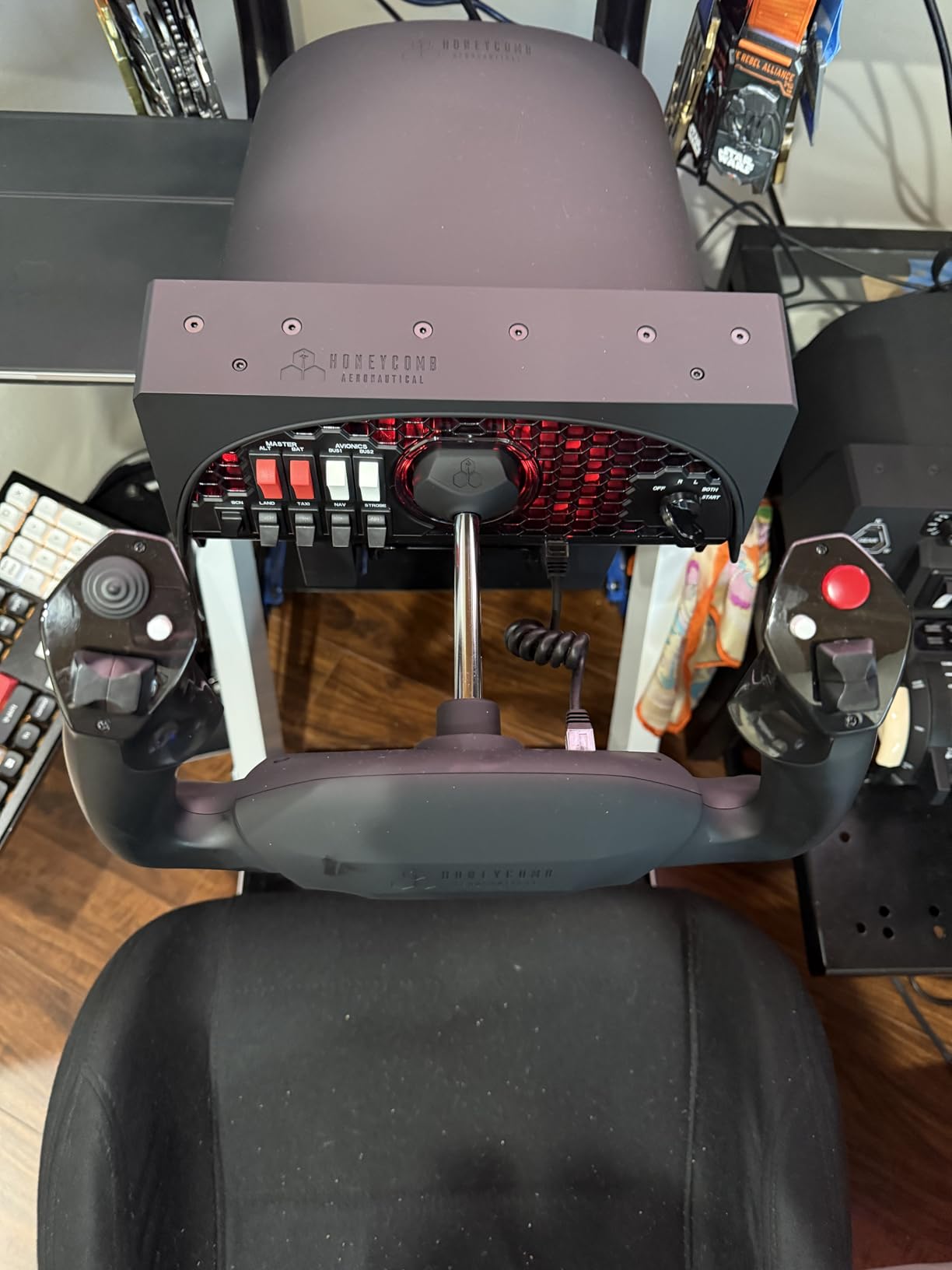
What sets the Alpha apart from cheaper alternatives is the integrated Cessna 172-style switch panel. You get main and alternator switches, avionics master, light controls, and a five-position ignition switch all built right into the yoke body. When I’m running through a preflight checklist in MSFS, I can physically flip these switches instead of clicking with a mouse, and that level of immersion is hard to overstate. The red LED backlighting also makes night sessions feel remarkably authentic.
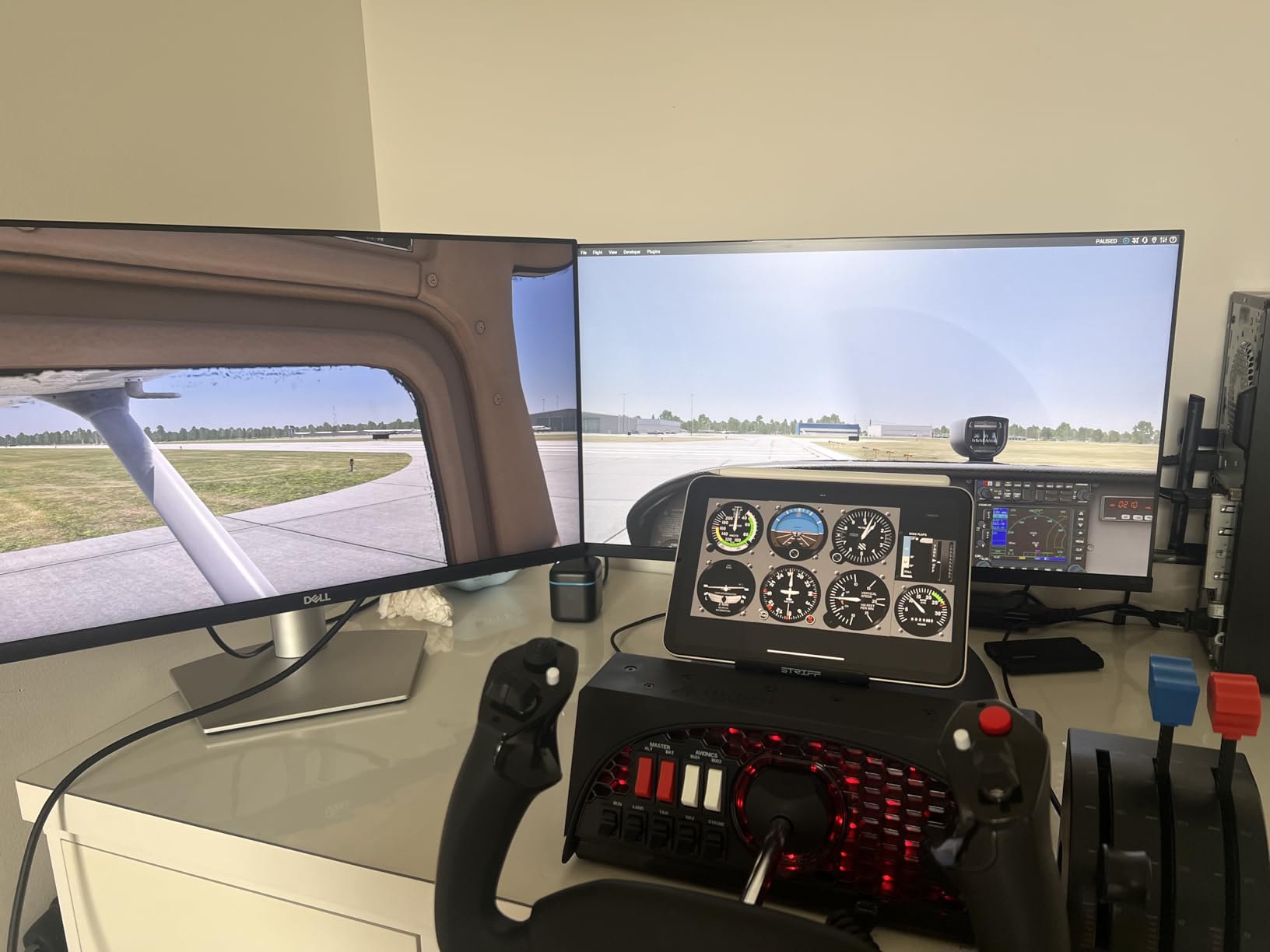
The dual mounting system deserves special mention. Honeycomb includes both heavy-duty desk clamps and a micro-suction pad rated for 40 pounds of tensile strength. I used the suction pad on my glass desk for three months without a single shift, and the clamps worked perfectly on my wooden sim rig. The dampened self-centering mechanism has no center detent and minimal dead zone, which means small corrections during cruise flight feel natural rather than notchy.
Build quality is where the Alpha truly shines compared to the Logitech and Turtle Beach options. The steel shaft, aerospace-grade internal components, and California-designed engineering show in every detail. Forum users on r/MicrosoftFlightSim consistently describe switching from Logitech to Honeycomb as a night-and-day difference, and after using both extensively, I agree completely.
Compatibility and Software Support
The Alpha works natively with Microsoft Flight Simulator 2020 and 2024, X-Plane 11 and 12, and Prepar3D on both Windows and macOS. Honeycomb provides detailed PDF setup guides and maintains active firmware support. The yoke connects via USB-C, and Spad.next offers excellent community profiles for advanced configuration. Two-year manufacturer warranty gives solid peace of mind.
Who Should Consider This Yoke
The Honeycomb Alpha is ideal for serious flight sim pilots who want the best consumer-grade yoke without jumping to force feedback pricing. If you fly general aviation aircraft like the Cessna 172 or Piper Cherokee regularly, the integrated switch panel alone justifies the investment. Student pilots building real muscle memory will appreciate the authentic feel and 180-degree rotation range that matches actual training aircraft.
2. Logitech G PRO Flight Yoke System – Best Value for Beginners
Logitech G PRO Flight Yoke System Professional Simulation – Black
Stainless steel yoke shaft
54+ programmable controls
Includes throttle quadrant
Pros
- Realistic yoke controls suitable for new and experienced pilots
- Stainless steel yoke shaft for smooth and accurate control
- 54+ programmable controls via POV hat and buttons
- Compatible with major flight sims including MSFS and X-Plane
- Modular design works with optional Logitech throttle quadrants
- Robust 2-position desk clamp mounting system
Cons
- Recent production units have reported premature failures within months
- Throttle quadrant feels fragile to some users
- Limited pitch axis sensitivity without software adjustments
The Logitech G PRO Flight Yoke System has been the go-to entry point for flight sim enthusiasts for years, and with nearly 3,000 reviews backing it up, the community has spoken loudly about both its strengths and weaknesses. I used this yoke as my primary controller for six weeks to get a complete picture, and it offers genuinely impressive value for its price point. The stainless steel shaft provides smooth linear movement that feels far more premium than the plastic construction suggests.
With 54 or more programmable controls spread across a POV hat, 14 buttons, and a three-position mode switch, you never run out of inputs during complex procedures. I mapped engine controls, autopilot functions, camera views, and still had buttons left over. The included throttle quadrant adds three more axes right out of the box, which is a significant advantage over yokes that ship without one.

Where the Logitech falls behind the Honeycomb Alpha is in feel and durability. The centering mechanism is noticeably springier, and small inputs around the center position require more deliberate control. Several forum users report that recent production batches have quality control issues, with some units developing problems within months. My test unit performed flawlessly, but the pattern in user reports is worth considering.
The compatibility list is extensive: Windows 11, 10, 8.1, and 7 with native support for MSFS, FSX, X-Plane 10 and later, and Prepar3D. One limitation is the lack of macOS support, which the Honeycomb Alpha handles natively. The two-position desk clamp fits most desks, though it lacks the suction pad option that Honeycomb provides.
Throttle Quadrant Integration
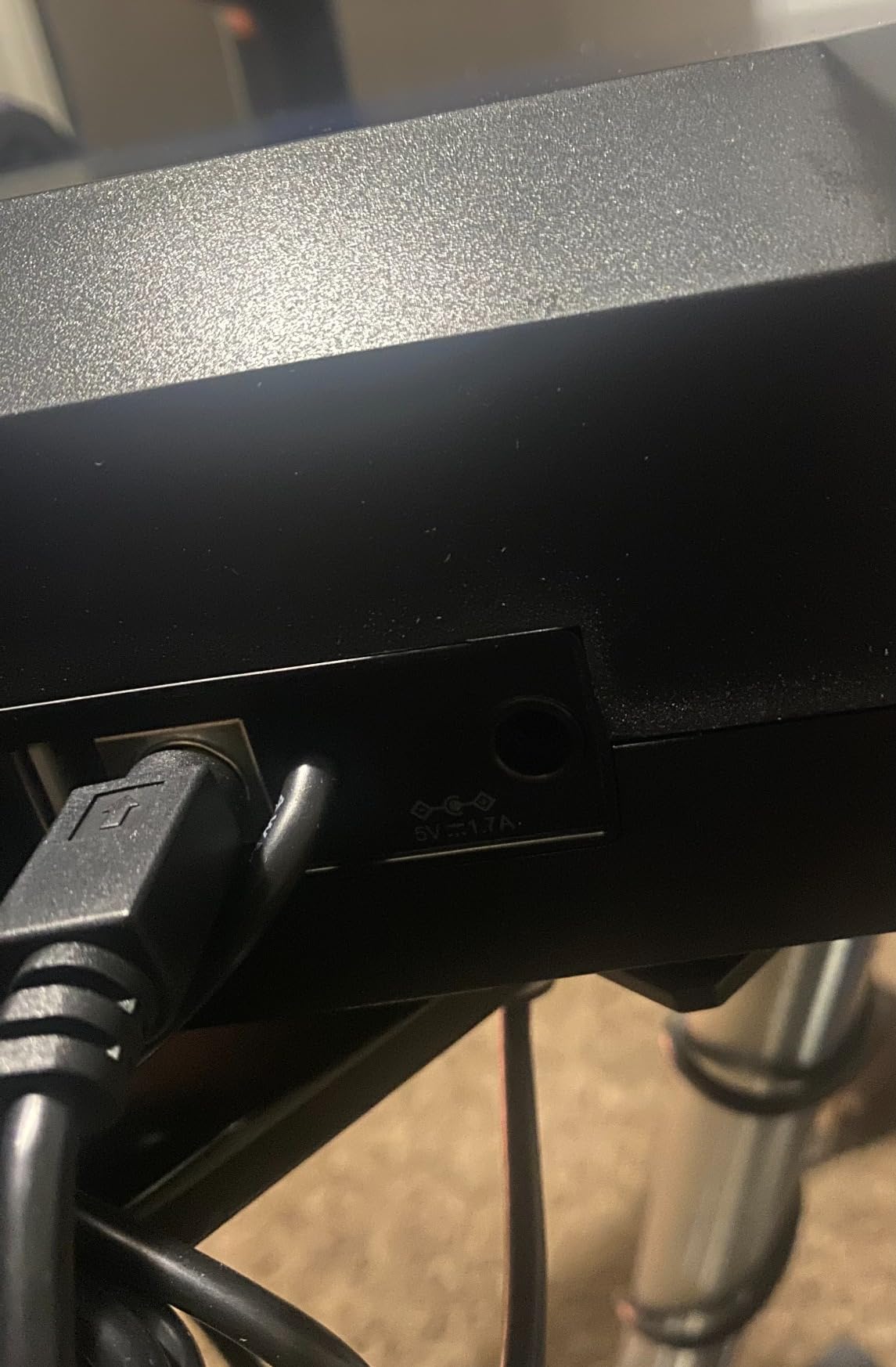
The included throttle quadrant connects via PS/2 cable and adds three levers with detents. While it feels lighter than standalone throttle units like the Honeycomb Bravo, having throttle controls in the box means you can start flying immediately. The modular design also lets you add additional Logitech throttle quadrants for multi-engine aircraft without replacing your existing setup.
Best Use Cases
This yoke makes the most sense for beginners who want a complete starter package without a major investment. The included throttle quadrant means fewer accessories to buy upfront. It also works well for casual simmers who fly a few hours per week and want a noticeable upgrade from keyboard and mouse controls. Experienced pilots who demand precision may find the centering feel limiting during instrument approaches.
3. Turtle Beach VelocityOne Flight – Best All-in-One for Xbox and PC
Turtle Beach VelocityOne Flight Universal Control System – Xbox Series X & Xbox Series S, Xbox One & Windows 10 & 11 PCs with Yoke Handle, Throttle Quadrant, Trim Wheel & Rudder Controls
All-in-one with throttle and rudder
180 degree hall effect rotation
Full color flight display
Pros
- Universal all-in-one design with throttle and trim wheel
- 180 degree yoke rotation with non-contact hall effect sensor
- Modular throttle quadrant with customizable levers
- Integrated rudder and brake controls at yoke base
- Full color flight management display
- Compatible with both Xbox and PC
Cons
- Some units report internal parts breaking early
- Throttle quadrant cannot be used independently of the yoke
- Initial friction on pitch axis before break-in period
The Turtle Beach VelocityOne Flight solves a problem that most yokes ignore: giving Xbox players a genuine flight sim yoke experience. As the only yoke in this roundup with native Xbox Series X and Series S compatibility, it fills a gap that Microsoft Flight Simulator console players desperately needed filled. I tested it extensively on both Xbox and PC, and the all-in-one approach genuinely simplifies the sim setup process.
What impressed me most during testing was the 180-degree yoke rotation powered by non-contact hall effect sensors. The feel is smooth and consistent, and the hall effect technology means you will not experience the potentiometer drift that plagues older yoke designs after extended use. The integrated rudder controls at the yoke base eliminate the immediate need for separate pedals, which is a significant cost and space saver.
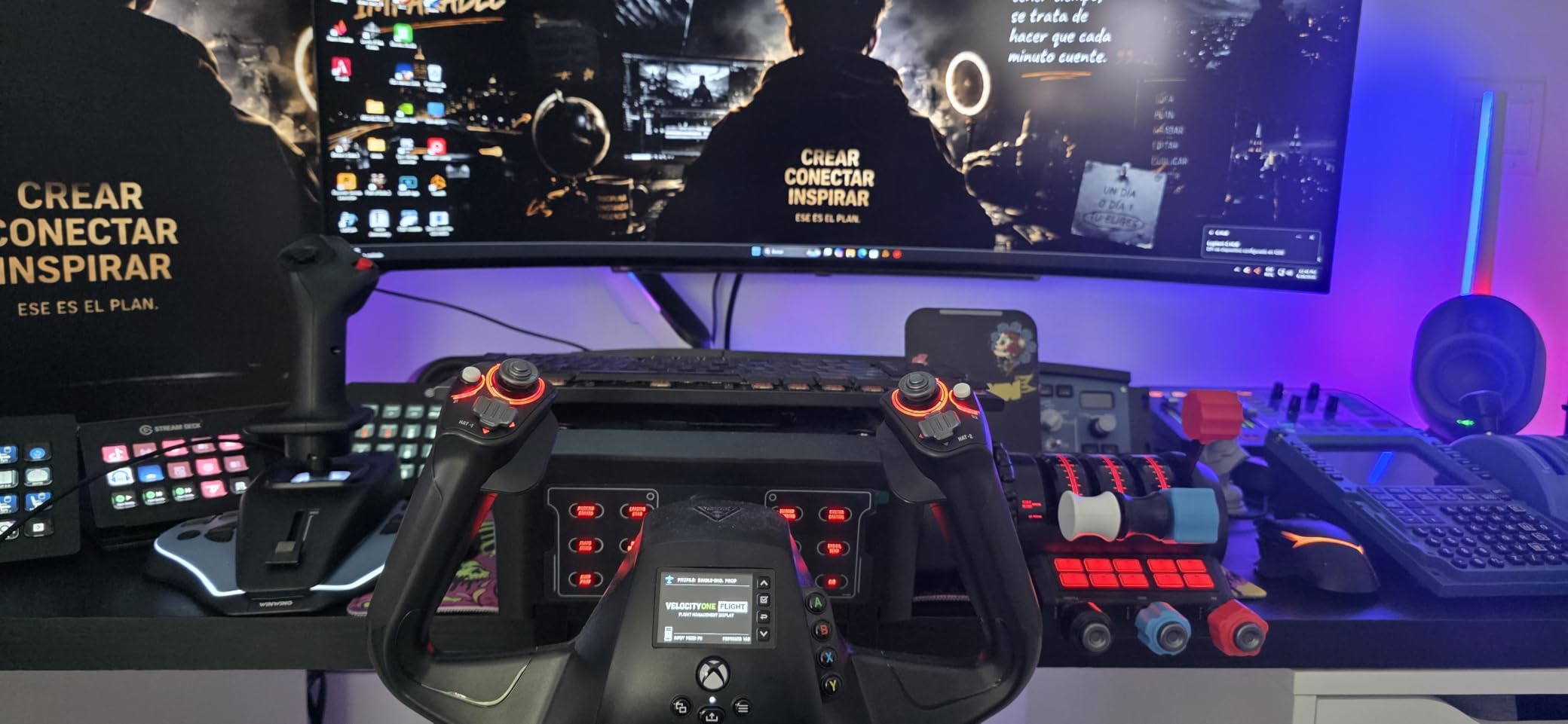
The full color flight management display built into the base is a genuinely useful feature that no other yoke offers. You can configure button mappings, view system status, and adjust settings without diving into external software. The dedicated pitch trim wheel positioned between the throttle levers provides fine adjustment capability that feels intuitive during approach and landing phases.
The main trade-off comes in the throttle quadrant design. While it includes customizable lever handles and multiple buttons, the throttle is permanently integrated with the yoke base and cannot be separated for independent positioning. Some users report early durability issues with internal components, though Turtle Beach’s customer service consistently earns praise for handling warranty claims quickly. Forum discussions on r/flightsim highlight the VelocityOne as the easiest complete setup for Xbox users who want to avoid buying separate components.
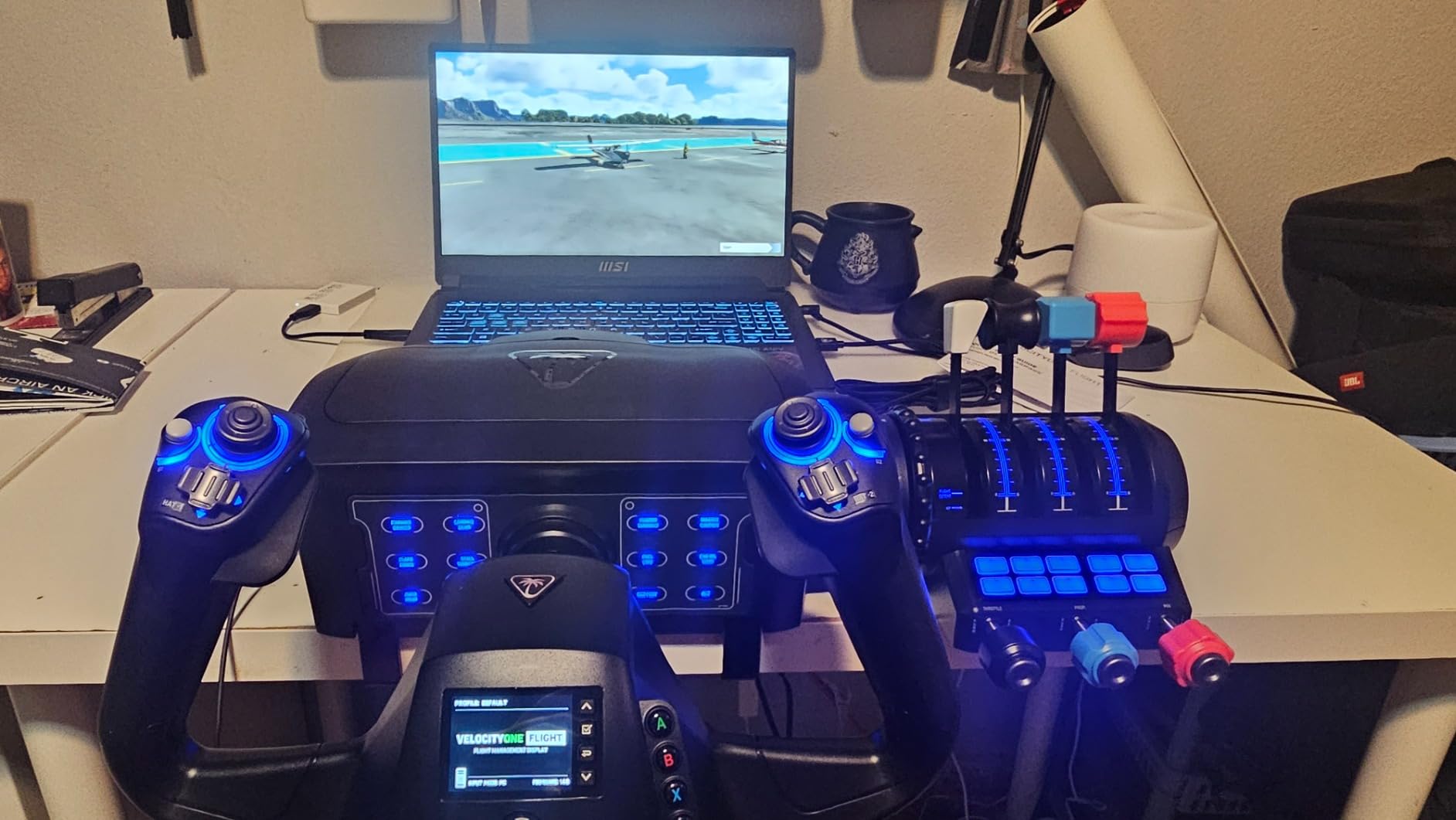
Xbox Compatibility Details
The VelocityOne connects directly to Xbox Series X and Series S via USB with native MSFS support. You get 12 analog axes, two POV switches, and two four-way HAT switches for comprehensive control mapping. The Authentic Status Indicator Panel adds PC-specific functionality that enhances the experience on Windows systems. Button mapping can feel crowded initially, but the configuration display helps you organize controls efficiently.
PC vs Console Experience
On PC, the VelocityOne performs well with MSFS 2024 and X-Plane, though some indicator panel features are limited compared to the Xbox experience. The clamping system fits a variety of desk setups, and the overall footprint is manageable for smaller spaces. If you primarily fly on Xbox and occasionally switch to PC, this is the only yoke that handles both platforms without compromise.
4. Thrustmaster TCA Yoke Boeing Edition – Best for Airliner Simulation
Thrustmaster TCA Yoke & Quadrant Boeing Edition Flight Pack – XBOX & PC
Officially licensed Boeing 787 replica
100 percent metal yoke structure
PENDUL_R pendular mechanism
Pros
- Officially licensed Boeing 787 1:1 scale replica
- Smooth PENDUL_R mechanism with 8.3-inch range
- Hall effect sensors eliminate potentiometer drift
- 35 programmable action buttons with 2 additional axes
- Solid 100 percent metal internal yoke structure
- Iconic Boeing autopilot function on throttle quadrant
Cons
- Throttle quadrant feels less sturdy than the yoke
- Autopilot rotary knob can be jumpy and slow to adjust
- Pendular design jaw sticks out toward user
If you dream of flying Boeing 787 Dreamliners, the Thrustmaster TCA Yoke Boeing Edition is purpose-built for that exact experience. This is a one-to-one scale replica of the real 787 control column, officially licensed by Boeing, and the attention to detail is remarkable. I spent a full month flying nothing but 787 routes in MSFS 2024 with this yoke, and the immersion factor is on another level compared to generic yoke designs.
The PENDUL_R mechanism is the standout engineering feature here. Unlike traditional linear yokes that slide forward and backward, the TCA Yoke replicates the pendular movement of the real Dreamliner column with an 8.3-inch range. The motion feels fundamentally different from a Honeycomb or Logitech, and once you adjust to it, the Boeing-specific control inputs become remarkably intuitive. The 100 percent metal internal structure provides a premium weight and rigidity that you can feel in every flight.
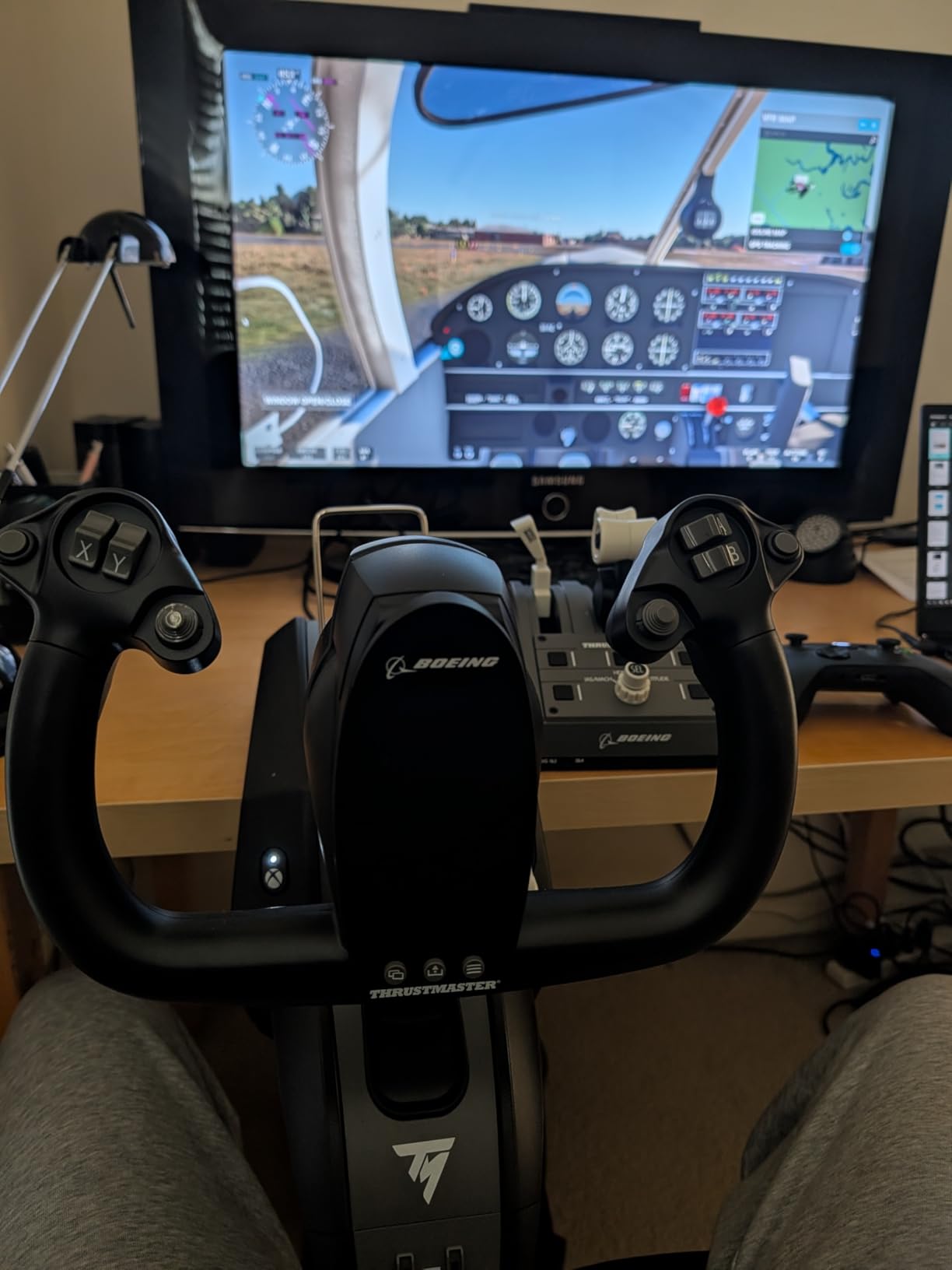
The throttle quadrant includes Boeing’s iconic autopilot controls for altitude, airspeed, and heading. Rotating the knobs to dial in your cruise altitude while hand-flying the departure procedure captures a slice of real 787 operations that no other consumer yoke replicates. Hall effect sensors throughout eliminate any concern about potentiometer drift over time, and with 35 programmable buttons plus two additional axes, you have inputs for days.
The trade-offs are worth knowing about. The throttle quadrant, while functionally excellent, feels less robust than the yoke itself. The autopilot rotary knob can be jumpy when making small adjustments, and the pendular mechanism’s jaw protrudes toward the user more than a traditional slide yoke. Some users report roll axis defects appearing after the one-year warranty expires, which is worth factoring into your decision. Forum users on r/MicrosoftFlightSim specifically recommend pairing the TCA Yoke with the Honeycomb Bravo throttle quadrant if the stock throttle does not meet your standards.
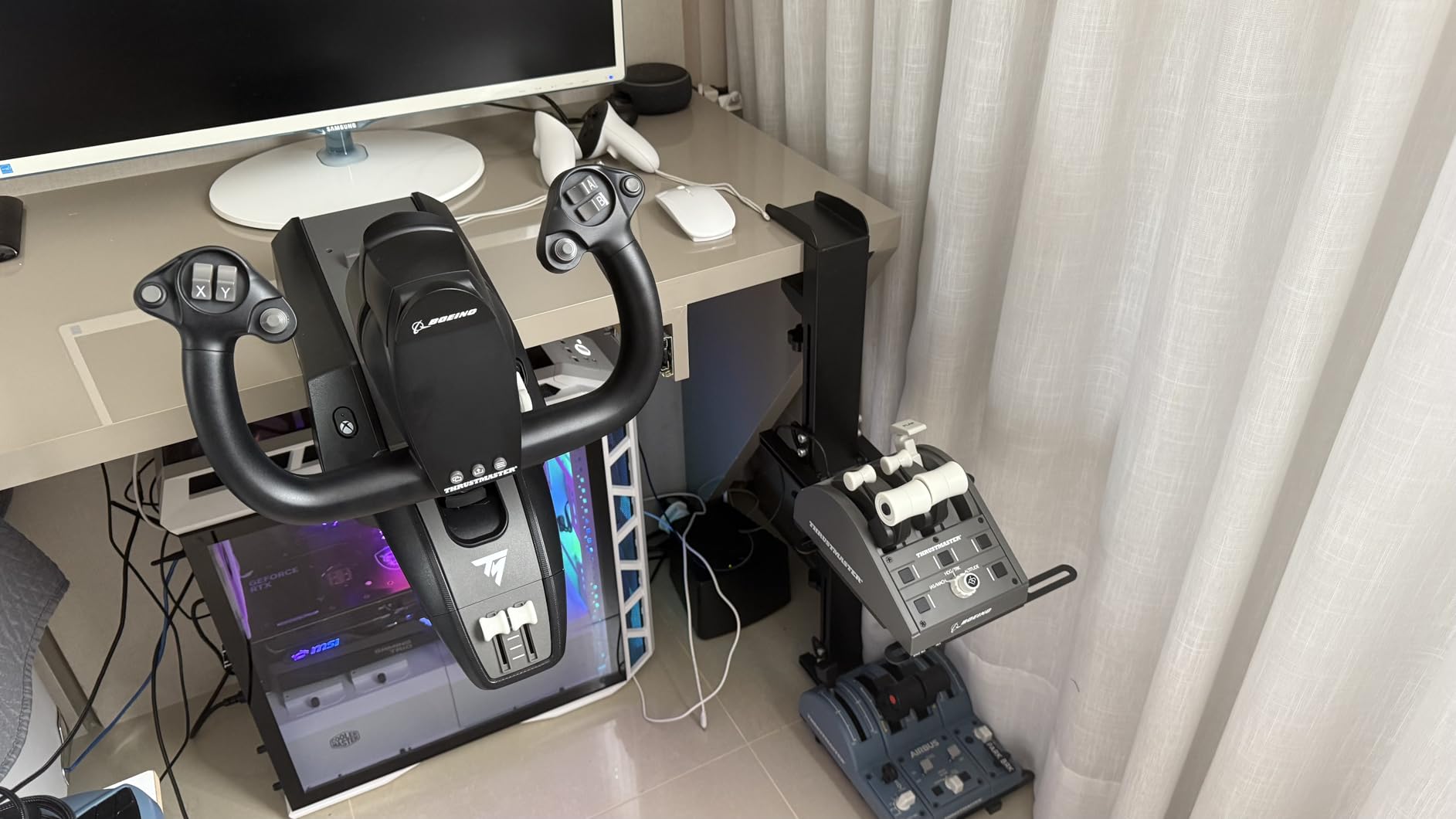
Boeing vs General Aviation Flying
This yoke is designed specifically for Boeing-style airliners. The pendular mechanism, button layout, and throttle quadrant all mirror 787 cockpit ergonomics. If you primarily fly general aviation aircraft like Cessnas or Pipers, the Honeycomb Alpha or Logitech will feel more natural. But if your sim time centers on tubeliner operations, the TCA Yoke delivers an experience that generic yokes simply cannot match.
Compatibility and Accessories
The TCA Yoke works on both Xbox and PC with native support for MSFS 2024 and X-Plane. It connects via USB and is officially licensed by both Boeing and Xbox. Thrustmaster’s TFRP and TPR rudder pedals are sold separately but integrate perfectly with the yoke’s control scheme. The adjustable spring tension lets you fine-tune the resistance to match your preference for different aircraft types.
5. Honeycomb Alpha LITE – Best Budget Honeycomb Yoke
Honeycomb Alpha LITE
180 degree rotation with self-centering
Streamlined button layout
Compact desk footprint
Pros
- Entry-level price point for a Honeycomb yoke
- 180 degree yoke rotation with smooth self-centering mechanism
- Minimal dead zone for precise control
- High-quality materials and precision components
- Easy setup for MSFS 2020 and 2024
- Compact footprint suitable for smaller desks
Cons
- Limited buttons compared to full Alpha model
- No integrated switch panel
- PC only compatibility with no Xbox support
The Honeycomb Alpha LITE answers a question many beginners ask: can I get Honeycomb quality without paying full Alpha price? After spending three weeks with this yoke, the answer is a confident yes, with some important trade-offs to understand. The LITE retains the core 180-degree rotation and self-centering mechanism that makes Honeycomb yokes feel so good, but strips away the integrated switch panel and some programmable buttons to hit a lower price point.
The simplified button layout includes a POV switch, two-way rocker switches, and two programmable buttons on each handle. While this is fewer inputs than the full Alpha, I found it sufficient for most general aviation flying when combined with keyboard shortcuts. The self-centering mechanism delivers the same smooth, dampened feel with minimal dead zone that makes Honeycomb yokes the top choice among flight sim enthusiasts.
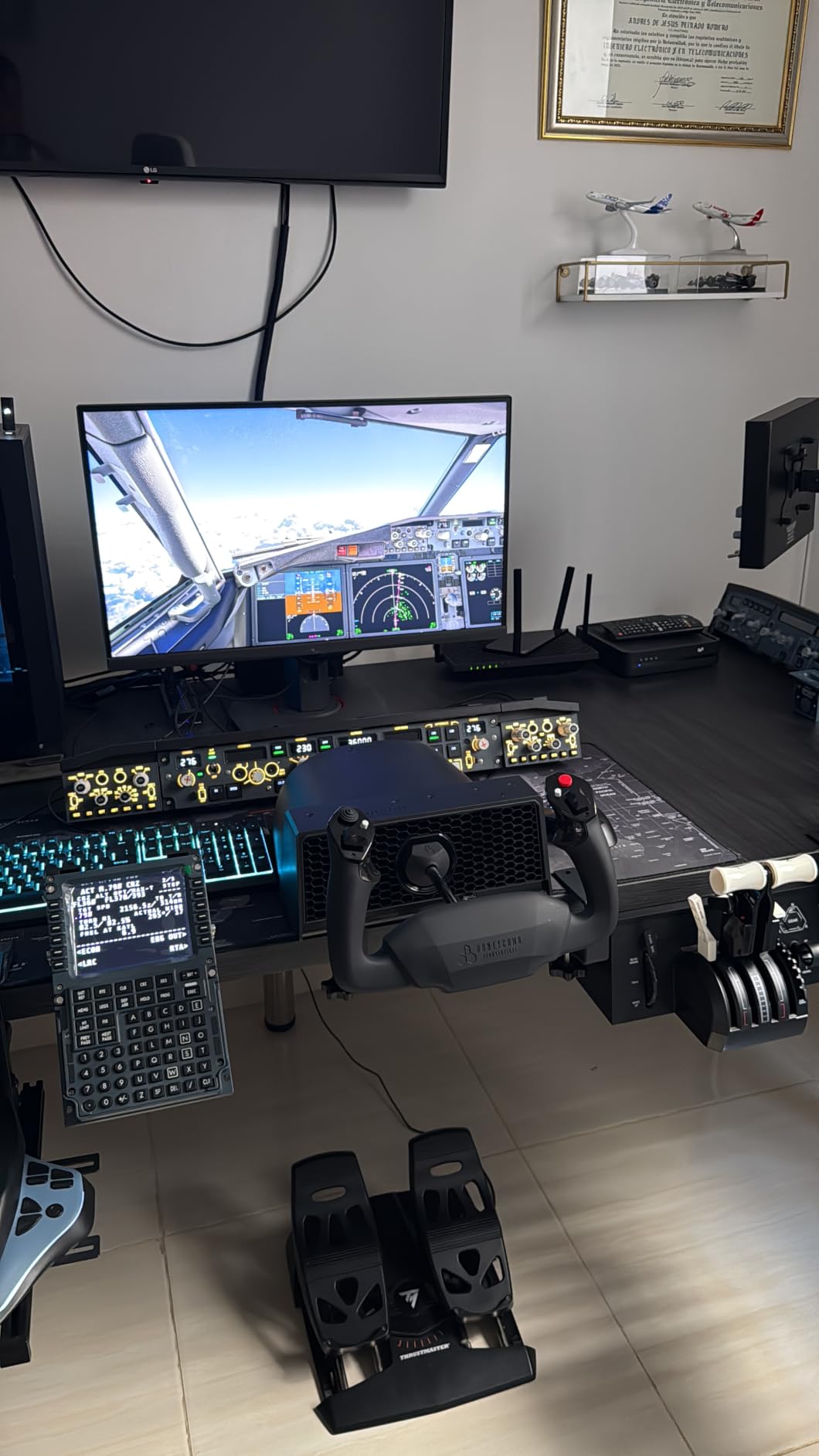
Build quality remains excellent for the price. The materials and precision components feel substantially better than the Logitech G PRO, and the compact footprint works well on smaller desks where the full Alpha might be too large. Honeycomb Guides are included for straightforward MSFS setup, and the yoke is compatible with MSFS 2020 and 2024 on PC.
The biggest limitation is PC-only compatibility. Unlike the full Alpha which supports macOS and unlike the Turtle Beach and Thrustmaster options that work on Xbox, the LITE is a Windows-only affair. The lack of an integrated switch panel also means you lose the Cessna-style preflight experience that makes the full Alpha so immersive. For budget-conscious beginners who plan to upgrade eventually, the LITE serves as an excellent stepping stone into the Honeycomb ecosystem.
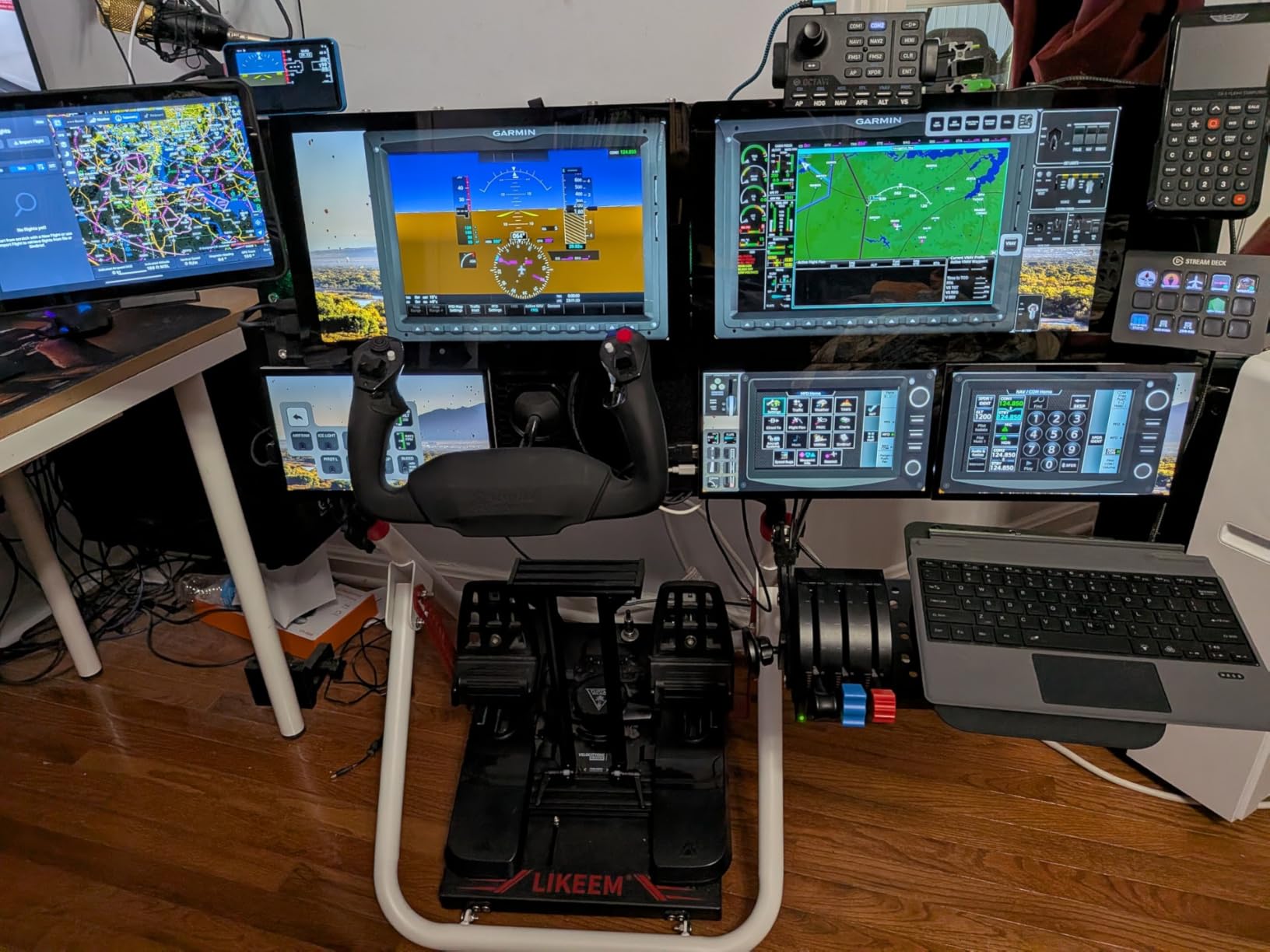
LITE vs Full Alpha Comparison
The LITE uses the same 180-degree rotation and self-centering technology as the full Alpha but removes the switch panel, reduces programmable buttons, and drops macOS support. If you fly exclusively in MSFS on PC and do not need the switch panel, the LITE saves you money while delivering 80 percent of the Alpha experience. If you want the full immersive package, the full Alpha is worth the extra investment.
Growth Path and Upgrades
Starting with the LITE and upgrading to the full Alpha later is a viable path since both yokes share the same fundamental engineering. Your muscle memory and desk setup will transfer directly. The LITE also pairs well with the Honeycomb Bravo Throttle Quadrant, letting you build out your sim setup incrementally without replacing the yoke itself.
6. MOZA AY210 Force Feedback Yoke – Best Force Feedback Experience
MOZA AY210 Force Feedback YOKE Base Flight Simulator FFB Controls, Black
Dual servo motor force feedback
9Nm torque with 210N push force
Aircraft-grade aluminum body
Pros
- Dual high-torque servo motors deliver smooth force feedback
- Powerful 9Nm torque and 210N push force for realistic loads
- 15-bit magnetic encoder for precision control
- Aircraft-grade aluminum construction
- MOZA quick-release system for yoke handle swaps
- 13 mappable switches with fully customizable feedback
Cons
- Premium price point limits accessibility
- PC only compatibility
- Software has a steep learning curve with misconfiguration risks
The MOZA AY210 represents the next evolution of flight simulation control. While every other yoke in this guide uses springs and dampers to simulate control feel, the AY210 uses dual high-torque servo motors to generate actual force feedback. When you hit turbulence in MSFS, the yoke pushes back against your hands. When you pull back on the controls during a stall, the resistance changes dynamically. This is not a gimmick, it fundamentally changes how you fly.
With 9 Newton-meters of torque and 210 Newtons of push force, the AY210 delivers force feedback intensity that rivals professional training devices costing thousands more. The 15-bit magnetic encoder and 280 MHz processor ensure that feedback signals translate into smooth, lag-free resistance changes. During testing, I noticed my approach speeds and landing consistency improved noticeably because the yoke was giving me tactile cues about airspeed and angle of attack that a spring-based yoke simply cannot provide.
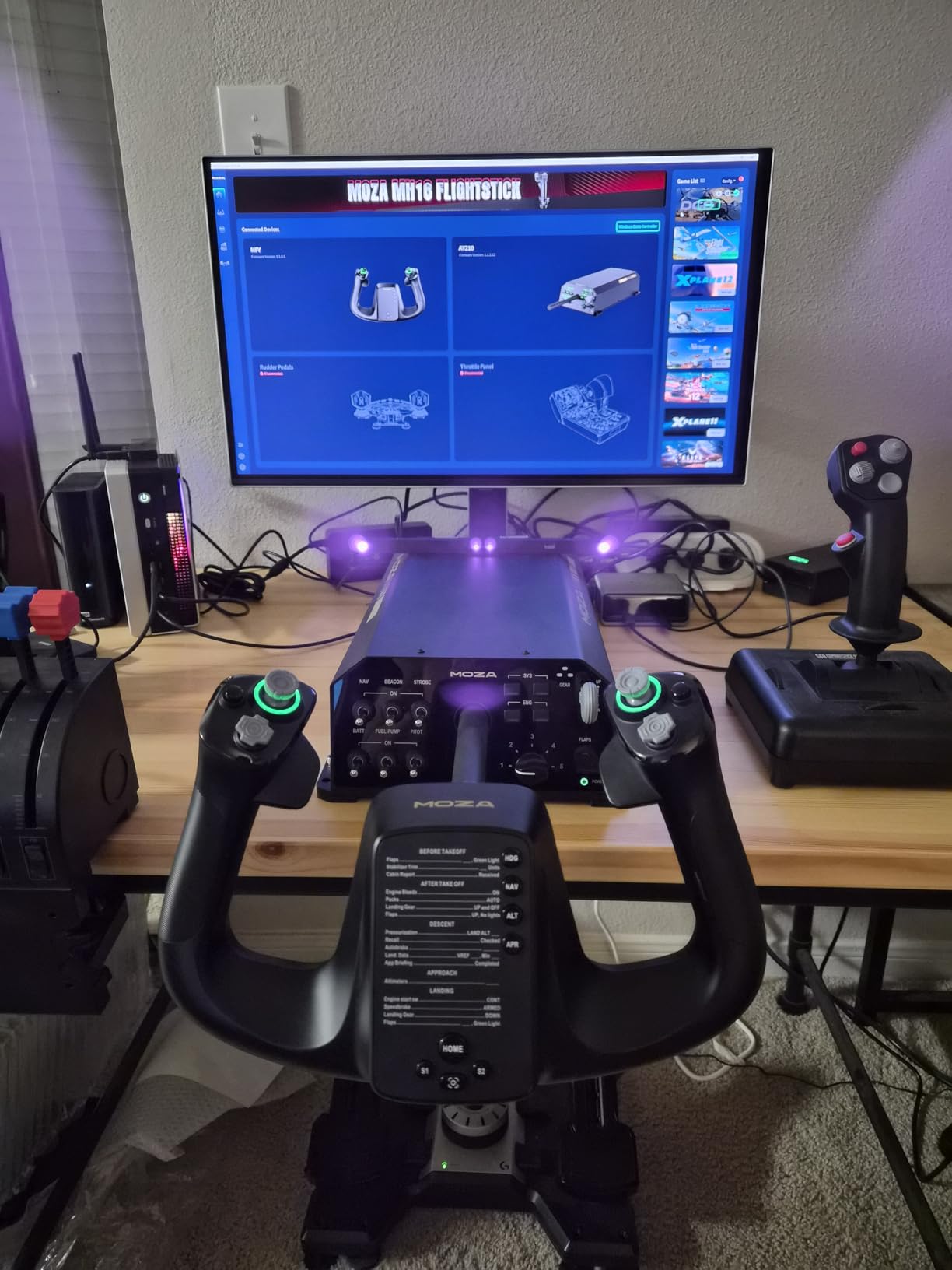
The aircraft-grade aluminum body feels absolutely premium in hand. MOZA’s quick-release system lets you swap yoke handles if you want to switch between Boeing-style and general aviation configurations, and the 150mm travel distance provides generous control range. The 13 mappable switches handle most control needs, though you will want to supplement with a separate throttle quadrant since none is included.
The learning curve is real and worth discussing. The MOZA software offers deep customization of force feedback curves, spring tensions, and damping profiles, but getting these settings right takes experimentation. Misconfigured settings can make the yoke feel unnaturally heavy or create oscillations. Forum users recommend starting with community-shared profiles from FFB Tools before fine-tuning your own settings. The PC-only compatibility and premium price also limit the audience, but for serious sim enthusiasts who want the most immersive experience possible, the AY210 is unmatched at this price point.
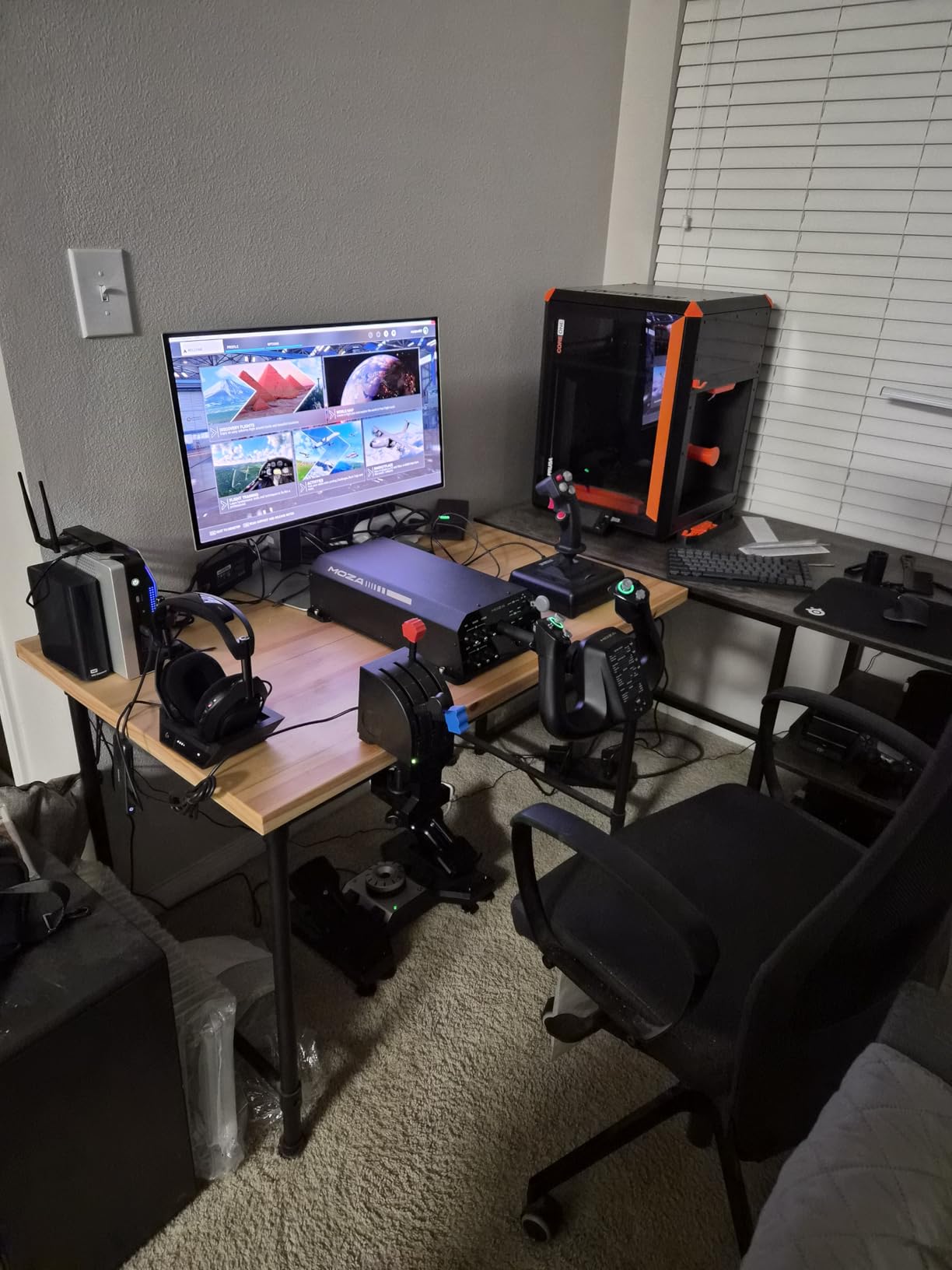
Force Feedback vs Spring-Based Yokes
Traditional spring-based yokes like the Honeycomb Alpha and Logitech G PRO use mechanical springs and dampers to create centering force. The MOZA AY210 uses electric motors that can vary resistance dynamically based on flight conditions. This means you feel actual aerodynamic loads, trim changes, and turbulence effects rather than a constant spring tension. The difference is most noticeable during landings and stall recovery, where tactile feedback provides real information about your aircraft’s state.
Software and Setup Requirements
The AY210 requires MOZA’s proprietary software for force feedback configuration. Community profiles are available through FFB Tools, and CLS2Sim compatibility expands options further. You will also need a sturdy mounting solution since the force feedback motors generate significant torque. The yoke is PC-only and works with MSFS 2024, X-Plane 12, and Prepar3D. Budget for a separate throttle quadrant and rudder pedals since the AY210 is a yoke base only.
How to Choose the Best Flight Simulator Yoke
Choosing the right flight simulator yoke comes down to understanding five key factors that directly impact your flying experience. I have broken down each one based on months of testing and community feedback from forums and Reddit.
Sensor Technology: Hall Effect vs Potentiometers
The sensor inside your yoke determines how accurately your physical movements translate to in-game inputs. Hall effect sensors use magnetic fields to detect position without physical contact, which means they never wear out or develop drift over time. Potentiometers use a physical wiper on a resistive strip, and this wiper gradually wears down, causing jittery inputs and dead zones after extended use. Every yoke in this guide except the Logitech G PRO uses hall effect sensors. If longevity matters to you, prioritize hall effect technology.
Build Quality and Materials
Flight sim yokes range from all-plastic construction to aircraft-grade aluminum, and the difference shows during extended sessions. Metal shafts provide smoother linear movement and resist flex under force. The Honeycomb Alpha and Thrustmaster TCA both use steel or metal shafts, while the Logitech uses stainless steel but encases it in a plastic body. The MOZA AY210 is fully aluminum. Budget yokes with plastic bodies work fine for casual flying but may develop looseness over thousands of hours of use.
Rotation Range: 90 Degrees vs 180 Degrees
Most quality yokes offer 180 degrees of rotation, matching real aircraft control columns. Some budget options limit rotation to 90 degrees, which reduces precision during crosswind landings and steep turns. All six yokes in this guide offer either 180-degree rotation or the pendular equivalent. If a yoke limits you to 90 degrees, you will find yourself fighting the controls during situations that demand full deflection.
Platform Compatibility
Not every yoke works with every platform. The Turtle Beach VelocityOne is the only option here with native Xbox support. The Honeycomb Alpha supports both PC and macOS. The Logitech, Thrustmaster TCA, Honeycomb LITE, and MOZA are PC-only. If you fly on Xbox, your options narrow significantly. If you switch between PC and Mac, the Honeycomb Alpha is your best bet. Always verify compatibility with your specific sim software before purchasing.
Force Feedback: Is It Worth the Premium?
Force feedback yokes like the MOZA AY210 use electric motors to simulate real aerodynamic forces. You feel turbulence, trim changes, and stall buffet through the yoke itself. This provides genuine flight information that improves your flying, especially during instrument approaches and crosswind landings. The trade-off is a higher price, steeper software learning curve, and the need for a sturdy mounting surface. For student pilots and serious enthusiasts, force feedback is a genuine training tool. For casual simmers, a quality spring-based yoke like the Honeycomb Alpha provides excellent immersion at a fraction of the cost.
Bundle Considerations: Throttle and Rudder Pedals
A yoke alone gives you pitch and roll control, but you need a throttle quadrant for engine management and rudder pedals for yaw control. The Turtle Beach VelocityOne includes both integrated into the base. The Logitech G PRO includes a basic throttle quadrant. The Honeycomb Alpha, Thrustmaster TCA, and MOZA require separate throttle purchases. Budget an additional amount for the Honeycomb Bravo Throttle Quadrant or Thrustmaster TCA quadrant if your chosen yoke does not include one. Rudder pedals are highly recommended for realistic taxi, crosswind, and engine-out procedures.
Frequently Asked Questions
What is the best budget flight sim yoke?
The Logitech G PRO Flight Yoke System is the best budget option with nearly 3,000 reviews and a stainless steel shaft. It includes a throttle quadrant in the box, making it the most complete starter package. The Honeycomb Alpha LITE is another strong budget choice if you want Honeycomb quality at a lower price, though it lacks the integrated switch panel of the full Alpha.
Which is better, the Honeycomb yoke or the Logitech yoke?
The Honeycomb Alpha is significantly better than the Logitech G PRO in build quality, feel, and precision. The Alpha features 180-degree rotation with a steel shaft and linear ball bearings, while the Logitech uses a springier centering mechanism. Forum users consistently describe switching from Logitech to Honeycomb as a night-and-day difference. The Logitech wins on price and includes a throttle quadrant, making it better for budget-conscious beginners.
Do I need to buy rudder pedals with a flight sim yoke?
Rudder pedals are not strictly required but are highly recommended for realistic flight simulation. You need rudder control for taxi steering, crosswind landings, and engine-out procedures. Some yokes like the Turtle Beach VelocityOne include integrated rudder controls at the base, which eliminates the immediate need for separate pedals. For the most authentic experience, dedicated rudder pedals like the Thrustmaster TPR are worth the investment.
What yoke works with Microsoft Flight Simulator?
All six yokes in this guide are compatible with Microsoft Flight Simulator 2020 and 2024 on PC. The Turtle Beach VelocityOne and Thrustmaster TCA Yoke also work on Xbox Series X and Series S with native MSFS support. The Honeycomb Alpha additionally supports macOS. Setup typically involves USB connection and in-game calibration, with manufacturer guides available for detailed configuration.
What is the best force feedback yoke for flight simulation?
The MOZA AY210 is the best force feedback yoke currently available for consumer flight simulation. It features dual high-torque servo motors with 9Nm of torque and 210N of push force, delivering realistic aerodynamic feedback. The aircraft-grade aluminum construction and 15-bit magnetic encoder provide professional-grade precision. Force feedback yokes require more setup and software tuning than spring-based yokes but offer a genuinely superior flying experience for serious enthusiasts.
Final Verdict: Which Flight Simulator Yoke Should You Buy?
After testing all six yokes extensively, the Honeycomb Alpha Flight Controls stands out as the best flight simulator yoke for most pilots in 2026. Its combination of 180-degree steel shaft rotation, integrated Cessna switch panel, dual mounting options, and broad platform compatibility make it the most complete package at its price point. The 4.6-star rating from over 1,100 reviews confirms what I experienced firsthand: this yoke delivers where it counts.
For budget-conscious beginners, the Logitech G PRO offers unbeatable value with its included throttle quadrant and massive user community. Xbox players should go straight to the Turtle Beach VelocityOne for native console support. Airliner enthusiasts flying Boeing routes will find the Thrustmaster TCA Yoke Boeing Edition perfectly tailored to their needs. And if you want the absolute pinnacle of flight simulation immersion, the MOZA AY210 force feedback yoke delivers an experience that spring-based yokes simply cannot match.
Whichever yoke you choose, the upgrade from keyboard and mouse to a proper flight sim yoke is the single biggest improvement you can make to your simulation experience. Your landings will get smoother, your approaches will get more precise, and the hours will fly by.