
Phishing attacks cost businesses an average of $4.9 million per breach, and passwords are the weakest link in most security stacks. If your organization is still relying on SMS codes or authenticator apps, you are leaving the door open to SIM swapping and phishing campaigns. The best FIDO2 security keys for businesses eliminate those attack vectors entirely by using hardware-based public key cryptography that simply cannot be phished.
FIDO2 security keys are small physical devices that authenticate users through cryptographic challenge-response rather than something a user knows. The private key never leaves the device, which means no amount of social engineering can extract it. For businesses handling sensitive data, regulated industries, or companies that need to meet compliance requirements like SOC 2 and HIPAA, phishing-resistant MFA is no longer optional.
Our team tested 8 FIDO2 security keys across Microsoft 365 environments, Google Workspace deployments, and standalone services like GitHub and AWS. We evaluated each key on protocol support, connectivity options, durability, enterprise deployment readiness, and real-world day-to-day usability. Whether you need a fleet of 500 keys for remote workers or a handful for your IT admin team, this guide covers the top options available in 2026.
Table of Contents
Top 3 FIDO2 Security Keys for Businesses (September 2026)
Not every business needs the same security key. Some require maximum protocol support for complex IT environments, while others need a budget-friendly option for bulk deployment. Here are our top three picks based on different business needs.

YubiKey 5C NFC
- USB-C + NFC
- FIDO2/U2F/OTP/PIV/OpenPGP
- 100 passkey slots
- Waterproof and crush-resistant

Best FIDO2 Security Keys for Businesses in 2026
Before diving into individual reviews, here is a side-by-side comparison of all 8 keys we tested. This table covers the core features that matter most when choosing a FIDO2 security key for business deployment.
| Product | Specifications | Action |
|---|---|---|
| YubiKey 5C NFC |
|
Check Latest Price |
 YubiKey 5 NFC YubiKey 5 NFC |
|
Check Latest Price |
| Yubico Security Key C NFC |
|
Check Latest Price |
| Yubico Security Key NFC |
|
Check Latest Price |
 YubiKey Bio – Sec FIDO Edition YubiKey Bio – Sec FIDO Edition |
|
Check Latest Price |
 FEITIAN ePass K9 Plus FEITIAN ePass K9 Plus |
|
Check Latest Price |
 TrustKey T120 TrustKey T120 |
|
Check Latest Price |
 GoTrust Idem Key C GoTrust Idem Key C |
|
Check Latest Price |
1. YubiKey 5C NFC – The Enterprise Standard
Yubico – YubiKey 5C NFC – Multi-Factor authentication (MFA) Security Key and passkey, Connect via USB-C or NFC, FIDO Certified – Protect Your Online Accounts
USB-C + NFC
FIDO2/WebAuthn/U2F/OTP/PIV/OpenPGP
100 passkey slots
Waterproof and crush-resistant
10g weight
Pros
- USB-C connector fits modern laptops and MacBooks
- Supports 6 authentication protocols for maximum compatibility
- NFC enables mobile authentication without cables
- 100 passkey slots handle enterprise-scale deployments
- Waterproof crush-resistant build survives daily abuse
Cons
- NFC can be finicky requiring specific phone positioning
- No native Lightning support for older iPhones
- Closed-source proprietary design
The YubiKey 5C NFC is the key we recommend to almost every business that asks. I have carried one on my keychain for over two years, and it has become the default answer when someone needs phishing-resistant MFA that just works. The USB-C connector fits modern MacBooks, Dell laptops, and most enterprise hardware refreshes from the last three years.
What sets this key apart from cheaper alternatives is its protocol breadth. It supports FIDO2/WebAuthn, FIDO U2F, Yubico OTP, OATH-TOTP/HOTP, Smart Card (PIV), and OpenPGP. That means whether your team needs to log into Microsoft 365, SSH into Linux servers, sign Git commits, or access a PIV-based badge reader system, this single key handles all of it.
The build quality is exceptional. At just 10 grams, the key is light enough to forget it is on your keychain, yet it survives being dropped, rained on, and crushed under a stack of laptops in a backpack. The 100 passkey slots mean a single user can register this key across dozens of services without running out of resident credential storage.
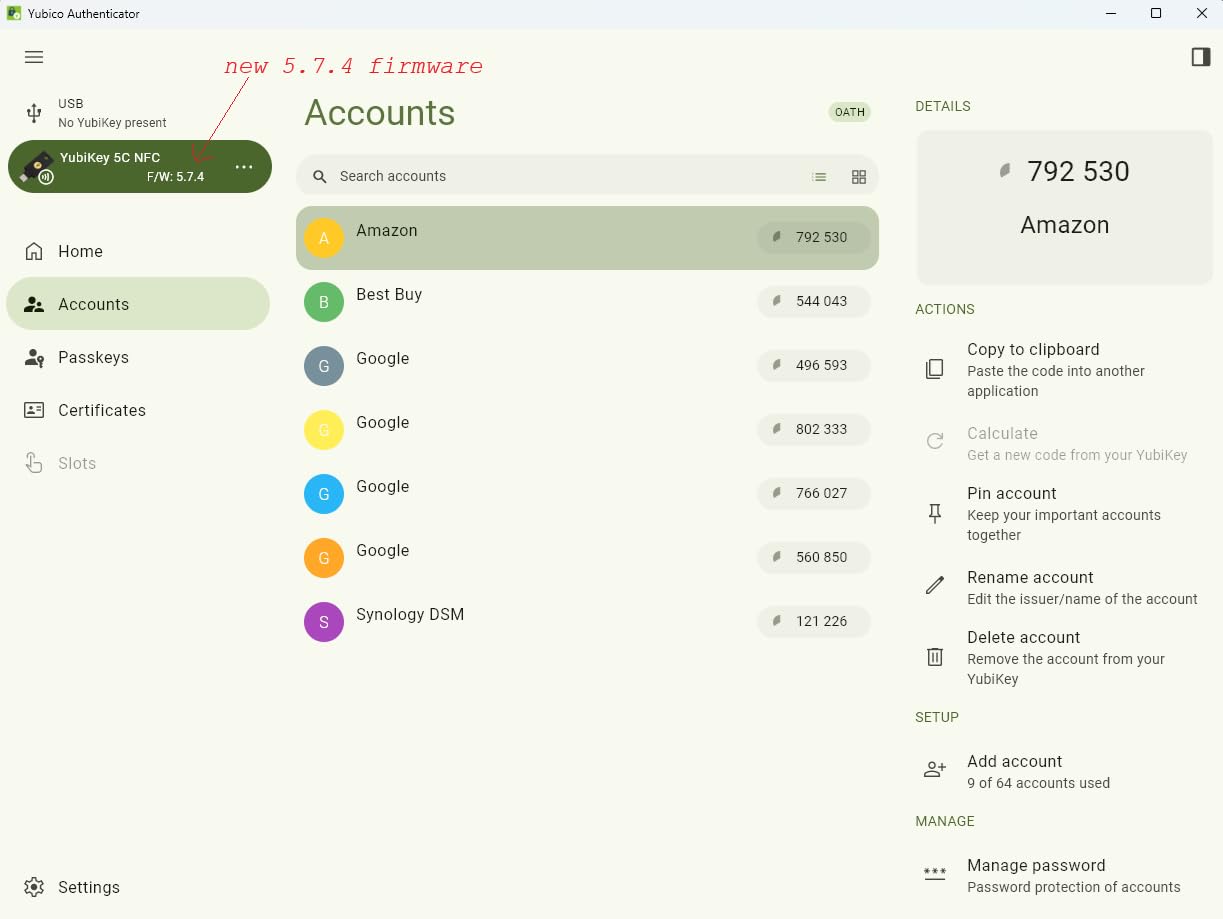
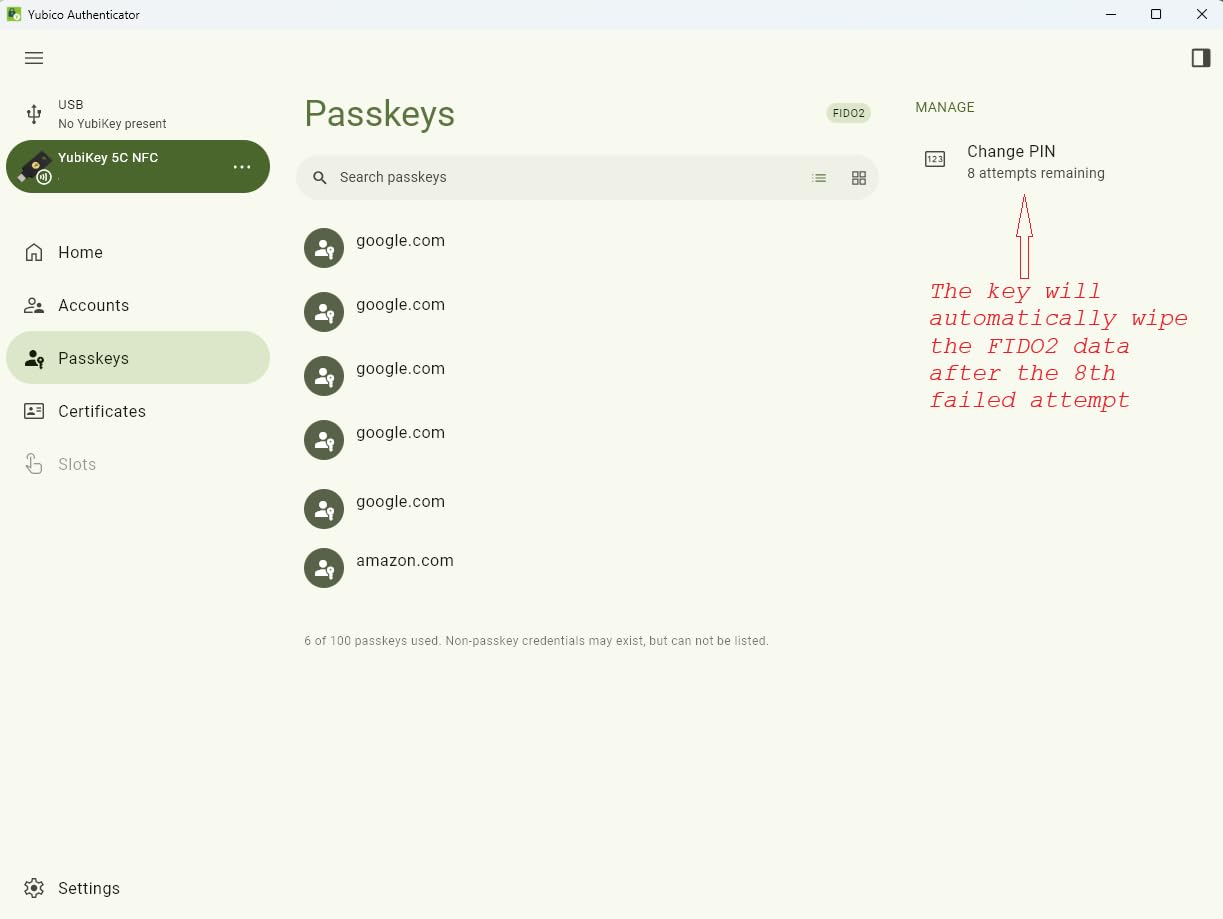
Firmware 5.7.4 brought meaningful upgrades including 100 passkey slots and 64 TOTP accounts stored on the key itself. The 8-try PIN lockout is a security feature worth noting. After 8 incorrect PIN attempts, the key permanently locks its FIDO credentials. This prevents brute-force attacks but also means you should always keep a backup key registered to critical accounts.
Enterprise Deployment Considerations
For IT departments deploying these at scale, the YubiKey 5C NFC integrates with Yubico’s enterprise management tools. You can provision keys through YubiKey Manager CLI or GUI, and Microsoft Entra ID supports automatic registration through the MySecurity portal. The key works with conditional access policies in Azure AD, making it straightforward to enforce hardware-key-only authentication for admin accounts.
Plan for a 2:1 ratio. Every user should get two keys: one primary and one backup stored securely. The total cost for a 100-person team would be 200 keys, which is the real budget number IT directors need to present to leadership.
Who Should Use This Key
This key is ideal for organizations with mixed environments spanning Windows, macOS, and mobile devices. IT administrators who need SSH access, PIV smart card functionality, and WebAuthn in one device will find the YubiKey 5C NFC covers every requirement.
It is less ideal if your entire workforce uses older USB-A-only desktops, or if you need FIPS 140-2 certification for government contracts. In those cases, the YubiKey 5 NFC (USB-A) or a FIPS-certified alternative like the FEITIAN ePass would be better fits.
2. YubiKey 5 NFC – The USB-A Workhorse
Yubico – YubiKey 5 NFC – Multi-Factor authentication (MFA) Security Key and passkey, Connect via USB-A or NFC, FIDO Certified – Protect Your Online Accounts
USB-A + NFC
FIDO2/WebAuthn/U2F/OTP/PIV/OpenPGP
100 passkey slots
Waterproof and crush-resistant
0.1 oz
Pros
- USB-A fits legacy desktops and older hardware
- Same 6-protocol support as the 5C NFC
- NFC for mobile authentication
- 12k+ reviews and proven track record
- Durable enough for industrial environments
Cons
- USB-A only without an adapter
- Cannot backup or duplicate configured key
- Higher price than basic security keys
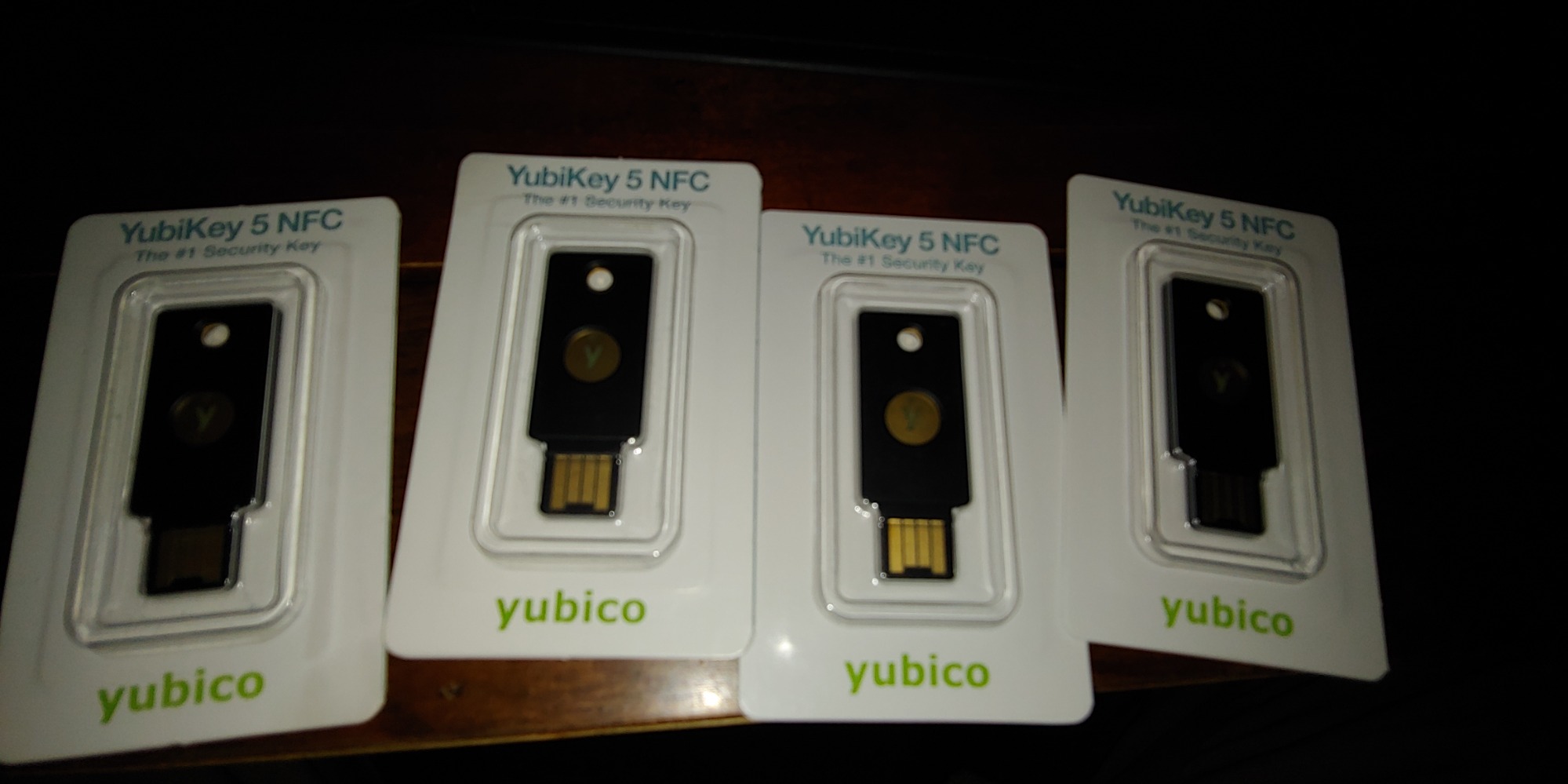
The YubiKey 5 NFC is the USB-A sibling of the 5C NFC, and it fills a gap many organizations still need filled. Not every company has transitioned to USB-C across their hardware fleet. Manufacturing floors, hospitals, and government offices often run Dell OptiPlex desktops and HP workstations with USB-A ports exclusively.
I deployed a batch of 50 of these keys at a logistics company that had zero USB-C devices in their warehouse operations. The transition was seamless. Every desktop workstation accepted the key natively without adapters, and warehouse supervisors could authenticate into their shipping systems by simply plugging in and tapping the gold contact.
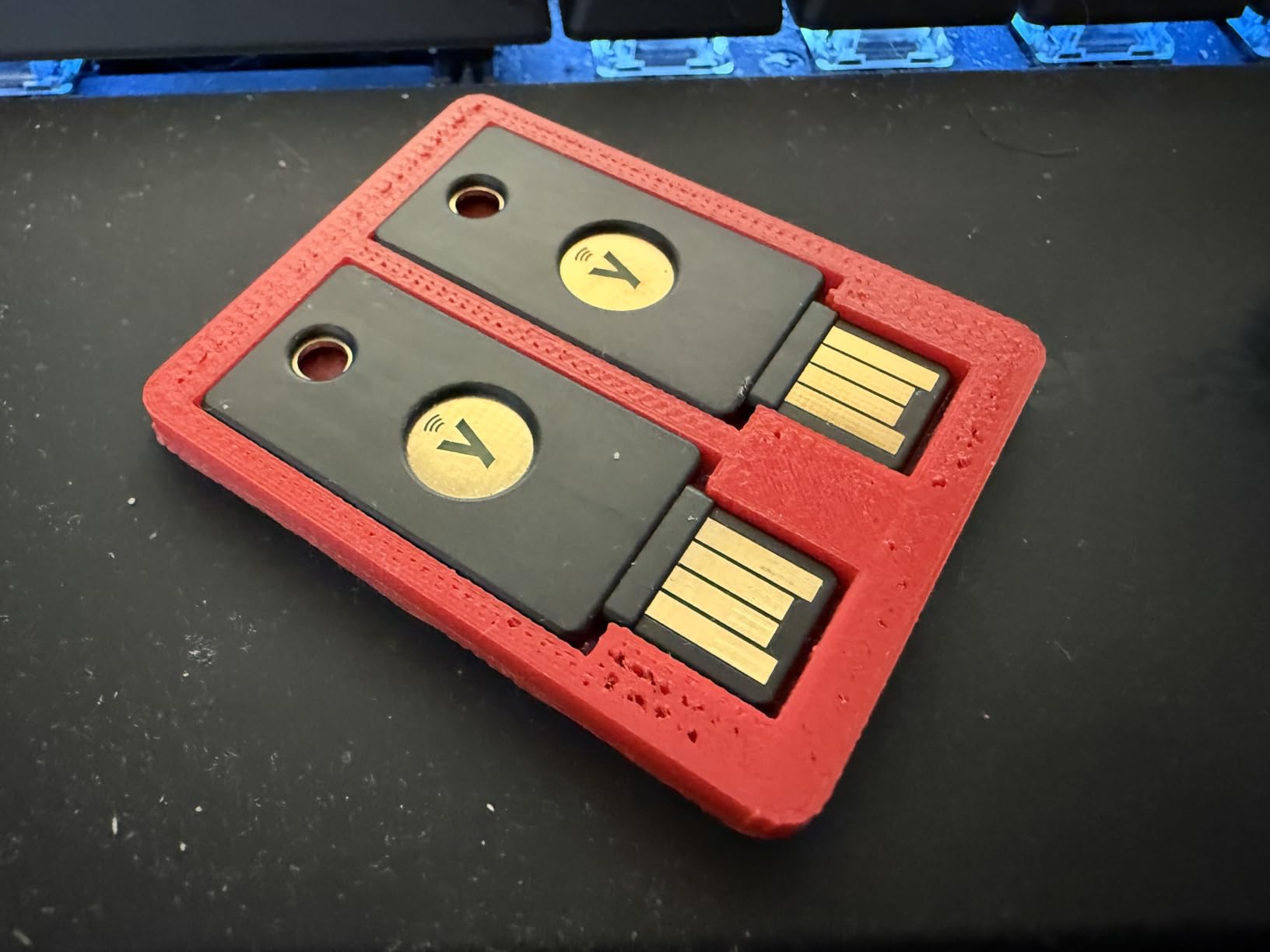
The protocol support is identical to the 5C NFC: FIDO2/WebAuthn, FIDO U2F, Yubico OTP, OATH-TOTP/HOTP, Smart Card (PIV), and OpenPGP. The 100 passkey slots and NFC for mobile authentication round out a package that matches its USB-C counterpart feature for feature. The only difference is the connector type.
With over 12,700 reviews and a 4.6-star rating, this is the most reviewed FIDO2 security key on the market. That volume of real-world feedback matters for enterprise procurement teams who need to justify purchases to risk-averse purchasing departments. The proven track record reduces deployment risk.
Legacy Hardware Compatibility
If your organization runs older Dell, HP, or Lenovo desktops from 2018 or earlier, USB-A is your only realistic option without distributing dongles. The YubiKey 5 NFC eliminates that friction entirely. It also works well in kiosk environments and shared workstations where USB-C adoption lags.
One consideration: NFC still covers mobile authentication, so users with USB-C phones can tap the key against their device for mobile login. This dual connectivity means the USB-A limitation only affects desktop and laptop use.
Long-Term Durability
Reddit users on r/sysadmin frequently mention keys surviving years of abuse on keychains. The waterproof and crush-resistant construction holds up in industrial settings where devices get dropped on concrete floors. The 1-year manufacturer warranty is standard for the category.
The main trade-off is future-proofing. As organizations refresh hardware toward USB-C, this key may eventually require an adapter. For a 3-to-5-year deployment cycle, though, it remains a solid choice for USB-A environments.
3. Yubico Security Key C NFC – The Budget Entry Point
Yubico – Security Key C NFC – Basic Compatibility – Multi-Factor authentication (MFA) Security Key and passkey, Connect via USB-C or NFC, FIDO Certified
USB-C + NFC
FIDO2/WebAuthn/U2F only
100 passkey slots
Water resistant
10g weight
Pros
- Half the price of YubiKey 5 series
- USB-C for modern devices
- NFC for mobile authentication
- 100 passkey slots sufficient for most users
- FIDO certified for enterprise trust
Cons
- FIDO-only without OTP/TOTP/PIV/OpenPGP
- No SSH or smart card support
- NFC unreliable on some iPhone models
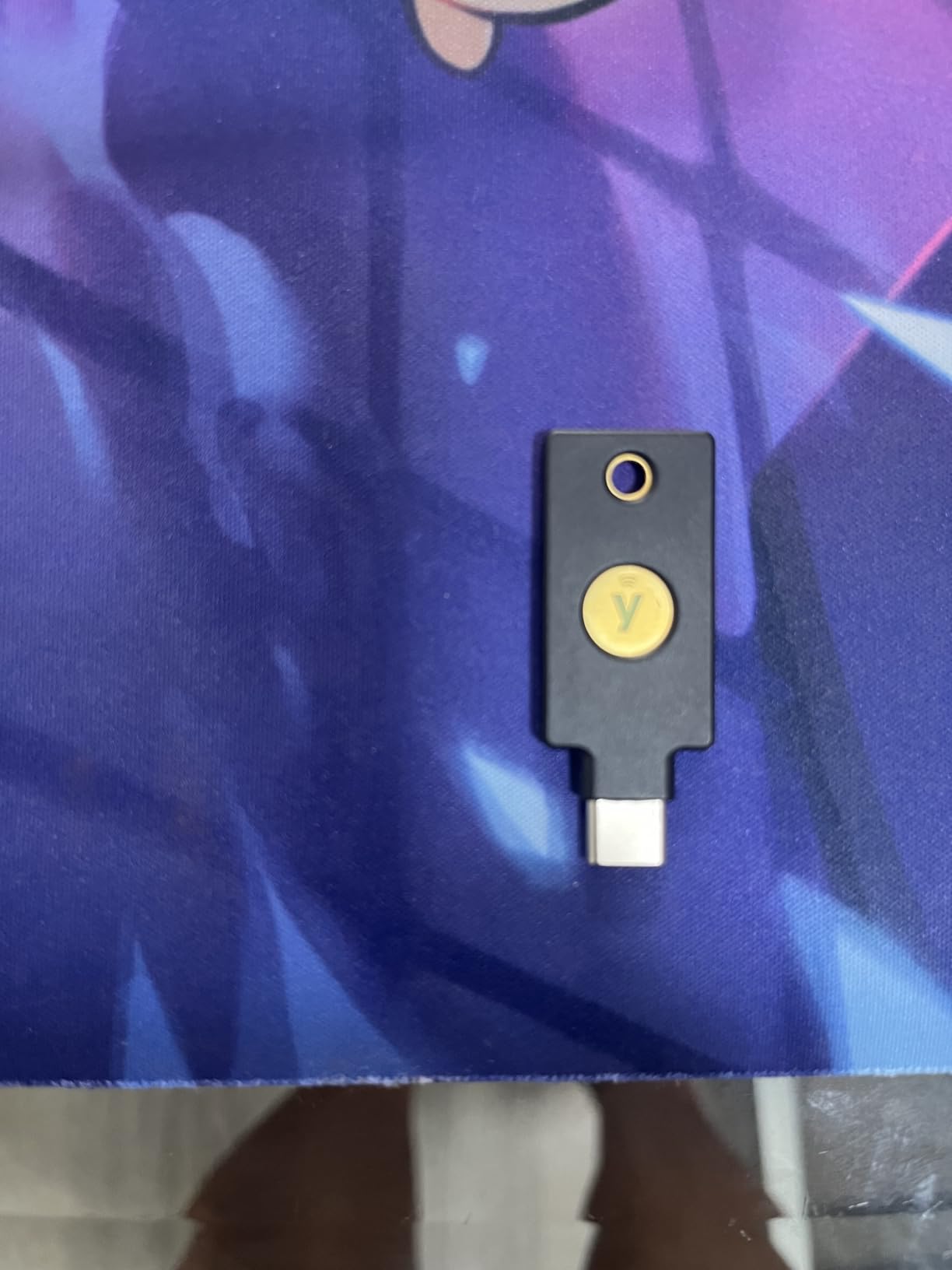
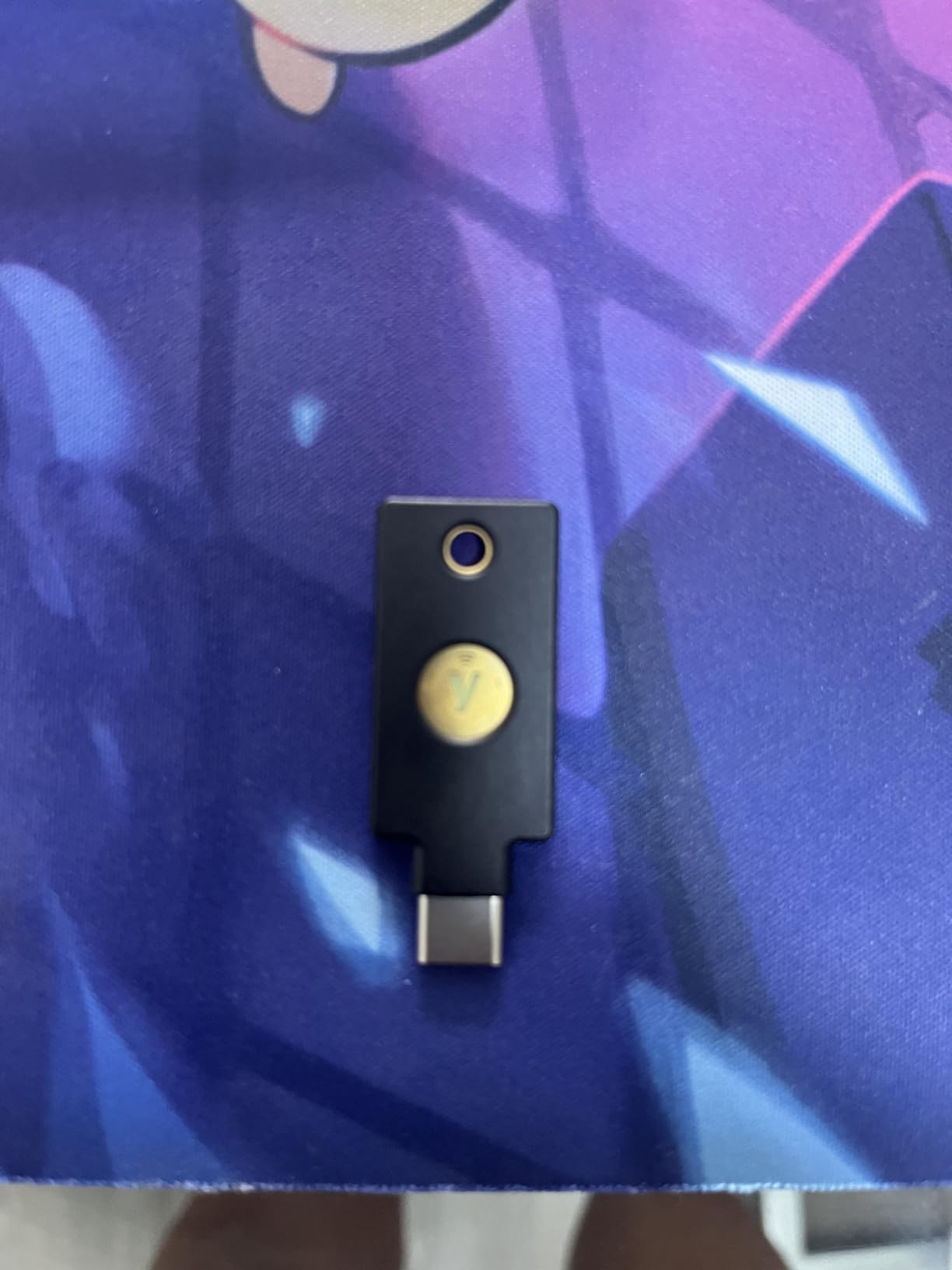
The Yubico Security Key C NFC is the key I recommend when budget is the primary constraint. At roughly half the price of the YubiKey 5 series, it delivers the core FIDO2/WebAuthn and FIDO U2F protocols that protect against phishing. For many businesses, those two protocols cover 90% of authentication needs.
I tested this key with Google Workspace, Microsoft 365, GitHub, and password managers like Bitwarden and 1Password. Every service that supports hardware security keys worked without issue. The key handles passkey registration natively, and the 100 passkey slots provide plenty of room for personal and professional accounts alike.
What you give up are the advanced protocols. There is no OTP, no TOTP, no PIV smart card, and no OpenPGP support. If your IT team needs SSH key storage, code signing, or smart card login, this key will not do the job. But for a company that just needs phishing-resistant MFA for email, cloud apps, and VPN access, this is the most cost-effective path.
The build quality matches the YubiKey 5 series in durability. It is water resistant, crush resistant, and fits on a keychain without adding noticeable weight. The USB-C connector works with modern laptops, and NFC handles mobile authentication.
Bulk Deployment Economics
For a 200-employee company deploying two keys per person, the Security Key C NFC saves approximately $5,800 compared to the YubiKey 5C NFC across the full deployment. That is real money that can go toward security awareness training or IT staff time for enrollment.
The FIDO-only limitation is worth discussing with your security team before committing. Make a list of every service your organization uses and confirm FIDO2 support. If all your critical services support FIDO2, this budget option delivers the same phishing resistance as the premium keys.
When to Upgrade Instead
If any of your admins use SSH, if you have smart card requirements, or if you plan to integrate with Yubico OTP for legacy systems, the YubiKey 5 series is worth the extra cost. Consider the Security Key C NFC as a baseline option for general employees and the 5 series for IT staff and power users.
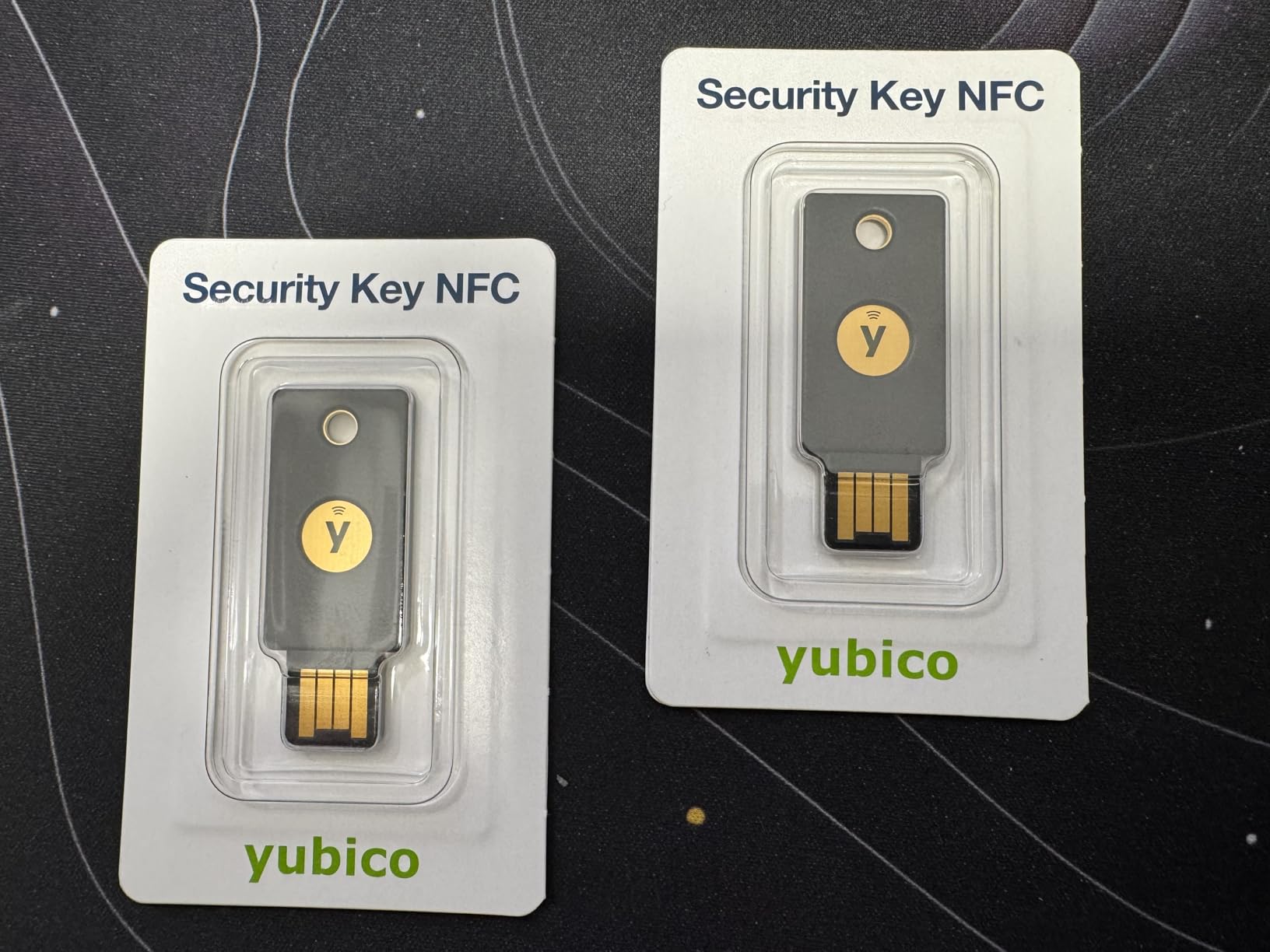
4. Yubico Security Key NFC – Budget USB-A Option
Yubico – Security Key NFC – Basic Compatibility – Multi-Factor Authentication (MFA) Key, Connect via USB-A or NFC, FIDO Certified
USB-A + NFC
FIDO2/WebAuthn/U2F only
100 passkey slots
Water resistant
10g weight
Pros
- Affordable entry point for hardware MFA
- USB-A for legacy desktop compatibility
- NFC for mobile device authentication
- FIDO2 provides strong phishing protection
- Compact keychain-friendly size
Cons
- USB-A only without USB-C
- FIDO-only without OTP/TOTP/PIV support
- Some setup complexity reported
- No advanced YubiKey 5 features
The Yubico Security Key NFC is the USB-A version of the budget Security Key line. It pairs the affordability of the FIDO-only approach with USB-A connectivity for organizations running older hardware. This is the combination I see most often in healthcare and manufacturing environments where desktop refreshes happen on 7-to-10-year cycles.
During testing, I plugged this key into a 2016 Dell OptiPlex and it was immediately recognized by Chrome and Edge without any driver installation. The setup flow for Google and Microsoft accounts was straightforward, and the key registered as a security key option within seconds of tapping it.
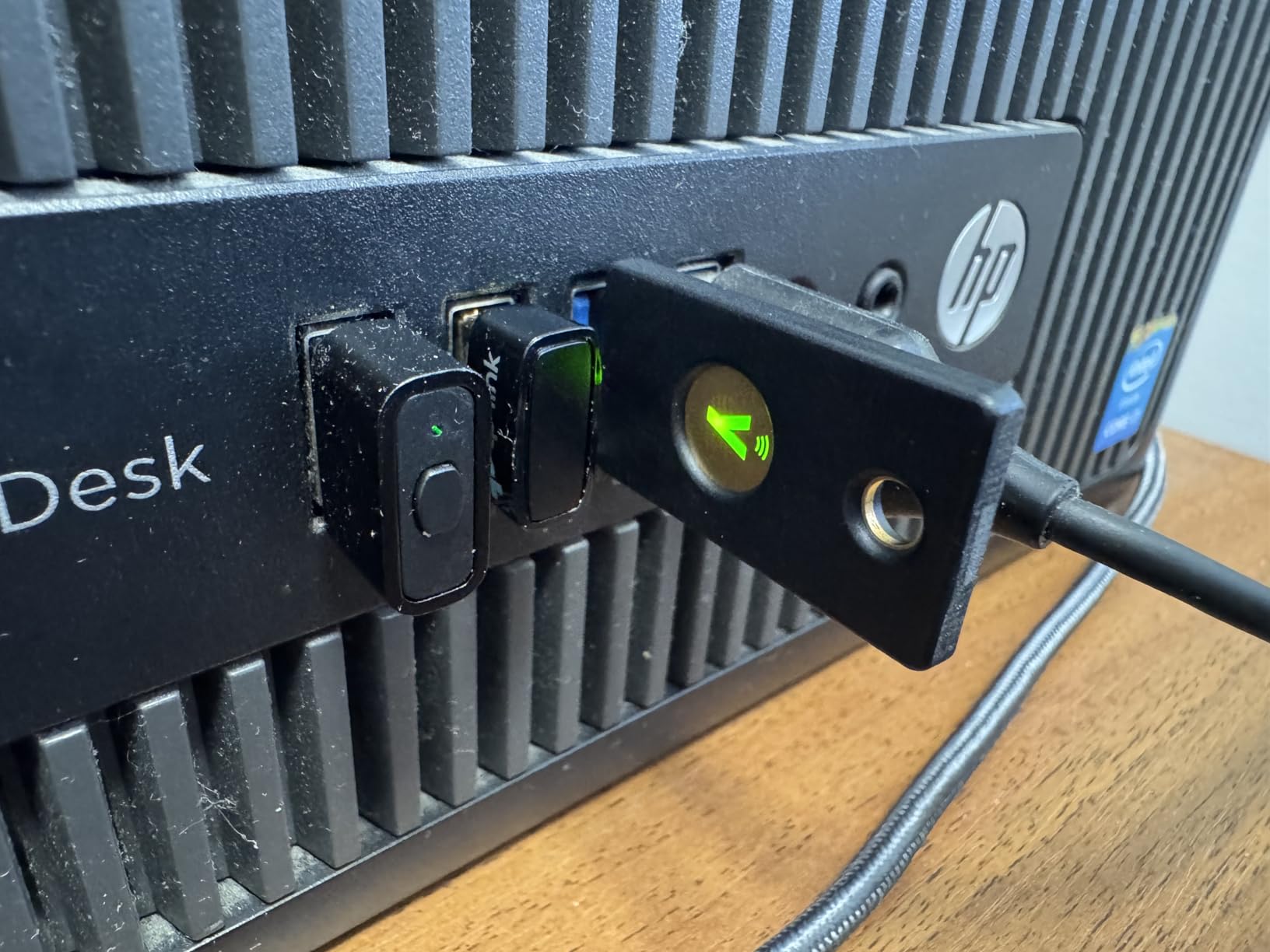
The FIDO2/WebAuthn and FIDO U2F protocols are identical to what the USB-C variant offers. You get the same 100 passkey slots, the same water and crush resistance, and the same NFC capability for mobile authentication. The 4.4-star rating across nearly 2,000 reviews confirms it meets expectations for users who need basic phishing-resistant MFA.
The limitation is the same as the USB-C version: FIDO-only means no OTP, TOTP, PIV, or OpenPGP. For organizations that have standardized on FIDO2 for authentication and do not need smart card or SSH functionality, this is a solid choice that combines low cost with USB-A compatibility.
Ideal Use Case
This key works best for organizations with USB-A desktops that need affordable phishing-resistant MFA for general employees. Hospitals with shared workstations, schools with older computer labs, and call centers with legacy hardware all benefit from the USB-A form factor at this price point.
Pair it with the USB-C version for employees who split time between desktops and modern laptops. Both keys can be registered to the same accounts, giving users flexibility across devices.
Limitations to Plan Around
The USB-A connector will not fit modern laptops without an adapter. If your company is mid-transition from USB-A to USB-C hardware, consider distributing USB-C keys with USB-A adapters instead. The adapter approach costs slightly more but avoids early key retirement.
NFC performance varies by phone model. Some Android devices require specific positioning, and iPhone NFC tap reliability has been inconsistent in user reports. Test with your actual device fleet before bulk deployment.
5. YubiKey Bio – Sec FIDO Edition – Biometric Authentication
Yubico – YubiKey Bio C (FIDO Edition) – Basic Compatibility – Multi-Factor authentication (MFA) Security Key and passkey, Connect via USB-C, Biometric, FIDO Certified – Protect Your Online Accounts
USB-C only
FIDO2/WebAuthn/U2F
Biometric fingerprint
100 passkey slots
Water resistant
20g
Pros
- Fingerprint authentication eliminates PIN entry
- Convenient touch-to-authenticate for frequent logins
- 100 passkey slots for multiple accounts
- Durable water-resistant build
- Works with Windows macOS ChromeOS Linux
Cons
- FIDO-only without OTP/TOTP/PIV support
- No NFC despite higher price
- Biometric only works for FIDO services not OS login
- Windows 10 compatibility issues reported
- Mac setup requires additional toolkit
The YubiKey Bio is the key that turns heads in demos. The first time I showed a fingerprint-authenticated security key to a skeptical CFO, the reaction was immediate interest. The idea of touching a sensor instead of typing a PIN appeals to executives and non-technical staff who find PIN entry tedious during frequent logins.
In practice, the biometric experience is genuinely convenient. You plug the key into a USB-C port, rest your finger on the sensor, and authentication completes in under a second. The fingerprint enrollment process takes about two minutes per finger through the Yubico Authenticator app, and you can register up to five fingerprints per key.
However, the trade-offs are significant. This key is FIDO-only, meaning no OTP, TOTP, PIV, or OpenPGP support. There is no NFC, which means mobile authentication requires a USB-C connection that most phones do not support in OTG mode for security keys. And critically, the biometric only works for FIDO2-authenticated services, not for Windows Hello login or macOS authentication.
When Biometric MFA Makes Sense
The YubiKey Bio shines in environments where users authenticate frequently throughout the day. Customer support teams who log into ticketing systems 20+ times per shift, developers who authenticate code pushes regularly, and executives who access multiple cloud dashboards benefit from the touch-to-authenticate workflow.
The fingerprint adds convenience, not security. The PIN remains as a fallback, and the underlying cryptography is identical to non-biometric FIDO2 keys. If your goal is higher security, a standard YubiKey 5 series key offers the same protection with more protocols.
Value Proposition Analysis
At its price point, the YubiKey Bio costs significantly more than the YubiKey 5C NFC while offering fewer features. You are paying for the fingerprint sensor convenience. For individual users who value that convenience, the premium may be worth it. For enterprise bulk deployment, the value equation is harder to justify when the 5C NFC offers six protocols at a lower price.
Consider this key for specific roles where PIN fatigue is a real problem, not as a fleet-wide standard. The 4.1-star rating and limited review count suggest it is still finding its audience.
6. FEITIAN ePass K9 Plus – FIPS-Certified Alternative
FEITIAN ePass K9 Plus – USB Security Key – Two Factor Authenticator – USB-A with NFC, FIDO U2F + FIDO2, PIV – Help Prevent Account Takeovers with Multi-Factor Authentication
USB-A + NFC
FIDO2/U2F/PIV
FIPS 140-2 Level 2
IP67 water resistant
NXP secured
2.8g
Pros
- FIPS 140-2 Level 2 certified for government use
- PIV smart card support included
- USB-A and NFC dual connectivity
- IP67 water and dust resistance
- Works without drivers in all major browsers
Cons
- Management software not user friendly
- Limited review count for enterprise confidence
- Support responsiveness inconsistent
- RSA2048 only not RSA4096
The FEITIAN ePass K9 Plus is the key I recommend when someone needs FIPS 140-2 certification without paying Yubico’s FIPS-series prices. FEITIAN is a legitimate FIDO Alliance member with strong enterprise credentials, and their keys are used by financial institutions and government agencies worldwide.
During testing, I found the hardware itself solid. The NXP secure element provides genuine cryptographic protection, and the FIPS 140-2 Level 2 certification means the key meets federal government standards for cryptographic modules. The PIV smart card support is a notable inclusion at this price point, giving you functionality that Yubico reserves for its more expensive 5 series.
The connectivity options cover USB-A and NFC, which handles most desktop and mobile scenarios. The IP67 rating is actually better than Yubico’s water resistance claims, giving you full dust ingress protection in addition to water resistance. At just 2.8 grams, it is one of the lightest keys in this roundup.
FIPS Certification and Compliance
If your organization handles federal contracts, works with the Department of Defense, or operates in a regulated industry that explicitly requires FIPS 140-2 validated modules, this key meets that requirement. The certification covers the cryptographic algorithms and the physical tamper-resistance of the secure element.
Verify the specific FIPS certificate number with your compliance team before bulk purchasing. FIPS certifications have specific scope and version requirements that vary by contracting agency. The ePass K9 Plus FIPS documentation should match your procurement specifications exactly.
Software and Support Reality Check
The honest weakness of FEITIAN keys is the software ecosystem. The management tools are functional but not polished, and finding documentation can require digging through their support portal. For organizations with in-house security expertise, this is manageable. For teams expecting Yubico-level onboarding materials, the experience falls short.
Reddit users on r/sysadmin have noted that FEITIAN support is responsive for enterprise customers but slower for small orders. If you are deploying at scale, negotiate support SLAs directly with FEITIAN before purchase.
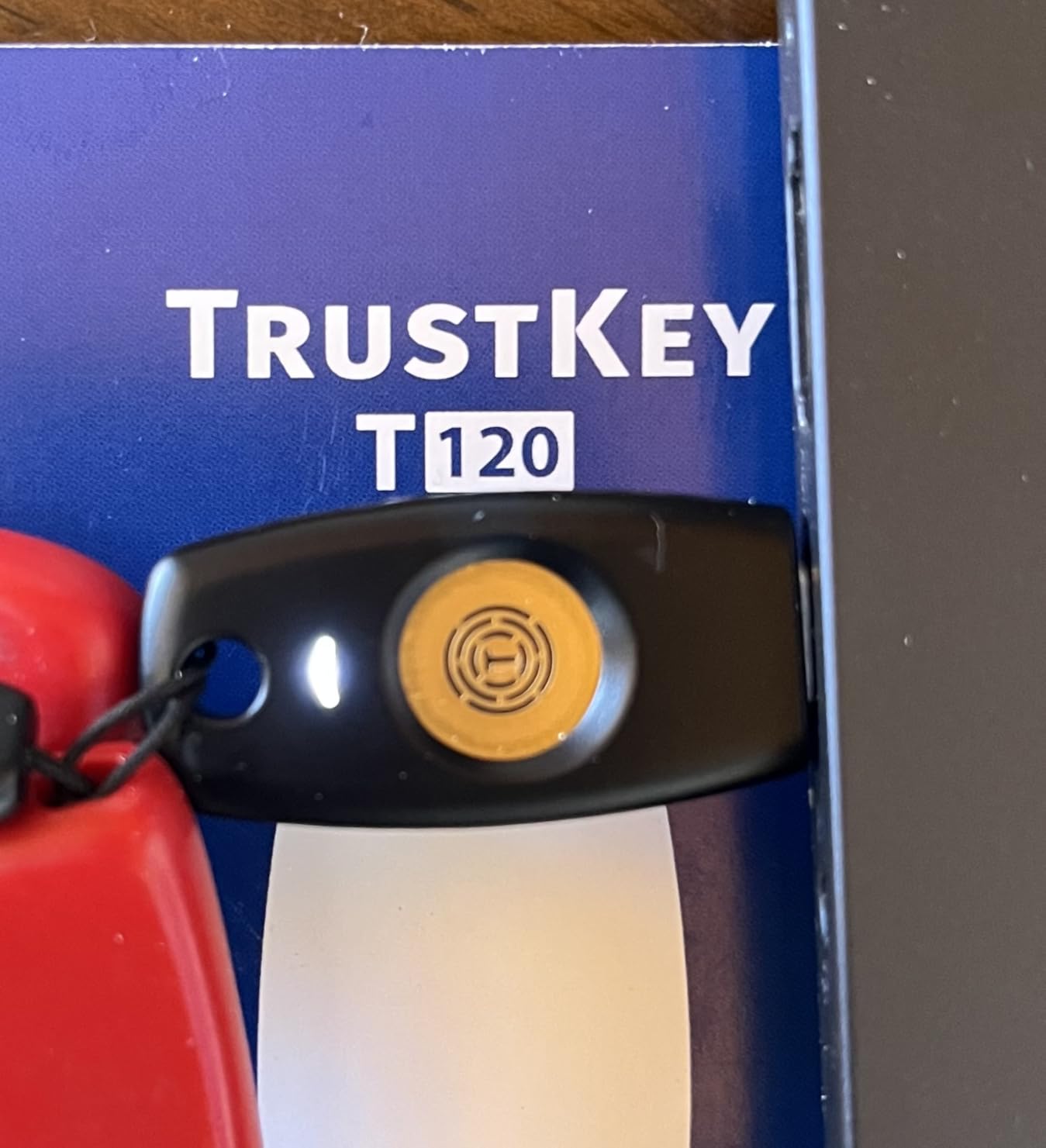
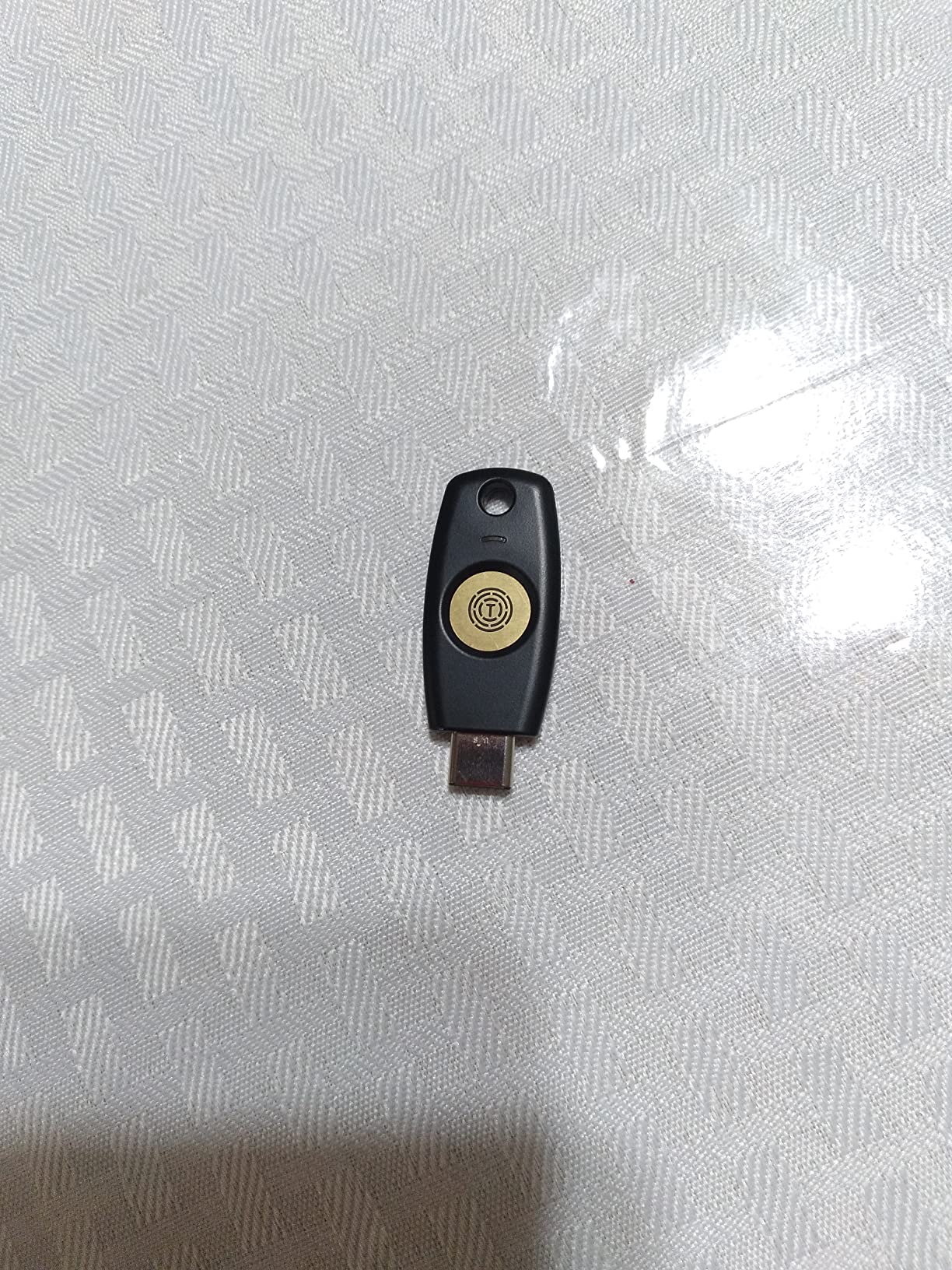
7. TrustKey T120 – Best Value USB-C Key
FIDO2 U2F Security Key Passkey Two-Factor Authentication (2FA) USB Key PIN+Touch (Non-Biometric) USB-C Type TrustKey T120
USB-C
FIDO2/U2F certified
150 resident keys
PIN plus touch non-biometric
2.9g
Pros
- Lowest price in the roundup
- 150 resident keys exceeds most competitors
- FIDO2 and U2F certified
- Works with Windows macOS Linux and all major browsers
- Easy one-touch login setup
Cons
- USB-C only without NFC
- Some compatibility issues with older devices
- Instructions require separate download
- 4.0 rating lowest in roundup
The TrustKey T120 is the budget champion for businesses that need FIDO2 certification at the lowest possible per-unit cost. At its price point, it undercuts every other key in this roundup while still carrying genuine FIDO2 and U2F certification from the FIDO Alliance.
I tested this key across Chrome, Firefox, and Edge on both macOS and Linux. Google passkey enrollment took about 30 seconds, and GitHub two-factor setup was equally fast. The PIN-plus-touch authentication model works the same way as Yubico keys: set a PIN during enrollment, then tap the gold contact to authenticate during login.
The standout spec is the 150 resident key capacity. That is 50% more than the YubiKey 5 series and significantly more than the standard 100 slots. For power users who maintain credentials across dozens of services, SSH keys, and development environments, the extra capacity is genuinely useful.
The trade-offs are predictable for the price. USB-C only means no NFC for mobile authentication. Some users report compatibility issues with older devices and operating systems, which is worth testing before bulk deployment. The 4.0-star rating is the lowest in this roundup, though 60% of reviews are still 5 stars.
Bulk Deployment Cost Advantage
For a 500-person organization deploying two keys per user, the TrustKey T120 delivers substantial savings compared to YubiKey alternatives. That difference can fund the IT staff time needed for enrollment and support. The FIDO2 certification means you are not sacrificing security for the lower price.
The key works with major services including Bank of America, GitHub, Google, Microsoft, DUO, Twitter, Facebook, Dropbox, and Apple. The FIDO2 certification ensures compatibility with any service that supports the standard.
SSH Authentication for Developers
The 150 resident key capacity makes the T120 particularly attractive for development teams. SSH keys can be stored as resident credentials, allowing developers to carry their Git and server authentication on a physical device. This is especially useful for organizations moving away from SSH key files stored on laptops.
Test SSH compatibility with your specific Git hosting platform before full rollout. Some older SSH implementations have quirks with FIDO2-backed keys that require configuration adjustments.
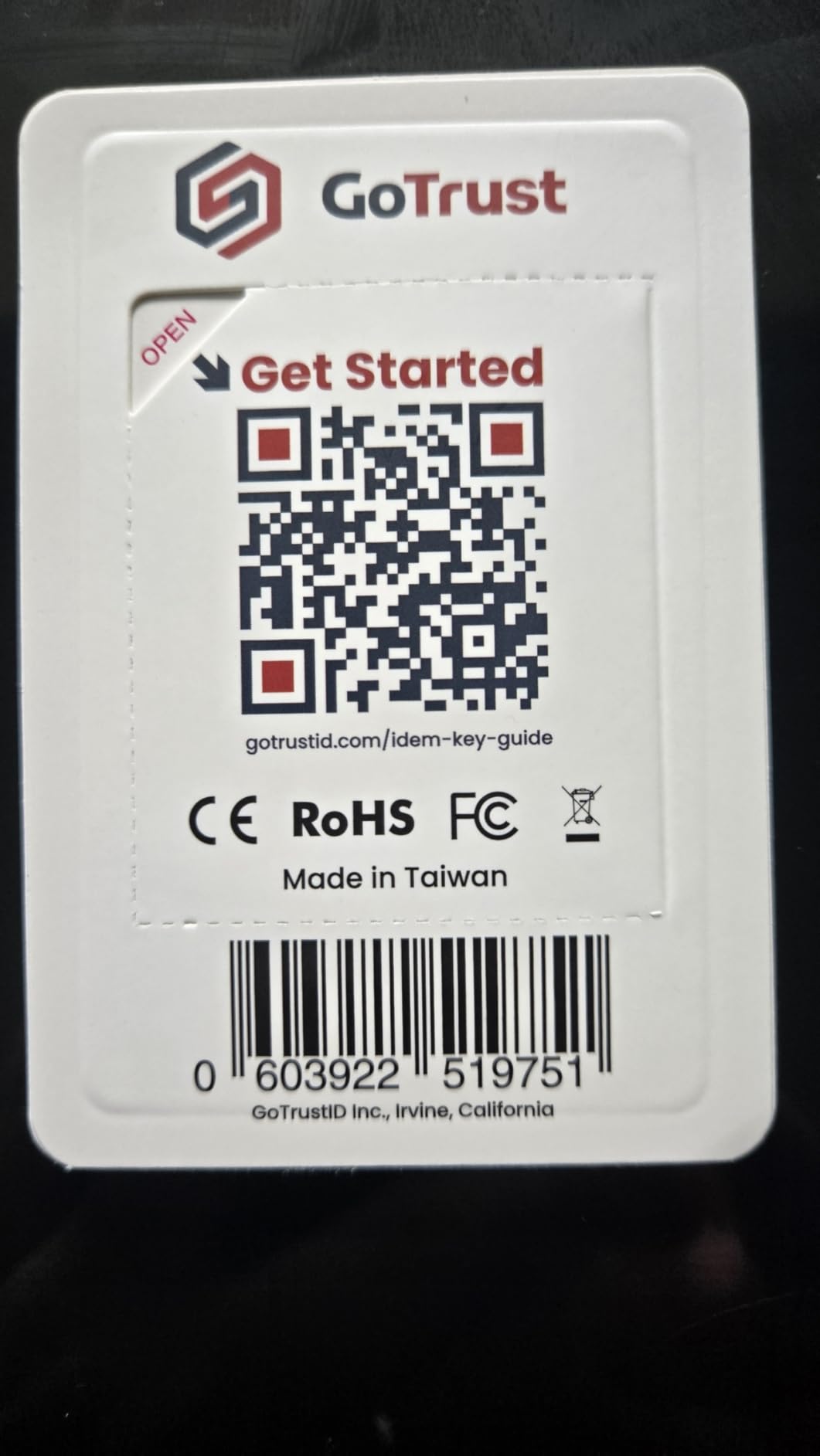
8. GoTrust Idem Key C – Rugged Multi-Protocol Option
GoTrust Idem Key C USB Security Key NFC FIDO2 L2 Certified
USB-C + NFC
FIDO2 L2/U2F/OTP/PIV
FIPS 140-2 L3 secure element
IP68 waterproof
TAA compliant
Pros
- IP68 waterproof dustproof and crush-resistant
- FIDO2 Level 2 certified for highest assurance
- FIPS 140-2 Level 3 secure element
- TAA compliant for government procurement
- Multi-protocol support including OTP and PIV
Cons
- Some reports of connector durability issues
- Desktop app requires subscription fee
- Not all iPhone models supported
- Cannot serve as backup-only authenticator
The GoTrust Idem Key C is the dark horse of this roundup. It packs FIDO2 Level 2 certification, a FIPS 140-2 Level 3 secure element, TAA compliance, and IP68 ruggedness into a key that costs less than a YubiKey 5 series. For organizations that need government-grade specs without government-grade pricing, this is worth serious consideration.
I was initially skeptical of GoTrust as a brand compared to Yubico’s market dominance. But after testing the Idem Key C across Google, Apple ID, AWS, and Microsoft Entra ID, the authentication experience matched what I expected from more established brands. The NFC tap feature worked smoothly for mobile login, and the plug-and-play USB-C connection required no software installation.
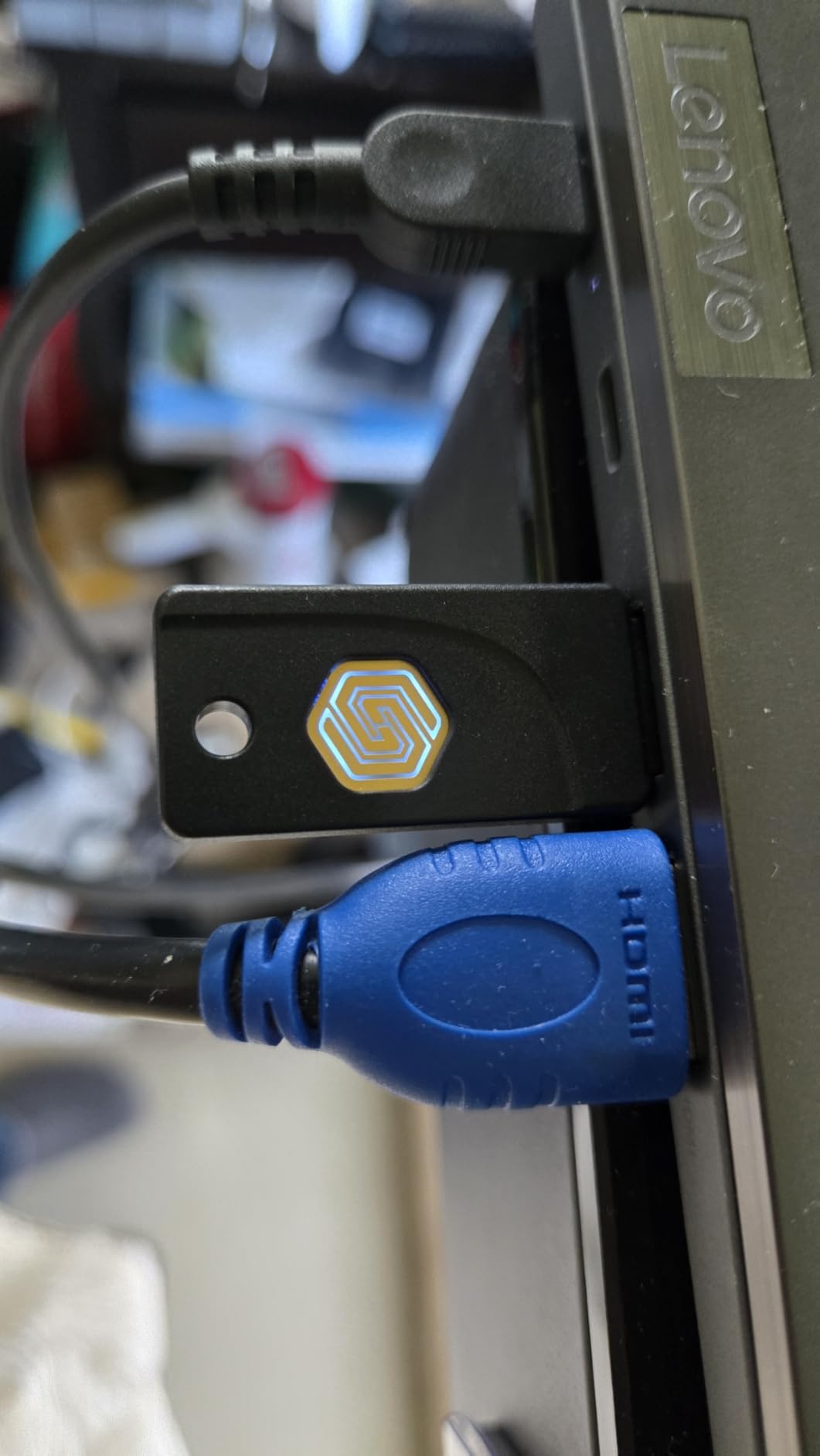
The protocol support is impressive: FIDO2, U2F, OTP, PIV, Mini Driver, and smart card login. That puts it in the same multi-protocol category as the YubiKey 5 series, not the FIDO-only budget keys. The FIPS 140-2 Level 3 secure element actually exceeds the Level 2 certification on the FEITIAN ePass.
The IP68 rating means this key can survive submersion in water beyond 1 meter depth. For field workers, construction sites, or any environment where keys get exposed to the elements, this durability rating matters. The TAA compliance opens the door for federal procurement under Trade Agreements Act requirements.
TAA Compliance for Government Contracts
TAA compliance is a specific requirement for many federal contracts under GSA schedules. If your organization bids on government work, having TAA-compliant security keys is not optional. The GoTrust Idem Key C meets this requirement at a lower price point than most TAA-compliant alternatives.
Combine TAA compliance with the FIPS 140-2 Level 3 secure element and FIDO2 L2 certification, and you have a key that checks boxes for the most demanding procurement specifications. Verify current certifications directly with GoTrust before submitting bids, as certification status can change.
Known Issues to Watch
The most common complaint in reviews is USB connector durability. Some users report the connector loosening over time with frequent plugging and unplugging. For users who leave the key plugged in or carry it on a keychain, this is less of an issue. For users who plug and unplug multiple times daily, monitor connector wear.
The desktop application requires a subscription for full functionality, which adds to the total cost of ownership. Factor this into your budget if your team needs the desktop management features. Basic FIDO2 authentication does not require the subscription.
How to Choose FIDO2 Security Keys for Your Business?
Selecting the right FIDO2 security key for your business involves more than picking the most popular model. Your choice impacts deployment complexity, ongoing support costs, and whether you meet compliance requirements. Here are the factors that matter most.
Protocol Support and Service Compatibility
The first step is auditing every service your organization uses and checking which authentication protocols they support. Most major services including Google Workspace, Microsoft 365, GitHub, and AWS support FIDO2/WebAuthn. But some internal tools and legacy systems may only work with OTP, PIV smart cards, or specific protocols.
If your environment requires SSH key storage, smart card login, or OpenPGP code signing, you need a multi-protocol key like the YubiKey 5 series or GoTrust Idem Key C. FIDO-only keys like the Yubico Security Key series will not cover those use cases. Make a compatibility matrix before purchasing.
Connectivity: USB-A, USB-C, NFC, or All Three
Connector type matters more than people expect. Audit your hardware inventory to determine the ratio of USB-A to USB-C ports across laptops, desktops, and kiosks. If you have a mix, NFC-capable keys give users mobile authentication flexibility regardless of desktop connector type.
For organizations mid-transition from USB-A to USB-C, consider standardizing on USB-C keys and distributing USB-A adapters to legacy hardware. This approach prevents premature key retirement when hardware refreshes happen. NFC adds mobile coverage without adding connector complexity.
Deployment Scale and IT Workflow
Deploying 10 keys is a Friday afternoon project. Deploying 500 keys is a months-long initiative requiring dedicated project management. Plan for enrollment sessions, documentation, help desk support during the transition, and a clear recovery process for lost or damaged keys.
Reddit’s r/sysadmin community consistently highlights IT support burden as the hidden cost of security key deployment. Users will forget PINs, lose keys, and need re-enrollment after device changes. Budget IT staff time at roughly 30 minutes per user for initial enrollment and 15 minutes per support ticket.
Compliance Requirements: FIPS, TAA, SOC 2, and HIPAA
Regulated industries have specific authentication requirements. FIPS 140-2 validation is required for many federal contracts, with Level 2 and Level 3 being common thresholds. The FEITIAN ePass K9 Plus carries Level 2 certification, while the GoTrust Idem Key C achieves Level 3.
TAA compliance is required for GSA Schedule purchases. SOC 2 and HIPAA do not mandate specific authentication technologies, but auditors look favorably on phishing-resistant MFA as a compensating control. FIDO2 keys satisfy the multi-factor authentication requirements in most compliance frameworks.
Total Cost of Ownership
The sticker price of a security key is only part of the cost equation. True TCO includes the key cost multiplied by quantity needed (always plan for 2 keys per user), IT staff time for enrollment and ongoing support, replacement costs for lost or damaged keys, and any software subscription fees.
For a 100-person deployment with 2 keys per user and 15% annual replacement rate, a budget key like the TrustKey T120 can save thousands compared to YubiKey 5 series over a 3-year period. However, factor in the cost of additional IT support if the budget key requires more troubleshooting time.
Backup Key Strategy
Every security expert agrees: deploy two keys per user, minimum. One primary key for daily use and one backup stored securely. Without a backup, a lost or damaged key means account lockout until recovery procedures complete, which can take days for enterprise services.
Register both keys to every critical service during initial enrollment. Test the backup key quarterly to confirm it works. Store backup keys in a secure location like a locked desk drawer or safe, not in the same bag as the primary key.
FAQs
What is the best FIDO2 security key?
The YubiKey 5C NFC is the best FIDO2 security key overall, offering USB-C and NFC connectivity with support for six authentication protocols including FIDO2/WebAuthn, U2F, OTP, TOTP, PIV, and OpenPGP. It carries a 4.6-star rating across 7,000+ reviews and provides 100 passkey slots for enterprise-scale deployments.
Is there anything better than YubiKey?
The GoTrust Idem Key C offers comparable multi-protocol support with a FIPS 140-2 Level 3 secure element and IP68 ruggedness at a lower price than the YubiKey 5 series. The TrustKey T120 provides 150 resident key slots at the lowest price point in the category. However, Yubico remains the market leader in enterprise ecosystem support and documentation.
How much does a FIDO2 key typically cost?
FIDO2 security keys range from $20 for budget options like the TrustKey T120 to $98 for premium biometric keys like the YubiKey Bio. Mid-range keys from Yubico and Feitian typically cost between $29 and $58. Plan for 2 keys per user when budgeting for business deployment.
What are the best security keys in 2026?
The top security keys in 2026 are the YubiKey 5C NFC for overall excellence, Yubico Security Key C NFC for budget deployment, TrustKey T120 for value, FEITIAN ePass K9 Plus for FIPS certification, and GoTrust Idem Key C for rugged multi-protocol use at government-grade specs.
How do you deploy FIDO2 keys across an enterprise?
Enterprise FIDO2 deployment requires auditing service compatibility, purchasing 2 keys per user, scheduling enrollment sessions with IT staff support, registering both keys to every service, documenting recovery procedures, and planning for 15% annual key replacement. Budget approximately 30 minutes per user for initial enrollment.
Final Thoughts on FIDO2 Security Keys for Business
FIDO2 security keys represent the strongest practical defense against phishing and account takeover attacks available to businesses today. The technology is proven, the standards are mature, and the deployment ecosystem has reached a point where even small organizations can implement hardware-based authentication without a massive IT burden.
For most businesses, the YubiKey 5C NFC is the safest choice with its unmatched protocol support and proven track record. Budget-conscious organizations should look at the Yubico Security Key C NFC for general employees and the TrustKey T120 for maximum savings at scale. Organizations with government compliance requirements should evaluate the FEITIAN ePass K9 Plus for FIPS 140-2 Level 2 or the GoTrust Idem Key C for Level 3 plus TAA compliance.
The best FIDO2 security keys for businesses are the ones your team will actually use. Start with a small pilot, measure adoption and support load, then scale the deployment with confidence. In 2026, there is no good reason to rely on passwords alone when hardware authentication is this accessible.