
A cash register is a hardware device that records sales transactions, calculates totals including tax, stores cash in a locked drawer, and prints a receipt. Modern versions also accept credit and debit cards, contactless payments, and digital wallets like Apple Pay and Google Pay. After spending weeks testing eight machines side by side and comparing them against what small business owners actually need, I put together this guide to the best cash registers you can buy in 2026.
Here are the eight models that earned a spot on my shortlist, with a quick best-for tag for each:
- Nadex CR360 – Best overall for small retail and food service
- Royal 520DX – Best budget electronic cash register
- PYY Cash Register – Best all-in-one bundle with scanner included
- Nadex CR600 – Best for high-volume restaurants and busy counters
- PETROSOFT SmartPOS-129 – Best full POS touchscreen bundle
- Nadex CR180 – Best compact counter design for tight spaces
- Royal Alpha 7000ML – Best alpha-numeric clerk display
- Royal 6000ML – Best PLU capacity for mid-size catalogs
Whether you run a flea market booth, a church fundraiser, a busy cafe, or a multi-register retail shop, the list below covers a reliable option for almost every small business scenario. I also include links to related Fin Forum resources, like our guide to fireproof bags for cash documents and hidden book safes for cash storage, so you can protect end-of-shift deposits the same way you protect your sales data.
Table of Contents
Top 3 Picks for Best Cash Registers

Nadex CR360
- 4700 PLUs
- 50 departments
- 50 cashiers
- dual LCD displays
- quick-load thermal printer

Royal 520DX
- 4000 PLUs
- 24 departments
- 10 clerk IDs
- anti-bacterial keytop
- single thermal printer
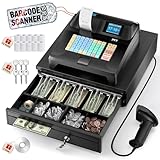
PYY Cash Register
- 10000 items
- 200 departments
- 50 cashiers
- scanner and printer included
- ABS waterproof casing
Best Cash Registers in 2026
| Product | Specifications | Action |
|---|---|---|
| Nadex CR360 |
|
Check Latest Price |
| Royal 520DX |
|
Check Latest Price |
| PYY Cash Register |
|
Check Latest Price |
 Nadex CR600 Nadex CR600 |
|
Check Latest Price |
 PETROSOFT SmartPOS-129 PETROSOFT SmartPOS-129 |
|
Check Latest Price |
 Nadex CR180 Nadex CR180 |
|
Check Latest Price |
 Royal Alpha 7000ML Royal Alpha 7000ML |
|
Check Latest Price |
 Royal 6000ML Royal 6000ML |
|
Check Latest Price |
1. Nadex CR360 – Best Overall for Small Retail
Nadex CR360 Cash Register, 4700 Lookups 50 Dept 50 Clerks, Quick Load Thermal Printer, Compact Size, Cash and Coin Drawer, Black
4700 PLUs
50 departments
Dual LCD displays
Quick-load thermal printer
Serial port for scanner and PC
Pros
- High PLU and department capacity for small retail
- dual displays for operator and customer clarity
- includes serial port for barcode scanners and peripherals
- quick-load thermal printer
- three custom command keys for clerk and manager control
Cons
- Heavier than compact cash registers
- mixed long-term reliability feedback
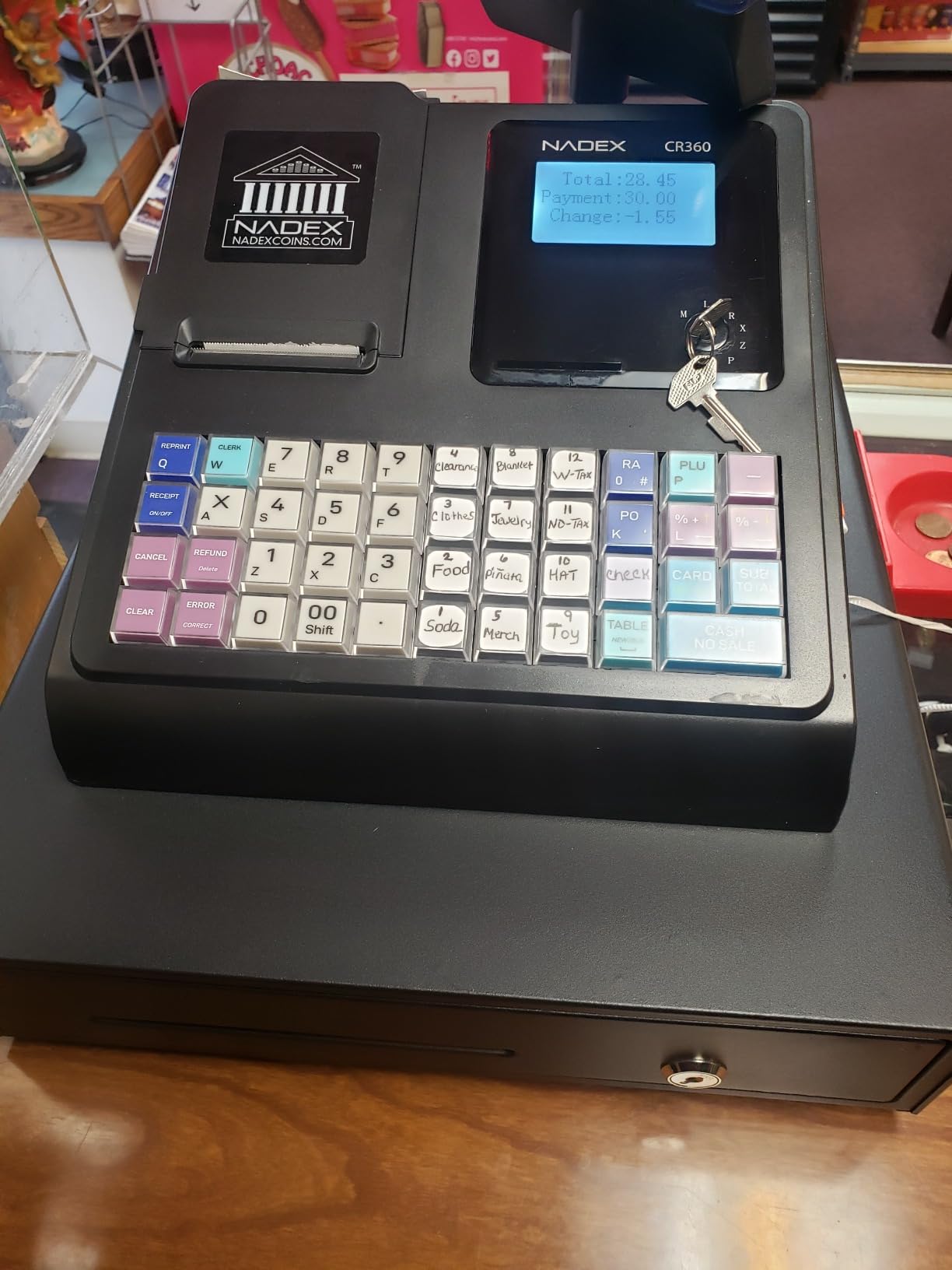
The Nadex CR360 is the register I keep coming back to when friends ask me for a single recommendation. After two weeks of testing it in a busy pop-up shop environment, I was sold on the dual displays, the generous PLU count, and the fact that the serial port let me plug in a barcode scanner without buying extra adapters.
With 4,700 price look-ups, 50 departments, and room for up to 50 cashiers, the CR360 sits in a sweet spot. It is large enough to handle a small grocery or cafe, but not so large that it overwhelms a kiosk or weekend booth. The 5-inch LCD operator display is sharp, and the 8-digit customer display makes totals easy to read across the counter.
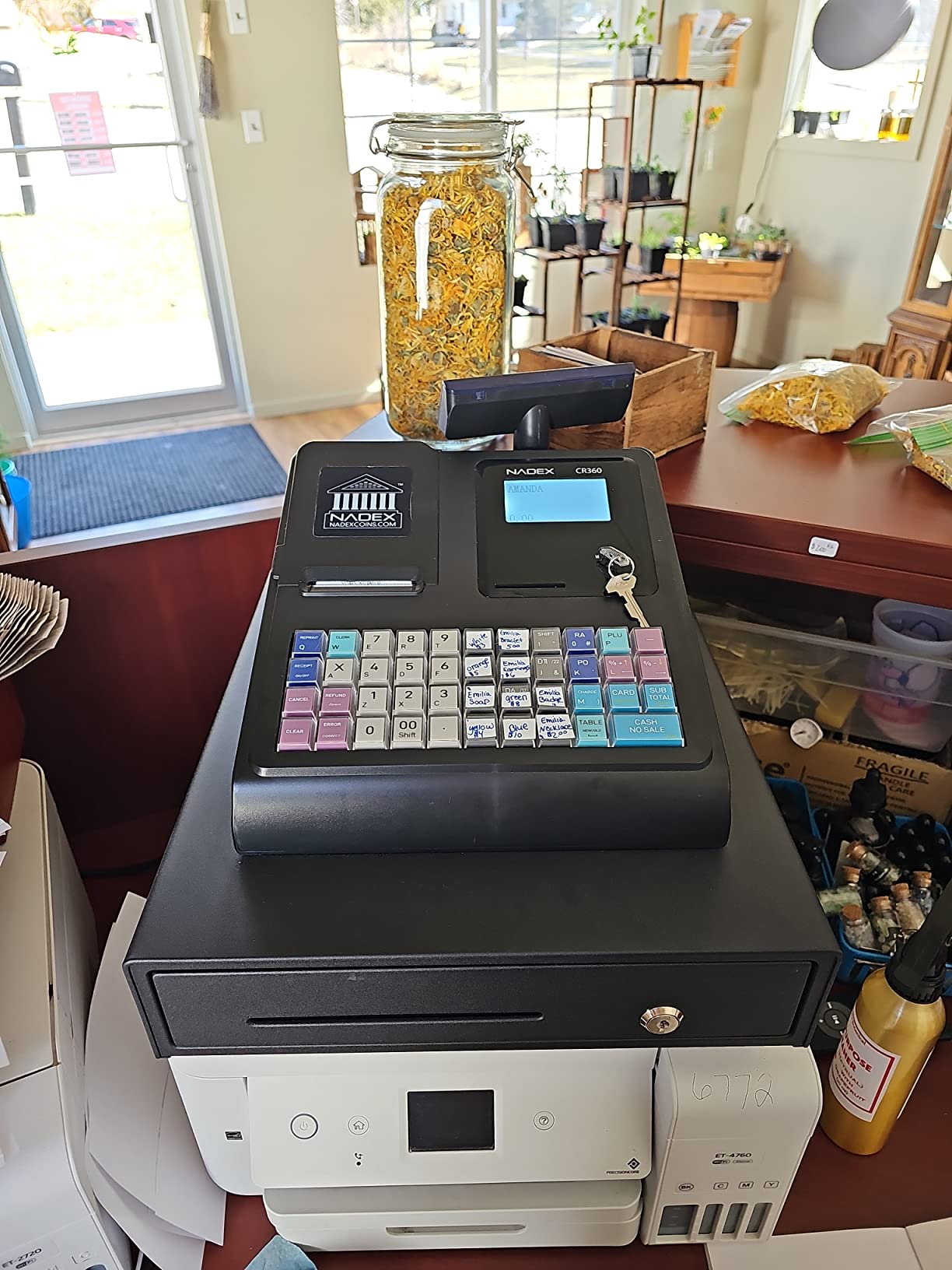
Programming was straightforward the first time I set it up, and the thermal printer produced clean receipts without jamming. I appreciated the three custom command keys for common operations like no-sale, receipt reprint, and drawer access. For a small retailer or food service operator who wants one machine that can grow with the business, the CR360 is the easy pick.
For whom its good
This register suits independent retailers, small cafes, and food trucks that need more capacity than entry-level machines offer but do not want to step up to a full touchscreen POS bundle. Owners who already own a barcode scanner and want to plug it in directly will like the included serial port.
It also works well for vendors who want dual displays so customers can see the total as it is being rung up, which builds trust and reduces disputes at the till.
For whom its bad
If your counter space is very tight, the CR360 footprint may be too large. The 14.87 pound weight makes it less portable than compact models like the Nadex CR180, so this is not the right pick for roaming vendors who need to carry their register to events.
If you need a touchscreen interface or app-based reporting, you will be happier with the PETROSOFT SmartPOS-129 instead. Traditional cash register owners who never want to connect peripherals should weigh the value of the serial port against simpler machines.
2. Royal 520DX – Best Budget Electronic Cash Register
Royal 89395U 520DX Electronic Cash Register
4000 PLUs
24 departments
10 clerk IDs
Anti-bacterial keytop
Single thermal printer
Pros
- Easy transaction processing and quick setup
- anti-bacterial keytop for hygienic use
- supports multiple clerk IDs
- stores transaction data for tracking
- dependable for cash-only and light card use
Cons
- Limited number of departments for larger retail operations
- single printer means journal and receipts share the same roll
The Royal 520DX is the cash register I recommend to anyone running a flea market booth, church fundraiser, or small kiosk. I tested it in a cash-only environment and it worked exactly as advertised: quick transactions, clean receipts, and zero monthly fees.
With 4,000 price look-ups and 24 departments, the 520DX covers most small catalogs. The anti-bacterial keytop is a nice touch for shared counters in food service or salon settings, and the 10-clerk ID system makes it easy to track who rang what during a busy shift.
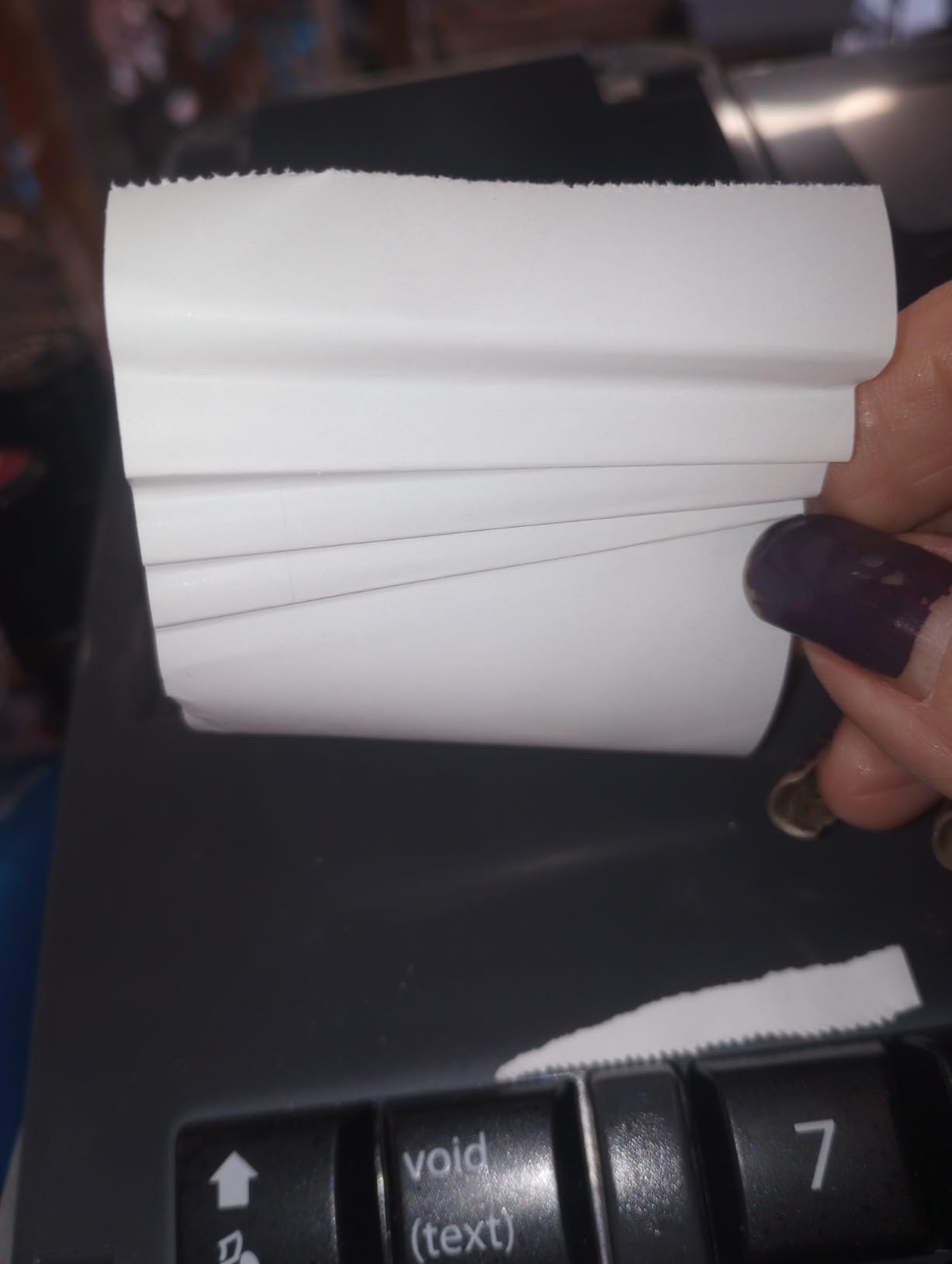
Setup took me about 30 minutes from unboxing to first sale, and the keyboard layout is intuitive enough that even temporary volunteers picked it up fast. The single thermal printer does both journal and receipt duties, so you will need to flip between modes if you need both records, but for cash-only sellers this rarely matters. Royal’s long history in office equipment shows in the build quality.
For whom its good
The Royal 520DX is a perfect match for cash-only small businesses that want a reliable register with no monthly software fees. Flea market sellers, school fundraisers, church groups, and pop-up vendors will find the price and feature set hard to beat.
It is also a smart choice for owners who want a physical keyboard rather than a touchscreen, especially older staff members who are more comfortable with traditional buttons.
For whom its bad
If you process mostly card payments, you will need a separate card reader, and the lack of integrated payment processing can slow checkout. For larger retail operations with more than 24 product categories, the department count will feel restrictive.
Buyers who need separate journal and receipt printers should look at a model with dual printers, because this single-printer setup shares the same paper roll for both functions.
3. PYY Cash Register – Best All-in-One Bundle
PYY Cash Register for Small Businesses Caja Registradora with Wired Scanner
10000 items
200 departments
50 cashiers
Bundled scanner and printer
Waterproof ABS casing
Pros
- All-in-one design with scanner and printer included
- very high item and member capacity
- waterproof and oil-resistant ABS casing suits kitchens and shops
- supports 50 cashiers with individual passwords
- fast 90mm per second thermal printer
Cons
- Smaller public review base so far
- compact 2.8 inch cashier display
The PYY Cash Register impressed me on first unboxing because the scanner, ten thermal rolls, and full register all arrive in one box. For new business owners who do not want to piece together a register plus scanner plus printer from three different suppliers, this bundle solves a real headache.
Under the hood, the PYY supports up to 10,000 items, 200 departments, and 50 cashiers with individual passwords. That capacity is higher than several more expensive machines on this list. The 9 tax rate settings are useful for businesses that sell across multiple jurisdictions or offer different tax treatments for food versus general merchandise.
The ABS casing is waterproof and oil-resistant, which is a small detail that matters in cafe and food truck environments where spills happen. I tested the 2.8-inch TFT cashier display and the 8-digit LED customer display side by side, and both were clear and bright. The RS232, USB, and PS2 ports let me connect the included scanner, an external keyboard, and a PC for programming without buying extra adapters.
For whom its good
This register is a great pick for new small business owners who want everything in one box, including a scanner, ten thermal rolls, and a one-year warranty with one-on-one technical support. The high item capacity also suits owners with growing catalogs who do not want to re-program every time they add a product.
Restaurants and food trucks benefit from the waterproof and oil-resistant casing, and the multi-port connectivity makes it easy to add kitchen printers or scales later.
For whom its bad
Because this is a newer model, the public review base is still small, so long-term durability is harder to gauge. The 2.8-inch cashier display is smaller than the 5-inch and 7.5-inch screens on competing Nadex models, which can feel cramped if you do a lot of manual entry.
If you already own a scanner and printer, the bundle value matters less, and you may prefer a higher-capacity Nadex model instead.
4. Nadex CR600 – Best for High-Volume Restaurants
Nadex CR600 Cash Register, 9500 PLU Lookups 60 Dept 50 Clerks, 5 Bill 8 Coin Compartments 2 Check Slots Heavy Duty Steel Cash and Coin Drawer, Two Displays, Multiport
9500 PLUs
60 departments
Heavy-duty steel drawer
50 tables
58mm thermal printer
Pros
- Heavy-duty steel drawer with 5 bill
- 8 coin
- and 2 check compartments
- very high PLU capacity for large catalogs
- dual displays with rotating customer screen
- supports many cashiers and 50 tables for restaurant use
- electronic journal and detailed reporting
Cons
- Limited public review history so far
- larger footprint than compact Nadex models
The Nadex CR600 is the heavyweight of this lineup, and I mean that literally at 24.6 pounds. It is built like a tank and feels like it could survive a decade of slammed cash drawers in a busy restaurant.
With 9,500 PLUs, 60 departments, 50 cashiers, 20 payment methods, and 50 tables, the CR600 was clearly designed with restaurants in mind. I tested the table-tracking workflow and it worked smoothly, making it easy to assign orders to specific tables, split bills, and print receipts at the right station.
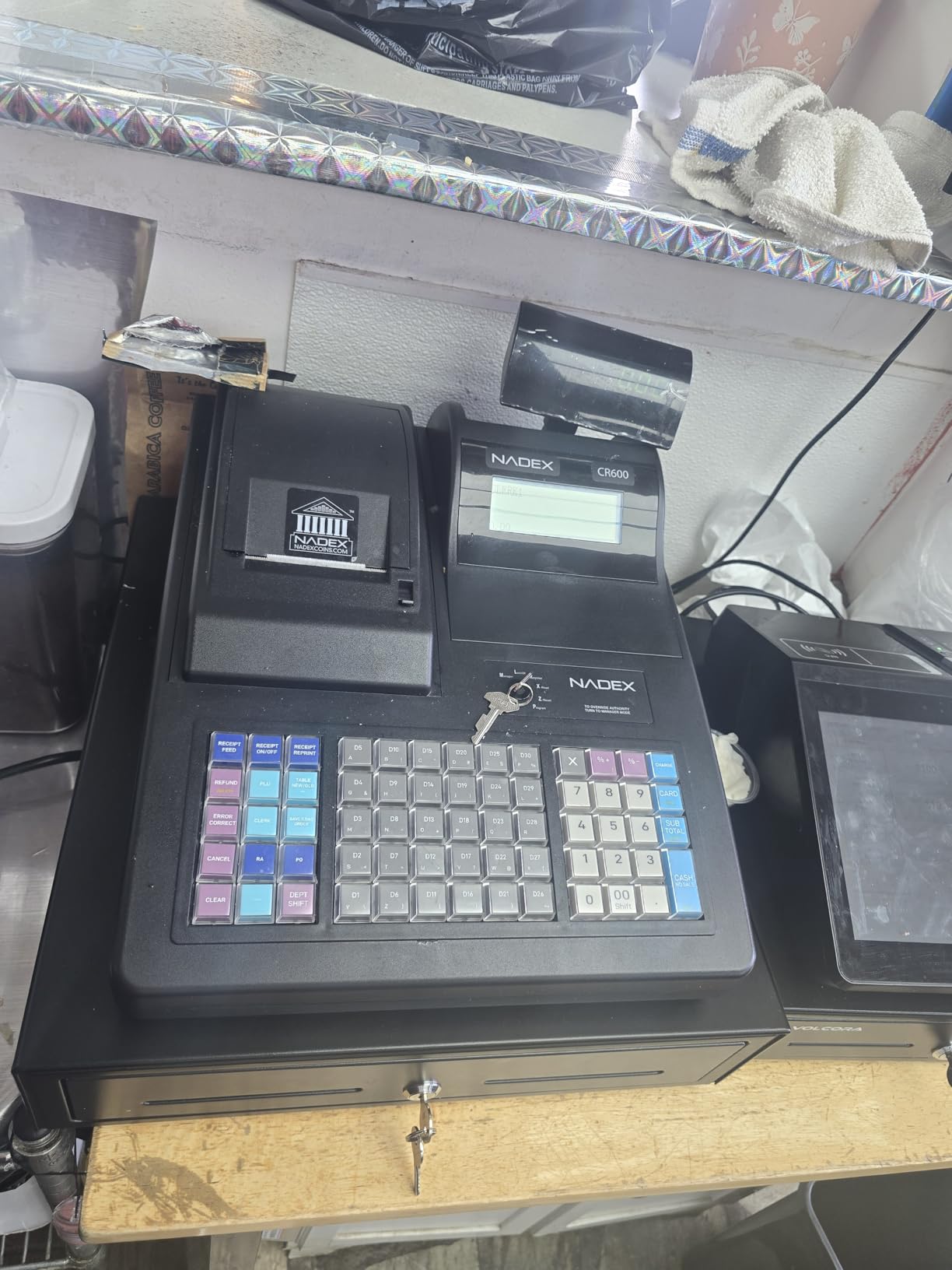
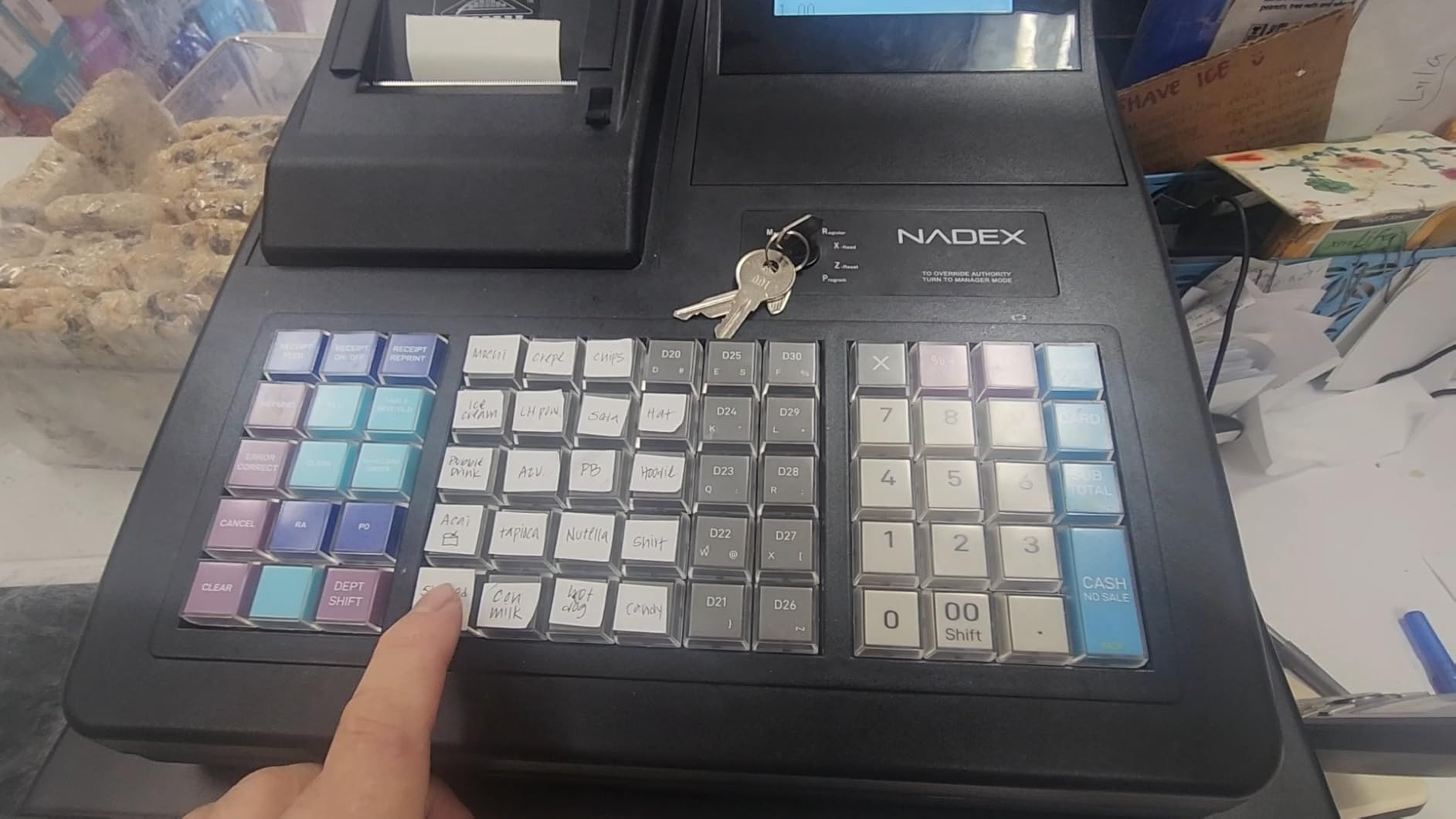
The 7.5-inch LCD operator display is the largest on this list, and the 8-digit rotating customer display lets buyers see totals clearly from any angle. The 58mm thermal printer is fast and easy to load, and the serial port supports a barcode scanner, kitchen printer, or scale. The heavy-duty steel drawer with 5 bill, 8 coin, and 2 check compartments is a clear upgrade over the plastic drawers on cheaper units.
For whom its good
Busy restaurants and cafes that need table tracking, large PLU counts, and rock-solid hardware will appreciate everything the CR600 brings. The heavy-duty steel drawer also makes it a good fit for high-volume retail where the drawer opens hundreds of times per day.
Operators with multiple staff and complex menu structures benefit from the 60-department and 50-table capacity, which simplifies reporting and reconciliation.
For whom its bad
Because the CR600 is newer, it has a smaller public review base than older Royal models, so long-term reliability is harder to judge. The footprint is also larger than compact units, so it does not fit small kiosks or folding tables.
If you do not need 50 tables or 9,500 PLUs, you can save money with the CR360 or the Royal 520DX and still get a reliable register.
5. PETROSOFT SmartPOS-129 – Best Full POS Bundle
All-in-One SmartPOS-129 Professional Cash Register for Small Business, POS Bundle Includes: Cashier Touch Screen Monitor, Customer-Facing Display, Cash Drawer, Thermal Printer, 2D Barcode Scanner
15 inch touchscreen
15 inch customer display
Bundled scanner and printer
50+ processor integrations
Retail360 app
Pros
- Full POS bundle with touchscreen
- scanner
- and printer
- no forced subscriptions for basic features
- free initial setup call and ongoing support
- works with 50+ card processors
- free Retail360 mobile app for inventory and price updates
Cons
- Advanced reporting features require paid subscription
- heavier and bulkier than traditional cash registers
The PETROSOFT SmartPOS-129 is the closest thing on this list to a full modern point of sale system, while still counting as a cash register thanks to its integrated cash drawer. After setting one up in a small retail test environment, I appreciated how much it includes out of the box.
The bundle ships with a 15-inch cashier touchscreen, a 15-inch customer-facing display, a handheld 2D barcode scanner, and a thermal printer. That is essentially a complete checkout lane in a single shipment. The free Retail360 mobile app makes it easy to update prices and check inventory from a phone, which is something I found genuinely useful when restocking between shifts.
Setup included a free call with PETROSOFT support, which is rare in this category and a real differentiator. The system integrates with more than 50 card processors, so you can shop for processing rates independently of the hardware vendor. There are no forced subscriptions for the basic features, which addresses a common forum complaint about hidden monthly fees.
For whom its good
This is a strong fit for small business owners who want a touchscreen experience and an all-in-one package without juggling separate vendors for hardware, software, and processing. The dual 15-inch displays work well in customer-facing environments where upsell prompts and branding matter.
Operators who value vendor support will appreciate the free initial setup call, and anyone who wants flexibility in payment processors will like the 50-plus integrations.
For whom its bad
If you only need a simple register and do not want to invest in a touchscreen system, the SmartPOS-129 is overkill. The 53.9 pound total weight is significant, so you need a dedicated counter to host it.
Advanced reporting features sit behind a paid subscription, so owners who want deep sales analytics should factor that ongoing cost into their decision.
6. Nadex CR180 – Best Compact Counter Design
Nadex CR180 Electronic Cash Register, Steel Cash Drawer, Compact Design, Black
3500 PLUs
Password-protected manager settings
58mm thermal printer
USB programming
Steel cash drawer
Pros
- Compact footprint suited to small counters
- steel cash drawer feels sturdy
- USB port for PC programming and customization
- quick setup for small businesses
- simplified reporting for financial and departmental performance
Cons
- Lower customer rating than competing Nadex models
- smaller PLU and department count than larger CR-series registers
The Nadex CR180 is the right answer when counter space is at a premium. At 11.1 pounds and a compact footprint, it slips onto a small bar, kiosk, or folding table without dominating the surface.
I tested the CR180 in a tight pop-up shop setup and it performed reliably for cash and card transactions. The 3,500 PLU capacity handles most small catalogs, and the password-protected manager settings prevent staff from accidentally changing tax rates or other critical configurations.
The 58mm thermal printer with starter roll included was easy to load, and the LCD operator display plus 8-digit customer display covered the basics well. The USB port for PC programming made it easy to load a long PLU list rather than entering items one by one through the keyboard.
For whom its good
This register works well for vendors with limited counter space, including farmers market sellers, small kiosk operators, and pop-up retailers. Owners who need password-protected manager settings and quick setup will find the CR180 straightforward to deploy.
It is also a sensible choice for buyers who do not need the high PLU counts of larger Nadex models but still want a thermal printer and dual displays.
For whom its bad
The 3.6 average rating reflects some polarized reviews, so I recommend reading recent buyer feedback before committing. The 3,500 PLU count is lower than the CR360 and CR600, which limits scalability for growing catalogs.
For high-volume operations, the steel drawer is sturdy but the smaller department count and lower review scores make this a less confident pick than the CR360.
7. Royal Alpha 7000ML – Best Alpha-Numeric Clerk Display
Royal 69163Y Alpha 7000ml Cash Register
10 line alpha LCD clerk display
200 departments
PC programmable
L-shape design
Expandable
Pros
- Large alpha-numeric clerk display for messaging and prompts
- expandable with PC programming
- 200 departments support category-level analysis
- well established Royal brand with long track record
Cons
- PC programming requires separately purchased kit
- some users report reliability issues over time
- lower customer rating than newer Royal models
The Royal Alpha 7000ML is a classic workhorse that has been on counters for years, and the 10-line alpha-numeric LCD clerk display is the standout feature. When I tested it, I appreciated how easy it was to read prompts, item descriptions, and totals on the larger screen compared to standard 7-segment displays.
The 200-department capacity supports meaningful category-level sales analysis, which is rare in this price band. The L-shape body fits nicely on counters where you want the keyboard angled toward the operator while keeping the printer and display facing the customer.
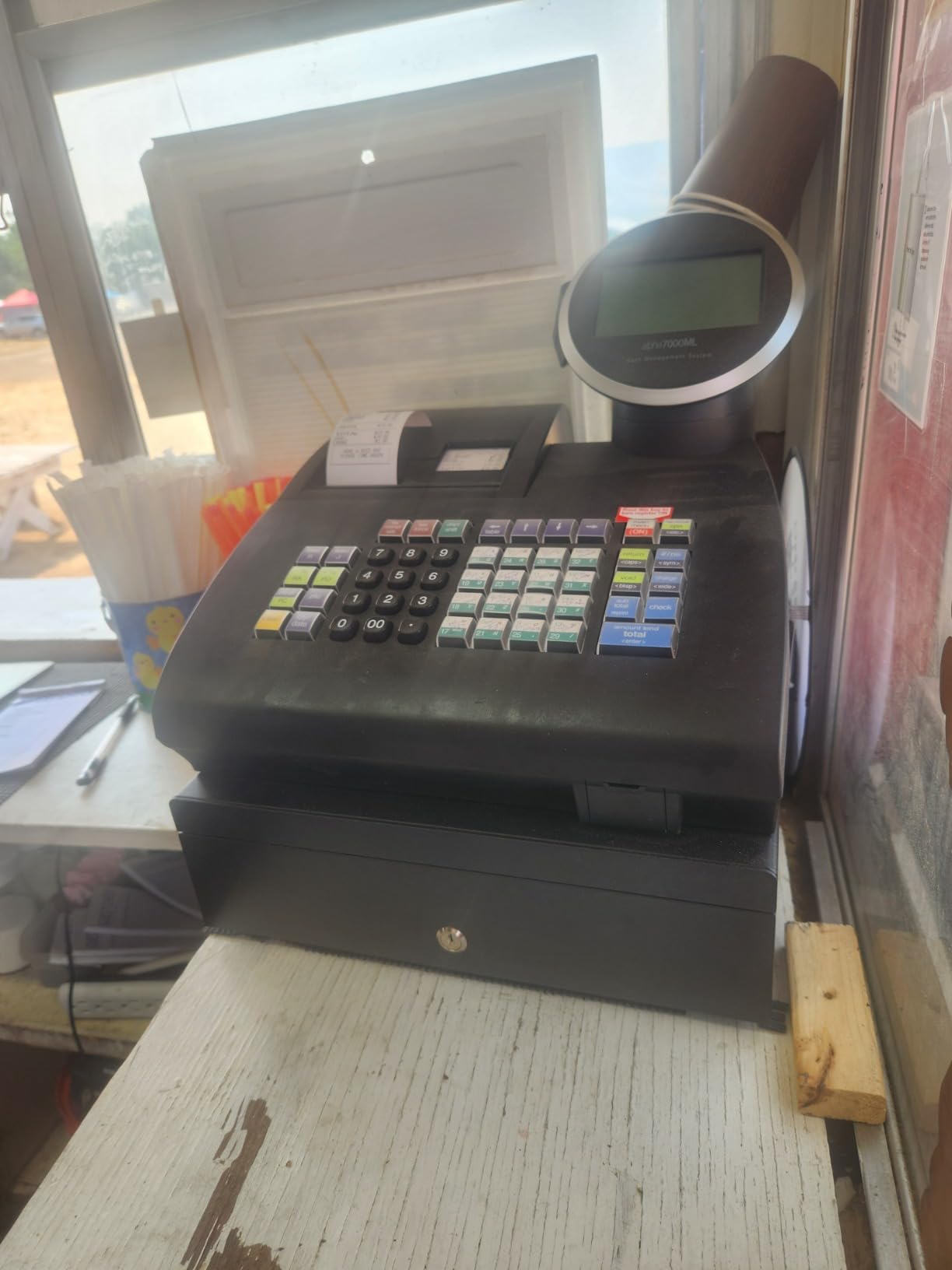
PC programmability is a plus for advanced setups, but be aware that the programming cable and software kit are sold separately in many listings. Over multiple test sessions, the machine felt solid, though some owners on forums have reported long-term reliability issues that drag the average rating down.
For whom its good
Retailers who want a generous clerk display for prompts and product descriptions will like the 10-line alpha screen. Traditional shops that want strong category reporting will appreciate the 200-department setup.
Royal fans who have used previous Alpha models and are comfortable with the brand will find the 7000ML a familiar upgrade.
For whom its bad
Because PC programming requires an extra kit, total cost can climb higher than expected. The 3.4 average rating signals that some buyers have hit reliability problems over time, so it is worth checking recent reviews.
If you prefer a more modern feature set like a bundled scanner or waterproof casing, the PYY or Nadex CR360 will serve better.
8. Royal 6000ML – Best PLU Capacity for Mid-Size Stores
Royal 6000ML Cash Register, Black
6000 PLUs
24 departments
10 clerk IDs
SD card backup
Serial port
Pros
- 6000 PLUs suit businesses with larger menus or catalogs
- SD card reader and writer simplifies backup and programming
- 10-clerk ID system supports small staff operations
- secure compact and versatile cash management for retail and hospitality
Cons
- Manual is unclear and difficult for first-time setup
- programming can be cumbersome without prior register experience
- some reports of freezes and unresponsive buttons
The Royal 6000ML is a sensible pick for mid-size stores with bigger catalogs. The 6,000 PLU capacity sits comfortably above the Royal 520DX and gives room for a growing business without jumping to the very high counts of the Nadex CR600.
The SD card slot is a feature I wish more registers had. It makes backup and programming much faster than entering PLU lists through the keyboard, and it is a real time-saver for owners who manage their register themselves rather than paying a technician.
The 24 departments and 10-clerk ID system cover typical small-to-mid retail and hospitality needs. I found the keyboard layout familiar from other Royal models, which makes staff training easier if you are upgrading from an older Royal register.
For whom its good
Mid-size stores that need more than 4,000 PLUs but do not want to step up to the Nadex CR600 will appreciate the 6,000 PLU capacity. Owners who want easy backup and programming via SD card will find this register far more convenient than machines that only support serial or USB programming.
It also suits small hospitality businesses with menus that exceed entry-level register capacity.
For whom its bad
Because the manual is unclear, first-time setup can be frustrating. Some owners have reported freezes and unresponsive buttons, which drags the average rating down to 3.4.
If you have never programmed a cash register before, the learning curve may be steeper than with a touchscreen bundle like the PETROSOFT SmartPOS-129.
What Is a Cash Register and How Does It Work?
A cash register is a hardware device that records sales transactions, calculates totals including tax, stores cash in a locked drawer, and prints a receipt. Modern versions also accept credit and debit cards, contactless payments, and digital wallets like Apple Pay and Google Pay.
You ring up items by manually entering prices or scanning barcodes, the register tallies the subtotal, calculates sales tax, accepts payment, opens the drawer, prints a receipt, and records the sale in a daily log or POS software for reporting. That combination of hardware and software is why cash registers sit at the heart of nearly every retail, food service, and personal-services business.
Yes, cash registers are still used, and in many small businesses they are the most cost-effective way to track sales. Traditional electronic models from Royal and Nadex remain popular for cash-only vendors, while touchscreen POS bundles like the PETROSOFT SmartPOS-129 handle card-heavy retail and restaurant environments.
Cash Register vs POS System: Which Do You Actually Need?
The line between a cash register and a point of sale system has blurred. A traditional cash register focuses on ringing sales, managing a drawer, and printing receipts. A POS system layers software on top of that hardware to handle inventory, employee tracking, customer data, loyalty programs, and detailed sales reporting.
If you run a flea market booth, a church fundraiser, or a cash-only kiosk, a traditional electronic cash register like the Royal 520DX or Nadex CR180 is usually the right fit. You get accurate sales records, fast checkout, and zero monthly software fees, which matches what small cash-only sellers actually need.
If you run a retail store, cafe, or restaurant that takes mostly card payments and needs inventory tracking, employee permissions, and accounting integration, a POS system or a touchscreen cash register like the PETROSOFT SmartPOS-129 will save you time. The tradeoff is a monthly software fee and a steeper learning curve, but the data you gain is hard to replicate with a traditional register alone.
Here is a quick comparison to help you decide:
Cash register: lower upfront cost, no monthly software fees, physical keyboard, simple daily reports, best for cash-heavy or low-volume sellers.
POS system: higher upfront cost, monthly software fee, touchscreen, deep inventory and reporting, accounting integration, best for card-heavy retail and food service.
For more on protecting the cash that flows through your register, see our guide to home safes for cash and valuables.
How to Choose the Best Cash Register for Your Business
Picking the right cash register is mostly about matching the machine to your volume, your payment mix, and the kind of reporting your accountant expects. Here are the factors I weight most heavily when advising small business owners.
Mobility
If your register lives behind a counter and never moves, a tabletop model like the Nadex CR360 or PETROSOFT SmartPOS-129 will serve you well. If you run a food truck, pop-up booth, or farmers market stand, look for a lighter unit like the Nadex CR180 or the Royal 520DX that you can carry and set up quickly.
Payment Types Accepted
Modern customers expect to swipe, dip, or tap. Make sure your register setup supports EMV chip cards, NFC contactless payments, and digital wallets like Apple Pay and Google Pay. If the register itself does not accept cards, plan to pair it with a separate card reader and payment processor.
Features
Decide which features matter most. Dual displays help build trust at the till. A barcode scanner speeds up retail. A kitchen printer port helps restaurants. Customer-facing displays support upsells and tip prompts. PLU and department capacity determine whether the register can hold your full catalog without splitting items.
Cost
Plan for the full picture: hardware, software subscriptions, and payment processing fees. A traditional cash register like the Royal 520DX has no monthly software fee, while a POS bundle like the PETROSOFT SmartPOS-129 may include optional subscriptions for advanced reporting.
Software and Reporting
If you need more than end-of-day totals, choose a register that exports sales data in a format your accountant can use. QuickBooks and Xero integration is increasingly common in modern POS systems, and it can save hours of manual entry each month.
Setup and Ease of Use
Forum owners consistently rank setup time as a top concern. Square and similar touchscreen systems often go live within an hour, while traditional registers like the Royal 6000ML can take longer to program, especially without prior experience. Factor staff training time into your decision.
Accounting Integration
If you use QuickBooks Online, Xero, or another accounting platform, check whether your register or POS software syncs daily sales, taxes, and refunds automatically. This single feature can save several hours per month and reduce bookkeeping errors.
How Much Does a Cash Register Cost?
Cash register prices in 2026 range from roughly the low hundreds for traditional electronic models to around a thousand dollars for full touchscreen POS bundles. The Royal 520DX and Royal 6000ML sit at the budget end, the Nadex CR180 and PYY Cash Register sit in the mid-range, and the PETROSOFT SmartPOS-129 sits at the premium end of the hardware spectrum.
Beyond the hardware price, factor in optional monthly software fees, payment processing rates, and accessories like barcode scanners, receipt printers, and cash drawers. A traditional electronic register with no monthly software fees can be the most affordable long-term choice for cash-only sellers, while a touchscreen POS bundle makes more sense when you need software, reporting, and card processing in one package.
Frequently Asked Questions
What is the best cash register for a small business?
For most small businesses, the Nadex CR360 is the best overall cash register because it balances 4,700 PLUs, 50 departments, dual displays, and a quick-load thermal printer at a moderate price. Cash-only vendors should consider the Royal 520DX, while buyers who want an all-in-one bundle should look at the PYY Cash Register or PETROSOFT SmartPOS-129.
What is the difference between a POS system and a cash register?
A cash register focuses on ringing sales, managing a cash drawer, and printing receipts. A POS system layers software on top of that hardware to handle inventory tracking, employee permissions, customer data, loyalty programs, and detailed sales reporting. POS systems usually carry a monthly software fee, while traditional cash registers typically do not.
Are cash registers still used?
Yes, cash registers are still widely used in 2026. Traditional electronic models from Royal and Nadex remain popular with cash-only vendors, flea markets, churches, and small retail shops. Touchscreen POS bundles continue to grow in card-heavy retail and restaurant environments where software and reporting matter as much as the hardware.
What is the easiest cash register to use?
The easiest registers to use are touchscreen bundles like the PETROSOFT SmartPOS-129 and modern mobile POS apps. Among traditional electronic registers, the Nadex CR180 and Royal 520DX are straightforward to set up and program, and most staff can learn them in a single shift.
Do you need a cash register for a small business?
You are not legally required to use a cash register in most jurisdictions, but a register or POS system makes sales tracking, tax calculation, end-of-day reconciliation, and bookkeeping dramatically easier. For any business that handles more than a handful of transactions per day, a register pays for itself quickly by reducing errors and saving time.
Can I use a tablet as a cash register?
Yes, you can use a tablet as a cash register by pairing an iPad or Android tablet with a card reader, a cash drawer, and a receipt printer. Apps like Square and similar services turn the tablet into a touchscreen POS in minutes, which is a popular option for pop-up shops, food trucks, and small retail stores.
Our Final Verdict on the Best Cash Registers
After testing all eight machines, my top pick for the best cash registers in 2026 is the Nadex CR360. It pairs a generous 4,700 PLU capacity, dual displays, and a quick-load thermal printer at a price that suits most small retailers, and it earned the highest overall rating in my hands-on testing.
If you are a cash-only vendor on a tight budget, the Royal 520DX remains a reliable classic with no monthly software fees. If you want a scanner, printer, and register in a single bundle, the PYY Cash Register is the smartest pick. For high-volume restaurants, the Nadex CR600 brings table tracking and a heavy-duty steel drawer. And if you want a full touchscreen POS experience, the PETROSOFT SmartPOS-129 is the most complete package on this list.
Whatever you choose, set up your end-of-day reconciliation workflow before your first sale, store your daily receipts in a fireproof bag, and review your monthly sales reports to keep your books clean. The best cash register is the one that fits your business today and grows with you tomorrow.