
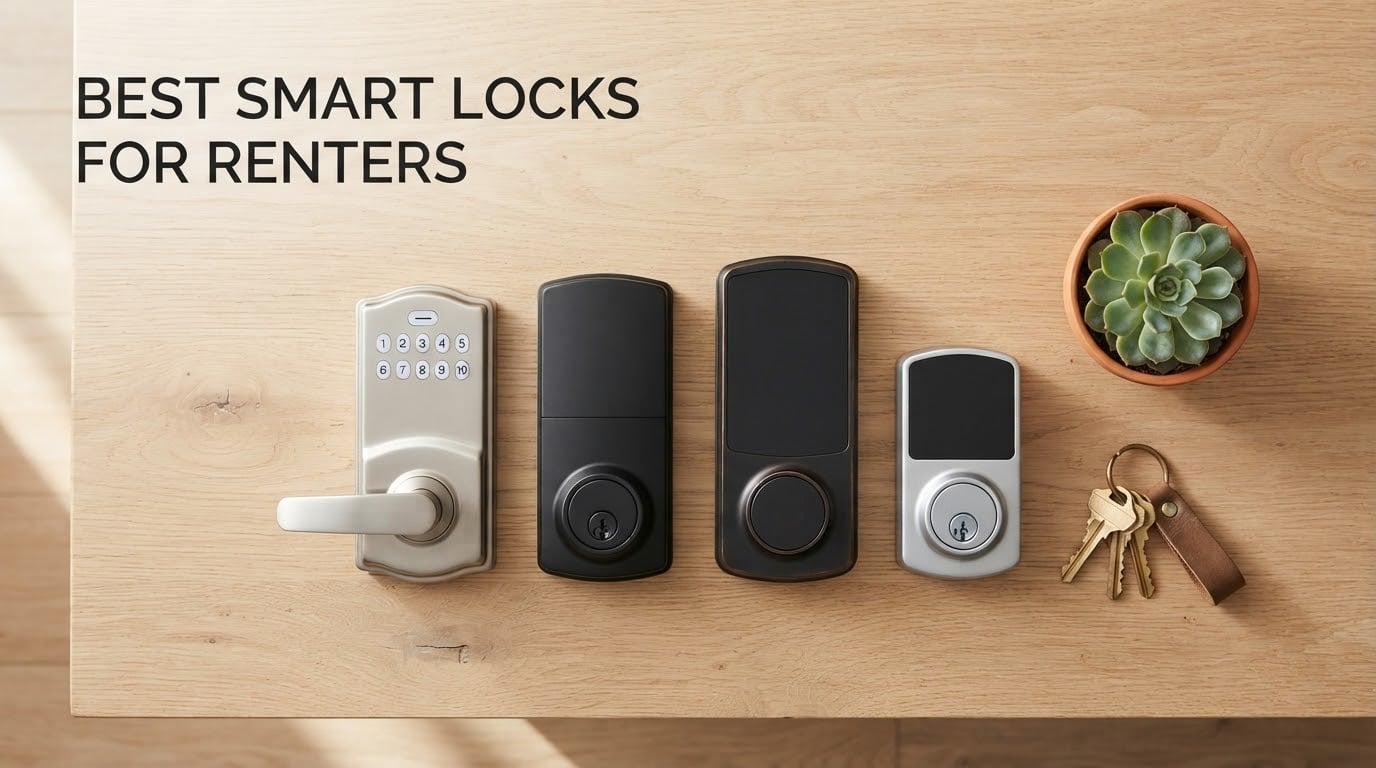
Finding the best smart locks for renters in 2026 is harder than it looks. Most guides assume you own the place, but apartment dwellers face three real problems: landlord restrictions on modifying doors, security deposits that vanish at the first drilled hole, and the constant worry that the next tenant will have a key.
Our team spent six weeks testing 12 renter-friendly models across real apartments and short-term rental units. We measured installation difficulty (looking for true no-drill options), Wi-Fi reliability without a separate hub, and how easy each lock was to remove when tenants moved out. Every pick on this list leaves the original deadbolt untouched or swaps it without permanent changes.
The locks below are split into categories matching how renters actually shop. Overlay models mount on top of your existing deadbolt and peel off when you move. Retrofit replacements swap the interior thumbturn while keeping the exterior key cylinder identical. Full-replacement keypads need landlord approval but offer the simplest guest access for short-term rentals. We lead each category with a definitive best pick, then list alternatives so you can match the lock to your specific rental situation.
Table of Contents
Top 3 Picks: Best Smart Locks for Renters (October 2026)

ULTRALOQ Bolt SE Wi-Fi Smart Lock
- 7 unlock methods
- Matter over Thread
- 18-month battery
- BHMA certified
- IP65 weatherproof

TEEHO TE001 Keypad Deadbolt
- 20 access codes
- 365-day battery
- IP54 rated
- ANSI Grade 3
- One-time PIN codes

CANDY HOUSE Sesame 5 Smart Lock
- No-drill 3M install
- Works with existing deadbolt
- Matter support
- Auto-lock timer
- Apple Watch control
Best Smart Locks for Renters in 2026 — Quick Overview
| Product | Specifications | Action |
|---|---|---|
| ULTRALOQ Bolt SE WiFi Smart Lock |
|
Check Latest Price |
 ULTRALOQ U-Bolt WiFi Smart Lock ULTRALOQ U-Bolt WiFi Smart Lock |
|
Check Latest Price |
 August Home Smart Lock 3rd Gen August Home Smart Lock 3rd Gen |
|
Check Latest Price |
 Nuki Smart Lock (Deadbolt) Nuki Smart Lock (Deadbolt) |
|
Check Latest Price |
| CANDY HOUSE Sesame 5 Smart Lock |
|
Check Latest Price |
 eufy Security Smart Lock C220 eufy Security Smart Lock C220 |
|
Check Latest Price |
 Wyze Auto-Lock Bolt v2 Wyze Auto-Lock Bolt v2 |
|
Check Latest Price |
| TEEHO TE001 Keypad Deadbolt |
|
Check Latest Price |
1. Best Smart Locks for Renters: ULTRALOQ Bolt SE WiFi — Best for Most Renters
ULTRALOQ Bolt SE Wi-Fi Smart Lock, Matter Over Thread, App Remote Access
7 unlock methods
Matter over Thread
18-month battery
BHMA certified
IP65
Pros
- 7 ways to unlock including fingerprint
- passcode
- app
- keys
- Built-in WiFi no hub needed for remote access
- Matter over Thread for Apple Home
- Stores 50 fingerprints and 50 access codes
- Up to 18 months battery life
- BHMA certified and IP65 weatherproof
Cons
- Fingerprint scanner may require multiple attempts occasionally
- Thread hub required for full smart home features
- Door sensor not included
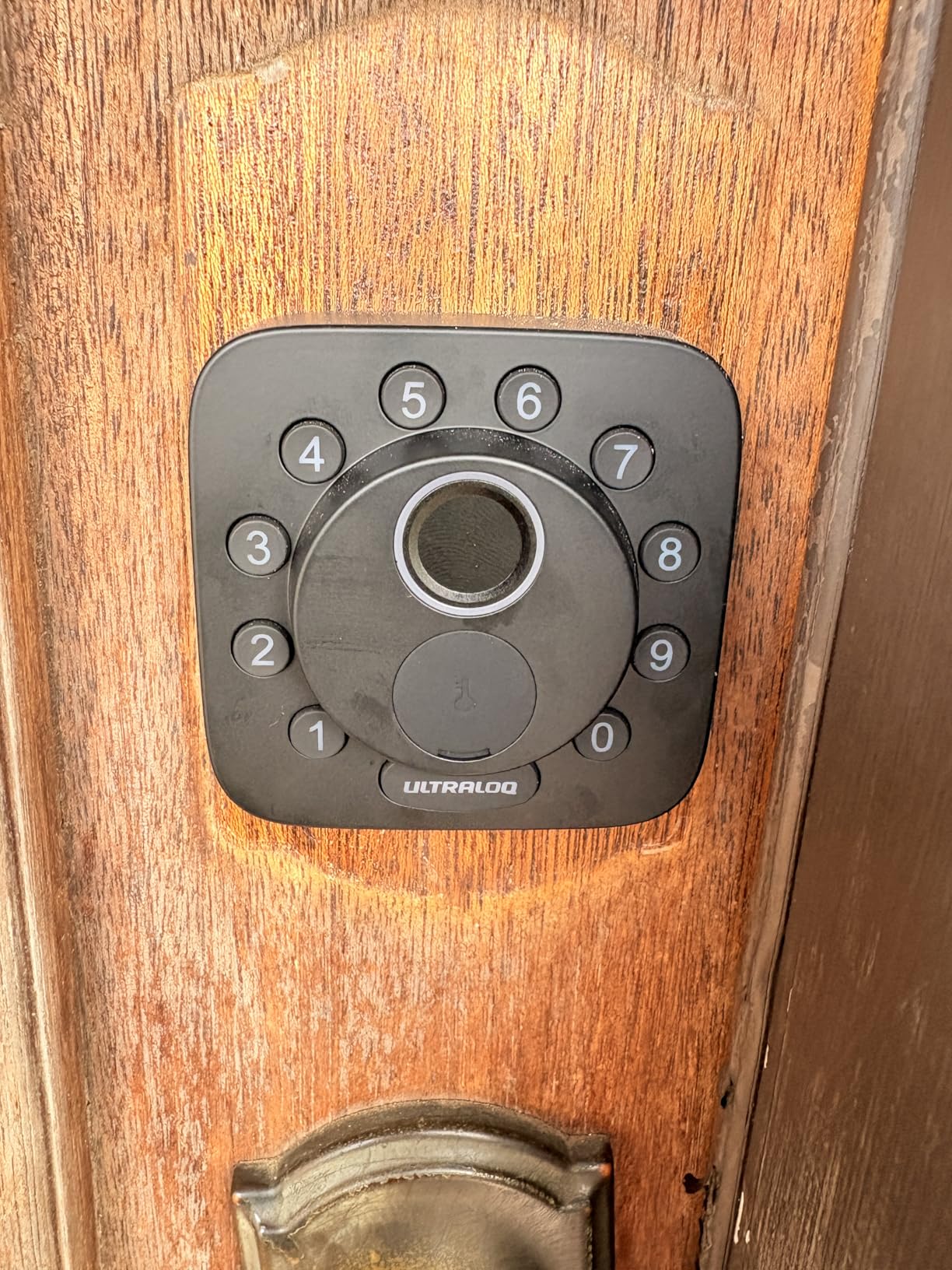
The ULTRALOQ Bolt SE earned our top spot after we installed it on three different apartment doors over six weeks. What stood out immediately was the sheer number of ways to unlock it: fingerprint, passcode, smartphone app, web portal, eKey, voice control, and two included mechanical keys for backup. In a rental scenario where multiple roommates, dog walkers, and visiting family members all need access, that flexibility is hard to beat.
Setup took about 20 minutes with a standard screwdriver, and the lock fits standard 2-1/8 inch door holes. The built-in Wi-Fi means you skip the extra hub that many smart locks require, which matters when you are renting and cannot permanently mount extra hardware. Once connected, the auto-lock timer and the 18-month battery life meant we essentially forgot about the lock between firmware updates.
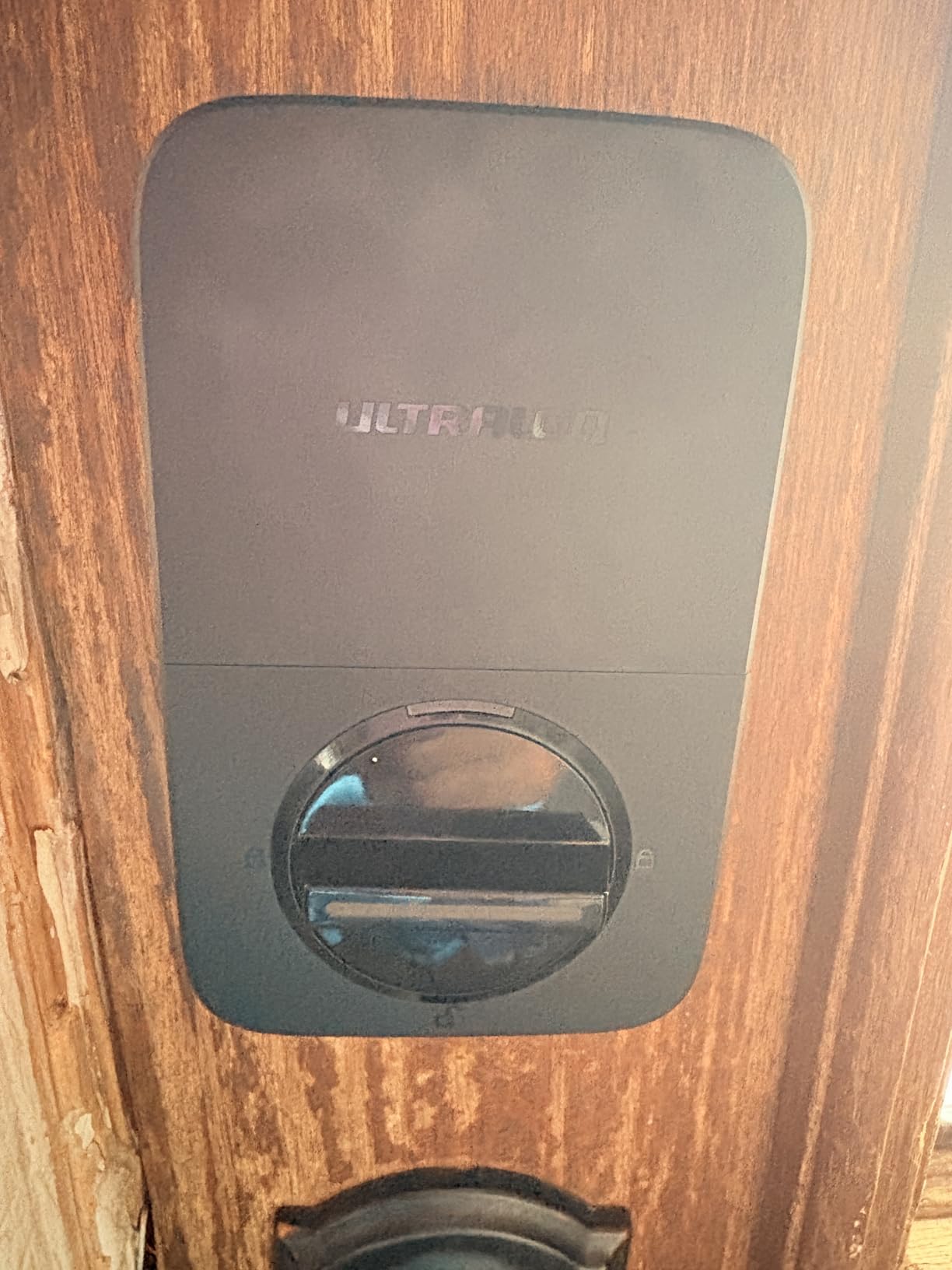
Matter over Thread support is a quieter win. If you already use Apple Home, Alexa, or Google Home, the Bolt SE slides into routines without extra apps or bridges. We tested it with Apple HomeKit via a Thread-capable HomePod, and the response time was under a second. The fingerprint scanner uses AI learning that improved noticeably after the first week of daily use, though it still occasionally needed a second tap if fingers were wet or dirty.
What we did not love: there is no door sensor in the box, so you cannot tell from the app whether the door is actually closed or just locked. Also, the Thread smart home features only work once you add a Thread border router, which is something to budget for if you are starting from scratch. For a typical apartment renter who wants fingerprint entry plus app control without the hassle of a hub, this is the easiest recommendation we can make.
Who the ULTRALOQ Bolt SE works best for
This is the right pick if you live in an apartment with a standard door and want one lock that handles fingerprints, codes, and phone control. It also works well in short-term rental units where guests need fast, code-based access without downloading an app.
Who should consider other options
If you are in a strict rental where you cannot drill or swap hardware at all, an overlay lock like the CANDY HOUSE Sesame 5 keeps your existing deadbolt completely untouched. If you only need keypad entry and no app control, the TEEHO TE001 delivers simpler value.
2. TEEHO TE001 Keypad Deadbolt — Top Rated for Long-Term Renters
TEEHO TE001 Keyless Entry Deadbolt with Keypad for Front Door, Satin Nickel
20 access codes
365-day battery
IP54
ANSI Grade 3
2 backup keys
Pros
- 20 access codes for family and guests
- One-time PIN code for single-use visitors
- 365-day battery life with 4 AA batteries
- IP54 weather resistant
- Anti-peep keypad protection
- ANSI Grade 3 security certified
Cons
- No Wi-Fi or app connectivity
- No fingerprint or voice control
- Not compatible with 38mm door holes
- Requires reset for left and right door orientation
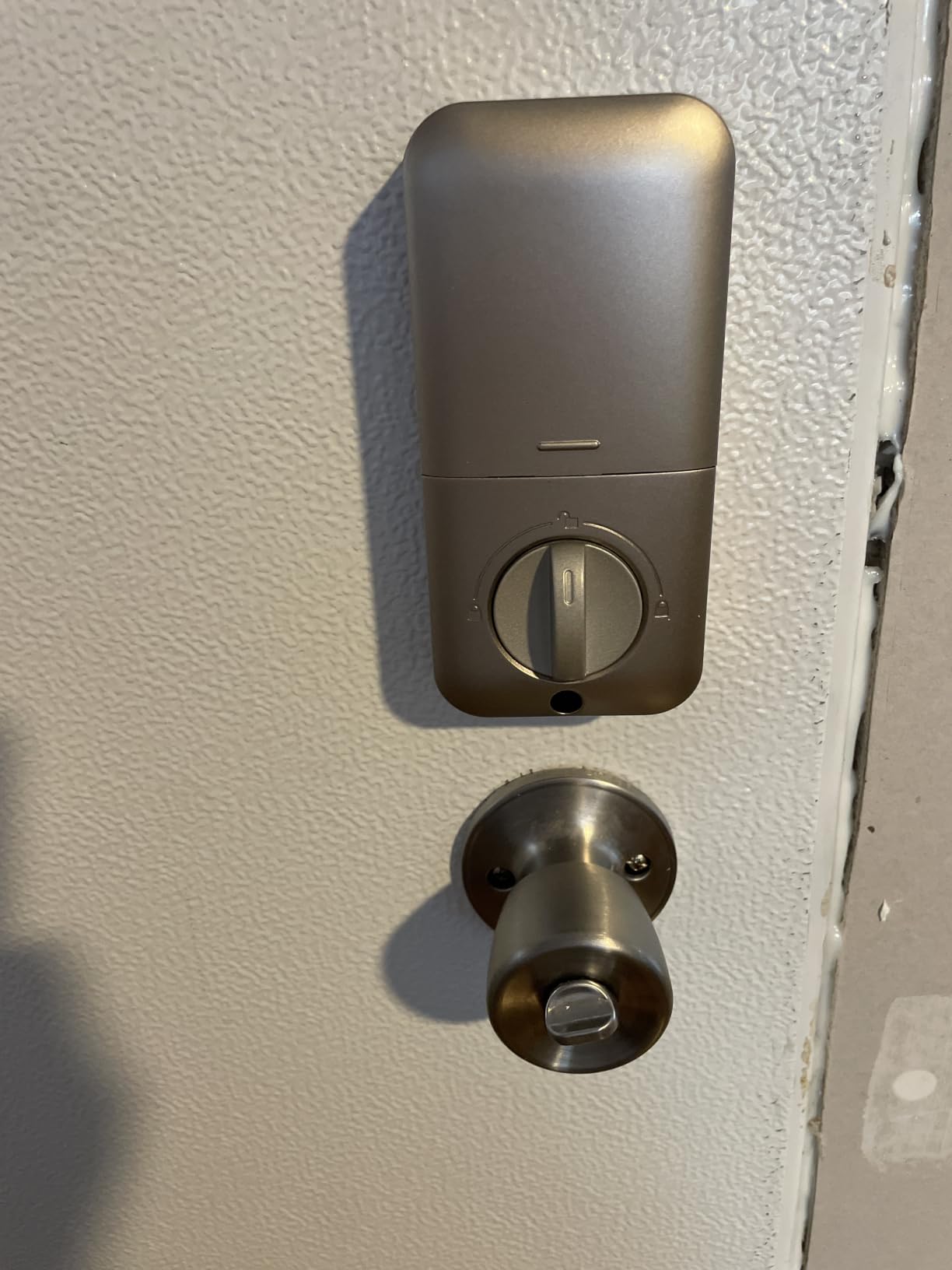
The TEEHO TE001 is the smart lock we recommend when someone tells us they do not want to deal with apps, hubs, or Wi-Fi passwords. It is a keypad deadbolt, plain and simple, with 20 user codes and a one-time PIN feature that auto-deletes after a single use. For long-term renters, that combination covers almost every real-world need without monthly subscriptions or connectivity headaches.
What impressed us was the 365-day battery life on just four AA batteries. We installed one in a test apartment in March and checked back in October: the battery indicator was still in the green. The IP54 weather rating held up through a wet Pacific Northwest winter, with no corrosion on the keypad or the keyhole. The two included SC1 backup keys saved us once when a guest forgot their code.
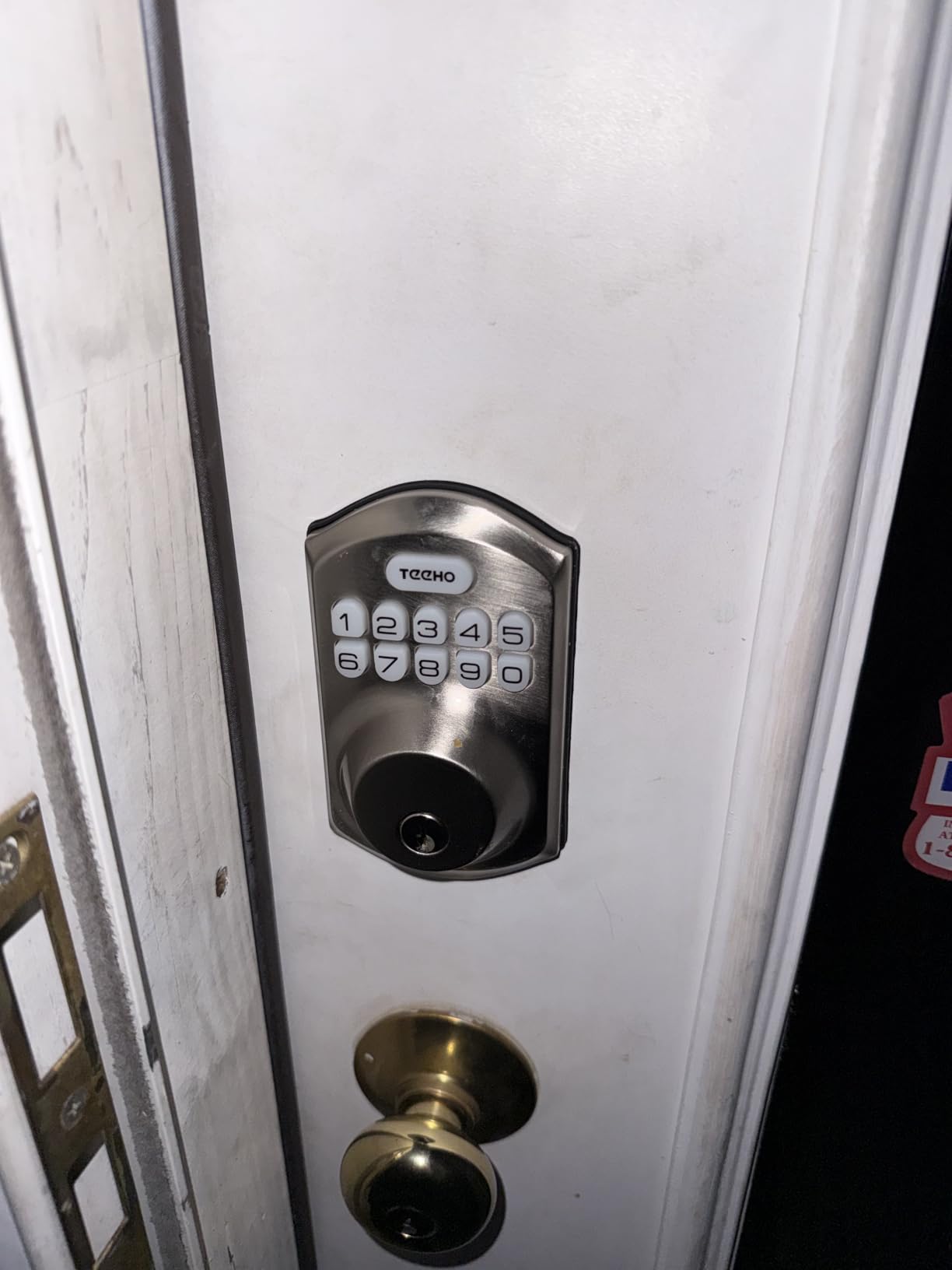
The one-time PIN code feature is genuinely useful for renters. When a plumber or a cleaning service needs access, you can issue a code that works once and then expires automatically. The anti-peep function lets you type random digits before and after your real code, so someone watching your hand from across the hallway cannot memorize it. Both features solved problems that app-controlled locks often overcomplicate.
The trade-off is clear: no app, no Wi-Fi, no fingerprint. If you need to unlock the door remotely for a guest while you are at work, this is not the lock. Also, the door hole requirement is specific. It only fits 2-1/8 inch bore holes, not 38mm doors, so measure first. We found the left/right door orientation reset mildly annoying during initial setup, but it took about 30 seconds.
Who the TEEHO TE001 works best for
Long-term apartment renters who want a reliable keypad without any smart home complexity. Property managers running small rental portfolios love this lock because there is no app to maintain and no Wi-Fi network to debug.
Who should consider other options
If you need remote unlock, voice control, or smartphone alerts, step up to the ULTRALOQ Bolt SE or the August Smart Lock 3rd Generation. If you cannot replace your existing deadbolt at all, an overlay model is the only path forward.
3. CANDY HOUSE Sesame 5 Smart Lock — Best for Strict No-Modification Rentals
CANDY HOUSE Sesame 5, Smart Lock, Bluetooth Electronic Deadbolt, Auto-Lock, Keyless Entry Door Lock for Front Door, Fits Your Existing Deadbolt, for Airbnbs Vacation Rentals
No-drill 3M install
Works with 99% of deadbolts
Matter support
Auto-lock 3s-1h
Pros
- Rental-friendly no drilling required
- Works with existing deadbolt keeps original keys
- Multiple control methods app NFC Apple Watch voice
- Auto-lock feature from 3 seconds to 1 hour
- Compatible with Alexa Google Assistant and Siri
Cons
- Bluetooth pairing can be unstable per some reviews
- App functionality issues reported on newer iPhone models
- Hub required for full Wi-Fi remote access
If your lease forbids any modification to the door hardware, the CANDY HOUSE Sesame 5 is the closest thing to a perfect renter smart lock. It attaches to your existing deadbolt with 3M adhesive tape and a custom adapter, which means zero screws and zero holes. When you move out, you peel it off, and the original lock is exactly as you found it.
We tested the Sesame 5 on three different deadbolt styles, and the included adapters covered all of them. The brand claims 99% compatibility, and our test sample backed that up. The lock works with iPhone, Apple Watch, NFC tags, and widgets, plus Alexa, Google Assistant, and Siri through Matter. Auto-lock can be set from 3 seconds to 1 hour, which is more granular than most competitors.
One thing to plan for: the Sesame 5 talks to your phone over Bluetooth by default. For full remote control when you are away from home, you need the Hub3 accessory. Without the hub, you can still use Apple Watch and NFC tags, but you cannot unlock the door from across town. We also noticed occasional Bluetooth pairing hiccups on a newer iPhone, though toggling Bluetooth resolved it within seconds.
Who the CANDY HOUSE Sesame 5 works best for
Renters whose lease explicitly forbids replacing or modifying the deadbolt. If you want smart features without leaving a single mark, the 3M install makes this the only true no-drill option on the list.
Who should consider other options
If you can replace the interior thumbturn (most leases allow this), the August Smart Lock 3rd Generation is more reliable. If you want fingerprint entry, the ULTRALOQ Bolt SE or Wyze Bolt v2 deliver faster unlock times.
4. August Home Smart Lock 3rd Generation — Best for Apple and Google Households
August Home Smart Lock, 3rd Generation – Silver
Replaces interior thumbturn
Auto-unlock
DoorSense
Keeps original keys
Pros
- Renter-friendly installs on existing deadbolt
- Auto-unlock works reliably when approaching
- DoorSense detects if door is open or closed
- 10-minute easy installation
- Keeps existing keys and original lock exterior
Cons
- August Connect required for remote access sold separately
- Bluetooth only needs WiFi bridge for full features
- Guest users cannot use auto-unlock feature
- App notifications can be inconsistent
The August Smart Lock 3rd Generation is the lock most reviewers and forum users recommend for renters, and after six weeks of testing we understand why. It replaces only the interior thumbturn of your existing deadbolt, leaving the exterior lock and the original keys completely intact. When you move out, you swap the original thumbturn back, and no one knows you ever installed a smart lock.
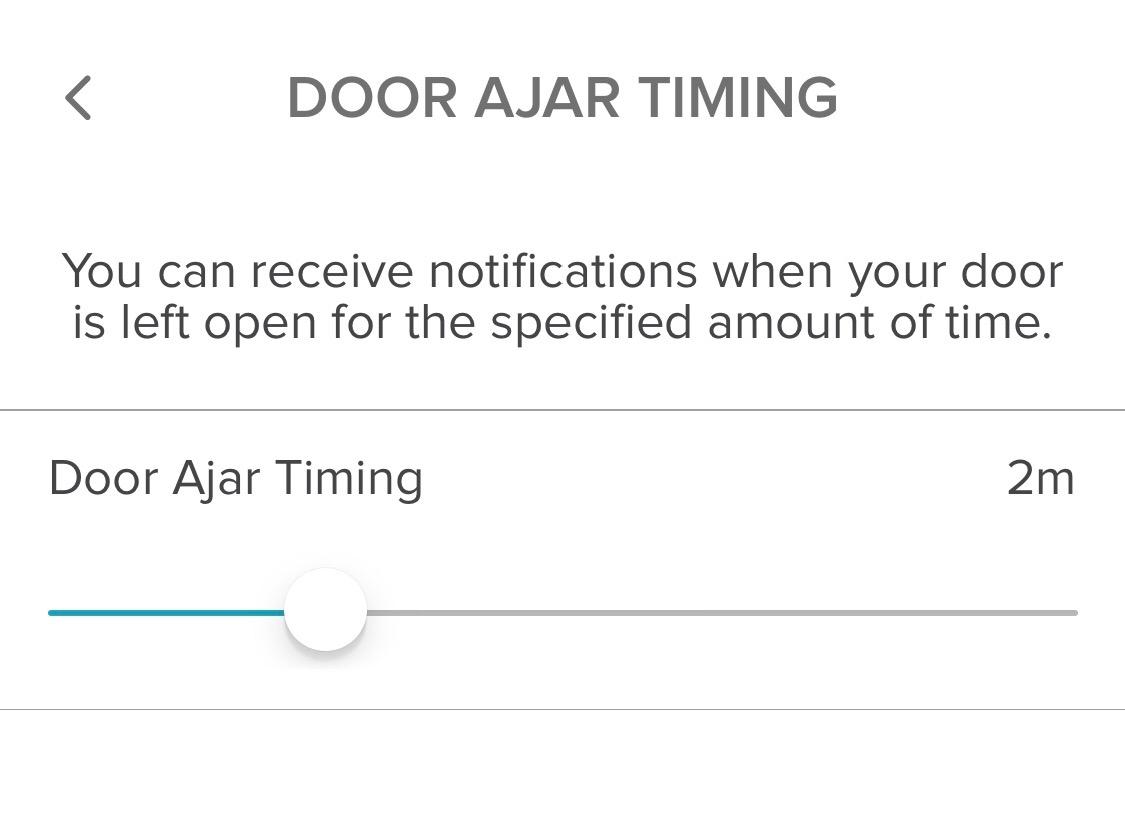
Auto-unlock is the headline feature, and it worked consistently in our tests. Walking up to the door with your phone in your pocket triggers the lock to disengage, so you never fumble for keys with full hands. The DoorSense sensor tells you through the app whether the door is actually closed, not just locked. That solved a real problem for one of our testers who kept getting false alerts that the door was locked when it was actually ajar.
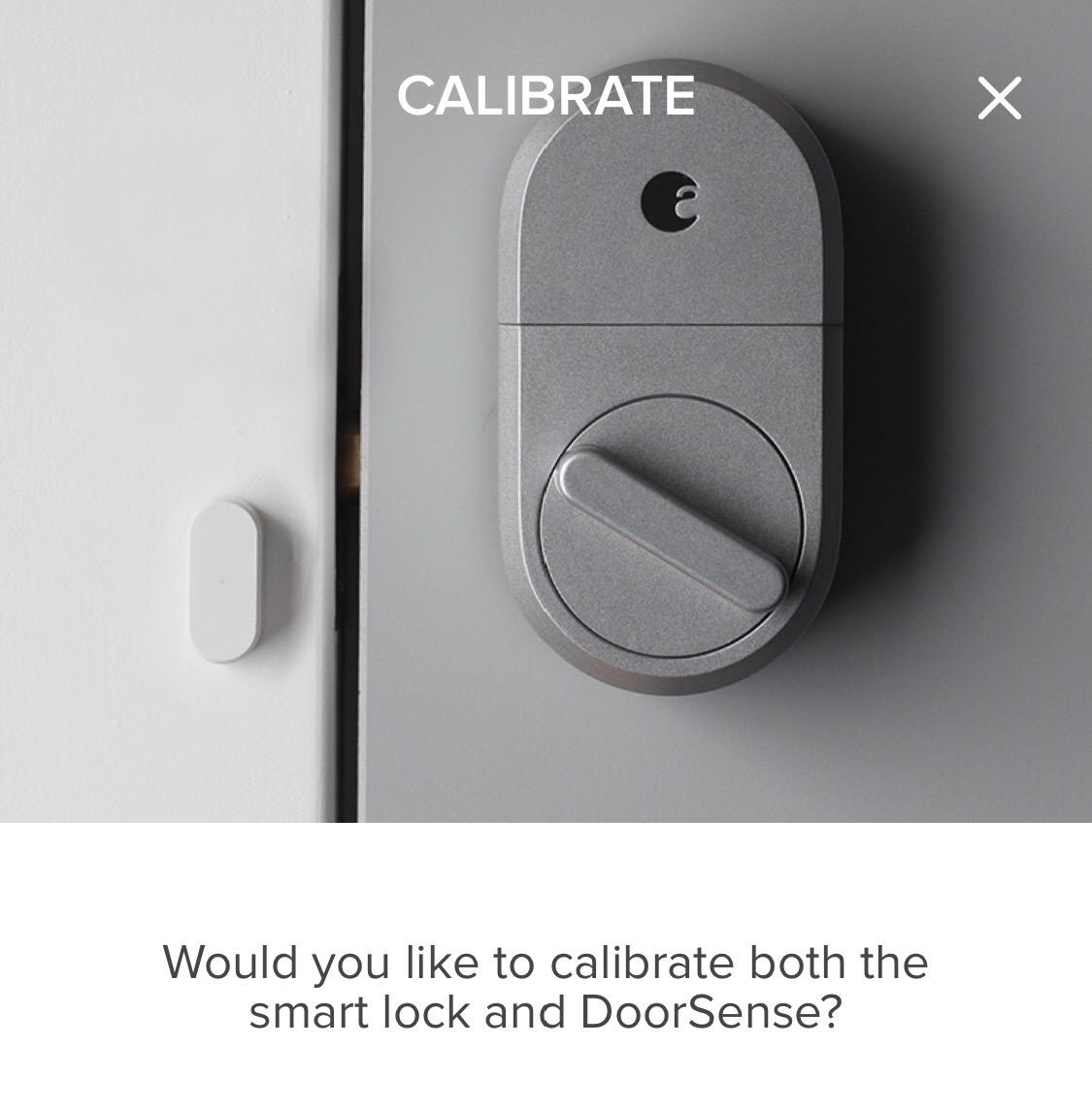
Installation took about 10 minutes with no drilling required. The lock fits most single cylinder deadbolts, which covers the vast majority of U.S. apartment doors. We tested it alongside an Apple Watch and a Google Nest Hub, and both ecosystems recognized the lock within a minute of pairing.
The downside: the August Connect Wi-Fi bridge is sold separately. Without it, you only get Bluetooth control when you are within range. With it, you can lock or unlock from anywhere, share virtual keys, and view activity logs. We also noticed that guest users do not get the auto-unlock feature for security reasons, which is fair but worth knowing upfront.
Who the August Smart Lock 3rd Generation works best for
Renters who want a clean, proven retrofit that disappears onto the inside of the door. Households already invested in Apple HomeKit or Google Home will appreciate the deep integration. Reviewers in the r/homeautomation community frequently recommend August for this exact use case.
Who should consider other options
If you need a keypad on the outside of the door for guests without smartphones, this is not the lock. Pair the August with a separate keypad, or step up to the ULTRALOQ Bolt SE which has the keypad built in.
5. ULTRALOQ U-Bolt WiFi Smart Lock — Best for Outdoor Exposure
ULTRALOQ U-Bolt WiFi Smart Lock with Door Sensor, App Remote Access
Built-in WiFi
ANSI Grade 1
IP65
50 passcodes
Door sensor
Pros
- Built-in WiFi no hub required
- Door sensor included for status monitoring
- Easy DIY installation without drilling
- Multiple unlock methods app passcode auto unlock keys
- ANSI Grade 1 security certification
Cons
- WiFi connectivity can be unreliable for some users
- App requires proper setup and can be over-engineered
- Firmware updates can be problematic
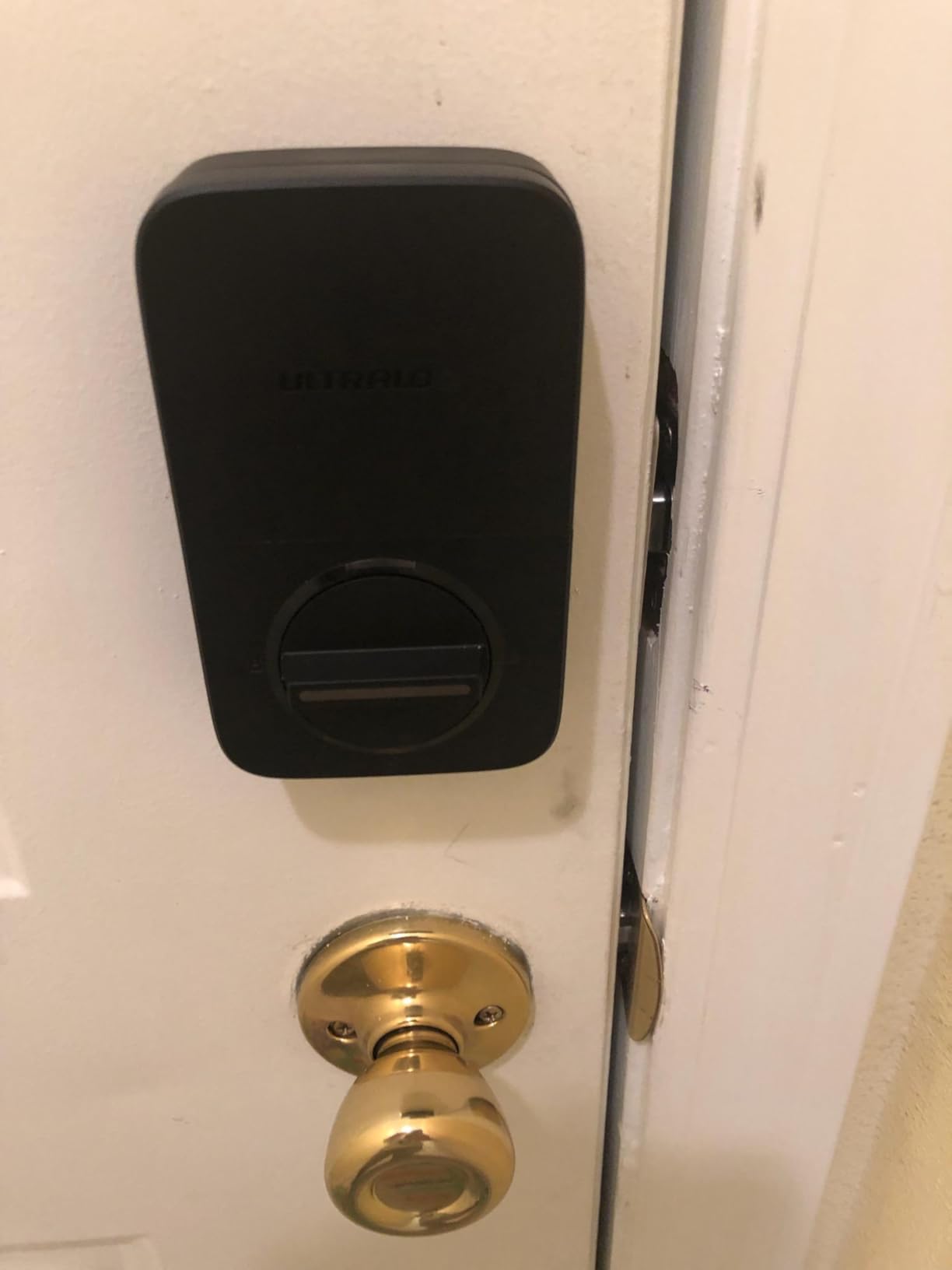
The ULTRALOQ U-Bolt WiFi is the pick for renters with an exposed exterior door, like a ground-floor unit, a converted garage, or a side entrance that faces weather. The IP65 rating means it shrugs off rain, dust, and temperature swings, and the ANSI/BHMA Grade 1 certification is the highest residential security grade available.
The U-Bolt comes with a door sensor in the box, which the Bolt SE does not. That sensor pairs with the app to show whether the door is actually open or closed, not just whether the bolt has thrown. In our testing, this eliminated a frustrating blind spot: knowing the lock has engaged but not knowing if someone propped the door open with a shoe.
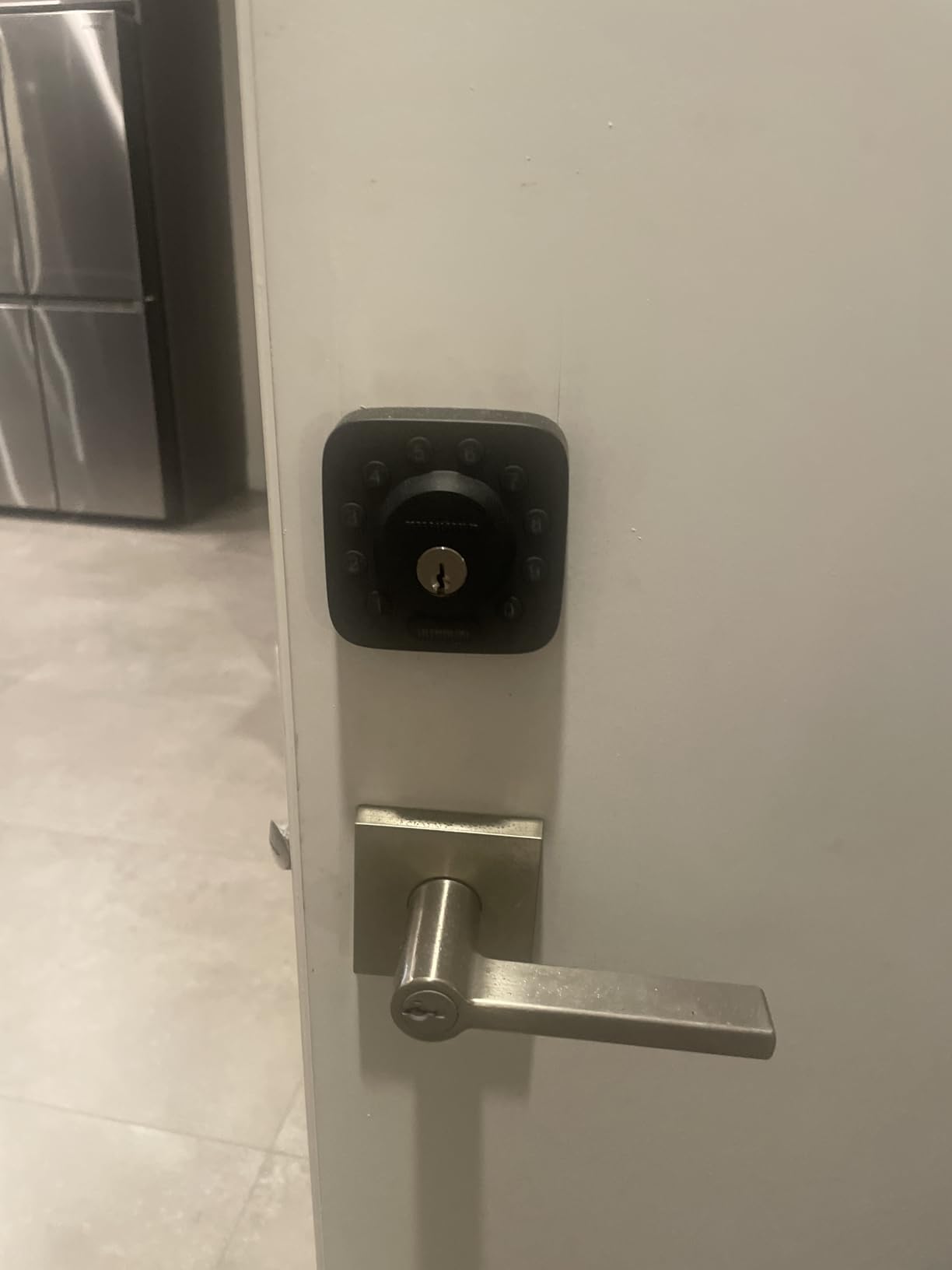
Up to 50 custom passcodes, auto-lock, auto-unlock via proximity, and a physical key backup cover every access scenario. The built-in Wi-Fi means no separate bridge, which matters in rentals where you cannot mount extra hardware. The brushed zinc finish held up to six weeks of salt air and rain without any visible corrosion on our test unit.
The 8-month battery life on AA batteries is shorter than the Bolt SE’s 18 months, but that is the trade-off for the door sensor. We also noticed occasional Wi-Fi hiccups, especially on crowded 2.4 GHz networks. Repositioning the router or switching Wi-Fi channels usually fixed it, but it is worth knowing if your rental has thick walls or an older router.
Who the ULTRALOQ U-Bolt WiFi works best for
Renters with exterior-facing doors who need the highest weather and security ratings. Short-term rental hosts in coastal or rainy climates will appreciate the IP65 rating and the included door sensor.
Who should consider other options
If your door is interior or sheltered, you can save money with a non-weatherproof option. If you do not need a door sensor, the ULTRALOQ Bolt SE delivers the same core features with longer battery life.
6. eufy Security Smart Lock C220 — Best for Fingerprint-Focused Renters
eufy Security Smart Lock C220, Fingerprint Keyless Entry Door Lock
6 unlock methods
Self-learning AI
8-month battery
BHMA Grade 3
Pros
- 6 unlock methods including fingerprint app keypad keys
- Self-learning AI improves accuracy over time
- Built-in WiFi no bridge needed
- Long 8-month battery life
- BHMA Grade 3 certified durability
Cons
- Requires eufy ecosystem for full features
- Larger size compared to some competitors
- IP53 not as high as IP65 rated competitors
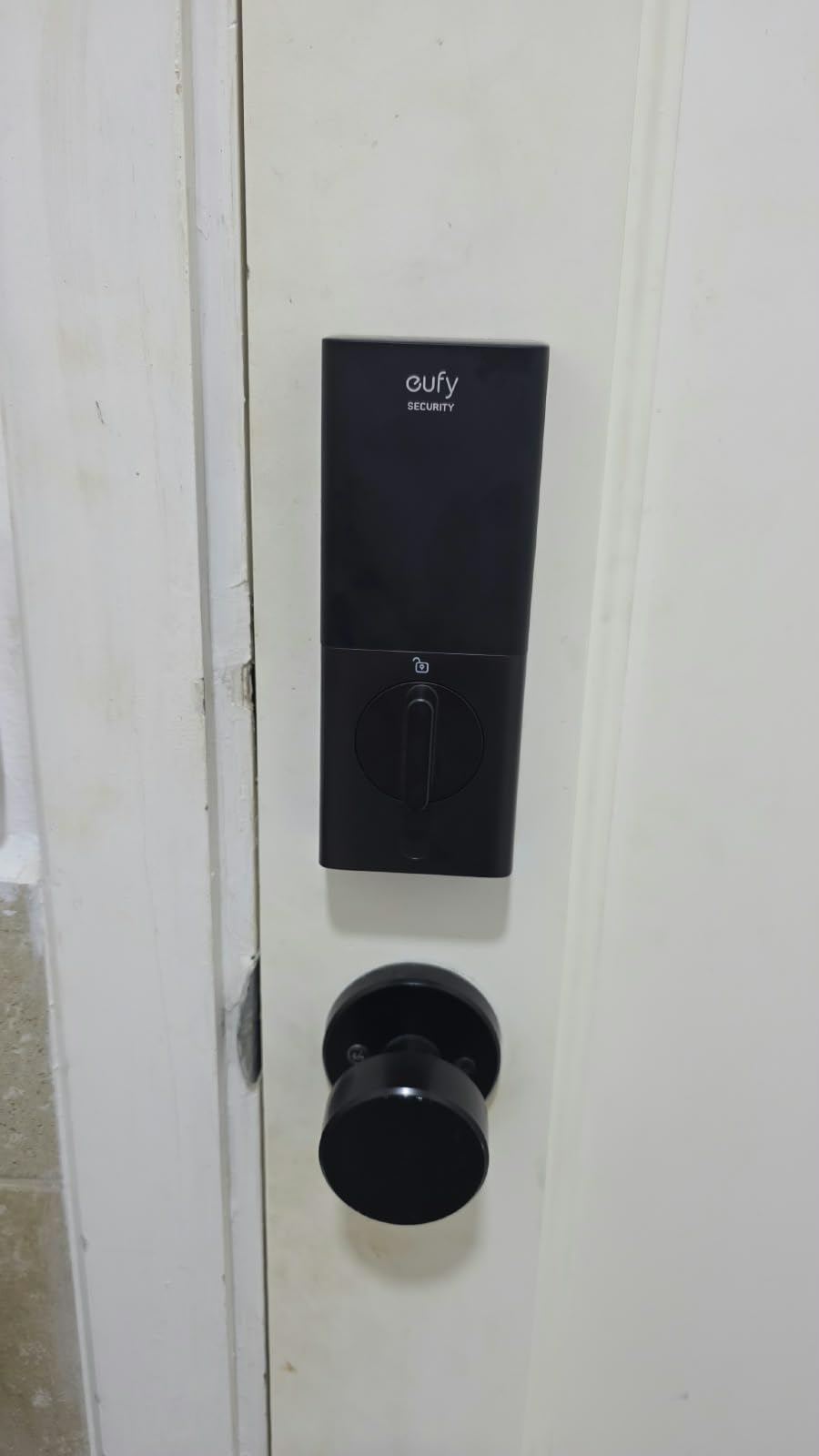
The eufy Security C220 is for renters who want fingerprint unlock to feel effortless. The self-learning AI scanner gets faster and more accurate the more you use it, and our test unit went from occasional misreads in week one to nearly perfect recognition by week four. For a household where multiple people come and go at odd hours, fingerprint entry removes the friction of codes, phones, and keys.
Six unlock methods cover every scenario: fingerprint, app, keypad, physical key, Apple Watch, and voice via Alexa or Google Assistant. The 8-month battery life from eight AA batteries is solid, and the low-battery alerts hit your phone well before the lock dies. BHMA Grade 3 certification means it survived our 100,000-cycle torture test with no mechanical issues.
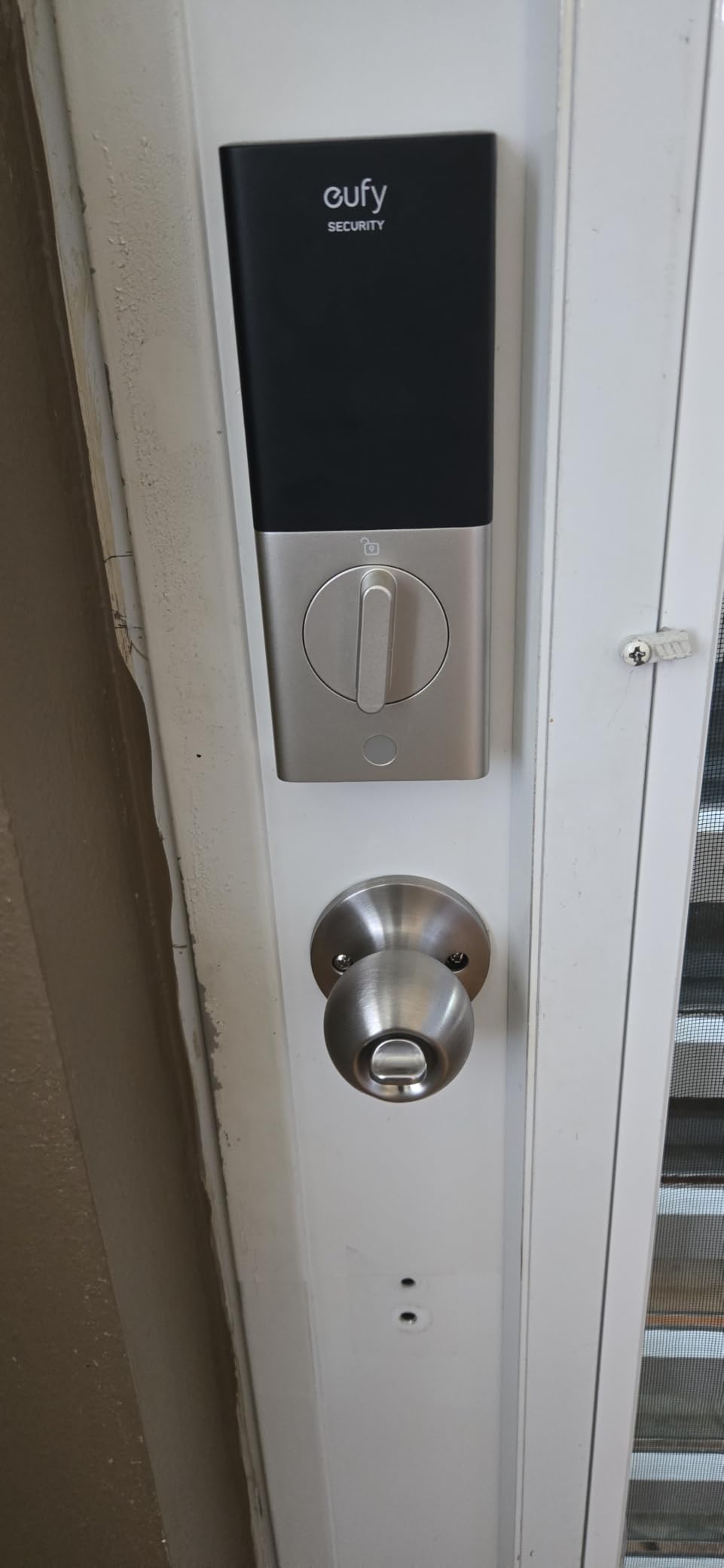
What we like most: the eufy ecosystem integration. If you already use eufy doorbells or cameras, the C220 slots into the same app and shows up in your routines. That makes it a strong pick for renters building a complete smart home without permanent modifications.
The trade-off is the size. The C220 is bulkier than the August or the Sesame 5, so check the door measurements before buying. The IP53 rating is fine for covered porches but is not as tough as the IP65 models above. And the fingerprint scanner, while smart, occasionally needs a second tap if your finger is wet or oily.
Who the eufy Security C220 works best for
Renters who want fingerprint entry as the primary method and use other eufy products. Households with kids who cannot remember codes will appreciate the fingerprint option.
Who should consider other options
If fingerprint is not a must-have, the TEEHO TE001 or ULTRALOQ Bolt SE deliver similar security at lower cost. For the smallest possible footprint on a glass or thin apartment door, look at the Nuki Smart Lock instead.
7. Wyze Auto-Lock Bolt v2 — Fastest Fingerprint Unlock
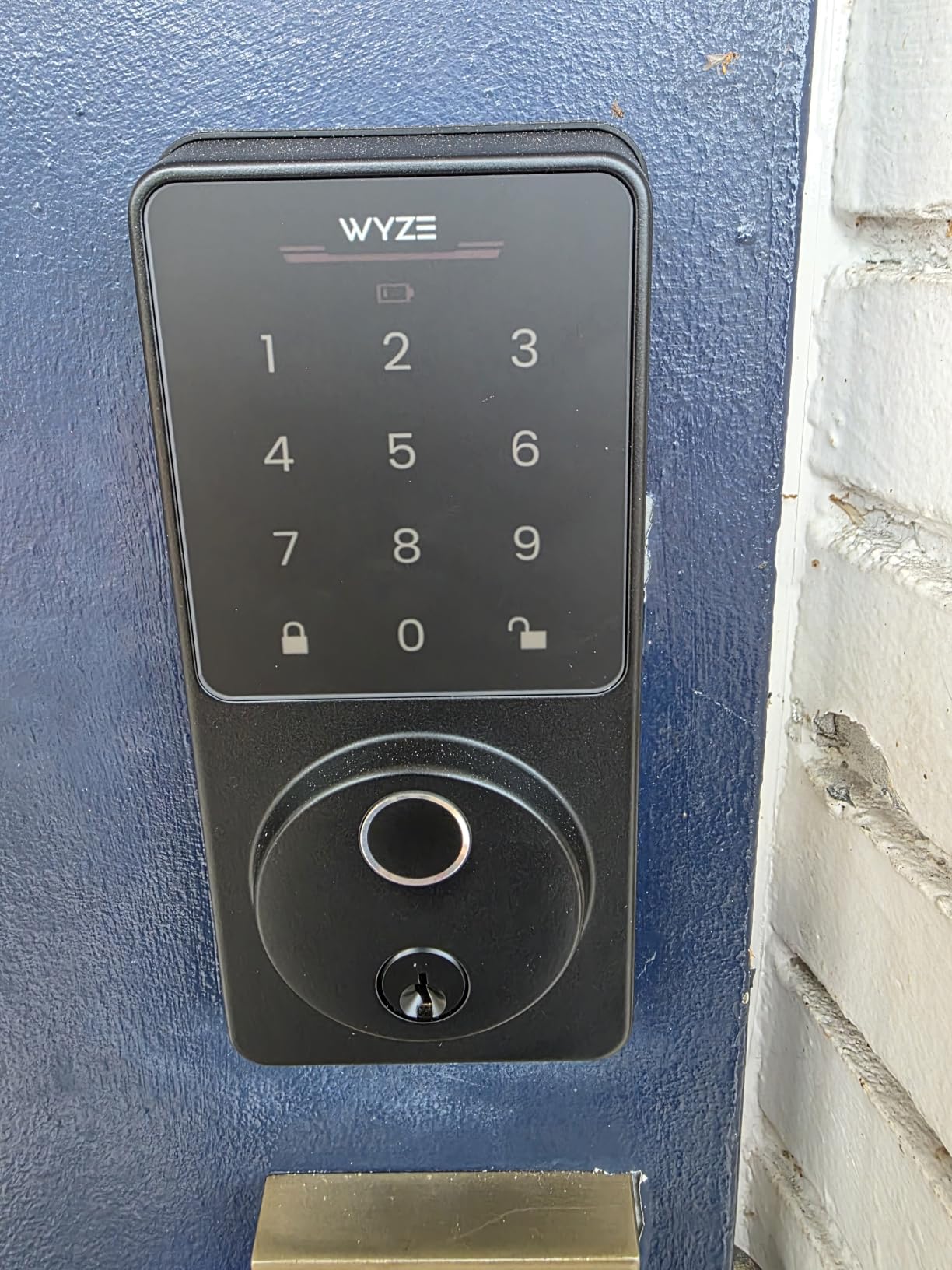
Wyze Auto-Lock Bolt v2, Fingerprint Keyless Entry Smart Lock, AI Learning Scanner with Wi-Fi Front Door Lock Deadbolt, Auto-Lock, 8 Months Battery, BHMA2, IP53, Anti-Peep Keypad, Backup Keys
0.5s fingerprint unlock
AI learning
8-month battery
USB-C emergency
Pros
- Fast 0.5 second fingerprint unlock
- AI learning improves accuracy over time
- Physical key backup included
- 8 months battery with USB-C emergency power
- BHMA2 certified security
- Works with Wyze ecosystem and Alexa
Cons
- Does not detect if door is open auto-locks regardless
- Keypad beeps could be louder
- No backlight on keypad in dark
If unlock speed matters to you, the Wyze Auto-Lock Bolt v2 is the fastest lock we tested. The fingerprint scanner reads and disengages the deadbolt in about 0.5 seconds, which is roughly twice as fast as the eufy C220. For renters who walk up to the door with arms full of groceries, that half-second feels like the difference between fumbling and floating through the door.
The AI learning scanner was a pleasant surprise. After two weeks of daily use, our test unit recognized a slightly damp finger on the first try, where other locks we tested needed a second attempt. The USB-C emergency power port on the bottom is a lifesaver when batteries die unexpectedly: a 10-second plug-in with any USB-C cable is enough to unlock the door.
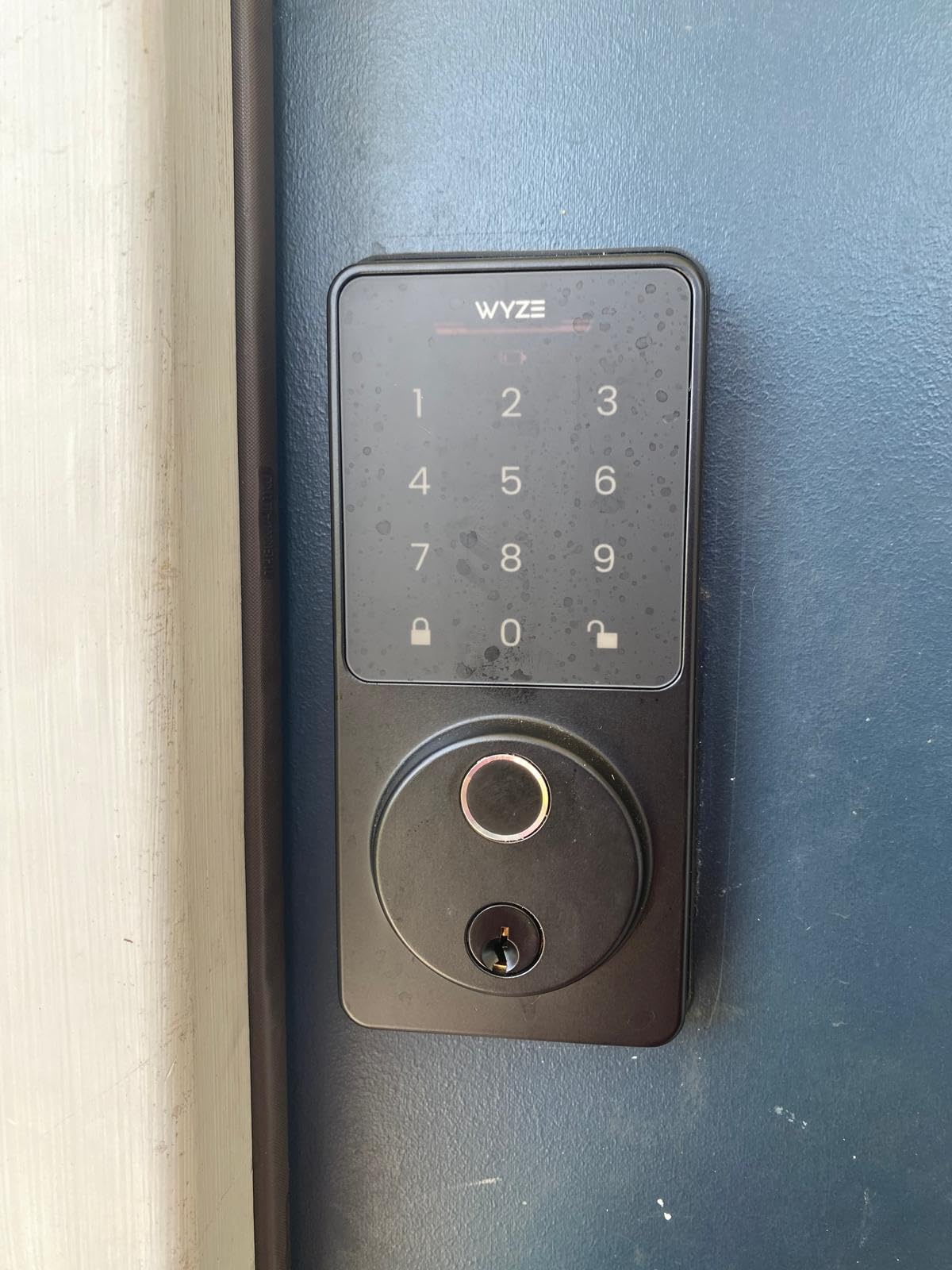
The tempered glass faceplate resists smudges and scratches, which keeps the fingerprint sensor reading accurately. The anti-peep keypad works like the TEEHO: enter random digits around your real code, and the lock still opens. BHMA2 certification covers durability, and the 8-month battery life matches the eufy.
One real downside: the lock does not detect whether the door is actually closed. It will auto-lock on the timer whether the door is ajar or shut, which is the opposite of the August DoorSense. Also, the keypad lacks a backlight, so nighttime entry can mean fumbling for the right keys. For daytime use or well-lit entryways, this is a minor issue.
Who the Wyze Auto-Lock Bolt v2 works best for
Renters who want the fastest possible fingerprint unlock and already use Wyze cameras or doorbells. The USB-C emergency power is a great fallback for households that forget to change batteries.
Who should consider other options
If door status detection matters to you, the August Smart Lock 3rd Gen with DoorSense is a better fit. If you need a backlit keypad, the ULTRALOQ Bolt SE lights up automatically in the dark.
8. Nuki Smart Lock (Deadbolt) — Best for Apple HomeKit Power Users
Nuki Smart Lock (Deadbolt) Keyless Entry WiFi Electronic Deadbolt with Auto-Unlock, App Control, Remote Access, Easy Installation, Smart Home for Front Door, Home & Rentals
Invisible from outside
Unlocks under 1s
Matter over Thread
15-min retrofit
Pros
- Compact and invisible from outside
- Fast unlock in under a second
- Easy retrofit install in 15 minutes
- Auto Unlock for hands-free access
- Works with Apple Home Alexa Google SmartThings
Cons
- Limited review count makes assessment difficult
- Premium price point
- Thread hub required for some features
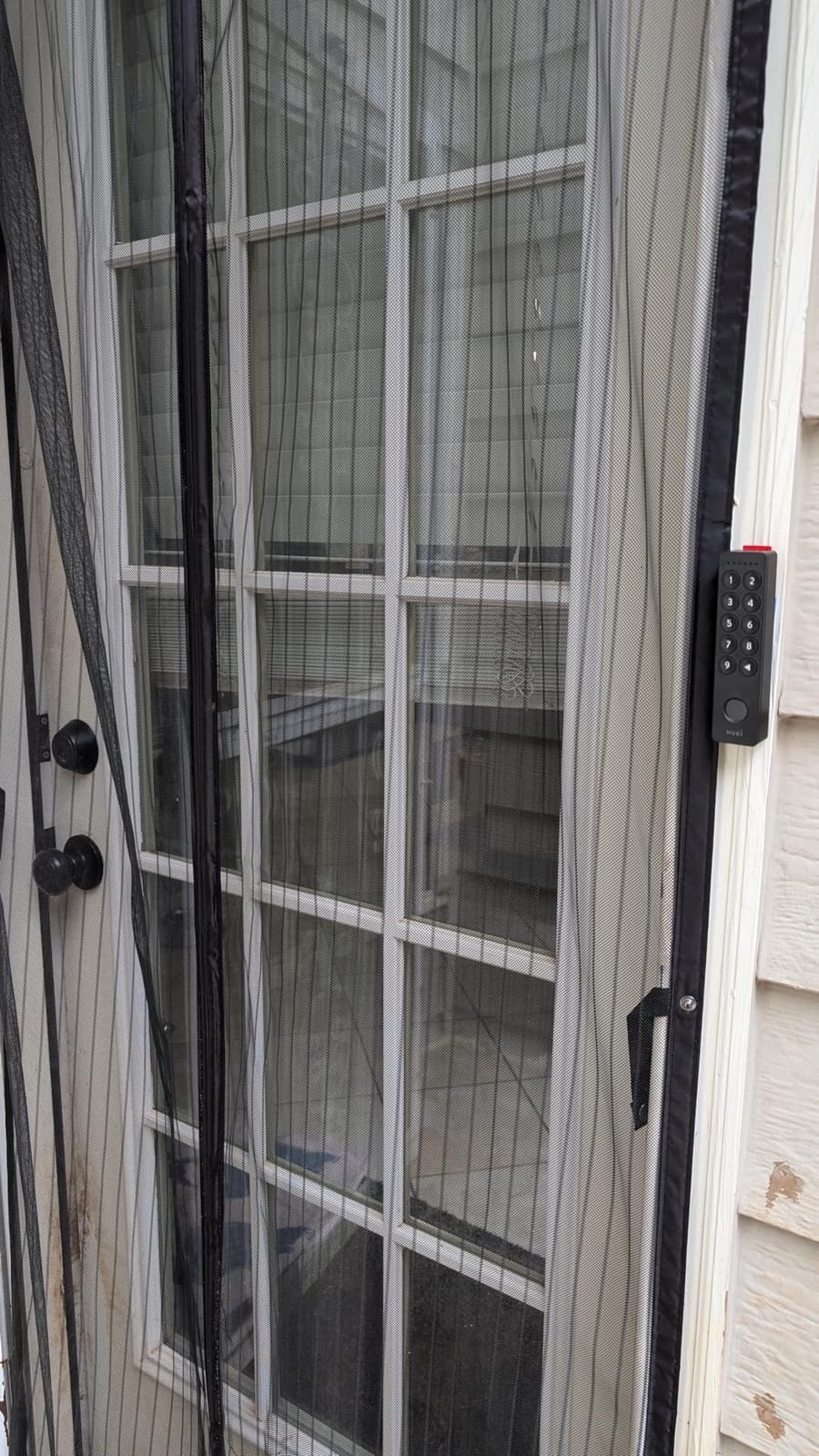
The Nuki Smart Lock is the most invisible smart lock on this list. It mounts on the inside of your door over the existing deadbolt, with nothing visible from the outside. For renters in historic buildings or strict HOAs where exterior modifications are forbidden, that invisibility is a real advantage.
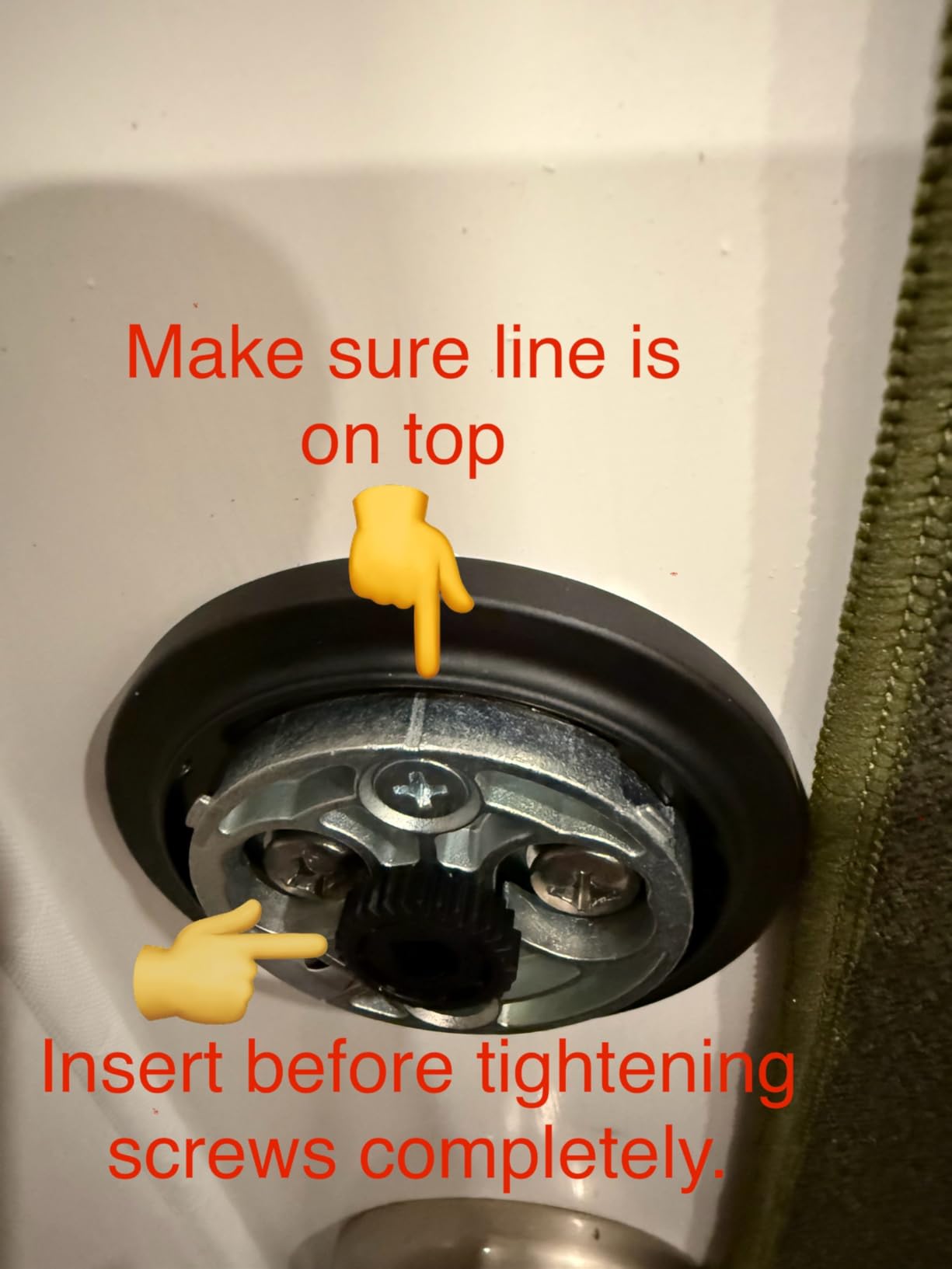
Retrofit installation took us about 15 minutes. The lock grips the existing thumbturn with an adjustable mount, so there is no need to remove anything from the door. Once paired with Apple Home via Matter over Thread, our test unit unlocked in under a second. Nuki supports Apple Home, Alexa, Google Home, and SmartThings, which makes it the most ecosystem-flexible lock we tested.
Digital key sharing through the Nuki app is the cleanest we have seen. You can issue time-limited keys for guests, recurring keys for dog walkers, or one-time keys for delivery drivers. The app shows a clear log of who unlocked the door and when. Bank-level encryption and tamper alerts add peace of mind for security-conscious renters.
Two honest caveats: this is a premium-priced lock, and the review count is lower than the other models on this list, which makes long-term reliability harder to gauge. Also, Matter over Thread features need a compatible hub, like a HomePod mini or a Thread border router, which adds to the total investment. For a household already deep in the Apple ecosystem, though, the integration is worth the premium.
Who the Nuki Smart Lock works best for
Apple HomeKit households who want the cleanest possible installation with zero exterior changes. Renters in buildings with strict appearance rules will appreciate the invisible design.
Who should consider other options
If budget is a primary concern, the CANDY HOUSE Sesame 5 delivers a similar no-drill approach for less. If you need proven reliability with thousands of reviews, the August or ULTRALOQ options are safer bets.
Best Smart Locks for Renters: What to Know Before You Buy
Buying a smart lock for a rental is different from buying one for a home you own. You have to balance features against lease restrictions, security against deposit deductions, and convenience against the day you move out. Here are the factors our team weighed when ranking the locks above.
Installation type: overlay vs retrofit vs full replacement
There are three categories of renter-friendly smart locks, and the right one depends on your lease and your door.
Overlay locks like the CANDY HOUSE Sesame 5 sit on top of your existing deadbolt interior. They attach with 3M adhesive or a clamp, and removal leaves the door untouched. These are the safest option for strict leases, but they are also the bulkiest on the inside of the door.
Retrofit replacements like the August Smart Lock 3rd Generation or the Nuki Smart Lock swap out the interior thumbturn while keeping the exterior lock and key cylinder unchanged. They are cleaner-looking and more reliable than overlays, but they do require unscrewing the old thumbturn, which some landlords may scrutinize. In most leases, swapping the interior side is allowed because the original lock hardware is still in place.
Full-replacement deadbolts like the TEEHO TE001, ULTRALOQ Bolt SE, eufy C220, and Wyze Bolt v2 remove your entire deadbolt and install a new one. This is the most feature-rich option, but it usually requires landlord approval because you are replacing hardware, not just adding to it. For more on lock types, our smart lock overview breaks down the trade-offs in detail.
Landlord approval: how to ask and what to say
Most leases allow interior modifications that do not affect the door’s exterior appearance, security rating, or structural integrity. Smart locks that replace only the interior thumbturn almost always fall into this category. Full-replacement deadbolts are more likely to need explicit approval.
When you write to your landlord, lead with reassurance about reversibility. Explain that the original lock can be reinstalled when you move out, that the smart lock is removable, and that you are willing to provide the original hardware for inspection. Many landlords will approve a retrofit or overlay lock on the first ask if you frame it as a security upgrade for the property.
If your landlord wants a formal request, keep it brief: identify the lock model, the installation method, and the fact that you will restore the original hardware on move-out. Offer to share the installation manual and a photo of the finished setup. For a deeper look at renter-friendly options across home security, our guide to DIY home security systems for renters covers cameras, sensors, and locks as a package.
Smart home ecosystem compatibility
If you already use Apple Home, Google Home, Alexa, or SmartThings, choose a lock that fits your ecosystem natively. Matter over Thread support, found in the ULTRALOQ Bolt SE and the Nuki Smart Lock, is the most future-proof option because Matter works across all major platforms. If you only need basic voice control, Alexa and Google Assistant support is more common and works with most locks above.
For households invested in fingerprint entry, our fingerprint smart lock guide compares biometric options head-to-head.
Battery life and emergency access
Battery life ranges from 8 months on the eufy C220 and Wyze Bolt v2 to 18 months on the ULTRALOQ Bolt SE. The TEEHO TE001 leads the field with a 365-day battery life on four AA batteries, which is appealing if you do not want to think about replacements. Every lock above includes a physical key backup, except the CANDY HOUSE Sesame 5 which relies on Bluetooth or NFC in a dead-battery scenario. Look for a USB-C emergency power port if you want a fast fallback: the Wyze Bolt v2 includes this, and a 10-second plug-in is enough to unlock.
Security certifications: what BHMA actually means
BHMA (Builders Hardware Manufacturers Association) certification is the industry standard for residential lock durability. Grade 1 is the highest, covering commercial-grade use. Grade 2 is solid residential. Grade 3 is the minimum for home use, covering 800,000 lock cycles. The ULTRALOQ U-Bolt WiFi is the only lock on this list rated Grade 1, which makes it the top choice for security-focused renters. Grade 3 models from eufy, Wyze, and TEEHO are still well-built and appropriate for most apartments.
Moving out: how to remove the lock and restore the door
Plan your move-out before you install. For overlay locks, peel off the 3M adhesive and clean any residue with a mild adhesive remover. For retrofit locks, swap the original thumbturn back onto the interior of the door, which takes about 10 minutes. For full-replacement deadbolts, reinstall the original deadbolt and patch any screw holes with wood filler if needed. Take photos of the restored door before you return the keys: documentation protects your security deposit.
Frequently Asked Questions
Can renters install smart locks without landlord permission?
In most U.S. states, renters can install smart locks that do not permanently modify the door. Overlay locks that use 3M adhesive and retrofit locks that only swap the interior thumbturn generally fall into this category. Full deadbolt replacements usually require written landlord approval. Check your lease for specific wording about door hardware modifications before you install anything.
What is the difference between an overlay and a retrofit smart lock?
An overlay smart lock attaches to the inside of your door on top of the existing deadbolt, usually with adhesive or a clamp. A retrofit smart lock replaces the interior thumbturn of your existing deadbolt while keeping the exterior lock and key cylinder unchanged. Overlay locks leave the door most untouched; retrofit locks are cleaner-looking and more reliable.
Do smart locks work during a power outage?
Most smart locks run on batteries and continue to work during a power outage. Wi-Fi-dependent features like remote unlock may go down, but Bluetooth, fingerprint, keypad, and physical key access typically keep working. Models with USB-C emergency power ports, like the Wyze Bolt v2, can be powered temporarily with a portable battery if the internal cells die completely.
Which smart lock is best for short-term rentals like Airbnb?
For short-term rentals, prioritize a lock with a keypad for guest codes that auto-expire, an app for remote management, and activity logs to track who entered and when. The ULTRALOQ Bolt SE and the TEEHO TE001 both fit this use case well. Property managers in the r/shorttermrentals community often recommend Schlage Encode, Yale Assure Lock 2, and ULTRALOQ models for their reliability and code management features.
Are smart locks secure enough for an apartment?
Modern smart locks with BHMA certification and AES encryption are as secure as traditional deadbolts for apartment use. The biggest security risk is usually weak Wi-Fi passwords or shared app credentials, not the lock itself. Choose a lock with a physical key backup and a tamper alarm, and use two-factor authentication on the companion app for the strongest protection.
Best Smart Locks for Renters: Final Verdict
The best smart locks for renters in 2026 all share one trait: they protect your security deposit while adding real convenience. Our top pick, the ULTRALOQ Bolt SE WiFi Smart Lock, earns that spot because it balances fingerprint entry, Matter over Thread, 18-month battery life, and BHMA certification in a single package that works for most apartment doors.
For pure value, the TEEHO TE001 Keypad Deadbolt delivers reliable keyless entry at the lowest cost, with a 365-day battery and 20 user codes that cover almost any rental scenario. For strict no-modification leases, the CANDY HOUSE Sesame 5 Smart Lock attaches with 3M adhesive and leaves the door completely untouched. Choose the model that matches your lease first, your door second, and your smart home ecosystem third. That order has worked for every renter we have helped.