
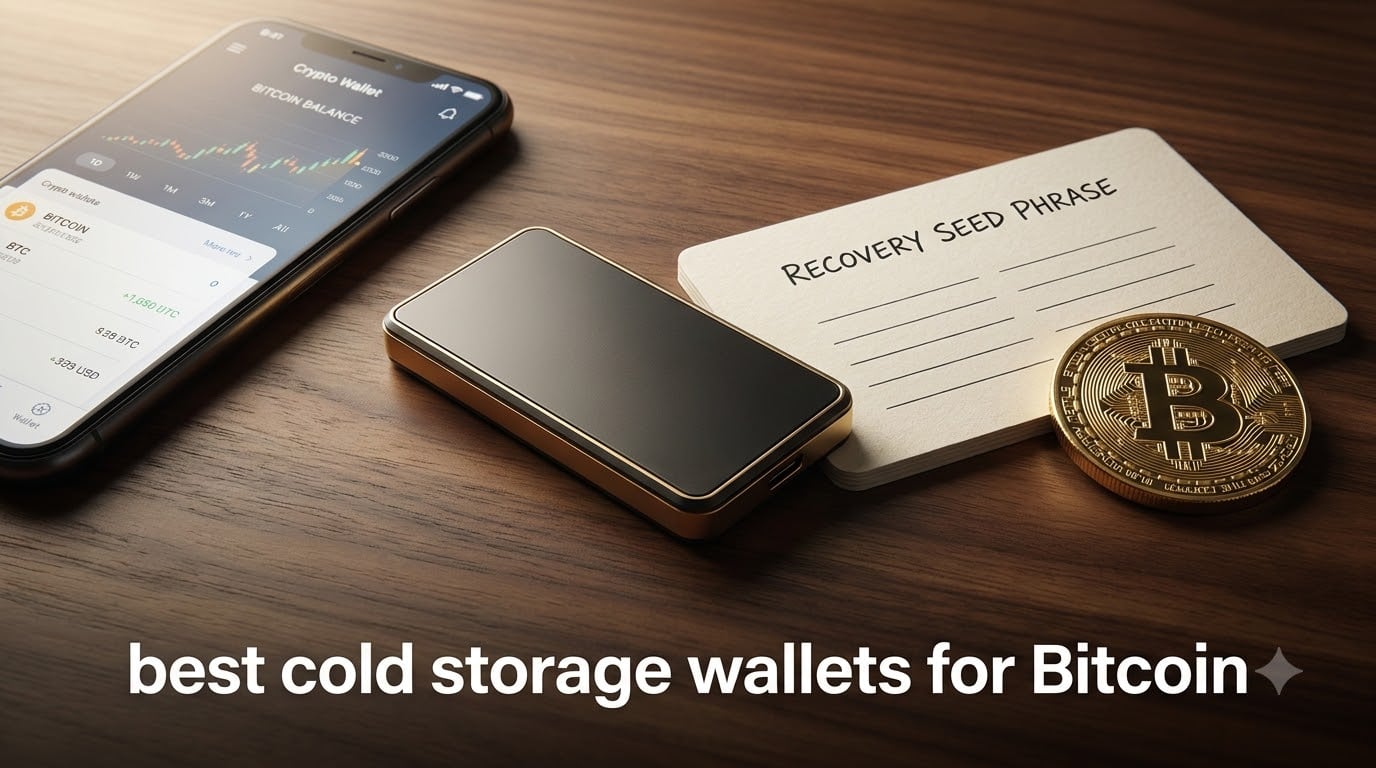
I have been writing about cryptocurrency security for over seven years, and if there is one question I hear more than any other, it is this: what are the best cold storage wallets for Bitcoin in 2026? After testing hardware wallets from every major manufacturer, I can tell you that keeping your private keys offline is the single most important step you can take to protect your Bitcoin holdings.
When I first started buying Bitcoin back in 2017, I kept everything on an exchange. That felt fine until a friend lost a significant amount in an exchange hack. That experience sent me down the rabbit hole of hardware wallet security, and I have been testing and comparing cold storage solutions ever since. Our team has spent the last several months hands-on with eight of the most popular Bitcoin cold wallets on the market.
Whether you are a first-time Bitcoin buyer looking for something simple or a seasoned HODLer who wants military-grade security, this guide breaks down every option with real testing notes, security analysis, and honest pros and cons. Cold storage matters because hot wallets and exchanges are constant targets for hackers, and self-custody through a hardware wallet puts you in full control of your private keys.
Table of Contents
Top 3 Picks for Best Cold Storage Wallets for Bitcoin (September 2026)
Best Cold Storage Wallets for Bitcoin in 2026
| Product | Specifications | Action |
|---|---|---|
 Ledger Nano X Ledger Nano X |
|
Check Latest Price |
 Trezor Safe 3 Trezor Safe 3 |
|
Check Latest Price |
 ELLIPAL Titan 2.0 ELLIPAL Titan 2.0 |
|
Check Latest Price |
 Ledger Nano S Plus Ledger Nano S Plus |
|
Check Latest Price |
 Trezor Safe 5 Trezor Safe 5 |
|
Check Latest Price |
 Trezor Safe 7 Trezor Safe 7 |
|
Check Latest Price |
 D’CENT Biometric Wallet D’CENT Biometric Wallet |
|
Check Latest Price |
 BitBox02 Bitcoin-only BitBox02 Bitcoin-only |
|
Check Latest Price |
1. Ledger Nano X – Bluetooth Mobile Bitcoin Wallet
Ledger Nano X – Classic Crypto Wallet with Bluetooth
Bluetooth and USB connectivity
15000+ coins supported
Secure Element chip
OLED display
34g weight
Pros
- Bluetooth for mobile-first access
- Supports 15000+ coins and tokens
- Genuine Check authenticity feature
- Ledger Live app is polished and intuitive
Cons
- Small screen needs many button clicks
- Battery drains with heavy use
- Bluetooth does not work with PC
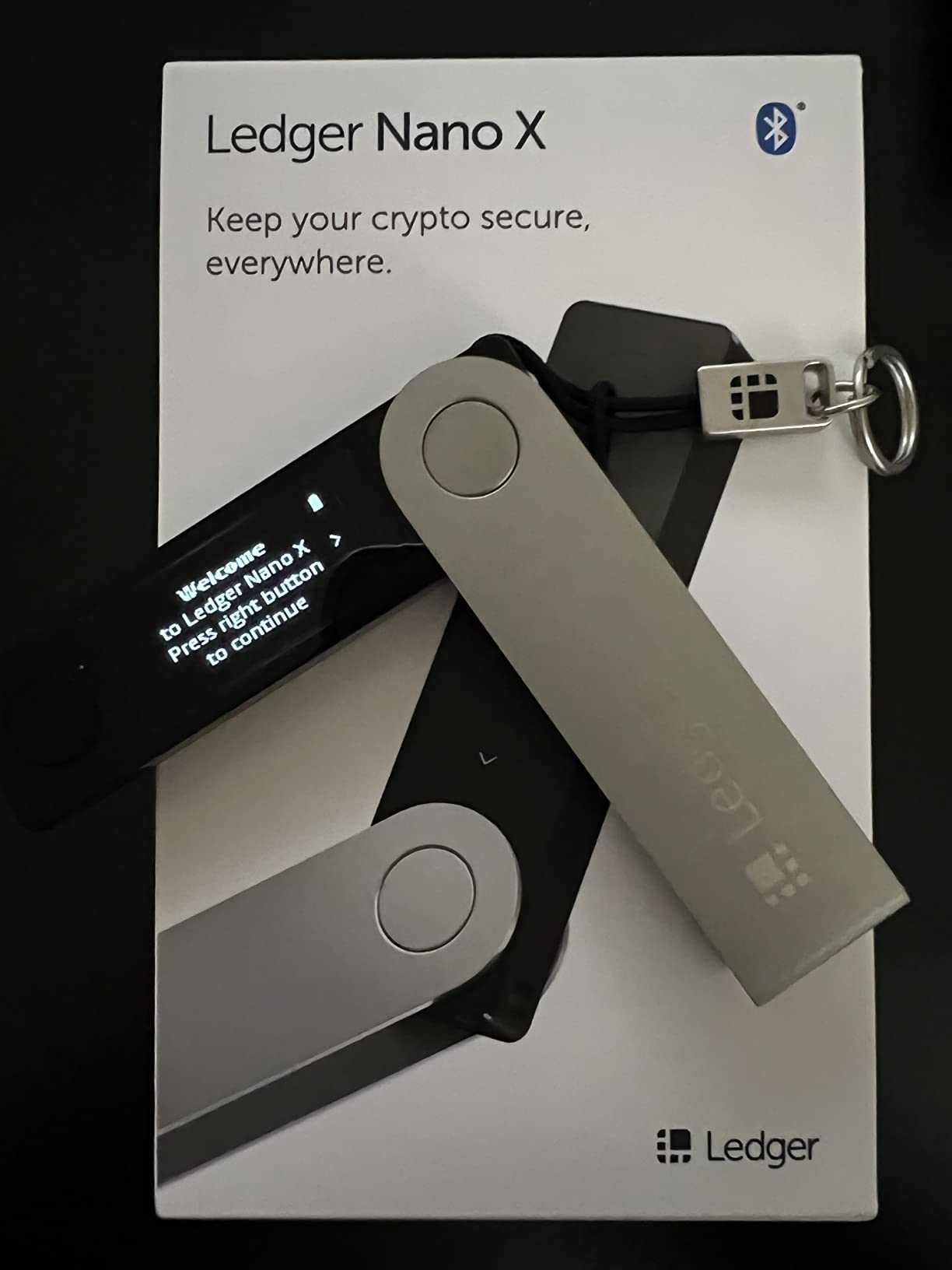
I have used the Ledger Nano X as my daily driver for the better part of two years, and it remains the most versatile cold storage wallet I have tested. The Bluetooth connectivity is what sets it apart from nearly every competitor in this guide. I can manage my Bitcoin portfolio directly from my phone without ever plugging anything in, which is a level of convenience that no other wallet in this price range matches.
Setup took me about 15 minutes from unboxing to my first Bitcoin transaction. The Ledger Live app walks you through generating your seed phrase, confirming your recovery words, and installing the Bitcoin app on the device. The whole process is beginner-friendly, and I have recommended this wallet to several friends who were new to crypto without any issues.
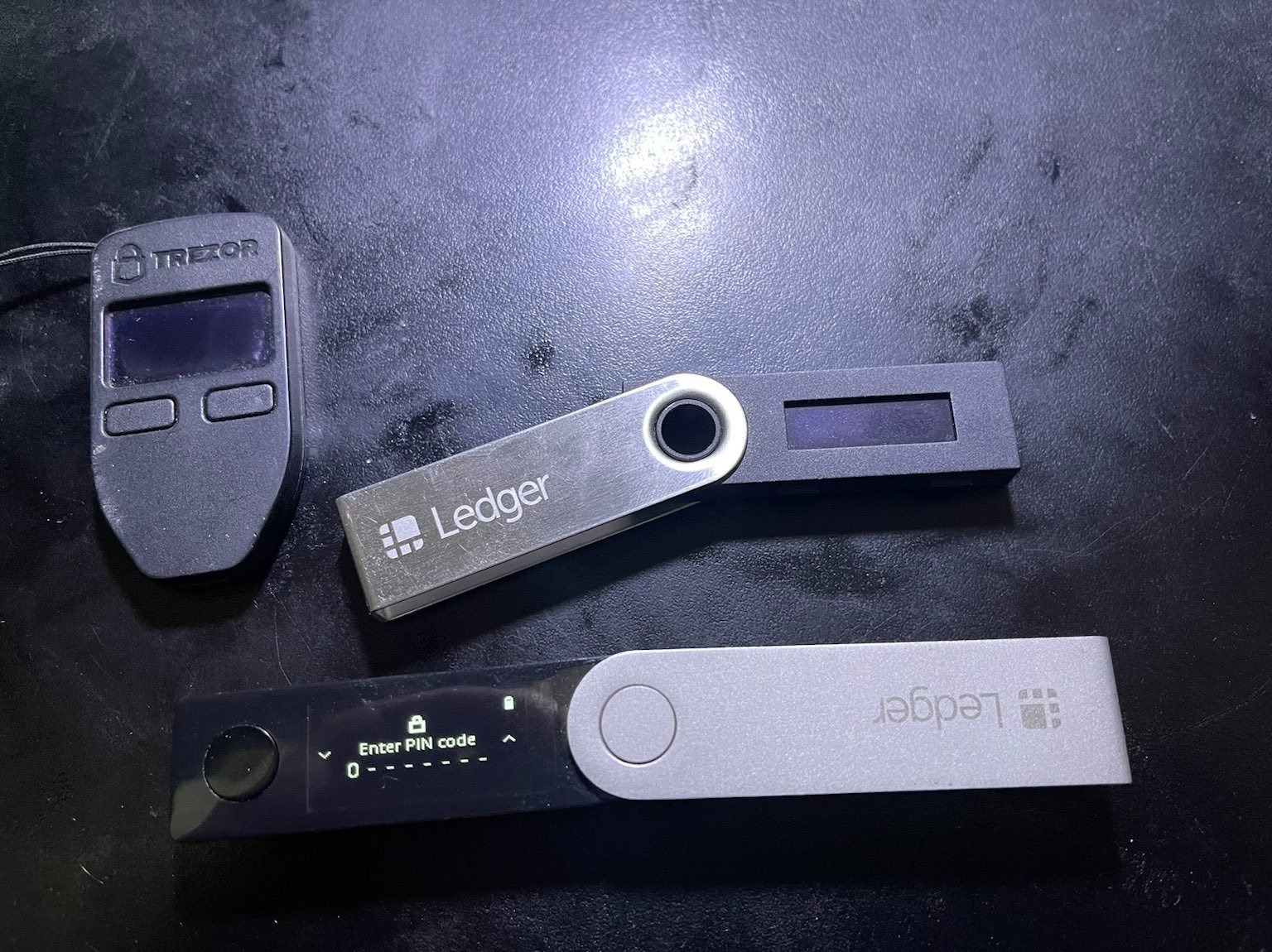
The Secure Element chip inside the Nano X is CC EAL 6+ certified, which is the same security tier used in banking and government applications. Your private keys never leave the device, even when connected to a potentially compromised computer. This is the core promise of cold storage, and Ledger delivers on it reliably.
One thing I want to be transparent about: the Ledger Recover controversy from a while back did shake community trust. Ledger introduced an optional paid service that involved splitting seed phrases for backup. Many in the Reddit community at r/Bitcoin were unhappy about this. However, the feature is entirely opt-in, and the base security model of keeping your keys offline remains solid. I still use my Nano X confidently for moderate holdings.
Who Should Buy the Ledger Nano X
This wallet is ideal for Bitcoin holders who want mobile convenience without sacrificing security. If you check your portfolio on your phone and want to sign transactions wirelessly, the Nano X is the obvious choice. It is also great for beginners because the Ledger Live app handles everything from staking to swapping in one interface.
I also recommend it for people who hold multiple cryptocurrencies. With support for over 15,000 coins and tokens, you will rarely run into a situation where an asset is unsupported. This makes it a one-device solution for diverse portfolios.
Limitations to Consider
The small OLED screen means you will do a lot of button-pressing to navigate menus and confirm transactions. For long seed phrase entry, this can feel tedious. The battery also drains faster than I would like, especially if you leave Bluetooth on constantly.
The closed-source firmware is another point of contention. While Ledger has undergone security audits, the open-source community prefers full transparency. If having auditable, community-reviewed firmware is important to you, consider the Trezor options instead.
2. Trezor Safe 3 – Open-Source Security Champion
Trezor Safe 3 – Passphrase & Secure Element Protected Crypto Hardware Wallet (Solar Gold)
NDA-free EAL6+ Secure Element
Open-source firmware
Passphrase protection
OLED display
14.2g weight
Pros
- Fully open-source firmware for transparency
- NDA-free EAL6+ Secure Element
- Passphrase support for advanced security
- Easy 15-minute setup
- Excellent value for the price
Cons
- No Bluetooth connectivity
- No built-in battery
- Passphrase feature has a learning curve
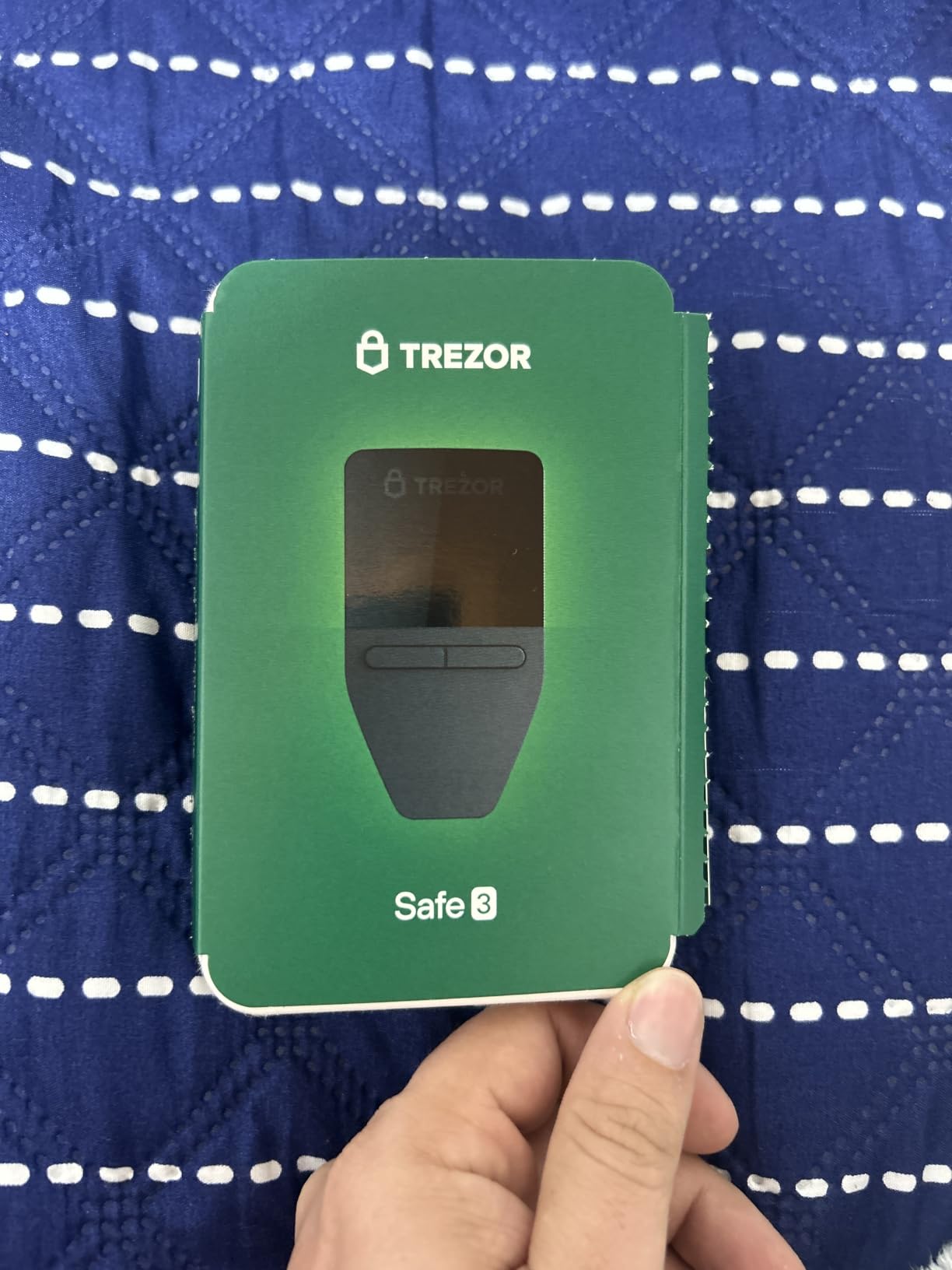
The Trezor Safe 3 is the wallet I recommend more than any other when someone asks me about the best cold storage wallets for Bitcoin on a budget. Trezor, made by SatoshiLabs, practically invented the hardware wallet category, and their commitment to open-source firmware gives them a loyal following in the Reddit crypto community that few brands can match.
When I unboxed the Safe 3, the first thing I noticed was how light it is. At just 14.2 grams, it feels almost weightless in your pocket. But do not let that fool you. Inside is an NDA-free EAL 6+ certified Secure Element, which means the chip specifications are fully public and not hidden behind non-disclosure agreements. This is a big deal for security purists who want to verify every claim.
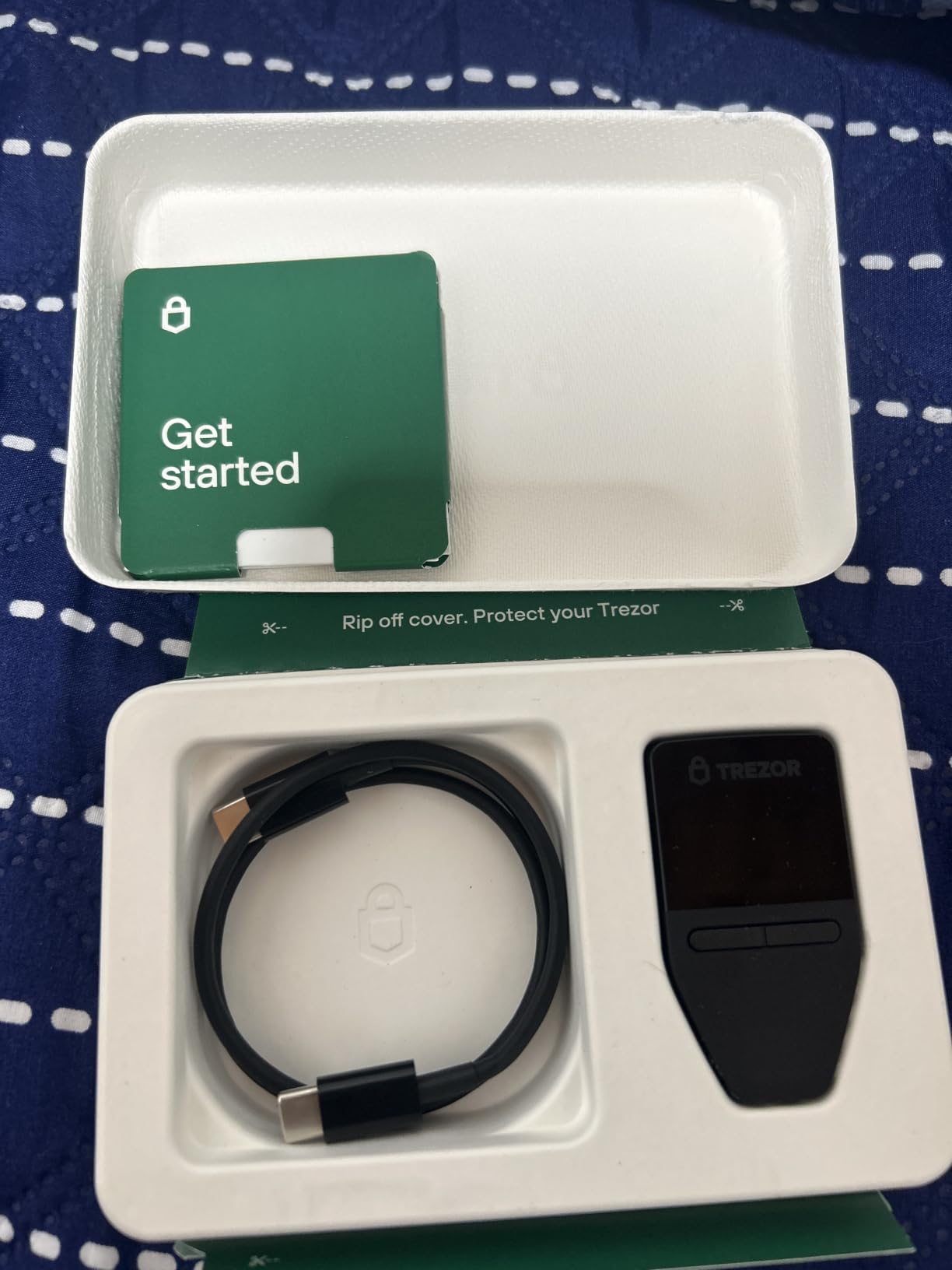
Setting up the Safe 3 took me about 15 minutes. The Trezor Suite app is clean and intuitive, guiding you through seed phrase generation and device PIN setup. The OLED screen is sharp and displays recovery words and transaction details clearly, which is essential for verifying you are not being spoofed.
The passphrase feature is where this wallet shines for serious Bitcoin holders. A passphrase acts as a 25th word added to your 24-word seed phrase, creating an entirely separate wallet. Even if someone steals your seed phrase, they cannot access your funds without the passphrase. I set this up immediately and store the passphrase separately from my seed phrase.
What Makes the Trezor Safe 3 Stand Out
The open-source firmware is the standout feature here. Every line of code running on the device is publicly available on GitHub for anyone to audit. This is the gold standard for trust in the crypto security world, and it is something that closed-source competitors like Ledger cannot offer.
The multi-share backup system is another advantage. Trezor supports Shamir Secret Sharing, which lets you split your recovery seed into multiple parts. You can configure it so that recovering your wallet requires, say, 3 out of 5 shares. This means a single stolen or lost share does not compromise your Bitcoin.
Drawbacks to Be Aware Of
The biggest miss is the lack of Bluetooth. You must connect via USB-C every time you want to make a transaction, which is less convenient for mobile users. There is also no built-in battery, so the device only works when plugged in.
The passphrase feature, while powerful, has a learning curve. Beginners may not understand how it works and could accidentally lock themselves out if they forget their passphrase. I recommend practicing the recovery process before committing significant funds.
3. ELLIPAL Titan 2.0 – Air-Gapped Fortress
ELLIPAL Titan 2.0 Air-Gapped Crypto Wallet – Cold Wallet for Bitcoin, ETH, SOL, XRP, NFT & 10,000+ Coins and Tokens – Trusted Cold Storage Hardware Wallet
100% air-gapped technology
4.1-inch HD touchscreen
10000+ coins supported
Metal body
Up to 5 accounts
Pros
- Fully air-gapped with no WiFi or Bluetooth
- Tamper-resistant metal body
- Large responsive touchscreen
- 8-year track record with zero breaches
- Supports 10000+ coins and NFTs
Cons
- Requires camera for QR code transactions
- Proprietary charging base needed
- Battery may degrade after a year
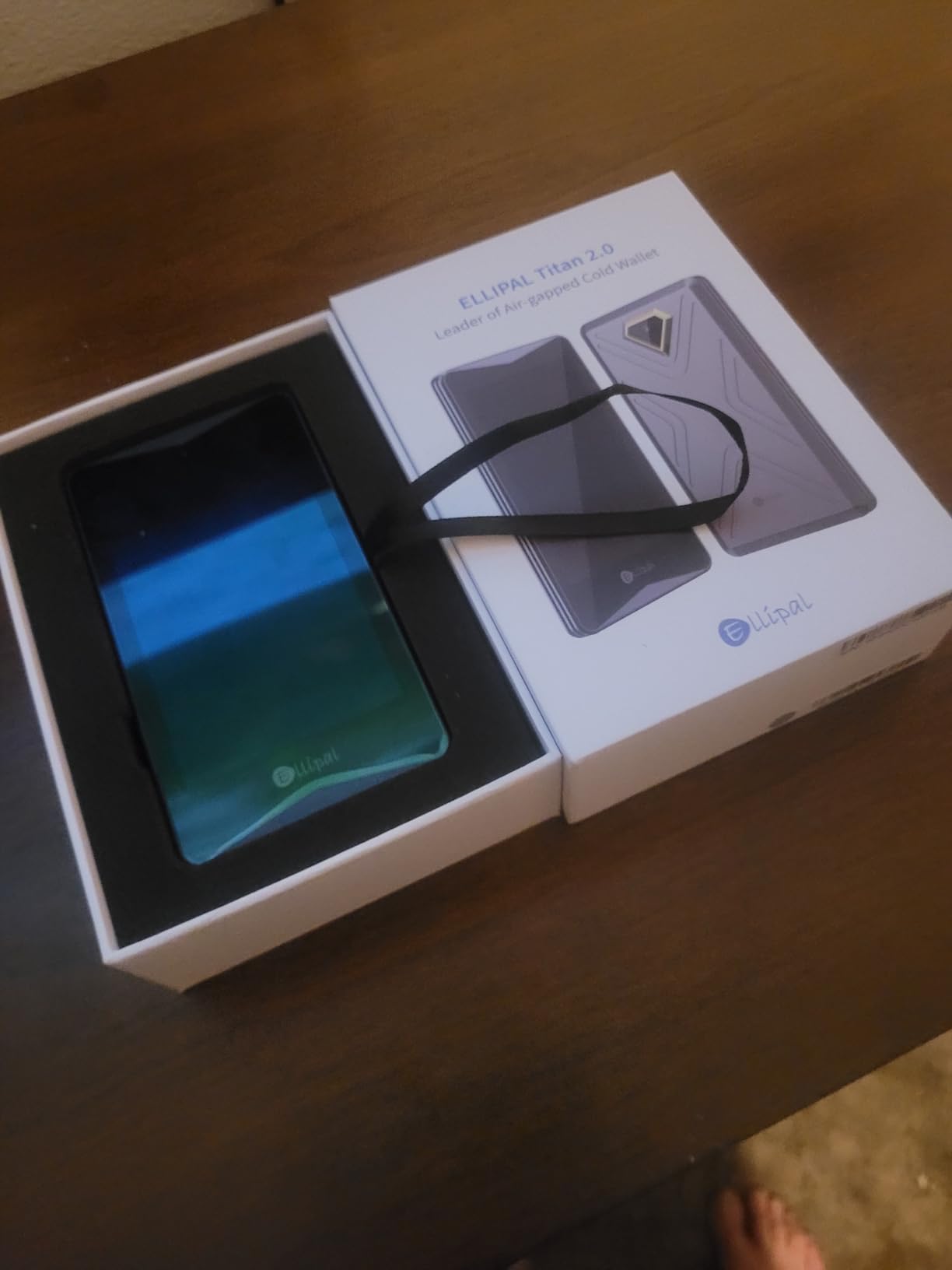
The ELLIPAL Titan 2.0 is the wallet I reach for when I want maximum paranoia-level security for my Bitcoin. This device is 100% air-gapped, meaning it has no WiFi, no Bluetooth, no USB data connection, and no network cables. Every transaction is signed through QR codes scanned by the device camera. Your private keys literally never touch anything connected to the internet.
When I first held the Titan 2.0, I was struck by the build quality. The metal body feels solid and tamper-resistant, and the device has a self-destruct mechanism that wipes all data if the casing is physically opened. This is the kind of security feature you expect from military-grade equipment, not a consumer crypto wallet.
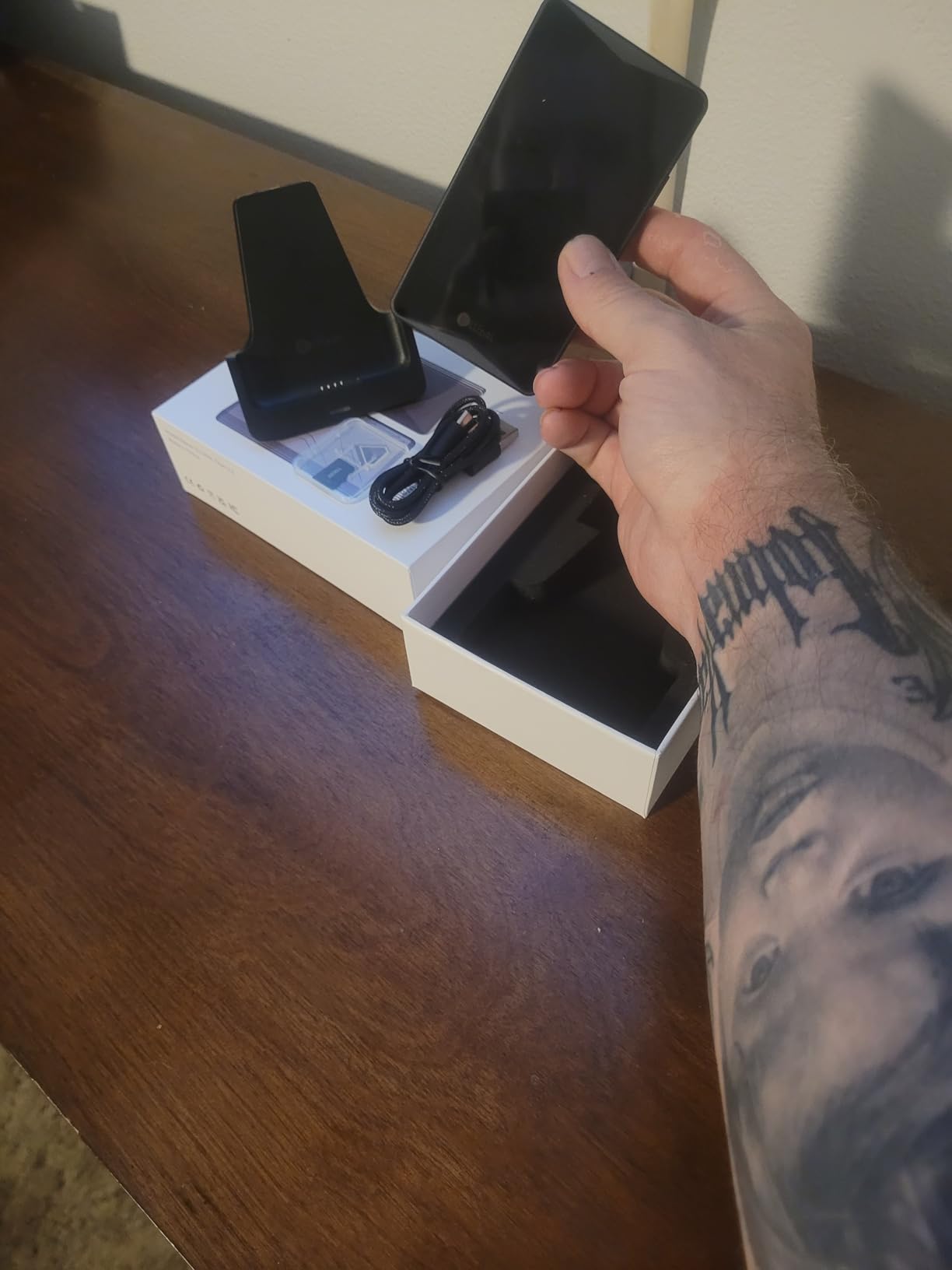
The 4.1-inch HD touchscreen is the largest display on any wallet in this guide. This makes signing transactions much easier because you can clearly read every detail of the transaction before approving it. With smaller-screen wallets, I sometimes squint to verify addresses. With the Titan 2.0, everything is crystal clear.
ELLIPAL claims an 8-year track record with zero security breaches, and I have not found any evidence to contradict that. The Reddit community at r/Cold_Wallets generally speaks favorably about the Titan series, with users particularly appreciating the air-gapped approach. Over 1 million users trust this device according to the company, and Forbes has recommended it as well.
Ideal Use Cases for the Titan 2.0
This wallet is perfect for Bitcoin holders who prioritize security above all else. If you are storing a significant amount of Bitcoin for the long term and want the peace of mind that comes with complete air gap isolation, the Titan 2.0 delivers. The multi-account support means you can manage up to 5 separate wallets on one device.
It is also great for users who want to store NFTs alongside their Bitcoin. With support for 10,000+ tokens and NFTs, the Titan 2.0 is one of the few wallets that handles both serious cold storage and digital collectibles in one device.
Trade-Offs of Air-Gapped Design
The air-gapped design means you need to use QR codes for every transaction, which takes longer than a simple USB or Bluetooth approval. If you make frequent transactions, this can feel cumbersome. You also need a phone camera to scan the QR codes, so the device is not truly standalone.
The proprietary charging base is another concern. Several users have reported that the battery stops charging properly after about a year of use. Since the charging base is proprietary, you cannot just use any USB cable. Keep this in mind for long-term ownership.
4. Ledger Nano S Plus – Budget Bitcoin Storage
Ledger Nano S Plus – Classic Crypto Wallet
USB-C connectivity
15000+ coins supported
CC EAL6+ Secure Element
21g weight
No Bluetooth
Pros
- Great value for secure cold storage
- Same Secure Element as Nano X
- Easy to set up and use
- Compact USB drive form factor
Cons
- No Bluetooth connectivity
- Very basic functionality
- Small display can be hard to read
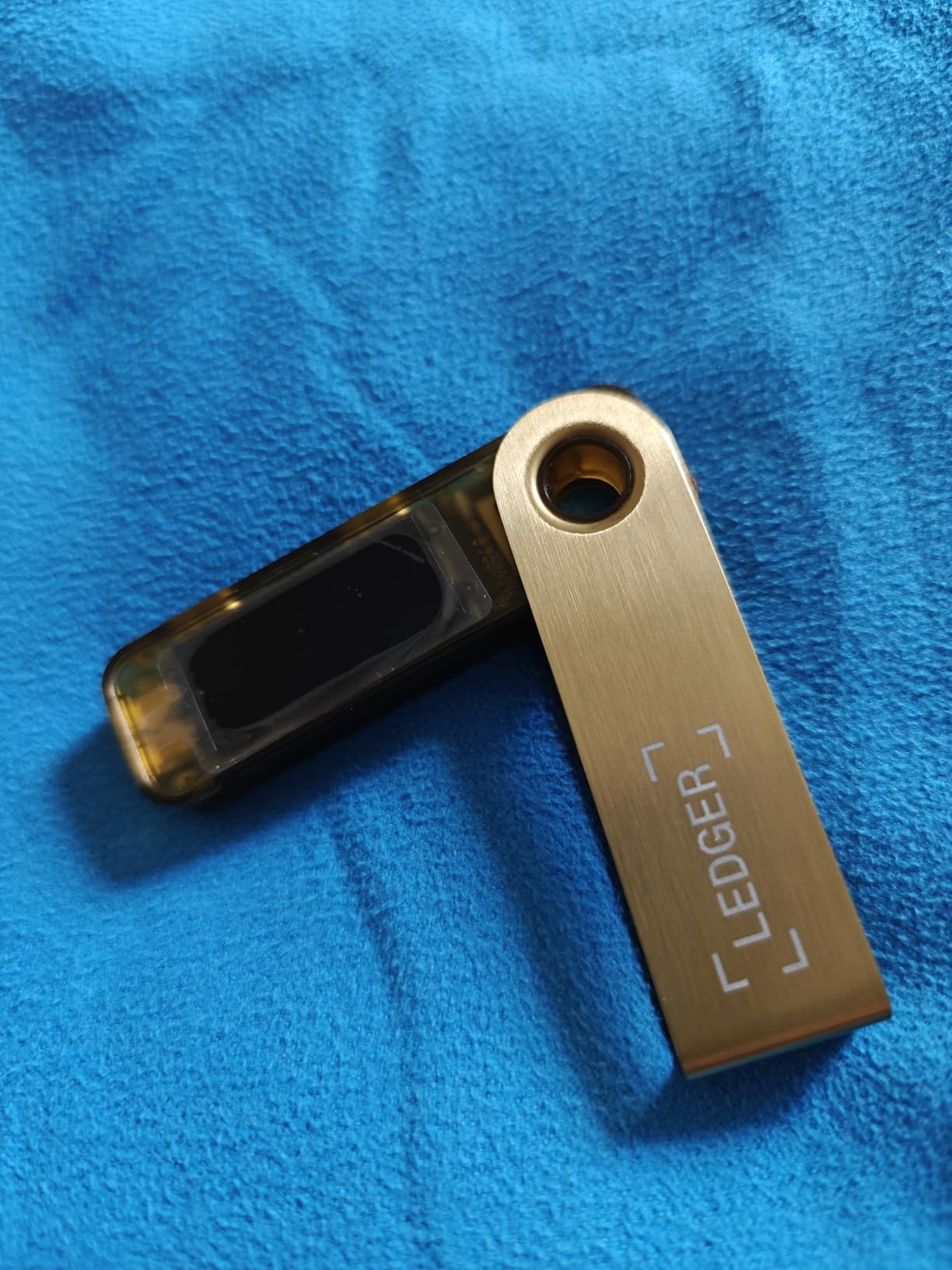
The Ledger Nano S Plus is the wallet I bought for my brother when he started dabbling in Bitcoin. At this price point, it is one of the most affordable entry points into proper cold storage without cutting corners on security. You get the same CC EAL 6+ certified Secure Element as the more expensive Nano X, just without the Bluetooth and battery.
I tested the Nano S Plus over a three-week period and found it handles the essentials perfectly well. You connect it via USB-C to your computer or Android phone, use the Ledger Live app to manage your Bitcoin, and sign transactions on the device itself. The setup flow is identical to the Nano X, which is to say straightforward and beginner-friendly.
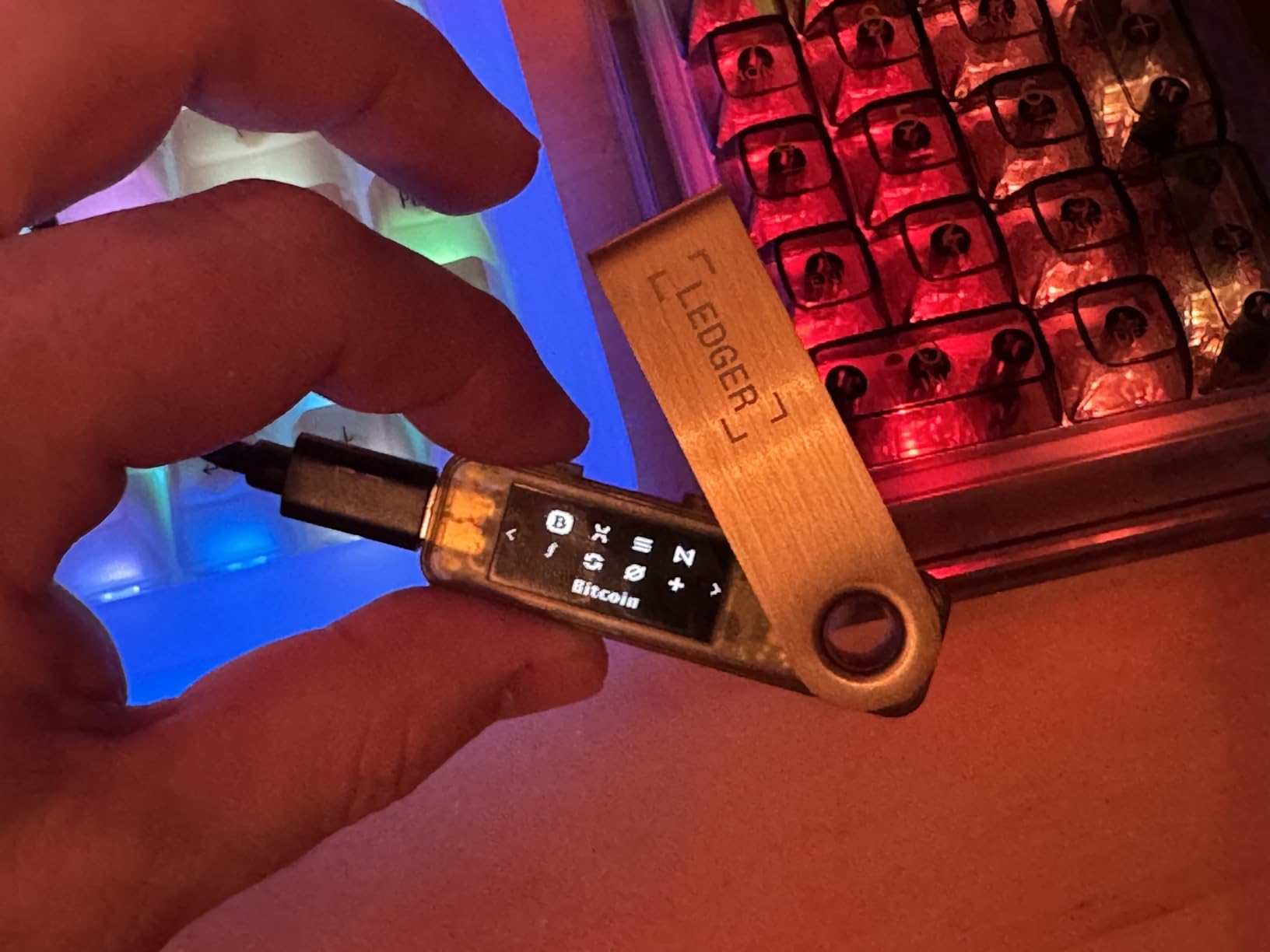
What impressed me most is that despite being the budget option, the Nano S Plus supports the same 15,000+ coins and tokens as the Nano X. This means you are not limited to just Bitcoin. If you decide to diversify into Ethereum, Solana, or other cryptocurrencies later, this wallet handles them all.
The main sacrifice you make is convenience. Without Bluetooth, every transaction requires a physical USB-C connection. For me, this is actually a positive from a security standpoint because it reduces the attack surface. But if you are used to managing your crypto on the go, the tethered experience may feel limiting.
Best Suited for First-Time Bitcoin Buyers
If you are buying your first hardware wallet and just want to secure your Bitcoin without spending a fortune, the Nano S Plus is my top recommendation. It gives you the same core security as Ledger’s premium devices at a fraction of the cost. The included recovery sheets and keychain strap are nice touches that make the package feel complete.
It is also a solid choice as a backup wallet. Some experienced users keep a primary wallet for daily transactions and a secondary wallet as cold storage for long-term holdings. The Nano S Plus is cheap enough to fill that backup role without hesitation.
What You Give Up at This Price
The lack of wireless connectivity is the obvious trade-off. You also miss out on the mobile experience that makes the Nano X so convenient. The Nano S Plus is essentially a stay-at-home device that you plug into your computer when you need to make a transaction.
The display is small and monochrome, similar to the Nano X. Navigating through menus requires multiple button presses, which can feel slow. For the price, though, these are acceptable compromises that do not affect the security of your Bitcoin.
5. Trezor Safe 5 – Color Touchscreen Experience
Trezor Safe 5 – Crypto Hardware Wallet with Secure Element & Passphrase, Color Touchscreen, Haptic Feedback, Bitcoin Security, Supports 1000s Coins & Tokens, Quick & Simple Setup (Charcoal Black)
NDA-free EAL6+ Secure Element
Color touchscreen with haptics
Gorilla Glass display
USB-C
23g weight
Pros
- Beautiful color touchscreen with Gorilla Glass
- Haptic feedback for confident interaction
- NDA-free EAL6+ Secure Element
- Open-source firmware
- Passphrase protection included
Cons
- No built-in battery
- Requires USB-C connection
- Touchscreen tricky with wet fingers
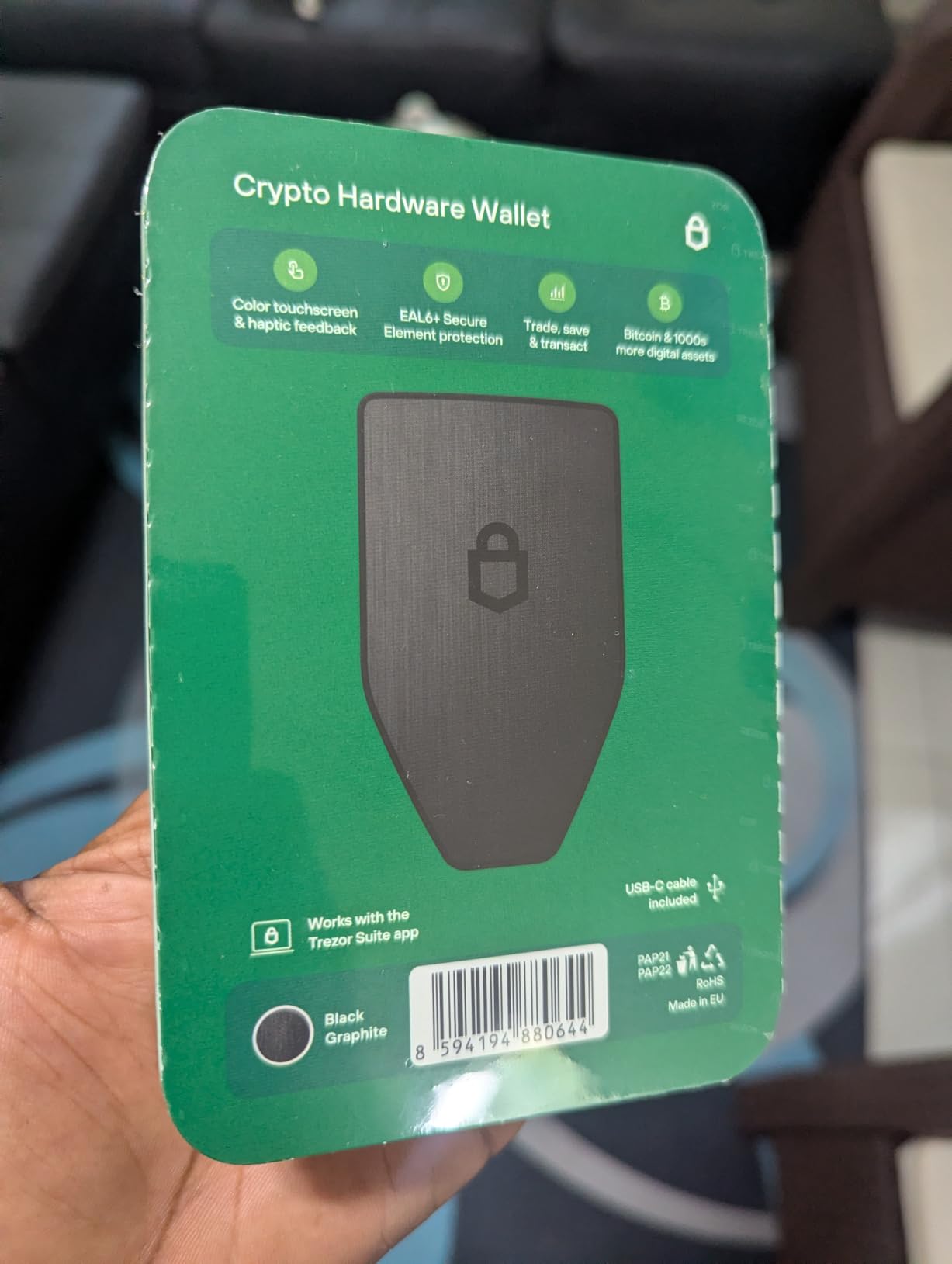
The Trezor Safe 5 is a significant step up from the Safe 3, and after using it for a month, I can confidently say the color touchscreen changes the entire user experience. Instead of navigating with buttons on a small OLED screen, you tap and swipe on a Gorilla Glass display that feels like a premium smartphone interface.
The haptic feedback gives you a physical confirmation with every tap, which I appreciate because it eliminates the uncertainty of whether you actually pressed something. When you are confirming a Bitcoin transaction worth real money, that tactile feedback adds a layer of confidence that button-based wallets simply cannot match.
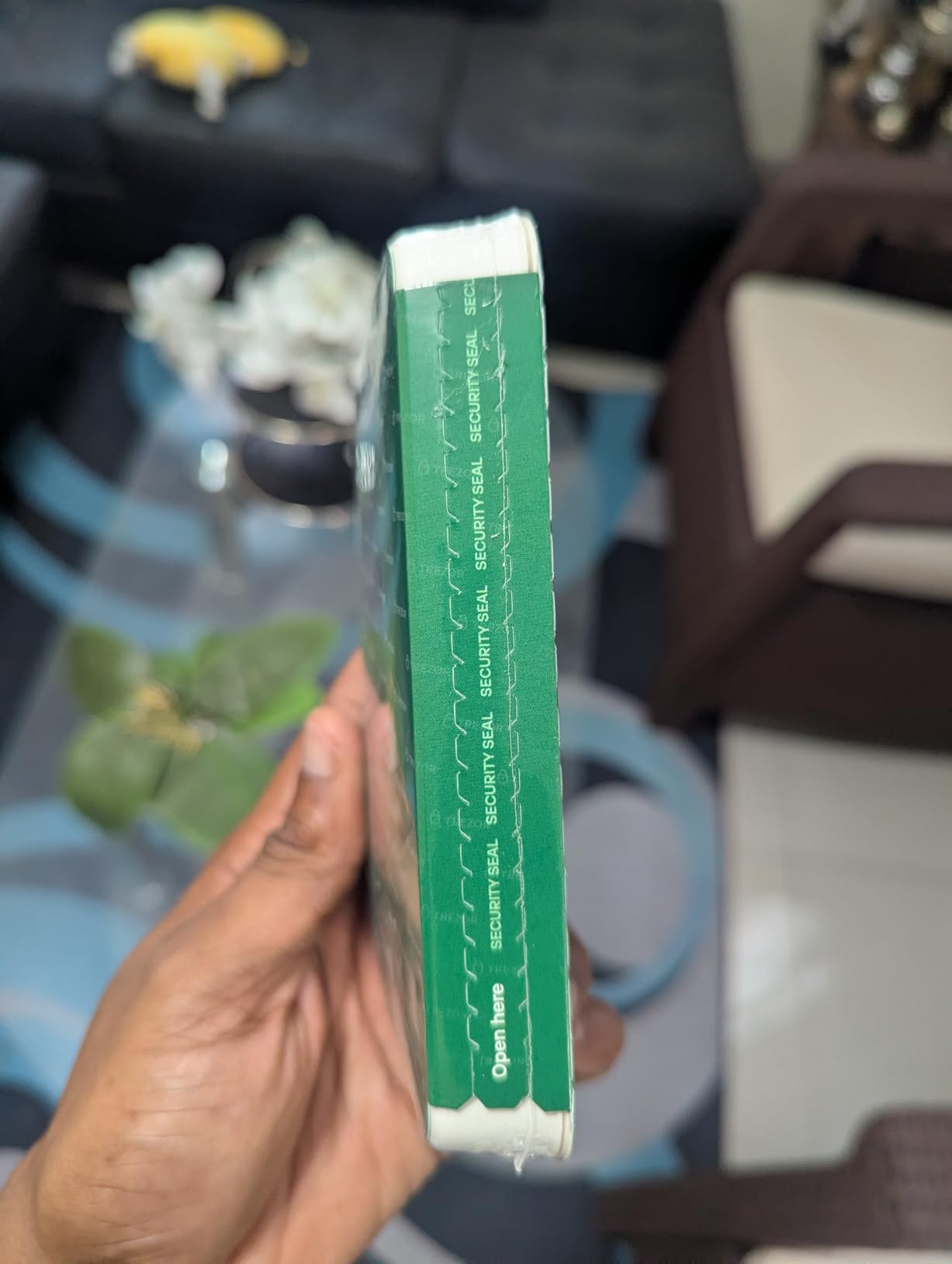
Under the hood, the Safe 5 shares the same NDA-free EAL 6+ Secure Element and open-source firmware as the Safe 3. This means you get the same security architecture that the crypto community trusts, wrapped in a much more polished hardware package. The Trezor Suite software works identically across both devices.
I found the passphrase setup on the Safe 5 to be noticeably easier than on the Safe 3, purely because the touchscreen keyboard makes entering a long passphrase far less painful. On button-based wallets, entering a complex passphrase is an exercise in patience. On the Safe 5, it takes seconds.
Who the Trezor Safe 5 Is Designed For
This wallet hits the sweet spot between the budget Safe 3 and the premium Safe 7. If you want open-source security with a premium user experience but do not need Bluetooth or wireless charging, the Safe 5 is the perfect middle ground. I recommend it for users who interact with their wallet regularly and want a frustration-free interface.
The Gorilla Glass display is more than just a marketing buzzword. It resists scratches and cracks, which matters if you carry your wallet in a bag or pocket. After a month of regular use, my Safe 5 still looks brand new.
Things That Might Bother You
Like the Safe 3, the Safe 5 has no built-in battery. It only works when connected via USB-C, which means you cannot use it wirelessly. For users coming from a Ledger Nano X with Bluetooth, this feels like a step backward in convenience.
The touchscreen can also be finicky with wet or cold fingers. If you live in a cold climate and want to check your Bitcoin balance outdoors, you might struggle with the touch interface. These are minor issues, but worth knowing before you commit.
6. Trezor Safe 7 – Flagship Bitcoin Cold Storage
Trezor Safe 7 Crypto Hardware Wallet with Bluetooth for Android/iOS/Desktop
Dual-chip architecture
Quantum-ready security
Encrypted Bluetooth
Qi2 wireless charging
IP54 rated
LiFePO4 battery
Pros
- Largest high-resolution color touchscreen
- Encrypted Bluetooth for wireless use
- Quantum-ready security architecture
- Qi2 wireless charging
- IP54 dust and splash resistance
- Premium anodized aluminum unibody
Cons
- Highest price point in the lineup
- USB-C cable seating issues reported
- Some concerns about TROPIC01 chip
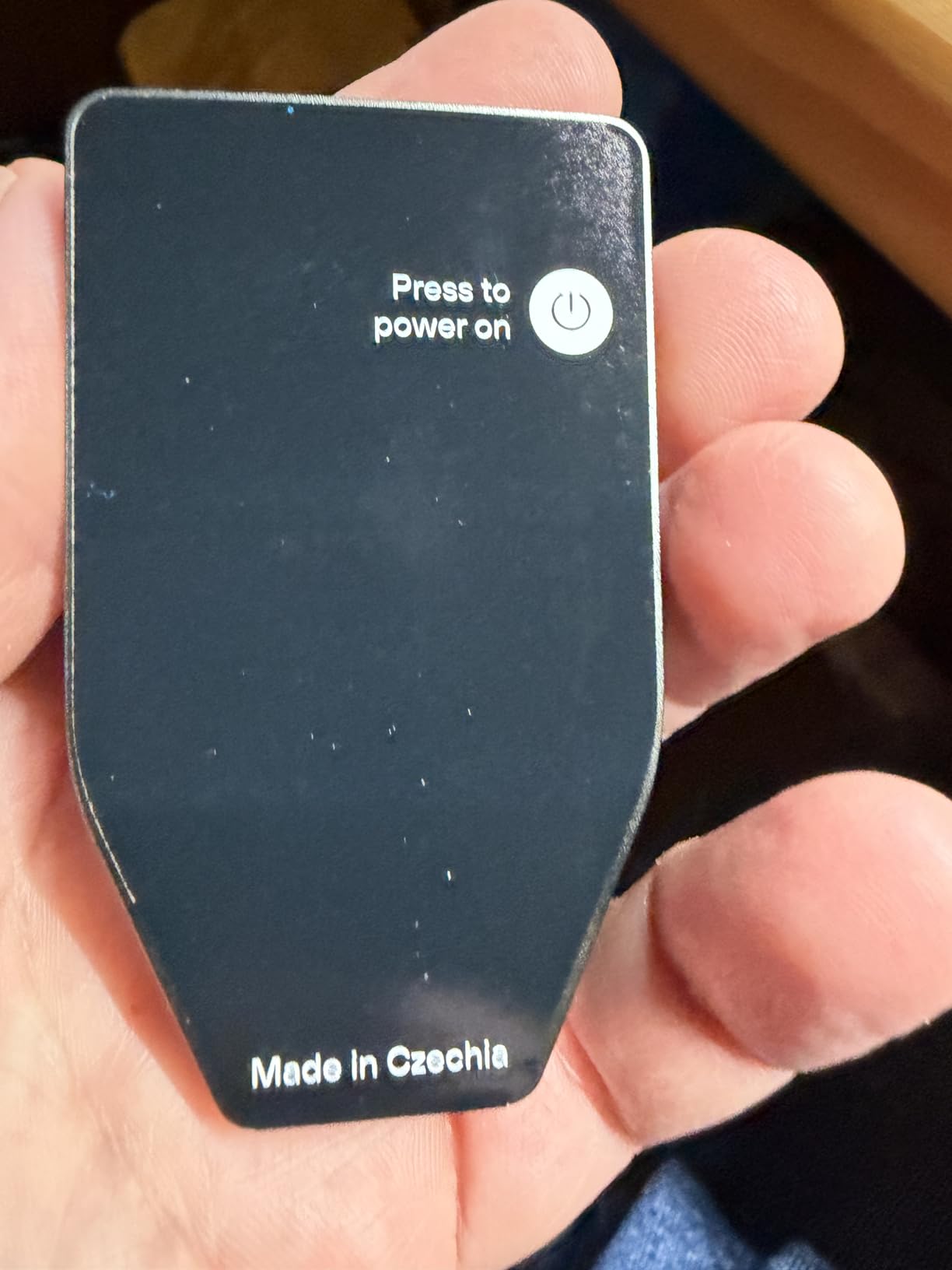
The Trezor Safe 7 is the most advanced hardware wallet I have ever used. It represents everything Trezor has learned about cold storage security, packed into a device that feels like a piece of high-end consumer electronics. From the anodized aluminum unibody to the Qi2 wireless charging, this is a no-compromises flagship.
What caught my attention immediately is the dual-chip architecture. The Safe 7 combines a TROPIC01 chip with the familiar EAL 6+ Secure Element. Trezor designed this setup to be quantum-ready, meaning it is built to withstand potential future attacks from quantum computers. While quantum attacks on Bitcoin are not an immediate threat, this forward-thinking approach appeals to long-term HODLers.
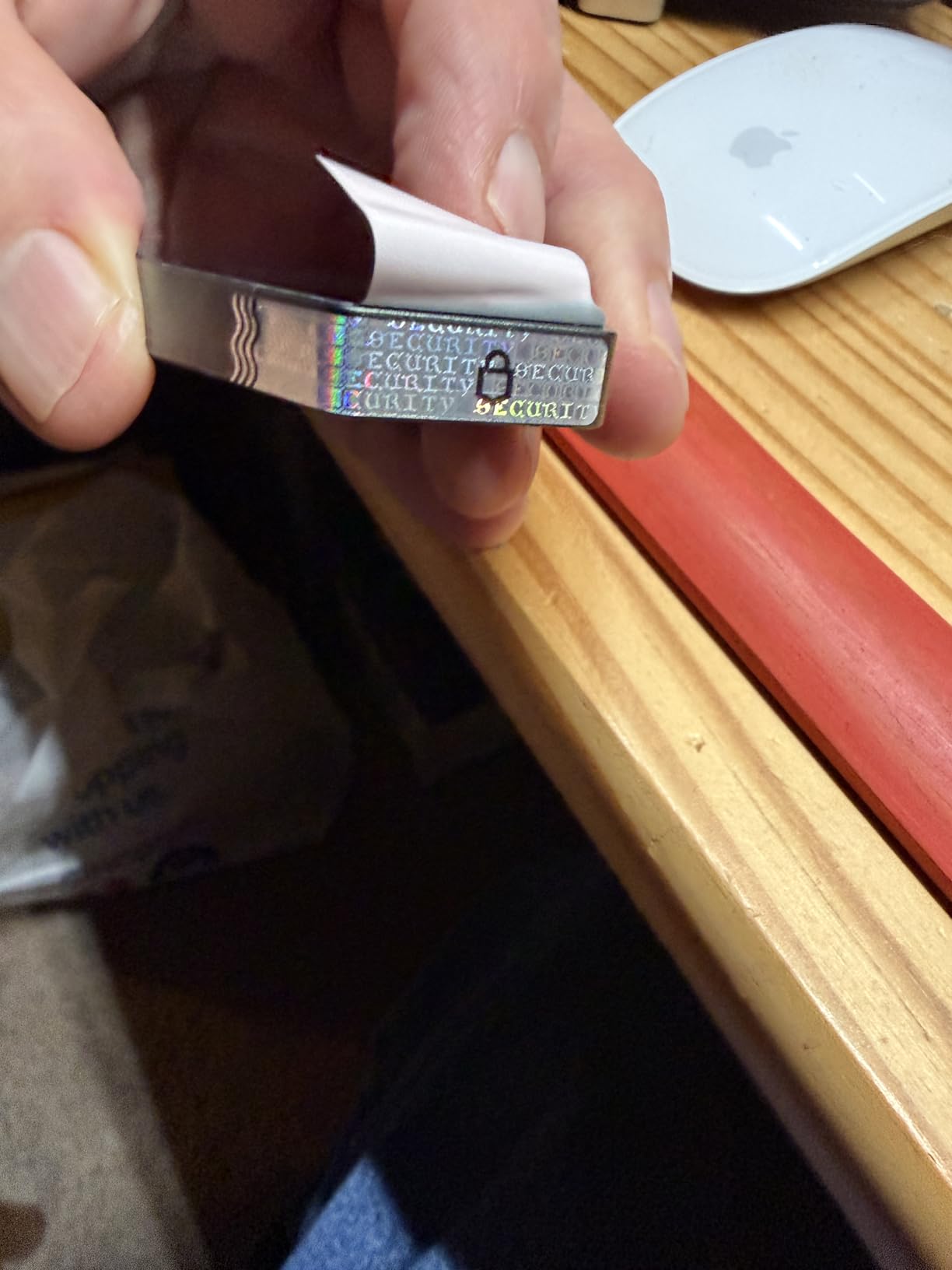
The Bluetooth connectivity finally brings wireless convenience to the Trezor lineup. After years of recommending Trezor devices with the caveat that they lack Bluetooth, I can now suggest the Safe 7 to mobile-first users without hesitation. The Bluetooth connection is encrypted end-to-end, so the wireless convenience does not come at the cost of security.
The IP54 dust and splash resistance rating is unique among hardware wallets. I have accidentally spilled coffee near electronics more times than I care to admit, and knowing the Safe 7 can handle splashes gives me peace of mind. The LiFePO4 battery is also a solid choice for longevity, as this chemistry is known for longer cycle life than standard lithium-ion.
When the Trezor Safe 7 Makes Sense
This is the wallet I recommend to Bitcoin holders who want the absolute best and are willing to pay for it. If you are storing a substantial amount of Bitcoin and want the most feature-rich, future-proof device on the market, the Safe 7 justifies its premium price tag. The combination of Bluetooth, wireless charging, and quantum-ready security is unmatched.
It is also ideal for users in challenging environments. The IP54 rating means you can use it in dusty or humid conditions without worry. The wireless charging means you do not need to carry a specific cable. This is a wallet designed for real-world use, not just desk drawers.
Reasons to Pause Before Buying
The price is the most obvious barrier. The Safe 7 is the most expensive wallet in this guide, and for many users, the Safe 3 or Safe 5 will provide 90% of the functionality at half the cost. If you are on a budget, you are paying a premium for features you may not need.
There have been some community discussions about the TROPIC01 chip and whether it introduces any new attack vectors. While Trezor has been transparent about the architecture, the Reddit community at r/Bitcoin is still evaluating the long-term implications. If you want a device with a longer track record, the Safe 3 has more history behind it.
7. D’CENT Biometric Wallet – Fingerprint Cold Storage
DCENT Hardware Wallet | Biometric Cold Storage, Bluetooth, Multi-Crypto
EAL5+ Secure Element
Fingerprint authentication
Bluetooth connectivity
4900+ assets on 100+ chains
Web3 and dApp access
Pros
- Fingerprint biometric authentication
- EAL5+ certified Secure Element
- Tap-to-sign mobile experience
- Web3 and dApp access via MetaMask
- Smart scam protection by Blockaid
Cons
- PIN limited to 4 digits
- Fingerprint scanner can be unreliable
- One reported case of crypto drain offline
The D’CENT Biometric Wallet is the only hardware wallet I have tested that uses fingerprint authentication, and it genuinely changes how you interact with cold storage. Instead of entering a PIN every time you want to sign a transaction, you simply place your finger on the scanner and the wallet unlocks. It feels like the convenience of a smartphone with the security of a hardware wallet.
I was initially skeptical about biometrics on a crypto wallet, but D’CENT has implemented it thoughtfully. The EAL 5+ certified Secure Element is the same tier used in EMV bank cards, so the chip-level security is legitimate. The fingerprint data never leaves the device, and the biometric is just an additional layer on top of your PIN and seed phrase.
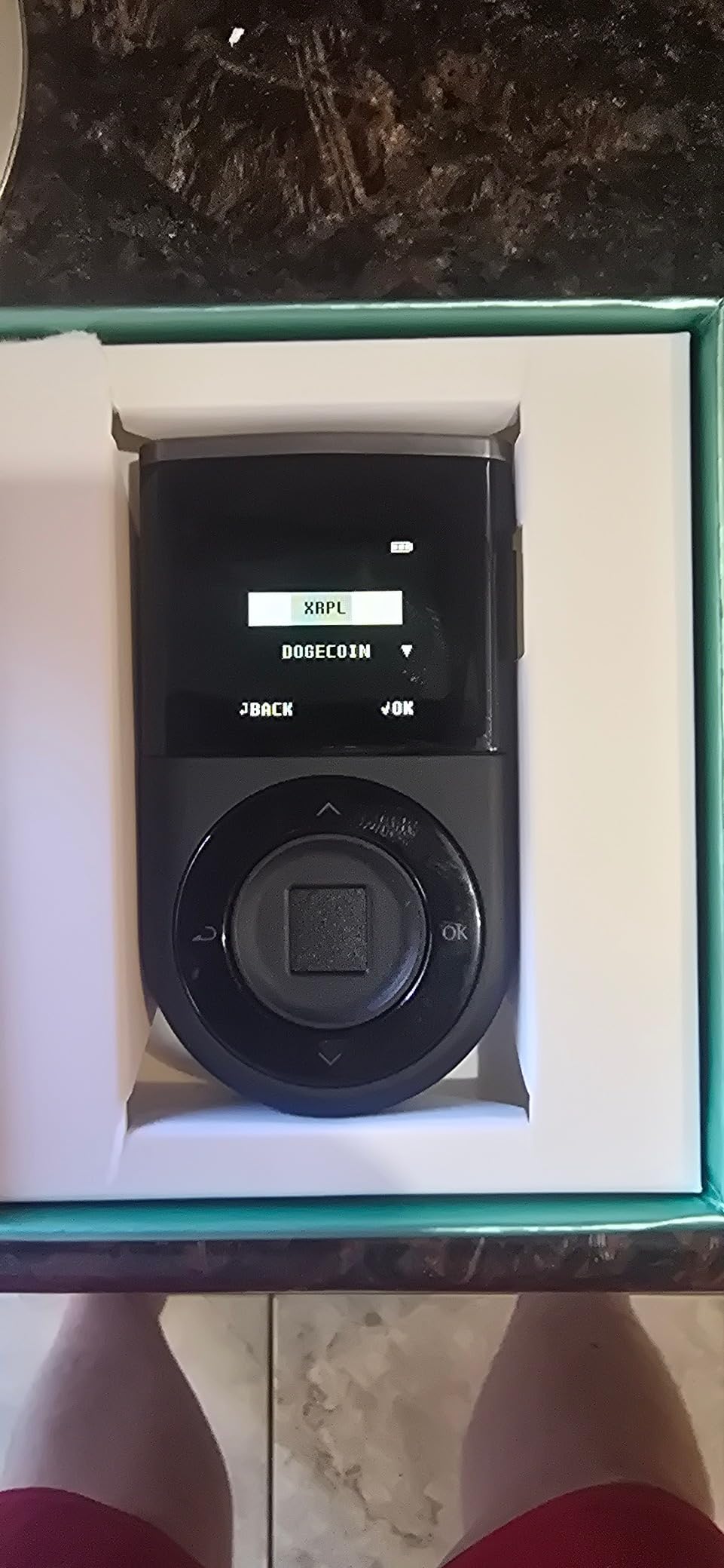
The Bluetooth connectivity enables a tap-to-sign mobile experience that is remarkably smooth. I paired the D’CENT with my Android phone and was signing Bitcoin transactions within minutes. The mobile app supports over 4,900 assets across 100+ blockchains, making this one of the most versatile wallets for multi-chain users.
The smart scam protection powered by Blockaid is a standout feature that I have not seen on any other hardware wallet. When you attempt to sign a transaction, the app analyzes it for known scam patterns and warns you if something looks suspicious. In an era of increasingly sophisticated phishing attacks, this added layer of protection is genuinely valuable.
Who Benefits Most from the D’CENT Wallet
This wallet is ideal for users who want a frictionless mobile signing experience. The fingerprint authentication makes it the fastest wallet to use for day-to-day transactions. If you are tired of entering PINs on tiny screens and want something that feels modern, the D’CENT is worth serious consideration.
It is also strong for Web3 users. The MetaMask integration and dApp connectivity mean you can interact with decentralized applications while keeping your private keys in cold storage. This is a capability that most wallets in this guide do not offer natively.
Concerns Worth Noting
The fingerprint scanner can be unreliable at times, particularly if your fingers are dry or dirty. I experienced a few instances where I had to scan my fingerprint multiple times before it registered. The 4-digit PIN limit also feels restrictive compared to wallets that allow longer PINs.
There has been at least one reported case of crypto being drained from a D’CENT wallet despite it being offline. While this appears to be an isolated incident, it is worth researching before committing large holdings. As with any wallet, I recommend starting with a small amount and testing the full transaction and recovery flow before moving significant funds.
8. BitBox02 Bitcoin-Only – Swiss Made Minimalist Security
BitBox02 Bitcoin-only | Best Hardware Wallet for Beginners | Store Your Bitcoin Securely | Touch Sensors and USBC | Swiss Made by Security Experts
Bitcoin-only firmware
Swiss Made
Open-source
Touch sensors
USB-C
microSD backup
Pros
- Bitcoin-only firmware reduces attack surface
- Swiss precision engineering
- Completely open-source firmware and app
- Easy microSD card backup
- 5-minute setup for beginners
Cons
- Touch sensors unreliable and hard to use
- Does not support legacy addresses
- No dApp integration
- Limited compatibility with tax software
The BitBox02 Bitcoin-only edition is the wallet I recommend to Bitcoin maximalists who want a purpose-built device with zero altcoin distractions. By running Bitcoin-only firmware, the attack surface is dramatically reduced compared to multi-coin wallets. There is simply less code running on the device, which means fewer potential vulnerabilities.
Made in Switzerland by security experts at Shift Crypto, the BitBox02 reflects Swiss precision in both its hardware and software. The device is compact and light, and the included microSD card provides a seamless backup and recovery mechanism that is more user-friendly than writing down seed words by hand.
Setting up the BitBox02 took me about five minutes, which is the fastest setup of any wallet in this guide. The BitBoxApp is clean and focused, without the overwhelming feature set of Ledger Live. For users who only care about Bitcoin and want a no-nonsense experience, this simplicity is a major advantage.
The open-source firmware and app mean every line of code is publicly auditable. Shift Crypto has built a strong reputation in the Reddit Bitcoin community for transparency and security-first thinking. The X-ray proof design is a nice touch that protects your device during travel, particularly through airport security scanners.
Perfect for Bitcoin-Only Holders
If you are exclusively a Bitcoin investor and have no interest in altcoins, the BitBox02 Bitcoin-only edition eliminates unnecessary complexity. The reduced firmware means fewer potential bugs and vulnerabilities. For long-term Bitcoin storage, this focused approach is hard to beat from a security perspective.
The microSD backup is genuinely convenient. Instead of relying solely on a handwritten seed phrase, you can create an encrypted backup on the included microSD card. You still need to secure the card physically, but the recovery process is faster and less error-prone than manually typing 24 words.
Limitations of the Bitcoin-Only Approach
The touch sensors are the weakest part of the BitBox02 experience. Sliding your finger over capacitive touch areas to navigate menus feels imprecise compared to physical buttons or a touchscreen. Several users on Amazon and Reddit have noted the same frustration, so this is not just my experience.
The Bitcoin-only firmware means you cannot use this wallet for any other cryptocurrency. If you ever decide to buy Ethereum or any altcoin, you will need a separate wallet. There is also no dApp integration, no Web3 support, and reported compatibility issues with some tax preparation services.
How to Choose the Best Cold Storage Wallet for Bitcoin?
Choosing the right hardware wallet comes down to understanding your own threat model and usage patterns. I have guided dozens of people through this decision, and the factors below are the ones that actually matter when selecting a cold storage solution for your Bitcoin.
Security Certifications and Secure Element
The Secure Element chip is the heart of any hardware wallet. Look for devices with at least EAL 5+ certification, though EAL 6+ is preferable for larger holdings. Trezor’s NDA-free Secure Elements are particularly attractive because their specifications are publicly documented, allowing independent security researchers to verify the claims.
Air-gapped wallets like the ELLIPAL Titan 2.0 take security a step further by eliminating all connectivity. Your private keys never touch any device with network capability. For maximum paranoia, air-gapped is the gold standard, though it comes at the cost of transaction convenience.
Open-Source vs Closed-Source Firmware
This is one of the most debated topics in the crypto community. Open-source wallets like Trezor and BitBox02 publish their firmware publicly, allowing anyone to audit the code. Closed-source wallets like Ledger rely on third-party security audits but do not make their code public.
The Reddit community at r/Bitcoin strongly favors open-source wallets. The argument is that transparency builds trust, and hidden code cannot be independently verified. However, closed-source wallets argue that keeping firmware private makes it harder for attackers to find vulnerabilities. Both approaches have merit, but open-source is generally preferred by security-conscious users.
Connectivity and Convenience
Consider how you plan to use your wallet. If you make frequent transactions and want mobile convenience, Bluetooth-enabled wallets like the Ledger Nano X, Trezor Safe 7, and D’CENT are strong choices. If you are setting up deep cold storage and plan to rarely touch your Bitcoin, USB-only or air-gapped wallets are perfectly fine and arguably more secure.
For users who value wireless charging and premium build quality, the Trezor Safe 7 stands alone. For those who want the simplest possible experience, the Ledger Nano S Plus with its USB-C plug-and-play approach is hard to beat at its price point.
Backup and Recovery Options
Your seed phrase is your ultimate backup. Every wallet in this guide uses the BIP39 standard for seed phrases, meaning you can recover your Bitcoin on any compatible wallet if your device is lost or damaged. I recommend writing your seed phrase on paper or metal and storing it in a secure location.
Some wallets offer advanced backup features. Trezor supports Shamir Secret Sharing for splitting your seed into multiple shares. The BitBox02 includes a microSD card for encrypted backup. ELLIPAL supports multi-account management on a single device. Choose the backup approach that matches your security preferences.
Supported Cryptocurrencies
Even if you are primarily a Bitcoin investor, consider whether you might want to hold other cryptocurrencies in the future. The Ledger wallets support over 15,000 coins, while the ELLIPAL Titan 2.0 handles 10,000+ tokens and NFTs. The BitBox02 Bitcoin-only edition supports only Bitcoin by design.
If you are certain you will only ever hold Bitcoin, a Bitcoin-only wallet like the BitBox02 offers the smallest attack surface. If you want flexibility, a multi-coin wallet gives you room to grow without buying another device.
Budget and Value
Hardware wallets range from under $60 to over $250. The good news is that even the most affordable options provide enterprise-grade security for your private keys. The Ledger Nano S Plus and Trezor Safe 3 both offer excellent value without compromising on the Secure Element.
I generally recommend spending more for convenience features like Bluetooth or touchscreens only if you will use them regularly. For pure cold storage of Bitcoin you plan to hold for years, a basic wallet stored safely is just as secure as a premium one.
FAQs
What is the safest cold wallet for Bitcoin?
The safest cold wallet for Bitcoin depends on your priorities. For air-gapped security, the ELLIPAL Titan 2.0 is unmatched because it has zero network connectivity. For open-source transparency with a certified Secure Element, the Trezor Safe 3 and Safe 5 are top choices. For Bitcoin-only firmware with minimal attack surface, the BitBox02 is excellent. All three use EAL 5+ or EAL 6+ certified Secure Elements and keep your private keys fully offline.
Are cold wallets 100% safe?
No cold wallet is 100% safe, but they are dramatically more secure than hot wallets or exchange storage. Cold wallets protect your private keys from remote hacking, phishing, and malware. However, risks remain from physical theft, supply chain attacks, user error with seed phrases, and sophisticated side-channel attacks. Following best practices like buying directly from the manufacturer, verifying device authenticity, and storing your seed phrase offline minimizes these risks significantly.
Is it worth getting a cold wallet for crypto?
Yes, if you hold more cryptocurrency than you can afford to lose, a cold wallet is absolutely worth it. Hardware wallets typically cost between $50 and $250, which is a small price compared to the value of the crypto they protect. Anyone holding Bitcoin for the long term, or with holdings exceeding a few hundred dollars, should move their private keys offline. The peace of mind alone justifies the investment.
Can I lose my crypto with a cold wallet?
You can lose crypto with a cold wallet if you lose your seed phrase and your device simultaneously. The hardware wallet itself is just a convenient way to access your keys. Your seed phrase is the actual backup. If your device breaks or is lost, you can restore your wallet on a new device using your seed phrase. But if you lose both the device and the seed phrase, your crypto is permanently inaccessible. Always store your seed phrase in a secure, separate location.
What happens if I lose my hardware wallet?
If you lose your hardware wallet, you do not lose your Bitcoin as long as you have your seed phrase. Simply buy a new hardware wallet from any manufacturer that supports the BIP39 standard, enter your seed phrase during setup, and your wallet will be fully restored. This is why securing your seed phrase is the most important part of cold storage. Someone who finds your lost wallet cannot access your funds without your PIN, but you should move your funds to a new wallet as a precaution.
Final Thoughts on Bitcoin Cold Storage in 2026
After testing all eight of these wallets extensively, my top recommendation for most Bitcoin holders is the Ledger Nano X for its unmatched mobile convenience and massive coin support. For budget-conscious buyers, the Trezor Safe 3 delivers open-source security at an unbeatable price. And for users who want maximum air-gapped protection, the ELLIPAL Titan 2.0 is in a class of its own.
The best cold storage wallets for Bitcoin all share one fundamental trait: they keep your private keys offline and under your control. Whether you spend $60 or $250, you are making a smart investment in self-custody that pays off the moment an exchange gets hacked or a hot wallet gets phished. Do not wait until something goes wrong to take your Bitcoin security seriously. Get a hardware wallet, write down your seed phrase, and sleep better knowing your Bitcoin is safe in cold storage.