
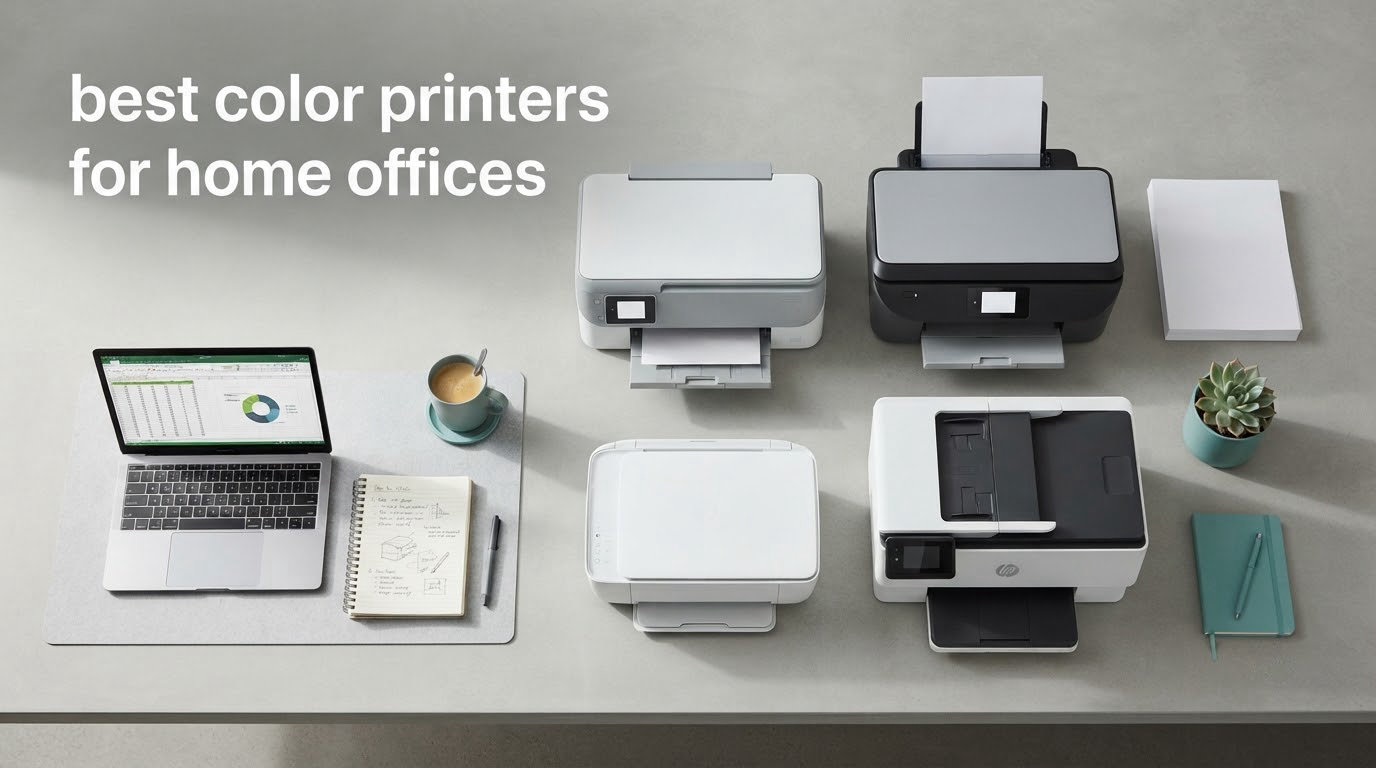
The best color printer for a home office is the Epson EcoTank ET-2800. It is a cartridge-free supertank inkjet with a flatbed scanner, Wi-Fi and enough ink in the box to cover a couple of years of light printing, which makes it the safest default for a shared room. If you push past roughly 200 color pages a month, switch to a color laser instead.
That is the whole rule of thumb, and it decides most of the list below. Inkjets win on photo quality, price and quietness. Color lasers win on speed, smudge-resistant text and a running cost that flattens out once you print regularly.
We compared ten machines from Epson, HP, Brother and Canon, weighing running cost, duplex capability, paper handling, footprint and the level of complaints that show up in owner reviews. We focused on the things that actually decide daily comfort in a home office: whether it prints two-sided on its own, whether it has an automatic document feeder, whether it can sit on a small desk, and how many cartridges you will be replacing. If you are still torn between models, our all-in-one printer guide for home offices goes deeper on the scan-and-copy side.
Table of Contents
Top 3 Best Color Printers for Home Offices (October 2026)

Epson EcoTank ET-2800
- Cartridge-free supertank tanks
- Flatbed scanner and copier
- 10 black / 5 color ppm
- 100-sheet tray

HP OfficeJet Pro 8135e
- Automatic duplex
- 35-page document feeder
- 20 black / 10 color ppm
- 2.7-inch touchscreen

Epson WorkForce Pro WF-3820
- 21 black / 11 color ppm
- Automatic duplex
- 250-sheet capacity
- 35-page document feeder
All 10 Color Printers for Home Offices Compared in 2026
| Product | Specifications | Action |
|---|---|---|
| Epson EcoTank ET-2800 |
|
Check Latest Price |
 Epson EcoTank ET-4800 Epson EcoTank ET-4800 |
|
Check Latest Price |
 HP Smart Tank 5100 HP Smart Tank 5100 |
|
Check Latest Price |
| HP OfficeJet Pro 8135e |
|
Check Latest Price |
| Epson WorkForce Pro WF-3820 |
|
Check Latest Price |
 Brother Work Smart 1360 Brother Work Smart 1360 |
|
Check Latest Price |
 Canon PIXMA TS4320 Canon PIXMA TS4320 |
|
Check Latest Price |
 Canon PIXMA TS6520 Canon PIXMA TS6520 |
|
Check Latest Price |
 Brother MFC-L3720CDW Brother MFC-L3720CDW |
|
Check Latest Price |
 Canon PIXMA TS7720 Canon PIXMA TS7720 |
|
Check Latest Price |
1. Epson EcoTank ET-2800 – Best Overall Color Printer for Home Offices
Epson EcoTank ET-2800 Wireless Color All-in-One Supertank Printer – Black
Inkjet supertank
10 black / 5 color ppm
100-sheet tray
Simplex printing
11.4 lb
Pros
- Cartridge-free tanks cut ink cost per page
- Up to 4500 black and 7500 color pages per bottle set
- Compact 22.8 inch wide body suits a home desk
- Vivid color at up to 5760 x 1440 dpi
Cons
- Simplex only
- two-sided jobs need manual flipping
- 10 black / 5 color ppm is slow for long jobs
- 100-sheet tray refills often
This is the machine I keep recommending to people who ask for one printer that just works. Reviewers report an average of 4 stars across more than 18k reviews, which makes it one of the most proven supertanks we looked at, and the running cost is the reason: one set of ink bottles covers up to 4500 black or 7500 color pages, so cartridges stop being a line item.
Out of the box you get a flatbed scanner, a copier and Wi-Fi plus USB. Setup runs through the Epson app, and there is no cartridge packaging to throw away because there are no cartridges. Power draw is a modest 12 watts, which suits a room that doubles as an office.
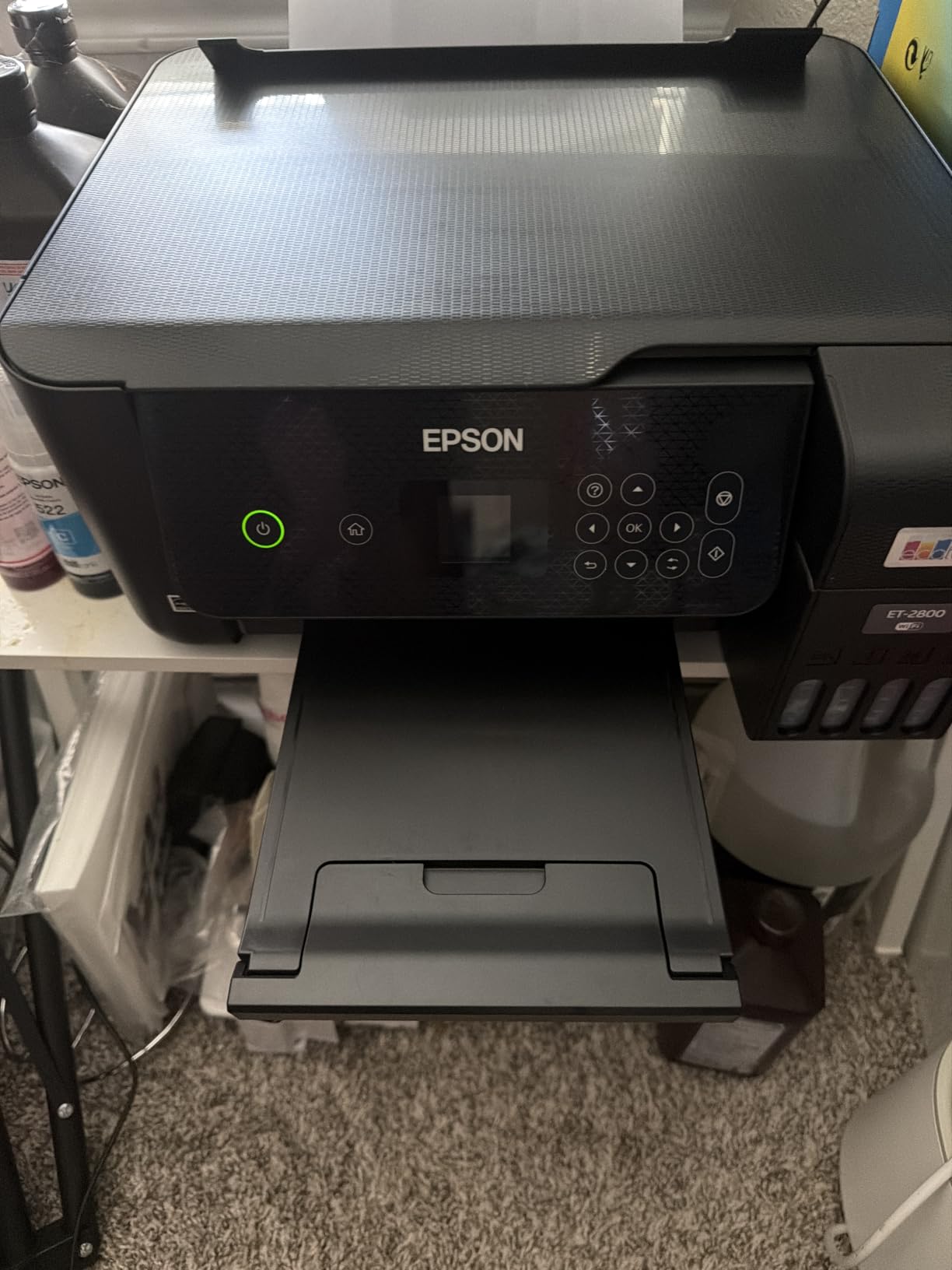
Color output runs up to 5760 x 1440 dpi with Micro Piezo heat-free technology, so gradients in client proposals and printed photos come out smooth rather than banded. Paper handling is simple: one tray, 100 sheets, up to 8.5 x 14 inch media.
The honest limit is duplex. This is a simplex machine, so every two-sided job means flipping the stack by hand. Reviewers also note the small LCD and a shared understanding that an inkjet like this needs occasional use to keep nozzles clear.
What the ET-2800 does well in a home office
Running cost is the headline. If you print a few color pages a week, the ink in the box carries you a long way, which is exactly the profile of a freelancer printing invoices, shipping labels and the occasional client deck.
It also stays small and light at 11.4 pounds, so it fits a credenza or a side desk without dominating the room.
Where it falls short
At 10 black and 5 color pages per minute it is the second slowest inkjet here, and the 100-sheet tray is the second smallest. If your week fills with multi-page reports, the workflow will feel slow.
Manual duplex is the dealbreaker for anyone who prints two-sided documents every day. Our compact printer guide covers the smaller options in more detail.
2. Epson EcoTank ET-4800 – Best for Fax and Document Feeding
Epson EcoTank ET-4800 Wireless Color All-in-One Supertank Printer
EcoTank inkjet
Fax plus document feeder
Manual duplex only
Two paper trays
11 lb
Pros
- Ink gauge on the front shows tank levels
- Fax and feeder with copy and scan in one body
- Two paper trays up to 8.5 x 14 inch
- Wi-Fi and Ethernet both built in
Cons
- No automatic duplex
- the stack must be flipped by hand
- Small hard-to-read LCD with dated menus
- Paper feed hardware reported as cheaply built
The ET-4800 is the ET-2800 with more hardware around it, and the extra hardware is the point. You get a document feeder, a fax function, a copier and two paper trays in a body that weighs 11 pounds, so it still fits on a modest desk.
Reviewers like the front ink gauge, which removes the guesswork from tank levels, and the rear paper feed handles mixed media well. Guide setup through the Epson app and it is running in a few minutes.
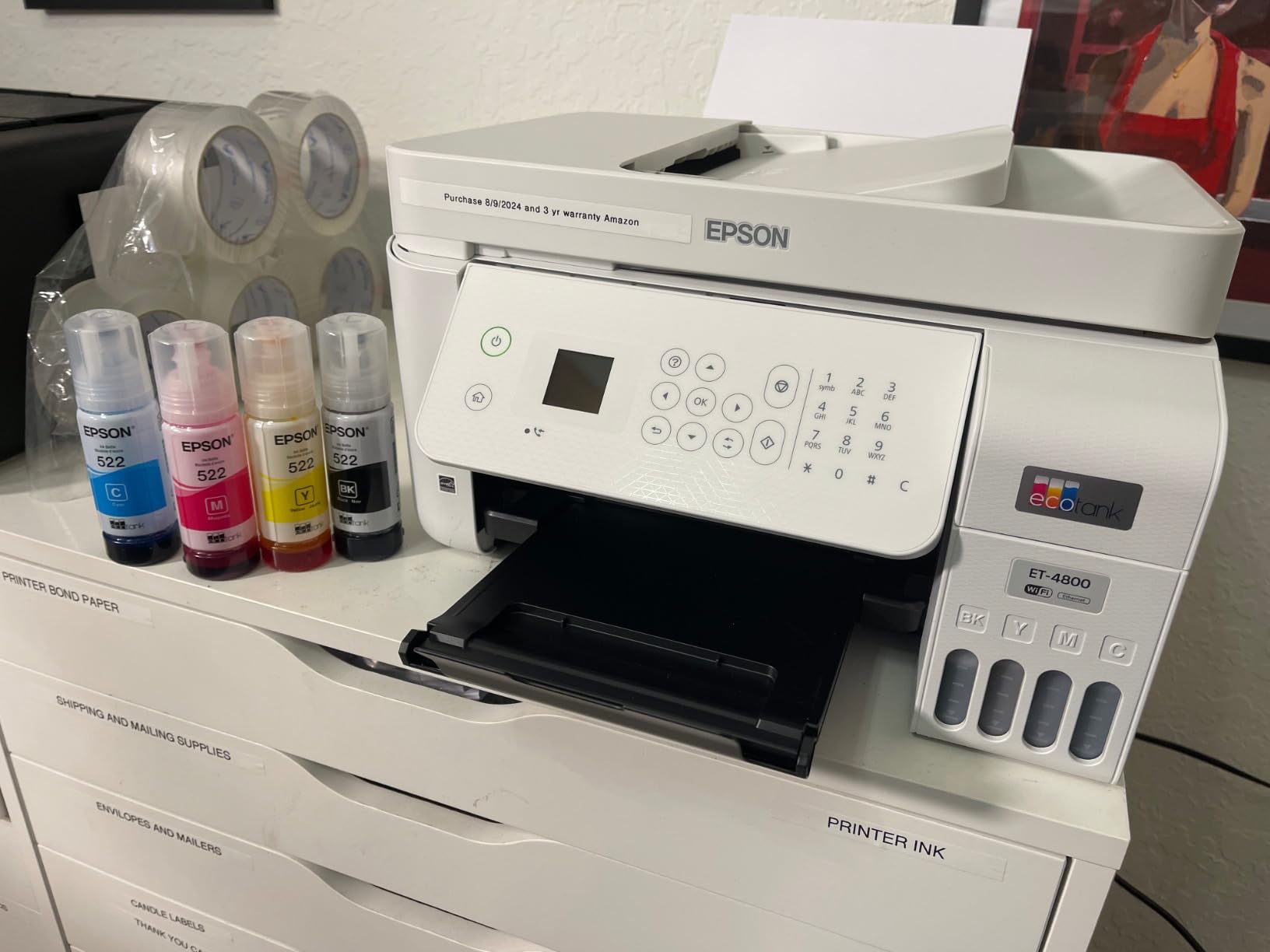
At 3.8 stars from 6k-plus reviews, the feedback splits cleanly. Owners focus on running cost and clean color output. Detractors point at the duplex situation, the control screen and the build of the feeder and rear feed.
Print speed is the same as the ET-2800 at 10 black and 5 color pages per minute, with the same 100-sheet capacity. Ethernet alongside Wi-Fi is genuinely useful in a home office that already has a wired network.
Why a home office would pick this one
Fax plus an automatic feeder is the rare combination. If you file signed paperwork, send a signed document to a client, or scan a stack of receipts in one pass, this saves real time every week.
Two trays also mean you can keep plain paper loaded without reloading it every time you print something on glossy stock.
Where it falls short
There is no automatic duplex. Any two-sided job is a manual flip, and that is frustrating in a machine that otherwise looks office-ready.
The LCD is small and the menus are described as clunky, and some owners report repeated false jam errors plus firmware and driver installs that drag on. Support experiences vary widely, so check the app on your own phone before you commit.
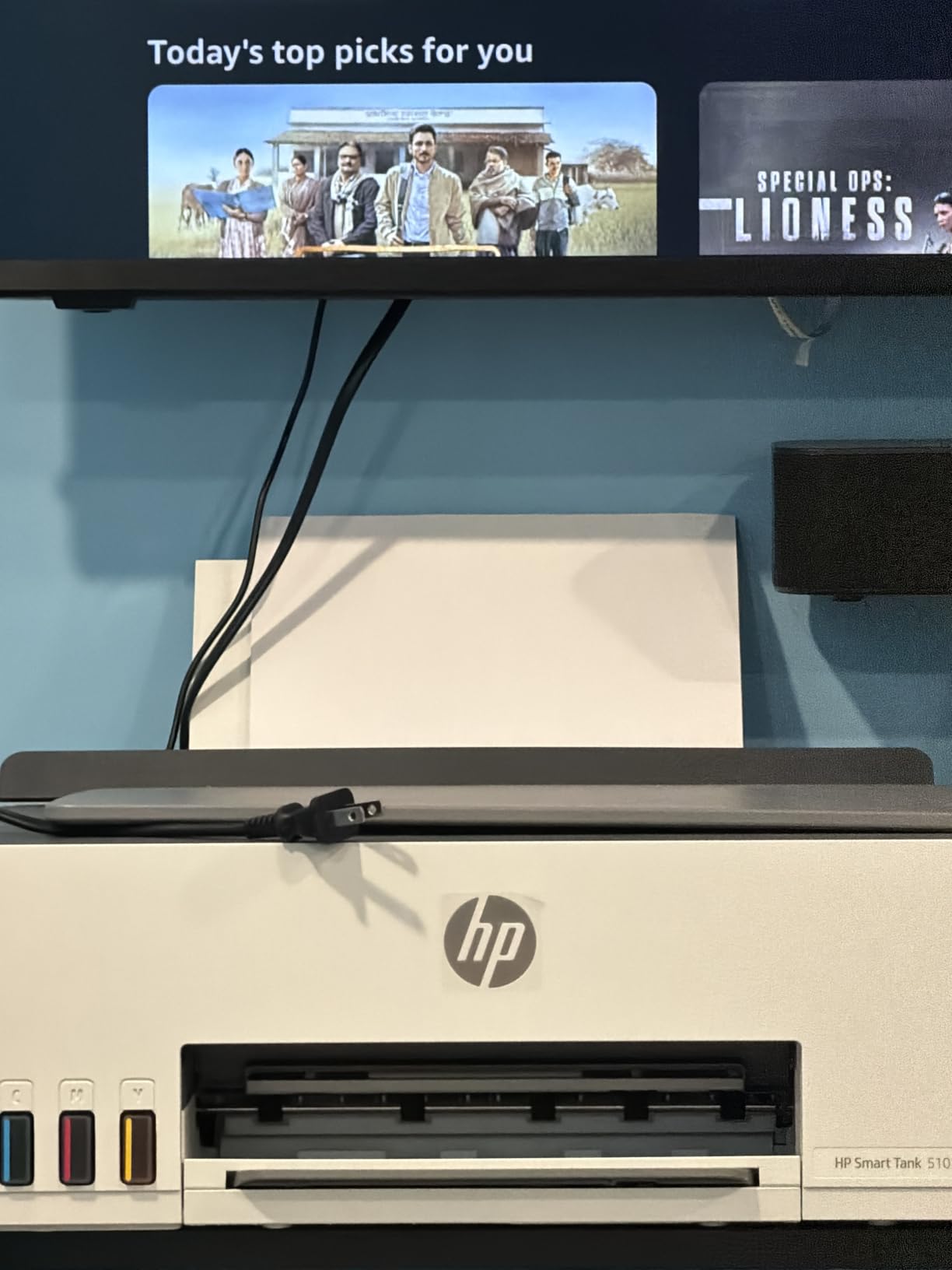
3. HP Smart Tank 5100 – Best Ink Included Out of the Box
HP Smart Tank 5100 Wireless All-in-One Refillable Printer, Scanner, Copier with up to 3 Years of Ink Included, Best-for-Home, Cartridge-Free, AI-Capable (D06BLA)
HP Thermal Inkjet
3 years of ink included
Manual duplex
Flatbed scanning only
21 sec first page
Pros
- Up to 3 years of ink in the box
- Mess-free bottle refills with no squeezing
- Borderless printing plus mobile and wireless
- 12 black / 5 color pages per minute
Cons
- Manual duplex only
- two-sided jobs need flipping
- Flatbed scanner with no document feeder
- About 21 seconds to the first page
- Lowest star average in this roundup
The Smart Tank 5100 makes the strongest first-page argument of any tank printer. HP puts up to three years of ink, roughly 6000 pages, in the box, and the refill bottles are designed so you tip them in without squeezing or spilling.
You get print, copy, scan and borderless prints, with Apple AirPrint, HP ePrint, Mopria, USB and Wi-Fi all supported. That mix of protocols matters in a mixed-device household, and it is one of the cleanest setup stories here.
Reviewers consistently credit the refill system and the ink bundle. The recurring complaints are the missing document feeder, manual-only duplex and speed, with an 18 second first page at 12 black and 5 color pages per minute.
Color resolution reaches 4800 x 1200 optimized dpi, and text stays sharp enough for proposals. The 3.7 star average comes with 22 percent one-star ratings, so expect some ink-delivery and reliability grumbling.
Who this suits
If you want the lowest possible first-year commitment, the ink already in the box removes that decision entirely. A household that prints a handful of pages a month will take a long time to get through it.
Borderless output and mobile printing make it a good fit if your color work is photos and flyers rather than long documents.
Where it falls short
Flatbed-only scanning means no automatic document feeder, which is painful when you have a stack to scan. Duplex is manual here too.
It is also the lowest-rated machine in the roundup, so the ownership experience is less settled than the EcoTank models. If scanning and duplex matter, our document scanner guide for home offices covers dedicated alternatives.
4. HP OfficeJet Pro 8135e – Best Feature Set for a Working Office
HP OfficeJet Pro 8135e Wireless All-in-One Color Inkjet Printer, Print, scan, Copy, fax, ADF, Duplex Printing Best-for-Home Office, 3 Month Instant Ink Trial Included, AI-Enabled (40Q35A)
Color inkjet all-in-one
Auto duplex and 35-page ADF
20 / 10 ppm
2.7-inch touchscreen
225-sheet tray
Pros
- Automatic two-sided printing with a 35-page feeder
- 20 black and 10 color pages per minute
- 2.7-inch color touchscreen
- 225-sheet input tray
- Dual-band Wi-Fi that self-diagnoses connection issues
Cons
- Works only with HP-chip cartridges
- HP+ subscription path can raise ongoing ink cost
- Feeder scans single-sided only
- Reported firmware and support frustration
This is the only machine in the roundup that gets the full office feature set right. Automatic duplex, a 35-page automatic document feeder, a 225-sheet input tray, a 2.7-inch color touchscreen and speeds of 20 black and 10 color pages per minute.
It also prints, scans, copies and faxes. Dual-band Wi-Fi plus Ethernet and USB means it can sit on a wired network if your home office has one, and reviewers specifically call out the Wi-Fi auto-detection as a relief on mixed setups.
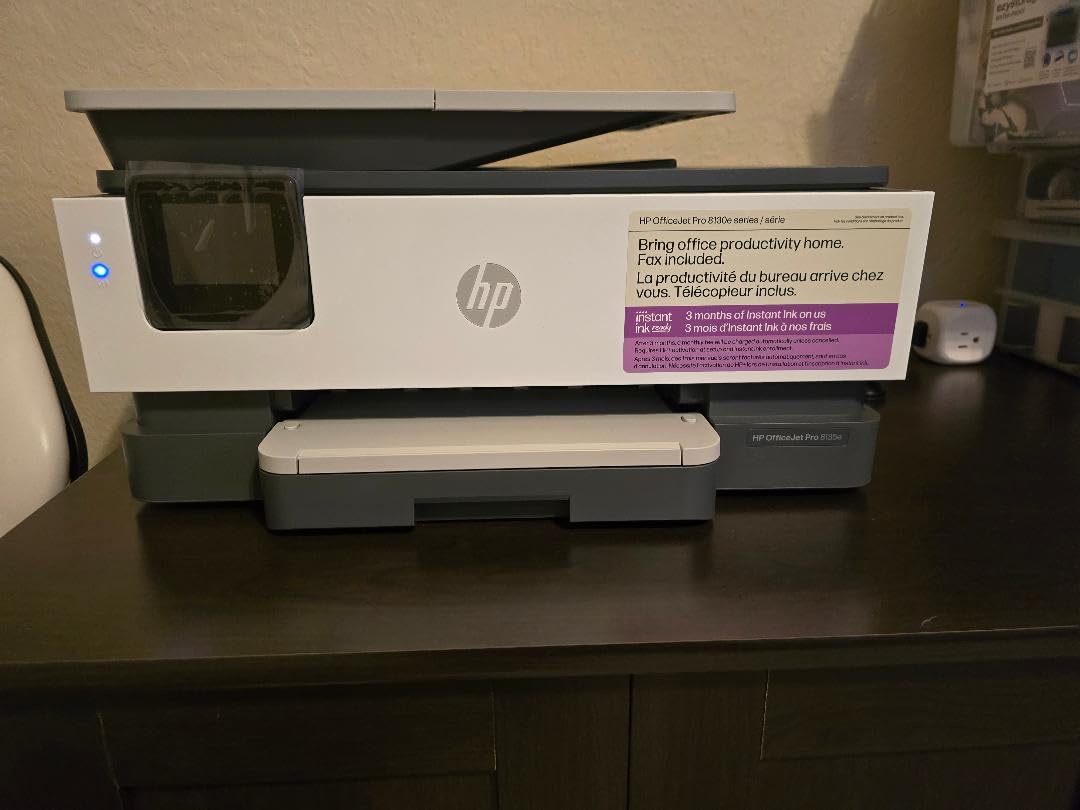
Color output tops out at 4800 x 1200 optimized dpi with a first page in 18 seconds. HP built the page formatting tools to tidy up web pages and emails before they print, which saves paper on a home budget.
The trade-off is cartridge policy. The printer works only with HP-chip cartridges, and the 3-month Instant Ink trial is a path toward a subscription that can raise ongoing ink cost if you let it run.
Why home offices pick it
Duplex plus a feeder plus a touchscreen is the combination that removes daily friction. Nobody has to flip a stack or guess at a menu without glasses, and a 225-sheet tray means refilling once a week rather than daily.
It is also the fastest color inkjet here, which matters if you print a report before a meeting.
Where it falls short
Cartridge lock-in is real. Third-party ink is blocked, so your running cost is set by HP, and the HP+ route can push it higher still.
The feeder handles one side at a time, and 20 percent of reviews are one-star, mostly around firmware, ink delivery and support. It is also the heaviest inkjet in the list at 19 pounds.
5. Epson WorkForce Pro WF-3820 – Best for a Small Business Workload
Epson Workforce Pro WF-3820 Wireless Color All-in-One Inkjet Printer
PrecisionCore inkjet
21 / 11 ppm
Auto duplex and 35-page ADF
250-sheet capacity
19.4 lb
Pros
- 21 black and 11 color pages per minute
- Automatic duplex with a 35-page feeder
- 250-sheet paper capacity
- Heat-free PrecisionCore design aimed at reliability
- DURABrite Ultra instant-dry pigment ink
Cons
- Firmware update reported blocking third-party cartridges
- Feeder does not duplex-scan
- Some owners report repeated Wi-Fi drops
- Photo quality is average
- Needs headroom above the unit
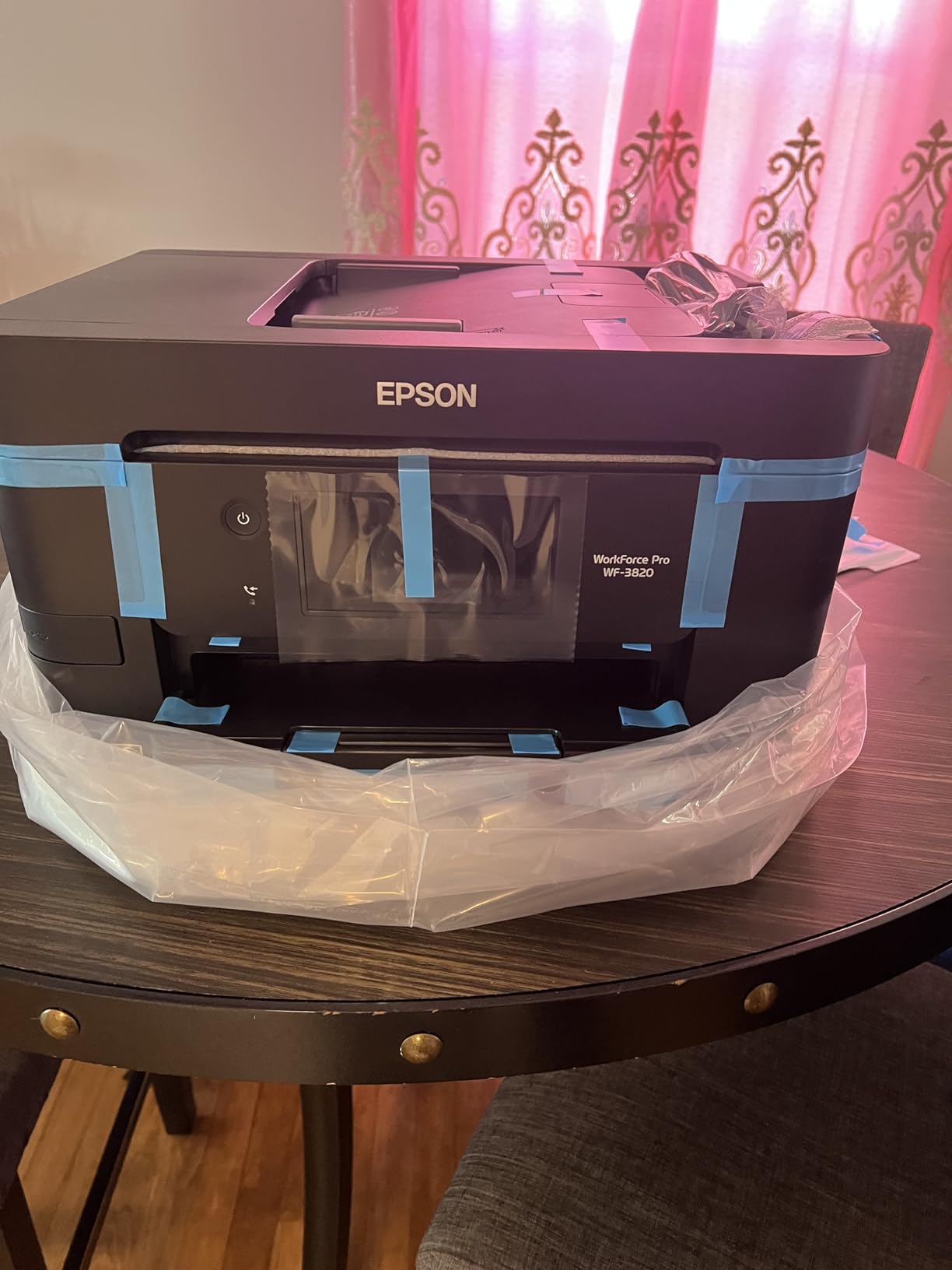
The WF-3820 is built for a person who prints like a small business, not like a household. It is the fastest inkjet here at 21 black and 11 color pages per minute, with automatic duplex, a 35-page automatic document feeder and a 250-sheet tray.
It holds a 4 star average from more than 3000 reviews, and owners consistently describe it as fast, well built and good value. The heat-free PrecisionCore design is aimed at reliability and reduced downtime, which matters when the machine is working every day.
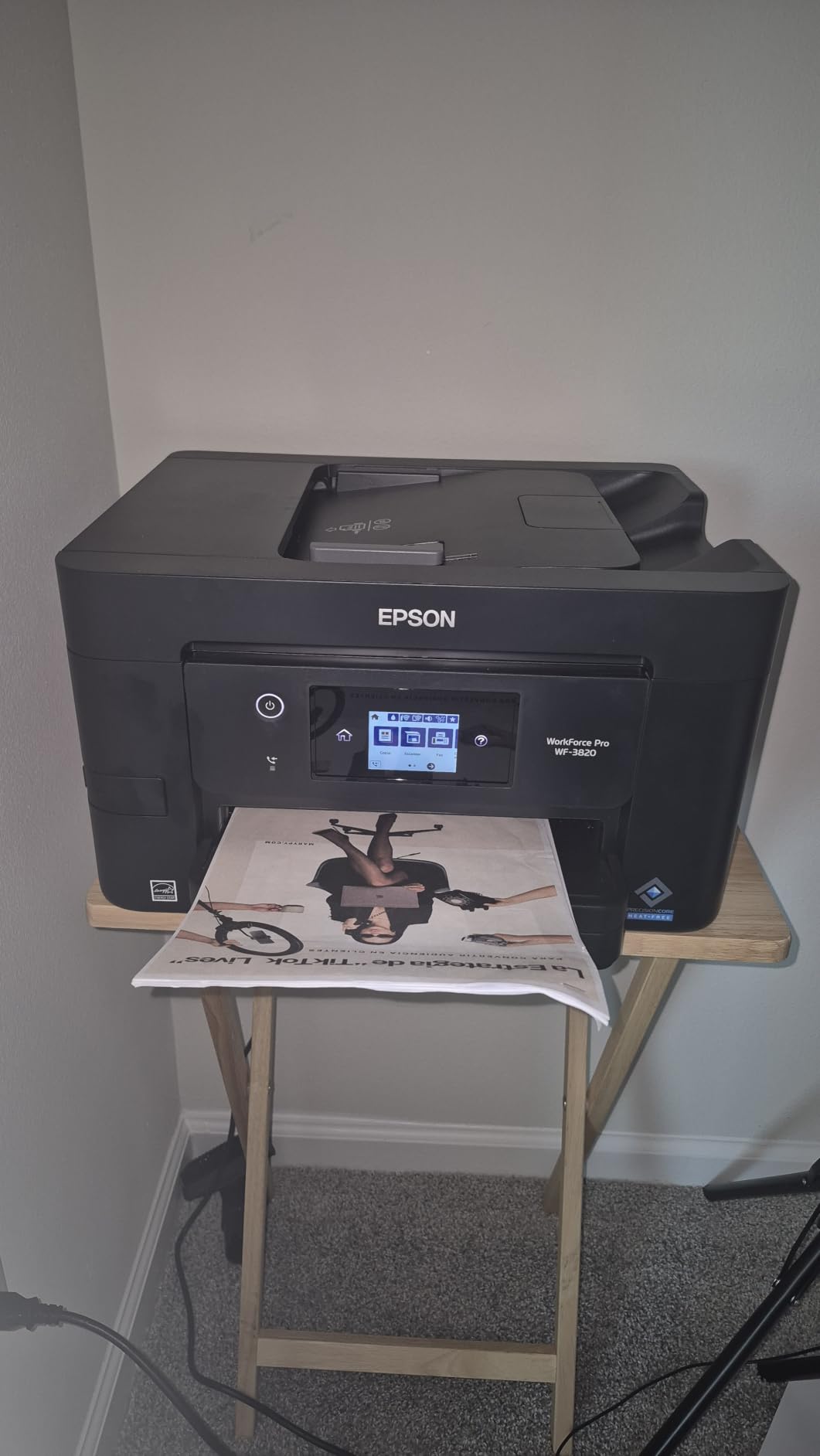
DURABrite Ultra instant-dry pigment ink gives accurate dot placement and sharp output, and Bluetooth plus Ethernet alongside Wi-Fi makes connection options unusually broad for a home printer.
Media up to 13 x 19 inch is supported, which is unusual at this level. Photo quality, though, is average, so this is a documents-and-proposals printer rather than a photo printer.
Where it earns its place
Any home office that invoices clients, prints multi-page contracts or produces handouts weekly will feel the speed and the 250-sheet capacity. Duplex is automatic, so two-sided work costs you nothing extra in effort.
Pigment ink is also the more smudge-resistant of the two ink types, which is the right call for documents that get handled.
Where it falls short
A widely reported firmware update disabled third-party cartridges, so ink cost is locked to genuine Epson supplies. The feeder scans a single side at a time, and some owners report repeated Wi-Fi drops.
At 19.4 pounds with a 9.8 inch tall body, it also needs clearance above the unit to reach the ink cartridges, which is awkward under a low shelf.
6. Brother Work Smart 1360 – Best Compact All-in-One with Duplex
Brother Work Smart 1360 Wireless Color Inkjet All-in-One Print, Scan, Copy
Wireless color inkjet
Auto duplex and 20-sheet ADF
16 / 9 ppm
1.8-inch color display
16.8 lb
Pros
- Automatic duplex and a 20-sheet feeder in a compact body
- 16 black and 9 color pages per minute
- 1.8-inch color display with cloud scanning targets
- Brother Mobile Connect with Page Gauge ink monitoring
- Compact 15.4 by 13.5 by 7.2 inch footprint
Cons
- Standard cartridges mean running cost above tank models
- Feeder is single-sided only
- Small display for advanced settings
The Work Smart 1360 is the value pick of the roundup. It packs a genuine automatic duplex and a 20-sheet automatic document feeder into a 7.2 inch tall body, which almost nothing else at this entry level manages.
It runs at 16 black and 9 color pages per minute, and the first page lands in roughly 6 seconds for black and 10 for color, so short jobs feel quick.
The 1.8-inch color display is small but functional, and it scans straight to Google Drive, Dropbox, Box and OneDrive. Brother Mobile Connect adds Page Gauge, which estimates remaining pages by ink level rather than by guesswork.
At 3.9 stars from 2550 reviews, reviewers treat it as the sensible buy: real duplex, a feeder and cloud connections at a very modest outlay. The recurring complaint is cartridge running cost.

Why it suits a small room
Duplex at this level usually means manual flipping on competing machines, and this one does it for you. That alone removes a recurring annoyance from everyday printing.
It also keeps the desk tidy, and if you want a printer that handles a small home office without taking over the room, the footprint is genuinely compact.
Where it falls short
It uses standard ink cartridges, so cost per page runs above the tank-based models on this list. Light printers that sit idle are the worst case for cartridge economics.
The feeder scans one side at a time, and the small display pushes advanced settings into the app. We cover more Brother options in our color laser printer guide.
7. Canon PIXMA TS4320 – Best Budget Pick with Automatic Duplex
Canon PIXMA TS4320 – Wireless Color Inkjet Printer with Print, Copy, Scan
Color inkjet all-in-one
Auto duplex
14 / 9 ppm
Dual-band Wi-Fi
15.5 lb
Pros
- Automatic two-sided printing at a low entry point
- Crisp text and vivid color from the hybrid ink system
- Compact 14.8 by 14 by 6.7 inch footprint
- Dual-band Wi-Fi with fast app-based setup
- Quiet operation at 14 black and 9 color ppm
Cons
- Replacement cartridges cost close to the printer price
- Some units drop Wi-Fi from phones and need reinstalling
- Thin paper tray for long runs
- 18 percent of reviews are one-star
The TS4320 is the rare budget machine where automatic duplex is standard rather than a step up. Most of its direct rivals make you flip the stack by hand, and this one does not.
It holds a 4 star average from 2429 reviews. Owners call it well made, with crisp text, surprisingly good color for the money and quiet operation that suits a shared room.
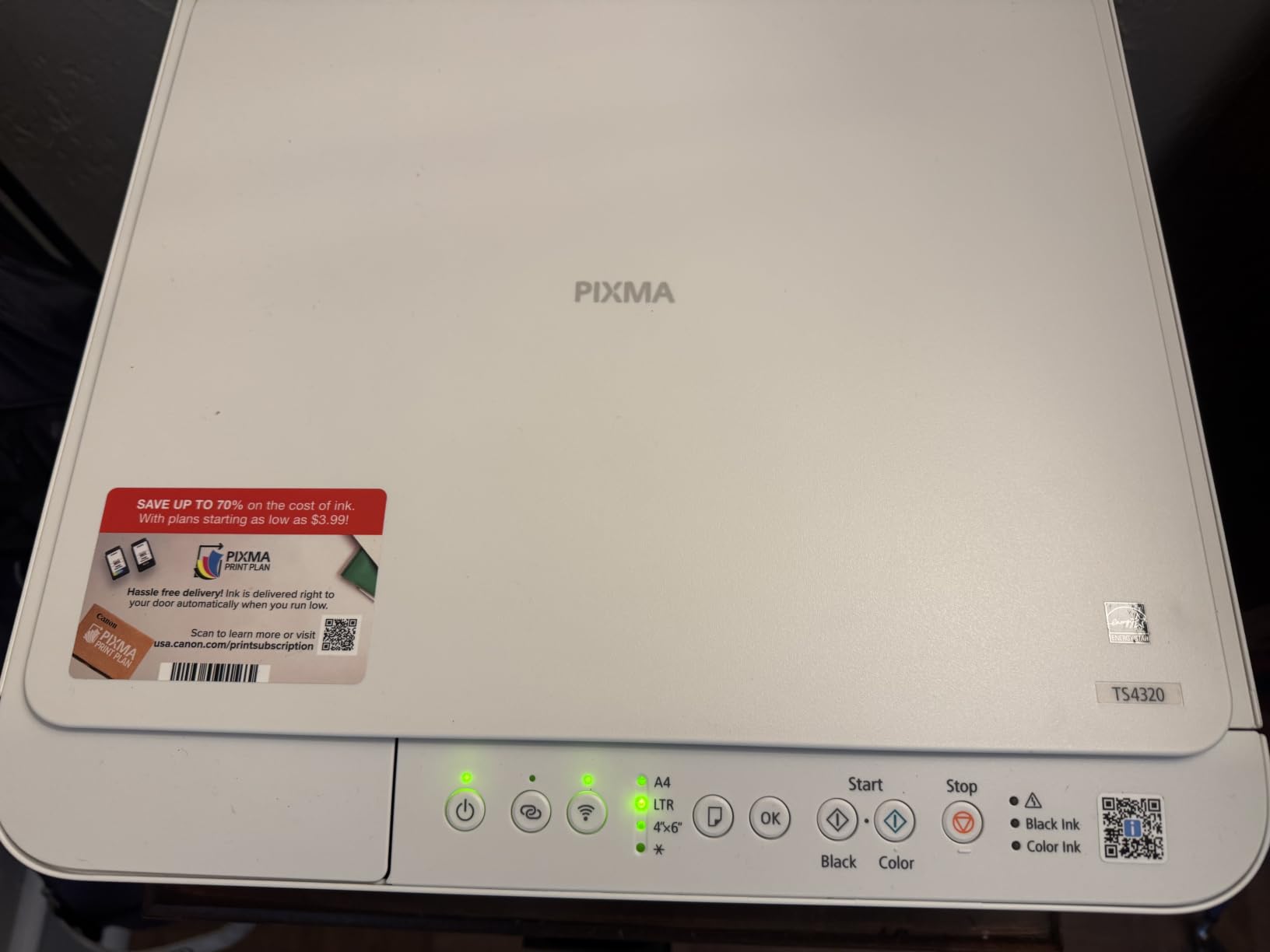
Dual-band 2.4GHz and 5GHz Wi-Fi is a genuine advantage in a house with older routers, and the Canon PRINT app gets it set up quickly with AirPrint and Mopria support for phones.
The two-cartridge hybrid ink system uses PG-295 black and CL-286 color, which keeps text sharp and color vivid. The cost problem is the cartridge: reviewers repeatedly note replacements approach the cost of the printer itself.
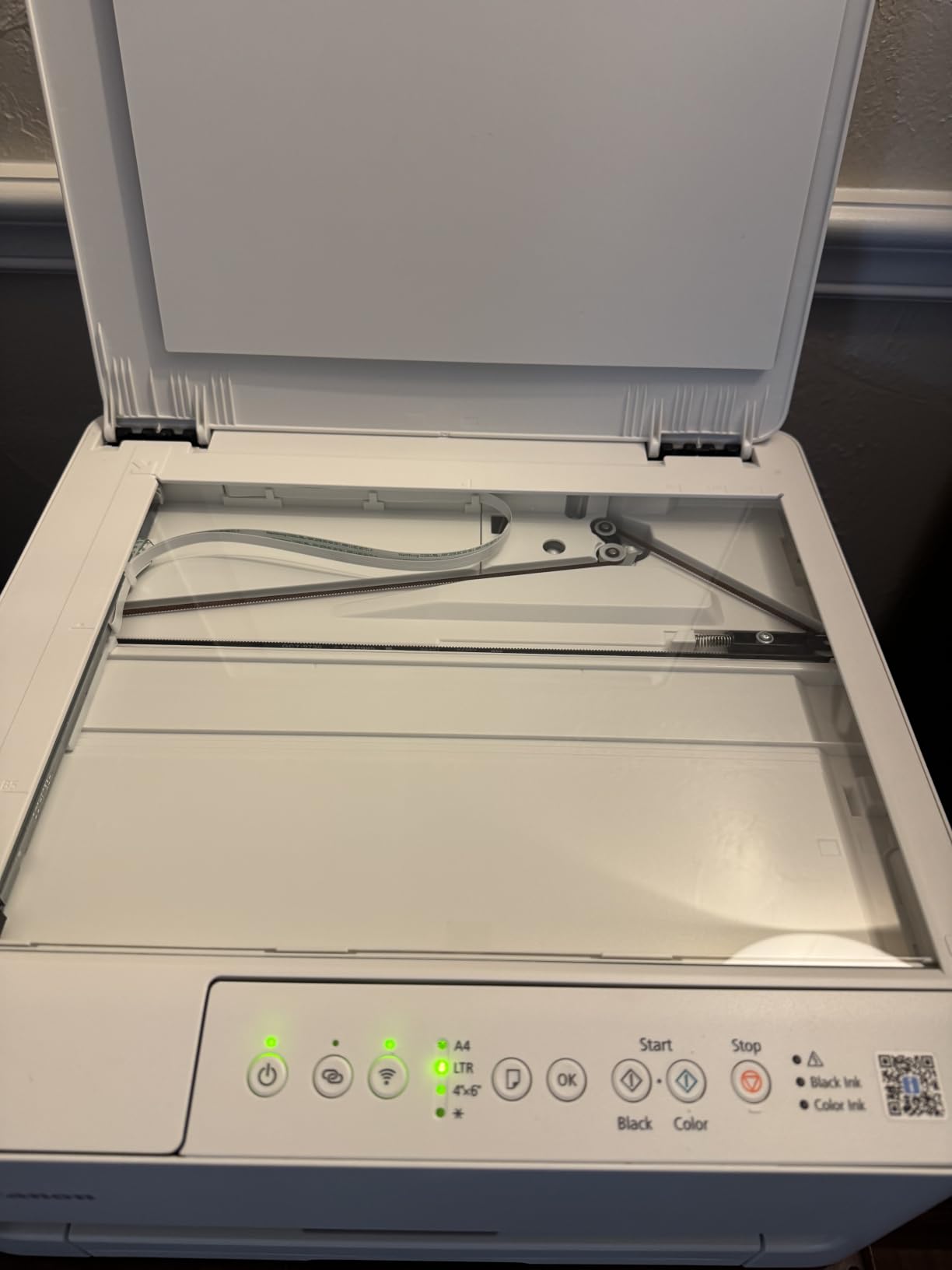
Best for a light printing household
If you print a few pages a week and mostly in color for occasional documents or craft projects, the duplex feature and dual-band Wi-Fi make this the most capable low-cost option here.
ENERGY STAR and EPEAT Silver certification help with running costs on the power side, and the hidden paper tray keeps the footprint down.
Where it falls short
The ink economics are the problem. Cartridges that cost nearly as much as the machine punish anyone who prints regularly, and a 1-star share of 18 percent reflects durability complaints.
Some units also drop Wi-Fi connections to phones and need reinstalling, and the paper tray is thin for long runs. A 3 year manufacturer warranty is included, which helps.
8. Canon PIXMA TS6520 – Best for Small Desks
Canon PIXMA TS6520 Wireless Color Inkjet Printer, Duplex Printing, Copier/Scanner, 1.42″ OLED Display, Compact, White
Color inkjet all-in-one
Auto duplex
1.42-inch OLED display
4.2 star average
15.4 lb
Pros
- Highest rated pick here at 4.2 stars
- 1.42-inch OLED display shows ink levels and status
- Automatic duplex in a 6.7 inch tall body
- Dual-band Wi-Fi with AirPrint and Mopria
- 7.5 second first page in black
Cons
- Two-cartridge hybrid ink limits photo color range
- 100-sheet class capacity limits long runs
- No automatic document feeder
- Cartridge running cost is a common complaint
The TS6520 is the best-rated machine in the roundup at 4.2 stars across 1977 reviews, with 70 percent of owners giving it five stars. The reason is unusual restraint: a compact white body, automatic duplex and a small screen that does one job well.
That screen is a 1.42-inch monochrome OLED, and it shows ink levels and status at a glance, which removes the single most common home-office annoyance of wondering what is left in the tank.
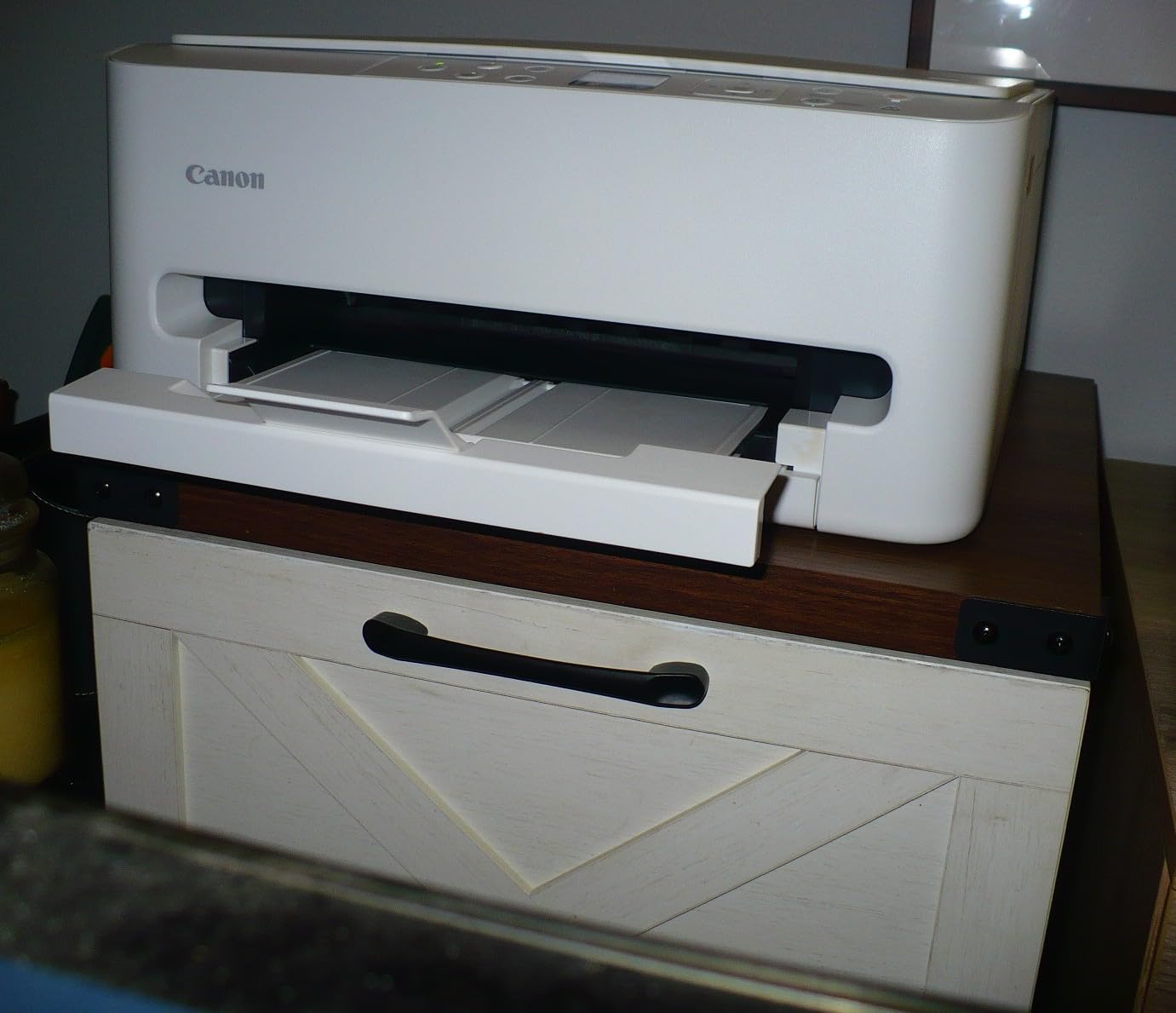
Speed is 14 black and 9 color pages per minute, with a 7.5 second first page in black and 9.5 in color, so short documents come out fast. Dual-band Wi-Fi plus USB covers both modern and older networks.
Paper handling is the weak point. Capacity sits at 100 sheets, and there is no automatic document feeder, so scanning is flatbed only. Canon PRINT, AirPrint and Mopria handle mobile printing well.
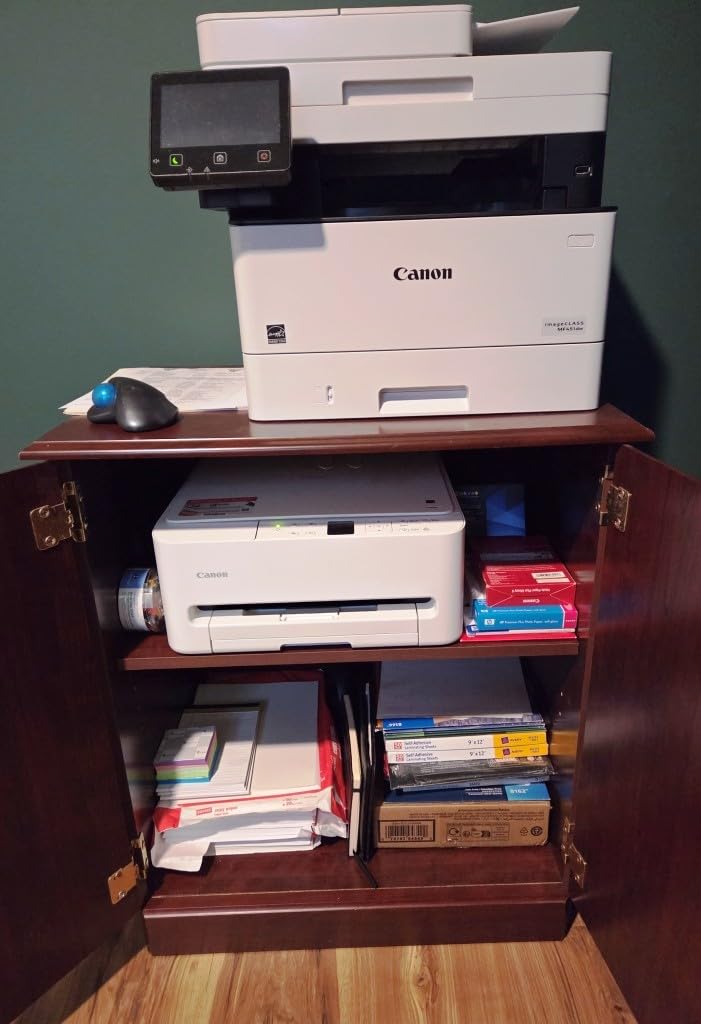
Why it wins on small desks
At 14.8 by 14 by 6.7 inches it slides under a monitor arm or a low cabinet, and the paper tray is hidden when not in use. Setup is a single cartridge install with no-mess PG-295 and CL-286 cartridges.
For a home office where color printing is occasional and space is tight, the OLED status display and duplex together are worth more than a feeder you would rarely use.
Where it falls short
A single color tank means photo color is limited compared with multi-ink systems, and the 100-sheet class capacity caps long runs.
Cartridge running cost remains the standard complaint for light users. If you think you will print more than a page or two a week, a tank model will serve you better.
9. Brother MFC-L3720CDW – Best Color Laser for Document Volume
Brother MFC-L3720CDW Wireless Color Laser Printer, Scanner, Copier, Fax, Auto Duplex, 250-Sheet Capacity
Color laser MFP
19 / 19 ppm
Auto duplex and 50-sheet ADF
250-sheet tray
44 lb
Pros
- 19 pages per minute in both color and black
- First page in under 15 seconds
- 50-sheet feeder with a 250-sheet adjustable tray
- 3.5-inch color touchscreen with 48 shortcuts
- Dual-band Wi-Fi
- Wi-Fi Direct and USB 2.0
Cons
- Largest and heaviest unit here at 44 pounds and 15.8 inches tall
- Toner running cost sits above inkjet consumables
- Color resolution of 2400 x 600 dpi
- Performs best when used regularly
The MFC-L3720CDW is the only color laser in this roundup, and it exists for one reason: a home office that prints a lot of color documents will outrun an inkjet on cost. It runs 19 pages per minute in both black and color with a first page in under 15 seconds.
It also handles documents properly, with a 50-sheet automatic document feeder, a 250-sheet adjustable tray and automatic duplex, plus a 3.5-inch color touchscreen carrying 48 customizable shortcuts and direct cloud access.
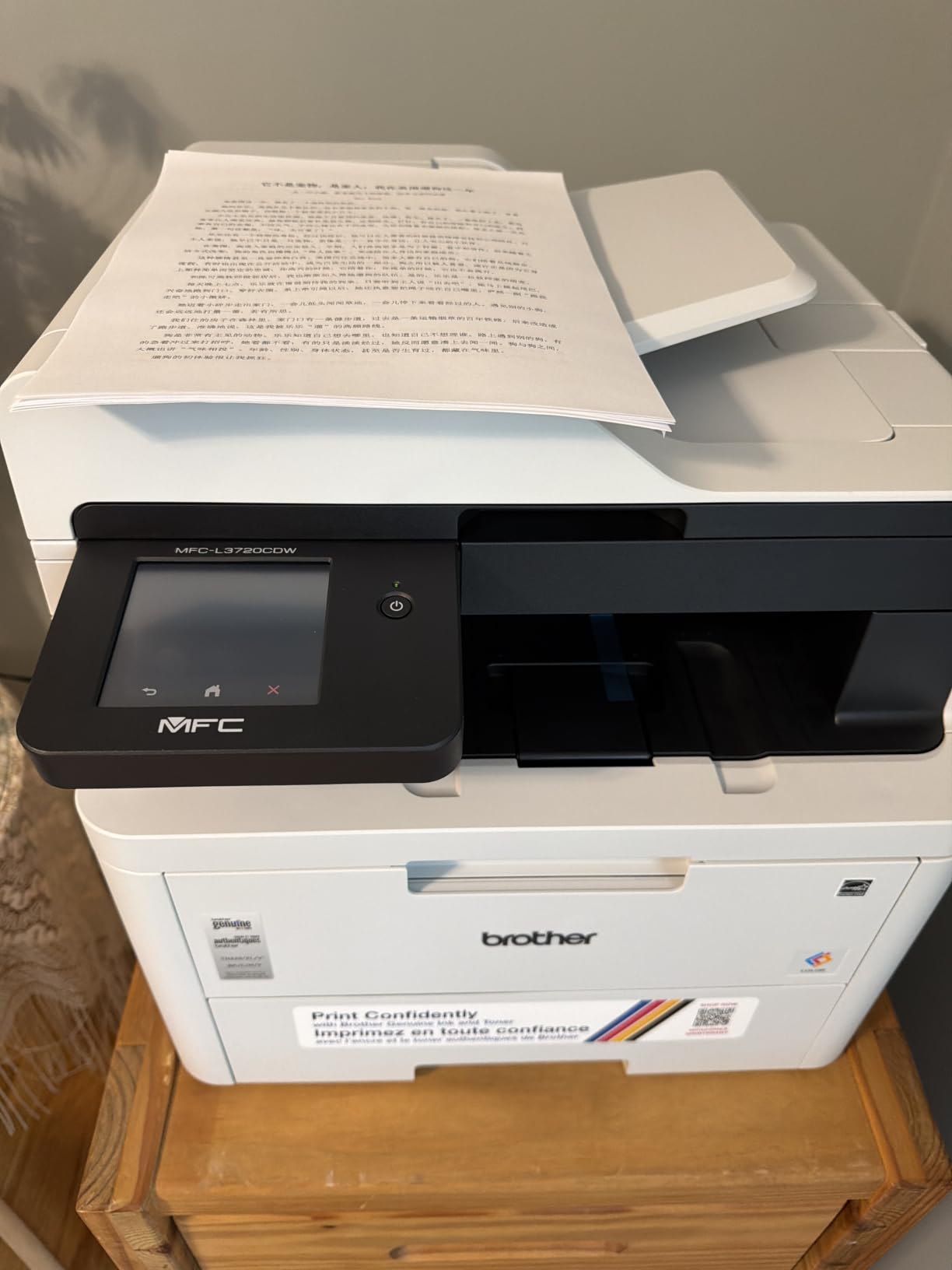
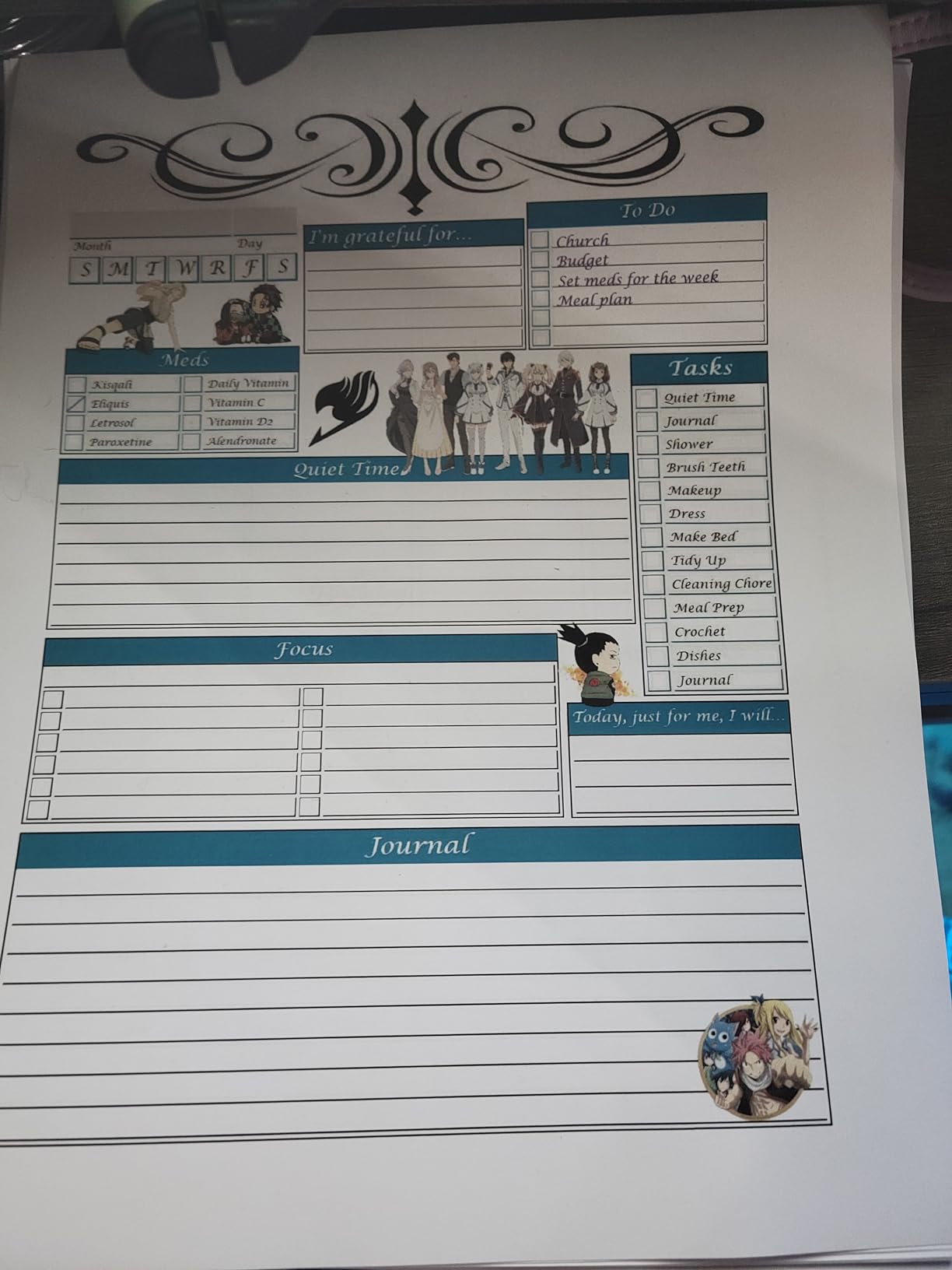
Toner means no nozzles to dry out, which is the reliability answer for intermittent use. Reviewers report a 4 star average from 1025 reviews, with laser-sharp, smudge-resistant text that holds up in a hand.
Dual-band Wi-Fi, Wi-Fi Direct and USB 2.0 are all present, and a mobile app handles remote access and toner level monitoring.
When a color laser makes sense at home
If color output is mostly invoices, proposals, charts and internal documents rather than photos, toner pages stay consistent and predictable while inkjet cost per page climbs with every color job.
It also suits a machine that sits idle for weeks, because there is no ink to dry in a print head. That is a real difference in a home office that prints in bursts.
Where it falls short
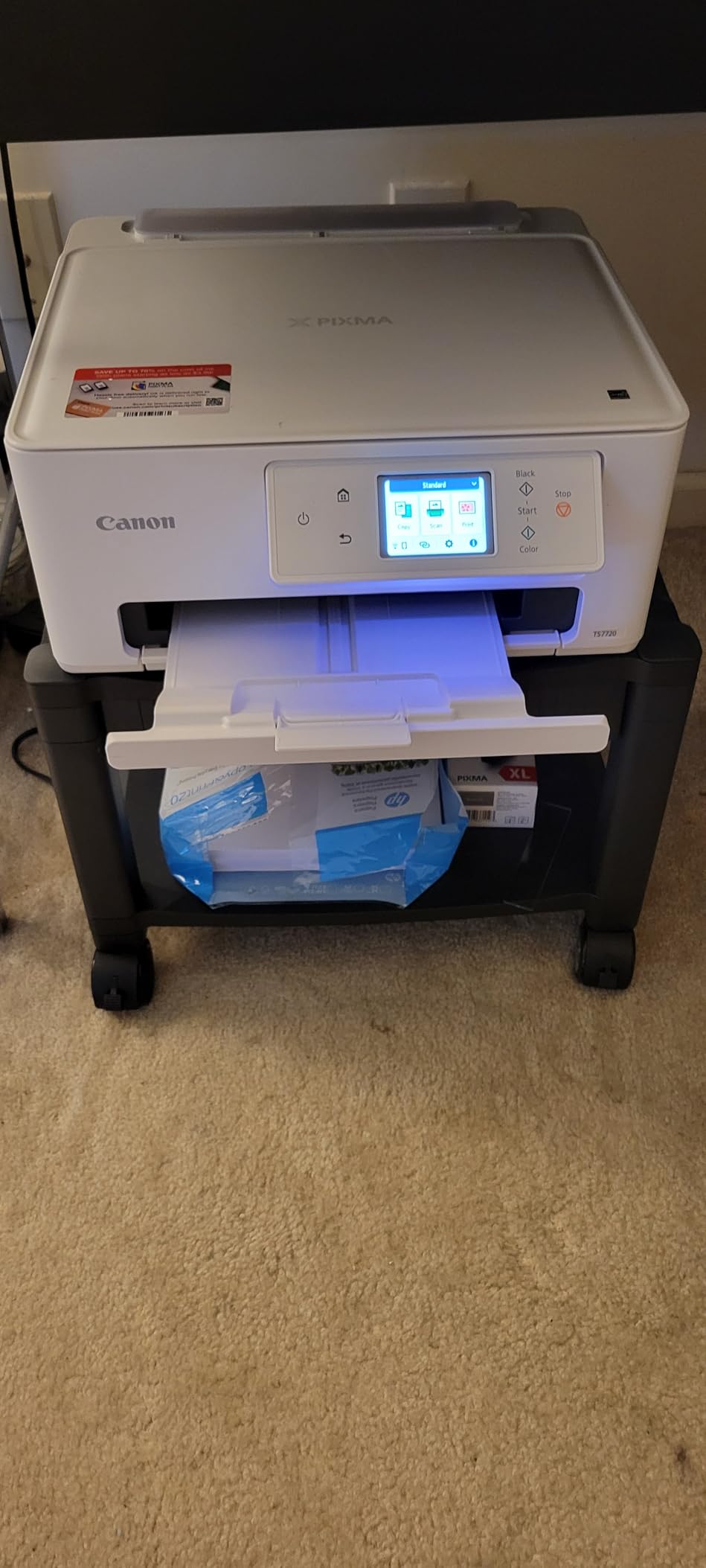
It is by far the biggest machine here: 44 pounds and 15.8 inches tall. It needs its own spot, not a desk corner, and it draws far more power at 500 watts than any inkjet on this list.
Color resolution of 2400 x 600 dpi sits well below inkjet photo resolution, and toner cartridges cost more per unit than inkjet consumables. Our color laser printer guide for offices covers this class in more depth.
10. Canon PIXMA TS7720 – Best for Photos and Mixed Work
Canon PIXMA TS7720 Wireless All-in-One Color Inkjet Printer – Print, Copy, Scan – Auto Duplex, 15/10 PPM, 2.7” Touchscreen, Compact Home Photo Printer with Easy Setup
Color inkjet all-in-one
Auto duplex
2.7-inch touchscreen
Rear photo tray
13.8 lb
Pros
- 2.7-inch LCD touchscreen for on-device control
- Automatic duplex at 15 black and 10 color ppm
- Second paper tray accepts 4x6
- 5x7 and square photo sizes
- Compact 6.7 inch tall body at only 13.8 pounds
- No-mess PG-285 and CL-286 cartridge install
Cons
- Two-cartridge ink system limits photo color range
- No automatic document feeder in the base build
- 100-sheet main tray is modest for a busy office
- Cartridge cost per page above tank-based models
The TS7720 is the pick when the same printer has to handle work documents and family photos. It holds a 4.1 star average from 1066 reviews, and reviewers point to the 2.7-inch touchscreen, automatic duplex and the photo-capable second tray as the reasons.
That rear tray accepts 4×6, 5×7 and square formats, so you can run a photo sheet without changing the main paper. Speed is 15 black and 10 color pages per minute, which is among the faster inkjets here.
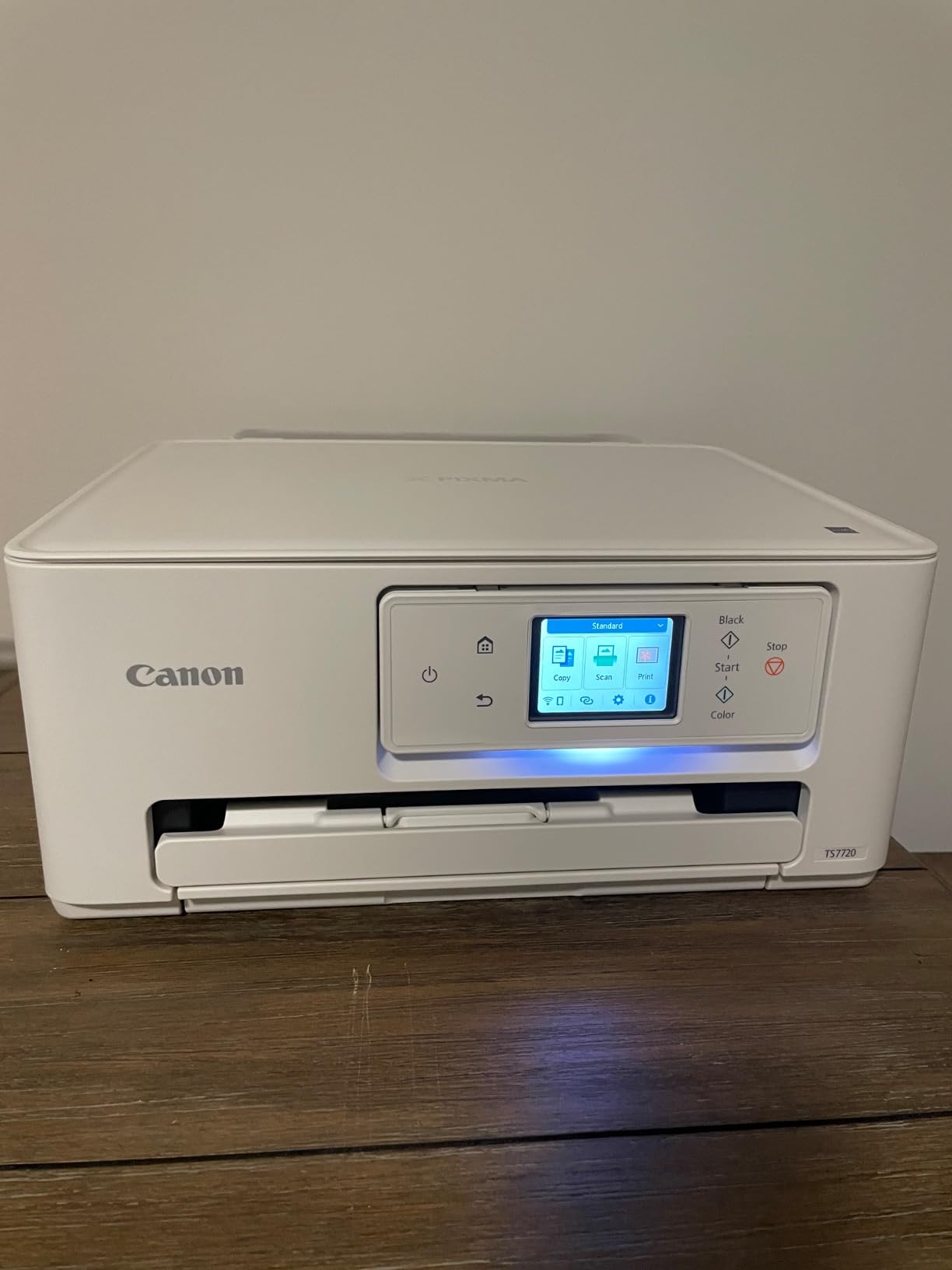
The touchscreen makes settings and ink changes straightforward without digging into a phone, and cartridges install without mess. At 13.8 pounds and 6.7 inches tall it is one of the lightest and shortest bodies in the roundup.
Two trays, 100-sheet main capacity and a 200-sheet output tray give you a bit of breathing room. USB and Wi-Fi handle connection, and a one year limited warranty is included.
Why a home office would choose it
The touchscreen is the differentiator in daily use. Changing paper, checking ink level and starting a job can all happen on the machine, which matters when your phone is the computer you use all day.
Duplex plus a photo tray covers both halves of a hybrid work and family schedule, and the compact body suits a small desk.
Where it falls short
Two cartridges, PG-285 black and CL-286 color, limit the photo color range compared with a multi-ink tank system, and cartridge cost per page runs above tank-based models.
There is no automatic document feeder in the base configuration, so scanning stays flatbed only, and the 100-sheet main tray is modest if you print heavily. If you mostly scan and fax, our all-in-one roundup has better scanning picks.
How to Choose a Color Printer for Your Home Office
Inkjet or color laser: match the type to your monthly volume
Under about 100 color pages a month, an inkjet wins on price, photo quality and quietness. Between 100 and 200 pages a month, a cartridge-free ink tank is the sweet spot, because running cost stops depending on how often you remember to reorder cartridges. Past roughly 200 color pages a month, a color laser pulls ahead on cost per page and speed, provided you have somewhere to put a 44 pound machine.
The other axis is photos. If color means glossy photos and gradients, an inkjet is the only real choice, and the more ink colors the printer carries the wider the gamut. If color means charts, invoices and client proposals, laser text is sharper and smudge-resistant.
Calculate cost per page before you buy
Cost per page is simply the price of your ink or toner divided by its rated page yield, and the yield figures printed on the box are what manufacturers guarantee. Do that math for black and for color separately, then multiply by a realistic monthly volume.
Also add the things people forget: a duplex unit halves your paper use, a document feeder saves time on scans and copies, and a machine that idles for weeks can need a cleaning cycle or a wasted partial cartridge if it is an inkjet. Reviewers consistently report that cartridge ink cost per page is the number that surprises them, not the printer price.
Duplex, ADF and paper capacity decide daily friction
Automatic duplex is the feature that changes an ordinary week. It is the single most requested item in home office printing, and seven of the ten machines here do it for you while three do not.
An automatic document feeder matters if you scan signed paperwork in batches. Tray capacity decides how often you refill: 100 sheets suits a light week, 225 to 250 sheets suits someone printing proposals daily.
Ink tank, cartridge or subscription ink
Ink tanks and cartridges print the same page. The difference is what you buy to refill them. Tanks take bottled ink at a far lower cost per page and let you skip a generation of cartridges, while cartridges are simpler but priced per unit.
Subscription ink can cut costs for very heavy users who print consistently. It is a poor fit for intermittent printing, where you pay for pages you do not print. If you are furnishing a room, our home office desk guide covers the rest of the setup.
Wireless setup across a laptop, a phone and a shared network
Check that the printer supports dual-band Wi-Fi, the 2.4GHz and 5GHz combination, because 5GHz is faster and 2.4GHz reaches further. AirPrint and Mopria make phones work without installing anything, and a vendor app is still useful for ink levels and scan-to-cloud.
Mixed Mac and Windows households should confirm the app is available for both platforms before buying, since connection failures are one of the most repeated complaints in owner reviews.
Frequently Asked Questions
What is the best color printer for office use?
The Epson EcoTank ET-2800 is our pick for a home office that still needs genuine office features, because it pairs cartridge-free ink tanks with a flatbed scanner and copier. If you need an automatic document feeder, a larger paper tray and automatic two-sided printing every single day, the HP OfficeJet Pro 8135e covers all three in one machine. For genuinely heavy document volume, the Brother MFC-L3720CDW color laser prints 19 pages per minute in color and black.
What is the best color printer for home use?
For light home use, the Canon PIXMA TS6520 is the cleanest answer: it carries the highest rating in our roundup, includes automatic duplex printing, and its OLED display shows ink levels at a glance. Light users print infrequently, so per-page ink cost matters far less than the machine being quiet, compact and easy to refill. It is also the best-rated option here at 4.2 stars across 1977 reviews.
What type of printer is best for office use?
Inkjet or laser depends almost entirely on monthly page volume. Inkjets are cheaper to buy, quieter and better on photos, which suits under about 100 color pages a month. Ink tank models extend that range because bottled ink costs far less per page than cartridges. Above roughly 200 color pages a month, a color laser wins on cost per page, speed and smudge-resistant text, and it has no nozzles to dry out between jobs.
Is an inkjet or laser printer better for home office?
An inkjet is better for most home offices because printers sit unused between bursts of work, and inkjets cost less to buy, print quietly and handle photos well. A color laser is better when you print color documents every week, because toner is cheaper per page and does not dry out when the machine sits idle. The one laser in this roundup, the Brother MFC-L3720CDW, weighs 44 pounds, so it needs its own spot rather than a desk corner.
Are laser printers being phased out?
No. Laser remains the standard for high-volume document printing, and color laser models continue to appear in office-focused lineups. What has changed is that inkjet technology caught up on speed and output quality, and cartridge-free ink tanks have closed most of the cost-per-page gap at low volume. For a home office the practical question is not whether laser is disappearing, but whether your monthly page count justifies a larger, heavier machine and higher toner cost per unit.
The Best Color Printers for Home Offices in 2026: Our Final Word
For most home offices, the Epson EcoTank ET-2800 is the safest choice in 2026. It is proven across 18k-plus reviews, quiet, compact and cheap to run because there are no cartridges to replace, and it handles color, scanning and copying without fuss.
Move up to the HP OfficeJet Pro 8135e if you need automatic duplex and a document feeder every day, to the Epson WorkForce Pro WF-3820 if you print at small business speed, and to the Brother MFC-L3720CDW only if your monthly color volume genuinely justifies a 44 pound color laser. Match the machine to your page count, and the running cost takes care of itself.