
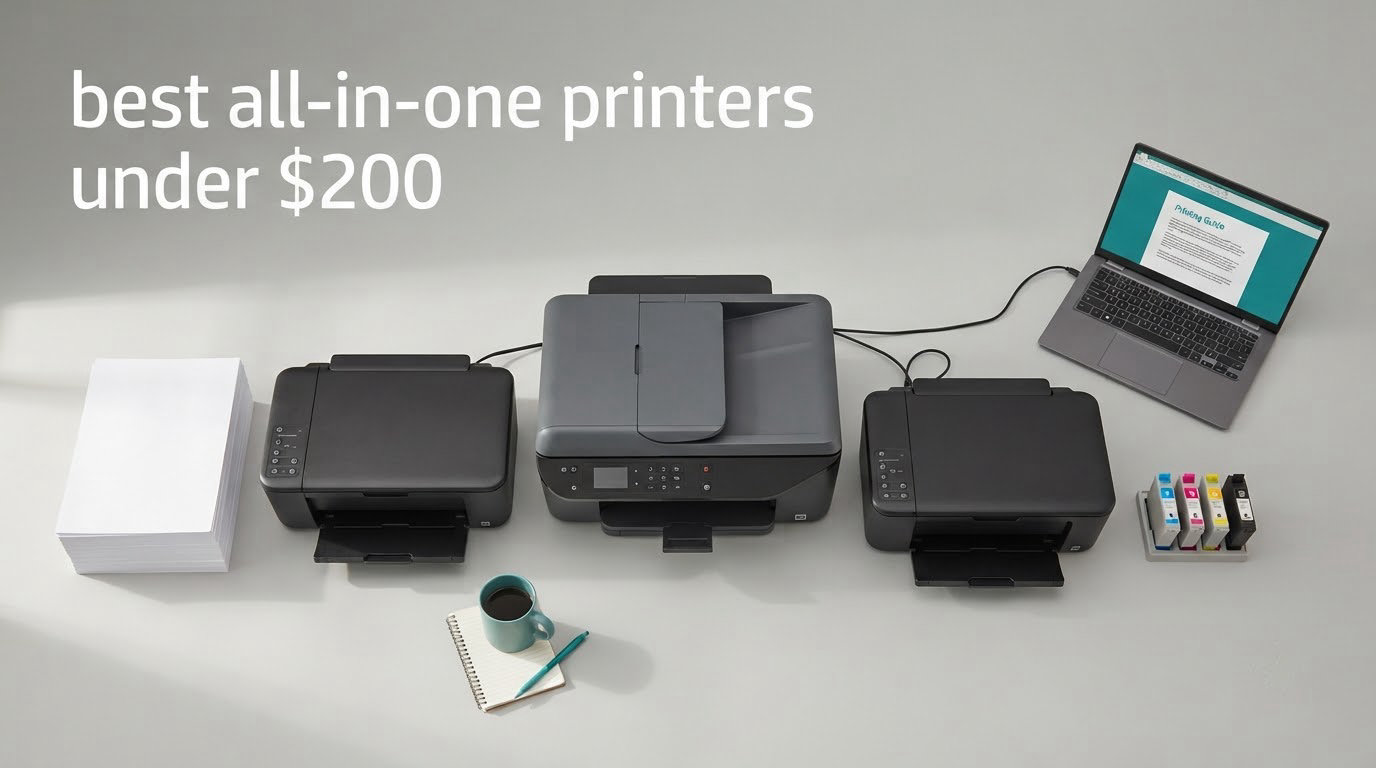
The sticker price on a printer tells you almost nothing. The number that decides whether an all-in-one is a bargain or a slow leak is the cost of the ink it will drink over the next two years, and at this budget that figure regularly exceeds the price of the machine itself. We spent weeks comparing ten wireless all-in-one printers under 200 dollars, reading owner reviews by the thousand and weighing paper handling, connectivity and running cost rather than discount depth. Last updated: October 2026.
For most households the answer is the Canon PIXMA TR8620a. It is the only unit in this roundup that gives you a fax function, a 20-sheet automatic document feeder and true automatic two-sided printing at the same time, and it runs 15 pages per minute in black with a 100-sheet rear feed on top of the cassette. It is our best all-in-one printer under 200 dollars for a home office that needs to send paperwork as well as print it.
How we picked: we ranked every model on feature completeness (does it actually scan, copy and fax), paper handling (tray size, ADF, duplex), connectivity (dual-band Wi-Fi, AirPrint, Ethernet), owner-reported reliability and the realistic cost of ink. Photo-only capability, screen size and total cost of ownership broke the ties. If you want a wider look at how these machines handle a full workday, our guide to all-in-one printers for home offices goes deeper on desk space and noise.
Table of Contents
Top 3 Best All in One Printers Under $200 in 2026

Canon PIXMA TR8620a
- Fax
- ADF and auto duplex
- 200 sheet capacity
- 15 ipm black
- Touchscreen panel


Epson XP-7100
- CD/DVD printing
- 8x10 borderless photos
- 30-page duplex ADF
- 4.3 inch touchscreen
Quick Comparison of Every Model in This Roundup
| Product | Specifications | Action |
|---|---|---|
| Canon PIXMA TR8620a |
|
Check Latest Price |
| Canon MegaTank G3270 |
|
Check Latest Price |
 Canon PIXMA TS3720 Canon PIXMA TS3720 |
|
Check Latest Price |
 Brother Work Smart 1360 Brother Work Smart 1360 |
|
Check Latest Price |
 Brother INKvestment 1365 Brother INKvestment 1365 |
|
Check Latest Price |
 HP DeskJet 2955 HP DeskJet 2955 |
|
Check Latest Price |
 HP OfficeJet Pro 8135e HP OfficeJet Pro 8135e |
|
Check Latest Price |
| Epson Expression Premium XP-7100 |
|
Check Latest Price |
 Epson WorkForce WF-2860 Epson WorkForce WF-2860 |
|
Check Latest Price |
 Epson WorkForce Pro WF-3820 Epson WorkForce Pro WF-3820 |
|
Check Latest Price |
1. Canon PIXMA TR8620a – Best All-in-One With Fax and Duplex
Canon PIXMA TR8620a – All-in-One Printer Home Office|Copier|Scanner|Fax|Auto Document Feeder | Photo, Document | Airprint (R), Android, Black, Works with Alexa
Color inkjet
Fax, ADF, auto duplex
200 sheet capacity
15 ipm black
Tilting touchscreen
Pros
- Only model here with fax plus automatic duplex plus an ADF
- Large 200 sheet total capacity with rear feed
- Sharp professional output for its class
- Tilting touchscreen is easy to navigate
- Ink use lower than comparable HP machines
Cons
- ADF is single-sided so double-sided originals need manual flipping
- Scanner tops out at 600 dpi
- Canon mobile app described as slow by some owners
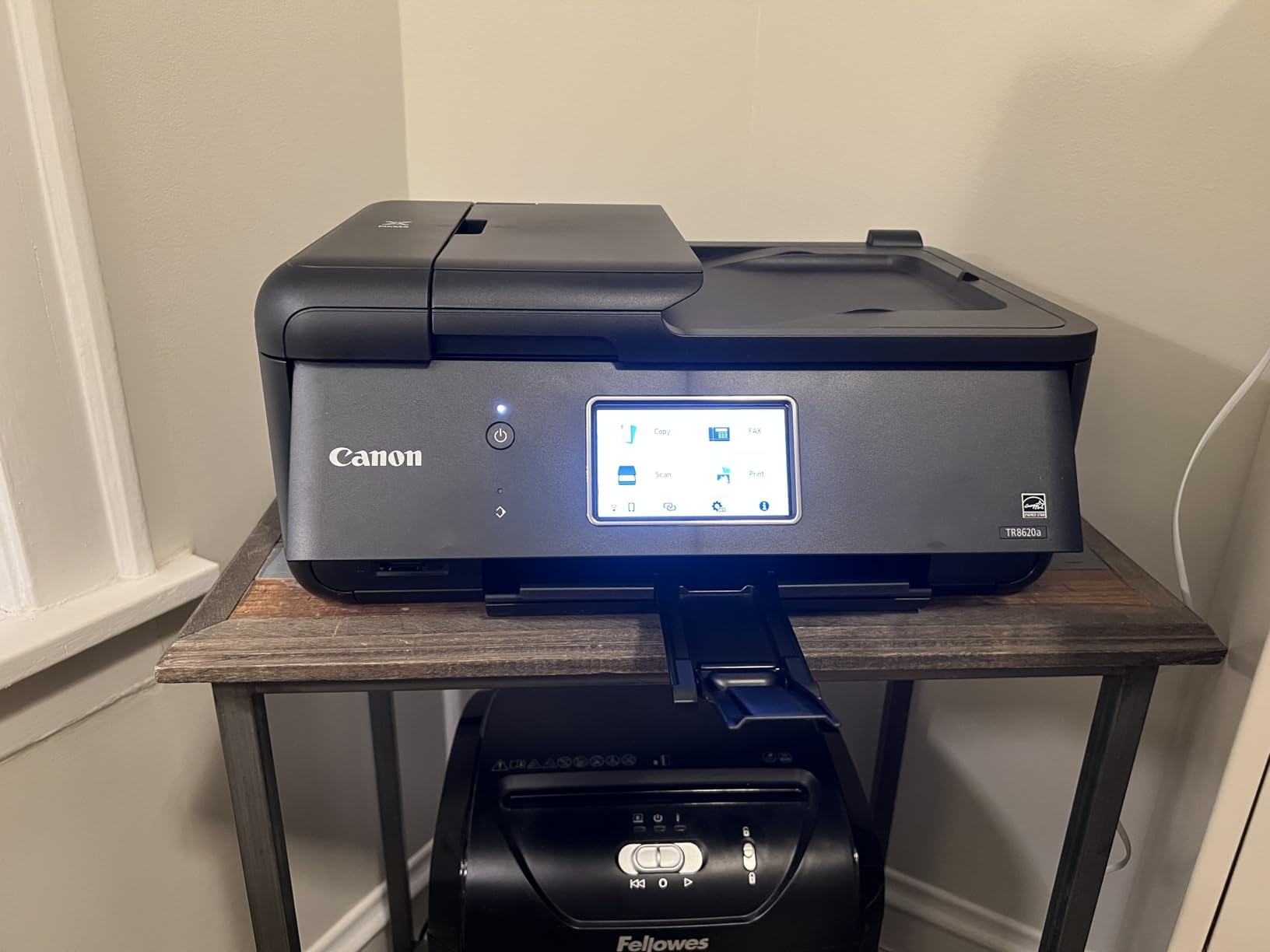
This is the machine we keep coming back to. The TR8620a is a genuine four-function unit: it prints, copies, scans and faxes, and the 20-sheet document feeder means a ten-page contract goes in once instead of ten times. Automatic duplex printing handles the back of the page for you, which almost nothing else in this price bracket manages.
Paper handling is the quiet strength. You get a 100-sheet front cassette plus a 100-sheet rear feed for envelopes and heavier card stock, so it rarely stalls mid-job, and a 1000 page duty cycle tells you it is built for more than occasional use. The tilting colour touchscreen makes it usable without an app, which matters when you are standing at the machine.
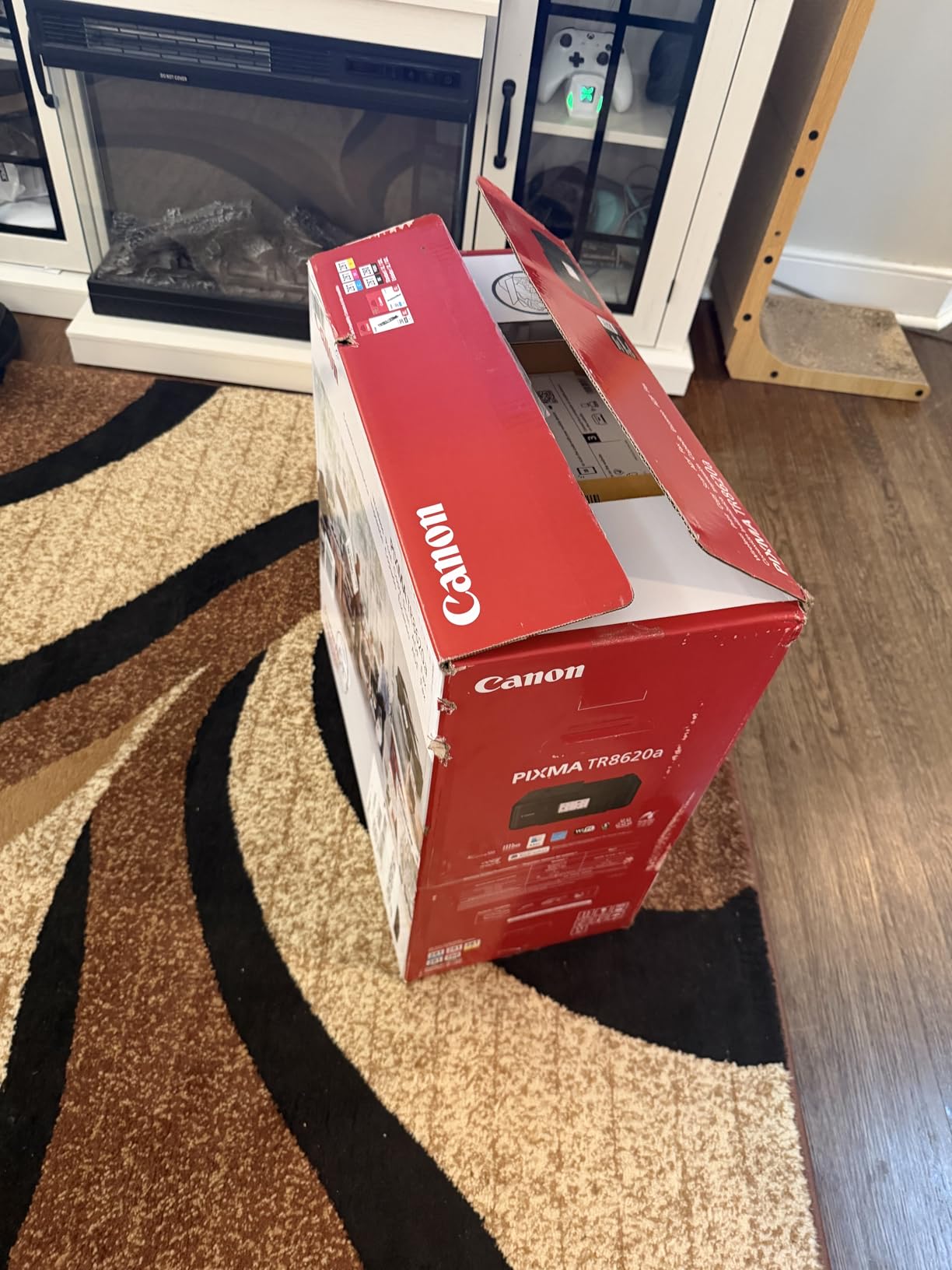
Spec-wise it is quick for the money at 15 pages per minute in black and 10 in colour, handles media up to 8.5 x 14 inch, and draws only 15 watts. Print resolution tops out at 4800 x 1200 dpi in both black and colour, and the five individual ink tanks mean a red-heavy project does not force you to replace a full colour set.
Owners rate ink economy as a genuine surprise against comparable HP machines, and setup typically takes five to fifteen minutes if you keep the unit near your router. It also carries a one-year warranty and ENERGY STAR plus EPEAT Silver certification. The rear paper feed means the back of the machine is not a dead zone for thick stock.
Who should buy the TR8620a
Buy it if you run a home office where fax is a real requirement rather than a nice-to-have, or if you routinely print two-sided documents. The ADF and duplex combination means you rarely touch the machine once a job starts. The 200 sheets of capacity also suit a family that goes through a ream of paper without pausing.
It also makes sense for anyone who wants a touchscreen rather than a phone app, since the panel handles copy and scan settings on the device itself. At 17.4 pounds and 13.8 inches deep it needs a real shelf, not a floating desk in a small apartment.
Where the TR8620a falls short
The document feeder is single-sided only, so duplex originals still have to be flipped by hand. The flatbed scanner caps at 600 dpi, which is fine for receipts and forms but rules out reproducing detailed photographs. The Canon PRINT app earns regular complaints about speed and stability, so plan on setting the machine up over Ethernet or a stable Wi-Fi band rather than fighting the app.
A handful of owners also report a lighter, more plastic-feeling build than earlier Canon models, and borderless 4×6 printing takes some configuring in photo software. None of that is a dealbreaker; it is just the price of fitting a fax machine under the cap.
2. Canon MegaTank G3270 – Best Value on Ink Cost
Canon MegaTank G3270 All-in-One Wireless Color Printer
Ink tank system
Print, copy, scan
6000+ pages per ink set
100 sheets
1.35 inch LCD
Pros
- Refillable tanks cut cost per page far below cartridge models
- One ink set covers up to 6000 black pages
- Refill bottles are simple to fill
- Sharp text and good color for the money
- Five years of spare part availability
Cons
- Single-sided printing only with no duplex
- No fax and no automatic document feeder
- Tiny 1.35 inch screen limits on-device control
Here is the honest arithmetic of the roundup. The G3270 uses refillable GI-21 bottles instead of cartridges, and a single ink set is rated at up to 6000 black and white pages or 7700 colour pages. If you print regularly, that is the difference between owning a cheap printer and owning a cheap printer that does not bleed money every month.
It is also a proper three-function machine with wireless print, copy and scan, a 1.35 inch backlit LCD and a 100-sheet tray. Canon rates five years of spare part availability, which matters more than most buyers realise when a printer sits unused for months at a time.
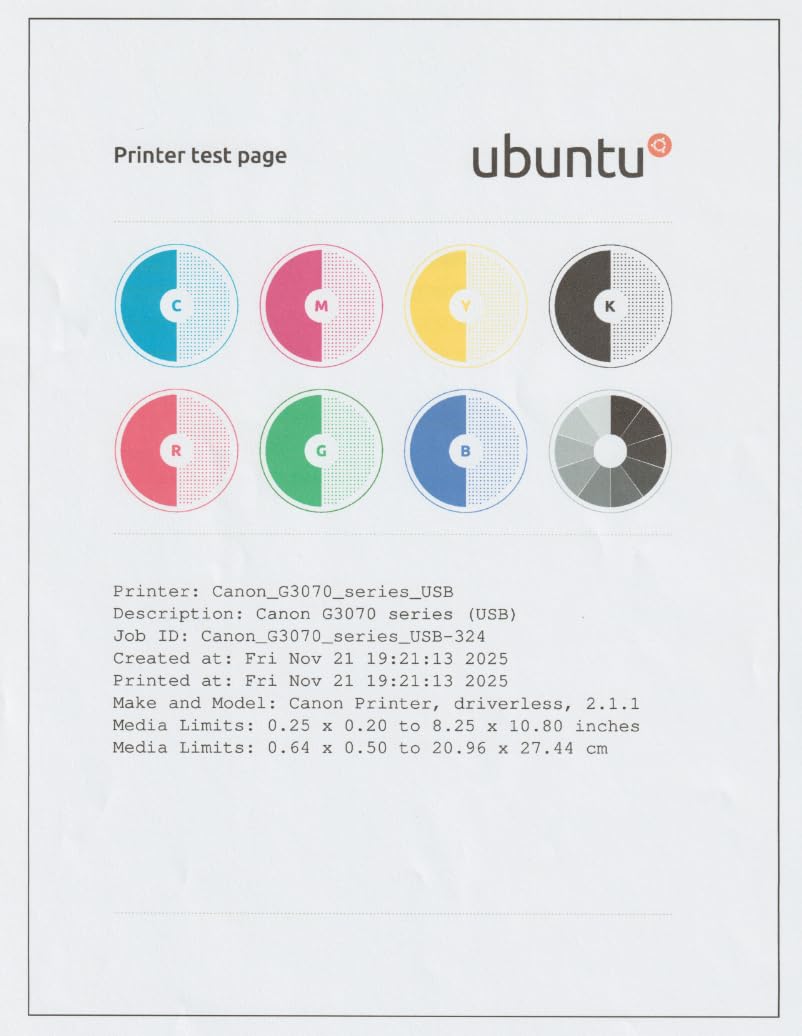
Output quality is 4800 x 1200 dpi with borderless printing and square formats, and the flatbed scanner reads 600 x 1200 dpi. It copies up to 99 pages per run, supports card stock and envelopes, and is ENERGY STAR and EPEAT qualified. The refill bottles are genuinely easy to use, which is where most tank printers lose people.
Reviews skew strongly positive, with 67 percent five-star ratings, and the recurring theme is exactly the one that should drive the decision: owners who print a lot describe the savings as the entire reason they bought it. Setup is straightforward and print quality is described as clean and sharp for the money.
Who should buy the MegaTank G3270
Buy it if you print more than a few pages a week and you are tired of cartridge maths. A school household, a home business shipping labels and forms, or anyone producing a monthly pile of colour handouts will feel the difference within a year. It is also a good choice for light users who simply want to stop thinking about ink entirely.
Its second audience is anyone who prints rarely and worries about dried ink in the cartridge bay. Tanks left partly full with a heat-free style of feed tend to survive long gaps better than cartridges in a machine that sits unused, and this unit is rated for 6000 pages per set.
Where the MegaTank G3270 falls short
There is no automatic duplex, no document feeder and no fax, so this is a three-function machine in the strict sense. If you need to send a signed page to a clinic or a landlord, look elsewhere. The 1.35 inch screen gives you very little to work with on-device, so most control happens through the app.
Colour photo output is competent rather than photo-lab quality, and Canon notes that third-party refill ink may affect warranty coverage. The 21.9 inch depth is also worth measuring before you commit, since the rear feed adds to the footprint.
3. Canon PIXMA TS3720 – Best Budget Pick for Small Spaces
Canon PIXMA TS3720 Wireless All-in-One Printer for Basic Home Printing, White
Color inkjet
Print, copy, scan
7.7 ipm black
60-sheet tray
Dual band Wi-Fi
Pros
- Lowest outlay of any unit we recommend
- Weighs 8.7 pounds and fits a small desk
- Setup is quick and largely app-free
- Dual band Wi-Fi on 2.4GHz and 5GHz
- AirPrint plus Mopria and Chromebook support
Cons
- No automatic duplex printing with no ADF and no fax
- Only a 60-sheet tray
- Tri-color cartridge means one low color channel wastes the whole unit
The TS3720 exists for a specific buyer: someone in a flat who wants to print letters, homework and the occasional photo without giving up wireless printing. At 8.7 pounds and 5.8 inches tall it is the smallest machine here, and it is one of the few under the cap with true dual-band Wi-Fi, meaning it can sit on a crowded 2.4GHz network without fighting it.
It handles print, copy and scan with a 1.5 inch segment LCD, prints up to 4800 x 1200 dpi and scans at 1200 x 1200 dpi, which is unusually good for the entry tier. Canon PRINT, Apple AirPrint, Mopria and Chromebook support are all present, so setup does not depend on one vendor app.
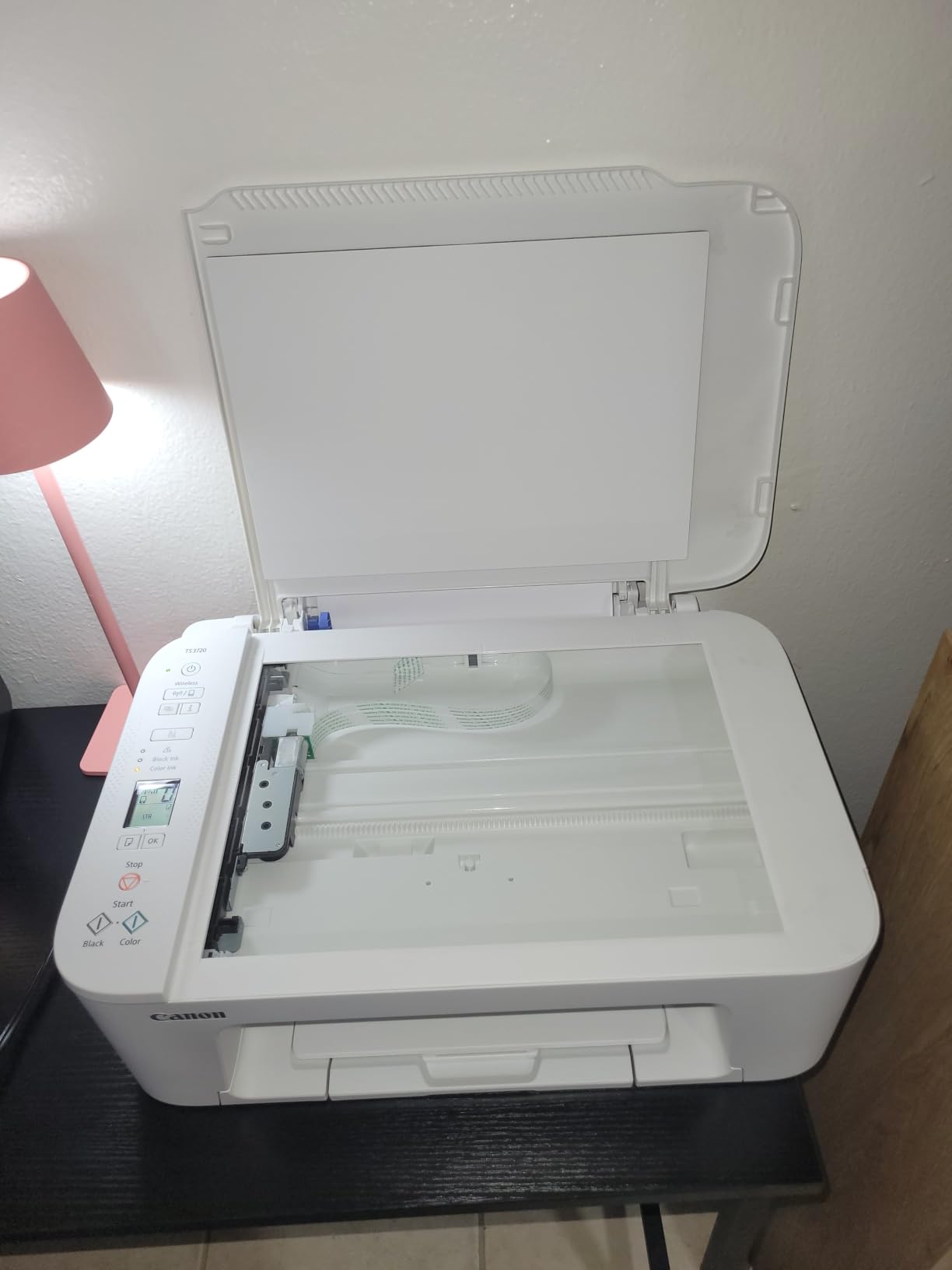
Two PG-275 and CL-276 cartridges do all the work. That simplicity is a genuine advantage for anyone who dreads ink changes, since there is no colour-specific waste and the swap is a two-minute job. At roughly 7.7 pages per minute in black and 4 in colour it is not fast, and the 60-sheet tray means refilling more often than the larger machines.
Owners describe it as reliable over Wi-Fi with quick out-of-box setup, and the criticism is almost entirely about what is absent rather than what is broken. It carries a one-year manufacturer warranty and handles envelopes, labels, banners and borderless 5×7 photos.

Who should buy the PIXMA TS3720
This is the right pick for occasional home printing where cost matters more than speed. A student, a renter, or a household that prints a handful of pages a month will find the low outlay easy to justify and the ink system simple to maintain. The small footprint is the deciding factor in a home office that shares a desk with a laptop.
It is also a sensible second machine for a bedroom or a study, where a larger unit would be wasted. If your printing is almost entirely black-and-white documents and forms, the missing fax and ADF will not register.
Where the PIXMA TS3720 falls short
There is no automatic duplex, no document feeder and no fax. The 60-sheet tray is small for anyone printing in batches, and at under 8 pages per minute black it will feel slow on a multi-page job. Most importantly, the CL-276 is a single tri-color cartridge, so a run of photos that drains cyan leaves you replacing the whole unit.
If you print colour regularly, move up to the G3270 instead. The step up in running cost per page is smaller than the difference in convenience once the tri-color waste starts adding up.
4. Brother Work Smart 1360 – Best Compact Duplex Machine
Brother Work Smart 1360 Wireless Color Inkjet All-in-One Print, Scan, Copy
Color inkjet
Auto duplex
20-sheet ADF
150-sheet tray
16 ipm black
Pros
- Automatic two-sided printing in a compact box
- 20-sheet feeder for multi-page copies
- 150-sheet tray is generous
- Fast at 16 ppm black and 9 ppm color
- Cloud printing to services such as Google Drive and Dropbox
Cons
- No fax function
- Ink running cost higher than tank-based models
- Setup software described as tedious
- 1.8 inch display is small for scan settings
The Work Smart 1360 packs more hardware into a small footprint than anything else at this budget. You get automatic duplex printing, a 20-sheet document feeder, a 150-sheet tray and a 1.8 inch colour display in a box that measures 13.5 inches deep. Brother covers it with a one-year limited warranty.
Speed is the other argument. It runs up to 16 pages per minute in black and 9 in colour, copies at 11 ppm and puts a first black page out in about 6.2 seconds. Print resolution reaches 1200 x 6000 dpi on Windows, and copy and scan both hit 1200 x 1200 dpi.
Brother Mobile Connect handles mobile printing and ink level monitoring through Page Gauge, and cloud scanning reaches Google Drive, Dropbox, Box and OneDrive. Cartridges load from the front, which is the change you will make most often, so that access path matters more than it sounds.
What divides reviewers is software, not hardware. Several accounts describe a long, awkward initial install and occasional drops off the wireless network after long idle stretches, and a visible share of one-star reviews mention cartridge recognition problems. Set aside twenty minutes for setup before you need to print.

Who should buy the Work Smart 1360
Buy it for duplex documents and multi-page scanning in a small room. The ADF plus automatic duplex combination covers most of what a home office does day to day, and the 150-sheet tray means you are not refilling it constantly. It suits a shared family machine where two-sided work is normal.
It is also a good fit for anyone who wants the Brother build reputation at a mid-range outlay without paying for a tank system. The 150-sheet capacity and front-loading cartridges keep the day-to-day friction low once it is set up.
Where the Work Smart 1360 falls short
There is no fax, which rules it out for clinics, landlords or anyone who sends signed paperwork regularly. Ink is cartridge-based, so the per-page cost is well above a tank model and you will be back at the shop more often than G3270 owners.
The 1.8 inch screen is cramped for navigating copy and scan settings, and the wireless reliability is the most common source of frustration in reviews. If your network is crowded, a wired USB connection during setup will save you an afternoon.
5. Brother INKvestment 1365 – Best Warranty and Print Sharpness
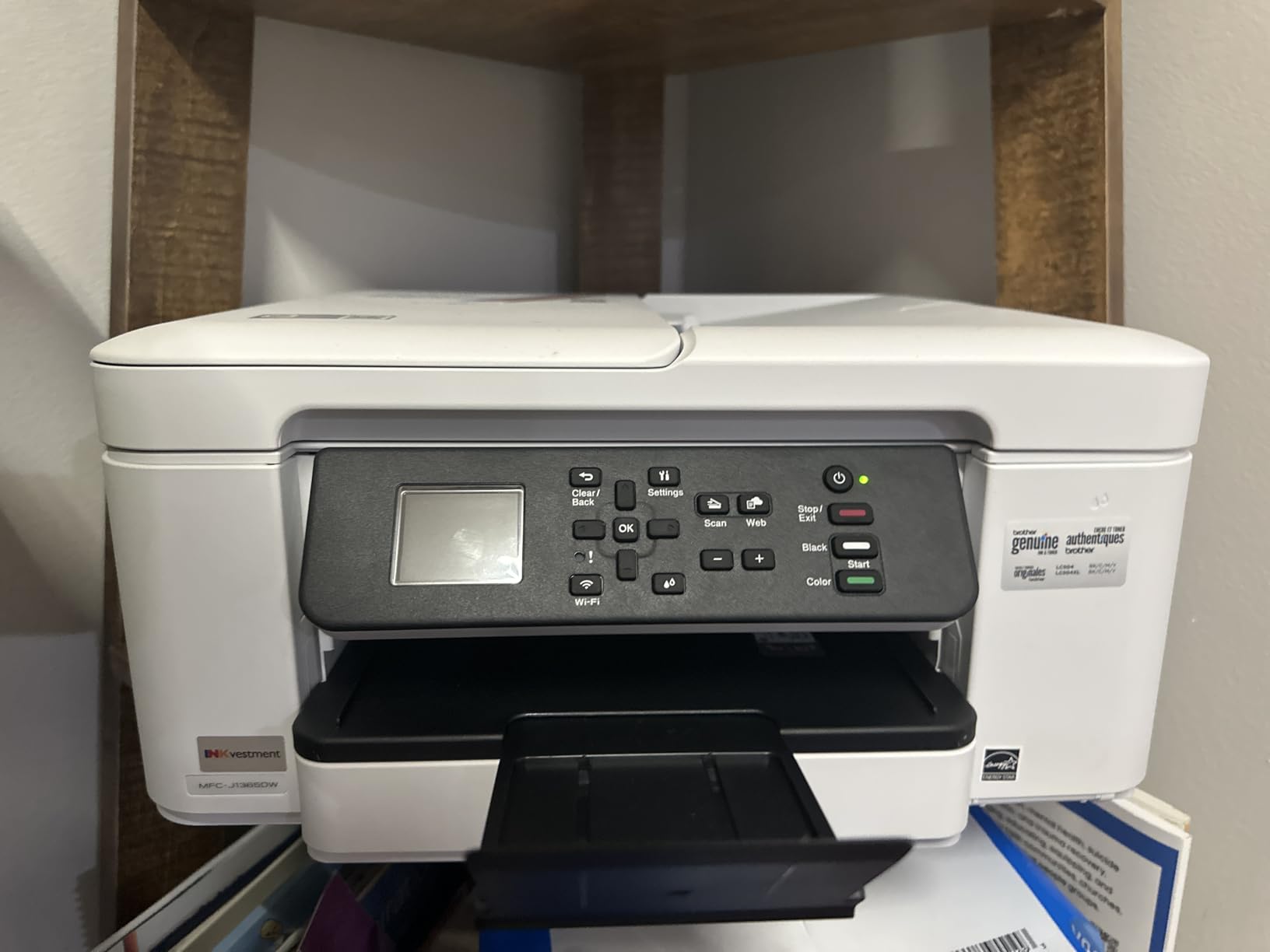
Brother INKvestment 1365 Wireless Color Inkjet All-in-One Printer with Automatic Duplex Printing and 1.8” Color Display | Includes Refresh Subscription Trial(1) (MFC-J1365DW)
Color inkjet
Auto duplex
20-page ADF
150-sheet tray
2-year warranty
Pros
- Two-year limited warranty is the longest coverage here
- Output described as comparable to laser
- Reliable automatic duplex
- Cartridges last a long time between changes
- Works with Mac and Linux drivers
Cons
- Setup and web installer can hang or stall
- Low-contrast buttons are hard to read
- No fax capability
- Occasional Wi-Fi dropouts reported
The INKvestment 1365 is the same chassis as the Work Smart 1360 with a different ink approach and a better warranty. It ships with one 1200 page black cartridge and three 500 page colour cartridges, uses Brother Genuine LC504 ink, and carries a two-year limited warranty. That coverage is the longest in this roundup by a full year.
Output quality is the reason owners mention it. Several describe the text and colour as comparable to laser, and the automatic duplex works reliably. At 16 ppm black and 9 ppm colour with a 150-sheet tray and 20-page feeder, the paper handling matches the machine above it.
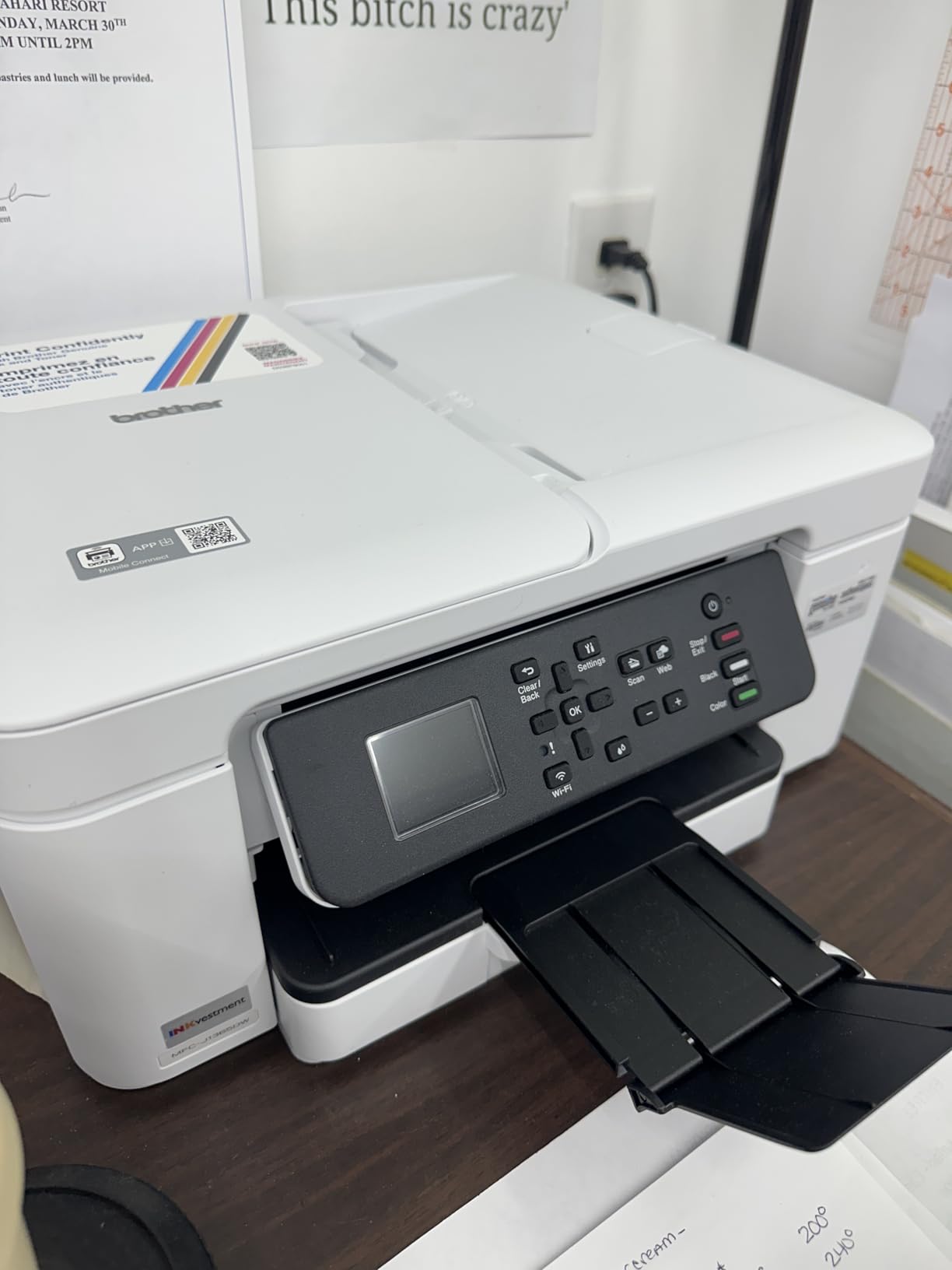
Connectivity is USB, Wi-Fi and Wi-Fi Direct, with the same 1.8 inch colour display and cloud access to Google Drive, Dropbox, Box and OneDrive. Scan resolution reaches 1200 x 6000 dpi and copy resolution 1200 x 1200 dpi, and the unit is ENERGY STAR rated.
Setup friction is the recurring complaint. Brother’s web installer and scan utilities are described as slow or unresponsive, the physical buttons are black-on-black and hard to distinguish, and a smaller pool of reviews mentions Wi-Fi dropouts and colour cartridge recognition problems on units received fresh.
Who should buy the INKvestment 1365
Pick it if print quality on documents is the priority and you want the security of a two-year warranty on a moving part machine. Owners who came from a laser report the same crispness at a lower outlay, and the bundled high-yield black cartridge means you are not ordering ink in the first month.
It also suits Linux users, since Brother actively maintains drivers for that platform. The compact 13.5 inch depth and 16.8 pound weight keep it desk-friendly despite the feature count.
Where the INKvestment 1365 falls short
No fax, and the review base is thinner than its sibling, so long-term reliability data is less established. Cartridge running costs still apply, and Brother’s software remains the weak point during installation. The Refresh subscription trial bundled with the machine is another prompt you will want to decline at setup.
If a two-year warranty is your deciding factor but you also need fax, the Canon TR8620a at the top of this list is the more complete machine. Compare them on features rather than on the warranty alone.
6. HP DeskJet 2955 – Smallest Footprint, Fewest Problems Here
HP DeskJet 2955 Wireless All-in-One Color Inkjet Printer, Scanner, Copier, Best-for-Home, 3 Month Trial of Instant Ink Included, AI-Capable (A24HJA)
Color inkjet
Wireless print, copy, scan
60-sheet tray
7.5 ppm black
7.6 pounds
Pros
- Very compact at 7.6 pounds and 6 inches tall
- App-guided setup is quick
- Clean output for everyday documents
- Dual band Wi-Fi with automatic reconnection
- HP AI strips clutter from web pages and email
Cons
- Manual duplex only with no ADF or fax
- Several units reported failing to power back on
- Setup can loop or stall
- Scan and copy limited to 300 x 300 dpi
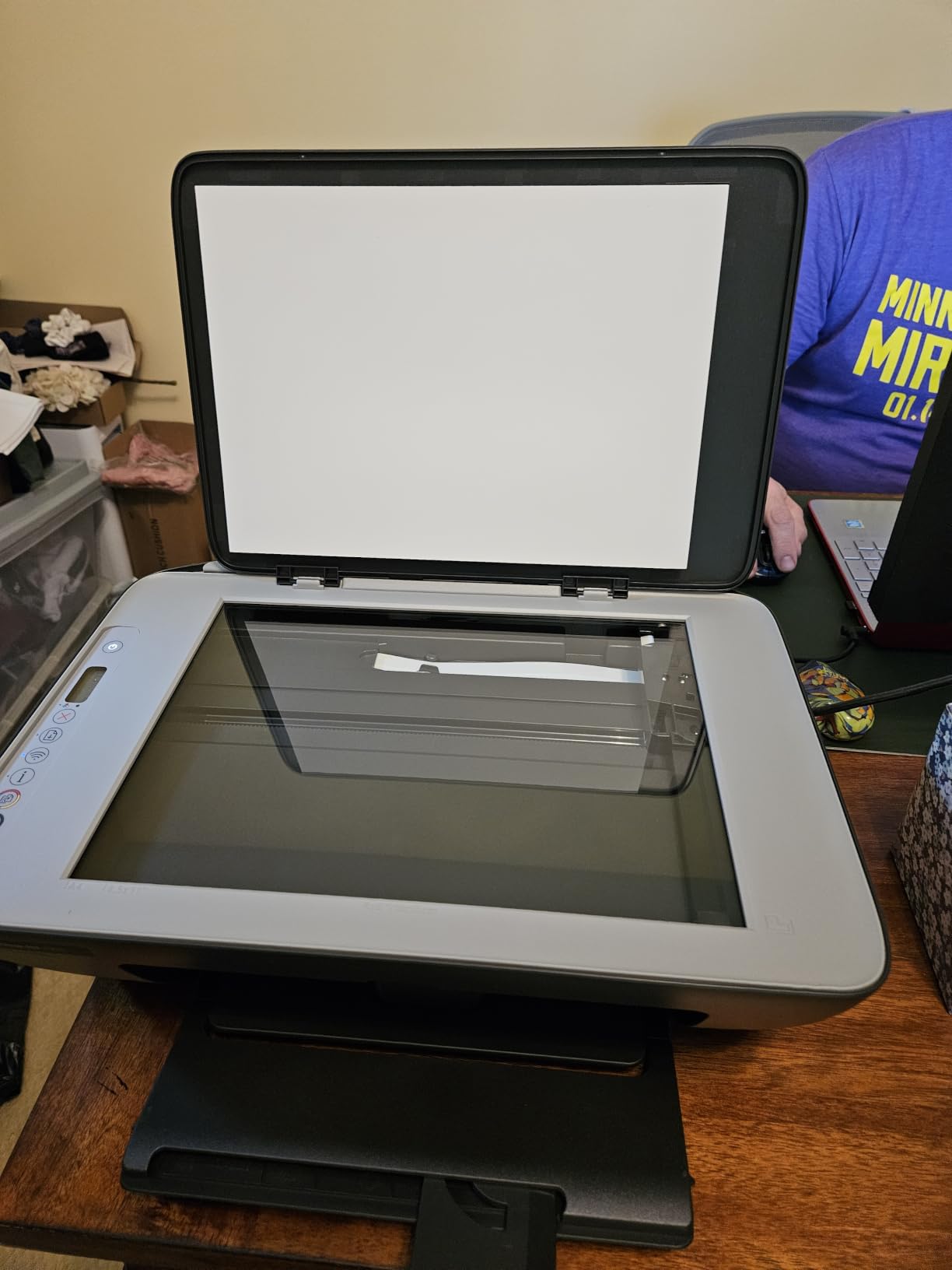
We are including this one with reservations. The DeskJet 2955 is the smallest machine here, weighing 7.6 pounds at 11.97 inches deep, and it does print, copy and scan over Wi-Fi with AirPrint, Mopria and wireless direct printing. The HP AI formatting feature strips web page and email clutter before printing, which is more useful than it sounds.
Paper handling is minimal: a 60-sheet input tray, manual duplex with driver support only, and no document feeder. Copy and scan resolution tops out at 300 x 300 dpi, which is the weakest specification in this roundup and fine for nothing more than quick copies of notes.
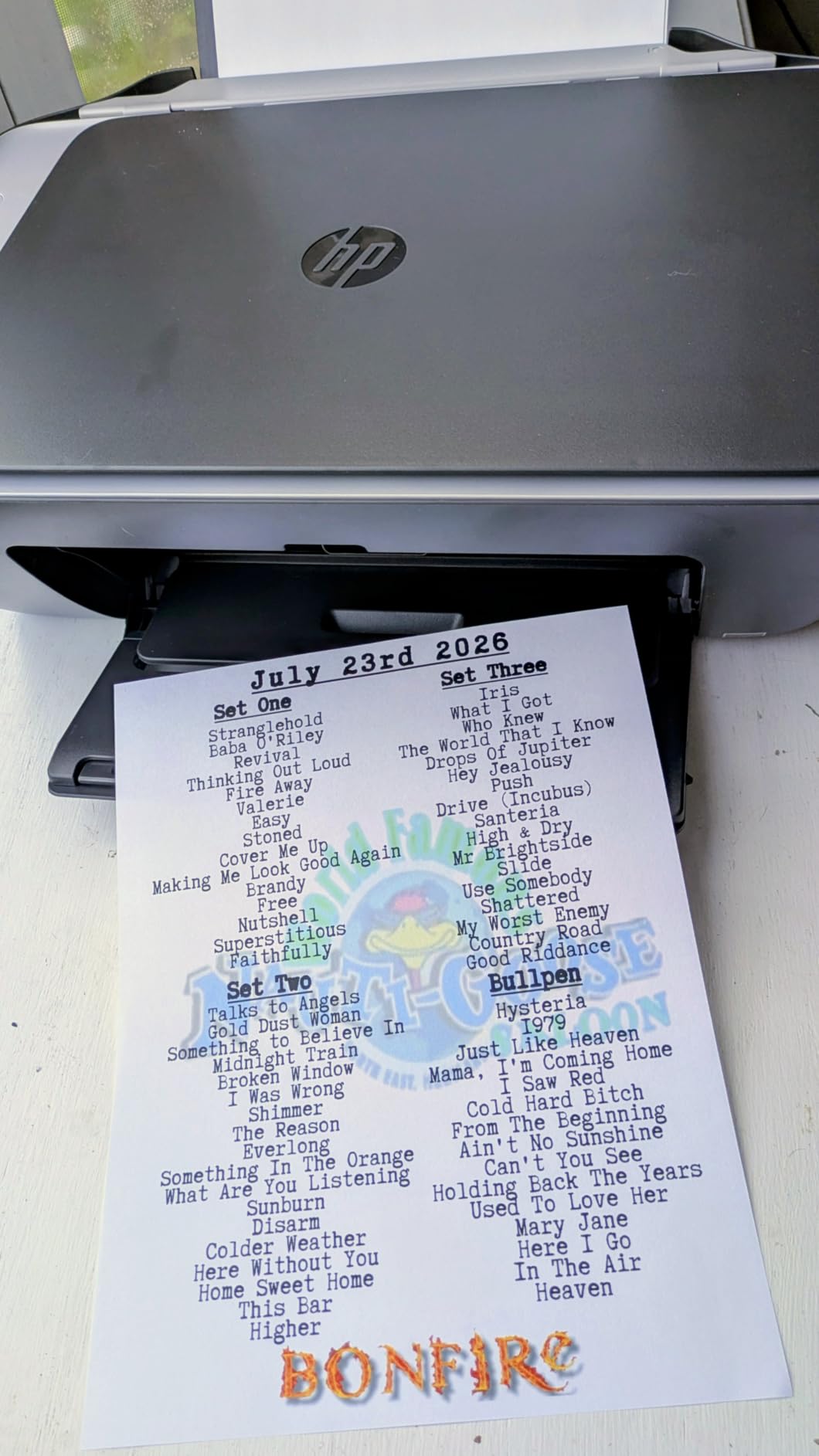
Speed is 7.5 pages per minute black and 5.5 colour, with a first page in 20 seconds. It uses HP 68 and 68e cartridges, is made with at least 70 percent recycled plastics, and carries ENERGY STAR and EPEAT certification plus a one-year limited warranty.
The reliability picture is the reason this sits near the bottom. It holds the lowest rating of anything we reviewed, with a quarter of reviews at one star: units that will not power back on without being unplugged, error lights that will not clear after a few dozen pages, and setup that loops or stalls. Several owners also report being unable to claim the advertised trial ink.
Who should buy the DeskJet 2955
Buy it only if desk space is your binding constraint and you print simple documents. It is a legitimate choice for a dorm room or a kitchen counter where a five-inch-tall machine is the difference between finding room and not finding room. Wireless printing from a phone works well once connected.
HP AI formatting also makes it reasonable for anyone who mostly prints web pages and email attachments rather than carefully prepared documents. Expect to live with a 60-sheet tray and manual two-sided printing.
Where the DeskJet 2955 falls short
Reliability is the headline problem, and it is concentrated rather than scattered: power, error states and setup loops. At 300 x 300 dpi the scanner and copier are barely adequate, and the printer will not scan a multi-page stack without you turning every sheet over. There is no fax.
Some units also support only 2.4 GHz Wi-Fi in practice despite the dual-band claim on the box, and a one-year warranty on a machine with this failure profile is thin. If the Canon TS3720 costs barely more and holds a much stronger owner record, that is the safer bet.
7. HP OfficeJet Pro 8135e – Best Paper Handling for a Home Office
HP OfficeJet Pro 8135e Wireless All-in-One Color Inkjet Printer, Print, scan, Copy, fax, ADF, Duplex Printing Best-for-Home Office, 3 Month Instant Ink Trial Included, AI-Enabled (40Q35A)
Color inkjet
Print, copy, scan, fax
Auto duplex and ADF
225-sheet tray
20 ppm black
Pros
- Full feature set with fax plus ADF and automatic duplex
- Largest input tray in this roundup at 225 sheets
- Fastest inkjet here at 20 ppm black and 10 ppm color
- Large 2.7 inch colour touchscreen
- Dual band Wi-Fi plus Ethernet
Cons
- Prints only with HP 923 chip cartridges
- Instant Ink trial is pushed hard during setup
- ADF is single-sided only
- Ink running cost is high once cartridges are replaced
If paper volume is your problem, the OfficeJet Pro 8135e solves it. The 225-sheet input tray is the largest in this roundup, it runs at up to 20 pages per minute in black and 10 in colour with a first page in 18 seconds, and it does print, copy, scan and fax with automatic duplex and a one-sided ADF. The 2.7 inch colour touchscreen is the second largest here and runs a phone-like interface.
Networking is unusually flexible for a home machine, with dual band Wi-Fi, Ethernet and USB, and HP Wolf Essential Security on board. It accepts media up to 8.5 x 11.7 inch, copies at up to 12 ppm for as many as 99 pages per run, and scans at 1200 x 1200 dpi.
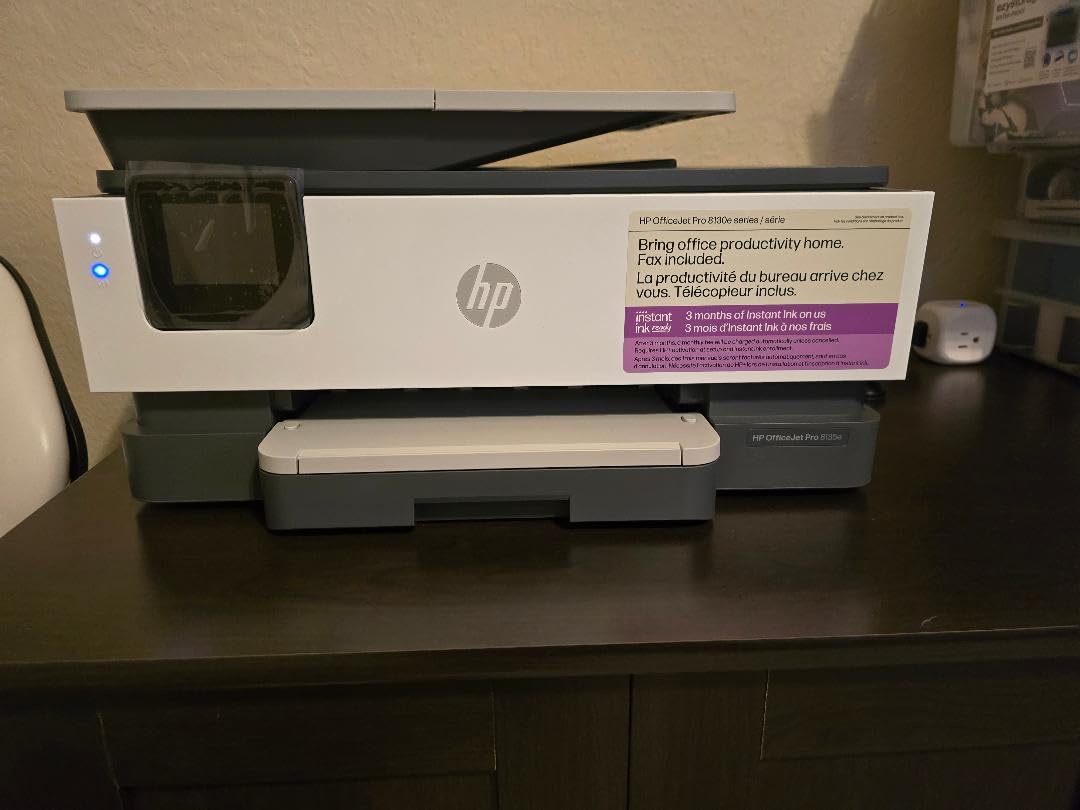
Now the part that decides the purchase. It requires original HP 923 cartridges containing HP chips, and non-HP cartridges are physically blocked from working. On top of that, the Instant Ink trial is pushed during setup and a monthly fee applies after it. Both facts push the running cost above what the hardware spec sheet implies.
That shows in the ratings. Reviewers broadly rate the hardware as capable and the output as good for business documents, but one-fifth of reviews are one star, with running cost and the subscription-first setup experience as the recurring themes. The warranty is one year, extendable to two with HP+.
Who should buy the OfficeJet Pro 8135e
Buy it if you print in volume, need fax and want a tray you can fill once. A home office handling invoices, a small business shipping documents, or a household printing school projects weekly will get the most from the 225-sheet capacity and the 20 ppm speed. The touchscreen also removes the phone from the workflow entirely.
Ethernet support is a quiet asset in an office where Wi-Fi is congested or segmented. Duplex printing plus an ADF means routine paperwork runs without intervention, which is where most of the speed advantage actually shows up.
Where the OfficeJet Pro 8135e falls short
The cartridge lock-in is real and worth planning around: original HP 923 chips are required, so third-party refills are not an option. Combined with the Instant Ink push during setup, the true cost of ownership is the highest of any inkjet in this roundup once you start replacing cartridges.
The ADF is single-sided, so duplex originals still need manual flipping. At 19 pounds and 9.17 inches tall it is also the bulkiest machine here, and a 20 percent one-star share is the second highest in the set. If ink cost is your deciding factor, the Canon G3270 or an Epson tank model serves you better long term.
8. Epson Expression Premium XP-7100 – Best for Photos and Media
Epson Expression Premium XP-7100 Wireless Color All-in-One Inkjet Printer
Color inkjet
30-page duplex ADF
4.3 inch touchscreen
CD/DVD printing
8x10 photos
Pros
- Only unit here that prints directly onto CD and DVD media
- 30-page ADF with automatic two-sided print copy and scan
- Borderless photo output up to 8 by 10 inches
- Large 4.3 inch touchscreen for editing photos
- Self-retracting motorized output tray
Cons
- Small 30-sheet main tray that is hard to remove
- No fax capability
- Scans and copies can come out skewed
- Color photos duller than five-ink Epson models
The XP-7100 is the photo machine of this group. It prints borderless up to 8 by 10 inches, carries a dedicated CD/DVD tray, and has a 4.3 inch touchscreen for viewing and editing images straight from a USB stick or SD card. It is also the only model here with an ADF that does automatic two-sided printing, copying and scanning.
It uses Epson Claria Premium 410 and 410XL cartridges including a Photo Black, reaches 4800 dpi for print and copy, and adds a rear paper feed for heavy media. The motorized output tray retracts on its own, which keeps the desk clear when the machine is idle. A 30-page ADF handles a stack without lifting the lid.
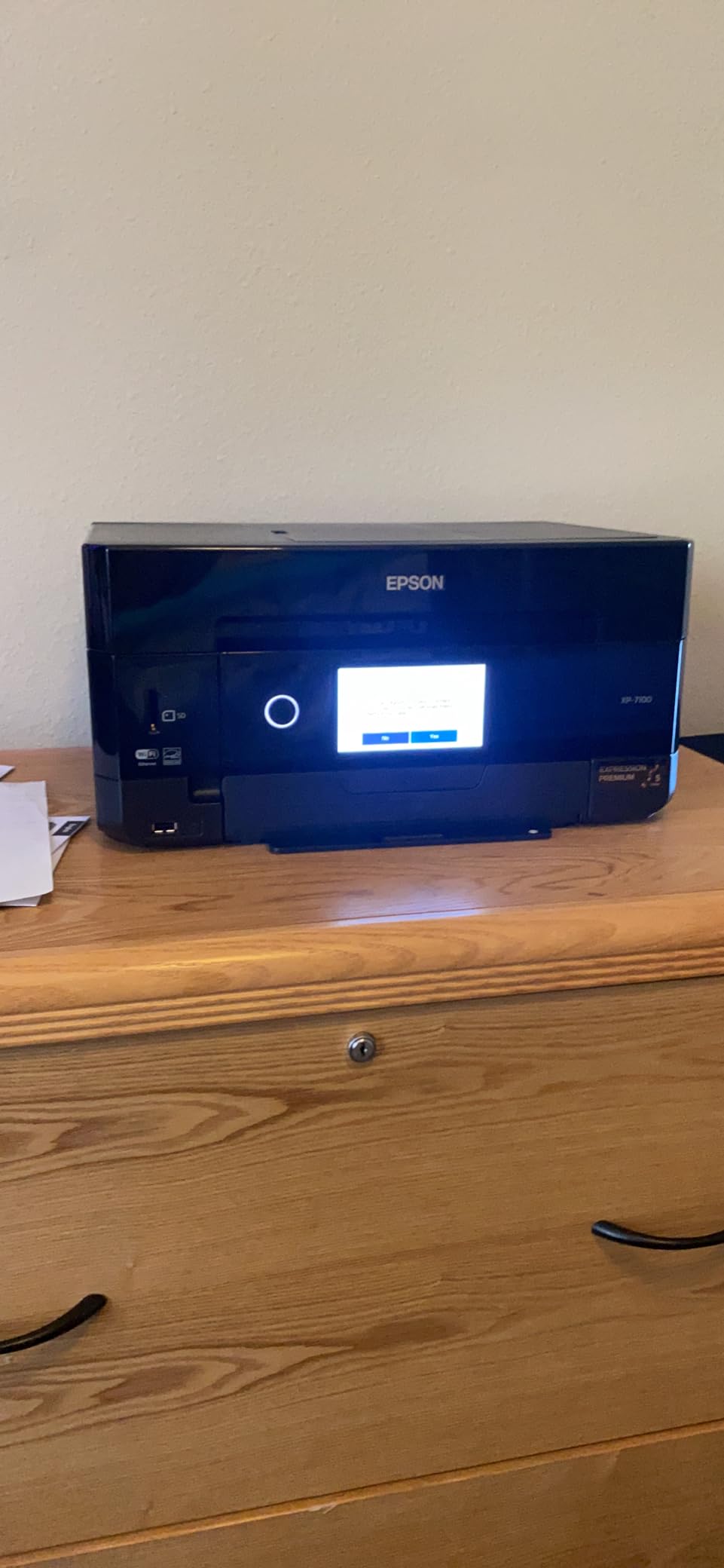
Connectivity covers wireless, Ethernet, USB and Wi-Fi Direct, and it draws 13 watts. Note the practical trade-off on paper: the main tray holds only 30 sheets and is described as flimsy and hard to remove, so the rear feed becomes part of the routine rather than an occasional convenience.
Owners consistently praise the document and photo quality, with 64 percent five-star ratings, and the CD/DVD capability is unmatched at this price. The most cited limitations are scan-related: pages can come out skewed with no on-printer correction, colour is less vivid than older five-ink Epsons, and the touchscreen frequently reads a swipe as a tap.
Who should buy the XP-7100
Buy it if you print photographs, craft projects or anything where colour accuracy is the point. Scanners, archival copying of family photos and a CD/DVD workflow are all reasons to own this rather than a cheaper model. The 30-page duplex ADF also makes it one of the better machines here for mixed paper and photo work.
It suits a small business producing branded material on a desk, since the touchscreen handles job setup without an app. If you already print photos and want scanning to keep pace, the dual-sided ADF is a genuine step up.
Where the XP-7100 falls short
Scanning is the weak point, not printing. Skewed flatbed and ADF results with no built-in correction will frustrate anyone producing records, and the touchscreen misreading swipes makes navigation awkward. Colour photo output is less vivid than five-ink Epson models, and the printer cannot auto-correct faded photos.
There is no fax. Colour photo speed is roughly 1 page per minute and the wake-up sequence from sleep is long, so do not expect it for quick snapshots. The 30-sheet tray and 21.5 pound weight also mean it is a full-size machine in a small-budget bracket.
9. Epson WorkForce WF-2860 – Best Connectivity and Duplex Scanning
Epson Workforce WF-2860 All-in-One Wireless Color Printer with Scanner, Copier, Fax, Ethernet, Wi-Fi Direct and NFC, Amazon Dash Replenishment Ready
Color inkjet
Print, copy, scan, fax
30-page duplex ADF
Ethernet, Wi-Fi Direct, NFC
Pros
- Only unit with Ethernet plus Wi-Fi Direct and NFC together
- Real drivers for Windows macOS and Linux
- 30-page ADF with double-sided scanning
- Compact cube shape stores neatly
- Scans an A4 page in about 15 seconds
Cons
- Small 2.4 inch touchscreen with unintuitive icons
- Some units report missing print head lines
- A firmware update has left some owners with unusable printers
- Wi-Fi setup is difficult on dual band networks
The WF-2860 wins on connectivity and on one feature nothing else here matches: double-sided scanning. Its 30-page document feeder reads both sides of a document in a single job, which is the feature most buyers assume they have and discover they do not. It also prints, copies, scans and faxes.
Networking is the widest available at this price: wireless, Ethernet, Wi-Fi Direct and NFC, alongside AirPrint, JetDirect, AppleTalk and LSB support. Cross-platform support is a genuine strength, with real drivers for Windows, macOS and Linux rather than a web-only installer.
The Epson PrecisionCore engine handles up to 20 ppm black and white copying, print resolution reaches 9600 dpi, and copy resolution runs to 9600 dpi in black and 4800 x 1200 in colour. Paper capacity is 150 sheets, the touchscreen is a 2.4 inch colour LCD, and it draws only 10 watts, the lowest figure in this roundup.
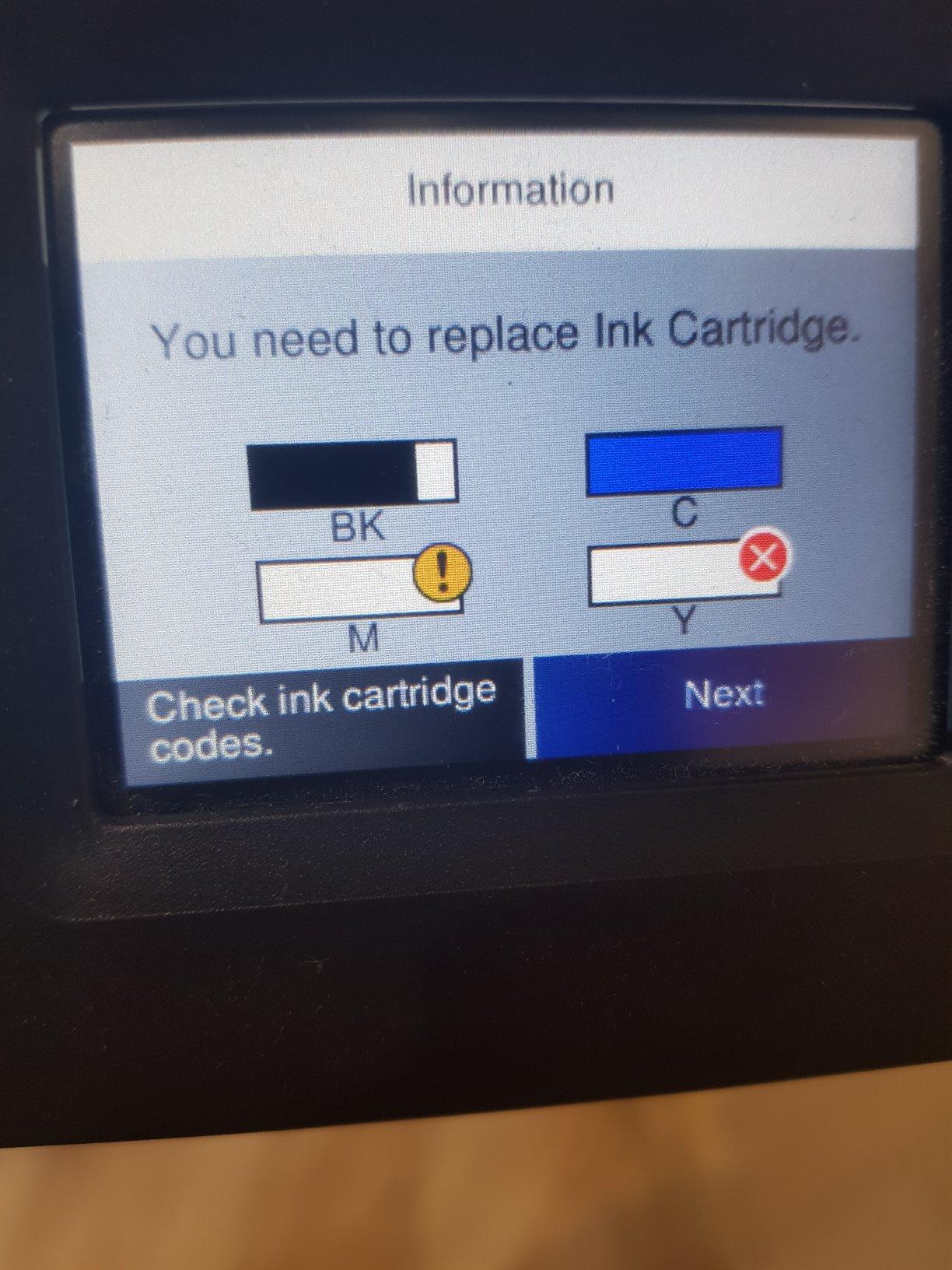
Two issues carry through the reviews. The touchscreen is small with icons that do not lay out intuitively, and a widely criticised firmware update can lock out non-genuine cartridges, which reviewers say left multiple owners with unusable printers and poor support experiences. Some units also report missing print head lines. A few describe print quality as basic rather than premium.
Who should buy the WorkForce WF-2860
Buy it if you scan two-sided documents regularly or your household runs mixed operating systems. The duplex ADF is the reason to spend up here, and the NFC tap-to-print plus Wi-Fi Direct means you can print without joining the network at all. It is also a good fit for a home office that needs fax alongside scanning.
Linux users in particular get more from this machine than from any other at this budget, because the drivers are maintained properly. The compact cube shape stores neatly when idle, and the low 10 watt draw suits a machine left on standby.
Where the WorkForce WF-2860 falls short
The firmware behaviour is the serious caution. An update that rejects non-genuine cartridges has left some owners with a printer that will not run, and the support experience afterwards is described as poor. If you plan to use aftermarket continuous ink, know that risk before you buy.
The 2.4 inch touchscreen is cramped, and Wi-Fi setup can be difficult on dual band networks, so set it up by Ethernet where you can. It uses Epson Genuine Claria cartridges only, and some owners find the output quality basic for the money.
10. Epson WorkForce Pro WF-3820 – Best Speed and Paper Capacity
Epson Workforce Pro WF-3820 Wireless Color All-in-One Inkjet Printer
Color inkjet
21 ppm black, 11 ppm color
250-sheet tray
35-page ADF
Auto duplex
Pros
- Fastest inkjet in this roundup at 21 ppm black and 11 ppm color
- Largest 250-sheet paper capacity
- 35-page automatic document feeder
- Automatic duplex with flatbed scanner
- PrecisionCore heat-free technology aimed at reliability
Cons
- Duplex and duplex scanning reported not to work on Windows
- Average print quality particularly for photos
- Expensive replacement cartridges
- Intermittent Wi-Fi dropouts reported
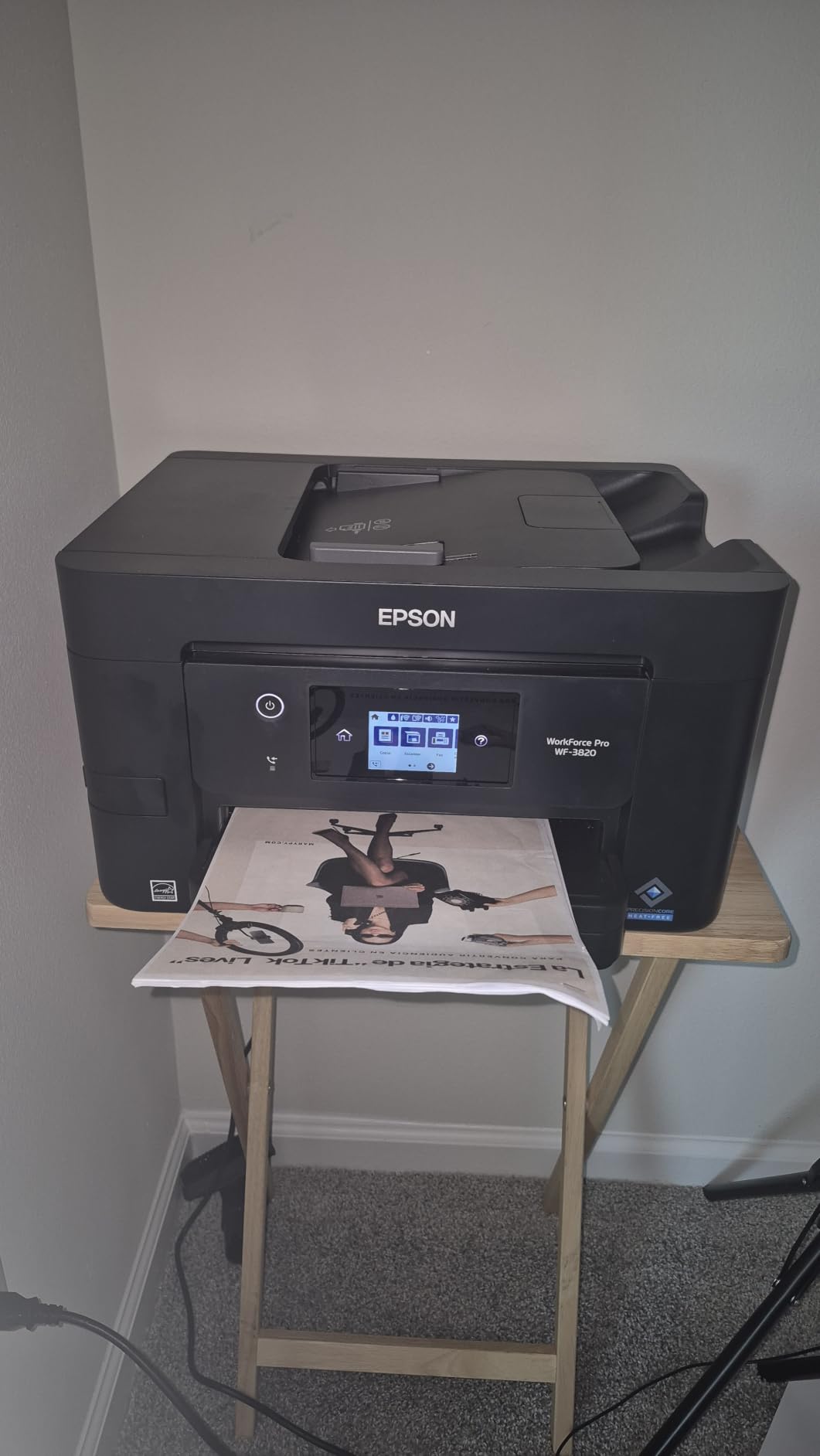
On raw capability the WorkForce Pro WF-3820 is the most capable inkjet in this roundup. It runs at up to 21 pages per minute in black and 11 in colour, holds 250 sheets, has a 35-page automatic document feeder, prints and scans both sides automatically, and copies at up to 40 ppm. No other unit under the cap combines that much paper handling.
The engine is PrecisionCore heat-free technology with DURABrite Ultra instant-dry pigment inks, which is designed for high-volume reliability and reduced downtime. Resolution reaches 4800 x 2400 dpi, copy resolution is 4800 x 1200 dpi, and media up to 13 x 19 inch is supported. It carries a one-year limited warranty in the US and Canada.
Connectivity is Wi-Fi, Ethernet and Bluetooth. Owners routinely call this machine the best value in its class, and several report it outperformed a more expensive Canon in their own homes, which tells you how well the speed translates into real work.
The catch list is specific. A recurring review complaint says automatic duplex and duplex scanning do not work on Windows, only on Mac, which is serious enough to verify on your own system before buying. Photo quality is average, cartridges are expensive, and some owners report intermittent Wi-Fi drops. Several also describe Epson firmware updates that bricked units by rejecting non-genuine cartridges.
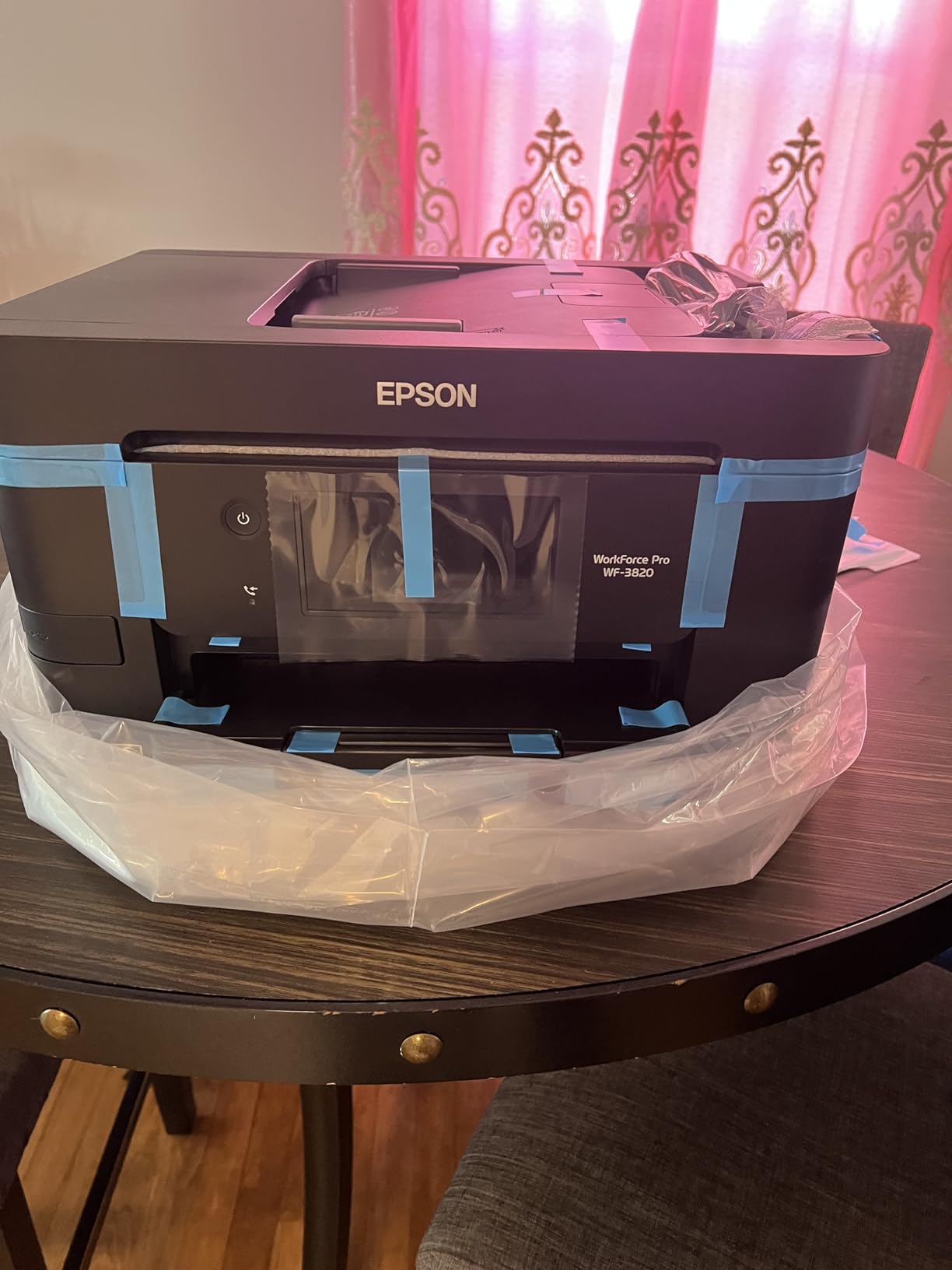
Who should buy the WorkForce Pro WF-3820
Buy it if you print a lot of black-and-white documents and need the paper capacity. A 250-sheet tray and 35-page feeder mean long jobs run without interruption, and the heat-free engine is built for the kind of continuous use that wears cheaper machines out. It suits a busy home office or a small studio.
The flatbed scanner alongside the ADF lets you mix a stack of forms with a single photograph, and Bluetooth pairing is a small convenience for phone printing. Just confirm your computer platform before you commit.
Where the WorkForce Pro WF-3820 falls short
Verify duplex on your operating system first. Multiple reviews report automatic duplex and duplex scanning failing on Windows while working on Mac, and that would remove the main advantage of the machine for a lot of buyers. Cartridge costs are high, and Epson Genuine DURABrite Ultra cartridges are the only supported option.
Photo quality is average, Wi-Fi drops intermittently for some owners, and the tall chassis with top-loading ink needs headroom on a shelf. The same firmware behaviour that affects the WF-2860 applies here, so treat aftermarket ink as a risk.
How to Choose the Best All-in-One Printer Under 200 Dollars
The first thing to establish is what all-in-one actually guarantees. Every machine here prints, copies and scans. Only three add fax: the Canon TR8620a, the HP OfficeJet Pro 8135e and the Epson WF-2860. A 3-in-1 is enough unless you send signed documents regularly. Our home office all-in-one guide covers this distinction in more detail.
Inkjet or laser in this range
Almost everything under this ceiling is an inkjet, and that is a reasonable outcome. Laser brings lower cost per page and no drying risk, but at this budget you are choosing between limited-function mono units and features you need. For colour, inkjet wins outright.
If you print only black-and-white documents in volume, a laser MFP changes the economics over time, even if it stretches the budget. Forums consistently recommend Brother laser for durability, which is why both Brother units here use cartridges designed around a long service life.
Cartridge or ink tank
Cartridge systems are cheaper to buy and cost more per page. Tank systems, sold as Canon MegaTank, Epson EcoTank and Brother INKvestment, refill from bottles and cut the per-page figure dramatically. The Canon G3270 is rated at up to 6000 black and white pages per ink set.
Pick a tank if you print weekly or more. Pick cartridges if you print a few pages a month, because a tank left sitting for months can still be a better bet than dried cartridges, but the refill bottle only makes sense once it is empty.
ADF, duplex and fax: the trade-off triangle
Below this price you rarely get all three. An automatic document feeder saves you lifting the lid; automatic duplex saves you turning the paper; fax saves you driving to a shop. The Canon TR8620a is the only unit here with an ADF plus automatic duplex plus fax, and the Epson WF-2860 is the only one with a duplex-scanning ADF.
Duplex printing and duplex scanning are different features, and the distinction catches people out constantly. Automatic duplex printing flips the page for you. Duplex scanning reads both sides in one pass. Almost nothing in this bracket does both.
Wireless setup without a screen
Every unit here prints over Wi-Fi, but the experience varies. Dual-band support, present on the TS3720 and the HP models, matters on crowded networks. AirPrint and Mopria support mean you can print from a phone without installing anything, which is the smoothest path.
Be cautious with setup friction. Brother’s web installer and Epson’s touchscreen UI draw the most complaints in owner reviews, so give yourself twenty quiet minutes with the manual before you need to print a boarding pass. If you use aftermarket ink, check whether the printer’s firmware blocks it before you buy.
How to Avoid HP Instant Ink and HP+ Lock-In
HP’s Instant Ink programme and the HP+ subscription generate more forum discussion than any other topic in this category, and it is the single largest source of regret in budget printer threads. The complaints are consistent: printers that push a trial hard during setup, cartridge models that only accept certain HP chips, and running costs that outrun the hardware savings.
None of that means an HP printer is a bad machine. The OfficeJet Pro 8135e has the best paper handling in this roundup. It means you should buy HP with your eyes open. Here is how to keep control.
1. Decline the trial at setup. The offer appears as a prompt before the printer will finish configuration. Saying no is free and the machine still prints with standard cartridges.
2. Do not enrol in HP+. HP+ is what converts a free trial into a monthly fee after it ends, and on some models it is the route to the extended warranty. You do not need it for printing.
3. Check the cartridge lock before you buy. The OfficeJet Pro 8135e requires original HP 923 cartridges with HP chips, and non-HP cartridges are blocked from working. That is a running-cost decision, not a setup detail.
4. Avoid auto-replenishment. Amazon Dash Replenishment and vendor subscriptions will order cartridges before you notice a low level. Turn these off at the account level the day the printer arrives.
5. Just buy a different brand. For running cost, the Canon G3270 is a better answer than any HP Instant Ink model under this ceiling. If you want a warranty longer than a year with no subscription attached, the Brother INKvestment 1365 gives you two years.
Broader context matters here too. HP Instant Ink has been the subject of a class action lawsuit over how the programme is presented, and a 15-minute wait policy was walked back after user feedback. You do not need to litigate anything to avoid the programme, but the history explains why owner sentiment runs so hot.
What You Give Up Under 200 Dollars
Every machine in this roundup is a compromise, and pretending otherwise is how people end up disappointed. Here is what the ceiling actually costs you.
Duplex scanning is the first casualty. Only the Epson XP-7100 and WF-2860 read both sides of a document in one pass, and only the TR8620a, both Brother units, the OfficeJet Pro 8135e and the WF-3820 print both sides automatically. Everything else means turning paper by hand.
Cheap ink and a full feature set do not coexist at this budget. The machines with tanks (Canon G3270) have no duplex, no ADF and no fax. The machines with everything (TR8620a, OfficeJet Pro 8135e) run cartridge ink. The Epson units with big 250-sheet trays charge premium for replacement cartridges.
Build quality is thinner too. Owners of the TR8620a describe a more plastic-feel than earlier Canon models, and several models in this bracket sit on the edge of their paper specification. If you want a machine that will sit on a shelf for five years without attention, you need to spend more than the cap allows.
Photo output stays at hobby level except on the XP-7100. Borderless printing works, colour is good, but nothing here replaces a dedicated photo printer. For a different kind of production workflow, our guide to professional DTF printers covers garment printing properly.
Finally, warranty length is a signal. Most of these machines carry one year. Only the Brother INKvestment 1365 offers two. On a device with moving feed rollers and a printhead, that difference is worth weighing against the sticker price.
Frequently Asked Questions
What is the best inexpensive all-in-one printer for home use?
The Canon PIXMA TR8620a is our top pick for home use because it is the only model in this roundup that combines fax, a 20-sheet automatic document feeder and automatic two-sided printing. It runs 15 pages per minute in black, holds 200 sheets across the cassette and rear feed, and has a tilting touchscreen so you can copy and scan without an app.
What is the most reliable all-in-one printer under 200 dollars?
Reliability under this ceiling tracks the brand’s ink policy more than the hardware. Canon and Brother models draw the strongest owner records for build and setup, while the HP models carry the highest share of one-star reviews tied to power, error states and cartridge lock-in. The Canon MegaTank G3270 and the Brother INKvestment 1365 sit at the conservative end, with a tank system and a two-year warranty respectively.
Which printer has the least amount of problems?
The Brother INKvestment 1365 is the pick for fewest problems over a long ownership period, largely because it carries a two-year limited warranty and uses high-yield cartridges that last a long time between changes. Its main weakness is software rather than hardware: Brother’s web installer and scan utilities are described as slow or unresponsive during setup.
Is inkjet or laser better under 200 dollars?
For colour, inkjet is the only realistic choice at this budget and every model in this roundup is an inkjet. Laser makes sense for high-volume black-and-white printing, where toner cost per page is far lower and there is no risk of ink drying in an idle machine. Below this ceiling you are choosing between limited-function mono laser units and features you actually need, so we favoured paper handling and running cost instead.
What are some common problems with HP Instant Ink printers?
Owners report four recurring issues: a trial offer pushed hard during setup, a monthly fee beginning after the trial unless you decline HP+, high replacement ink costs once cartridges run out, and cartridge lock-in on some models. The HP OfficeJet Pro 8135e requires original HP 923 cartridges containing HP chips, and non-HP cartridges are blocked from working. Reviewers also report difficulty claiming the advertised free ink on some units.
How do I avoid HP Instant Ink charges?
Decline the Instant Ink trial when the prompt appears during setup, and do not enrol in HP+, which is what converts a free trial into a recurring fee. Turn off auto-replenishment such as Amazon Dash Replenishment at the account level. If you want a low running cost with no subscription involved, choose a tank system such as the Canon MegaTank G3270 instead of an HP Instant Ink model.
Do all-in-one printers under 200 dollars have fax?
No. Most are three-function machines covering print, copy and scan only. In this roundup only three add fax: the Canon PIXMA TR8620a, the HP OfficeJet Pro 8135e and the Epson WorkForce WF-2860. All three also have an automatic document feeder. If fax is a genuine requirement for a home office, check the specification before buying rather than trusting the all-in-one label.
What is the best all-in-one printer under 200 dollars for infrequent use?
The Canon PIXMA TS3720 suits light users best: a low outlay, a small footprint at 8.7 pounds, and a simple two-cartridge ink system with no colour-specific waste. If your concern is ink drying out in a machine that sits unused, the Canon MegaTank G3270 is the safer answer because a partly filled tank survives long gaps better than a cartridge. Whichever you pick, run a test page once a month to keep the printhead moving.
The Best All-in-One Printer Under 200 Dollars
The Canon PIXMA TR8620a is our best all-in-one printer under 200 dollars, and it wins on the one combination nothing else in this bracket manages: fax, a 20-sheet document feeder and automatic two-sided printing in a single machine, with a 200 sheet capacity and a touchscreen that works without an app.
If you print enough for running cost to matter, take the Canon MegaTank G3270 instead and accept single-sided printing, no ADF and no fax. For photographs and discs, the Epson XP-7100 is unmatched at this price. For duplex scanning and the widest networking, look at the Epson WorkForce WF-2860. For the best paper handling and a two-year warranty, the Brother INKvestment 1365 and the HP OfficeJet Pro 8135e both deliver, provided you read the ink terms first.
Whatever you choose, decide on cost per page before the sticker price. Updated for 2026, these ten cover every realistic need under the cap.