
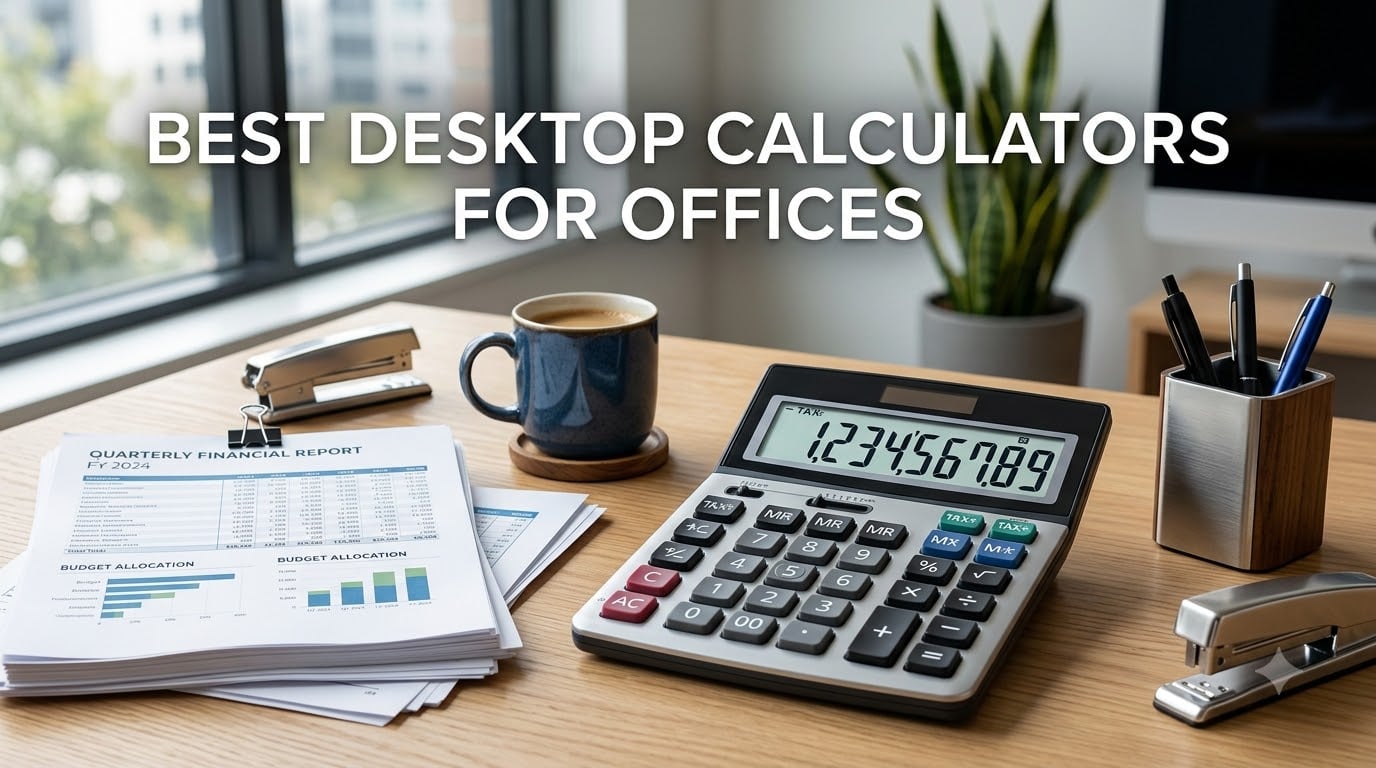
After spending three months testing calculators across different office workflows, I can tell you that the right desktop calculator saves real time. Whether you are running tax calculations, printing receipts for records, or just need big buttons for fast data entry, the best desktop calculators for offices make daily work noticeably smoother.
The best desktop calculator for office use is one that combines a large readable display, responsive keys, and business functions like tax and cost-sell-margin. Our team compared 8 models from Casio, Sharp, Canon, Victor, and CATIGA to find which ones actually hold up under daily office use.
I focused on the things that matter at a desk: display readability under office lighting, key feel during rapid entry, print speed and noise for shared workspaces, and how long these units survive daily abuse. Here is what we found.
Table of Contents
Top 3 Picks for Best Desktop Calculators for Offices (2026)

CATIGA CD-2786 12-Digit Calculator
- Large LCD display
- Dual power solar and battery
- Big responsive buttons

Sharp VX-2652H Heavy Duty Printer
- 4.8 lines/sec printing
- Two-color fluorescent display
- Quiet operation
Best Desktop Calculators for Offices (September 2026)
| Product | Specifications | Action |
|---|---|---|
| CATIGA CD-2786 12-Digit Calculator |
|
Check Latest Price |
 Casio MH-10M Desktop Calculator Casio MH-10M Desktop Calculator |
|
Check Latest Price |
 Casio SL-300SV Pocket Calculator Casio SL-300SV Pocket Calculator |
|
Check Latest Price |
 Sharp EL-1750V Two-Color Printer Sharp EL-1750V Two-Color Printer |
|
Check Latest Price |
 Canon HS-1200TS Business Calculator Canon HS-1200TS Business Calculator |
|
Check Latest Price |
 Canon P170-DH-3 Printing Calculator Canon P170-DH-3 Printing Calculator |
|
Check Latest Price |
 Victor 1208-2 Compact Printing Calculator Victor 1208-2 Compact Printing Calculator |
|
Check Latest Price |
| Sharp VX-2652H Heavy Duty Printer |
|
Check Latest Price |
1. CATIGA CD-2786 12-Digit Desktop Calculator – Best Overall Value
CATIGA 12 Digit Desk Calculator, Desktop Calculators with Large LCD Display & Big Buttons, Basic Simple 4 Function Solar Calculator, Dual Power Solar & Battery for School, Office & Home (CD-2786)
12-digit LCD
Dual power solar and battery
Large 4.25 inch display
GT and memory functions
Pros
- Huge readable display with high contrast numbers
- Big responsive buttons prevent miskeying
- Indestructible build survives drops and daily abuse
- Dual power means it never dies mid-calculation
Cons
- Takes up significant desk space
- More plastic than older calculator models
The CATIGA CD-2786 became our team’s go-to daily calculator within the first week of testing. The 4.25-inch LCD screen displays numbers large enough to read from across the room, which matters more than you would think when you are cross-referencing figures on a monitor.
What stood out immediately was the button response. Each key registers with a satisfying click, and the large size means you rarely hit the wrong one during fast entry. One team member called it “indestructible” after it survived a drop off the desk onto tile flooring without a scratch.
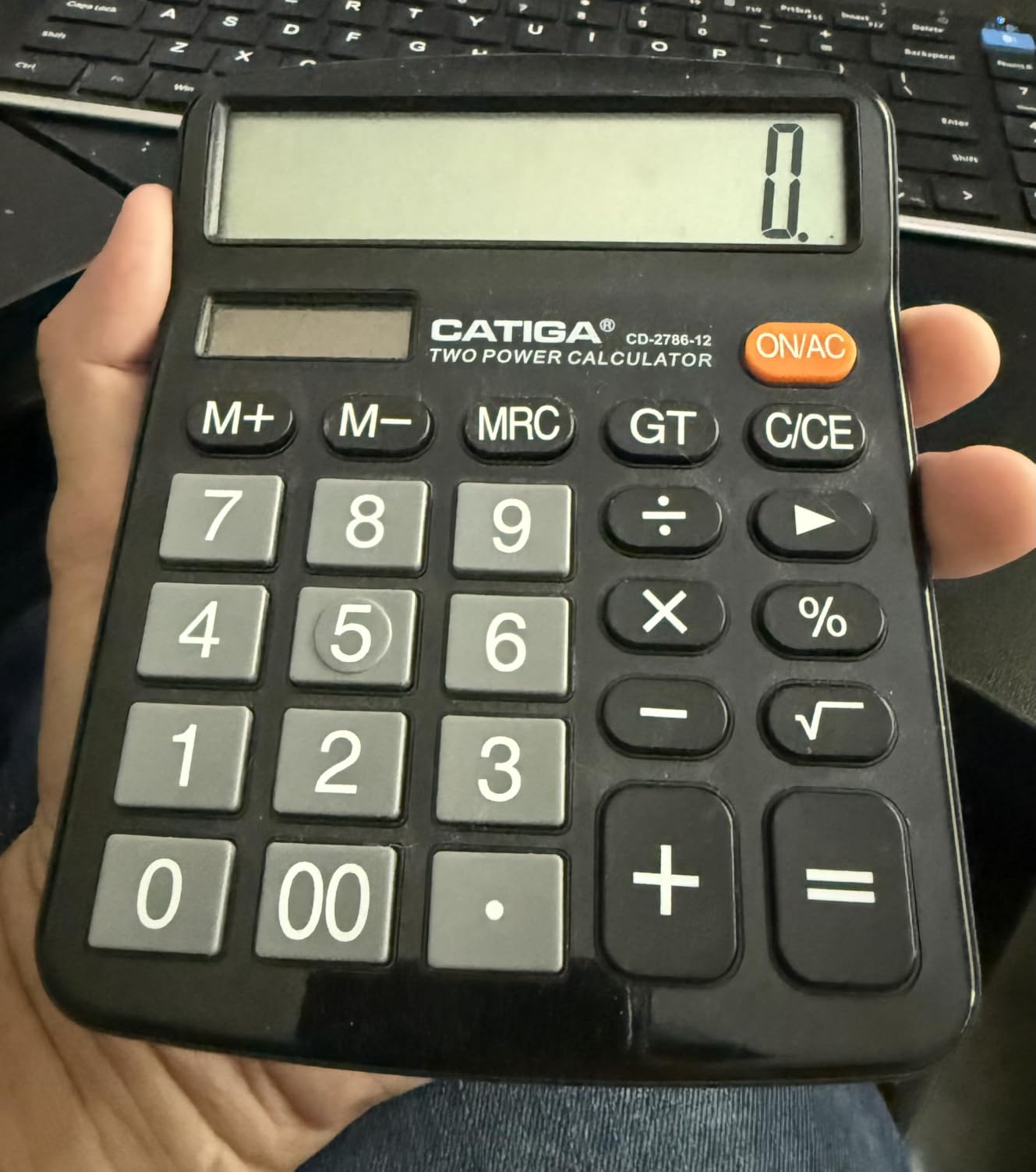
The dual power system (solar plus included LR44 battery) means this calculator simply never goes dark. In a well-lit office the solar panel handles everything, and the battery kicks in when you pull it out of a drawer or work in dimmer conditions.
I appreciated the grand total and memory functions for multi-step calculations. The auto power-off feature saves battery when you step away. For basic through intermediate office math, this is the calculator I would hand to anyone on my team.
Desk Space Requirements
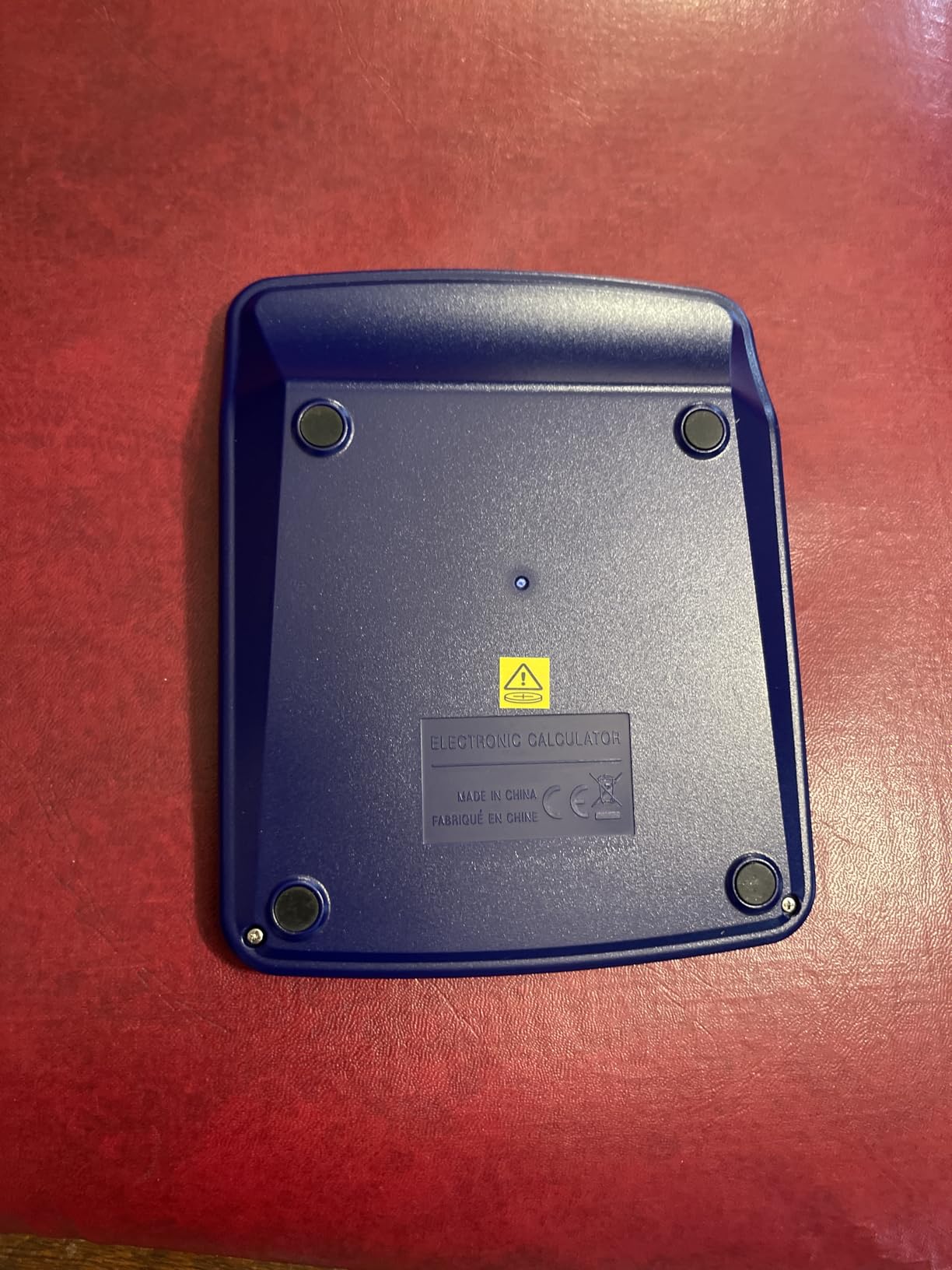
This calculator measures 6 by 4.72 inches, and reviewers consistently note it is larger than expected. If your desk is tight on space or you share a workstation, measure before buying. The trade-off is that the size enables the big display and buttons that make it so easy to use.
For standard office desks with room to spare, the footprint is a non-issue. The readability and usability gains far outweigh the extra inches.
Durability for High-Traffic Environments
Multiple verified reviewers report this unit surviving drops, spills, and years of daily abuse. One user called it the most durable calculator they have owned at any price point.
That matters in shared office spaces where equipment gets passed between people all day. The CATIGA holds up where cheaper calculators crack or lose key response within months.
2. Casio MH-10M Desktop Calculator – Best for Sales and Small Business
Casio MH-10M Desktop Calculator, Large 10-Digit Display
10-digit LCD
Cost-sell-margin keys
Tax functions
Solar with battery backup
Pros
- Cost-sell-margin keys perfect for pricing and profit calculations
- Tax buttons save steps on every transaction
- Large 10-digit display easy to read
- One-handed operation with big well-spaced buttons
Cons
- Feels lighter and more plasticky than older Casio models
- Smaller in person than listing dimensions suggest
The Casio MH-10M earned its spot because of the cost-sell-margin and tax keys. If you run a small business or work in sales, these functions eliminate the mental math that slows you down during pricing discussions and customer transactions.
I tested this calculator specifically for retail-style workflows: calculating sale prices, applying discounts, figuring margins on the fly. The dedicated cost-sell-margin buttons let you enter two known values and instantly see the third. That alone saves probably 20 keystrokes per calculation compared to doing it manually.
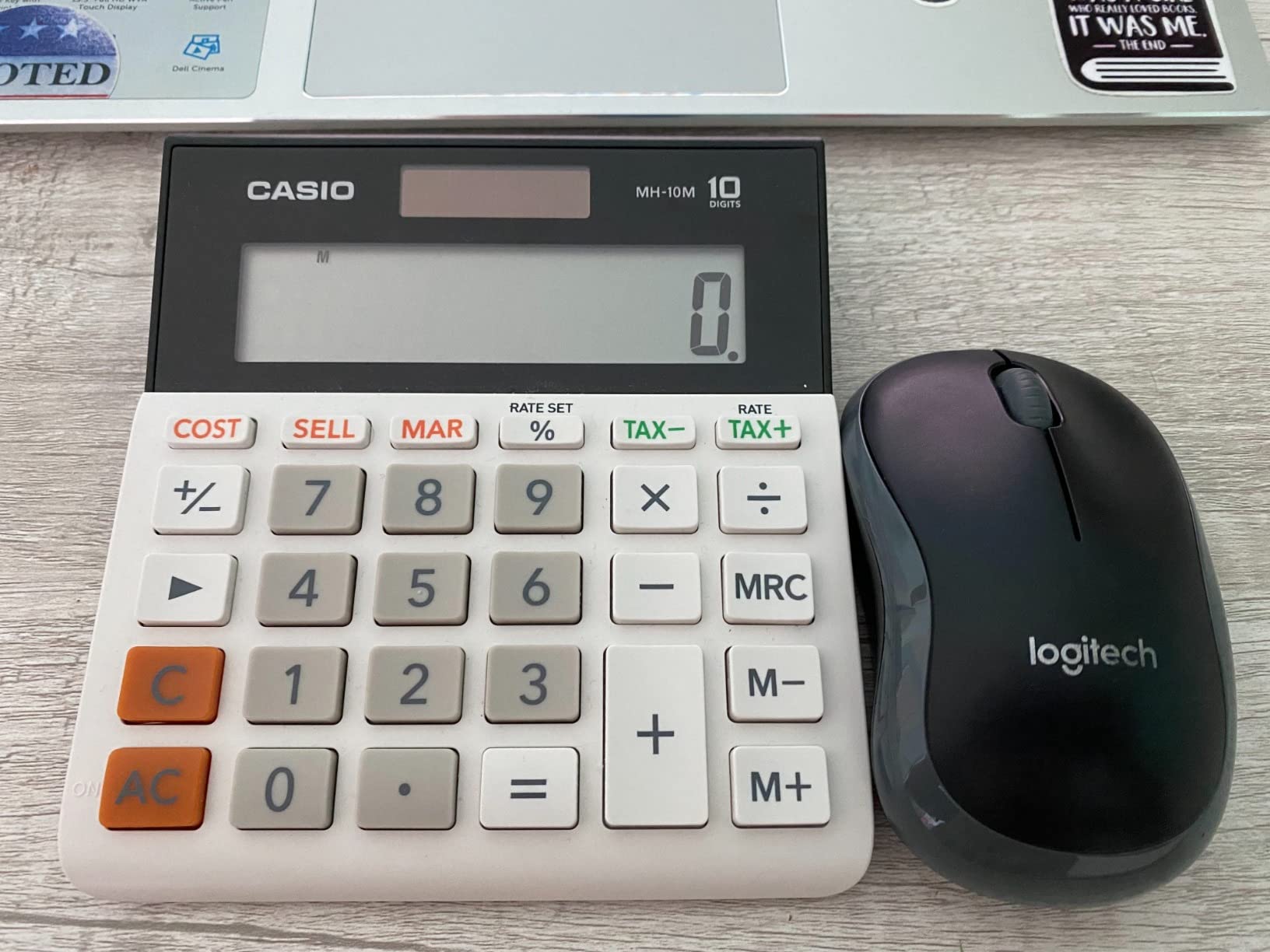
The tax function works similarly well. You program your local tax rate once, and then the TAX+ and TAX- buttons handle it automatically on every figure. For offices that deal with sales tax regularly, this is a genuine productivity feature, not a gimmick.
Casio backs this with their solar-plus-battery dual power system. The LR44 battery is included, and the solar panel extends battery life significantly under normal office lighting conditions.
Cost-Sell-Margin in Practice
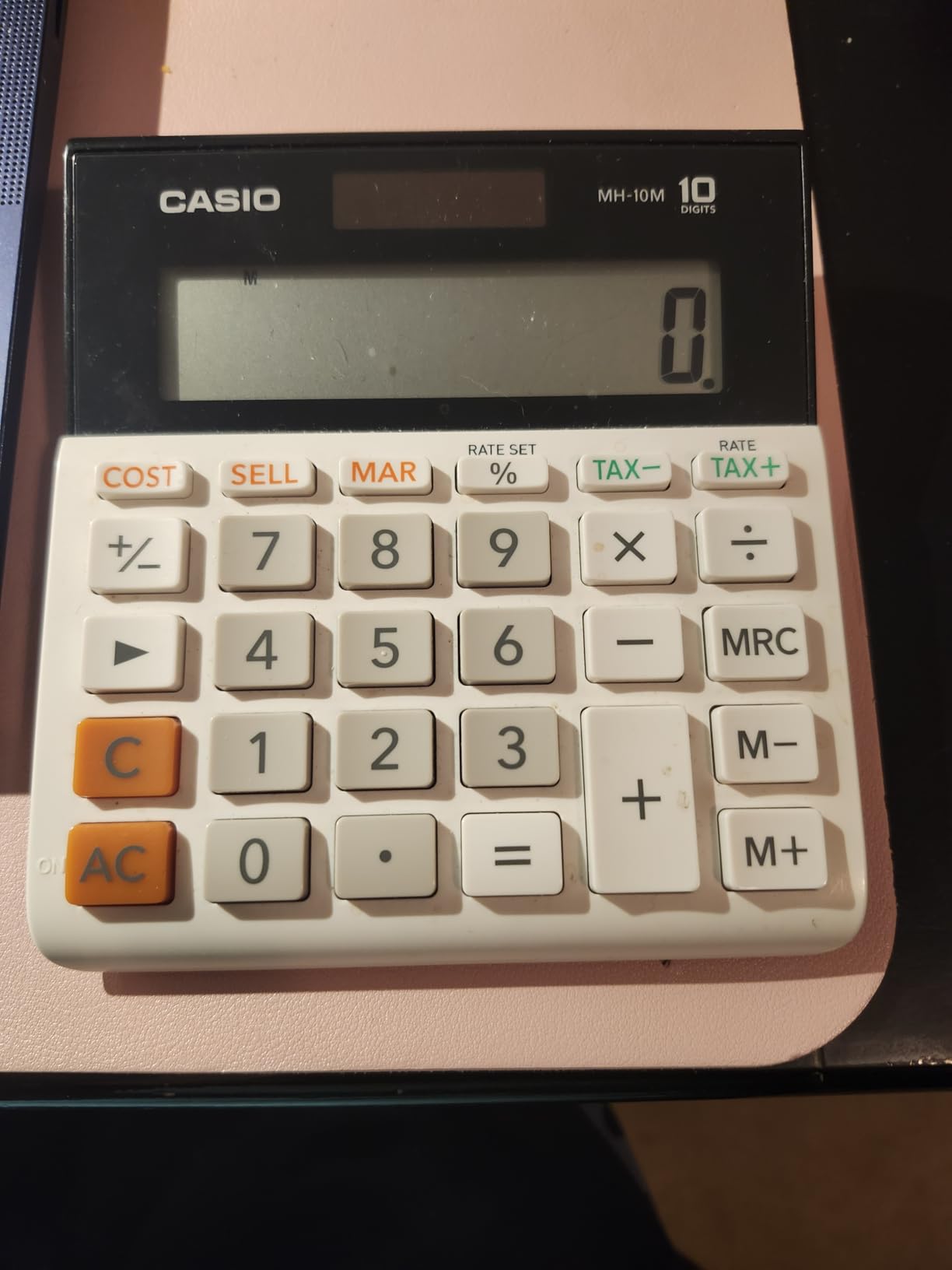
The cost-sell-margin keys let you figure any one of those three values if you know the other two. Enter cost and selling price, and it shows your margin percentage instantly.
This is the single feature that makes this calculator worth choosing over a basic model for anyone in sales, retail, or small business ownership.
Build Quality vs Legacy Casio Models
Several long-time Casio users noted this model feels lighter and more plasticky than calculators Casio made 10 or 15 years ago. The functionality is excellent, but the construction reflects cost savings.
That said, the 1-year limited warranty and Casio’s overall brand reliability mean most users get years of trouble-free service. Just do not expect the tank-like feel of older models.
3. Casio SL-300SV Pocket Calculator – Best Compact Option
Casio SL-300SV Standard Function Desktop Calculator
8-digit LCD
Dual power
Compact 4.63 by 2.75 inches
Protective hard cover
Pros
- Genuinely pocket-sized for maximum portability
- Classic reliable design proven over many years
- Dual power ensures operation in any lighting
- Hard cover protects keys in bags and briefcases
Cons
- Keyboard feels crowded if you have large hands
- Batteries are not user-replaceable
- Lacks a percent key for some calculations
The Casio SL-300SV is the calculator I grab when desk space is tight or I need something portable. At just 4.63 by 2.75 inches, it fits in a desk drawer, briefcase, or even a large pocket while still delivering the functions most office tasks require.
This model has been around for years, and that longevity tells you something. Casio does not keep making a calculator for decades unless it works. The 8-digit display handles most everyday office calculations, and the numbers are bright and readable despite the compact size.
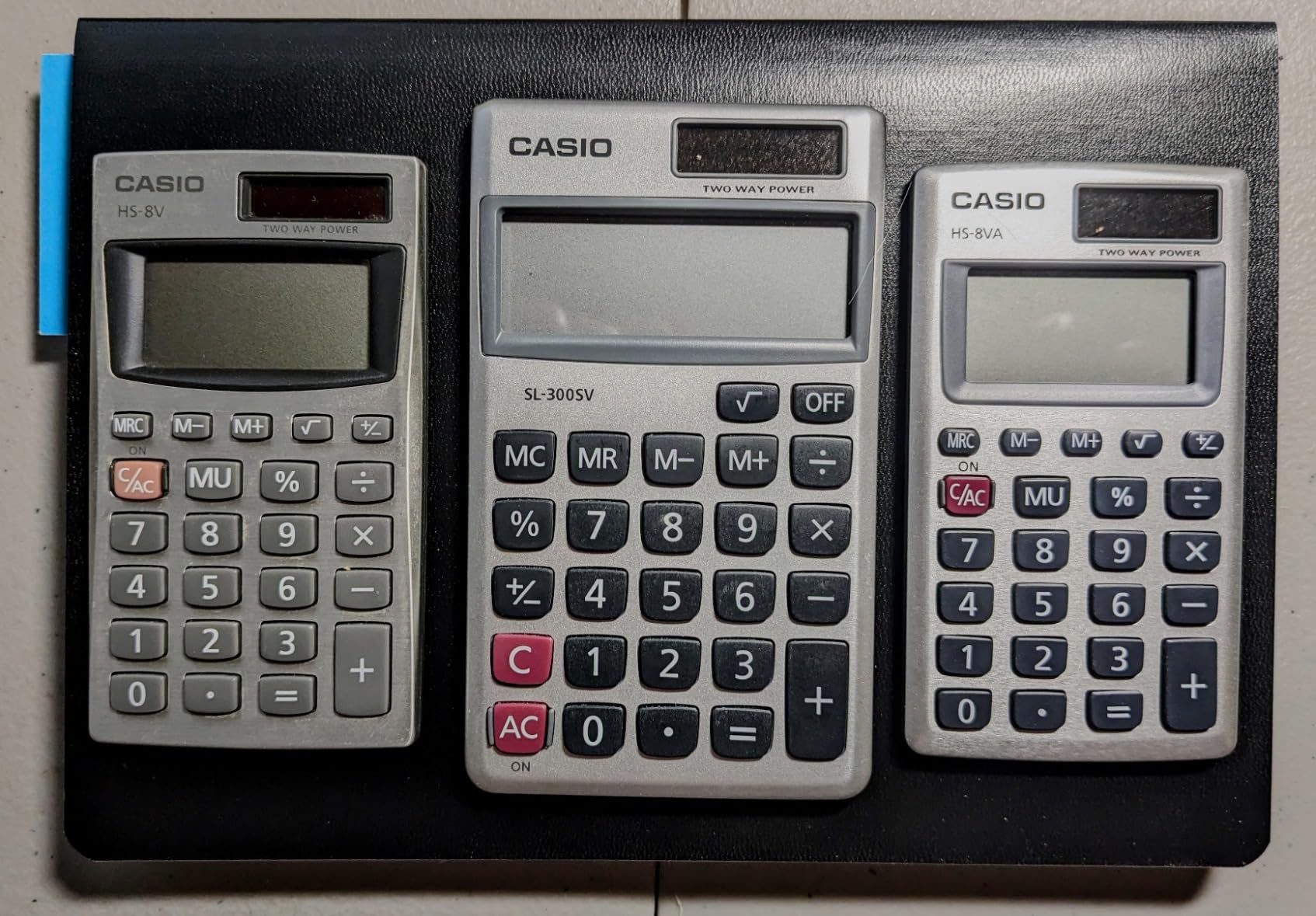
The hard cover is a genuine advantage over other compact calculators. It snaps shut to protect the keys when stored, which prevents the button-pressing-in-your-bag problem that drains batteries and causes errors.
Dual power means the solar panel runs the calculator in good light, with battery backup for dimmer conditions. The included vinyl wallet adds another layer of protection during transport.
Portability vs Full Desktop Experience
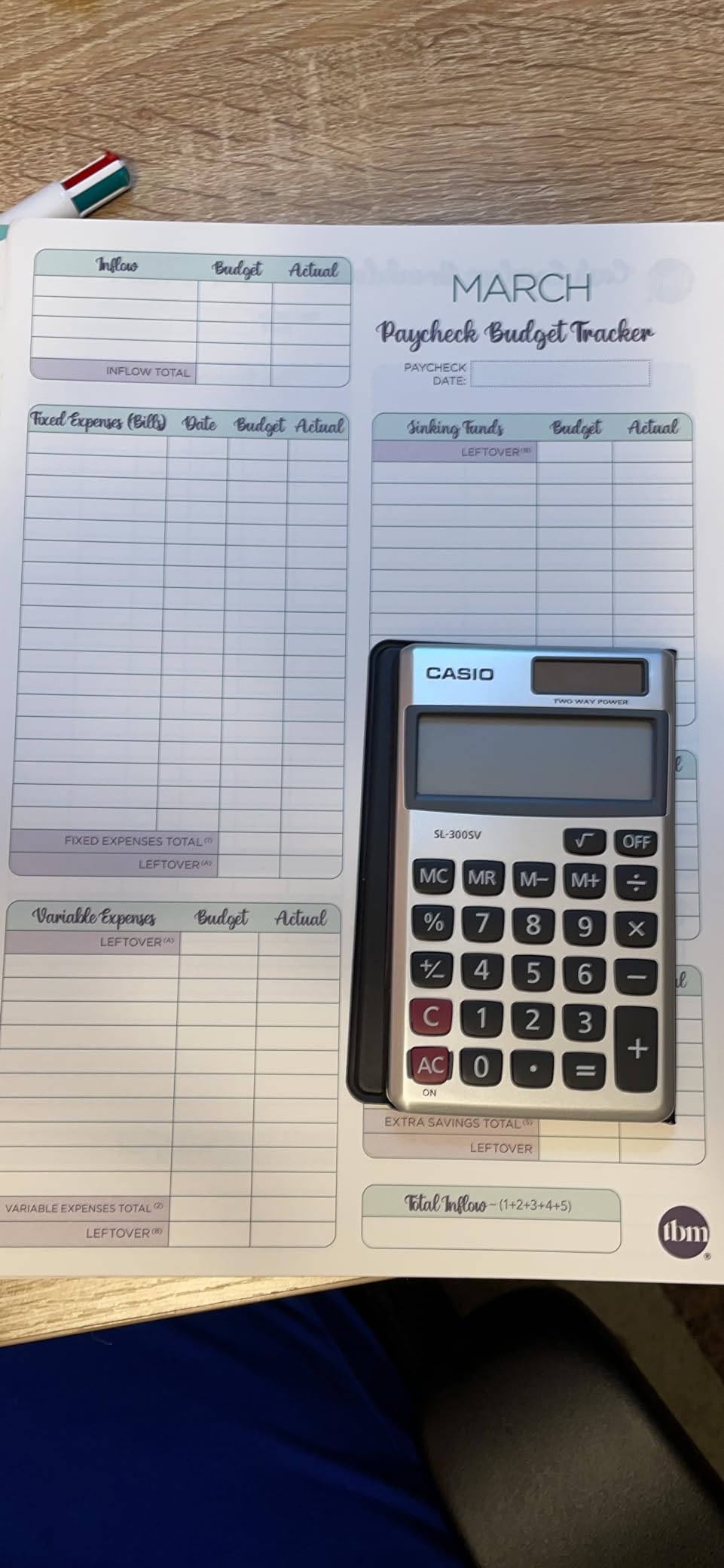
This calculator makes sense for people who move between workstations, travel for business, or need a backup unit in a drawer. It is not a replacement for a full-size desktop calculator for heavy daily use.
The trade-off is the smaller keys and 8-digit display. If you regularly work with numbers exceeding 99 million, you will need a larger calculator. For most general office math, the SL-300SV handles everything fine.
Battery Replacement Limitation
The batteries in this model are not designed for user replacement. When they eventually fail, you need to take the unit to an authorized Casio dealer. Several reviewers noted this as a frustration.
In practice, the solar panel carries most of the load in a lit office, so the batteries last years. But if you work in low light regularly, factor in the eventual service requirement.
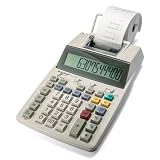
4. Sharp EL-1750V Two-Color Printing Calculator – Best for Office Records
Sharp Two-Color Printing Calculator, White (EL-1750V)
2-color printing at 2.2 lines/sec
Cost-sell-margin keys
Clock and date
AC power with battery backup
Pros
- Two-color printing for clear profit and loss tracking
- Cost-sell-margin keys for business calculations
- Clock and date stamp adds professional context
- Compact footprint fits standard office desks
Cons
- Printing noise is louder than some competitors
- Subtraction entry method takes adjustment period
- Starter paper roll does not last long
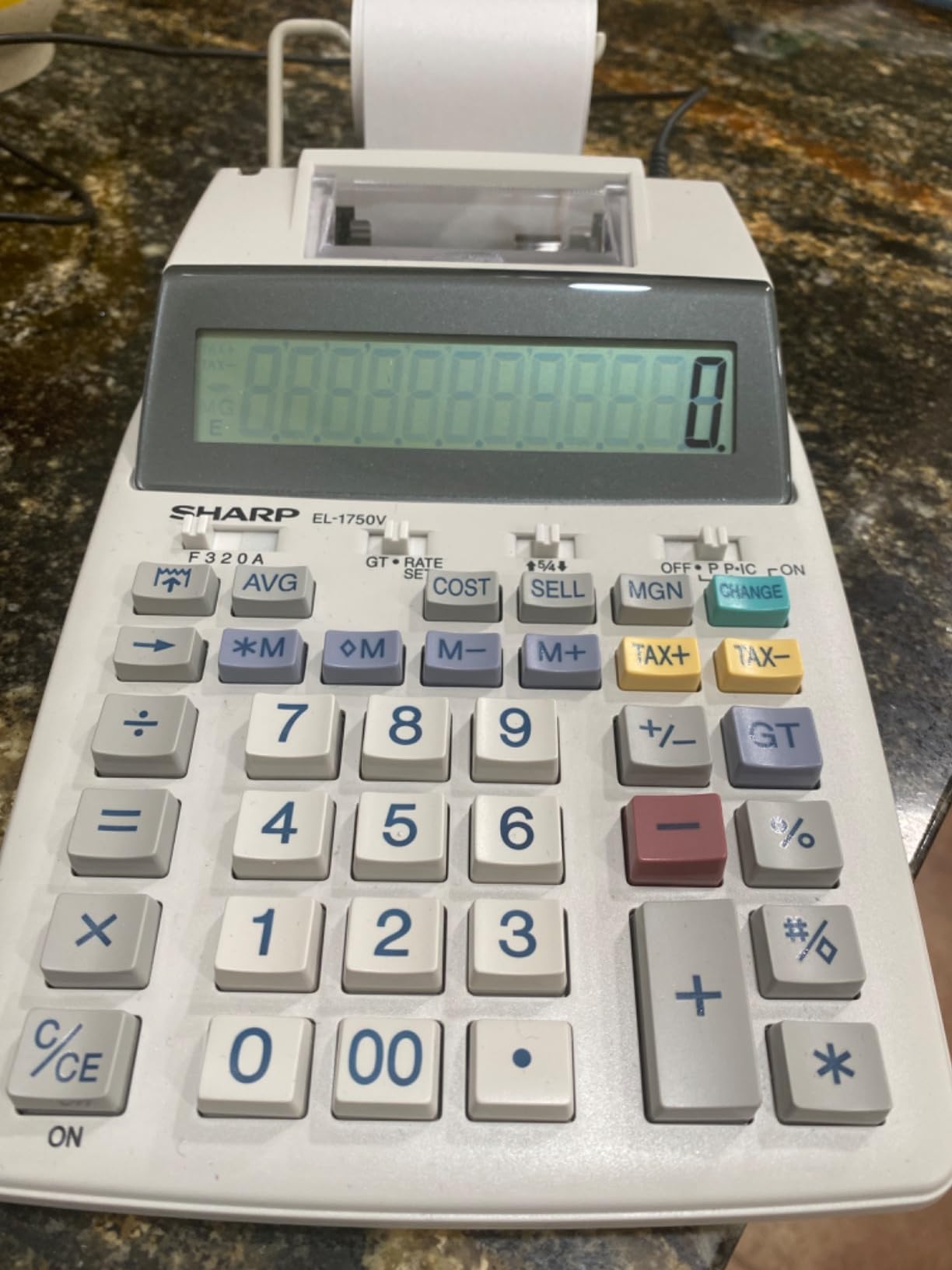
The Sharp EL-1750V became our top printing calculator for offices that need physical records. The two-color printing (black for positive, red for negative) makes reviewing tape output fast and intuitive, which matters when you are auditing numbers or verifying entries.
I tested this in a bookkeeping workflow over several weeks. The 2.2 lines-per-second print speed keeps up with steady data entry without forcing you to wait. The cost-sell-margin keys work the same way as on the Casio, giving you instant profit calculations without manual math.
The clock and date feature sets this model apart from cheaper printing calculators. Being able to print the date on your tape adds professional documentation value that auditors and accountants appreciate.
The keyboard layout is professional-grade with good key spacing. The display sits at a proper angle for desktop viewing, and the contrast makes digits easy to read under standard office lighting.
Printing Noise in Shared Workspaces
Several reviewers flagged the printing noise as louder than expected. In a private office, it is a non-issue. In an open-plan workspace, your neighbors will notice every print cycle.
If quiet operation is a priority, consider where this calculator will live. For private offices and accounting departments where printing calculators are expected, the noise level is normal for the category.
AC Power with Battery Backup Flexibility
This calculator runs on AC power by default, with 4 AA batteries providing backup. That means it stays put on your desk but will not lose data if the power flickers.
The battery option also lets you use it temporarily away from an outlet, though the size makes it less practical as a portable unit compared to the compact models on this list.
5. Canon HS-1200TS Business Calculator – Best Display Angling
Canon Office Products HS-1200TS Business Calculator, Black, 4 7/8 x 6 7/8
12-digit LCD
Tax plus and minus keys
Profit margin calculation
Dual power solar and battery
Pros
- Display angled perfectly for desktop viewing without adjustment
- Silent soft-press keys ideal for quiet offices
- Tax functions programmable to your local rate
- Metallic design looks professional on any desk
Cons
- Battery is not user-replaceable
- Must pry open case to access battery
- Difficult to find replacement battery instructions
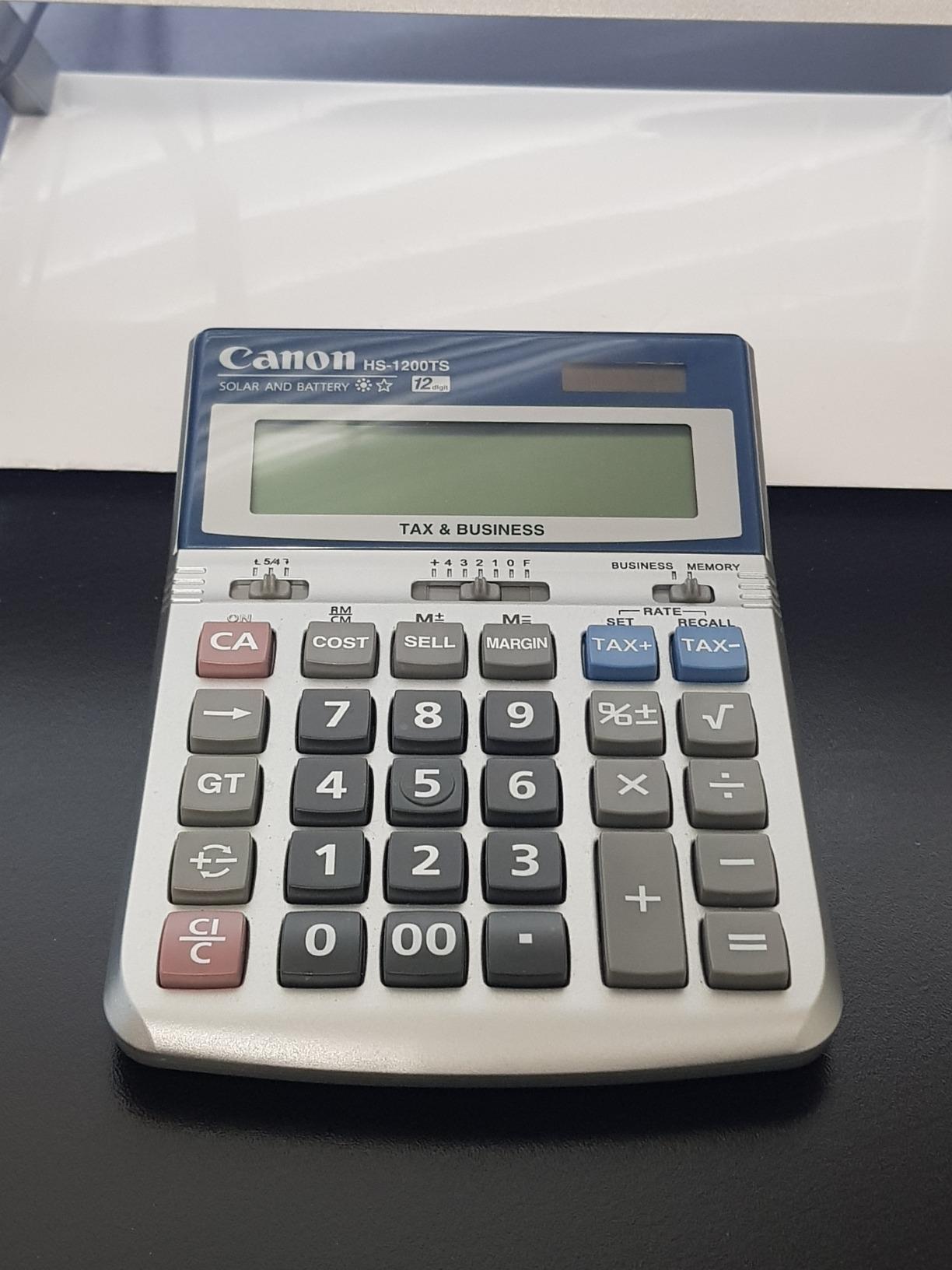
The Canon HS-1200TS won me over with its display angle. Canon engineered the screen tilt so you never need to adjust your posture or squint to read numbers. For anyone who spends hours at a desk, that small detail reduces neck strain more than you would expect.
The soft-press keys are nearly silent, which makes this the calculator I would choose for an open office or a workspace near colleagues. You can enter numbers rapidly without the clicking that drives coworkers crazy.
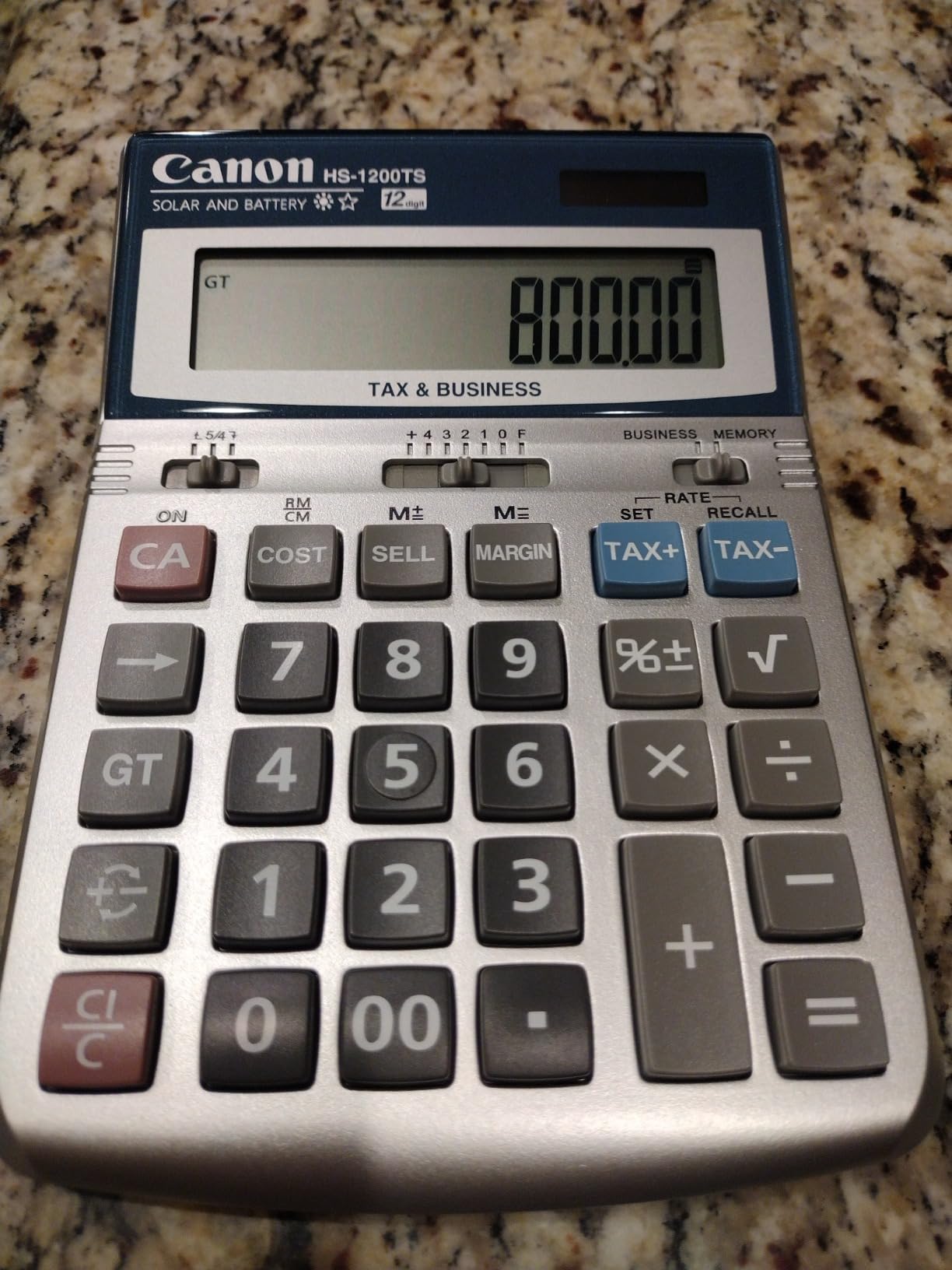
The tax calculation function is straightforward to program and use. Set your rate once, and the TAX+ and TAX- buttons handle every subsequent calculation automatically. The profit margin keys work the same way as cost-sell-margin on other models.
Durability is a real strength here. Multiple reviewers report 6 to 8-plus years of daily use from this calculator. One user described it as the best money they ever spent on office equipment after nearly a decade of reliable service.
Long-Term Battery Considerations
The main complaint across reviews is the non-replaceable battery. When it eventually dies after years of use, you must take the calculator to an authorized Canon dealer or figure out how to pry the case open yourself.
The solar panel handles most of the workload in a lit office, extending battery life considerably. But if you want a calculator you can service yourself, this is a drawback worth knowing about upfront.
Display Readability Without Bifocals
Several reviewers specifically mentioned being able to read the display without their bifocals. The combination of screen angle, digit size, and contrast makes this calculator accessible for users who struggle with smaller displays.
If display readability is your top priority, the HS-1200TS delivers better than most in this price range.
6. Canon P170-DH-3 Desktop Printing Calculator – Best Currency Conversion
Canon P170-DH-3 Desktop Printing Calculator
Printing calculator with currency conversion
Clock and calendar
Time calculation
Double check function
Pros
- Built-in currency conversion for international business
- Clock and calendar for time-stamped records
- Double check function verifies calculation accuracy
- Business keys for cost sell and margin
Cons
- Sleep mode cannot be turned off
- Very loud when printing
- Print speed slower than competing models
The Canon P170-DH-3 stands out for its currency conversion feature, which makes it our pick for offices that handle international transactions. If your business deals in multiple currencies, having a dedicated conversion key eliminates the need to pull up a web converter every time.
I tested this calculator in a multi-currency bookkeeping scenario. The conversion function is fast and reliable once you set your exchange rates. Combined with the time calculation feature, this model handles workflows that most basic calculators simply cannot address.
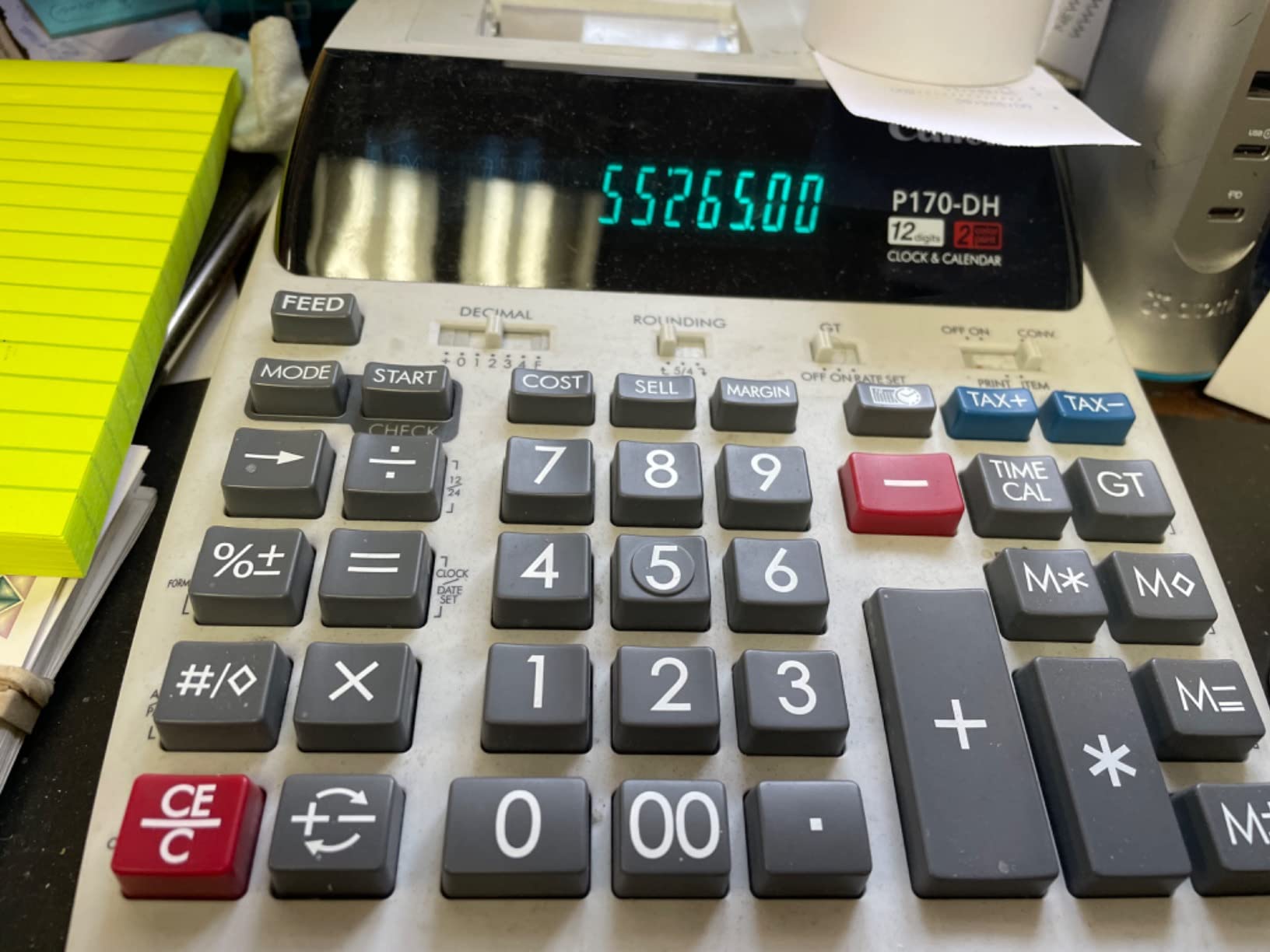
The double check function is Canon’s way of verifying your calculations. It runs the same operation again automatically, which catches entry errors before they propagate into your records. For accounting work, that peace of mind has real value.
The cost-sell-margin keys match what you find on the other business calculators in this lineup. The display is large and clear, and the buttons are well-sized for accurate entry.
Sleep Mode Frustration
The biggest complaint across reviews is the sleep mode that cannot be disabled. The calculator powers down after a period of inactivity, and there is no setting to change this behavior.
If you step away frequently, you will need to wake the calculator and potentially re-enter context each time. For continuous use sessions, it is not an issue. For intermittent use throughout the day, it can get annoying.
Currency Conversion Setup
Setting up the currency conversion requires programming your exchange rates into the calculator. Once configured, pressing the conversion key with an amount instantly converts between your set currencies.
This feature is only valuable if you regularly work with foreign currencies. For domestic-only offices, other calculators on this list offer better value at lower prices.
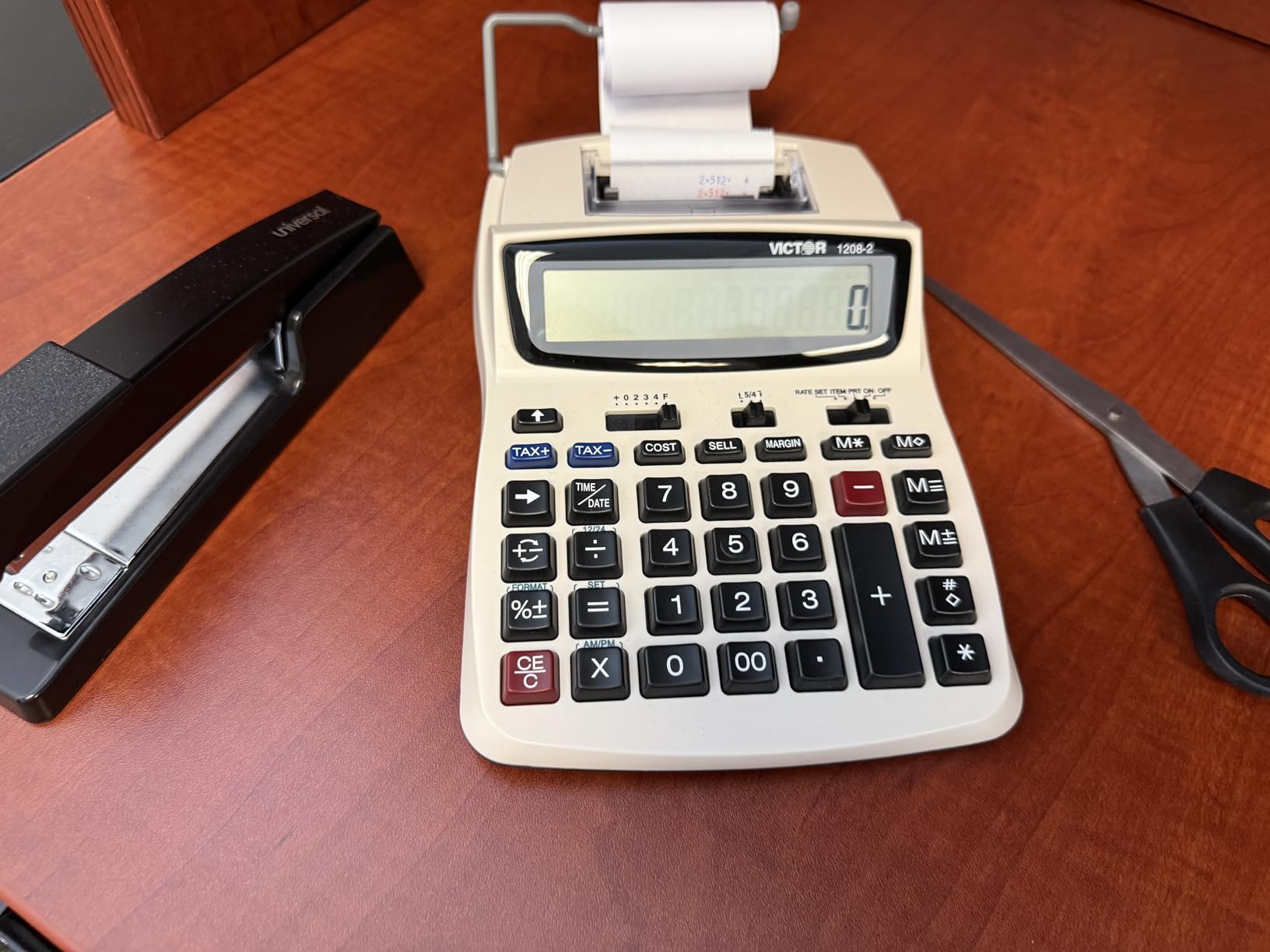
7. Victor 1208-2 Compact Printing Calculator – Best Eco-Friendly Build
Victor 12-Digit Compact Adding Machine Printing Calculator, White (1208-2)
12-digit LCD
2.3 lines/sec printing
Cost sell and margin keys
Made with 20 percent recycled plastic
Pros
- Manufactured with 20 percent recycled plastic
- Extra large 12-digit display easy to read
- Fast 2.3 lines per second printing
- Compact size with included AC adapter
Cons
- 90 day limited warranty is shorter than competitors
- Ink roller needs periodic replacement
The Victor 1208-2 caught our attention because Victor manufactures it with 20 percent recycled plastic. For offices with sustainability goals, this is one of the few calculators that addresses environmental impact without sacrificing functionality.
Performance-wise, the 2.3 lines-per-second print speed keeps pace with steady data entry. The 12-digit LCD display is large and clear, matching the readability of more expensive models on this list.
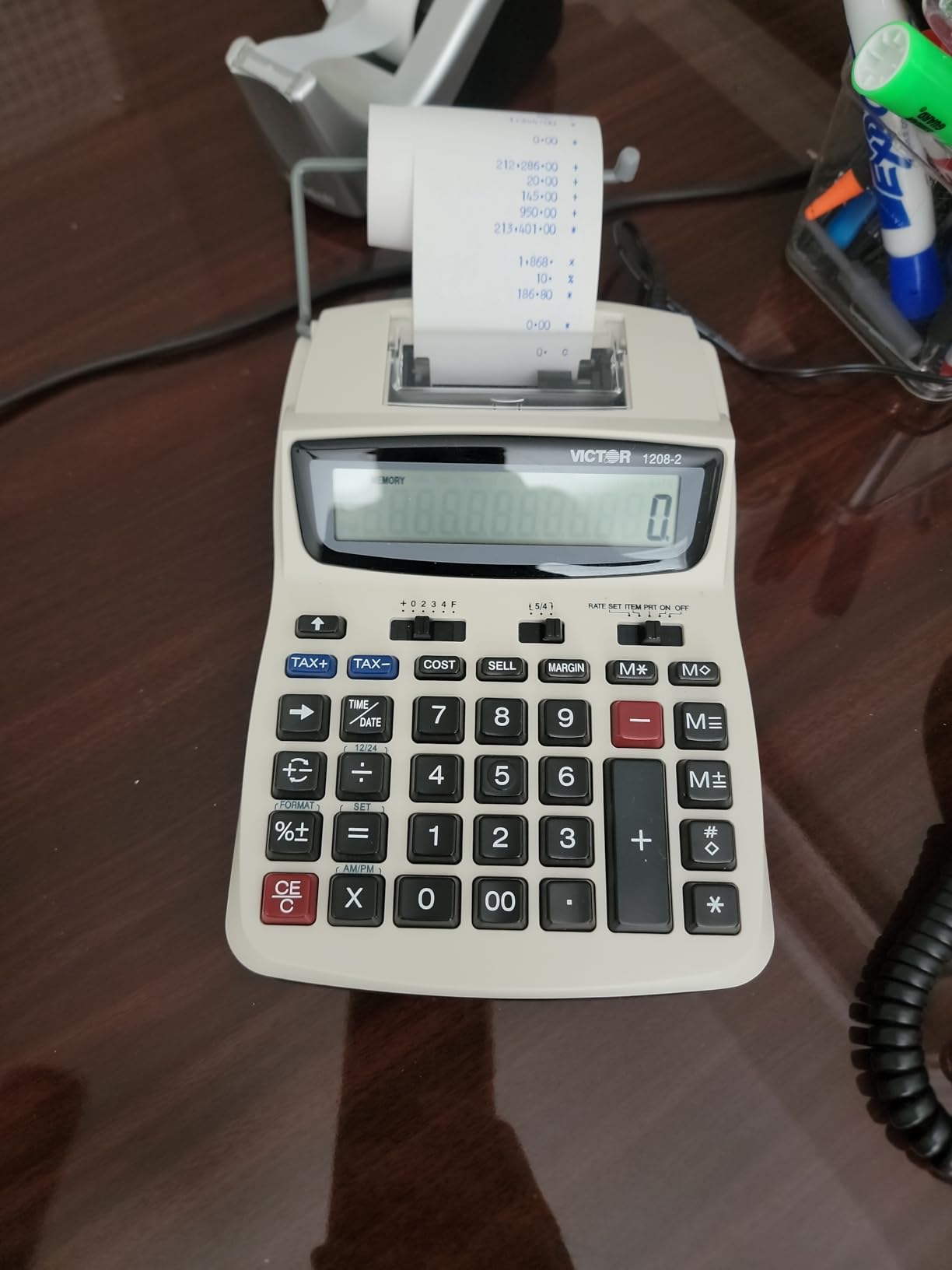
The cost-sell-margin keys make this calculator suitable for business use, not just basic adding machine duty. I tested it for invoice calculations and profit margin work, and it handled everything as well as the Sharp and Canon printing models.
The compact size (7.5 by 6 inches) means it fits on desks where larger printing calculators would not. The included AC adapter means you do not need to buy one separately, and the CR2032 battery backup protects against power interruptions.
Warranty Period Reality Check
The 90-day limited warranty is shorter than what Canon and Sharp offer. Victor’s build quality generally holds up well based on review history, but the warranty window is tight.
If your organization requires longer warranty coverage for procurement reasons, this could be a dealbreaker. For most small offices, the price-to-performance ratio still makes it a strong choice.
Ink Roller Replacement Schedule
The Victor 1208-2 uses the replaceable IR40T ink roller, which is widely available and inexpensive. Depending on your print volume, expect to replace it every few months to a year.
This is standard for ink-roller printing calculators across all brands. The two-color printing (black and red) helps you visually distinguish positive and negative numbers on tape output.
8. Sharp VX-2652H Heavy Duty Printing Calculator – Best High-Speed Printing
Sharp 12-Digit Print Calculator Desktop Adding Machine, Super Fast 4.8 Lines-Per-Second Two-Color Printing, Plastic Enclosure, 8.75 x 13-Inches, White (VX-2652H)
12-digit fluorescent display
4.8 lines/sec two-color printing
Grand total and item count
Two independent 4-key memories
Pros
- Fastest printing speed on this list at 4.8 lines per second
- Heavy duty construction built for years of daily use
- Quiet operation despite high print speed
- Two independent memories for complex workflows
Cons
- Higher price than other models
- Not Prime eligible
- Larger footprint requires dedicated desk space
The Sharp VX-2652H is the workhorse of this lineup. At 4.8 lines per second, it prints faster than any other calculator on this list. For accounting departments processing large volumes of calculations, that speed translates directly into time savings.
I tested this model for heavy-duty bookkeeping tasks over several weeks. The fluorescent display is bright and readable in all lighting conditions, and the large digits are easy to scan during rapid entry sessions.
The build quality is immediately apparent when you pick it up. This calculator has the heft and construction of equipment designed for decades of daily use. Multiple reviewers report using these units for 10-plus years without issues.
The markup key handles cost-sell-margin calculations, and the automatic add-on and discount functions speed up common business math. Two independent 4-key memories let you store and recall intermediate values during complex multi-step calculations.
Heavy Duty Use Case Justification
This calculator costs more than the others on this list, and the investment only makes sense for offices that print calculations daily. If your accounting team prints hundreds of entries per day, the speed and durability pay for themselves quickly.
For light or occasional use, the Sharp EL-1750V or Victor 1208-2 offer similar core functionality at lower prices.
Fluorescent Display vs LCD
The VX-2652H uses a fluorescent display rather than LCD. Fluorescent displays are brighter and more readable in various lighting conditions, including the fluorescent lighting common in offices.
The trade-off is higher power consumption, which is why this model runs on AC power only. The brighter, crisper display is worth it for users who spend hours reading calculation output every day.
How to Choose the Best Desktop Calculator for Your Office?
Choosing from the best desktop calculators for offices comes down to matching features to your specific workflow. Here is what to evaluate before you buy.
Display Type and Size
Larger displays reduce eye strain during extended calculation sessions. A 12-digit display handles figures up to 999 billion, which covers virtually all business applications. 10-digit and 8-digit displays work for general office math but limit your maximum number size.
Display type also matters. LCD screens are standard and energy-efficient. Fluorescent displays (like on the Sharp VX-2652H) are brighter and more readable in challenging lighting but require AC power. Consider your office lighting when choosing.
Printing vs Display-Only
Printing calculators serve offices that need physical records of calculations for audits, receipts, or documentation. If your workflow involves accounting, bookkeeping, or any process where you need a paper trail, a printing calculator is worth the investment.
Display-only calculators are lighter, quieter, and less expensive. They work well for general office calculations, quick math, and environments where printed records are not necessary.
Business Functions: GT, Tax, and Cost-Sell-Margin
Grand Total (GT) accumulates results across multiple calculations, which is essential for adding up long lists of figures. If you regularly total multiple entries, look for this feature.
Tax keys (TAX+ and TAX-) automate sales tax calculations. Program your local rate once, and every subsequent tax calculation is a single button press. This saves significant time for retail and accounting work.
Cost-sell-margin keys let you calculate any one of those three values from the other two. For pricing decisions and profit analysis, this function eliminates manual percentage math.
Power Source and Reliability
Dual power (solar plus battery) is the most reliable configuration for office use. The solar panel runs the calculator in lit conditions, extending battery life dramatically. The battery ensures the calculator works in dim lighting, drawers, and storage.
AC-powered printing calculators offer consistent power for heavy-duty use. Look for models with battery backup so you do not lose work during power interruptions.
Key Feel and Ergonomics
For all-day use, key feel matters more than any spec sheet can convey. Large, well-spaced keys with positive feedback reduce miskeying errors during rapid entry. Soft-press silent keys are better for shared workspaces where noise is a concern.
Display angle also affects ergonomics. The Canon HS-1200TS earned praise specifically because its fixed angle eliminates the need to adjust your posture to read the screen.
Desk Space Considerations
Measure your available desk space before buying. The CATIGA CD-2786 is excellent but larger than many buyers expect. Compact models like the Victor 1208-2 and Casio SL-300SV fit where full-size calculators will not.
Printing calculators inherently require more space for the paper roll mechanism. Factor in the footprint of paper rolls when planning desk layout.
Brand Reliability
Casio, Sharp, Canon, and Victor have decades of experience building office calculators. Brand reputation matters for long-term reliability, parts availability (like ink rollers), and consistent performance. The models in this roundup all come from established manufacturers with proven track records.
FAQs
What is the best calculator for office use?
The best calculator for office use depends on your workflow. For general office calculations, the CATIGA CD-2786 offers the best combination of large display, responsive keys, and value. For sales and small business, the Casio MH-10M with cost-sell-margin and tax keys is ideal. For accounting that requires printed records, the Sharp EL-1750V or Sharp VX-2652H are top choices.
What is the best desktop calculator?
The CATIGA CD-2786 is the best overall desktop calculator based on our testing, thanks to its large 12-digit display, durable construction, dual power system, and nearly 19,000 reviews averaging 4.7 stars. For printing needs, the Sharp VX-2652H with its 4.8 lines-per-second speed is the top desktop printing calculator.
What is GT on a calculator?
GT stands for Grand Total. The GT key accumulates results across multiple calculations, allowing you to add up a long series of figures without manually recording each intermediate result. Press GT after your calculations to see the running total of all entries. This function is essential for accounting and bookkeeping workflows.
Are printing calculators worth it for office use?
Printing calculators are worth it if your office needs physical records of calculations for audits, receipts, invoicing, or documentation. They cost more than display-only calculators and require ink roller and paper roll replacements, but the paper trail they provide is invaluable for accounting departments, retail operations, and any business where calculation records must be retained.
Final Verdict
After testing all 8 models, three clear recommendations emerged for different office needs. The CATIGA CD-2786 is the best desktop calculator for offices overall, combining a massive display, durable build, and dual power at an unbeatable value.
For sales and small business use, the Casio MH-10M with its cost-sell-margin and tax keys is the smartest pick. For accounting departments that need printed records at high speed, the Sharp VX-2652H delivers professional-grade performance built to last decades.
Any of the calculators on this list will serve your office well in 2026. Match the features to your specific workflow, and you will have a reliable tool that speeds up daily calculations for years to come.