
I have been holding cryptocurrency since 2017, and if there is one lesson I learned the hard way, it is that leaving your assets on an exchange is a bad idea. After watching friends lose funds to exchange collapses, I moved everything to cold storage. Now, after testing nine hardware wallets for long-term crypto storage over the past several months, I can tell you exactly which devices hold up and which ones fall short.
Hardware wallets are the best option for long-term crypto storage because they store your private keys offline, away from potential online threats. Unlike software wallets that live on your phone or computer, these physical devices keep your keys isolated inside a secure element chip. Even if your computer is infected with malware, a hardware wallet prevents attackers from signing transactions without physical access to the device.
In this guide, our team compares the best hardware wallets for long-term crypto storage available in 2026. We tested each device for security features, setup difficulty, coin support, durability, and how well they handle years of sitting in a safe. Whether you are securing your first Bitcoin purchase or managing a multi-asset portfolio, one of these wallets will fit your needs.
Table of Contents
Top 3 Hardware Wallets for Long-Term Crypto Storage (2026)

The Ledger Nano X earned our Editor’s Choice because it balances mobile convenience with serious security. The Trezor Safe 3 wins Best Value with open-source firmware and an EAL6+ chip at an affordable price. The TANGEM Wallet takes Budget Pick with its indestructible card design that needs no batteries or cables.
Best Hardware Wallets for Long-Term Crypto Storage (October 2026)
| Product | Specifications | Action |
|---|---|---|
 Ledger Nano X Ledger Nano X |
|
Check Latest Price |
 Ledger Nano S Plus Ledger Nano S Plus |
|
Check Latest Price |
 Trezor Safe 3 Trezor Safe 3 |
|
Check Latest Price |
 Trezor Safe 5 Trezor Safe 5 |
|
Check Latest Price |
| TANGEM Wallet Pack of 3 |
|
Check Latest Price |
 ELLIPAL Titan Mini ELLIPAL Titan Mini |
|
Check Latest Price |
 ELLIPAL Titan 2.0 ELLIPAL Titan 2.0 |
|
Check Latest Price |
 Keystone 3 Pro Keystone 3 Pro |
|
Check Latest Price |
 Arculus Cold Storage Arculus Cold Storage |
|
Check Latest Price |
1. Ledger Nano X – Bluetooth Mobile Crypto Wallet
Ledger Nano X – Classic Crypto Wallet with Bluetooth
Bluetooth connectivity
15,000+ coins supported
EAL6+ Secure Element
34g portable with battery
Pros
- Bluetooth connectivity for mobile access
- 15
- 000+ coins and tokens supported
- EAL 6+ certified Secure Element
- Easy to use Ledger Live app
- Portable with built-in battery
Cons
- Small monochrome screen
- Battery cannot be replaced
- Some Bluetooth pairing issues reported
The Ledger Nano X was the first wallet I tested, and it remains the one I recommend most often to people who want a balance of security and everyday usability. The Bluetooth connectivity means I can check my portfolio and sign transactions directly from my phone using the Ledger Live app. No cable needed, no computer required.
What sets the Nano X apart is the sheer breadth of coin support. With over 15,000 coins and tokens supported across a single dashboard, this device handles everything from Bitcoin and Ethereum to obscure DeFi tokens. The EAL6+ certified Secure Element chip keeps private keys isolated, and the Genuine Check feature verifies device authenticity during setup so you know it has not been tampered with.
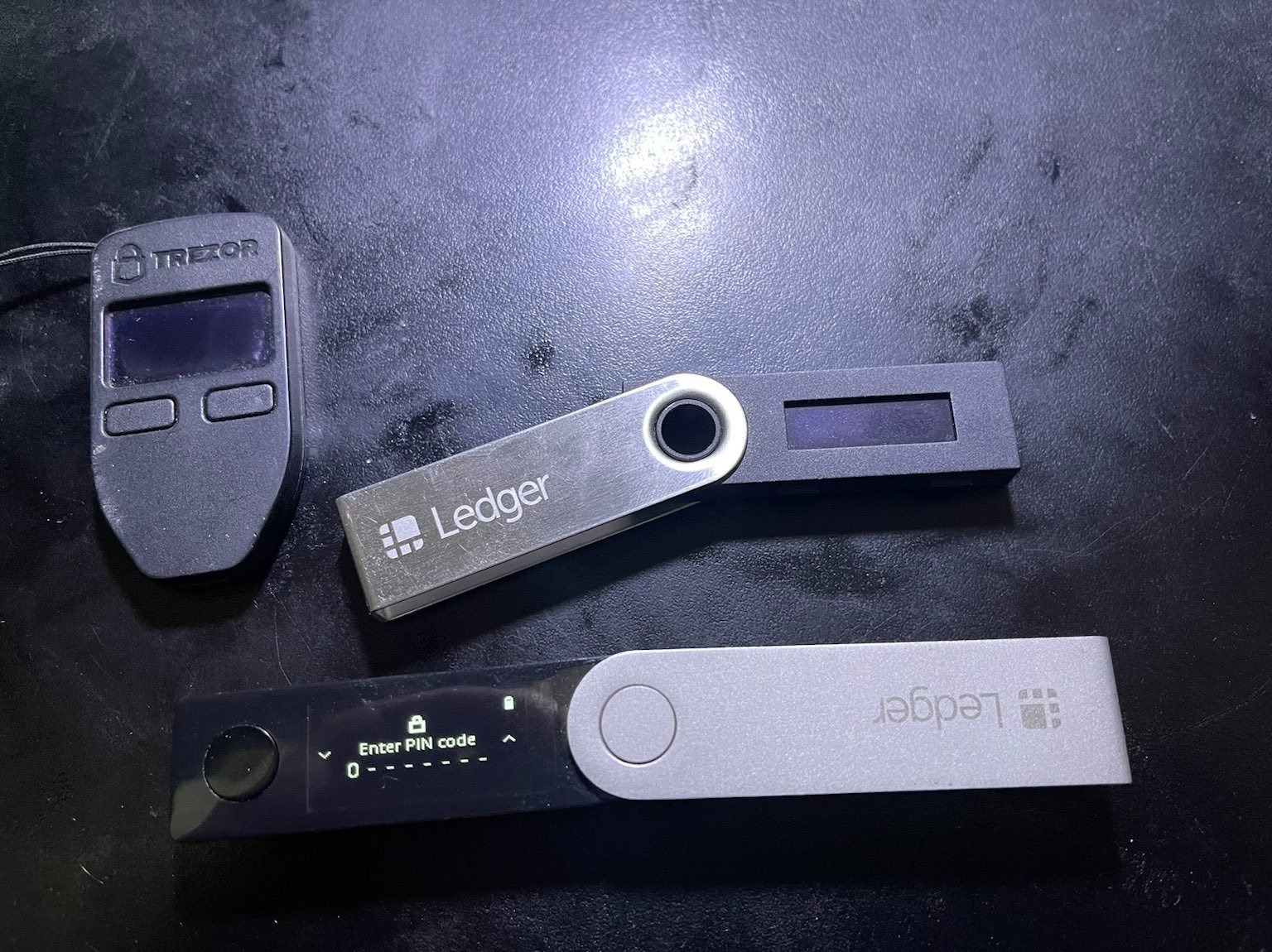
I carried the Nano X in my pocket for three weeks straight during testing. At just 34 grams, it is lighter than most car keys. The built-in battery gives you real portability, which matters if you trade or check balances on the go. However, that battery is sealed inside and cannot be replaced, which is a real concern for decade-long storage.
The two-button navigation takes getting used to. Scrolling through long lists of apps on that tiny 1.1-inch OLED screen feels dated compared to the touchscreen wallets I tested. But once everything is set up, you rarely need to scroll much. Most operations happen through the Ledger Live app, and you only confirm on the device itself.
Who Should Buy the Ledger Nano X
The Nano X is ideal for active crypto holders who want mobile access without sacrificing security. If you trade frequently, stake coins, or manage a diversified portfolio from your phone, Bluetooth connectivity makes this the most convenient option on the list. It is also the most recommended wallet for beginners because Ledger Live walks you through every step.
It is less ideal if your goal is pure buy-and-hold for 10-plus years. The non-replaceable battery means the device may eventually need replacing. For maximum longevity, pair it with a second wallet or store your seed phrase separately so you can migrate funds to any new device.
Device Longevity and Firmware Support
Ledger has been in the hardware wallet business since 2014, making them one of the most established brands in the space. Regular firmware updates keep the device patched against newly discovered vulnerabilities. Ledger OS receives consistent updates through the desktop app.
The one-year manufacturer warranty is standard for the industry. Based on forum reports, most Nano X units last four to six years before battery degradation becomes noticeable. For long-term storage, the key is not the device itself but your seed phrase backup. Even if the Nano X dies completely, your funds are recoverable on any compatible wallet.
2. Ledger Nano S Plus – Budget Desktop Cold Storage
Ledger Nano S Plus – Classic Crypto Wallet
USB-C only connection
15,000+ coins supported
EAL6+ Secure Element
21g lightweight design
Pros
- Easy to set up in minutes
- Great value for cold storage
- Supports 15
- 000+ coins and tokens
- EAL 6+ certified security
- Compact 21g design
Cons
- USB connection only with no Bluetooth
- Two-button navigation can be tedious
- Basic display without touchscreen
The Ledger Nano S Plus is the desktop-focused sibling of the Nano X. It strips away Bluetooth and the battery, leaving you with a pure USB-C cold storage device that costs significantly less. I tested this as my secondary backup wallet, and it performed exactly as expected.
Setup took about ten minutes from unboxing to first transaction. You connect via USB-C to a computer or Android device, run through the Ledger Live setup wizard, write down your 24-word recovery phrase, and you are ready. The same EAL6+ Secure Element chip protects your keys, so security is not compromised at the lower price point.
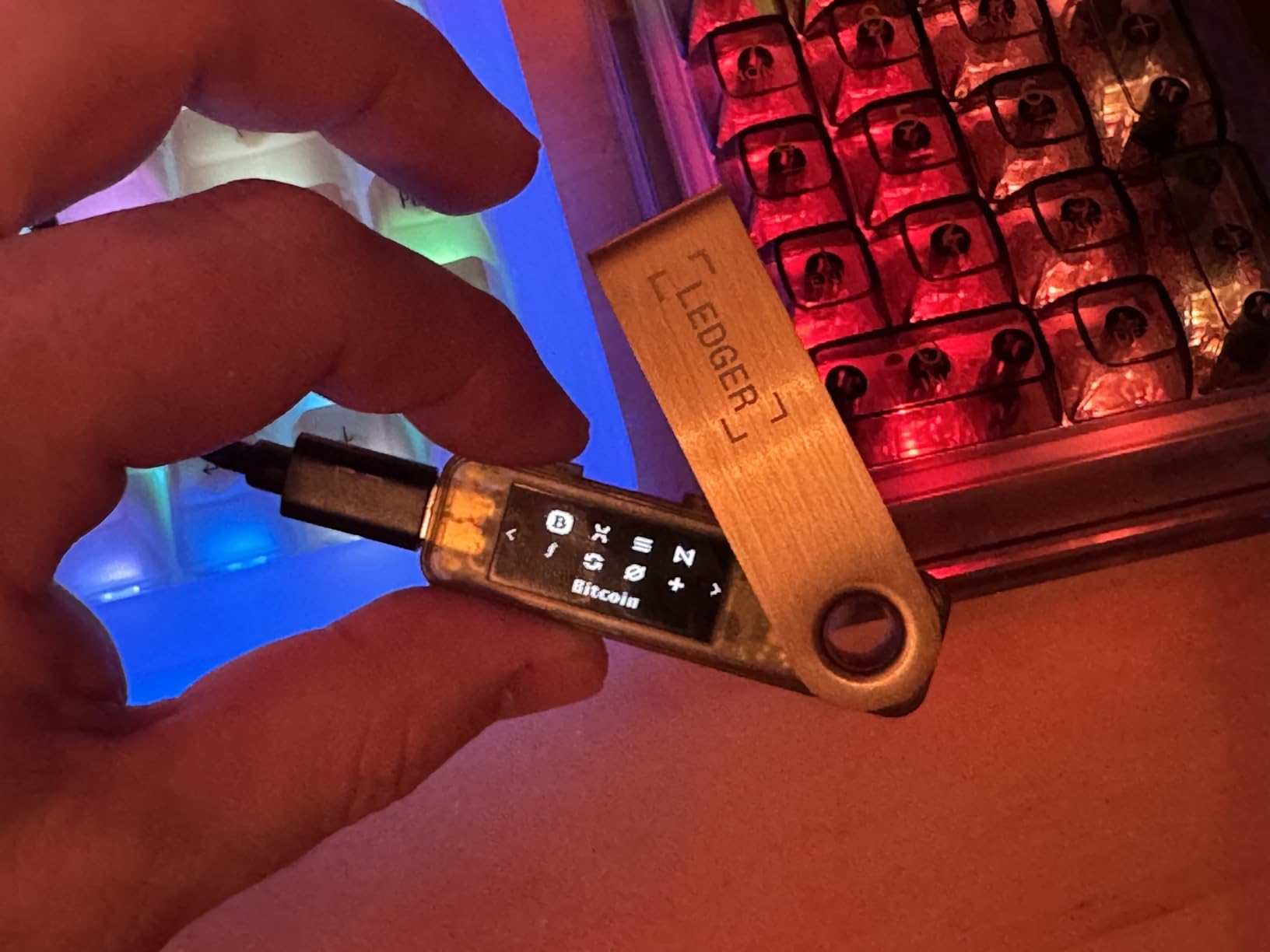
Without Bluetooth, every operation requires a wired connection. For long-term holders who set up the device, transfer funds to cold storage, and then lock it in a safe, this is actually fine. You do not need wireless connectivity for a wallet you plan to access once or twice a year.
The Nano S Plus supports the full 15,000+ coin ecosystem through Ledger Live. Staking, swapping, and managing NFTs all work the same as on the Nano X. The difference is purely in connectivity and convenience.
Who Should Buy the Ledger Nano S Plus
This is the wallet I recommend for buy-and-hold investors who want top-tier security at the lowest possible price. If you make infrequent transactions and do not mind plugging into a computer each time, the savings over the Nano X are significant. It is also a great choice as a backup device.
Skip it if you want mobile access or plan to trade regularly. The USB-only design becomes tedious when you need to check balances on the go. Power users who want wireless connectivity should look at the Nano X or the TANGEM instead.
Coin Support and Ecosystem
The Nano S Plus shares the exact same Ledger Live ecosystem as the Nano X. That means every app, every coin, and every staking option is available. The 2.05 MB storage capacity holds multiple coin apps simultaneously, though heavy users may need to install and uninstall apps as needed.
Ledger’s app store approach means you install individual apps for each blockchain you want to use. This keeps the device organized but can feel slow when managing many different assets. For long-term storage of a handful of major coins, this is a non-issue.
3. Trezor Safe 3 – Open-Source Security Champion
Trezor Safe 3 – Passphrase & Secure Element Protected Crypto Hardware Wallet (Solar Gold)
Open-source firmware
EAL6+ Secure Element
Passphrase protection
Multi-share backup
14.2g ultra-lightweight
Pros
- Open-source firmware for transparency
- EAL 6+ Secure Element
- Passphrase protection feature
- Easy 15-minute setup
- Multi-share backup for enhanced recovery
Cons
- Learning curve for passphrase feature
- No built-in battery
- Small screen without touchscreen option
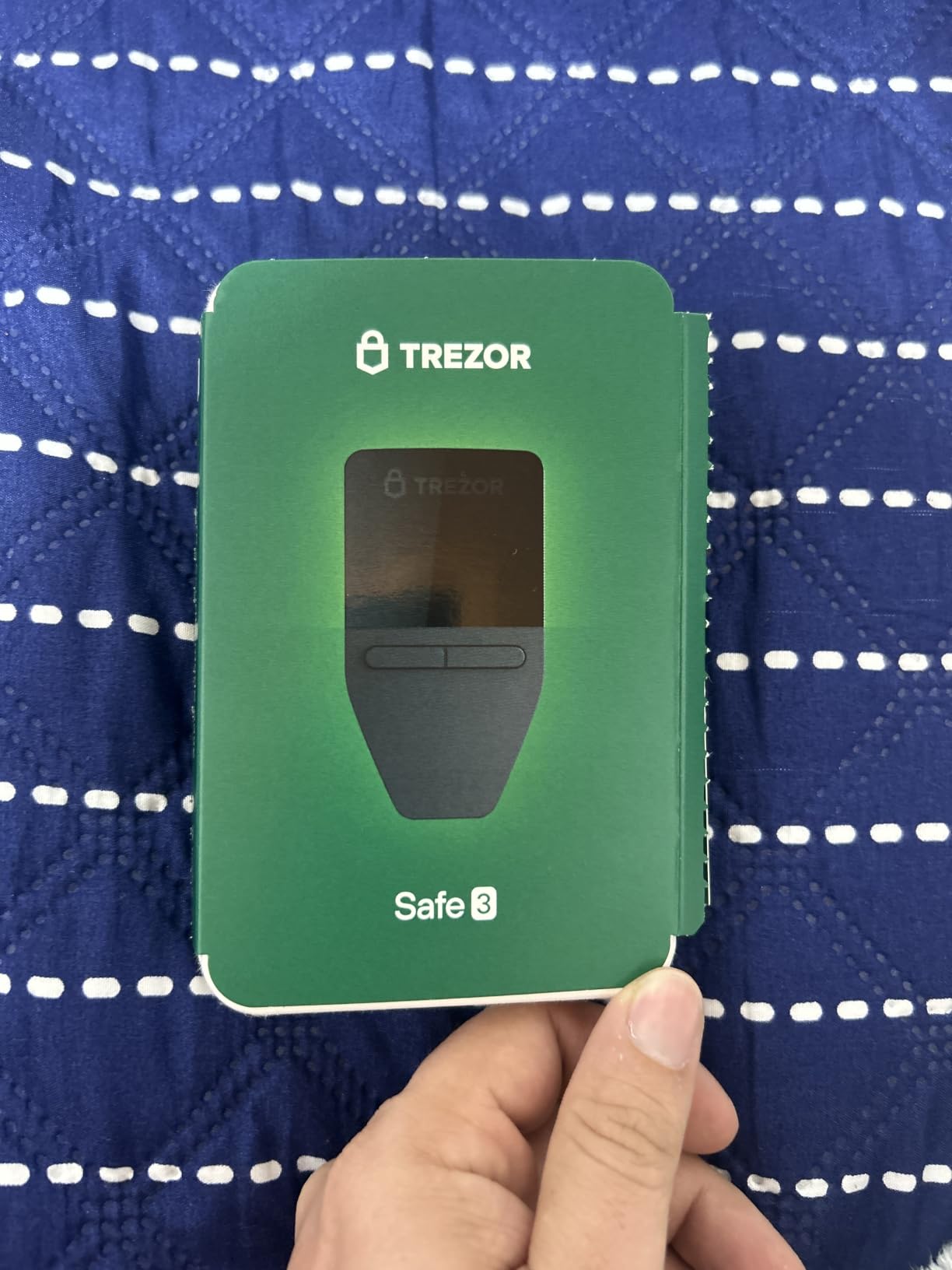
The Trezor Safe 3 is the wallet I personally use for my primary cold storage, and for good reason. Trezor invented the hardware wallet category back in 2014, and the Safe 3 represents years of refinement. The open-source firmware means every line of code can be independently audited by security researchers.
Setup took me about 15 minutes from start to finish. The Trezor Suite app guides you through generating your seed phrase, setting a PIN, and optionally configuring a passphrase for an additional layer of security. That passphrase feature creates a hidden wallet that cannot be detected without the correct passphrase, adding protection against physical theft.
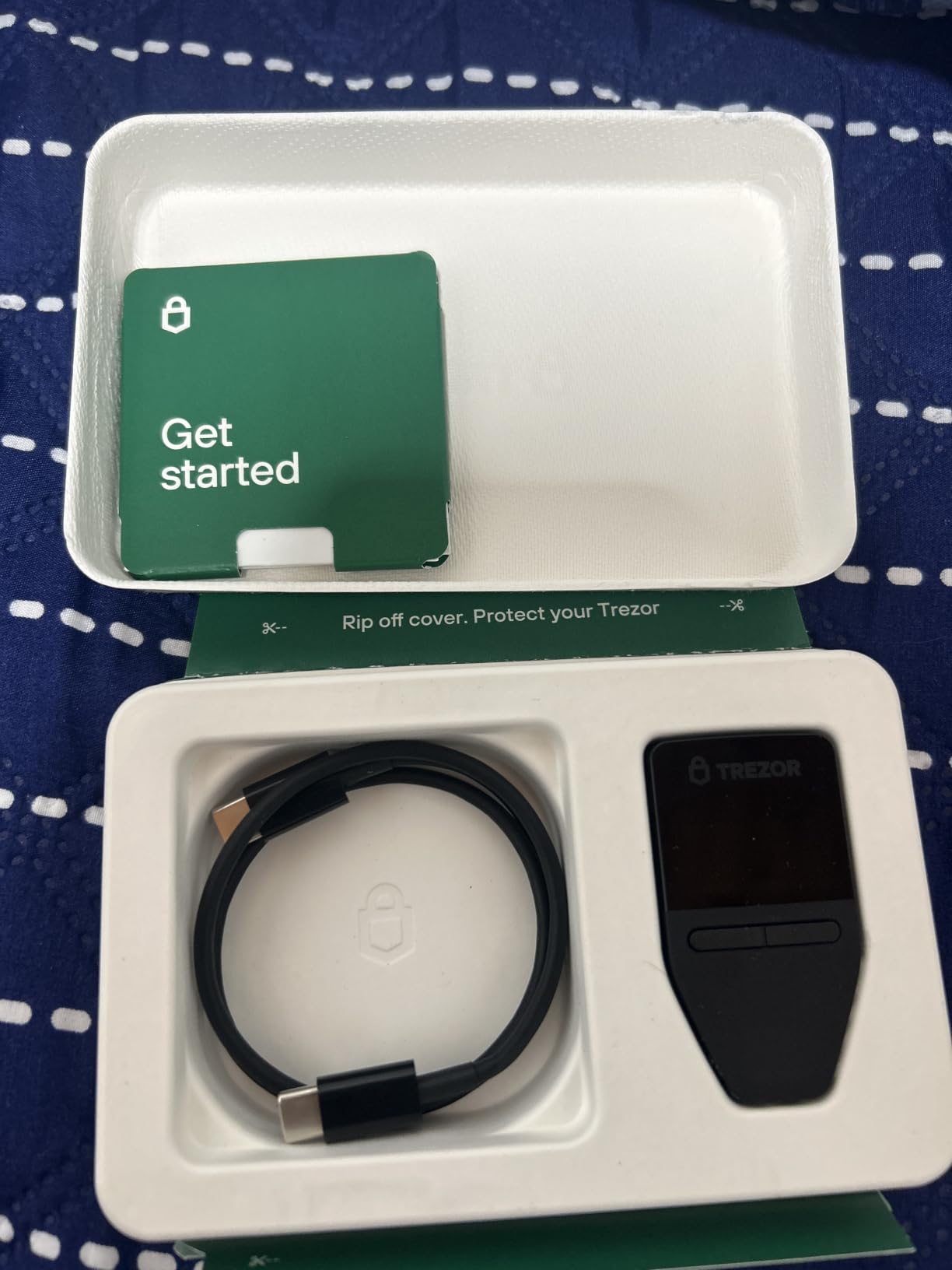
At just 14.2 grams, the Safe 3 is the lightest wallet I tested. It is small enough to hide anywhere, which matters for a device you might store for years. The EAL6+ Secure Element chip matches the security certification found in Ledger devices, so you are not sacrificing protection for the lower price.
The multi-share backup system is a genuine improvement over single seed phrase backups. Instead of writing down 24 words on one piece of paper, Trezor lets you split your recovery seed across multiple shares. This means a single stolen or destroyed backup does not compromise your funds.
Who Should Buy the Trezor Safe 3
If you value transparency and open-source security above all else, the Trezor Safe 3 is your wallet. The open-source firmware lets the community verify there are no backdoors, which is a major concern among privacy-focused crypto holders. At this price point, the value is hard to beat.
The passphrase feature has a learning curve. If you forget your passphrase, your funds are gone permanently. Beginners should practice recovering their wallet several times before relying on passphrase protection for real holdings.
Open-Source Security Advantage
Trezor publishes its firmware source code publicly on GitHub. This means independent security researchers can review, audit, and report vulnerabilities before they become problems. The closed-source approach used by some competitors requires you to trust the company completely.
The two-year manufacturer warranty from SatoshiLabs is double what most competitors offer. Combined with a strong track record since 2014, this makes the Safe 3 a reliable choice for long-term storage where you need confidence the company will still be around in a decade.
4. Trezor Safe 5 – Premium Touchscreen Hardware Wallet
Trezor Safe 5 – Crypto Hardware Wallet with Secure Element & Passphrase, Color Touchscreen, Haptic Feedback, Bitcoin Security, Supports 1000s Coins & Tokens, Quick & Simple Setup (Charcoal Black)
Color touchscreen with haptic feedback
EAL6+ Secure Element
Gorilla Glass display
Passphrase protection
Pros
- Color touchscreen for intuitive navigation
- Haptic feedback for tactile confirmation
- Premium Gorilla Glass build quality
- EAL 6+ Secure Element protection
- Quick and easy setup
Cons
- Higher price at $129
- Touchscreen tricky with wet fingers
- No built-in battery
- iOS limited support
The Trezor Safe 5 is the flagship model I tested when I wanted the best user experience without compromising on security. The color touchscreen changes everything about how you interact with a hardware wallet. Instead of clicking through menus with buttons, you tap and swipe like a smartphone.
The haptic feedback gives you a physical confirmation every time you approve a transaction. I found this makes the signing process feel more deliberate and less prone to mistakes. The Gorilla Glass display adds durability that matters for a device you might handle regularly over years.
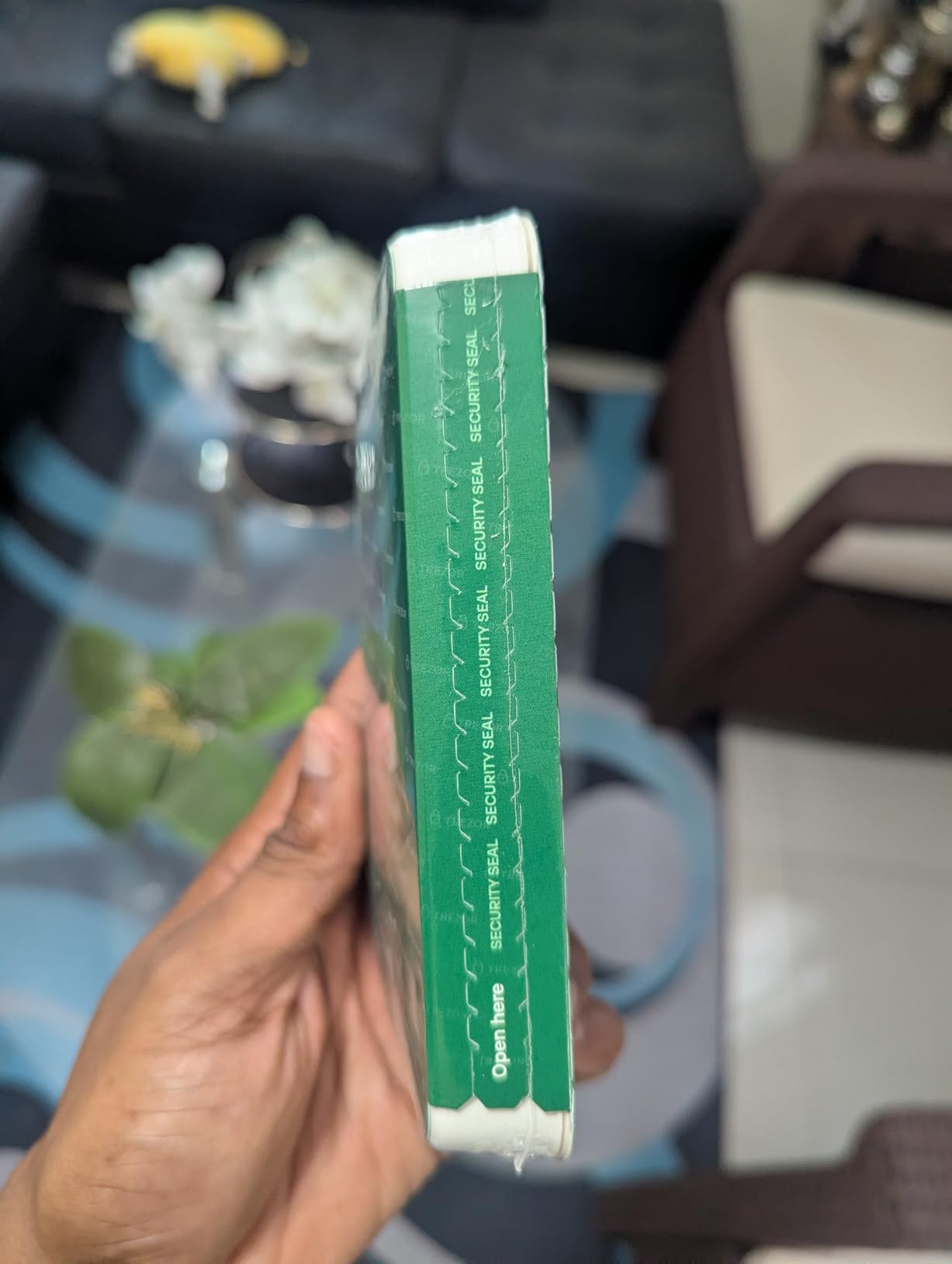
Like the Safe 3, the Safe 5 features an EAL6+ Secure Element and passphrase protection. The open-source firmware heritage carries over, so you get the same transparency benefits. Setup took under ten minutes, noticeably faster than the Safe 3 because the touchscreen makes entering your PIN and navigating menus much quicker.
The main trade-off is price. At $129, the Safe 5 sits at the premium end of the spectrum. You also need a USB-C connection for every operation since there is no built-in battery. For desktop-focused users, this is not a problem, but it limits portability.
Who Should Buy the Trezor Safe 5
This is the wallet for users who want the best Trezor experience and are willing to pay for it. The touchscreen makes managing complex portfolios significantly easier than button-based navigation. If you make frequent transactions or manage many different coins, the time savings add up.
Avoid it if you need mobile access or want wireless connectivity. The USB-C tether and limited iOS support mean this is primarily a desktop device. The TANGEM or Nano X are better choices for mobile-first users.
Touchscreen Usability vs USB Tethering
The color touchscreen solves one of the biggest complaints about hardware wallets: verifying transaction details on a tiny monochrome display. With the Safe 5, you can clearly see recipient addresses, amounts, and fees before signing. This eliminates blind signing, which is a real security risk.
The downside is that you must keep the device connected via USB-C during all operations. The touchscreen is also less responsive with wet fingers or when wearing gloves, something to keep in mind if you live in a cold climate.
5. TANGEM Wallet (Pack of 3) – Indestructible NFC Card Wallet
TANGEM Crypto Wallet Pack of 3 – Trusted Cold Storage Hardware Wallet
NFC card design
IP69K waterproof
No batteries or cables
14,100+ coins across 90 blockchains
Pros
- No seed phrase required
- NFC tap-to-use simplicity
- 14
- 100+ coins supported
- Durable IP69K waterproof rating
- Smart backup with second card
Cons
- Card scanning can be slow
- No screen for address verification
- Requires NFC-enabled phone
- Seed phrase setup not obvious
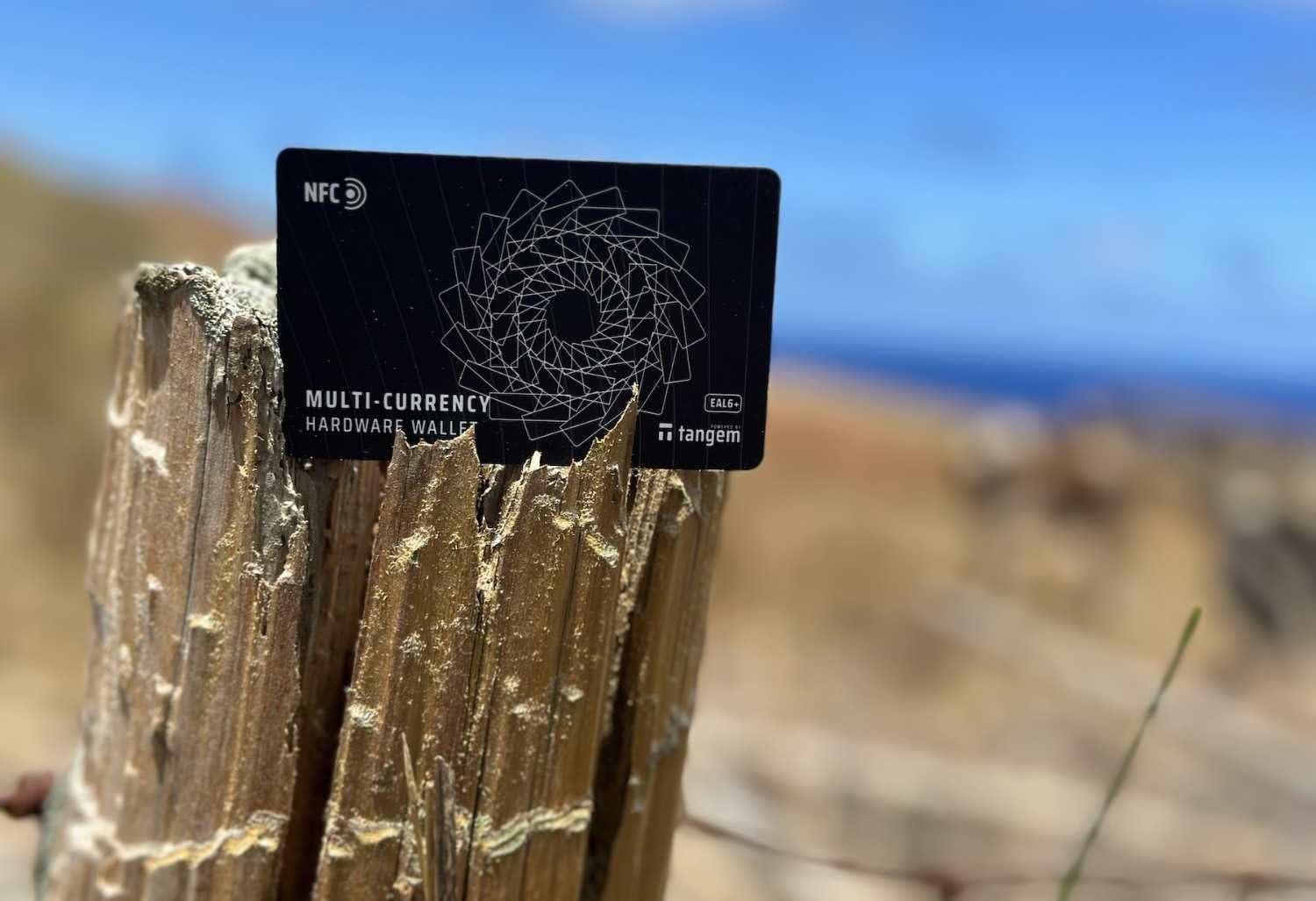
The TANGEM Wallet is unlike anything else I tested. Instead of a dongle or a small device with buttons, TANGEM is a set of smart cards the size of a credit card. You tap the card against the back of your phone to view balances and sign transactions. No batteries, no cables, no Bluetooth pairing.
The durability of these cards is remarkable. With an IP69K waterproof rating, shock resistance, and an operating temperature range of -25 to 50 degrees Celsius, these cards survive conditions that would destroy any electronic wallet. I accidentally left one in my car during a heat wave with zero issues.
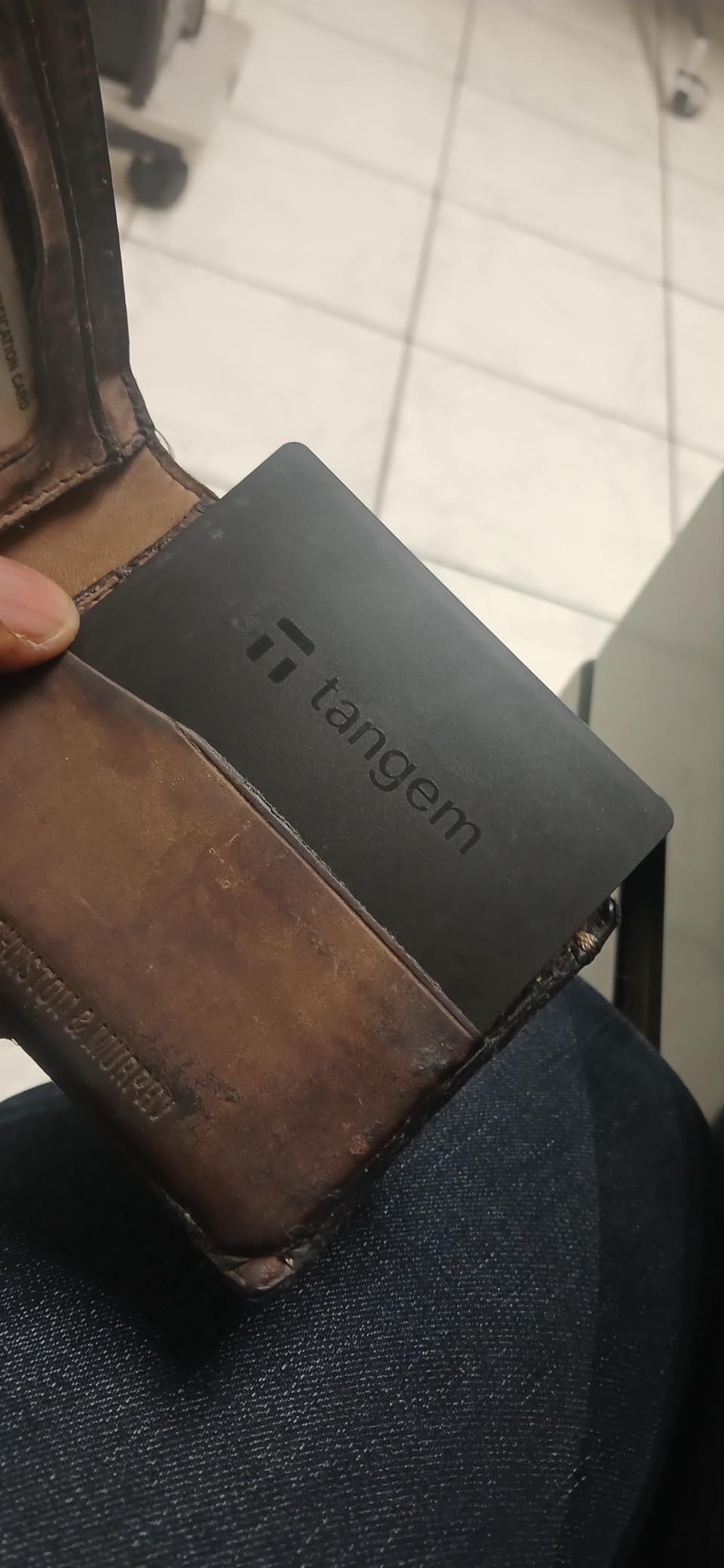
The pack includes three cards, and the backup system is brilliant. You activate all three cards with the same wallet, then store them in different physical locations. If one card is lost or destroyed, the others give you full access. This eliminates the anxiety of a single point of failure.
TANGEM supports over 14,100 coins and tokens across 90 blockchains. The optional seed phrase export feature lets you recover funds to any standard BIP39 wallet if TANGEM ever disappears as a company. This addresses the biggest fear people have about non-standard wallet designs.
Who Should Buy the TANGEM Wallet
The TANGEM is perfect for people who want the simplest possible cold storage experience. If the thought of managing a 24-word seed phrase terrifies you, TANGEM’s card-based backup system is more intuitive. It is also the best choice for anyone who needs extreme physical durability.
The lack of a screen is the biggest drawback. You cannot verify recipient addresses directly on the card, which means you are trusting your phone screen for transaction confirmation. For maximum security purists, this is a meaningful compromise.
Card-Based Backup Strategy
The three-card system lets you distribute risk across multiple physical locations. Keep one at home, one at a trusted family member’s house, and one in a bank safe deposit box. Even if two cards are destroyed or lost simultaneously, the third gives you complete access to your funds.
With over 6 million users and 9 years of proven security, TANGEM has built a strong track record. The EAL6+ security chip inside each card matches the certification found in more expensive devices, so you are not compromising on cryptographic security.
6. ELLIPAL Titan Mini – Portable Air-Gapped Security
ELLIPAL Air-gapped Crypto Wallet – Titan Mini, 10000 Coins & Tokens, Anti-Tamper Cold Storage for BTC/XRP/ETH/XLM/USDT/LTC
100% air-gapped system
Anti-tamper metal casing
2.4 inch HD touchscreen
10,000+ coins supported
Pros
- Air-gapped security against remote attacks
- Portable half-phone size
- 2.4-inch HD touch screen
- 10
- 000+ coins and tokens
- Anti-tamper self-destruct feature
Cons
- Small touchscreen hard for typing
- Firmware update process problematic
- SD card required for updates
The ELLIPAL Titan Mini caught my attention because it offers true air-gapped security at a surprisingly affordable price. Air-gapped means the device has zero network connectivity: no WiFi, no Bluetooth, no USB data connection to an online computer. All transactions happen through QR code scanning.
The anti-tamper technology is something I had not seen before testing this device. If someone tries to physically open the metal casing, the device self-destructs its private keys. This protects against supply chain attacks where someone intercepts and modifies the device before you receive it.
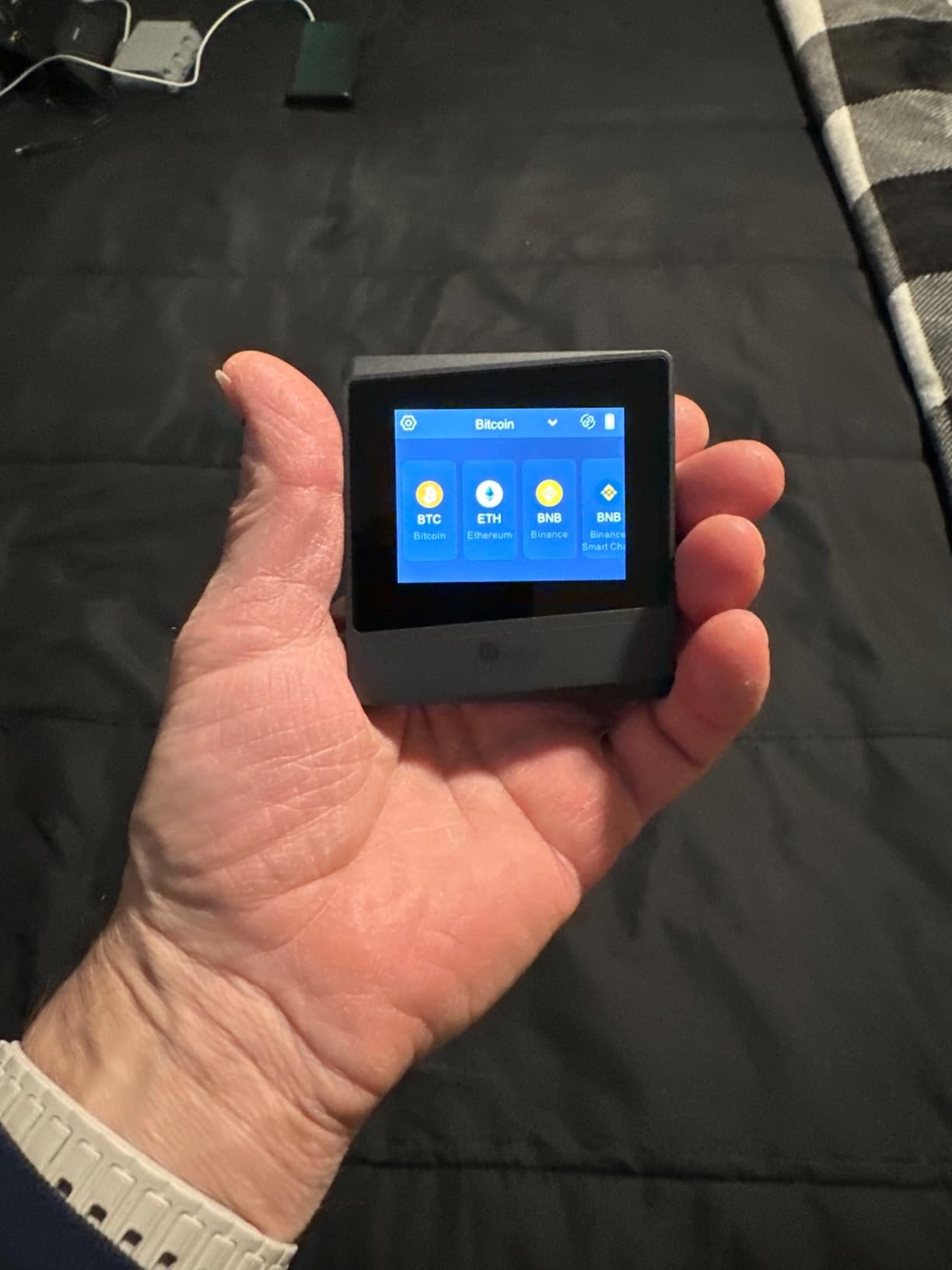
The 2.4-inch HD color touchscreen is small but functional. Typing a seed phrase on a screen this size requires patience, but once setup is complete, day-to-day use is manageable. The device supports over 10,000 coins and tokens, covering all major blockchains.
Firmware updates happen entirely offline through an SD card. You download the update on a separate computer, transfer it to the SD card, and then insert the card into the Titan Mini. Some users in forums reported issues with this process, so I recommend being comfortable with the procedure before relying on the device for large holdings.
Who Should Buy the ELLIPAL Titan Mini
This wallet targets security-focused users who want air-gapped protection without paying premium prices. If you are paranoid about remote attacks and want a device that physically cannot connect to the internet, the Titan Mini delivers. The metal build quality feels reassuring for long-term storage.
It is not ideal for beginners who want a frictionless experience. The SD card update process and QR code workflow require more technical comfort than a USB wallet. If you want set-and-forget simplicity, look at the TANGEM or Ledger Nano S Plus instead.
Air-Gapped Firmware Updates
The offline firmware update process is both the Titan Mini’s strongest security feature and its biggest usability challenge. By never connecting to any network, the device eliminates an entire category of attack vectors. But the trade-off is manual file transfers via SD card.
The included safety adapter and SD card make the process workable. I recommend testing a firmware update right after setup so you understand the workflow before you actually need it. One-year manufacturer warranty covers defects, though forum reports suggest ELLIPAL’s customer support response times vary.
7. ELLIPAL Titan 2.0 – Premium Air-Gapped Cold Storage
ELLIPAL Titan 2.0 Air-Gapped Crypto Wallet – Cold Wallet for Bitcoin, ETH, SOL, XRP, NFT & 10,000+ Coins and Tokens – Trusted Cold Storage Hardware Wallet
100% air-gapped
4.1-inch HD screen
QR code transaction signing
Supports up to 5 accounts
Pros
- 100% air-gapped with no network connectivity
- Large 4.1-inch HD screen for verification
- Eliminates blind signing
- 10
- 000+ tokens and NFTs
- Up to 5 separate accounts
- Metal body with 8-year zero-breach track record
Cons
- QR code scanning can be finicky
- SD card formatting issues reported
- Screen protector alignment tricky
The ELLIPAL Titan 2.0 is the larger, more refined version of the Titan Mini. I tested it as the premium air-gapped option, and the 4.1-inch HD screen makes a real difference. Transaction details are clearly readable, which eliminates the blind signing problem that plagues smaller-screen wallets.
With an 8-year track record and zero reported security breaches, ELLIPAL has built impressive credibility. The Forbes recommendation adds another trust signal. The device supports up to 5 separate accounts, which I found useful for organizing personal holdings, business funds, and family members’ crypto.
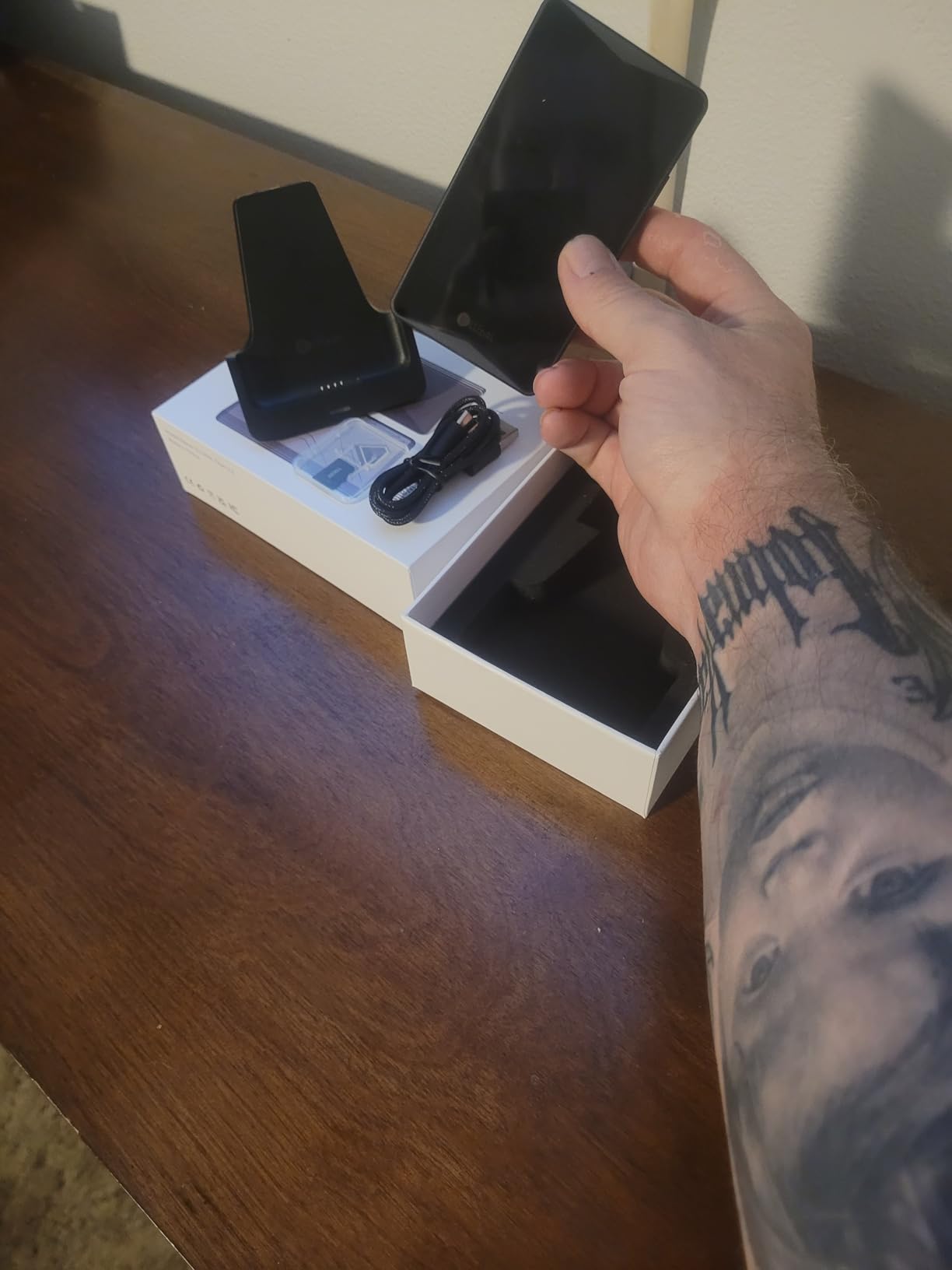
Every transaction is signed via QR code. The device displays a QR code on its screen, and you scan it with the ELLIPAL mobile app. This keeps the device completely offline at all times while still enabling full portfolio management through the companion app.
The metal body feels premium and durable. At this price point, the build quality meets expectations. The one complaint I share with other reviewers is that the QR code scanning can be finicky depending on lighting conditions and phone camera quality.
Who Should Buy the ELLIPAL Titan 2.0
The Titan 2.0 is designed for serious long-term holders who want maximum air-gapped security and are willing to pay for it. If you store significant crypto value and want the peace of mind that comes with a completely offline device and a large verification screen, this is worth the investment.
The QR code workflow is slower than USB or Bluetooth alternatives. If you make frequent, time-sensitive transactions, the scanning delay may frustrate you. This device is optimized for infrequent, high-value operations.
Transaction Transparency and Screen Size
The 4.1-inch screen is the Titan 2.0’s defining advantage over the Mini. You can read full transaction details including smart contract data before approving. For anyone dealing with DeFi transactions or token swaps, this level of transparency prevents costly mistakes.
The ELLIPAL App supports buying, selling, swapping, sending, and earning directly from the wallet interface. Over 1 million users across 140-plus countries trust the platform. The combination of air-gapped hardware and full-featured software makes this a complete solution for serious crypto holders.
8. Keystone 3 Pro – Open-Source Air-Gapped Multisig
Keystone – Cryptocurrency Hardware Wallet Air-gapped, 4-inch Touch Screen, Store Your Crypto Securely (Keystone 3 Pro)
100% air-gapped QR code
4-inch touchscreen
Open-source firmware and hardware
BTC and ETH multisig support
Rechargeable battery
Pros
- 100% air-gapped security
- Open source software and hardware
- 4-inch touch screen
- Multi-sig support for BTC and ETH
- Built-in rechargeable battery
Cons
- QR code scanning issues reported
- Battery life concerns for long-term storage
- Support response times slow
- Passphrase forgotten on restart
The Keystone 3 Pro stands out in my testing as the only air-gapped wallet that is fully open-source across firmware, hardware design, and operating system components. For security researchers and privacy advocates, this level of transparency is unmatched. I spent extra time with this device because of its unique multisig capabilities.
The 4-inch touchscreen provides enough space for comfortable transaction verification. A built-in rechargeable battery means you can use it untethered, unlike most competitors. The camera-based QR code signing keeps the device completely air-gapped at all times.
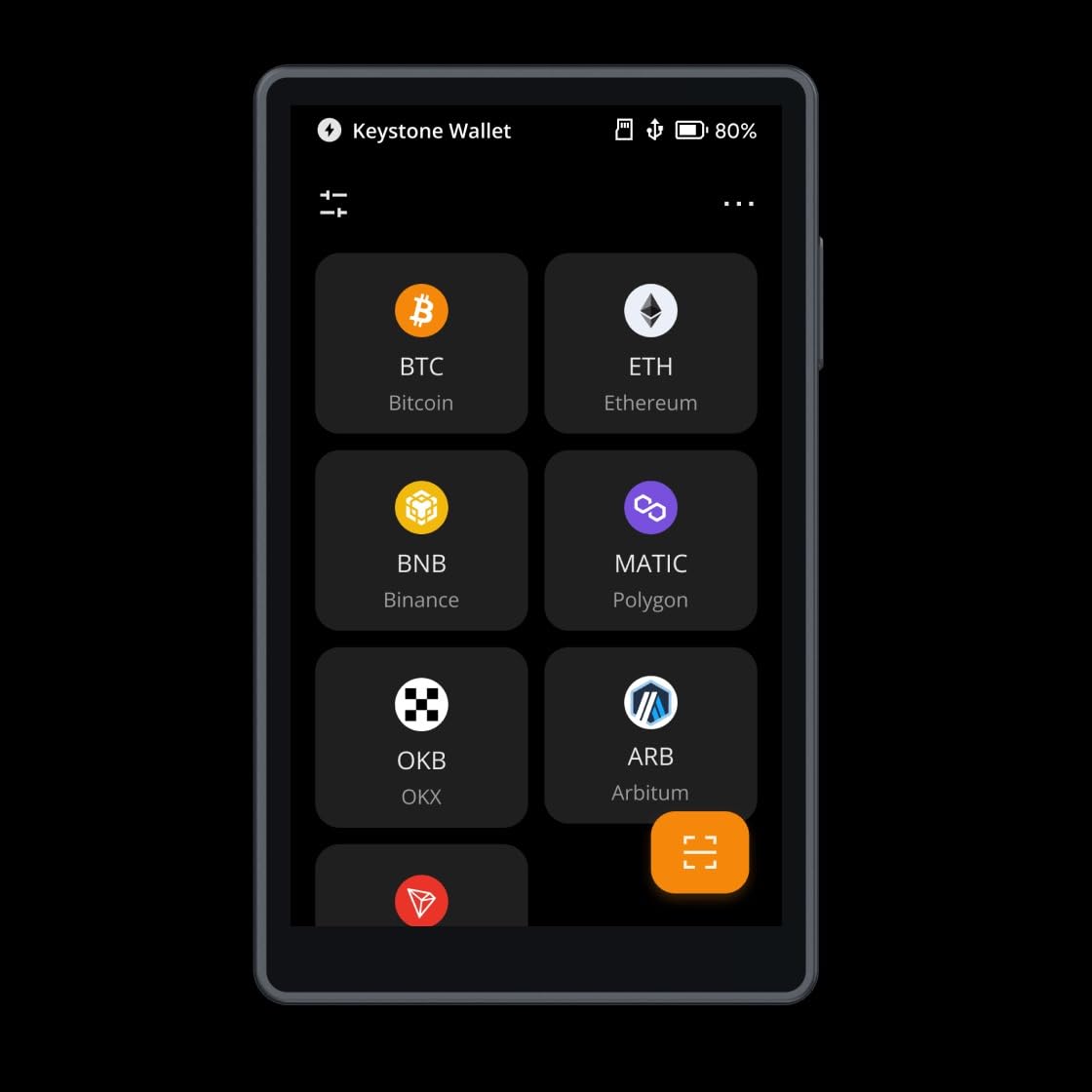
What makes the Keystone 3 Pro special is PSBT Bitcoin multisig and ETH multisig support. Multisig means you need multiple devices to approve a transaction, distributing trust across several wallets. For long-term storage of large amounts, multisig is the gold standard that forum users and security researchers consistently recommend.
The device supports over 1,000 cryptocurrencies including staking and transaction decoding. BIP32, BIP39, and BIP44 seed phrase compatibility means you can restore funds to virtually any other wallet if needed. This interoperability matters for decade-long storage where the original device may not survive.
Who Should Buy the Keystone 3 Pro
The Keystone 3 Pro is built for experienced users who want open-source air-gapped security with multisig capabilities. If you are setting up a multisig vault with Sparrow Wallet or Electrum for Bitcoin, Keystone is one of the most recommended companion devices in the crypto community.
Beginners should look elsewhere. The multisig setup process requires technical knowledge of PSBT workflows. The support response times have been criticized in forums, so you need confidence in your own troubleshooting ability.
Multisig and Advanced Features
Bitcoin multisig with the Keystone 3 Pro works seamlessly with popular coordinators like Sparrow Wallet and Specter. You set up a 2-of-3 or 3-of-5 multisig arrangement where multiple hardware wallets must sign each transaction. This means even if one wallet is compromised, your funds remain safe.
The built-in battery is a double-edged sword for long-term storage. It enables untethered operation now, but battery degradation over years of disuse is a legitimate concern. Forum users recommend charging the device every few months to maintain battery health.
9. Arculus Crypto Cold Storage – 3-Factor Authentication Card
Arculus® Crypto Cold Storage Wallet, Secure Bitcoin Wallet, Crypto Hardware Wallet for NFTs, Ethereum, Bitcoin, Cardano and Other Cryptocurrencies, 3-Factor Authentication Crypto Wallet, Silver
3-factor authentication
CC EAL6+ Secure Element
NFC tap-to-transact
Credit card form factor
No battery required
Pros
- 3-factor authentication security
- Slim credit card form factor
- Easy NFC tap-to-transact
- Supports 95% of crypto market cap
- No battery required
- Joint wallet feature
Cons
- NFC finicky with some phone cases
- Firmware not upgradable on older cards
- Recovery phrase issues reported
- Limited to NFC-enabled devices
The Arculus wallet takes a different approach from every other device on this list. It looks like a metal credit card and authenticates using three factors: something you have (the metal card), something you know (a 6-digit PIN), and something you are (biometric lock on your phone). This three-layer authentication is the strongest consumer-grade system I tested.
The CC EAL6+ Secure Element inside the card matches the security certification of the best hardware wallets. But the form factor means it fits right in your actual wallet alongside your credit cards. No dongle to carry, no cable to connect, no battery to charge.
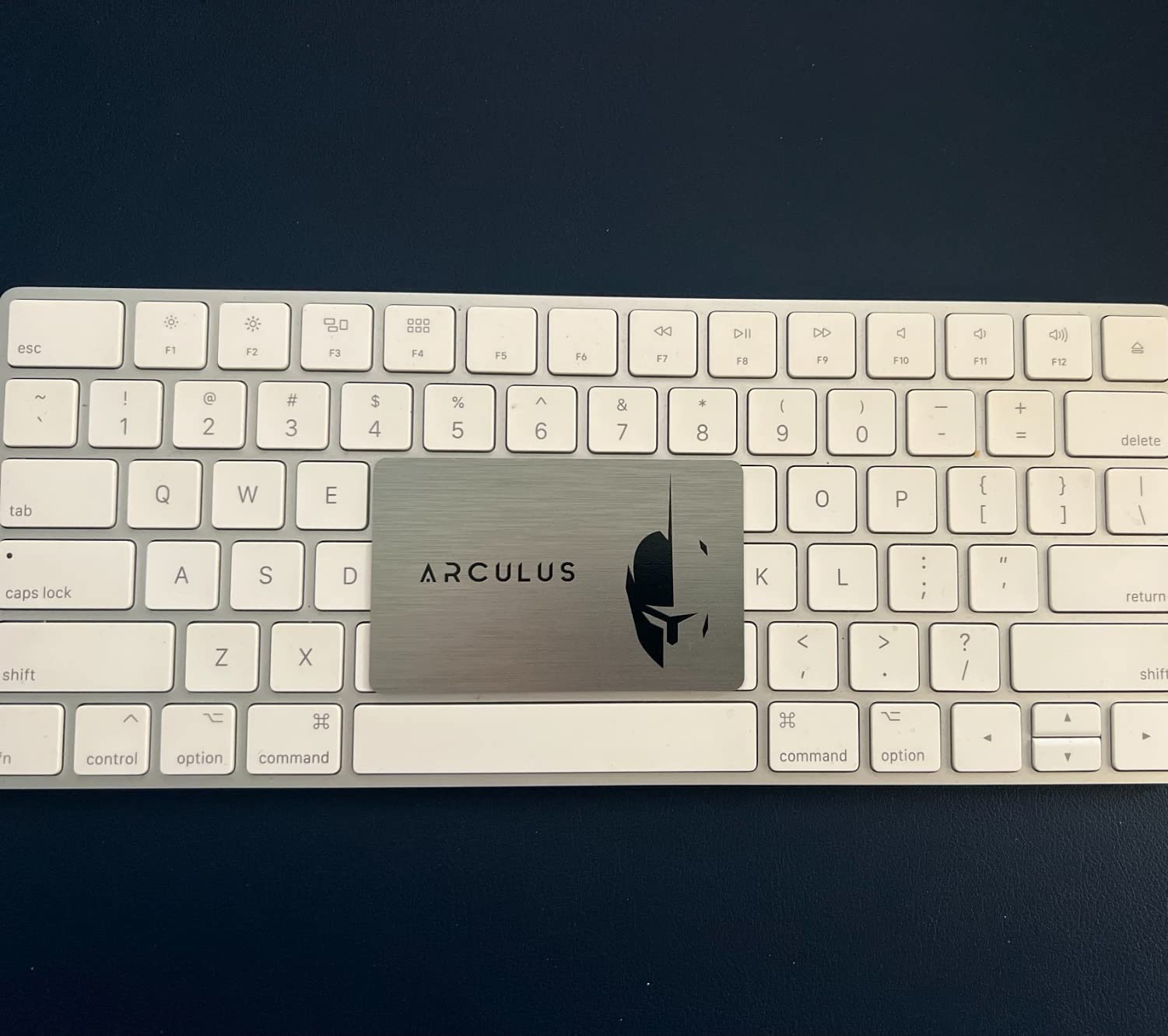
I tested the Arculus with Bitcoin, Ethereum, Cardano, and XRP transactions. The NFC tap-to-transact workflow is fast once your phone’s NFC reader finds the card. The joint wallet feature lets two people share access to the same wallet, which is useful for couples or business partners managing shared crypto holdings.
The Arculus supports 95% of the total cryptocurrency market cap by value. While it does not match the 10,000-plus coin counts of Ledger or ELLIPAL, it covers every coin most people actually hold. The limitation is that you need an NFC-enabled phone, which excludes older devices.
Who Should Buy the Arculus Wallet
Arculus is ideal for people who want maximum security in the most portable possible form factor. If you already carry a wallet with credit cards, adding the Arculus card requires zero lifestyle change. The 3-factor authentication provides stronger protection than single-PIN wallets.
The firmware limitations are a concern for very long-term storage. Older Arculus cards cannot be firmware updated, which means future security patches may not apply. Check that you are buying the latest edition before purchasing.
Card-Style Security Without Batteries
The no-battery design is both Arculus’s biggest advantage and its biggest limitation. On the plus side, there is nothing to charge and nothing to degrade over time. The card will work identically in ten years as it does today, assuming NFC remains a standard phone feature.
The limitation is that there is no screen on the card itself. All transaction verification happens on your phone through the Arculus app. For users who want to verify addresses on-device, a wallet with a built-in display like the Trezor Safe 5 or ELLIPAL Titan 2.0 is a better choice.
How to Choose the Best Hardware Wallet for Long-Term Storage?
Choosing the right hardware wallet for long-term crypto storage comes down to understanding your priorities. After testing nine devices, I identified six factors that matter most for decade-long holding.
Security certifications. Look for EAL6+ certified Secure Element chips. This is the highest security certification level commonly available in consumer hardware wallets. Every wallet on our list except the Nano S Plus uses an EAL6+ chip, and even the S Plus uses one internally.
Connectivity options. USB-only wallets offer the smallest attack surface but require a computer for every operation. Bluetooth adds mobile convenience at a small theoretical security cost. NFC cards like TANGEM and Arculus are wireless without traditional networking. Air-gapped wallets with QR code signing provide the strongest isolation.
Device longevity and lifespan. This is the factor most competitors ignore. Electronic components degrade over time. Battery-powered devices like the Ledger Nano X and Keystone 3 Pro will eventually need battery service or replacement. NFC cards and USB-only wallets without batteries have the longest potential lifespan. Forum users consistently ask about 10-year storage, and the honest answer is that no electronic device is guaranteed to last a decade. Always maintain a written seed phrase backup.
Seed phrase and backup options. Every wallet on this list uses BIP39-compatible seed phrases, meaning your funds can be recovered on any compatible device. Some wallets like the Trezor Safe 3 offer multi-share backup, which splits your recovery seed across multiple pieces for better fault tolerance. TANGEM’s card-based backup system provides an alternative approach that some users find easier to manage.
Coin support. If you hold only Bitcoin, any wallet on this list works. For diversified portfolios across many blockchains, look at Ledger’s 15,000-plus coin support or ELLIPAL’s 10,000-plus token compatibility. Bitcoin maximalists may prefer a focused wallet, while multi-chain users need broad compatibility.
Open-source vs closed-source. Trezor and Keystone publish their firmware source code publicly, allowing independent security audits. Ledger’s firmware is partially closed-source. For users who prioritize verifiable security, open-source is the preferred choice. For users who prioritize polished software and ease of use, Ledger’s closed ecosystem is hard to beat.
Frequently Asked Questions
What type of crypto wallet is best for long-term storage?
Hardware wallets are the best option for long-term crypto storage because they store private keys offline on a secure element chip, completely isolated from internet-connected devices. Unlike software wallets or exchange accounts, a hardware wallet ensures your keys cannot be stolen by malware, phishing, or remote hacking attacks.
What is the most secure wallet to store crypto?
Air-gapped hardware wallets like the ELLIPAL Titan 2.0 and Keystone 3 Pro offer the highest security because they have zero network connectivity. Transactions are signed via QR code scanning, meaning the device physically cannot be reached remotely. For maximum security, combine an air-gapped wallet with multisig setup requiring multiple devices to approve transactions.
What is the lifespan of a hardware wallet?
Most hardware wallets last 4 to 10 years depending on usage and storage conditions. USB-only devices without batteries, like the Trezor Safe 3 and Ledger Nano S Plus, have the longest potential lifespan since there are no degrading components. Battery-powered devices like the Ledger Nano X may need replacement after 4 to 6 years. Regardless of device lifespan, your seed phrase backup lets you recover funds on any new wallet, so the device itself is replaceable.
What is the best way to store crypto for long term?
The best long-term storage strategy uses a hardware wallet for your private keys, a written seed phrase backup stored in a secure offline location, and ideally a multisig setup distributing signing authority across multiple devices. Store the hardware wallet and seed phrase in separate physical locations. Test your recovery process annually to ensure you can access funds if the primary device fails.
Can hardware wallets be hacked?
Hardware wallets can theoretically be hacked through physical supply chain attacks, side-channel attacks, or firmware vulnerabilities, but these attacks require extraordinary resources and physical access. No major hardware wallet brand has suffered a direct key extraction hack on a properly updated device. The biggest real-world risks are phishing attacks that trick users into entering their seed phrase on malicious websites, not technical breaches of the hardware itself.
Final Thoughts on Hardware Wallets for Long-Term Storage
After testing all nine wallets, my top recommendations are clear. The Ledger Nano X wins for everyday usability with mobile Bluetooth access. The Trezor Safe 3 delivers the best value with open-source firmware and an EAL6+ chip. The TANGEM Wallet offers unmatched durability at an affordable price point.
For maximum security with large holdings, the air-gapped ELLIPAL Titan 2.0 and Keystone 3 Pro are the strongest choices. For card-style convenience, the Arculus wallet’s 3-factor authentication is impressive. Whatever you choose, the most important step is actually moving your crypto off exchanges and into cold storage.
The best hardware wallets for long-term crypto storage are the ones you actually use. Buy one, set it up properly, test your recovery process, and store your seed phrase safely. Your future self will thank you for taking action in 2026 rather than waiting until after a security incident.