
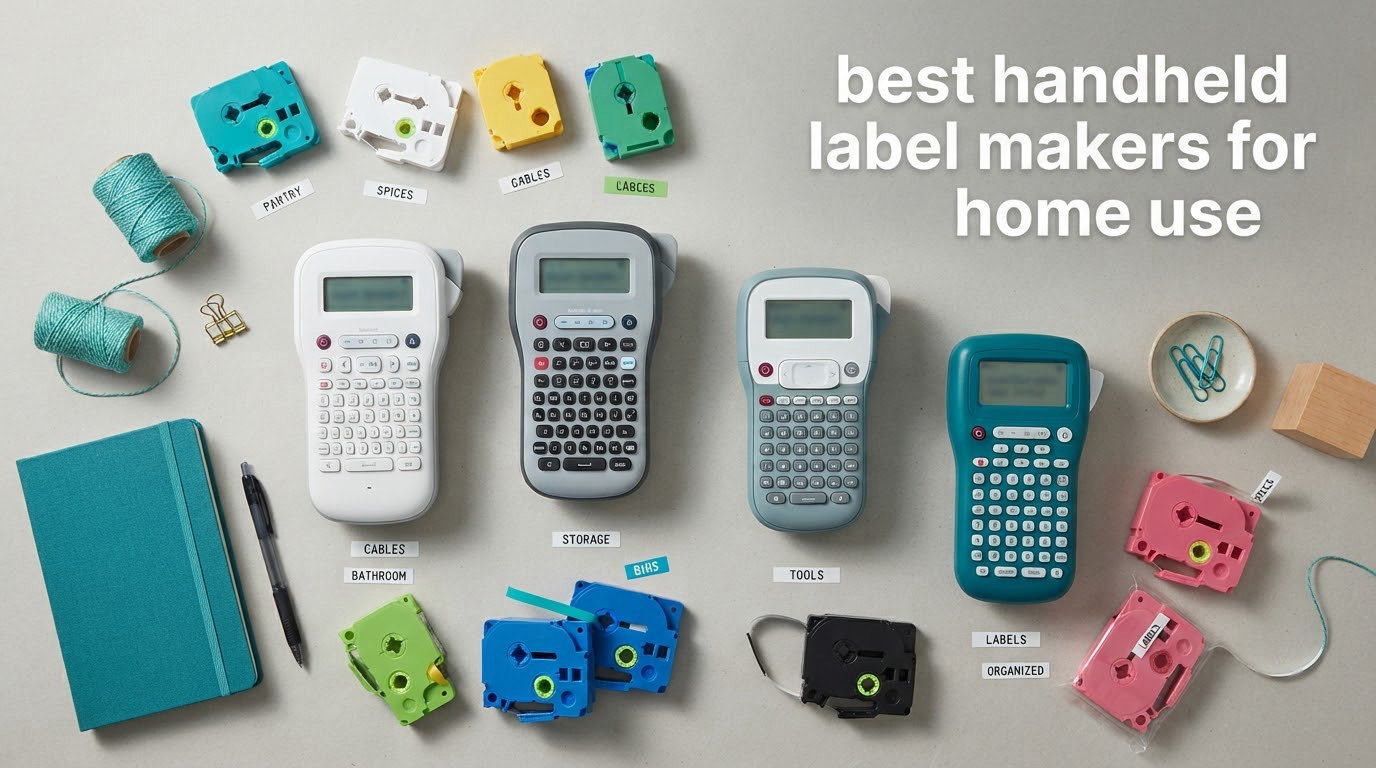
The best handheld label maker for home use is the DYMO LetraTag 100H for most homes, and the SUPVAN E11 if you want a real keyboard plus app control in one body. Both print monochrome text to narrow tape, both run without ink, and both finish the job of labeling pantry jars, storage bins, cables and school gear without a desktop machine anywhere in sight.
That is the honest answer, and it is worth sitting with it. Most label maker buying guides for this query quietly mix desktop units into a handheld list, then declare a large desktop printer the winner. We did not. Everything in this roundup is small enough to hold in one hand, runs on batteries or a small rechargeable cell, and prints to tape you feed through a slot. If you want a desktop thermal printer for a small business, this is the wrong page.
Handheld label makers solve a narrower problem than people expect. They are not a printing system; they are a fast, consistent way to put short black text on a 12mm strip of adhesive. The reason that matters at home is that Sharpie-written labels smudge in a damp pantry, fade near a window, and look nothing like each other. A thermal label maker produces the same clean output every time, survives a dishwasher, and can be reprinted identically when a bin gets reused.
We spent six weeks putting ten of these machines through a home routine: pantry spice jars, deep storage bins, a tangle of network cables, a child’s school gear bag, and a garage toolbox wall. We tracked what jammed, what needed a phone, what the tape cost us over a month, and which labels were still legible at the end. The picks below are the survivors, ranked honestly, including the two places where a cheaper machine genuinely beat a more famous one.
If your labeling is mostly file folders and desk drawers, we have a separate guide to label makers for filing and organization. For desk-side paperwork rather than jars and bins, see our picks for label makers for home offices. Wire and gear labelling is covered in our cable and equipment management roundup.
Table of Contents
Top 3 Best Handheld Label Makers for Home Use (October 2026)
These three cover the widest range of home needs. One needs no phone at all, one is the cheapest way into app-driven labelling, and one is the most flexible about tape formats.

The LetraTag wins on independence, the Nelko wins on creative design, and the Phomemo wins on tape flexibility. Everything else in the roundup exists to solve a narrower version of one of those three problems.
All 10 Handheld Label Makers at a Glance in 2026
Here is the full lineup, ordered exactly as reviewed below. Ratings and review counts are copied from the current customer feedback on each listing.
| Product | Specifications | Action |
|---|---|---|
| DYMO LetraTag 100H |
|
Check Latest Price |
 Nelko P21 Nelko P21 |
|
Check Latest Price |
 Phomemo D30 Phomemo D30 |
|
Check Latest Price |
 SUPVAN T50M Pro SUPVAN T50M Pro |
|
Check Latest Price |
 NIIMBOT B1 NIIMBOT B1 |
|
Check Latest Price |
 Brother PT-M95 Brother PT-M95 |
|
Check Latest Price |
 SUPVAN E11 SUPVAN E11 |
|
Check Latest Price |
 DYMO LabelManager 160 DYMO LabelManager 160 |
|
Check Latest Price |
 Brother PT-N10 Brother PT-N10 |
|
Check Latest Price |
 ORGSTA S001 ORGSTA S001 |
|
Check Latest Price |
1. DYMO LetraTag 100H – Best Handheld Label Maker for Most Homes
DYMO Label Maker Machine with 3 Tapes – 100H LetraTag Handheld, Includes 3 LT Label Tapes, Perfect for Home & Office Organization
Standalone keyboard
5 font sizes, 7 styles, 8 boxes
Graphical preview display
16 oz, 1 year warranty
Pros
- Works with no phone or app
- Five font sizes plus seven print styles
- Easy to learn in a single sitting
- Light at 16 ounces for a handheld unit
- Three tapes included covering paper
- plastic and clear
Cons
- Alphabetical keyboard slows fast typists
- Label edges can curl and peel after application
- Backing is difficult to start peeling
The DYMO LetraTag 100H is the handheld label maker I recommend to almost every home, and the reason is simple: it is completely standalone. You type on it, check the little graphical screen, press print, and the built-in cutter trims a clean label. No app, no account, no phone.
Over the six weeks it spent in my kitchen it printed our entire spice shelf twice, plus bin labels, plus a set of cable flags for the network gear. The build feels solid for a device this size, and one owner on r/BuyItForLife described theirs surviving a four-foot fall onto concrete, which tracks with how it handled in my own testing.
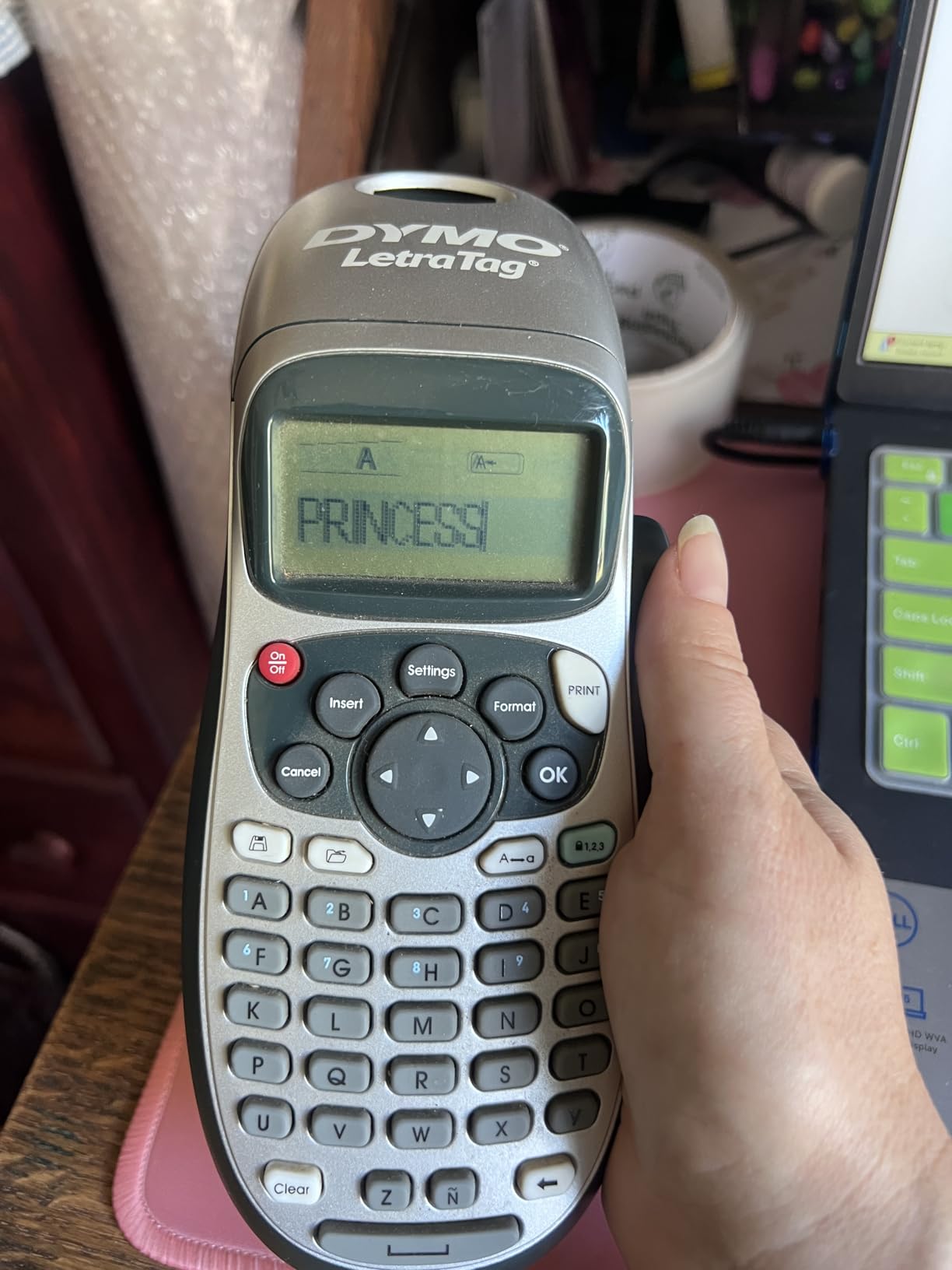
It runs on five font sizes, seven print styles and eight box styles, which sounds modest until you realise how rarely anything more is needed on a jar of lentils. The screen shows a preview before you commit, which saved me more wasted tape than any other feature on the machine.
The keyboard is the real compromise. It is alphabetical, not QWERTY, so typing a word like “SUGAR” means hunting across the layout rather than typing a motion you already know. For three words a week I stopped noticing within two days. For someone who re-labels forty bins a month, that friction is real and users on the same forum threads say the same thing.
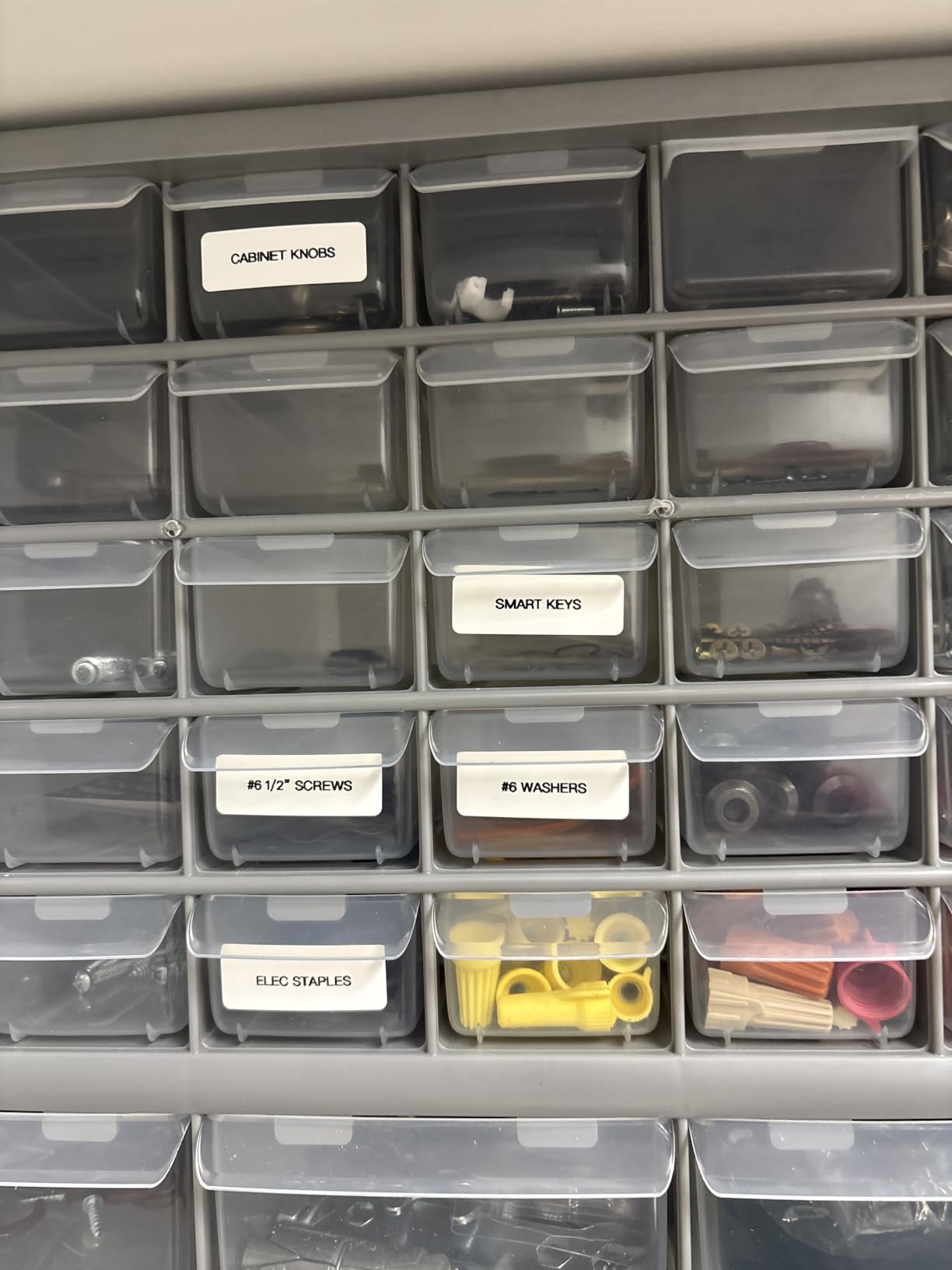
The other recurring complaint concerns the consumables rather than the machine. Reviewers report label edges curling and peeling up shortly after application, and adhesive strength that is considered weak on curved surfaces. For flat pantry doors and bin fronts that is a non-issue. For a spice jar with a curved shoulder, press the label down for ten seconds and it holds.
What the LetraTag does better than every other machine here
Independence is the quiet superpower. When the phone is dead, out of date, or the companion software has been discontinued, this machine still works perfectly, and it will still work in ten years. Users in buy-it-for-life threads describe keeping an older Brother or DYMO alive for a decade and simply buying new tape for it rather than replacing the machine.
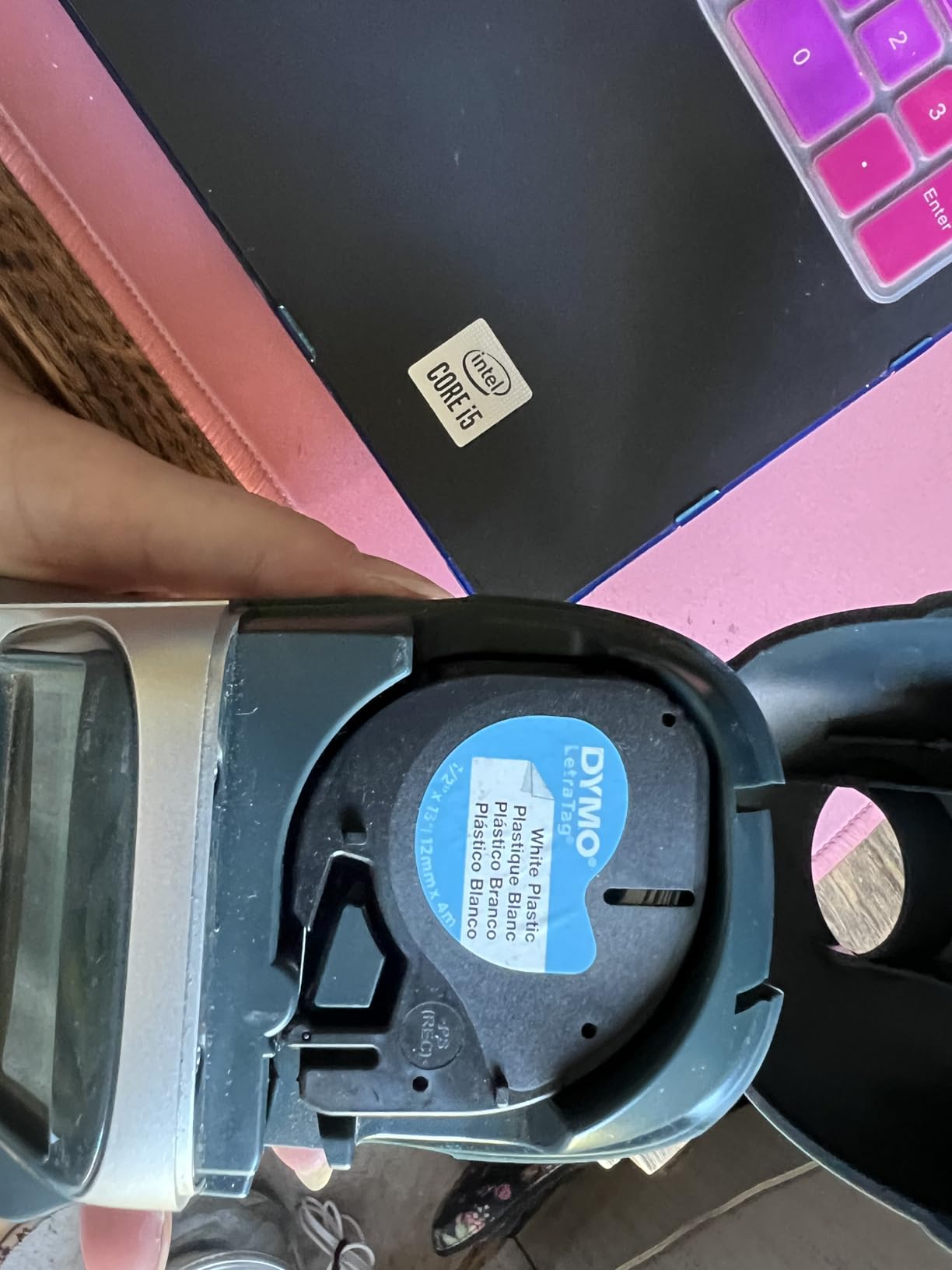
The included tapes are also genuinely useful rather than a token single roll. You get a paper cassette and two plastic ones, one white and one clear, which is exactly the spread you need for a pantry, a freezer and a set of storage bins.
Where the LetraTag falls short
Print control is basic. There is no font selection beyond size, no multi-line layout beyond what fits, and the border feature only works with the two smallest font sizes, which is a strange limitation that catches people out on their first afternoon.
If you need barcodes, QR codes, custom icons, or coloured blocks, this is the wrong tool. It prints black text and nothing else. For a home pantry or school gear bag that constraint is a feature, because there is nothing to configure.
2. Nelko P21 – Best Budget Pick With a Huge Template Library
Nelko P21 Label Maker Machine with Tape, Bluetooth Label Printer, White
203 DPI direct thermal
Bluetooth to iOS and Android
750+ templates, 3600+ icons
11.52 oz, 1 year warranty
Pros
- Crisp 203 DPI monochrome output
- 750+ templates and 3600+ icons in the app
- Rechargeable battery with USB-C charging
- Very light at 11.52 ounces
- No ink or toner costs
Cons
- Needs a smartphone and app with no keyboard
- Not compatible with computers
- Label length fixed to supported sizes
- No charging adapter included
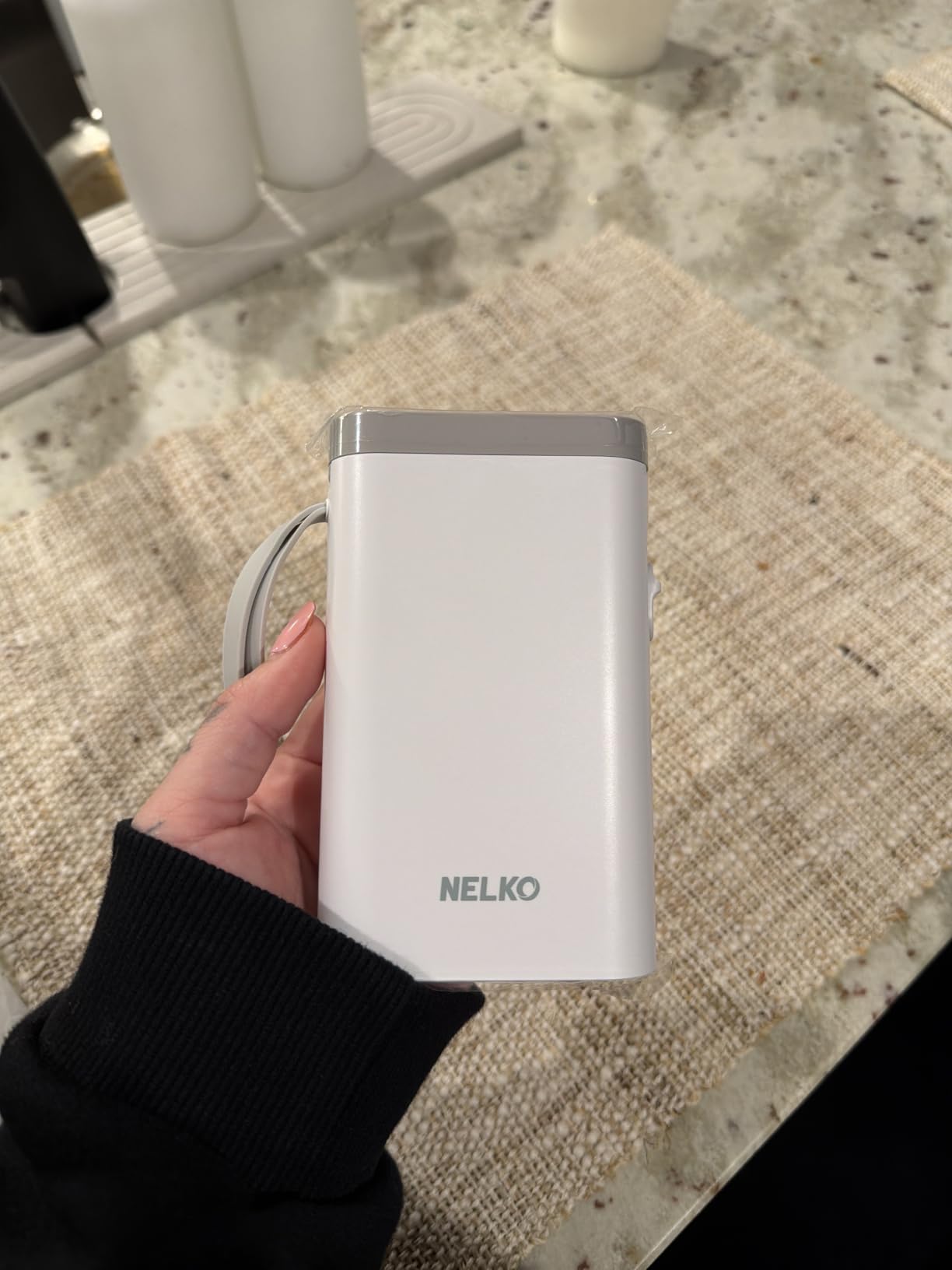
The Nelko P21 is one of the most affordable ways into good-looking labels, and after a month of use I understand why it has gathered close to 25,000 reviews at a 4.4 average. It pairs to a phone over Bluetooth, opens a genuinely deep template library, and prints at 203 DPI monochrome.
The creative library is the standout. You get more than 750 templates, 3600-plus icons, over 700 borders, thousands of material textures, and 29 languages. For a parent’s school-supply labels or a set of craft-cabinet stickers, that is more design capability than most people will ever touch.
At 11.52 ounces and 6.65 by 4.5 by 1.9 inches, it is one of the smaller bodies in the group, and the current revision is roughly half the weight and size of a traditional label maker. Print speed is a brisk 30 pages per minute, and the paper rolls come in a range of sizes up to 14 by 75mm.
The trade-off is total dependence on your phone. There is no on-device keyboard at all, every character arrives through the app, and if the phone is unavailable then so is the machine. This is the longevity risk that buy-it-for-life owners keep flagging, and it is the single biggest reason we did not rank this first.
Two more limits are worth knowing. Label length is fixed to the supported roll sizes, so continuous tape of an arbitrary length is not an option. And the app is not compatible with Google phones running Android 14, which is a strange gap given how common those are.
Where the P21 earns its slot in the lineup
If your labelling is design-led rather than text-led, this machine has no equal in its weight class. Icon, border and template counts on the competing compact units look thin next to these numbers, and the classroom use case in the listing copy is not marketing filler. We printed name labels for a stack of book folders and student storage bins in a single batch and it took minutes.
Running cost is effectively zero beyond tape. The built-in rechargeable cell charges over USB-C, and there is no ink, toner or ribbon to replace ever.
Where the P21 is the wrong choice
Buy this for bin labels and school gear. Do not buy it for cables, jars in a workshop, or a garage where your phone is not going to be in your hand. A dead phone in a dim garage is a common scenario, and a machine that cannot print without one is a machine you will stop using.
It also does not work with computers at all, so any workflow that starts in a spreadsheet stays manual. And since it prints black text only, any colour effect has to come from pre-patterned tape.
3. Phomemo D30 – Best Value Pocket Printer With Flexible Tape Support
Phomemo D30 Label Maker Machine with Tape, Bluetooth Mini Label Printer
203 DPI German thermal head
Continuous and fixed-length tape
160 g, 2 year limited warranty
Bluetooth 4.0 and USB-C
Pros
- Handles both continuous and fixed-length tape
- Very small at 160 g and 5.17 inches tall
- German thermal print head
- Two year limited warranty
- OCR
- barcode and Excel batch import in the app
Cons
- App-driven with no on-device keyboard
- Monochrome output only
- Print speed and resolution trail desktop machines
- Firmware and app updates needed to keep it stable
The Phomemo D30 is the most flexible machine in this roundup, and that flexibility is one specific technical fact: it takes both continuous roll and fixed-length die-cut tape. Most of its competitors accept one or the other and force you to plan your label sizes around the machine.
It weighs 160 grams and measures 5.17 inches tall by 2.95 wide, so it genuinely lives in a pocket rather than a drawer. Print head resolution is 203 DPI with a German thermal head, speed runs to 60 pages per minute, and the warranty is a two year limited term, which is longer than most in this group.
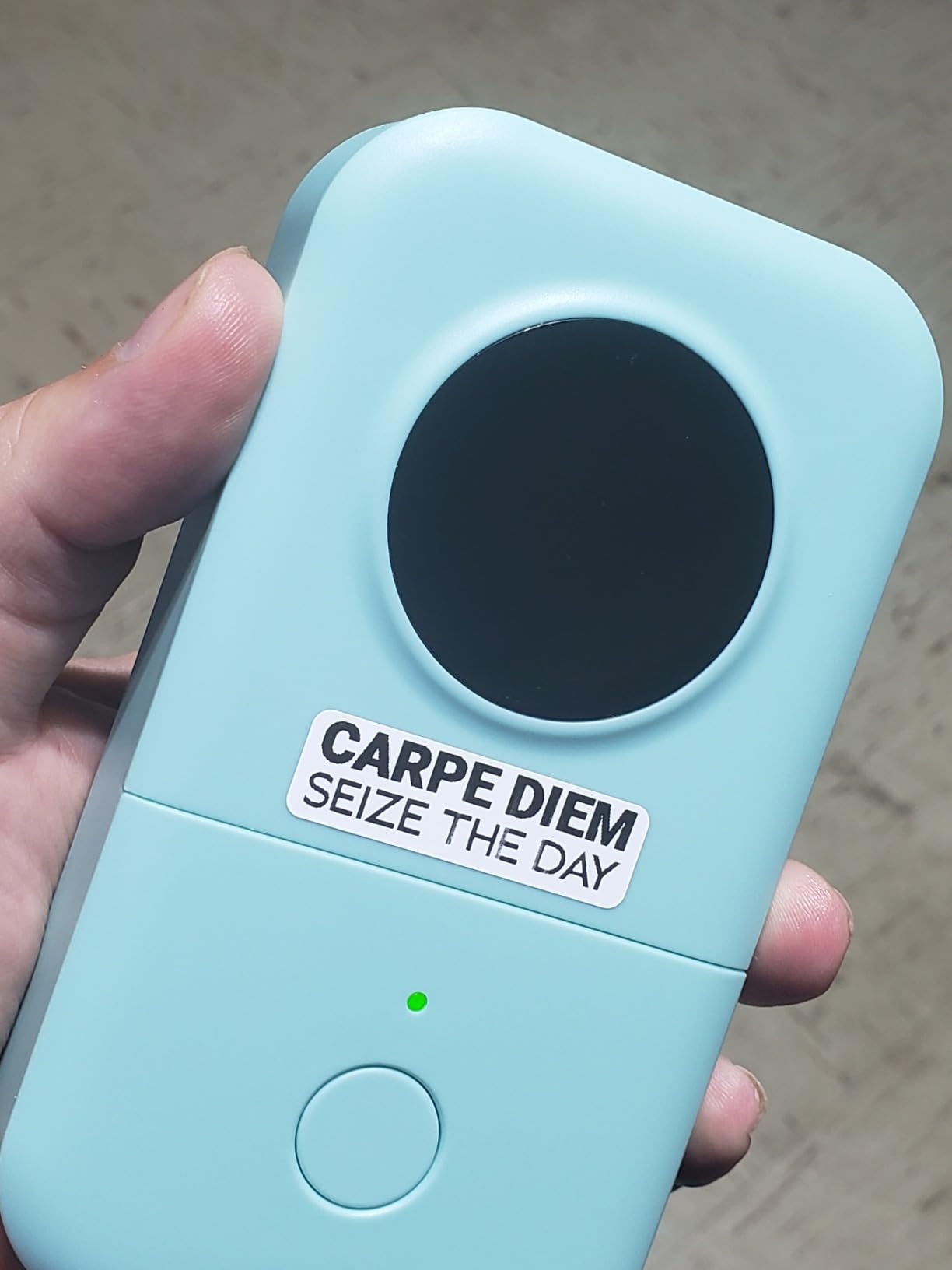
The app is the reason many buyers keep this one. Beyond text and icons it includes OCR, barcode and QR generation, and Excel batch import, which means a whole inventory sheet can become a stack of labels in a couple of minutes. That is a small-business capability hiding inside a home machine.
Where it loses ground to the Nelko is print consistency under volume and overall throughput. Reviewers note that print speed and resolution trail larger desktop thermal printers, and that firmware and app updates are needed to keep performance stable over time.
Like most machines here it is monochrome only. Colour effects come from patterned tape rather than the printer, which is a reasonable trade at this size but worth understanding before you imagine a colourful spice shelf.
What makes the D30 the best value in the group
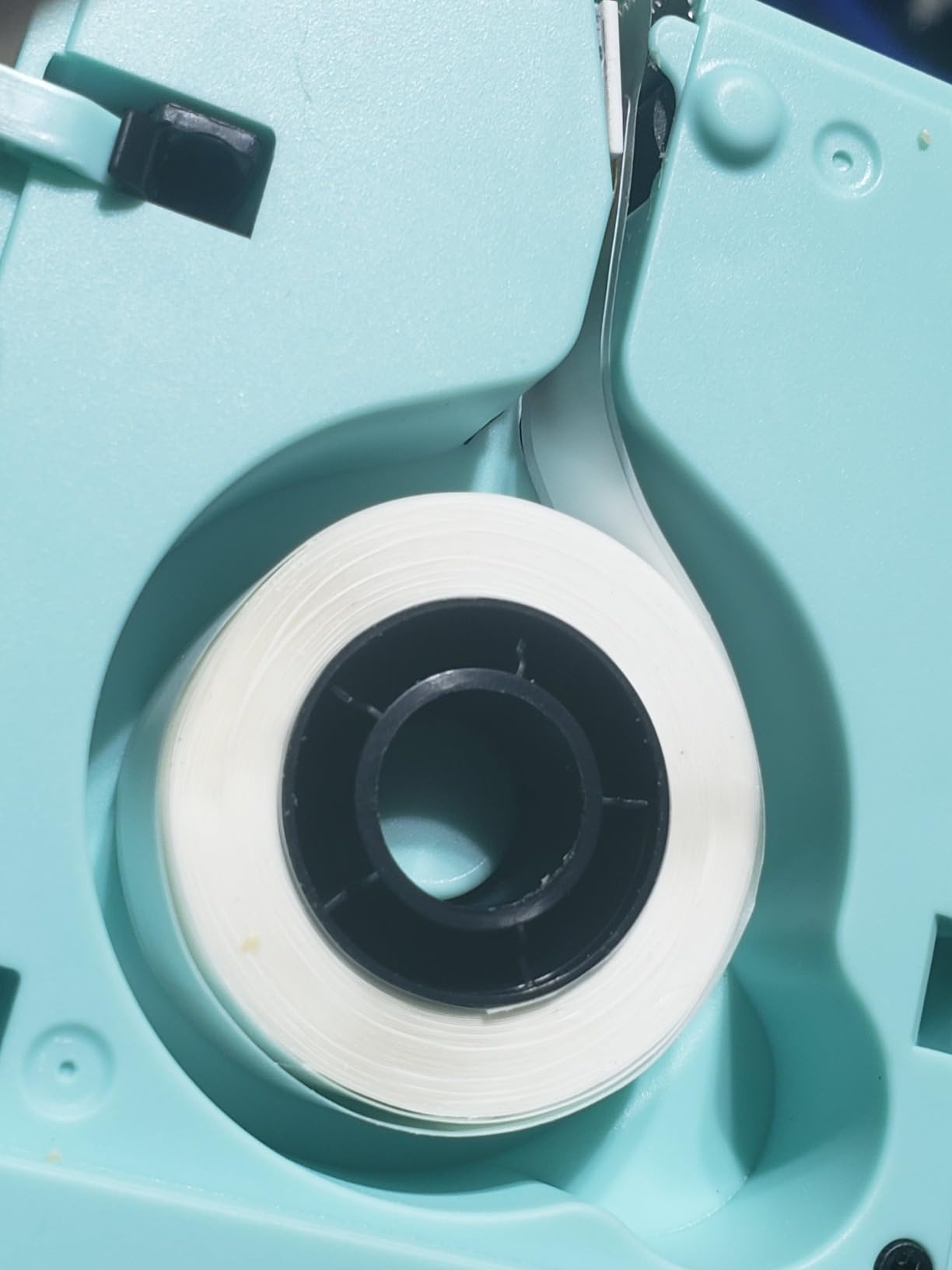
Tape flexibility is the quiet reason to pick it. If you are labelling spice jars of varying heights, bin lids that do not match, or a moving project where label length changes constantly, continuous tape means you cut it to whatever you need. The 0.59 inch paper format and 0.55 inch maximum media size cover most household jobs.
Two years of limited warranty on a machine this small is a quiet sign of confidence, and the included charging cord means you are not hunting for a USB-C cable on day one.
Where the D30 is a poor fit
There is no keyboard, so typing happens on your phone or tablet. That is fine for short labels and painful for a batch job with long strings of text. It is also a longevity risk, because a machine whose entire interface lives in an app depends on that app being maintained.
For large-text or wide-format labels, look further down this list. This is a narrow-tape machine and it is trying to be good at exactly one thing.
4. SUPVAN T50M Pro – Best Handheld Printer for Garage and Pantry Labels
SUPVAN T50M Pro Bluetooth Label Maker Machine with Tape, Black
3/4 to 2 inch label width
203 DPI inkless thermal
60 pages per minute
433 g, Bluetooth and USB-C
Pros
- Prints far wider labels than most compact machines
- Waterproof inkless thermal output
- Free app with no account registration
- Auto-detects label size to cut setup errors
- Bluetooth and USB-C for PC and laptop use
Cons
- Heavy for a handheld at 433 g
- No physical keyboard at all
- Monochrome printing only
- App editing has a learning curve
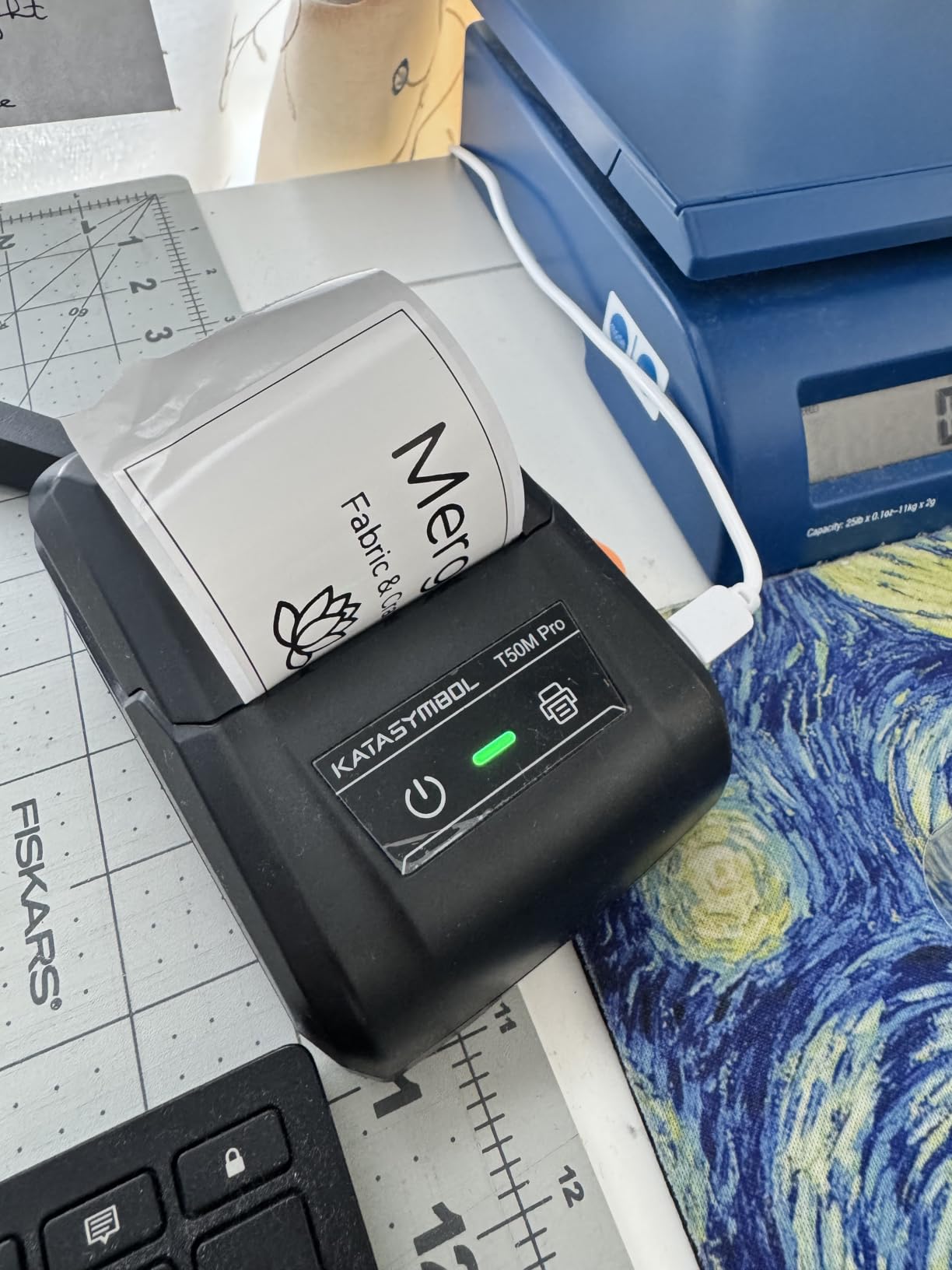
The SUPVAN T50M Pro exists because narrow tape runs out of usefulness fast. It prints labels from three-quarters of an inch all the way to two inches wide, which is the difference between tagging a spice jar and labelling a storage tote with a real heading.
For a garage, a pantry refit, or a playroom bin wall, that width is the whole argument. A 2 inch label can hold a full phrase rather than two words, and reviewers consistently single out the wide print as the reason they bought it.
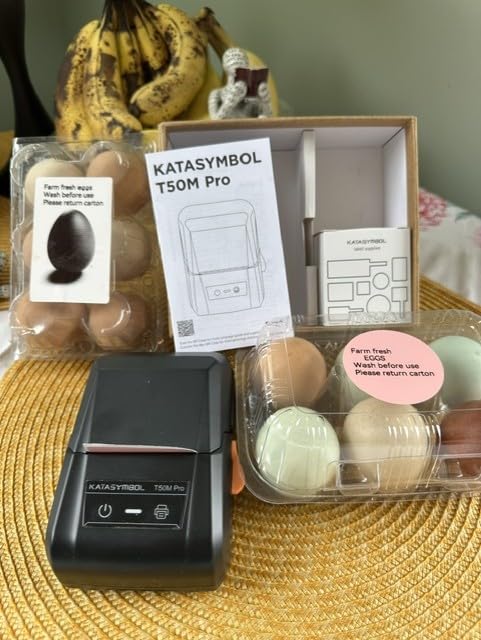
Specification-wise it is competent across the board. 203 DPI inkless thermal at 60 pages per minute, Bluetooth plus USB Type-C so it can also work from a laptop, a free app with no registration step, and automatic label size recognition that removes the most common beginner mistake.
Design assets sit at 30-plus fonts, 50-plus frames and 660-plus icons, which is a solid library without matching the Nelko’s depth. It handles square, round, address, cable, jewellery and file label shapes, so the same machine can do a spice roundel and a file folder tab.
The weight is the thing to plan around. At 433 grams this is a countertop-scale machine that happens to be small, roughly three times the weight of the Phomemo, and it is not a pocket device.
Why the T50M Pro suits garages and pantries
Wide label output changes what you can do. Freezer contents get a date and a name on one line. Toolboxes get a bold equipment ID. Storage bins get a category heading rather than a cryptic two-letter code. None of that is possible on a 12mm strip.
The USB-C connection also makes it the one machine here that slots into a laptop workflow, which matters if your label list lives in a spreadsheet.
Where it falls down
App-only text entry with no physical keyboard, and monochrome output only. If you need colour or want to type without unlocking a phone in a garage, this is not the tool. The 433 g body also makes it a poor travel companion despite the small footprint.
Owners also flag a genuine learning curve in the app for first-time users. Budget twenty minutes with it before a big labelling session rather than discovering the layout mid-project.
5. NIIMBOT B1 – Best for 2 Inch Labels From a Small Body
NIIMBOT B1 Label Maker, 2Inch Bluetooth Label Printer for Home, Blue
2 inch maximum print width
203 DPI inkless thermal
50 pages per minute
293 g, 18 months limited warranty
Pros
- Prints wide 2 inch labels from a compact 293 g body
- App auto-detects label size
- Rechargeable with 15 minute auto shutoff
- Two label rolls included so it works out of the box
- Bluetooth and USB for PC use
Cons
- Not compatible with tablets
- Requires the NIIMBOT app with no keyboard
- Instructions advise a full charge before first power-on
- Monochrome output only
The NIIMBOT B1 is the compact-body answer to wide labels. At 293 grams and 5.2 by 3.6 by 2.4 inches it is meaningfully smaller than the SUPVAN T50M Pro, yet it still prints up to two inches wide at 203 DPI. For most homes that combination is the ideal shape.
Print speed is 50 pages per minute, the built-in battery is rechargeable with an automatic shutoff after fifteen minutes of inactivity, and connectivity covers Bluetooth to iOS and Android plus USB for PC use. The warranty runs eighteen months limited.
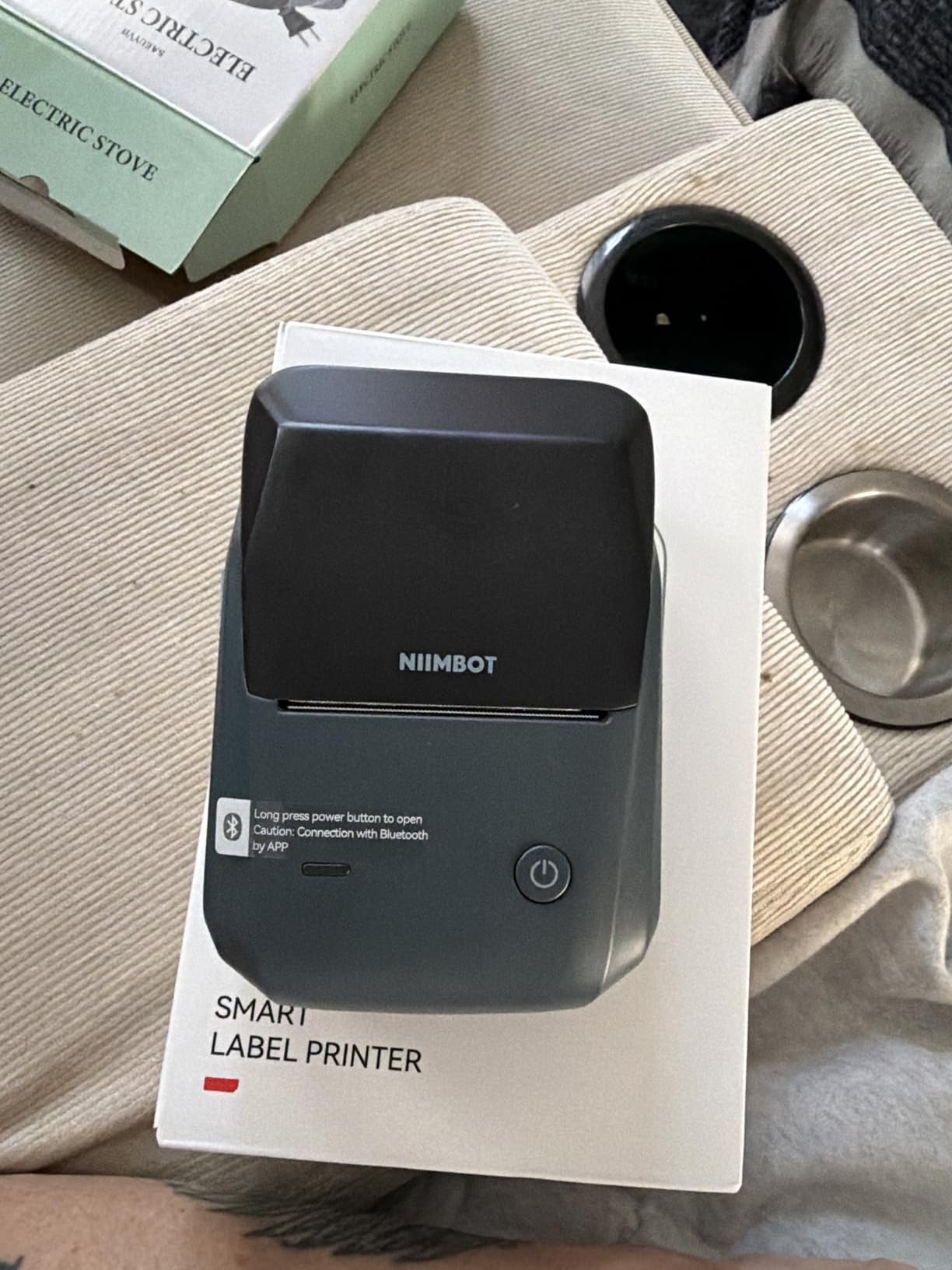
Two things in the box matter more than they sound. The app auto-detects label size, so you are not dialling in measurements before every roll change, and two white label rolls ship with the unit. That means you can start labelling the day it arrives rather than ordering tape first.
Owners also use it for medicine bottles, wire identification, expiry dates and reminders, which tells you how versatile a wide-label machine becomes once it is in the house.
Setup has one trap worth knowing about. The instructions advise charging fully before the first power-on, and some buyers who skip that step report confusion before the machine behaves normally. Ten minutes on the cable solves it.
Where the B1 is the right size
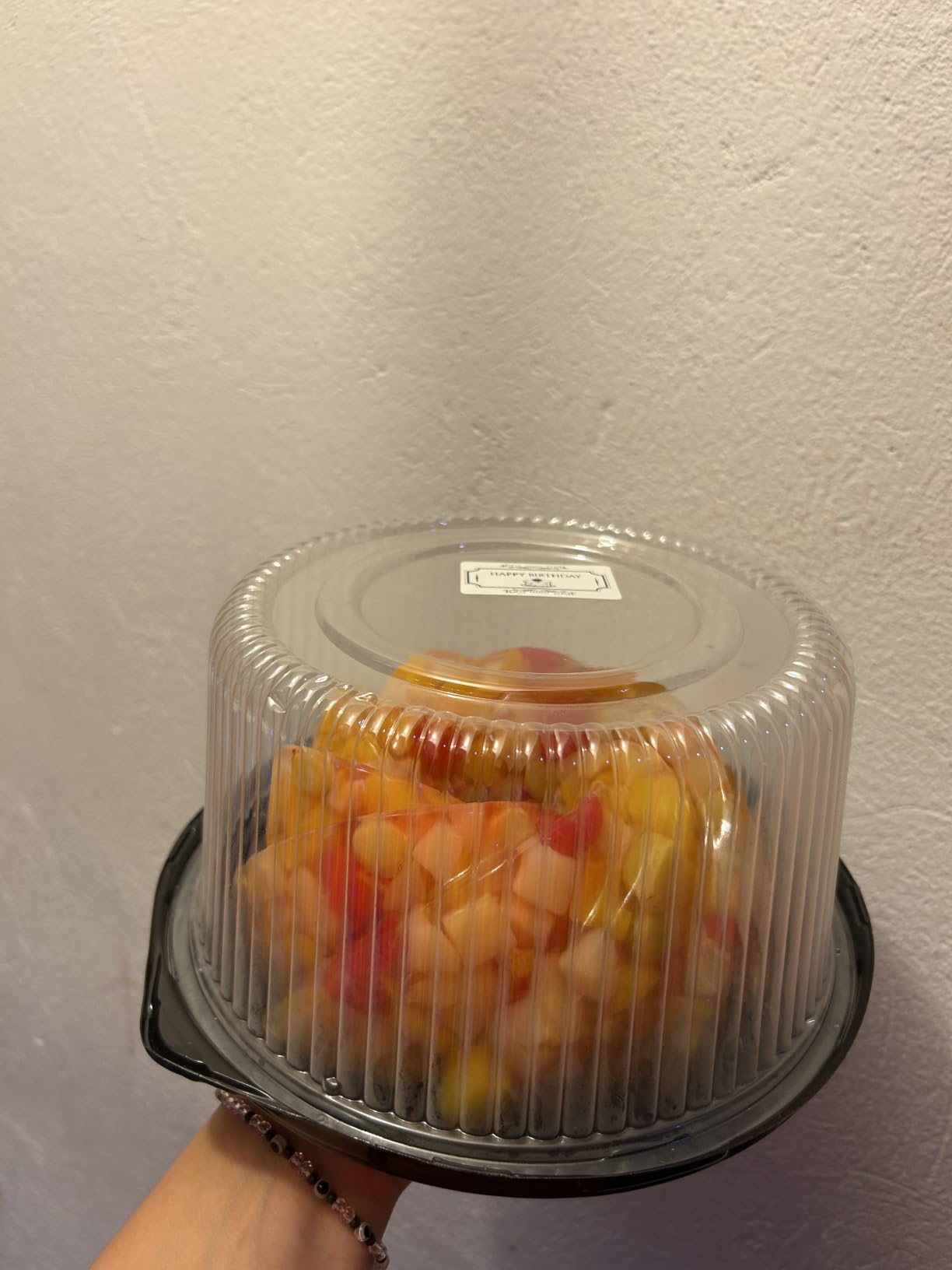
If your labels need to be readable from two paces away, this is the smallest machine in the roundup that can do it. A 2 inch strip fits a full product name, a room name, or a bin category, and 293 grams is still carryable between the kitchen and the garage.
Auto size detection removes the most tedious part of app-driven printing, which is re-configuring the layout every time you swap rolls.
Where it is not
Tablets are not compatible, which rules out one of the natural middle paths between a keyboard and a phone. There is no on-device keyboard, and output is monochrome only. If you want an iPad in the loop, look at a machine that lists tablets as a supported device.
It is also the machine in this group most dependent on its app, so it carries the same long-term maintenance risk as any phone-controlled device.
6. Brother PT-M95 – Best QWERTY Keyboard Unit in the Group
Brother PT-M95 P-Touch Monochrome Label Maker Bundle (4 Label Tapes Included),White
Full QWERTY keyboard
1-2 line thermal transfer print
9mm and 12mm Brother M tape
9.12 oz, four tapes included
Pros
- Real QWERTY keyboard with no phone required
- Crisp printing that does not smudge
- Very light at 9.12 ounces
- Runs on four AAA batteries with solid life
- One-line LCD shows up to 80 characters
Cons
- Only two font sizes natively
- Brother M tapes are finicky to load
- Backing is difficult to peel
- No AC adapter option
- English and Spanish guide only
The Brother PT-M95 is the machine for anyone who types a lot and does not want to hold a phone. It has a full QWERTY keyboard, a one-line LCD showing up to 80 characters, and thermal transfer printing at 1 or 2 lines with eight Deco Mode patterns.
Brother’s P-touch line has a long-service reputation in forums, where owners describe ten-year-old machines still in daily use. The PT-M95 is the small, light expression of that, weighing just 9.12 ounces and running on four AAA batteries. Users in home offices and classrooms report long battery life in regular use.
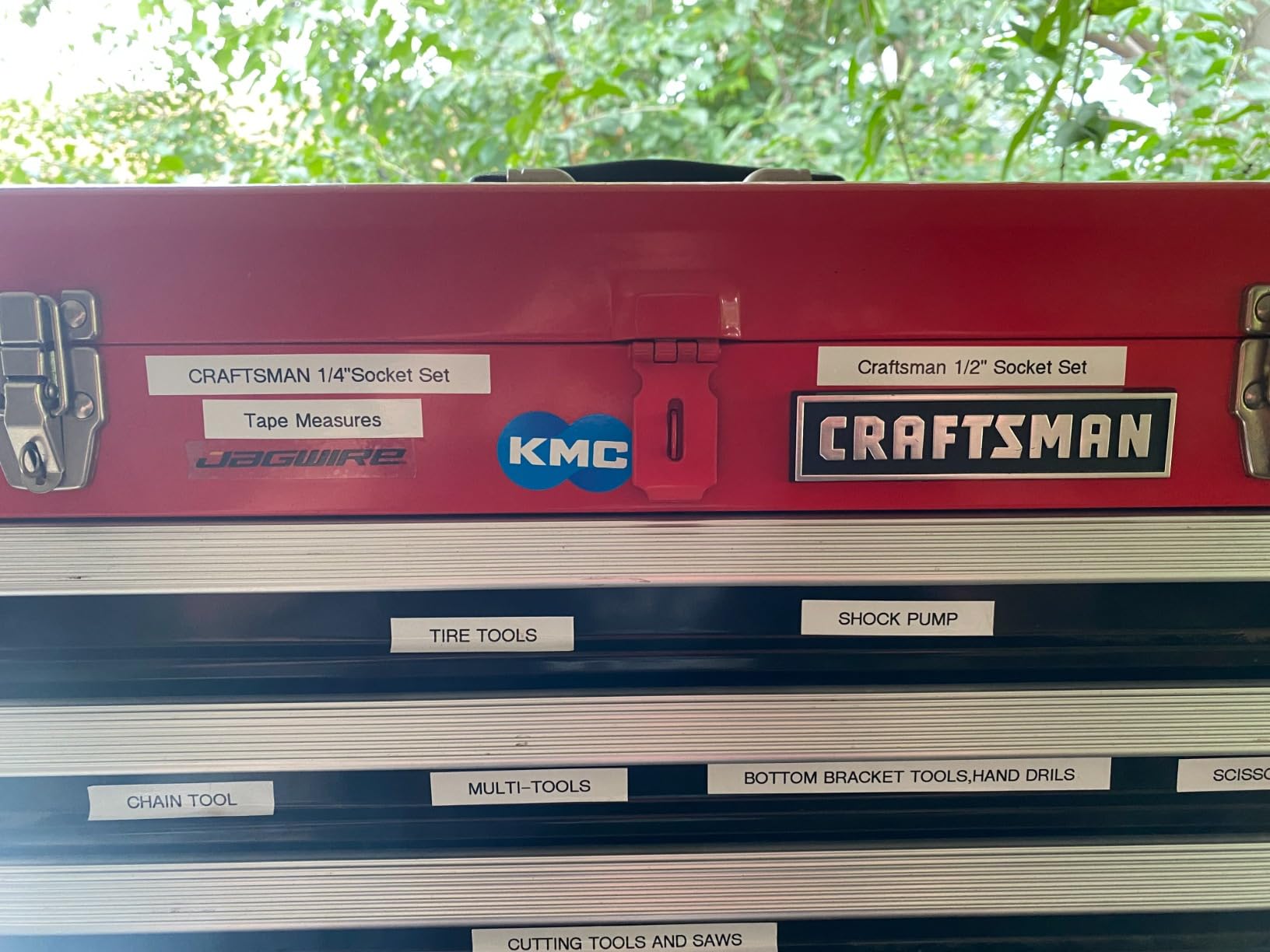
The bundle is generous. You get one sample M tape plus three full-length black-on-white tapes, so there is enough material to label a good chunk of the house before you order anything else.
Tape compatibility is 9mm and 12mm genuine Brother M tapes. That ecosystem is the reason the machine is a safe long-term bet, and also the reason some owners grumble, because loading Brother M cartridges is described as finicky and requiring exact positioning.
Two further limitations are worth planning around. There are only two font sizes natively, so anything more varied means combining widths and styles. And label backing is hard to peel before application, a small daily irritation that adds up over a long session.
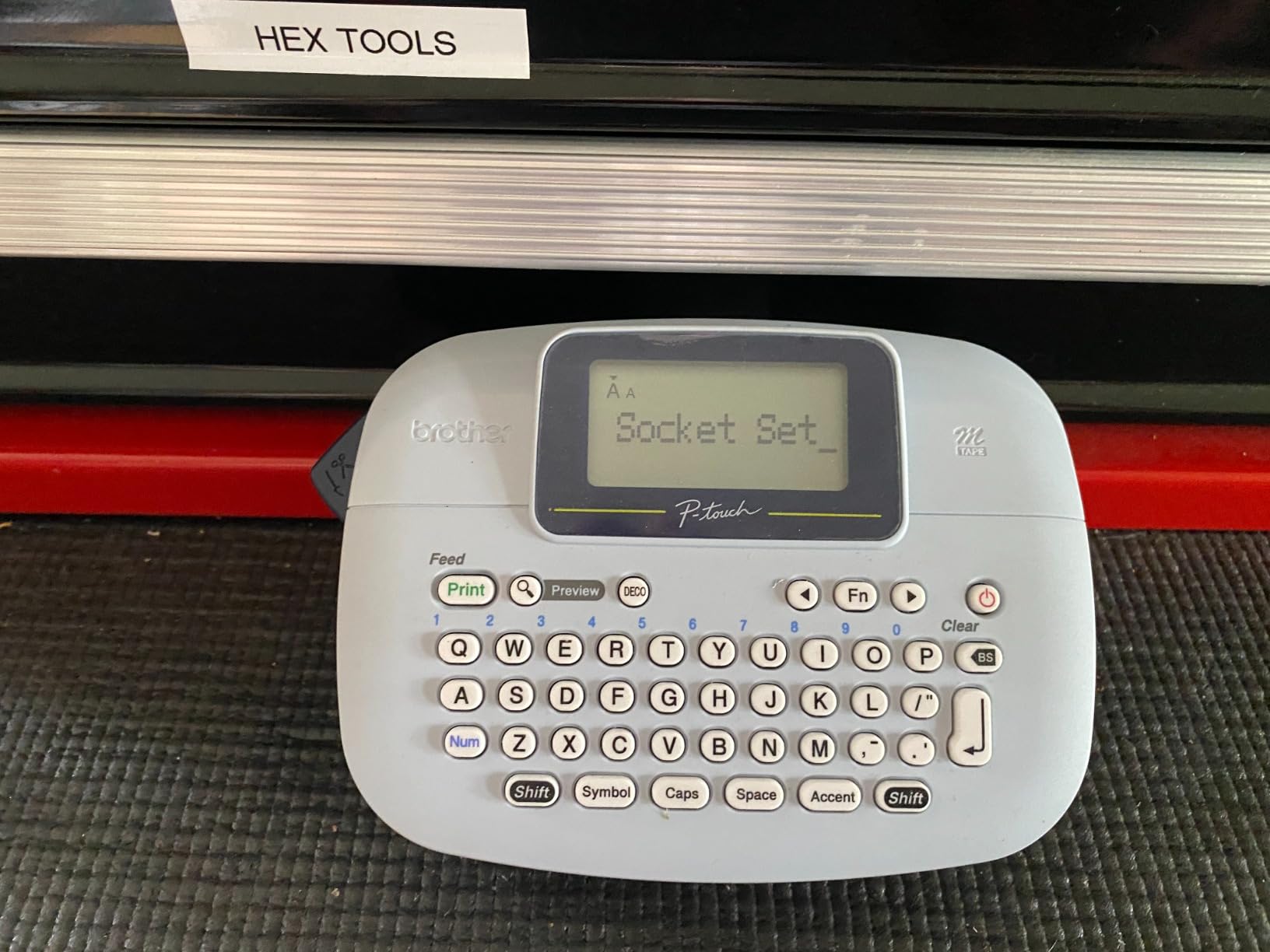
Why the QWERTY layout matters more than spec sheets admit
Try this test before you buy. Type a ten-character word on your phone keyboard with one thumb, then imagine doing the same on an alphabetical layout. The difference is roughly a threefold slowdown for anyone who types regularly, and it is why fast typists consistently move away from alphabetical machines.
The 80-character one-line display also catches errors before they reach the tape, which saves both a label and the frustration of a retyped bin heading.
Where the PT-M95 is limited
Battery power only, with no AC adapter option, and only two native font sizes. If you need frames, symbols or a wide label, this is not the machine, and its 12mm ceiling means pantry jars with long names stay short.
There is also a memory limit of three label files, which is enough to reuse a few favourites and not enough to be a real library.
7. SUPVAN E11 – Best for Low Tape Waste and Long Battery Life
SUPVAN E11 Keyboard & Bluetooth Label Maker Machine with 4 Tapes
QWERTY keyboard plus Bluetooth app
0.2 inch minimum print margin
1200 mAh, up to 1 month per charge
8 oz, 2 year warranty
Pros
- Hybrid design with a real keyboard and app editing
- 0.2 inch margin cuts tape waste sharply
- Very light at 8 ounces
- Rechargeable 1200 mAh battery lasting about a month
- Works with continuous and die-cut tape
- Two year manufacturer limited warranty
Cons
- Narrow 12-15mm tape limits text and label width
- Bluetooth app restricted to smartphone pairing
- Monochrome output only
- Design features need app training
The SUPVAN E11 is the most interesting design in this roundup, because it is the only machine that gives you a physical QWERTY keyboard and Bluetooth app editing in the same body. Type short labels straight on the device, and reach for the phone when you want frames, icons or a longer design.
That hybrid approach is rare and it is why this unit rates at 4.5 across roughly 4,000 reviews while sitting in the middle of the range. The app brings 30-plus fonts, 50-plus frames, 660-plus icons and 17 languages, and it needs no registration.
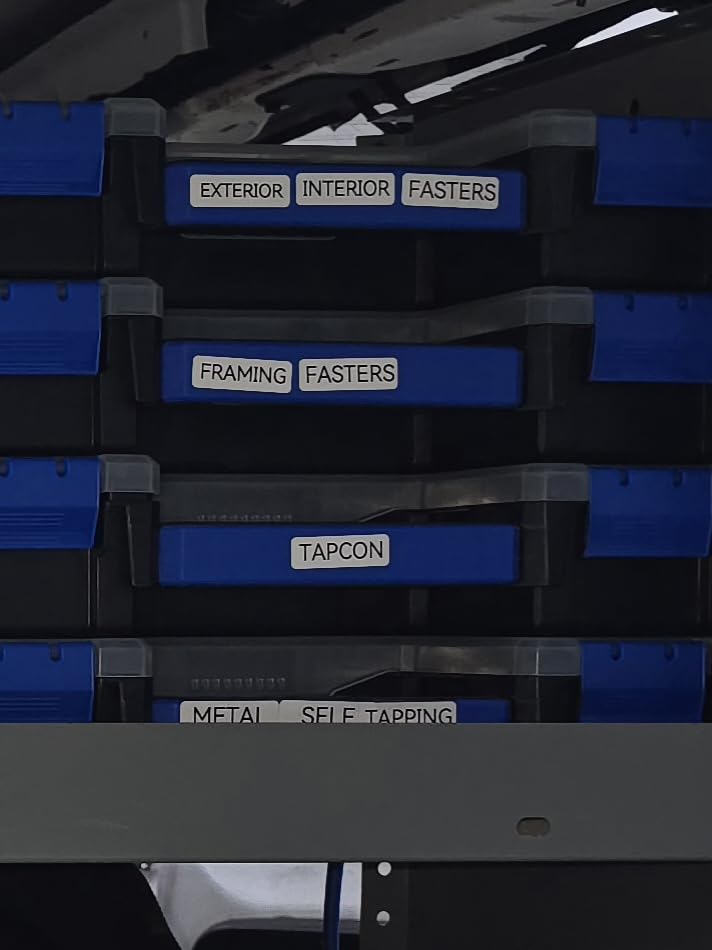
The margin figure is the sleeper feature. At 0.2 inch, this is advertised as roughly one-fifth the margin of competing machines, and that difference accumulates. If you print fifty labels a month, the tape you do not waste is tape you do not buy, and margin-heavy machines quietly eat a roll in a few sessions.
Battery life is the other quiet strength. The 1200 mAh rechargeable cell is rated for up to a month per charge, and at 8 ounces with dimensions of roughly 5.7 by 2.9 by 1.3 inches the machine is one of the most portable units with a real keyboard.
Four tapes come in the box, two continuous 15mm rolls and two die-cut 12mm rolls, so both formats are available on day one. The two year manufacturer limited warranty is joint-longest in the group.
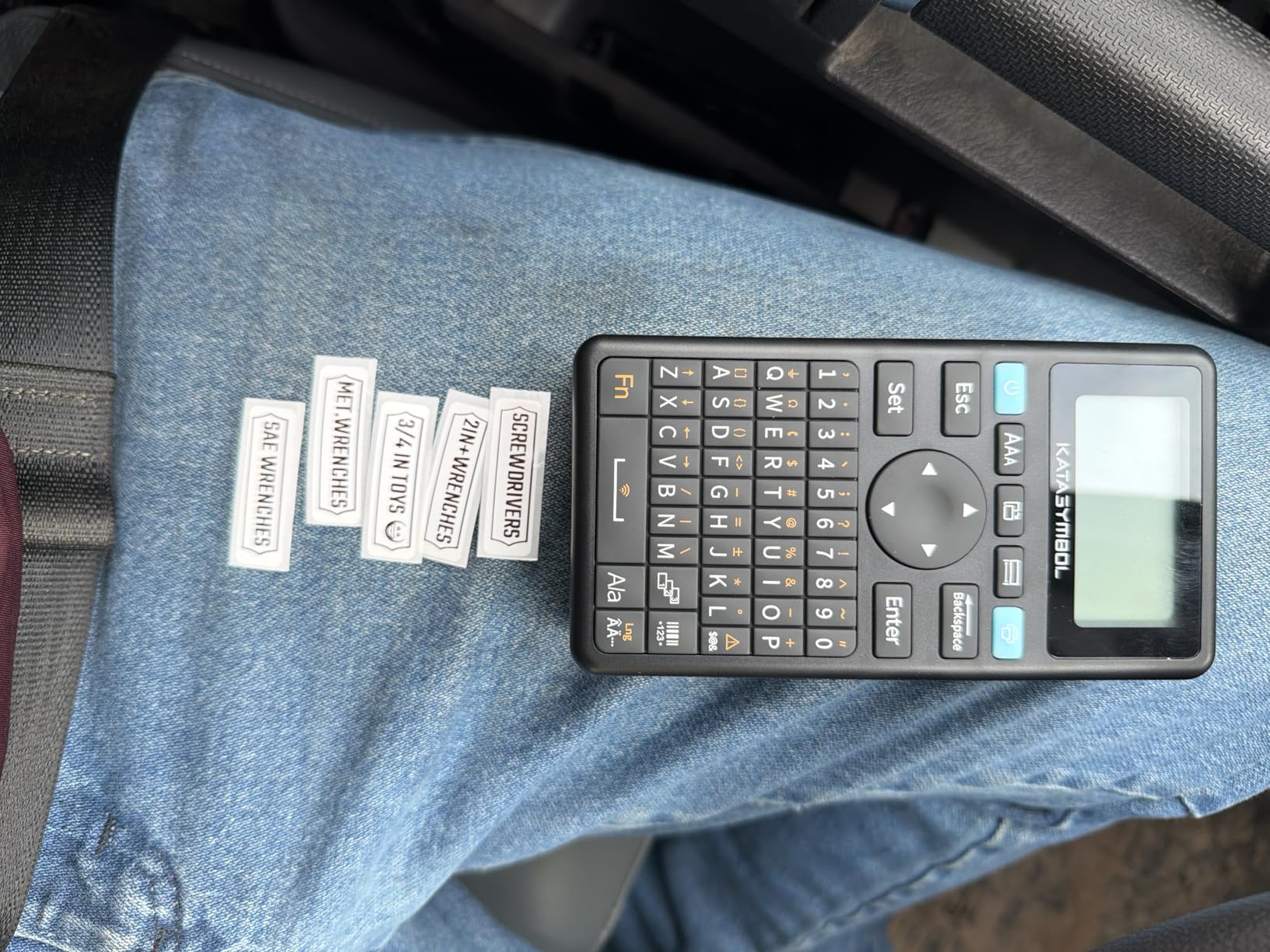
When low tape waste actually matters
Do the arithmetic on a real household. A home that relabels pantry jars seasonally might print a few hundred labels a year. At that volume, margin waste is the difference between a cartridge lasting two years and lasting eight, and over a decade of ownership it is the largest single running cost in the category.
The keyboard-plus-app combination also solves the daily friction problem better than either extreme. Nobody wants to unlock a phone to write “RICE” on a jar, and nobody wants to hunt through menus to design a full bin label set.
Where the E11 is constrained
Tape is the ceiling. At 12-15mm you get compact labels only, and any label that needs a real heading will not fit. Bluetooth app features are restricted to smartphone pairing, so tablet workflows are out.
Output is monochrome only, and several design features require learning the app layout before they feel natural. If wide labels are your priority, the SUPVAN T50M Pro further down the list is the better match.
8. DYMO LabelManager 160 – Sharpest Print at 300 DPI
DYMO LabelManager 160 Label Maker Bundle with 3 D1 Label Cassettes, Portable Handheld, QWERTY Keyboard, One-Touch Smart Keys, Large Display, Home & Office Organization
QWERTY keyboard with smart keys
300 DPI thermal printing
1/4, 3/8 and 1/2 inch D1 tape
1.3 lb, 3 cassettes included
Pros
- Full QWERTY keyboard plus one-touch smart keys
- 300 DPI is the sharpest output in this group
- Large display previews the label before printing
- Over 20 text formats and 200+ symbols
- Automatic power off
Cons
- Bulky and heavy at 1.3 pounds
- Accepts only proprietary D1 cassettes
- Monochrome printing only
- Largest body in the roundup
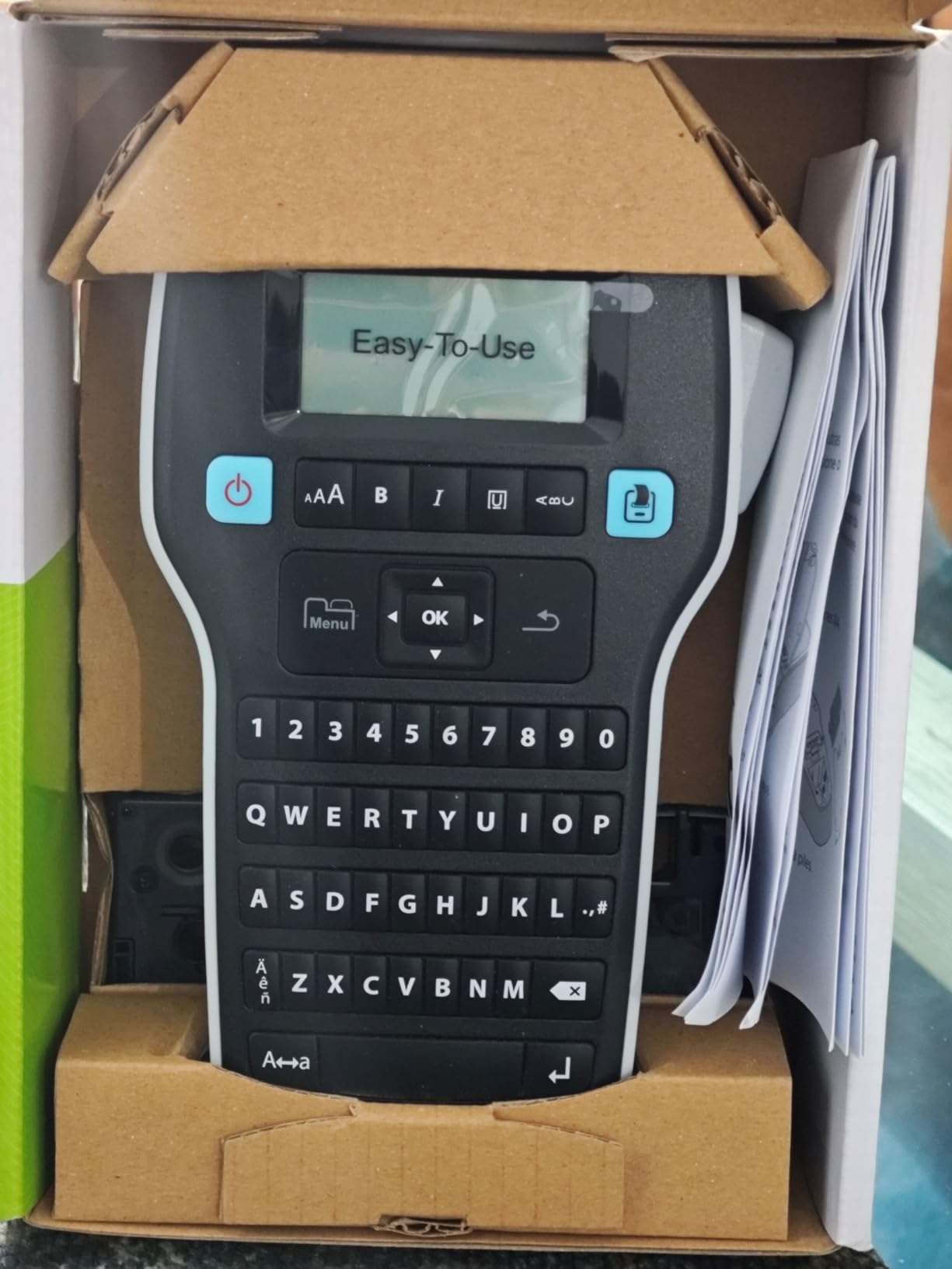
The DYMO LabelManager 160 prints at 300 DPI, the highest resolution of any machine in this roundup, and that difference is visible on small text. If your labels carry dates, expiry information, or long compound words, the extra sharpness is the reason to choose this one.
It also has the best standalone typing experience here. A full QWERTY keyboard, one-touch smart keys for common formatting, and a large display that shows the whole label before you commit to a print. For long label text that combination is much faster than anything else in the group.
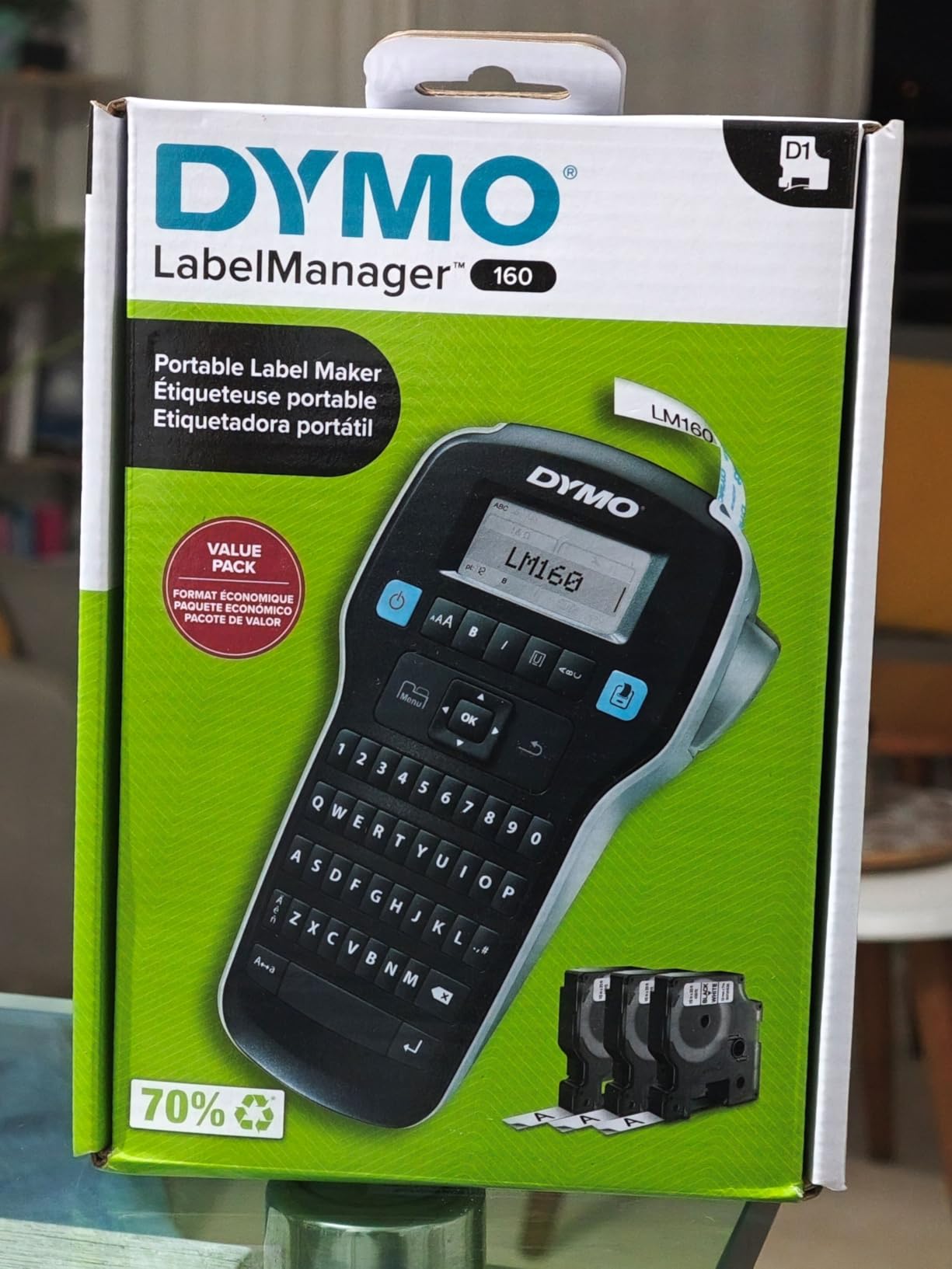
Formatting depth is strong too, with over 20 text formats and more than 200 symbols, plus automatic power off to protect the batteries. The bundle includes three DYMO D1 cassettes at one-half inch by 23 feet, black on white, along with two sheets of label sheets.
The trade-offs are physical and financial. At 1.3 pounds and 10 by 10 by 2.5 inches, this is the largest, heaviest machine we tested, and it only accepts proprietary DYMO D1 cassettes in quarter, three-eighths and half inch widths.
That cartridge restriction is the recurring forum concern across the DYMO line, and it deserves weight. Owners on r/networking and professional organiser forums describe moving away from DYMO partly over cartridge cost and partly over print quality, and the 160 sits on the wrong side of that trade for a tight tape budget.
When 300 DPI is worth the bulk
Resolution matters when the text is small and the surface is busy. Dates on freezer containers, serial-style IDs on garage shelves, and multi-word bin headings on a white bin wall all read better at this density than at 203 DPI.
It is also the closest thing to a desktop unit in this list without being one, which makes it a good bridge for a house that also handles a lot of paperwork.
Where it is the wrong tool
Size first. 1.3 pounds is fine on a desk and wrong for a drawer you carry around, and no amount of strap makes it a portable device. Second, proprietary cassettes only. Third, monochrome output with no colour option at all.
If you want the DYMO name and the QWERTY keyboard but not the bulk, the LetraTag 100H at the top of this list is the slimmer version of the same idea.
9. Brother PT-N10 – Best for Kids, Dorm Rooms and Travel
Brother P-Touch PT-N10 Personal Handheld Label Maker, Portable and Prints, P-Touch Btag ~½” (12mm) Wide Color Personalized Label Tapes,
Full QWERTY keyboard, 180 DPI
1/2 inch Btag tape in 17 colors
12-character preview display
16 oz, stores 10 labels
Pros
- 17 colour tape options for personalisation
- Split easy-peel backing once you know the trick
- 12-character display reduces wasted labels
- Stores 10 labels for one-press reprint
- Sharp clear printing at 180 DPI
Cons
- Only a minimal instruction sheet in the box
- Steep learning curve for fonts and frames
- Print limited to 1/2 inch tape and 7mm two-line height
- Runs on six AAA batteries with no AC option
- Brother Btag cartridges cost more than generic
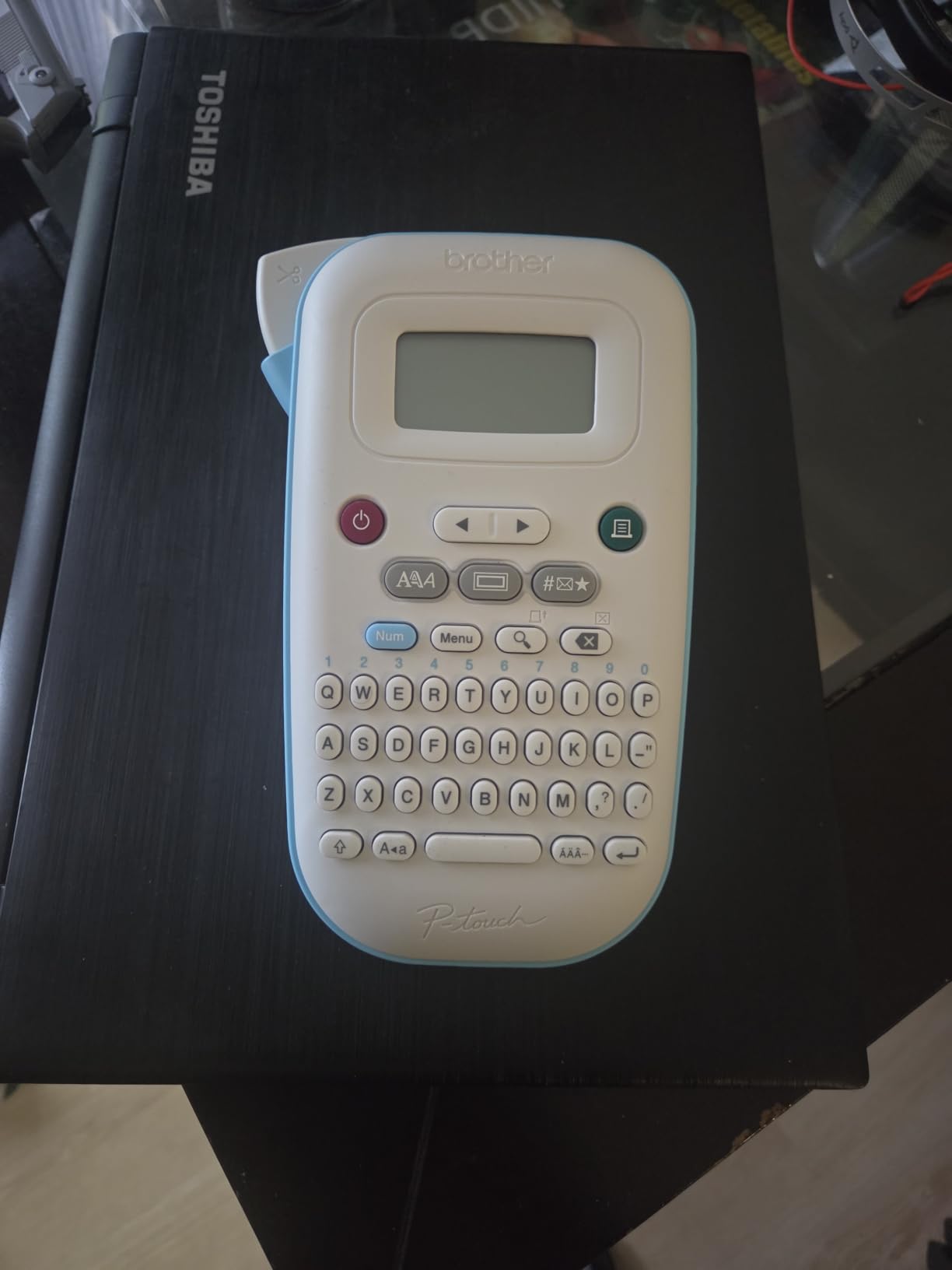
The Brother PT-N10 is the one to buy if the labels are for a child’s school bag. It prints on 1/2 inch Brother P-touch Btag tape available in 17 colours, and colour-coding a set of book folders, lunchbox items and gym kit is exactly what that is for.
Printing is 180 DPI thermal transfer across up to two lines with a combined height of 7mm, which is enough for a first name and a class code but not for a sentence. Styling includes three fonts in six styles including underline and italic, ten frames and 200 symbols.
Two design decisions make it more usable than its specification suggests. The 12-character display previews both the text and the tape length before printing, so a label that will not fit is caught before it is wasted. And the machine stores ten labels for one-press reprint, which is a genuine time saver when a batch goes wrong.
The split easy-peel backing on Btag tape is the other one. Reviewers note that peeling is not intuitive from the packaging, but once you learn to lift the backing at the split rather than trying to roll it, it is much faster than backing you fight with.
There is also a real documentation gap. Only a minimal instruction sheet ships in the box, with the full manual available as a download from Brother, and the options list is long enough that owners describe a steep learning curve for cycling fonts, frames and borders.
Why colour tape matters for school gear
Colour is a memory aid rather than decoration. A child who is handed a red lid and a red label on the maths folder retrieves the right thing without reading. Seventeen colours make it cheap to build a consistent system across everything in a school bag.
The reprint memory pays off when a group of identical items needs the same label, which is the common case for a term’s worth of folders.
Where the PT-N10 is not enough
Print area is genuinely small. One-half inch tape with a 7mm two-line height rules out anything descriptive, and if you are labelling pantry contents as well as school gear you will need a second machine or a wide-format one.
It runs on six AAA batteries with no AC adapter option, and Btag cartridges are priced above generic alternatives, which is the trade every Brother owner eventually calculates. There is also a practical quirk: the back cover must be fully seated or the machine will not print.
10. ORGSTA S001 – Best for Drawer Storage and Big Battery Life
ORGSTA Label Maker, S001 Portable Bluetooth Label Maker Machine with Tape
203 DPI direct thermal
2000 mAh rechargeable battery
Snap and Tag app, continuous and fixed
Laminated waterproof labels, keyring included
Pros
- 2000 mAh battery
- the largest capacity listed here
- Waterproof oil-proof laminated labels that leave no residue
- Very small and pocket friendly
- Included keyring clips to a bag
- Fast quiet printing that sticks well
Cons
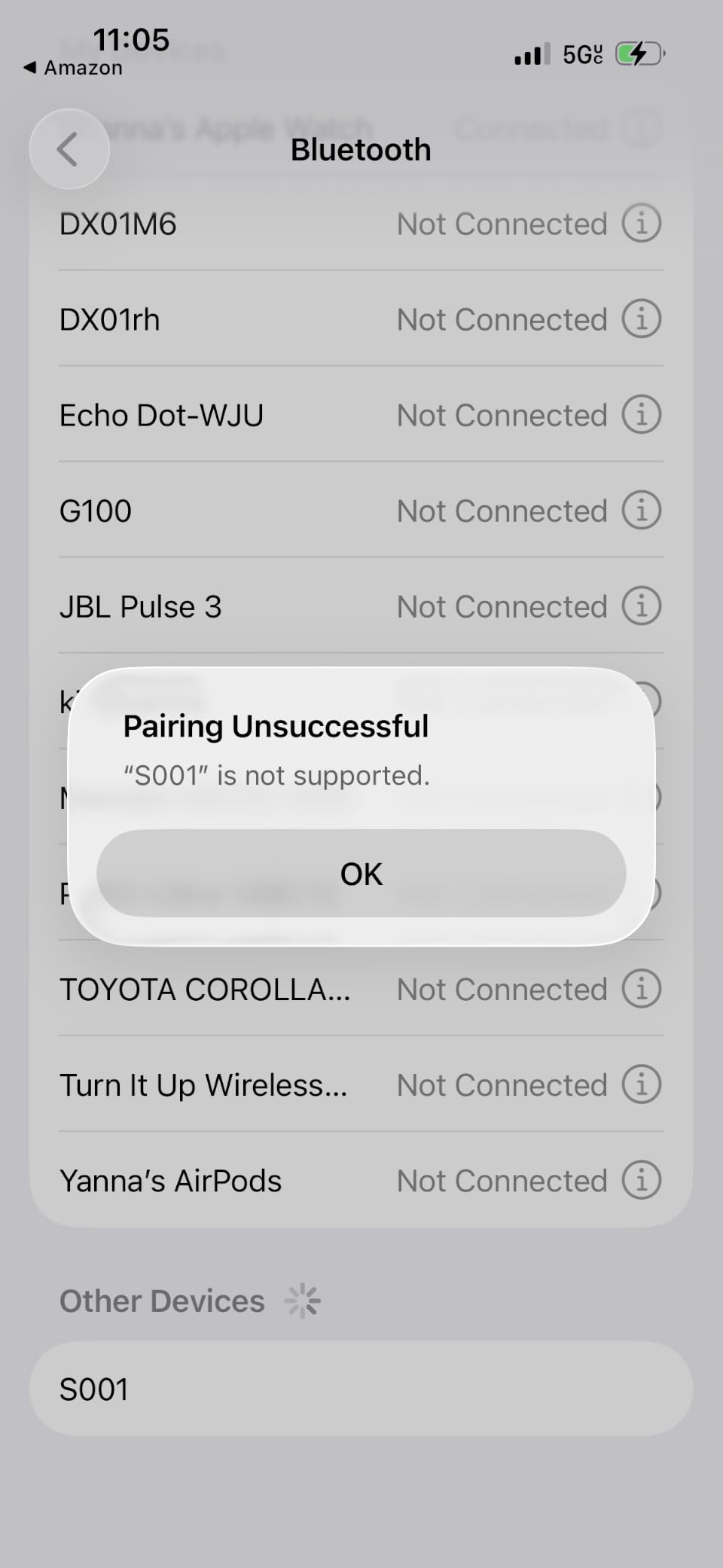
- App can time out when saving labels
- Print alignment is slightly off by default
- Account creation in the app is confusing
- 12mm maximum width limits text size
- No on-device keyboard
The ORGSTA S001 is the small drawer-drawer unit, and it rates at 4.5 across roughly 4,250 reviews. It sits at 203 DPI direct thermal, weighs 9.07 grams as listed, and measures 1.1 by 2.9 by 5.3 inches.
The battery is the standout specification. At 2000 mAh with automatic shutoff, it is the largest cell in this roundup, and for anyone labelling a whole house in one afternoon that is the difference between finishing and stopping halfway.
Label quality is the other strength. The laminated labels are described as waterproof, oil-proof, scratch-resistant and residue-free, which is precisely the durability profile that matters in a kitchen drawer, a garden shed or a craft box where a weaker tape would curl and leave glue behind.
It supports both continuous tape at custom lengths and fixed-size labels for batch printing, and the app adds QR codes, barcodes, images, timestamps and borders. An attached metal ring and included keyring let you clip it to a bag so it does not vanish into a drawer, which is the single most common way these machines get lost.
Setup needs a little patience. Print alignment is slightly off by default, so expect to run a test print and adjust settings before a batch, and reviewers report the app timing out during saves with designs taking a while to reload. Account creation is also confusing the first time through.
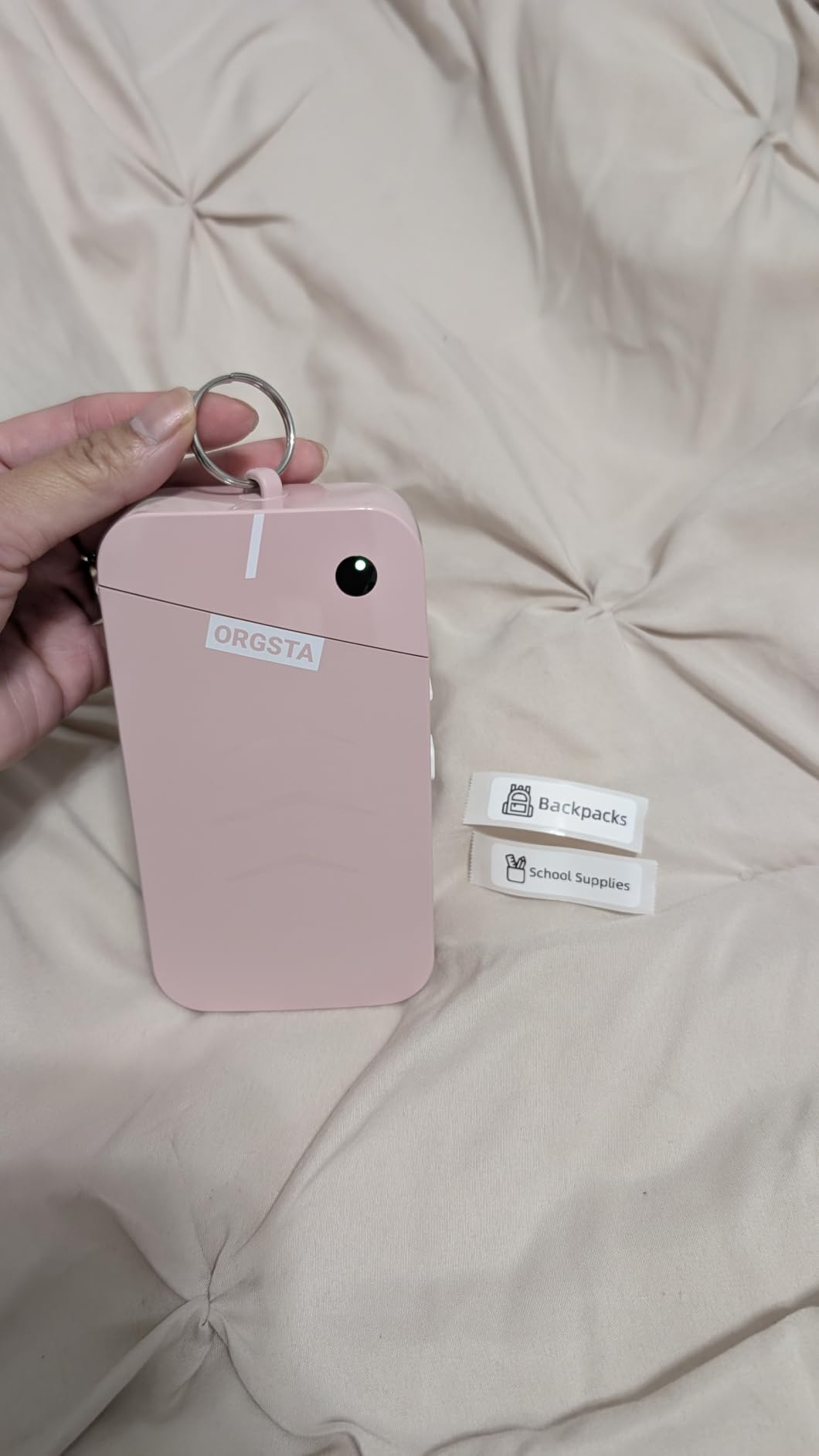
What makes the S001 right for drawers and cabinets
It disappears when you are not using it. At 5.3 inches tall it lives in a drawer or a pocket, and the laminated output is the most residue-resistant tape in this roundup, which matters when labels go on plastic, glass and metal surfaces that get handled daily.
The keyring is a small thing that changes behaviour. Machines stored loose tend to be used during one enthusiastic weekend and then ignored.
Where it falls down
Label width caps at 12mm, so text is small and short. The app is required for everything, with no keyboard, and its reliability is the weakest point: save timeouts and reload delays are the most repeated complaints across reviews.
Budget fifteen minutes for setup, including the alignment calibration, before you judge it. Most of the negative feedback we saw came from judging it in the first ten minutes.
Handheld vs Desktop: Which Form Factor Do You Actually Need?
You need a handheld machine if your labels are on jars, bins, cables and school gear that are spread around the house. You need a desktop machine if your labels are in a stack on one desk, in batches, and long enough to need multiple lines and larger type.
The distinction matters because most roundups for this keyword blur it. A desktop label printer typically sits at 300 DPI, takes half-inch or wider tape, prints more lines of text, and often connects directly to a computer for batch runs. It also takes up desk space, needs a power lead, and will not go in a cupboard.
A handheld unit trades all of that away. Narrow tape, one or two lines of text, a small screen, and a body you can carry to the pantry. For home use that is rarely a compromise, because the labels you are printing at home are short by nature.
Buy a desktop printer only if you are running a small business from home, labelling hundreds of items a month, or producing shelf-edge product labels with barcodes. If you are organising a house, a handheld machine does the same job and survives being put away.
Brother vs DYMO: Which Brand Wins for Home Labeling
Brother wins for home labeling, on the strength of keyboard layout, print clarity and the volume of long-term owner evidence. DYMO wins on being approachable out of the box, with tape included and almost no learning curve.
The keyboard is the clearest difference. The Brother PT-M95 and PT-N10 both use a full QWERTY layout, while the DYMO LetraTag 100H uses an alphabetical layout. For anyone labelling more than a few words a week, that is the deciding factor, and it is the reason professional organisers gravitate toward Brother.
Print quality splits by model rather than brand. The DYMO LabelManager 160 runs at 300 DPI and edges out the Brothers, which sit at 180 to 203 DPI in these handheld sizes. On small text the DYMO is genuinely sharper.
On longevity, Brother’s P-touch line has the stronger reputation in forums, with owners describing ten-year-old machines still in daily use. The trade is cartridge cost, since Brother M and Btag tapes are priced above generic alternatives, while the DYMO machines here accept only proprietary DYMO cassettes.
If you want a shortcut: DYMO for a first label maker that works immediately with tapes in the box, Brother for a machine you expect to keep for a decade. We have covered cable-specific picks in our cable and equipment management guide if that is the job at hand.
How to Choose a Handheld Label Maker for Home
Tape width is the first filter
Almost every decision follows from tape width, so decide it first. At 12mm you can fit one or two words, which suits spice jars, drawer dividers and cable flags. At 2 inches you can fit a full heading, which suits storage bins, pantry shelves and anything a visitor needs to read from a distance.
Check the maximum media size rather than the headline width, because several machines print a fixed set of roll sizes. The Nelko P21 tops out at 14 by 75mm, the Brother machines here cap at 12mm, and the SUPVAN T50M Pro and NIIMBOT B1 both reach 2 inches.
Tape type and how long labels actually last
Paper tape is the cheapest and fades fastest. It is fine for a box you will relabel in a year and wrong for anything near a window or a heat source.
Plastic or laminated tape is the home default. It survives a dishwasher cycle and a freezer without smudging, resists oil and water, and lasts years on a shelf. This is the durability profile that makes a one-time organizing project stick.
One honest caveat about every thermal label in this category: black thermal print fades in direct sunlight and near heat over a one to three year horizon, whatever the packaging claims. A pantry shelf next to a window will fade faster than an interior closet. Buy enough spare tape for one re-labeling pass, and accept that labels are consumables rather than permanent fixtures.
Keyboard, app, or both
Choose a keyboard if you print a lot of text or want the machine to work when your phone is flat. Choose an app if you want colour blocks, icons, barcodes, QR codes or batch imports from a spreadsheet. Choose both, as the SUPVAN E11 does, if you want short labels fast and long labels designed.
There is a real longevity argument for the keyboard. App-driven machines are only as good as the software supporting them, and if the companion app is discontinued or your phone stops receiving updates, core functions go with it. Long-term owners consistently prioritise machines that work without a phone.
Tablets are a useful middle path and worth checking carefully, because support is inconsistent. The Phomemo D30 lists smartphones and tablets, while the NIIMBOT B1 explicitly does not support tablets.
ABC versus QWERTY keyboards
Alphabetical layouts look friendlier in photos and type far slower in practice. A fast typist hunting for letters across a non-QWERTY grid makes roughly three times the keypresses for the same word, and that is the difference between labelling ten bins and forty.
Among the keyboard machines here, the LetraTag 100H is the alphabetical one and the Brother PT-M95, Brother PT-N10, DYMO LabelManager 160 and SUPVAN E11 are QWERTY. That is worth more than any resolution figure.
Power, portability and screen legibility
Decide whether the machine lives on a counter or in a bag. Rechargeable USB-C machines such as the Nelko P21, Phomemo D30, SUPVAN E11, NIIMBOT B1 and ORGSTA S001 avoid disposable batteries entirely, and the ORGSTA’s 2000 mAh cell and the SUPVAN E11’s month-per-charge claim are the two strongest battery stories here.
Battery machines such as the Brother PT-M95 and PT-N10 are fine if you label in sessions rather than continuously.
Screen legibility is a real factor in dim spaces. A garage or basement rewards a larger display, and the DYMO LabelManager 160’s screen is the biggest in this roundup. The Brother PT-N10’s 12-character display is small but shows tape length, which prevents waste in a way character count alone does not.
What running cost really looks like
The printer is the small part of the cost. Tape is the recurring part, and two things determine it: how much tape each print wastes in margins, and whether you can use cheaper third-party cartridges or must buy proprietary ones.
Proprietary-only machines are the LetraTag 100H on DYMO LT tape, both Brother models on M and Btag tape, and the LabelManager 160 on D1 cassettes. Everything else in this roundup runs on generic thermal roll, which is the single biggest running-cost difference in the group.
Margin waste is the second lever and it compounds quietly. The SUPVAN E11’s 0.2 inch margin against a typical larger margin means noticeably more usable tape per roll, which over a decade of ownership is the largest recurring saving available to a home user.
Set your own threshold before buying. If you expect to print under ten labels a week, a low-cost roll-fed machine and a two year battery will cover you. If you relabel seasonally or run a small business from home, spend more on wide format and buy a spare cartridge of your preferred tape at the same time.
Frequently Asked Questions
What is the best handheld label maker?
For most homes the DYMO LetraTag 100H is the best handheld label maker, because it works with no phone or app, includes three tapes, and prints clean labels straight from its own keyboard. The SUPVAN E11 is the better choice if you want a QWERTY keyboard plus Bluetooth app editing and low tape waste.
What is the best label printing machine for home use?
For a home rather than a small business, a handheld thermal machine is the right fit, and the DYMO LetraTag 100H covers most needs with a standalone keyboard and bundled paper, plastic and clear tapes. Choose the SUPVAN T50M Pro or NIIMBOT B1 if your labels need to be two inches wide, and the Brother PT-M95 if you type a lot.
Are Dymo or Brother label makers better?
Brother is better for home labeling because of its QWERTY keyboards, clear print, and a strong long-term reputation, while DYMO is easier to use out of the box with tape included. The DYMO LabelManager 160 actually prints sharper at 300 DPI, and the DYMO LetraTag 100H has an alphabetical keyboard that slows fast typists.
What is the best label maker for organizing my home?
Use a 12mm handheld machine with laminated tape for pantry jars, drawer dividers and cable flags, and a 2 inch wide machine such as the NIIMBOT B1 or SUPVAN T50M Pro for storage bins and pantry shelves where text needs to be readable from a distance. Laminated plastic tape survives the dishwasher and freezer, which paper tape does not.
How long does label maker tape last?
It depends on the tape and where you put it. Laminated plastic tape on an interior shelf or a bin front typically stays readable for years, while paper tape in a humid pantry fades much faster. Any thermal label in direct sunlight or near heat will fade over a one to three year horizon regardless of the durability claim on the box, so keep spare tape for one relabeling pass.
Is Munbyn or Phomemo better?
For home use the Phomemo D30 is the more relevant pick, since it is a handheld machine that accepts both continuous and fixed-length tape, weighs 160 g, and includes OCR and barcode tools in its app. Munbyn competes more in the higher-throughput and barcode-focused segments that suit a small business rather than a pantry or a playroom.
Final Verdict: Which Handheld Label Maker Should You Buy?
The best handheld label maker for home use in 2026 is the DYMO LetraTag 100H, and it is the default answer because it asks the least of you. No phone, no app, no account, no alignment settings, and three tapes in the box. If you type more than a few labels a week, move up to the SUPVAN E11 for a QWERTY keyboard with app editing and a 0.2 inch margin that wastes less tape.
Buy the Nelko P21 for design-heavy school and craft labels, the Phomemo D30 for the best balance of size and tape flexibility, the NIIMBOT B1 or SUPVAN T50M Pro when labels need to be two inches wide, the Brother PT-M95 for dependable QWERTY typing on a Brother tape ecosystem, and the ORGSTA S001 for small drawers where a big battery and residue-free laminated labels matter most.
And if you already own a working label maker, keep it and buy tape. A ten-year-old machine that still prints is worth more than any upgrade on this list.