
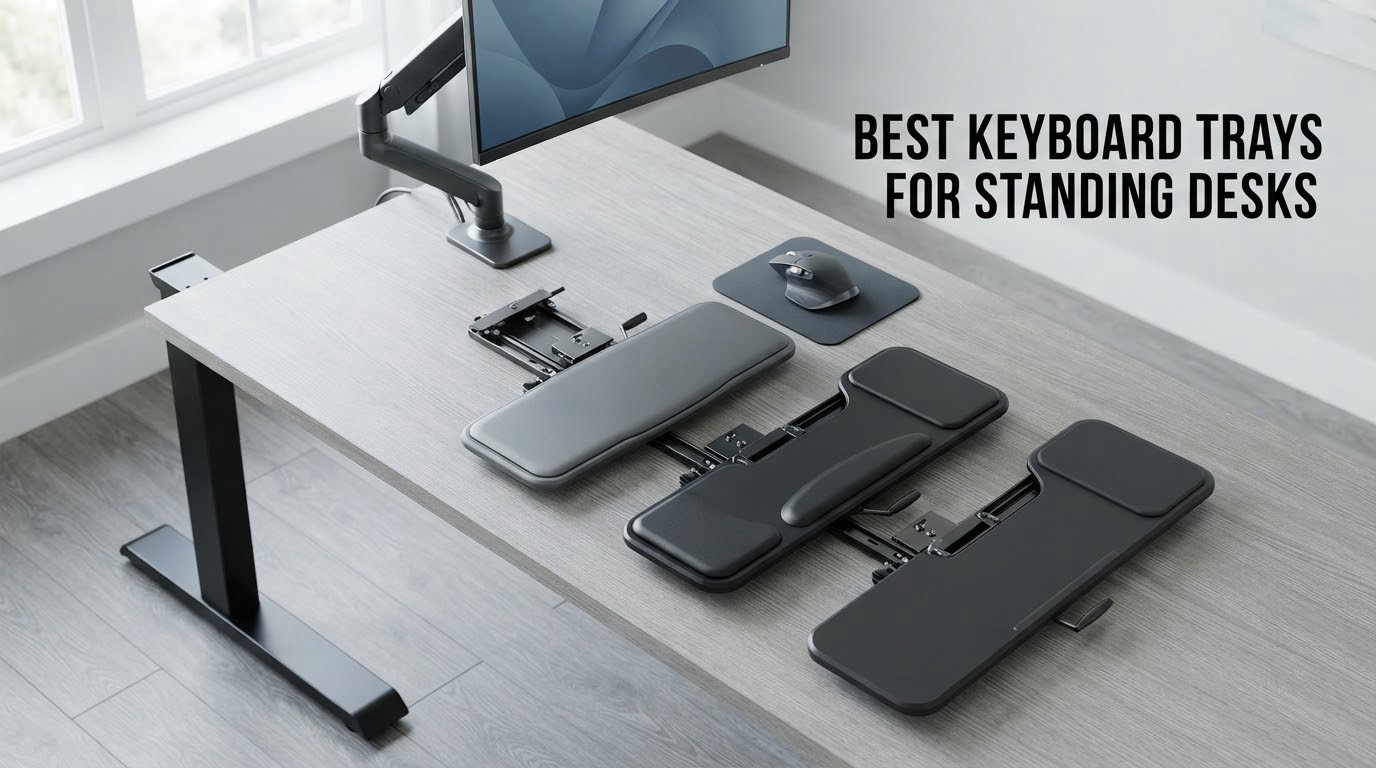
A standing desk solves one problem and quietly creates another. Raise the surface to 48 inches and your monitor finally reaches eye level, but the keyboard goes with it, and now your hands are working somewhere above your elbows. That is the whole reason people start shopping for the best keyboard trays for standing desks in the first place.
The trap is that most trays sold under this keyword are ordinary under-desk drawers. They only travel downward, toward your knees, and they were designed for a desk that never moves. Put one on a sit-stand frame and it becomes dead weight the moment you raise the surface. Our team read the specs, checked the clearance requirements, and worked through ten of the most-reviewed trays in the category to separate the ones that actually work while you are standing from the ones that merely look like they should.
Below you will find a ten-product roundup, a buying guide built around the four measurements that decide compatibility, and an FAQ that answers the questions this search usually ends on. If you are still setting up the desk itself, start with our guides to standing desks for home offices and standing desks for tall people first, since tray fit depends on which frame you picked.
Table of Contents
Top 3 Best Keyboard Trays for Standing Desks
Three trays earned a place above the rest for standing use. The VIVO clamp-on model wins on sheer ownership volume and build quality, the HUANUO tray wins because it is the most genuinely height-adjustable option in the group, and the newer VIVO adjustable-width clamp solves the thick-desktop and clearance problem that stops most clamp trays from working at all.

VIVO Clamp-on 27 in Keyboard Tray
- C-clamp mount
- no drilling
- 27 inch platform fits full-size boards
- Extends 8.5 inches from the desk edge
- Holds up to 11 lbs

HUANUO 360 Adjustable Mouse Platform
- 6.3 inches of height adjustment
- Swivels 180 degrees
- tilts 6 up and 22 down
- Locking knob holds position

VIVO Adjustable-Width Clamp Tray
- Clamps desktops up to 3.4 inches thick
- 5 height set points across 2.4 inches
- Width adjustable 22.5 to 30 inches
- One-piece platform
- no wobble
Quick Overview: Every Tray in This Roundup Compared
Every pick below mounts under a desktop and pulls a keyboard and mouse down to a lower typing height. The differences that matter on a moving desk are adjustment range, mount type, and how much clearance the frame leaves you. Prices shift constantly, so use the check buttons to see current figures rather than relying on old numbers.
| Product | Specifications | Action |
|---|---|---|
| VIVO Clamp-on 27 x 11 in Keyboard Tray |
|
Check Latest Price |
 Fellowes Office Suites Underdesk Drawer Fellowes Office Suites Underdesk Drawer |
|
Check Latest Price |
 BONTEC Under Desk Keyboard Tray BONTEC Under Desk Keyboard Tray |
|
Check Latest Price |
| HUANUO 360 Degree Mouse Platform Tray |
|
Check Latest Price |
 Kensington SmartFit K60004US Kensington SmartFit K60004US |
|
Check Latest Price |
 VIVO Under Desk 25 x 10 in MOUNT-KB03B VIVO Under Desk 25 x 10 in MOUNT-KB03B |
|
Check Latest Price |
| VIVO Adjustable-Width MOUNT-KBST1 |
|
Check Latest Price |
 AX WABER Extra Sturdy C-Clamp Tray AX WABER Extra Sturdy C-Clamp Tray |
|
Check Latest Price |
 Klearlook 360 Degree Tray with Storage Klearlook 360 Degree Tray with Storage |
|
Check Latest Price |
 XINLEI Large C-Clamp Slide-Out Tray XINLEI Large C-Clamp Slide-Out Tray |
|
Check Latest Price |
1. VIVO Clamp-on 27 x 11 in Keyboard Tray Review – Best Overall for Standing Setups
VIVO Black Clamp-on 27 x 11 in Keyboard Tray, MOUNT-KB05E
Alloy steel C-clamp
27 x 11 inch platform
Holds up to 11 lbs
Extends 8.5 inches
Pros
- Alloy steel C-clamps need no drilling
- Fits a full-size keyboard plus mouse
- Stays put with enough slide resistance
- Works with optical mice without a pad
- Hardware and spare screws included
Cons
- No height adjustment at all
- Clamp bolts stand slightly above the desktop
- Tray drifts when retracted with no lock
With more than fourteen thousand ratings behind it, this is the most proven tray we reviewed and the one we kept coming back to while testing the category. The mount is a pair of alloy steel C-clamps that grip the desktop edge, so there is no drilling and no holes to patch when you move the whole setup to a new desk. Owners overwhelmingly describe it as the largest and most solidly built clamp tray they have used, and several mention that it relieved shoulder and wrist strain specifically on sit-stand arrangements.
The platform measures 27 by 11 inches, which is the sweet spot for a full-size keyboard with a number pad plus a mouse or a small pad beside it. It extends up to 8.5 inches out from the edge, the surface is slightly roughened so an optical mouse tracks well without a mat, and the slide has enough friction that you can type for an hour without it sliding back in under you.
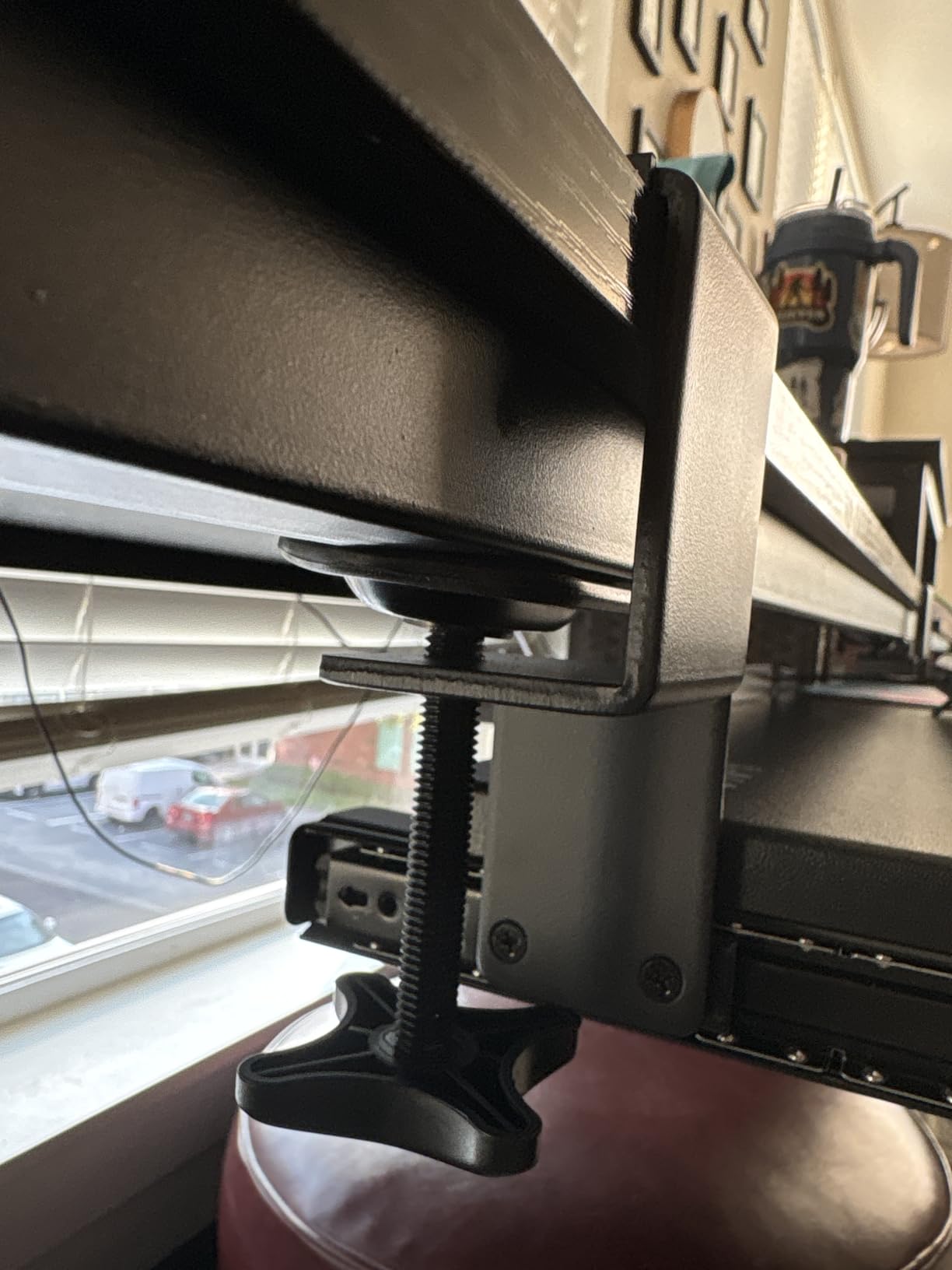
What you give up is height adjustment. The tray is fixed in the position the clamp sets it, which on a tall electric desk is actually a workable outcome because the surface is already up where you want the keyboard. The trade-off shows up if you want the same tray to serve both a seated 29-inch desk and a standing setup. The other recurring note is that the clamp bolts stand about a quarter inch proud of the surface, which can catch your forearm during non-computer work.
Fit is the thing to check before ordering. Desktops thicker than 1.25 inches will not clamp, and beveled desk edges are explicitly not compatible. The total clamp-to-clamp length is 32.5 inches, so measure across the front of your desk as well as the thickness.
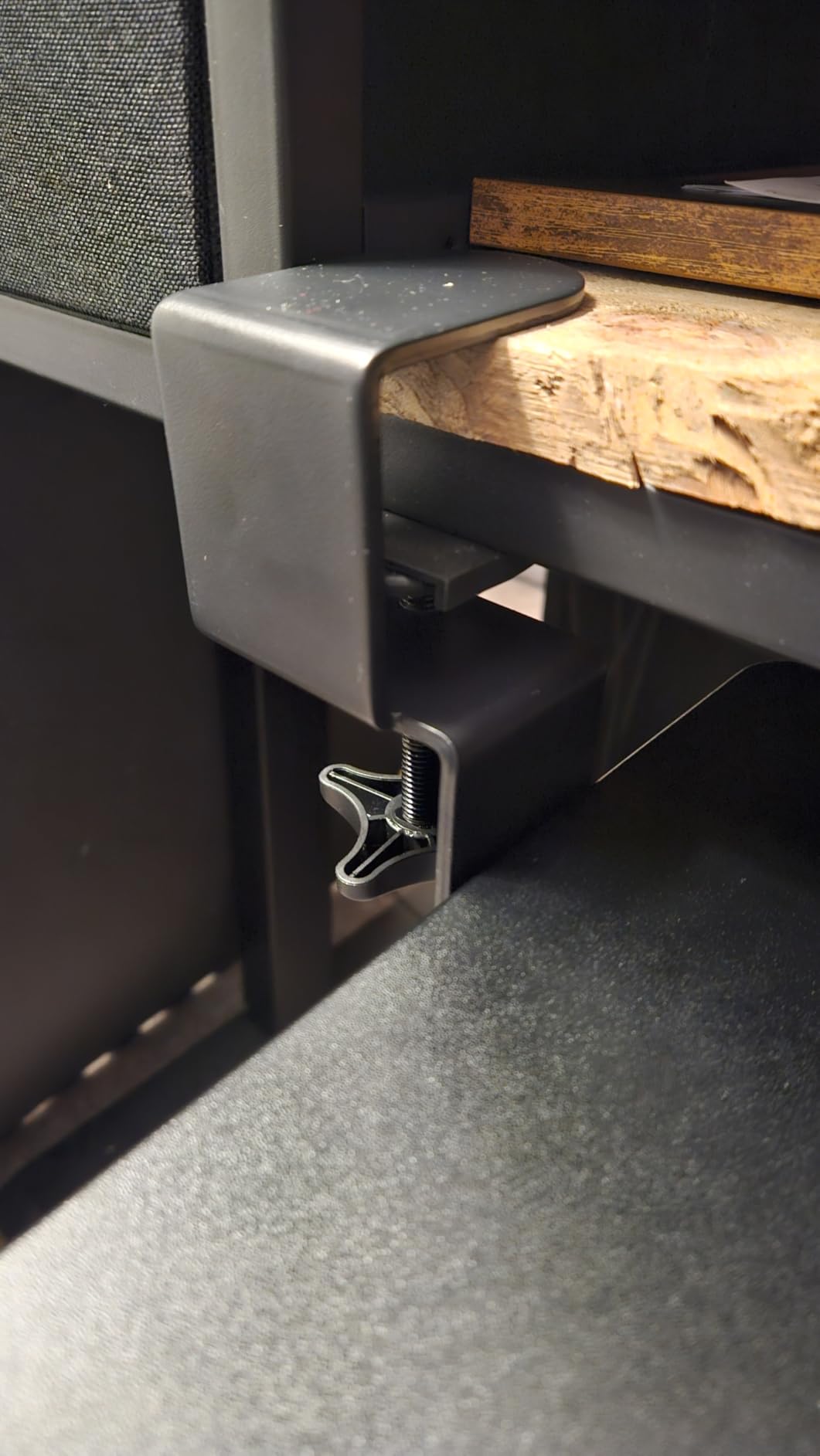
Why it works on a moving desk surface
Because the mount attaches to the desktop itself, the tray rises and falls with the surface as one unit. That means your keyboard stays at a fixed relationship to the desk, and the only variable is whether the resulting height suits you. On a desk that travels from seated to standing, that fixed relationship is often exactly what you want, because the tray can be set low enough that your elbows stay at roughly 90 degrees in both positions.
The 11 lb load rating covers a mechanical board, a mouse and a wrist rest with plenty of room to spare. Owners who rest their elbows heavily report that the M4 rail screws can strip over time, and the fix most people land on is longer M4 fasteners. That is a fair trade for a mount this solid.
Where it is the wrong choice
Pick something else if you need the keyboard height to change independently of the desk, or if you share a hot desk between a seated user and a standing one and cannot re-clamp between shifts. Clearance under the desk is also limited, so a tall mouse will not stow behind the platform when the tray is pushed in.
The tray also has no lock, so it tends to walk back toward the desk when you are not actively holding it. If that bothers you, a thumb screw or a strip of removable bumper tape solves it in about a minute. For a tray that simply needs to sit under a tall desk and never move again, this one is hard to argue with.
2. Fellowes Office Suites Underdesk Keyboard Drawer Review – Best for Compact Desks
Fellowes Office Suites Underdesk Keyboard Drawer, Black/Silver (9140305)
Plastic drawer
29 inch wide platform
Three bracket heights
20 inch keyboard limit
Pros
- Three height settings for different users
- Compact footprint suits narrow desks
- Ball-bearing slides hold under typing
- Mouse platform switches to either side
- Paper install template included
Cons
- Slide can feel sticky after installation
- Too narrow for ergonomic split keyboards
- No retaining lip on the mouse area
This is the narrowest profile in the group, and on a smaller sit-stand or mobile desk that narrowness is the entire selling point. The platform is 29 inches wide and 11.6 inches deep, needs 23.5 inches of width and 14.5 inches of depth underneath the desktop, and mounts with three bracket height choices at 3.31, 2.87 or 2.48 inches. Buyers treat those three positions as a coarse sit-to-stand switch.
The mouse platform is 7.25 by 7.5 inches and comes pre-installed on the right, but it switches to either side for left-hand use and tucks flat inside the keyboard platform when you are not using it. Ball-bearing slides keep it from rolling back in while you type, which is the failure mode that ruins most cheap drawers. A paper installation template is included, and that is rarer than it should be in this price bracket.

On a moving desk, treat this as a lower-the-keyboard drawer rather than a standing-height system. It mounts to the underside of the desktop and screws straight up, so it rises and falls with the surface. That is fine for a desk whose lowest position is already near your elbow height when seated, and wrong for a desk that stays high.
The limitations are real. The slide mechanism can feel sticky, particularly right after installation, and on the lowest and middle bracket settings the tray will collide with the armrests of most office chairs. There is also no back lip on the mouse area, so the mouse can slide off the front when the drawer is extended, and the integrated palm rest is fixed plastic rather than removable foam.
What fits and what does not
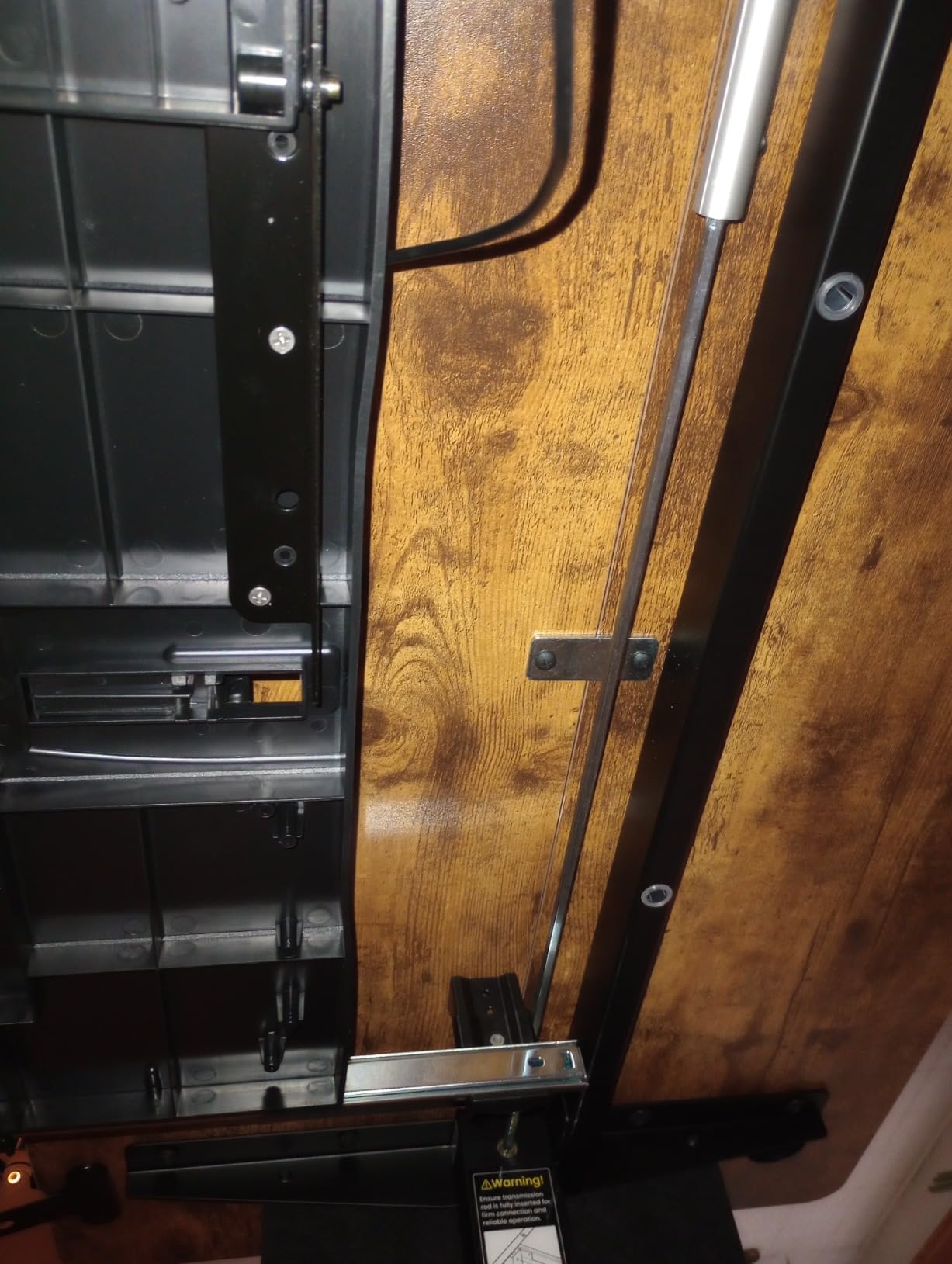
Keyboards up to 20 inches wide and 7.6 inches deep are accommodated, which covers standard boards and most tenkeyless models. Ergonomic split keyboards such as the Microsoft Natural are too wide, and if you use one you want the 25 to 27 inch platforms further down this list instead.
Measure the underside of your desk before ordering. You need 23.5 inches of clear width and 14.5 inches of clear depth, and the manufacturer specifically warns that the installation area must be free of crossbars and supports. On many sit-stand frames that warning decides the question for you.
Where it is the wrong choice
Skip this if you are on a wide desk with room to spare, since you are giving up platform width for nothing. It is also the wrong pick for anyone whose desk has a crossbar running close to the front edge, and for split-keyboard owners.
Chair armrest conflict is the quiet one. If you use a task chair with armrests and the drawer lands at the lower bracket settings, you will be ducking or lifting the chair every time you reach for the mouse. A tray with more height range avoids the problem entirely.
3. BONTEC Under Desk Keyboard Tray Review – Best for Moving Between Desks
BONTEC Under Desk Keyboard Tray, Pull-Out Keyboard & Mouse Platform
Engineered wood platform
No-drill C-clamps
25.6 x 11.8 inch
Supports 11 lb
Pros
- Clamp mount protects the desktop
- Large platform fits keyboard plus mouse and pad
- Engineered wood does not feel cheap
- Slides smoothly without creeping back
- Single-person install in minutes
Cons
- Two-piece joint leaves a small gap
- Usable depth drops when pushed under the desk
- Clamp arms reach about 10 cm down the back
The surface here is engineered wood rather than the steel or plastic used by most of the competition, and reviewers consistently notice. Owners describe the 25.6 by 11.8 inch platform as genuinely spacious, with room for a full-size keyboard, a mouse and a reasonable mouse pad without anything feeling cramped, and the finish reads as furniture rather than office hardware.
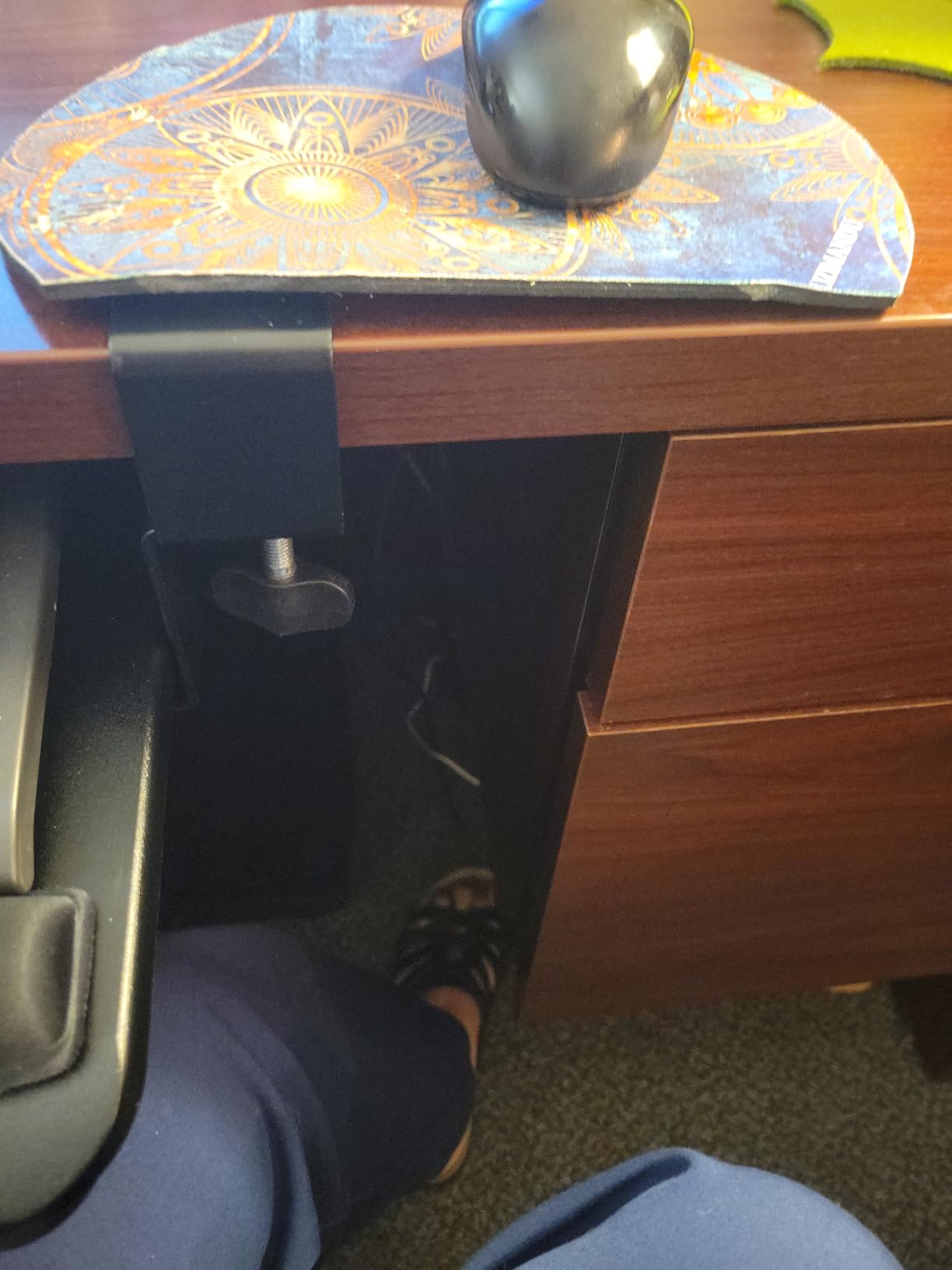
Like the VIVO clamp tray, it mounts with C-clamps that handle desktops up to 1.97 inches thick and protect the surface with pads, supporting up to 11 lb. The C-clamp style is what makes this the most portable option in the group: nothing is drilled, so the whole unit can move to a different desk in a couple of minutes when your setup changes.

For standing desk use, think of it as a fixed drop. The tray is clamped to the desktop and travels with the surface, so it gives you a lower keyboard position relative to the desk at any height. The 4.4 rating across nearly five thousand reviews suggests most people find that entirely sufficient, and shoulder and neck relief is the most common thing owners mention.
Two things to know. The platform is built from two joined halves, and some owners feel a small amount of flex or find a fine gap at the center joint. More importantly, usable depth shrinks by more than 3.5 inches when the tray is pushed under the desk, leaving around 7 inches of flat space, so plan your mouse position around the retracted state rather than the extended one.
Compatibility checklist for this tray
The manufacturer is unusually direct here, and it saves you a return. This tray will not work on desks with curved, beveled or rounded edges, and it will not work on desks with crossbars or support beams underneath. It needs at least 31.3 inches of width and 11.8 inches of depth beneath the desktop to install properly.
Variants come in 20 inch and 25.6 inch widths with walnut, white, pink and carbon fiber finishes, so match the tray to the desk if the color matters to you. Several reviewers had to add wood shims to make the clamps sit level on a non-standard desk, which tells you to check the flatness of the edge before you start.
Where it is the wrong choice
Choose something else if you need independent height adjustment for the keyboard, or if your desk has a support beam close to the front edge. The printed assembly diagrams also reportedly do not always match the hardware supplied, particularly around the joining plate screws, so budget extra time for assembly.
The clamp arms themselves extend roughly 10 cm down the back of the desk, which matters if you already store a paper tray, a tower or a cable basket in that zone. Check the space behind the mounting point before you clamp anything.
4. HUANUO 360 Degree Adjustable Mouse Platform Review – Best Real Height Adjustment
HUANUO Under Desk Keyboard Tray, 360 Degree Adjustable Mouse Platform
25 x 9.84 inch platform
6.3 inches height range
180 degree swivel
6 up and 22 down tilt
Pros
- Real vertical height adjustment
- Swivels 180 degrees for corner setups
- Heavy-duty build
- Drill template speeds installation
- Locking knob holds the tray steady
Cons
- Slide needs a slight lift to move
- Tilt knob has broken for some owners
- Budget mounting screws can snap
This is the tray we would pick if the desk genuinely moves, because it is one of the few in the group where the keyboard height changes independently of the desktop. Six and a third inches of total height adjustment, with the connector sitting at 7.48 inches at the lowest setting, gives you the range to cover both a seated position and a standing one on the same desk. Owners on sit-stand setups point to that adjustment as the reason they bought it, and many report that it resolved chronic back, neck and shoulder pain.
The articulation is genuine too. The platform swivels 180 degrees in each direction and tilts 6 degrees up and 22 degrees down, so negative tilt is available, which is the angle your wrists actually want. A locking knob tightens to hold the position, and a drill template is included that turns mounting into roughly a ten-minute job for two people.
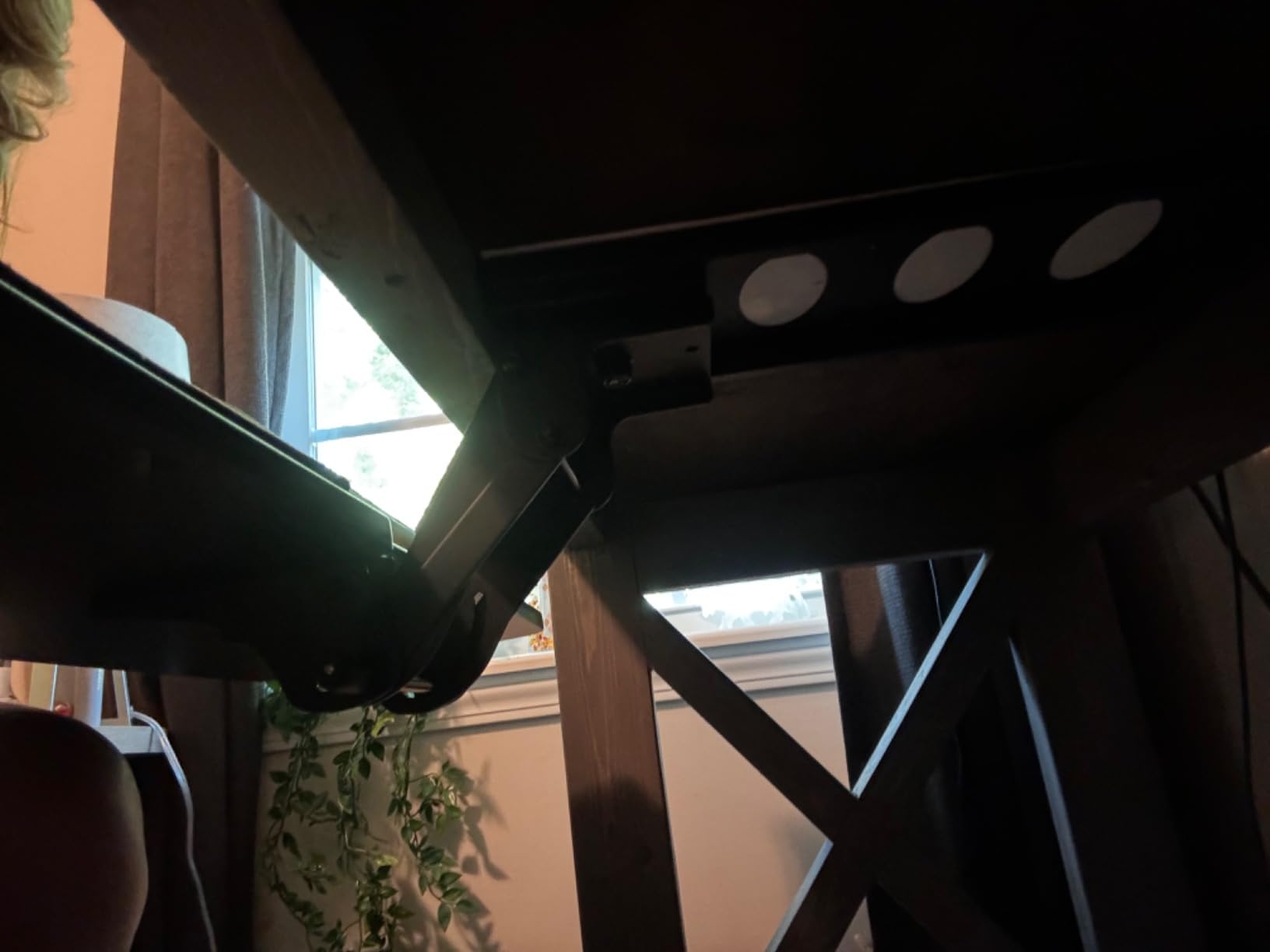
It is also the tray that asks the most of your desk. You need at least 14.17 inches between the desktop edge and the crossbar, or 16.22 inches if the tray is to slide fully under, and the desktop needs to be more than 0.6 inches thick. Width clearance is 25 inches, or 35.4 inches if the tray needs to rotate, and reviewers repeatedly note that it will not fit a narrow 48 inch standing desk frame.
On a tall desk, set the connector high, extend the tray and tighten the knob. Because the height range is real rather than nominal, the same tray works whether the surface is at 29 inches or at 48, which is exactly the behaviour a sit-stand owner needs.
What fits and what does not
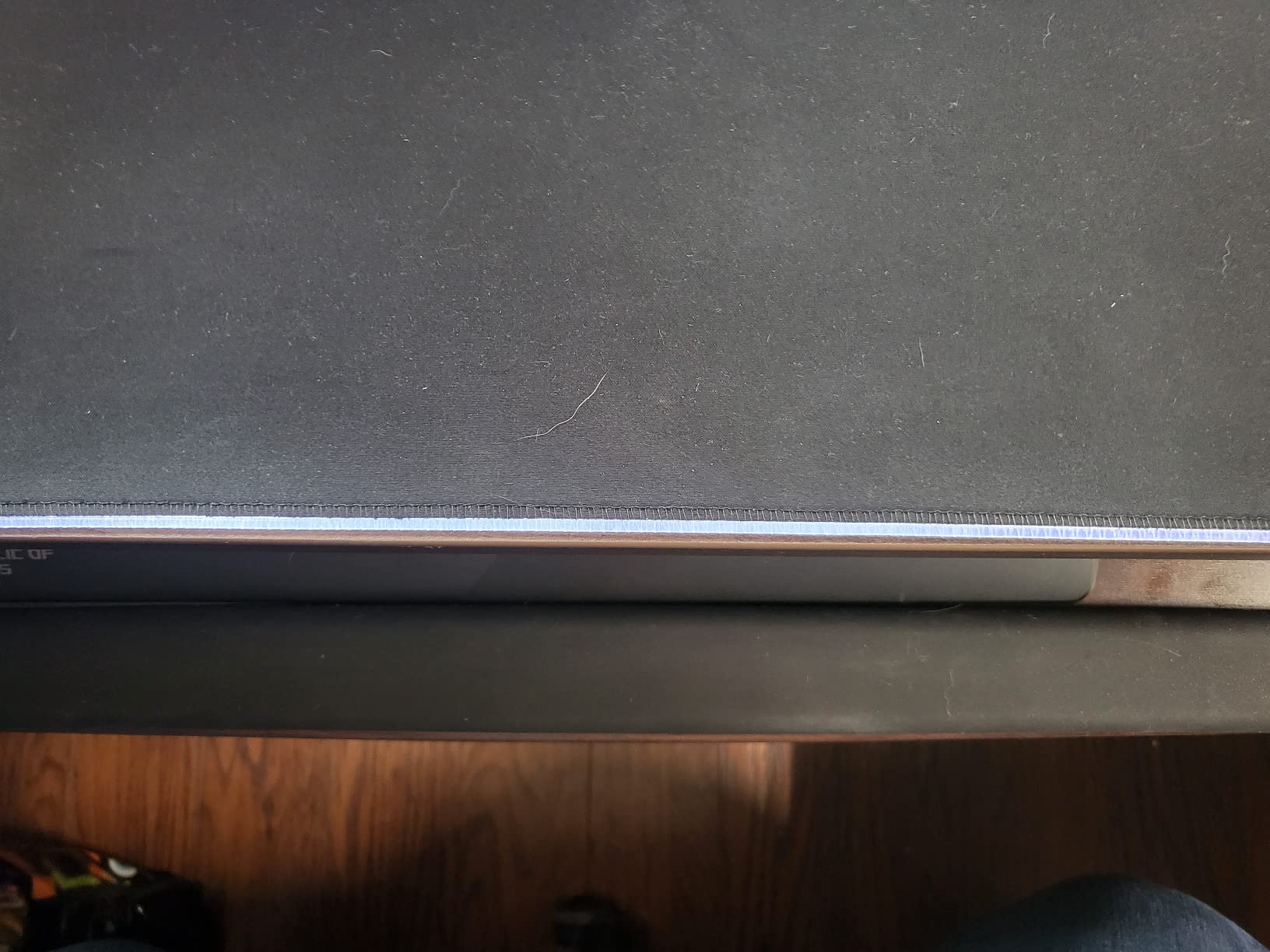
The 25 by 9.84 inch platform is sized for keyboards around 17.3 by 5.5 inches or smaller plus a mouse, and it includes a wrist rest. That is a snug fit for a full-size board with a number pad, so measure your board first. At 11.54 lb the whole unit is heavy and feels like it was built to stay put, which is a good thing on a desk that moves.
The 180 degree swivel is the underrated feature. On a corner or L-shaped desk it lets the platform swing toward the return instead of sitting permanently square to the main surface, and the tilt range means you can get the front edge above the back edge once you have found the right height.
Where it is the wrong choice
The slide is the most-cited complaint. Reviewers consistently say you have to lift the tray slightly to push it in or out because the metal-on-metal contact is not silky, and some flex and bounce remains in the 25 inch platform because the bracket mounts at the center. If a smooth one-hand slide matters to you, this is not the one.
Two other cautions. The plastic tilt knob is a known weak point that has broken for some owners after extended use, and the part is no longer warrantied. The supplied screws are also budget grade and can snap or bend while being hand-tightened, so use a proper driver.
5. Kensington SmartFit K60004US Review – Best for Oversized Keyboards
Kensington Keyboard Tray Under Desk, SmartFit Ergonomic Slide-Out Keyboard Drawer with Cable Management, Extra-Wide Height Adjustable Keyboard Holder, 24.5″ x 11.75″, Black K60004US
24.5 inch inner drawer
SmartFit height adjustment
Soft lock slide
36 month warranty
Pros
- Extra-wide drawer fits oversize boards
- Soft lock keeps the tray out while typing
- Brackets reverse to fit narrow desks
- Includes a wrist pad and mouse pad
- 36 month warranty
Cons
- Beveled front edge presses on wrists
- Bundled gel pad and mouse pad are thin
- No paper drill template included
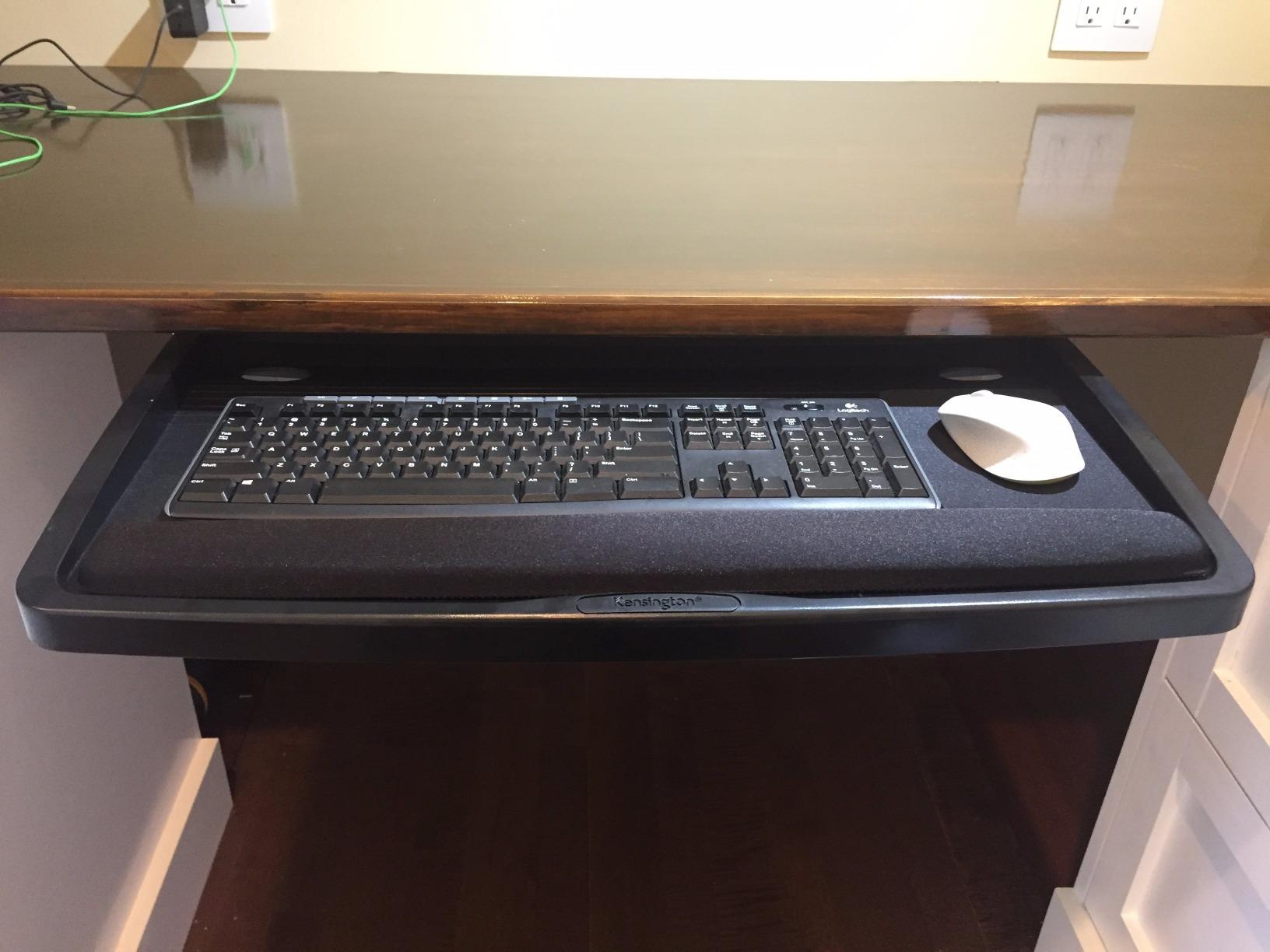
The inner drawer here is 24.5 inches, with a 26 inch outer shell, and that width is the reason to consider it. It fits every keyboard size including oversize and ergonomically shaped models, and owners using wide boards report being able to reposition the keyboard, mouse and a wrist rest comfortably side by side. A soft lock holds the slide where you put it, so unlike several other trays it does not roll back in while you type.
Height adjustment runs through the SmartFit comfort color system, where you match the dial position to a color reference rather than reading numbers. It is a different adjustment model from the inch-based trays above, and it is quicker to set once you understand it. Backed by a 36 month warranty, it is the only tray in this roundup with a stated warranty period in the product data.
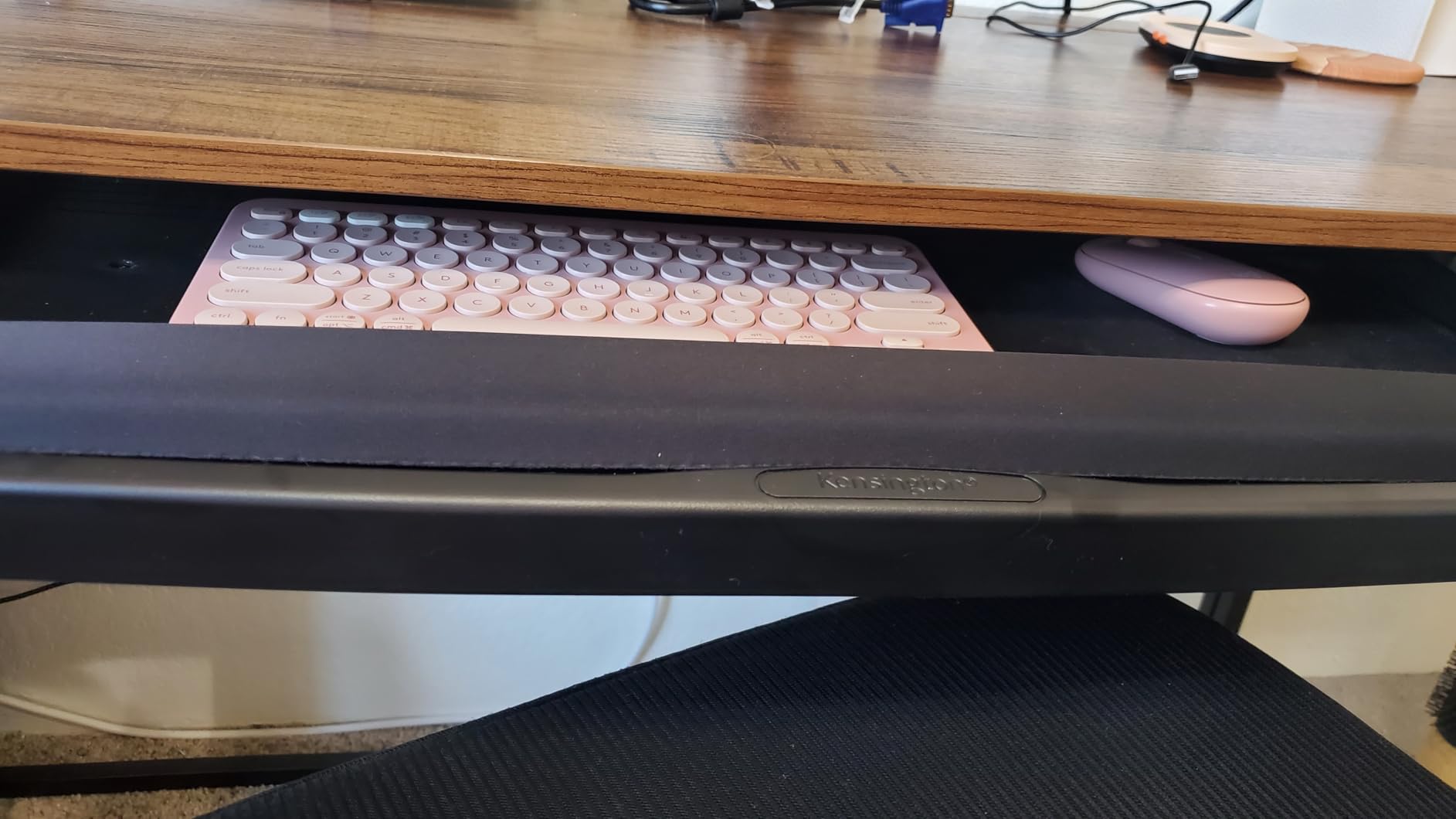
For standing desk use, this behaves like a fixed drop mounted to the underside. You need 31 to 33 inches of total installation width and 16 inches of depth beneath the desktop. The brackets can be reversed to fit a narrower desk or to tolerate an L-desk edge rail, which is more forgiving than most of the clamp trays here.
Several owners report that pulling the keyboard closer to their body with this tray relieved wrist and elbow pain, and the extra depth means you can sit back from the desk rather than hunching over it. What limits it on a moving desk is that the height range is short and discrete, so matching it to both a seated and a standing position takes trial and error.
What fits and what does not
Total installation width of 31 to 33 inches and 16 inches of depth is the requirement, so it is not a small-footprint option. The waffle-construction plastic tray has thin edges, which several owners say can dig into your legs if you sit close to the desk while it is extended, and there is not much mouse space left once a full-size keyboard and the wrist pad are in place.
The beveled front edge is the most repeated ergonomic complaint. People using low-profile boards such as the Apple keyboard report that the front lip presses directly against the wrists, which defeats the purpose of moving the typing position closer to the body. If your keyboard has almost no front bezel, factor that in.
Where it is the wrong choice
Do not pick this one if you cannot or will not drill. Installation is screw-mounted, no paper template is included, and the instructions plus hand-sizing guide confuse enough buyers that several describe the process as extremely frustrating unless you can flip the desk over. The supplied screws can also be too long for particle board tops.
There is also a slight resistance or binding if the rails are not perfectly aligned after mounting, so take your time with the bracket spacing. Anyone who wants a no-drill install with a wider platform should look at the 25.6 and 27 inch clamp options instead.
6. VIVO Under Desk 25 x 10 in MOUNT-KB03B Review – Best Value Articulating Tray
VIVO Black Under Desk 25 x 10 in Keyboard Tray, MOUNT-KB03B
25 x 10 inch coated tray
5 inches height range
Full side-to-side rotation
Rubber padding
Pros
- Sturdy metal mount resists flex
- 5 inches of height plus rotation
- Spring holds position once tightened
- Semi-locked click resists sliding
- Good knee and leg clearance seated
Cons
- Slide is sticky and needs lifting
- Tray wobbles a little in the rail
- No paper template included
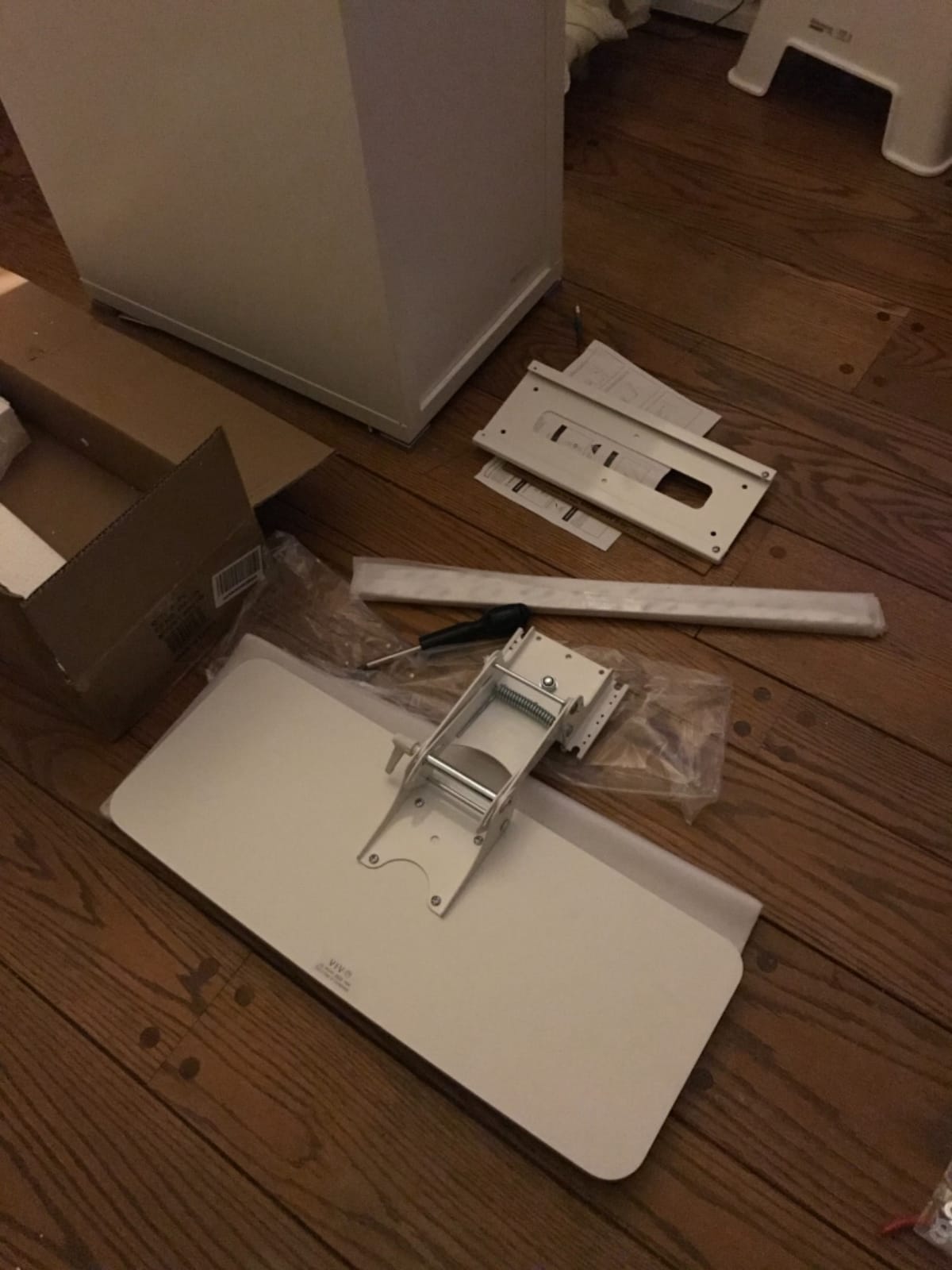
This is the tray owners on sit-stand desks point to when they want more than a fixed drop, and it does the job with a combination of five inches of height adjustment, full side-to-side rotation and a generous tilt range. The spring-assisted adjustment means the position you tighten it into is the position it holds, rather than a platform that flops when you let go.
Build quality is the story. Reviewers consistently compare it favorably to the flimsy plastic trays supplied with desks, describing the metal mount and fully coated tray as solid and resistant to flex. It also gives a genuinely pleasant amount of knee and leg clearance when seated, which several owners single out as the reason their legs stopped hitting hardware.
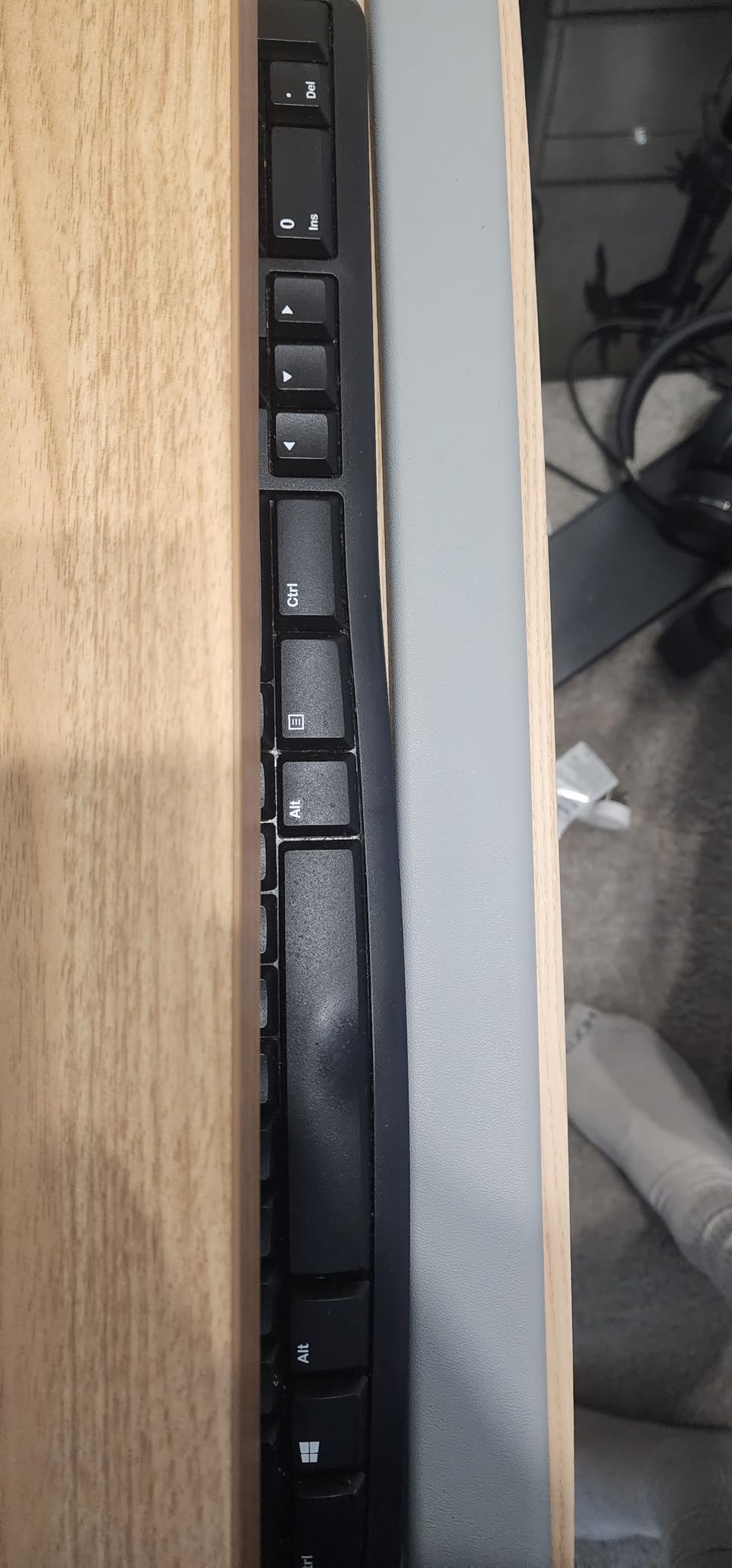
It is built for adjustable desks specifically, and the manufacturer says so. Height-adjustable desks require the separate MOUNT-SPACER01 adapter bracket so the track can fit over the frame crossbar, and that adapter is not included, which is the single most important thing to know before ordering. The track is 14.25 inches long by 6.25 inches wide and needs that same 14.25 inches of space between the desktop edge and the crossbar.
Recommended minimum desktop thickness is 5/8 inches, and the total tray weight is 10 lb. With the spacer fitted, the track clears the crossbar and the tray rises and falls with the surface while keeping the keyboard within adjustment range of both seated and standing postures.
What fits and what does not
The 25 by 10 inch surface fits a full-size keyboard plus a mouse, though the width is tight if you want a large keyboard and a large mouse pad at the same time. The supplied gel wrist rest competes for space with a keyboard that has a built-in palm rest, and if you use one of those boards you may want to remove the pad.
Measure from the front edge of your desktop to the crossbar and be sure you have 14.25 inches clear. On a compact frame that measurement is often the reason a tray will not install, and it is the number to check before anything else.
Where it is the wrong choice
The slide is the repeated complaint. The plastic guides are sticky enough that many owners say they must lift the front of the tray to push it in or out, and a bit of wobble remains in the rail even when tightened. If smooth one-handed movement is important to you, the ball-bearing clamps read better on paper.
Installation is straightforward in principle but awkward under a desk because no paper template is included. A few owners also report stripped screws during fitting and scratched keyboard cases from the rail bumpers, so pad the bumpers before you slide a board in.
7. VIVO Adjustable-Width Clamp Tray MOUNT-KBST1 Review – Best for Thick Desktops
VIVO Black Clamp-on 23” to 30” x 11″ Adjustable Keyboard Tray, Mount-KBST1
C-clamp to 3.4 inches
2.4 inches over 5 set points
22.5 to 30 inch width
Ball-bearing slide
Pros
- Clamps the thickest desktops in this group
- Real height adjustment in a thin envelope
- One-piece platform with minimal wobble
- Width adjusts 22.5 to 30 inches
- Retracts without hitting sit-stand hardware
Cons
- Height changes mean reclamping the desk
- Screws loosen over time and cause wobble
- Sharp front edge can catch a thigh
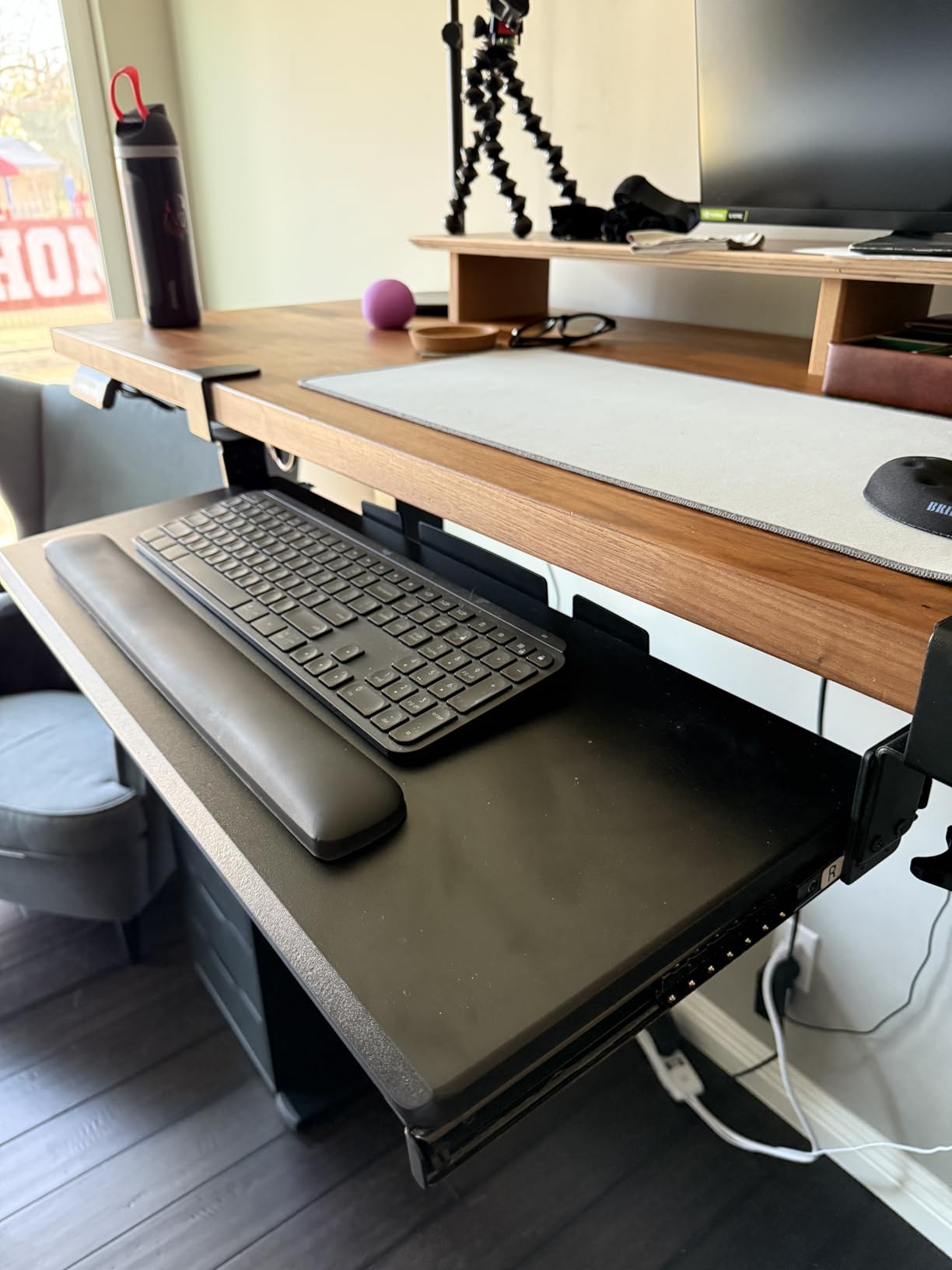
This tray solves a specific problem that stops most clamp trays: a thick desktop. The C-clamps handle desktops up to 3.4 inches thick, more than double what most competing clamp trays in this roundup can grip, and the whole unit still only needs 2.4 inches of vertical clearance to work. That combination is why owners recommend it for standing desks, where a thick top and a high surface are common together.
There is genuine height adjustment too, spread across five set points within that 2.4 inch range, plus width adjustment from 8.8 to 10 inches of extension out from the desk. The platform is 22.5 to 30 inches, or 28.5 to 36 inches including the clamps, which covers a full-size ergonomic keyboard with number pad plus a trackball or mouse. The ball-bearing slide has the right amount of resistance and retracts fully without fouling sit-stand hardware.
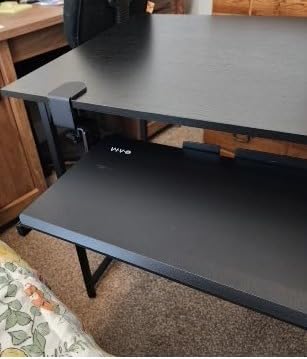
It is a newer design than most of the group, and the one-piece platform is a genuine improvement over the two-halves construction used elsewhere. It feels solid with minimal wobble, and the clamps protect both the top and the underside of the desk as they grip.
At 14.37 lb it is by far the heaviest unit in the roundup. That is not a criticism so much as a fact to plan around, since the clamps are carrying real cantilevered load. It is also the only tray here that comes with a keyboard wrist pad, a mouse pad and a mouse wrist rest included.
What fits and what does not
As with most clamp trays, beveled desk edges are not compatible. Beyond that, the requirements are unusually forgiving: a thick top up to 3.4 inches, a minimum 2.4 inches of vertical clearance, and 28.5 to 36 inches of desk width including the clamps. That width requirement is the one people miss, especially on a 48 inch desk with a narrow front edge.
Because the platform width is adjustable, one tray can follow a user between a compact desk and a wide one, which is unusual in this category. Just remember that moving it means unclamping.
Where it is the wrong choice
The height adjustment is not a quick knob. Changing it means reclamping the desk and partially disassembling the unit, so using this tray across two desks of different heights is a chore. Owners who want a single tray across a two-desk setup should look at the fixed-height clamp instead.
Two smaller issues recur: screws loosening over time under the cantilevered load, which produces a slight wobble on one side and calls for periodic tightening, and a sharp front edge on the platform that can catch your thigh when you shift your legs. The single-piece platform is also thick and forces a lower chair position that some users find too low.
8. AX WABER Extra Sturdy C-Clamp Tray Review – Best for Quick No-Drill Installs
AX WABER Keyboard Tray Under Desk Pull Out with Extra Sturdy Adjustable C Clamp Mount System, 27.3 (32.5 inch Including Clamps) x 11 Inch Slide-Out Platform Computer Drawer for Typing, Black,AX01WB01
C-clamp to 1.9 inches
27.3 x 8.3 inch platform
Three height settings
11 lb capacity
Pros
- Sturdy despite the modest price
- About 15 minute clamp install with no holes
- Three height settings
- Locking rails hold both positions
- Low friction surface suits optical mice
Cons
- Wobbles on L-shaped or corner desks
- Rails can bind and the joint shows a gap
- Front bevel cuts usable depth by about an inch
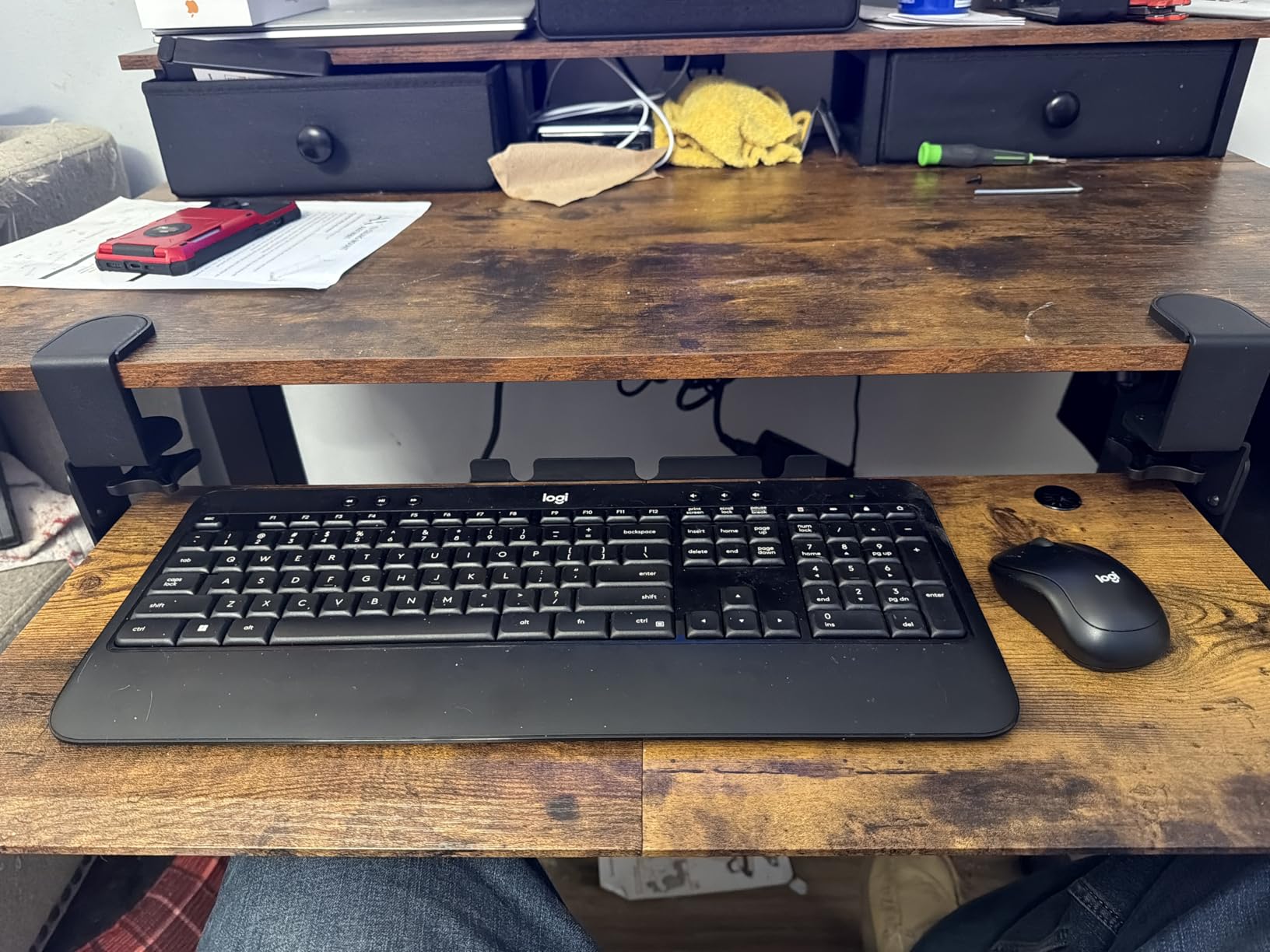
Reviewers routinely say they expected less from this tray, and the reason is the weight-to-price ratio. The platform is 27.3 inches, or 32.5 inches including the clamps, by 8.3 inches, and it holds up to leaning on it, which is not something most trays in this bracket can claim. The C-clamps fit desktops up to 1.9 inches thick and support up to 11 lb, and the whole thing arrives fully assembled apart from the clamps.
Three height settings give you a coarse adjustment that works well for bringing a tall sit-stand desk down to a comfortable typing level, and the ball-bearing rails glide smoothly and lock in both the extended and retracted positions. Installation takes about 15 minutes and leaves no holes, which makes it a good option on rental, dormitory or employer-owned desks.
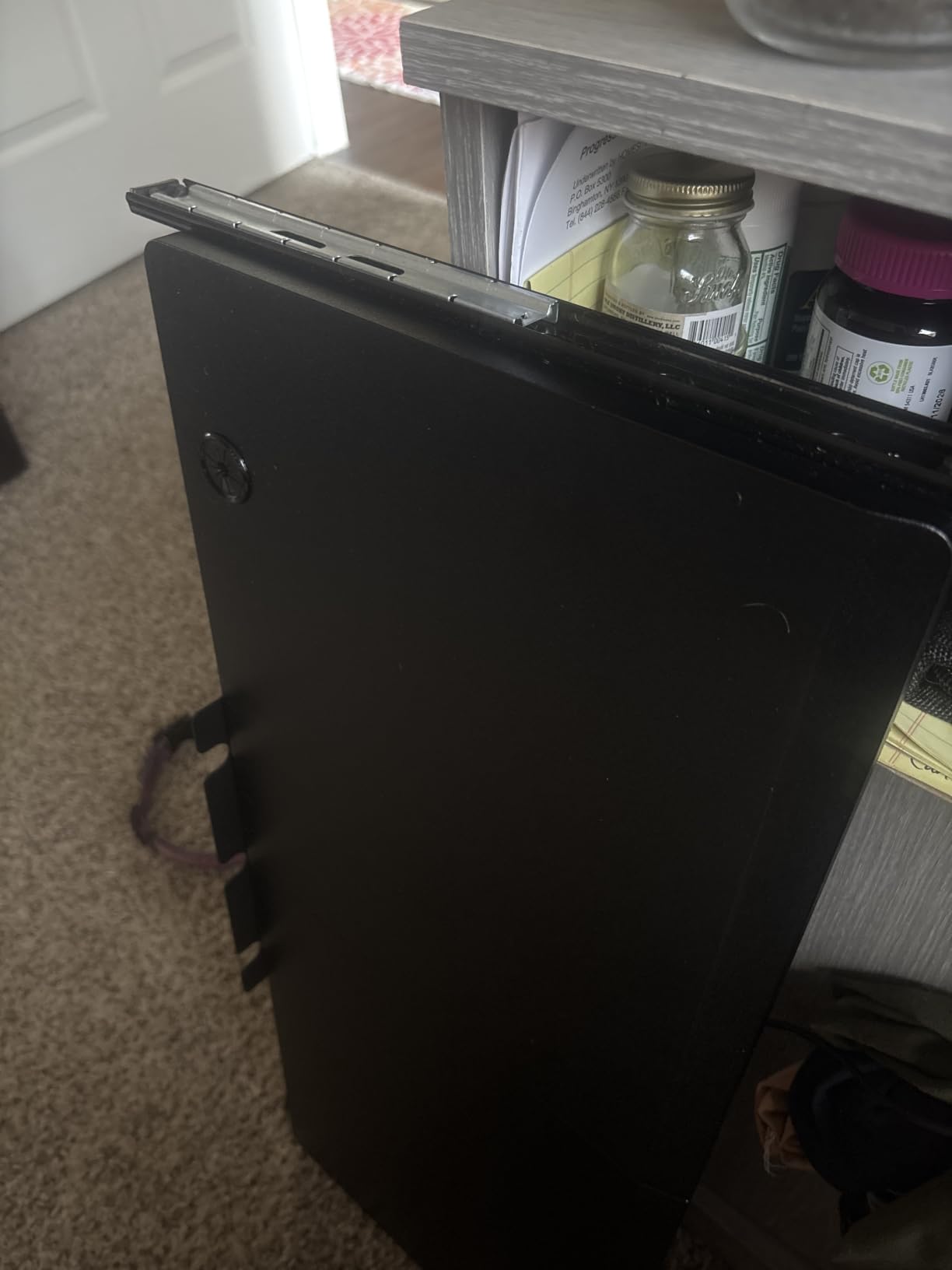
On a standing desk it works as a fixed clamp-on drop rather than an articulating arm. Reviewers commonly note that the three height positions solved the problem of a sit-stand desk that was still too high at its lowest setting, which is the most common real-world version of this purchase. The surface has low friction and works with optical mice without a pad, and a 38 by 12 inch version exists for wider boards.
Finishes include oak, vintage and white, so you can match a wood-top desk without the wood being an accident. The clamp bolts will protect the surface, but check the thickness limit first, because 1.9 inches is the ceiling and many standing desk tops with a thick edge band sit right at it.
What fits and what does not
Beveled edges are not compatible. Beyond that, this is a straightforward 11 lb, 1.9 inch-thickness clamp with a 27.3 inch platform, wide enough for a full-size keyboard with number pad plus a mouse and a mouse pad. The main dimension to check is the clamp-to-clamp span at 32.5 inches.
The front bevel slopes, and that costs about an inch of usable depth, leaving roughly 6 inches for a mouse after a keyboard and a wrist pad. If you use a large pad, that is tight. A deeper 25.6 inch platform such as the BONTEC or XINLEI gives you more room.
Where it is the wrong choice
Corner and L-shaped desks are the problem case here, and it is raised repeatedly. On the shorter return of an L-desk, the mounting run is too short and the tray wobbles noticeably when loaded or leaned on. Rails are also not perfectly smooth and can bind slightly, and the joint between the two halves leaves a small misaligned gap.
Also check the exposed rail edges on the outside of the tray when it is extended, and on heavier desks the two-piece platform can flex under forearm weight. If you work at a corner, pick a 360 degree swivel tray instead.
9. Klearlook 360 Degree Tray with Storage Review – Best for Corner Setups
Klearlook Keyboard Tray Under Desk with 360° Rotation, Ergonomic Computer Keyboard & Mouse Tray 25″W×11.02″D Sit Stand Desk Keyboard Holder w/Wrist Rest & Storage Drawer (Height is not Adjustable)
360 degree swivel
24.4 x 10 inch holder
Storage drawer and hanger
Height fixed
Pros
- Swivels fully for L-shaped desks
- All-in-one organizer with drawer and hanger
- No-drill C-clamp to 2.68 inch desktops
- Adjustable tilt angle
- Sturdy with little wobble while typing
Cons
- Height cannot be adjusted at all
- Full rotation needs a 35 inch wide desk
- All-plastic build with a fixed mouse pad
- Bulky under the desk
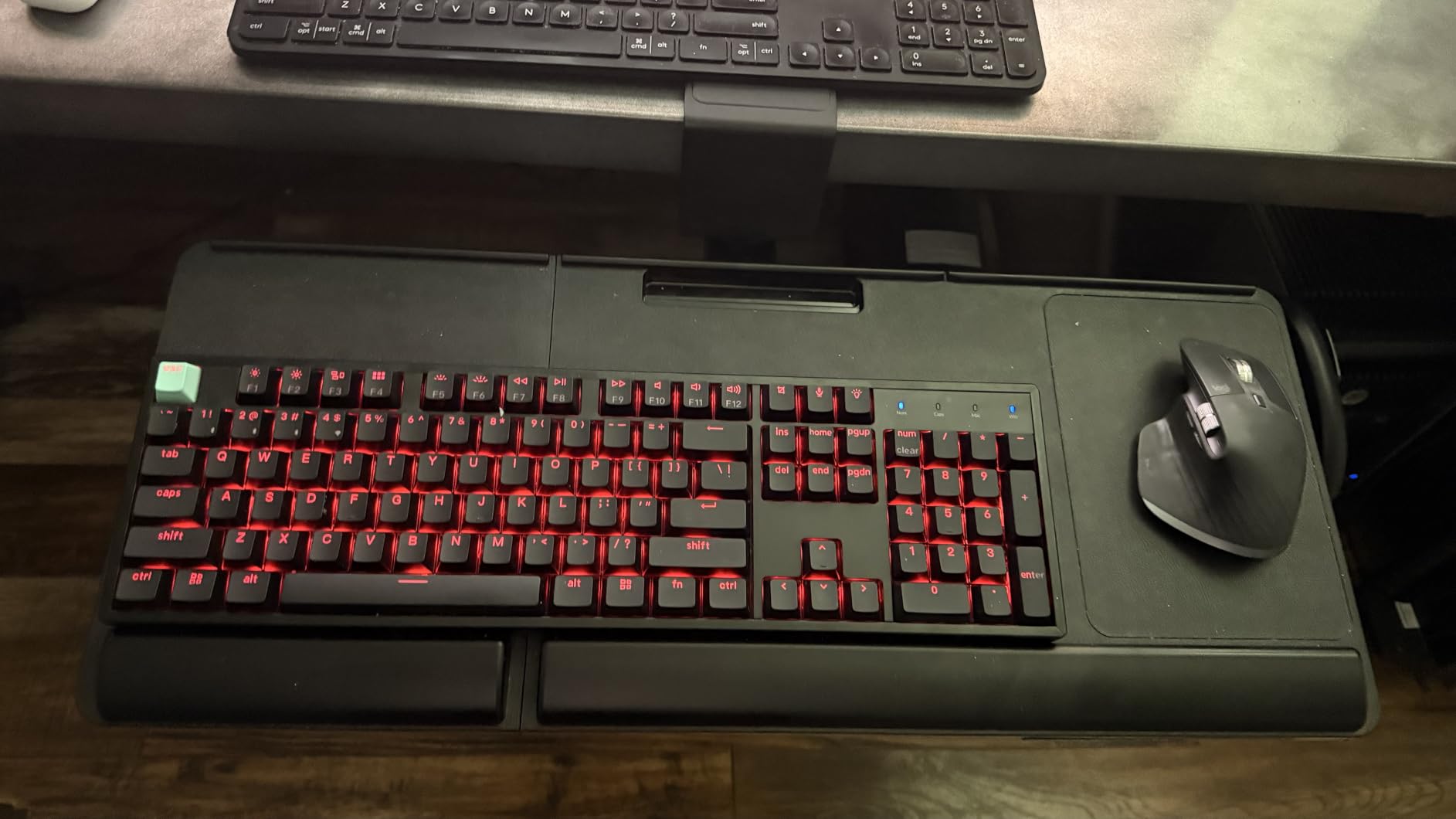
This is the tray for a corner workstation, because the 360 degree swivel lets the platform swing to either side rather than sitting permanently square to the main surface. Buyers who need to reach the return of an L-shaped desk, or who want the tray to swing clear and stow under the desk when unused, are the people who end up happy with it. The tilt angle is adjustable even though the height is not.
The organizer features are unusually complete for this category: a built-in storage drawer for small items, a dedicated phone slot, a headphone hanger, a wrist rest and an integrated mouse pad. It is a 24.4 by 10 inch keyboard holder and the C-clamp fixture attaches to the desk edge without drilling, handling desktops up to 2.68 inches thick.
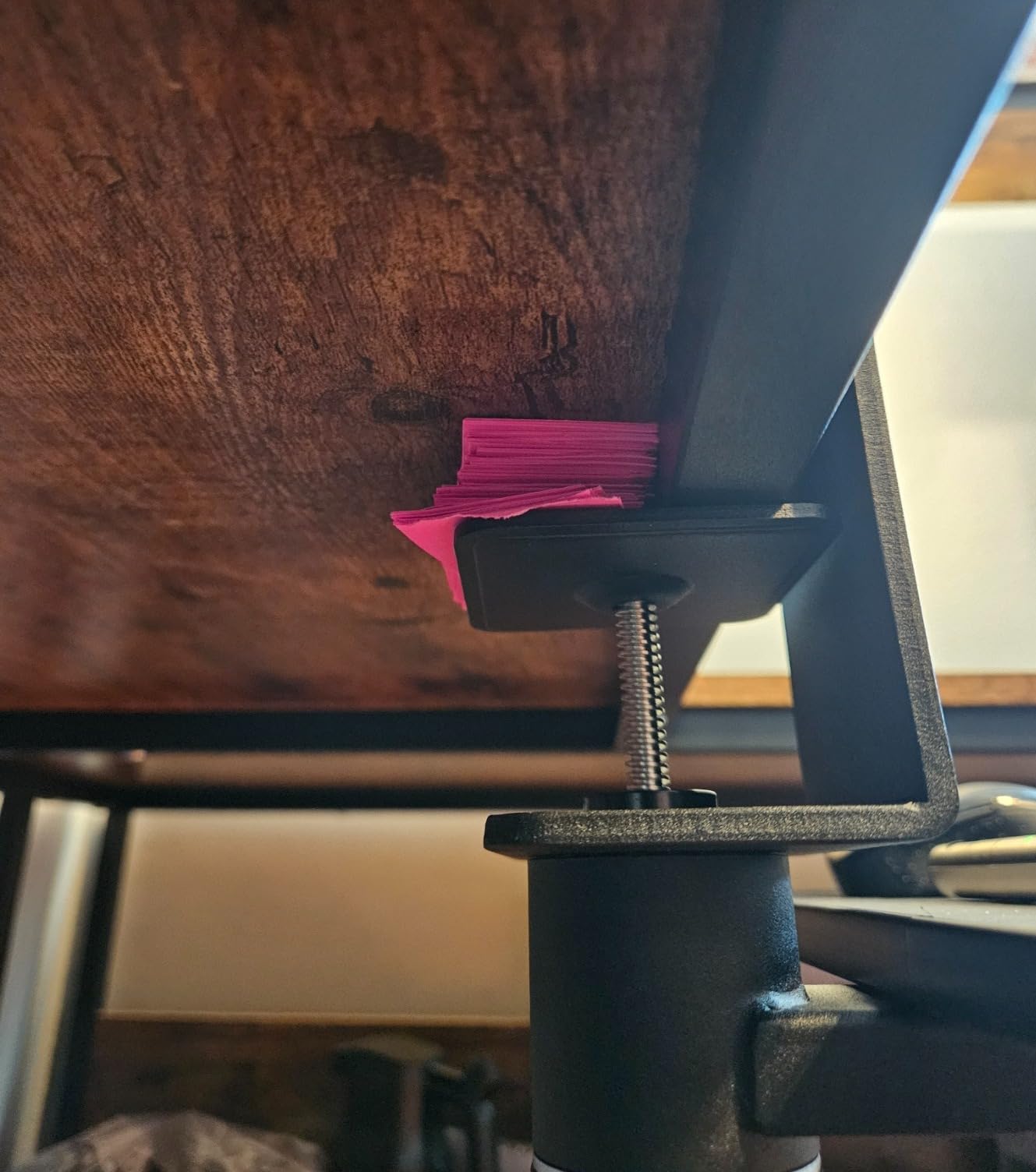
For standing desk use, be clear-eyed about the trade. The height is fixed, which is stated plainly in the product name. On a desk that travels, the tray rises and falls with the surface and gives you no additional adjustment, so it only solves the problem if your standing height leaves the keyboard uncomfortably high. The 4.1 average across 820 ratings reflects exactly that tension, with buyers who prioritized rotation and storage reporting satisfaction and everyone else reporting the same limitation.
Construction is all plastic, and the integrated mouse pad is fixed in place rather than removable, so you cannot swap it or clean around it. At 7.83 lb it is not heavy, and the 360 rotation is what adds bulk under the desk.
What fits and what does not
Two numbers decide this one. Full double-sided rotation requires a minimum table width of 35 inches, while single-sided rotation needs 27.5 inches. If your standing desk is a compact 48 inch model, you may only get the single-sided swivel, which reduces the value considerably.
Desktop thickness up to 2.68 inches is generous, and the 24.4 inch holder takes most standard boards including tenkeyless models. Check your desk width before falling in love with the swivel.
Where it is the wrong choice
If your typing height changes constantly through the day, this is the wrong product. The fixed height is the dominant complaint in the reviews, and it is not a flaw so much as a design decision, but it is a real limitation for the alternating sit-stand pattern this roundup is about.
Its 4.1 average is the lowest in this roundup, and the review base of 820 is the smallest. The accessory organizer features also add under-desk bulk that can matter on a frame with a low crossbar. For corner reach you will want a height-adjustable swivel tray; for everything else, a fixed clamp is simpler all round.
10. XINLEI Large C-Clamp Slide-Out Tray Review – Best for Flexible Mounting
XINLEI Keyboard Tray Under Desk Large C-Clamp 25.6” (30” Including Clamps) x 11.8” Slide-Out Platform Computer Drawer Pull Out Keyboard & Mouse Tray Black DSF4
25.6 x 11.8 inch platform
C-clamp or screw mount
Metal slide rail
Back baffle
Pros
- C-clamp or permanent screw mounting in one product
- Zero bounce once the clamp is set
- Platform fits a 16 inch board plus a 7.5 inch pad
- Back baffle stops the keyboard sliding off
- Still working well after a year of daily use
Cons
- Plastic slide is clunky and catches
- Printed directions are confusing
- Low clamp height suits only very tall desks
- Two-piece platform can loosen
The reason this tray is here is flexibility of mounting. It offers two installation methods, a no-drill C-clamp for desks that allow it and permanent screw mounting for desks where a support bar sits too close to the edge for the clamps to grip. That fallback matters on plenty of sit-stand frames, and most competing clamp trays simply do not offer it.
The 25.6 by 11.8 inch platform is 30 inches overall including the clamps, and owners consistently confirm it fits a 16 inch keyboard plus a 7.5 inch mouse pad. A back baffle stops the keyboard sliding off the front, the metal slide rail glides in up to 12.24 inches and out up to 7.75 inches, and long-term owners report it still working like new after a year of daily use.
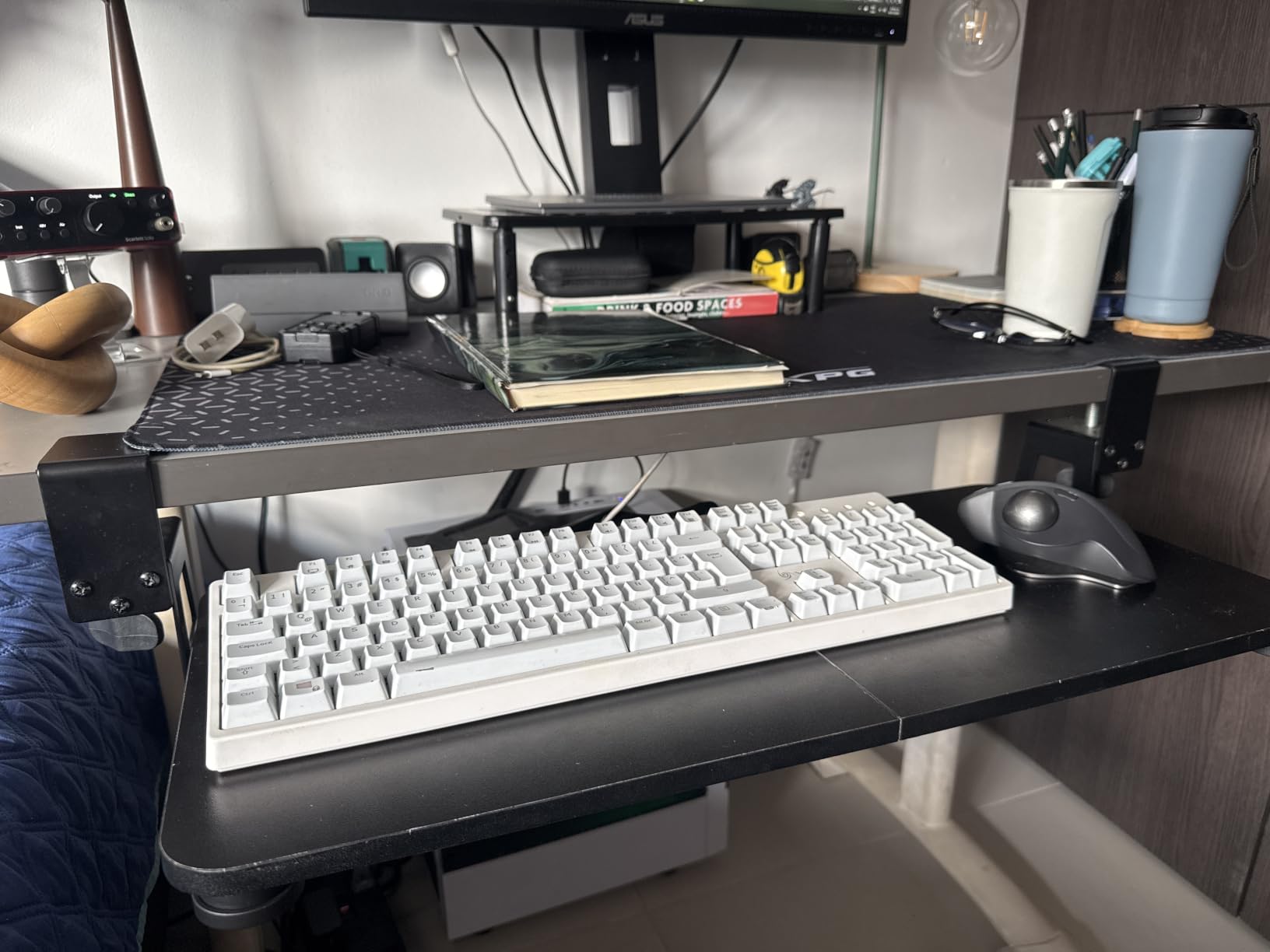
The 4.4 rating is the joint-highest in this roundup, though it rests on a smaller review base than most of the others, so read it with that in mind. The owners who rate it highest are the ones who cannot or will not drill into a desk, and the ones who discovered the screw-mount option after their support bar defeated the clamps.
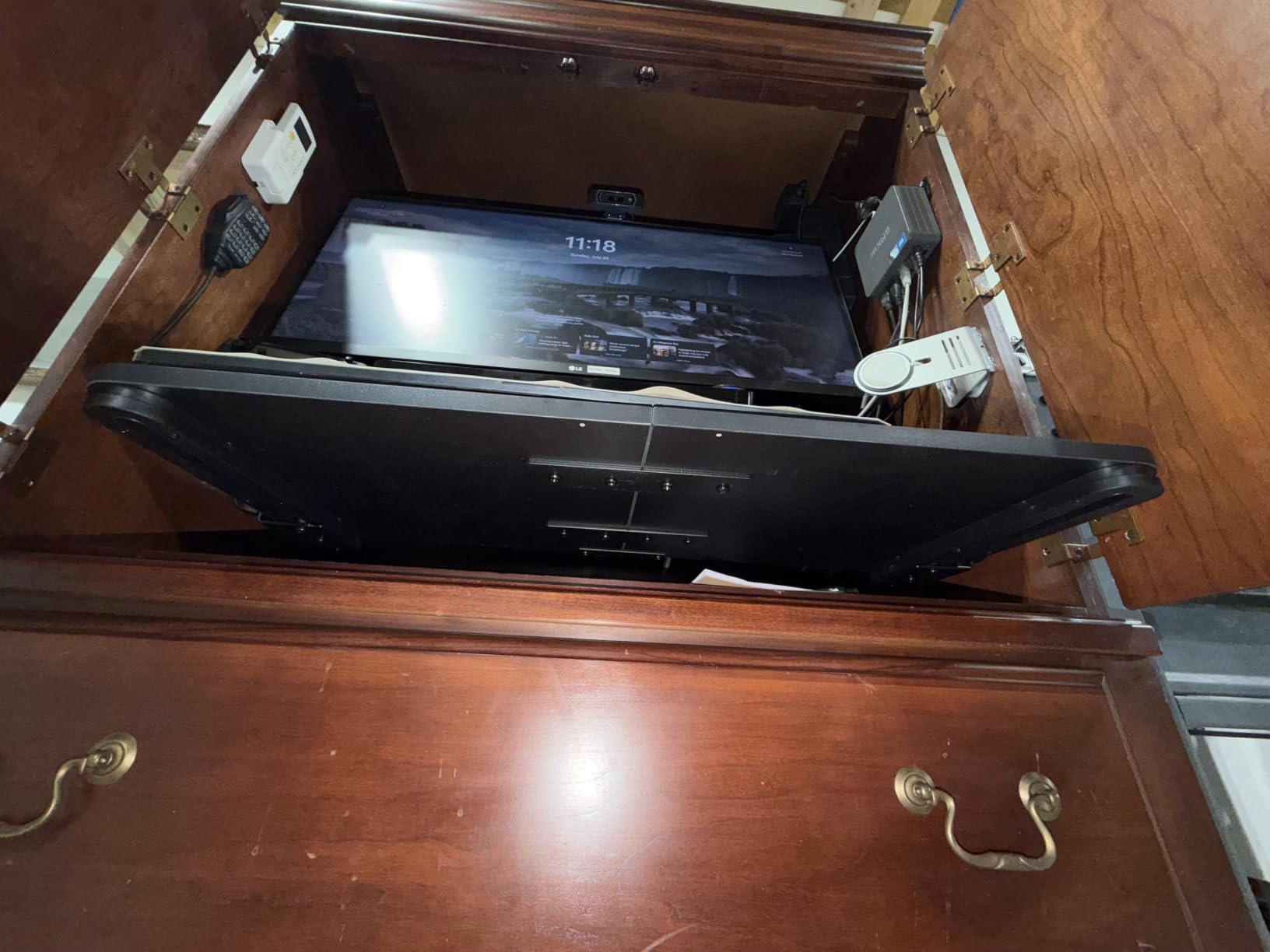
Clamp thickness capacity is 1.63 inches, the second-thinnest limit among the clamp options here. Total height is 4.45 inches with a height clearance of 2.4 inches, meaning the tray sits low. Reviewers note that suits very tall desks, and it is a poor match for a desk whose lowest setting is already low.
What fits and what does not
The surface is a low-friction metal that works with an optical mouse, though a mouse pad is needed if you want a fabric surface. It holds up to 11 lb and fits a full-size keyboard with room over. The two-piece platform can flex under heavy forearm loading, so treat it as a typing platform rather than a rest for your arms.
The clamp sits low, and if you are shorter or your desk has a low minimum height, test the seated geometry before you buy. A tray that hangs 2.4 inches below a surface you only raise to 30 inches may not get you anywhere near your elbows.
Where it is the wrong choice
The slide is the recurring complaint. The plastic mechanism feels clunky and binds if you do not push or pull evenly at both ends, and the printed assembly directions do not clearly show the correct orientation of the parts. Allow real time for assembly and expect to re-try it once.
Long-term owners also report screws tearing out of the two-piece platform in normal use, in either the clamp or screw configuration. Check them after the first month, and if you choose the screw method, use the pilot holes carefully in particle board.
Do You Actually Need a Keyboard Tray on a Standing Desk?
You need one if your desk raises above your elbow height while you are standing. The test is simple: stand at your desk, let your arms hang, and note where your elbows sit. If the desktop is above that line, your shoulders will lift every time you reach for a key, and no amount of monitor arm adjustment will fix it.
You probably do not need one if you never sit. If your standing desk lives permanently at one height and you have found a height that works, a desktop riser is cheaper and takes up no under-desk clearance.
Buy a tray if you alternate between sitting and standing in the same session.
Buy a tray if your desk is tall and fixed, or if you are taller than average.
Buy a tray if you share a hot desk with someone of a different height.
Skip the tray if you stand at a low, already-comfortable height and never sit.
Skip fixed drawers entirely if you need the keyboard above the desktop as the desk rises.
Second-guessing the whole idea is reasonable, because a tray does add hardware under a desk that moves. Our take: the height-adjustable options in this roundup sit one step above fixed drawers and remove almost all of that objection.
How to Choose: The Four Measurements That Decide Compatibility
Most returns in this category happen because someone bought a tray without measuring anything. Four numbers decide whether a tray fits, and three of them come straight from the spec sheets in the reviews above.
One: your standing desktop height. Measure the surface at its highest position, not its lowest. Add the height of the clamp body to get the height the keyboard will sit at when fully raised.
Two: the gap between the desktop edge and the crossbar. This is the number that decides drill-under trays. The MOUNT-KB03B and the HUANUO both need roughly 14 inches, and the HUANUO needs 16.2 inches if the tray must slide fully under. A frame with a crossbar near the front rules out most screw-mounted trays.
Three: desktop thickness and edge profile. Clamp limits across this roundup run from 1.63 inches to 3.4 inches, and nearly every one of them excludes beveled, curved or rounded edges. Measure the thickest part of the top, including any edge banding.
Four: your keyboard plus mouse footprint. Split and ergonomic boards are typically 27 to 30 inches wide and will not fit a 20 inch platform. Add 3 to 4 inches for a mouse and a pad if you want both on the same level.
Our guide to under-monitor keyboard trays for desks covers the fixed under-desk options in more depth if you have decided a moving tray is not for you.
Mount Types Explained: C-Clamp vs Track vs Pole vs Fixed Drawer
There are four ways to hang a keyboard tray, and the differences matter more on a standing desk than on a fixed one because the desk itself is already moving.
C-clamp trays grip the desktop edge with no drilling. They suit rental, dormitory and employer-owned desks, they move between desks, and they need enough thickness under the limit. The trade-off is that most of them offer little or no height adjustment, so the tray is fixed at one height relative to the surface.
Track or screw-mounted trays fasten into the underside of the desktop and give you a real slide track, often with more height range and a proper lock. They need a clear run of desk underside with no crossbar, they need drilling, and they are the only option that gives you independent keyboard height on a sit-stand desk.
Frame-leg and pole mounts attach to the desk frame rather than the surface. They solve the crossbar problem because they never touch the underside of the desktop, and they are the only category that can travel meaningfully above the desktop as the surface rises. The catch is compatibility, since hole spacing and rail widths differ between frame brands, and near-misses are the most common complaint in owner discussions about non-branded alternatives to factory trays.
Fixed under-desk drawers are the category most returned to this search, and they are the wrong product. They travel downward only, they cannot follow the surface upward, and on a tall desk they leave you typing at exactly the height you were trying to escape.
A crossbar is the practical test. If your standing desk has a support beam within about 14 inches of the front edge, drop the track and screw-mounted options and go clamp-on or frame-mounted.
The 20-8-2 Rule and Why Your Keyboard Has to Ride the Desk
The 20-8-2 rule is the most common sit-stand guideline: for every half hour of work, spend 20 minutes standing, 8 minutes sitting, and take 2 minutes to stretch. It exists because alternating posture is the point. Standing all day is not the goal, and neither is sitting all day.
That alternation is exactly why the keyboard cannot live on the desktop. The surface moves between two heights, and your hands need to stay near elbow height in both. A tray with genuine vertical adjustment is what makes the pattern workable, which is the single strongest argument for the height-adjustable picks in this roundup over cheaper fixed drawers.
Two practical notes. Measure your elbow height both sitting and standing before you choose a travel range, and give yourself more than you think you need, because the difference between a comfortable height and an almost-comfortable one is what decides whether you actually keep alternating. Our guides to compact standing desks for apartments and mobile standing desks with wheels both change the clearance math, because a smaller frame gives you less room under the surface.
Wrist Rest or No Wrist Rest: What Your Wrists Actually Want
A flat keyboard with a hard edge is not what your wrists want. The ergonomically correct position is a slight negative tilt, meaning the front edge sits higher than the back edge, so your forearms stay roughly level and your wrists stay neutral rather than bending upward. A keyboard tray exists mainly to deliver that height, and the tilt setting delivers the angle.
Of the trays in this roundup, the ones that reach negative tilt are the HUANUO with 22 degrees down, the VIVO MOUNT-KB03B with its generous tilt range, and the Klearlook with an adjustable angle. The fixed-height clamp trays give you whatever angle the platform happens to sit at, which is usually flat or slightly positive. If wrist comfort is your main concern, filter for tilt range before you filter for price.
On wrist rests, be skeptical. Of the pads bundled with the trays reviewed here, the Klearlook pad is fixed to the platform and cannot be removed, the VIVO MOUNT-KB03B pad competes for space with a keyboard that has its own palm rest, and owners of the Kensington unit describe the included gel pad and mouse pad as thin and low quality. A separate pad you can position yourself is usually better than one glued to the tray.
One more practical issue nobody covers: cable slack. As the surface travels vertically, a keyboard cable routed tightly to a monitor moves with it and goes taut. Leave a loop of slack in the cable run, or go wireless, before you start moving the desk up and down through the day.
Frequently Asked Questions
What is the best keyboard tray for a standing desk?
The VIVO clamp-on 27 inch tray is the best keyboard tray for a standing desk for most people, because its C-clamp mount attaches to the desktop itself, so the keyboard rises and falls with the surface and no drilling is needed. It holds up to 11 lb and fits a full-size keyboard plus a mouse. If you need the keyboard height to change independently of the desk, the HUANUO tray with 6.3 inches of adjustment is the alternative.
Do keyboard trays work with sit-stand desks?
Yes, but only if the tray is mounted to the desktop rather than fixed below it. A clamp-on tray travels with the surface and keeps the keyboard at a constant relationship to the desk. A tray mounted to the frame can move independently, which is what you want when the desk alternates between seated and standing heights. A fixed under-desk drawer only travels downward and becomes useless once the desk is raised.
Is it better to have my keyboard propped up or flat?
Slightly propped, with the front edge higher than the back edge. That negative tilt keeps your wrists neutral instead of bent upward, which is the posture a keyboard tray is meant to produce. In this roundup the HUANUO tray tilts 22 degrees down, the VIVO MOUNT-KB03B has a generous tilt range, and the Klearlook has an adjustable angle. Fixed-height clamp trays usually sit flat.
What is the 20-8-2 rule for standing desks?
For every half hour of work, spend about 20 minutes standing, 8 minutes sitting, and 2 minutes stretching. The point is alternating posture rather than standing all day. Because your body position changes twice an hour, the keyboard has to be independently height-adjustable too, which is the entire job a sit-stand keyboard tray does.
How much clearance does a keyboard tray need under a standing desk?
For a track or screw-mounted tray, the critical measurement is the gap between the front edge of the desktop and the crossbar. The VIVO MOUNT-KB03B and the HUANUO both need roughly 14 inches, and the HUANUO needs 16.2 inches for the tray to slide fully under. For clamp-on trays you need desktop thickness within the clamp limit, which ranges from 1.63 to 3.4 inches in this roundup, and most clamp models do not fit beveled or rounded desk edges.
Conclusion: Our Standing Desk Keyboard Tray Picks
For most people the best keyboard trays for standing desks in 2026 are clamp-on trays that grip the desktop, because the mount moves with the surface and nothing needs drilling. The VIVO 27 inch model is the one to beat, with the largest review base in the category and a platform that swallows a full-size board and a mouse. Buy the HUANUO if your keyboard height must change independently of the desk, and buy the VIVO adjustable-width clamp if your desktop is too thick for anything else to grip.
Before you order, measure the gap from your desk edge to the crossbar and check your desktop thickness against the clamp limit. Those two numbers decide more purchases than any feature list.