
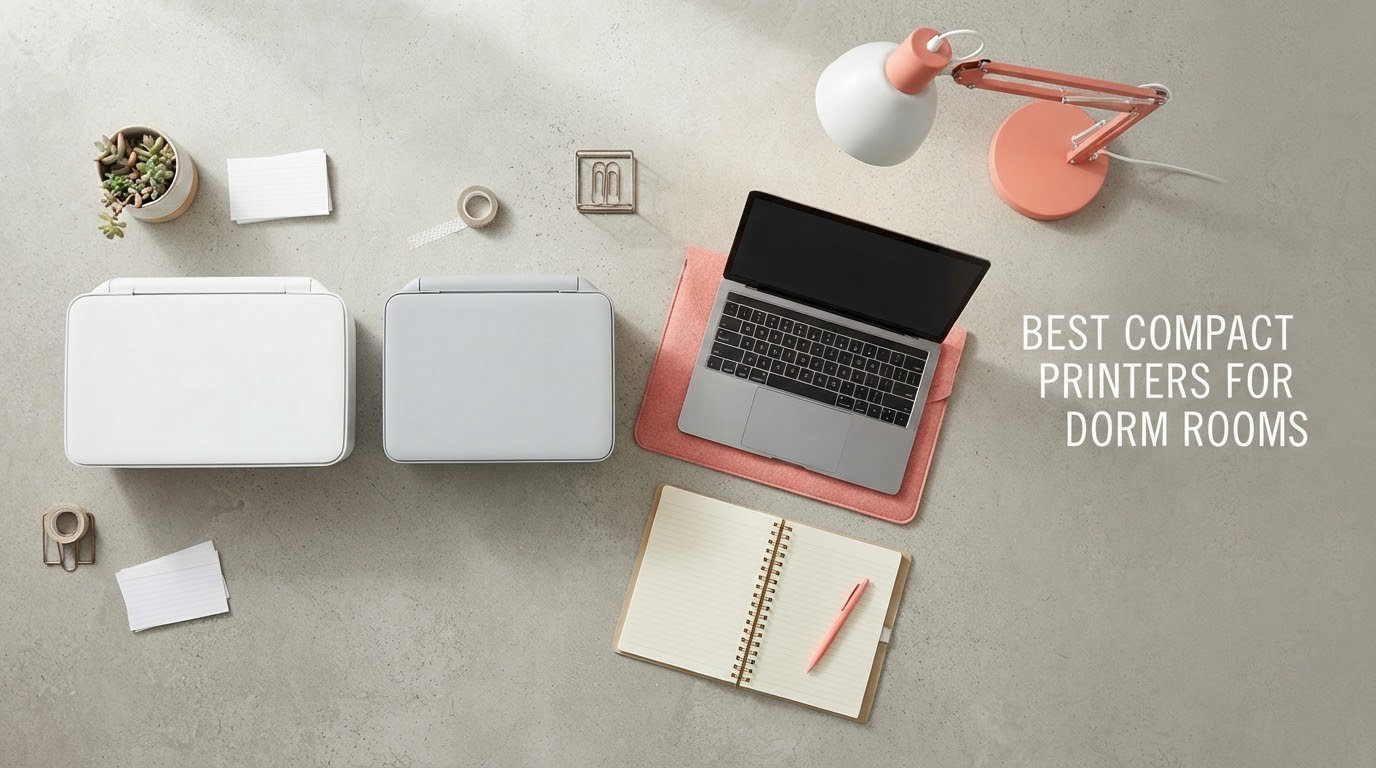
The best compact printers for dorm rooms are the Brother DCP-L2640DW if you want one machine that prints, scans and copies without going bankrupt on ink, and the Canon PIXMA TS3720 if your budget is tight and you only need a few pages a week. Both fit on a standard dorm desk, both connect to Wi-Fi without an Ethernet cable, and both cost less over four years than most students spend at the campus print center.
I spent the last several weeks reading spec sheets, owner reviews and forum threads on r/printers and r/college, then narrowing ten candidates down to the ones that actually survive a dorm. To be straight with you: I did not run print quality lab tests myself. This guide is built from manufacturer specifications, aggregated owner ratings and the failure modes owners actually report, and I flag where a spec sheet and a real dorm experience disagree. Every weight, footprint, page speed and page-yield figure below comes straight from the manufacturer’s published specifications for that model. Prices were checked in October 2026 and move fast, so use the buttons to see the current figure for your area.
Two things decide a dorm printer before any feature list does. The first is cost per page, because a four-year degree with a few hundred pages a semester adds up faster than most people expect. The second is desk space, because a printer that does not fit next to your laptop means it ends up on the floor, and a printer on the floor collects dust, hair and roommate complaints. If you are still setting up the rest of the room, our guide to mini refrigerators for dorm rooms covers the other appliance that eats your floor space.
Table of Contents
Top 3 Best Compact Printers for Dorm Rooms (October 2026)

Brother DCP-L2640DW
- 36 ppm monochrome laser
- Automatic duplex printing
- 50-page document feeder
- Dual-band Wi-Fi plus Ethernet


Brother HL-L2405W
- 30 ppm monochrome laser
- 250-sheet paper tray
- Dual-band wireless
- Brother Mobile Connect app
The Brother DCP-L2640DW takes the top slot because toner does not dry out between exams, it runs at 36 pages per minute, and it includes a 50-page feeder for the housing forms every student has to sign. The Canon PIXMA TS3720 is the pick if the sticker price is the deciding factor and color is optional. The Brother HL-L2405W is the value pick for students who only ever print black-and-white text and want the smallest laser footprint on this list.
All 10 Compact Printers Compared in 2026
| Product | Specifications | Action |
|---|---|---|
| Brother DCP-L2640DW |
|
Check Latest Price |
| Canon PIXMA TS3720 |
|
Check Latest Price |
| Brother HL-L2405W |
|
Check Latest Price |
 Canon PIXMA TS6520 Canon PIXMA TS6520 |
|
Check Latest Price |
 Canon MegaTank G3270 Canon MegaTank G3270 |
|
Check Latest Price |
 Epson EcoTank ET-2800 Epson EcoTank ET-2800 |
|
Check Latest Price |
 HP Envy 6155 HP Envy 6155 |
|
Check Latest Price |
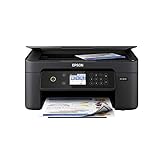 Epson Expression Home XP-4100 Epson Expression Home XP-4100 |
|
Check Latest Price |
 HP DeskJet 2955 HP DeskJet 2955 |
|
Check Latest Price |
 Brother HL-L2480DW Brother HL-L2480DW |
|
Check Latest Price |
Read that table as three separate markets. Products 1, 3 and 10 are monochrome lasers that handle text fast and cheaply. Products 2, 4, 7, 8 and 9 are color cartridge inkjets, which are the most affordable up front and the most expensive to run. Products 5 and 6 are refillable tank printers, and those two are the ones to look at when running cost matters more than sticker price.
1. Brother DCP-L2640DW: The Best Compact Printer for Dorm Rooms Overall
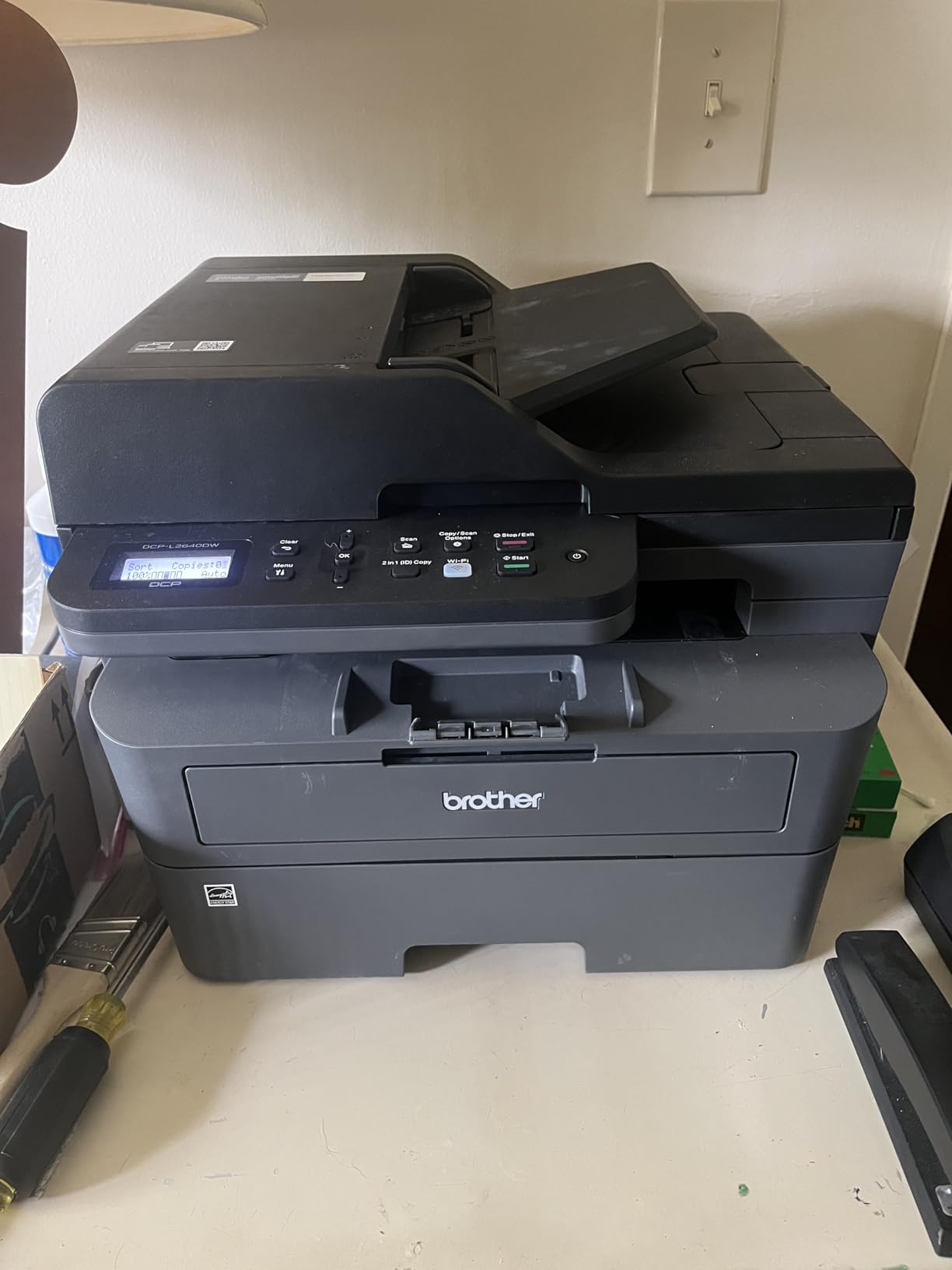
Brother DCP-L2640DW Wireless Compact Monochrome Multi-Function Printer, Copy, Scan, Duplex, Mobile Printing
Monochrome laser
36 ppm
Automatic duplex
50-page ADF
25 lb
1200 x 1200 dpi
Pros
- Fast sharp monochrome output
- Automatic duplex and 50-page feeder for forms
- Dual-band Wi-Fi plus Ethernet and USB
- Toner never dries out between print jobs
Cons
- On-printer menu navigation is awkward
- Wi-Fi and firmware password steps can frustrate
- 25 pounds is heavy to carry at move-out
I picked this one because it solves the two dorm problems that actually end people. First, it is a laser, so the toner sits in a sealed cartridge and will still print a clean page after six weeks of doing nothing. Second, it does automatic duplex, which means a 12-page problem set costs you six sheets of paper and no flipping.
The spec sheet says 36 pages per minute, 1200 x 1200 dpi maximum resolution, a 50-page automatic document feeder and a 250-sheet paper tray. It also lists dual-band 2.4GHz and 5GHz wireless alongside Ethernet and USB, which matters more in a dorm than in a home office. Owners rate print quality and speed consistently highly across roughly 3,900 reviews.
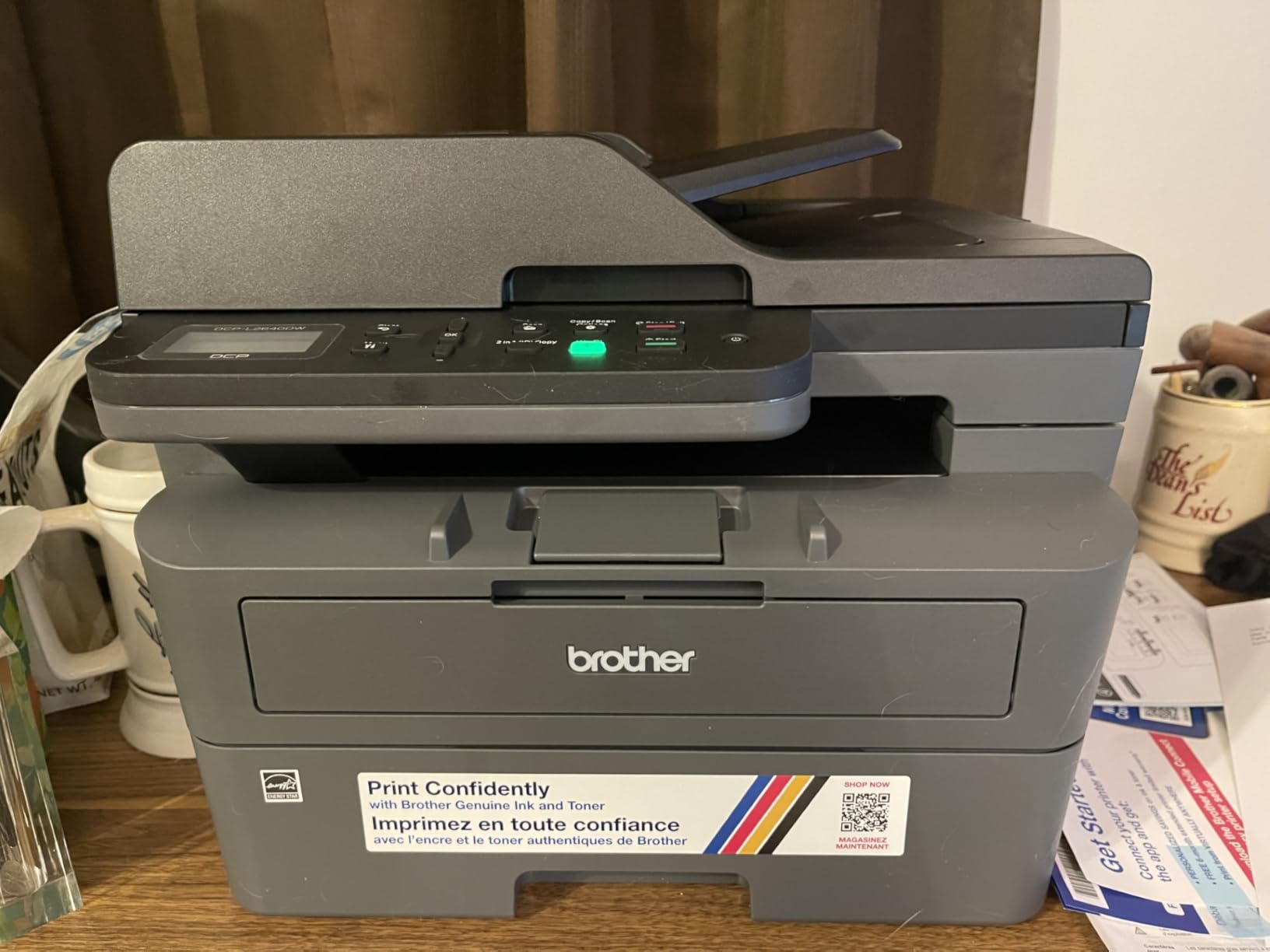
Connectivity is the strongest part of the package. Ethernet is the answer to a filtered dorm network, and the Brother Mobile Connect app covers phone printing and scanning without a computer in the loop. The 8.5 x 14 inch maximum media size means you can print a poster-sized handout if a seminar needs one.
Where it falls short is the interface. Owners report that the on-printer menu is clunky compared with the mobile app, and that Wi-Fi setup and firmware password prompts can take real patience. Scanning to a computer is also reported to hang sometimes and require a restart, so budget a five-minute troubleshooting budget before your first housing form deadline.
Who this printer suits
A student who prints problem sets, lab reports and forms in black and white, and who wants a machine that is still reliable in December after sitting idle since September. It also fits anyone who has to sign and submit scanned financial aid or housing paperwork, since the 50-page feeder handles a whole packet in one go.
If you share a room with someone who studies at night, a laser is the quieter choice. Laser output is more consistent page to page than inkjet, and there is no ink priming hiss at the start of a job.
Who should skip it
Skip it if you have any color coursework, because it is monochrome only. Also skip it if your desk is a narrow dorm shelf rather than a full work surface, since at 25 pounds and 15.7 by 16.1 by 12.5 inches this is the heaviest machine on the list and it is not a one-hand carry.
2. Canon PIXMA TS3720: The Best Budget Dorm Printer
Canon PIXMA TS3720 Wireless All-in-One Printer for Basic Home Printing, White
Color inkjet
7.7 ppm black
Single-sided only
8.7 lb
12.9 inch wide
Pros
- Lowest purchase price of the cartridge all-in-ones
- Genuinely small and light at 8.7 pounds
- Print copy and scan in one unit
- Dual-band Wi-Fi with AirPrint and Mopria
Cons
- Single-sided printing with no automatic duplex
- 60-sheet paper tray is small
- Slow at about 7.7 pages per minute
If your printing is a few pages a month, the TS3720 is the machine to buy. It weighs 8.7 pounds, measures 17.2 by 12.9 by 5.8 inches, and gives you printing, copying and scanning from one body that you can move with one hand when you clear out at the end of the year.
It is also the friendliest of the inkjets for the way students actually print today. The manufacturer lists Apple AirPrint, Mopria and Chromebook support alongside dual-band 2.4GHz and 5GHz Wi-Fi, plus the Canon PRINT app. That means an iPad or a Chromebook can print without installing anything beyond the driver the machine already advertises.
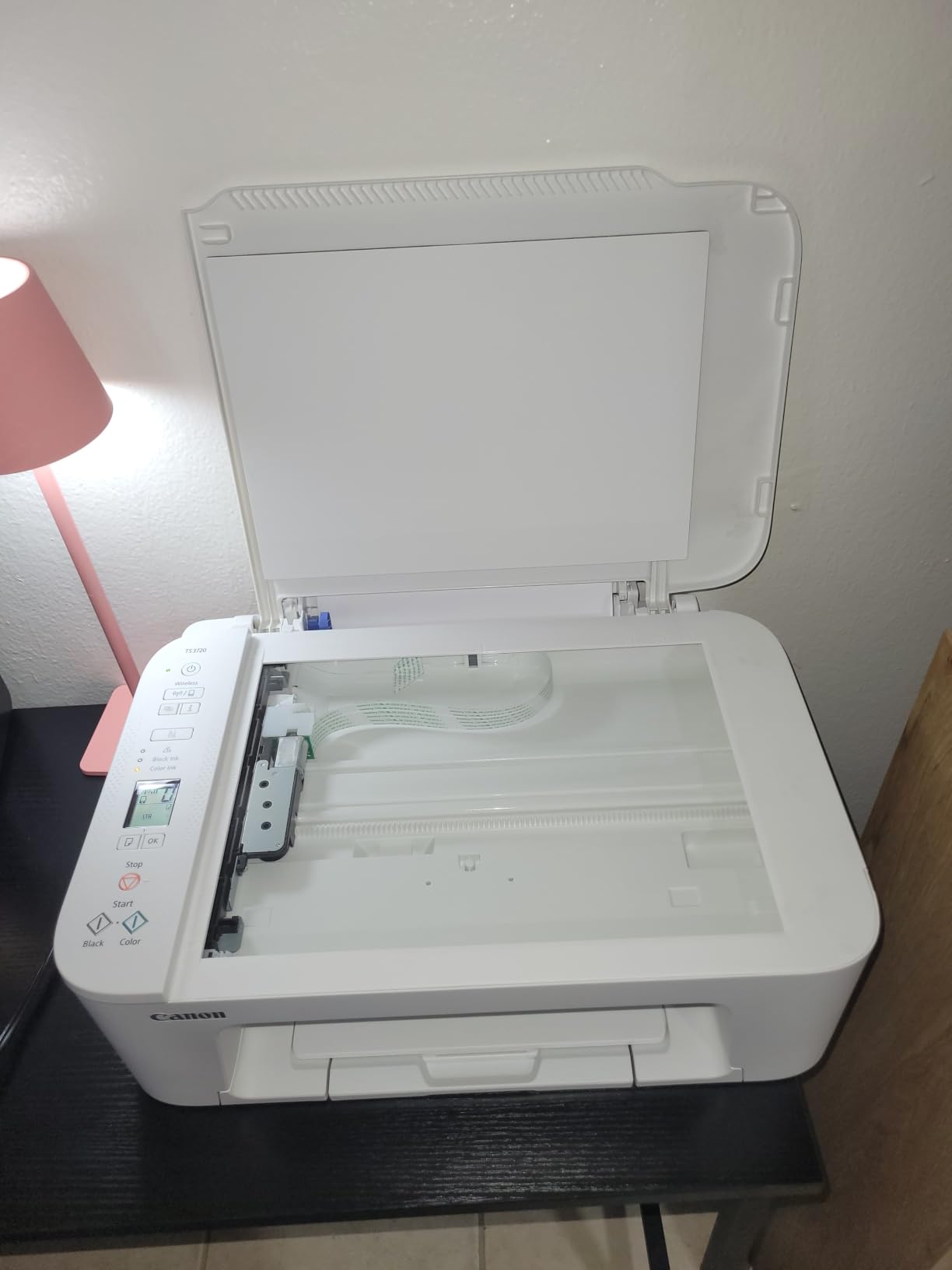
Two easy-to-replace ink cartridges, PG-275 black and CL-276 color, is the whole supply chain. There is a 1.5-inch segment LCD for basic settings changes, and borderless photo printing up to 5 x 7 inches plus square 5 x 5 prints if you want to hand out a small picture at the end of a semester.
The honest drawback is the ink. A two-cartridge system running at about 7.7 black and 4 color pages per minute is fine for a light workload, but owners are clear that this is an inexpensive basic home printer rather than a volume machine. The 60-sheet tray also means refilling paper more often than you would expect for a semester of readings.

Who this printer suits
A student in a major with no color requirement, who prints a reading list, a couple of problem sets and a resume. This is also the safest pick for a first apartment after the dorm, because the machine is small enough to move and cheap enough that you will not be upset if it gets damaged.
It works well for anyone printing from an iPad or a Chromebook, since AirPrint and Mopria support removes the driver hunt that wrecks an evening before a deadline.
Who should skip it
Skip it if you have to hand in double-sided work regularly, because it is simplex only and every duplex job is a manual re-feed. Skip it too if you print a lot of color, because a single color cartridge goes quickly and the running cost is where budget inkjets earn their reputation for disappointment.
3. Brother HL-L2405W: Best Value Monochrome Laser
Brother HL-L2405W Wireless Compact Monochrome Laser Printer with Mobile Printing, Black & White Output | Includes Refresh Subscription Trial(1), Works with Alexa
Monochrome laser
30 ppm
Manual duplex
250-sheet tray
15.1 lb
First page in 8.5 seconds
Pros
- Print-only design keeps the body compact and the price low
- Fast clear monochrome text
- Clean setup with no forced account registration
- Toner cost per page is far below color ink
Cons
- Manual duplex only so two-sided printing is not automatic
- Wi-Fi setup can need manual entry
- Toner runs down faster than expected on image-heavy jobs
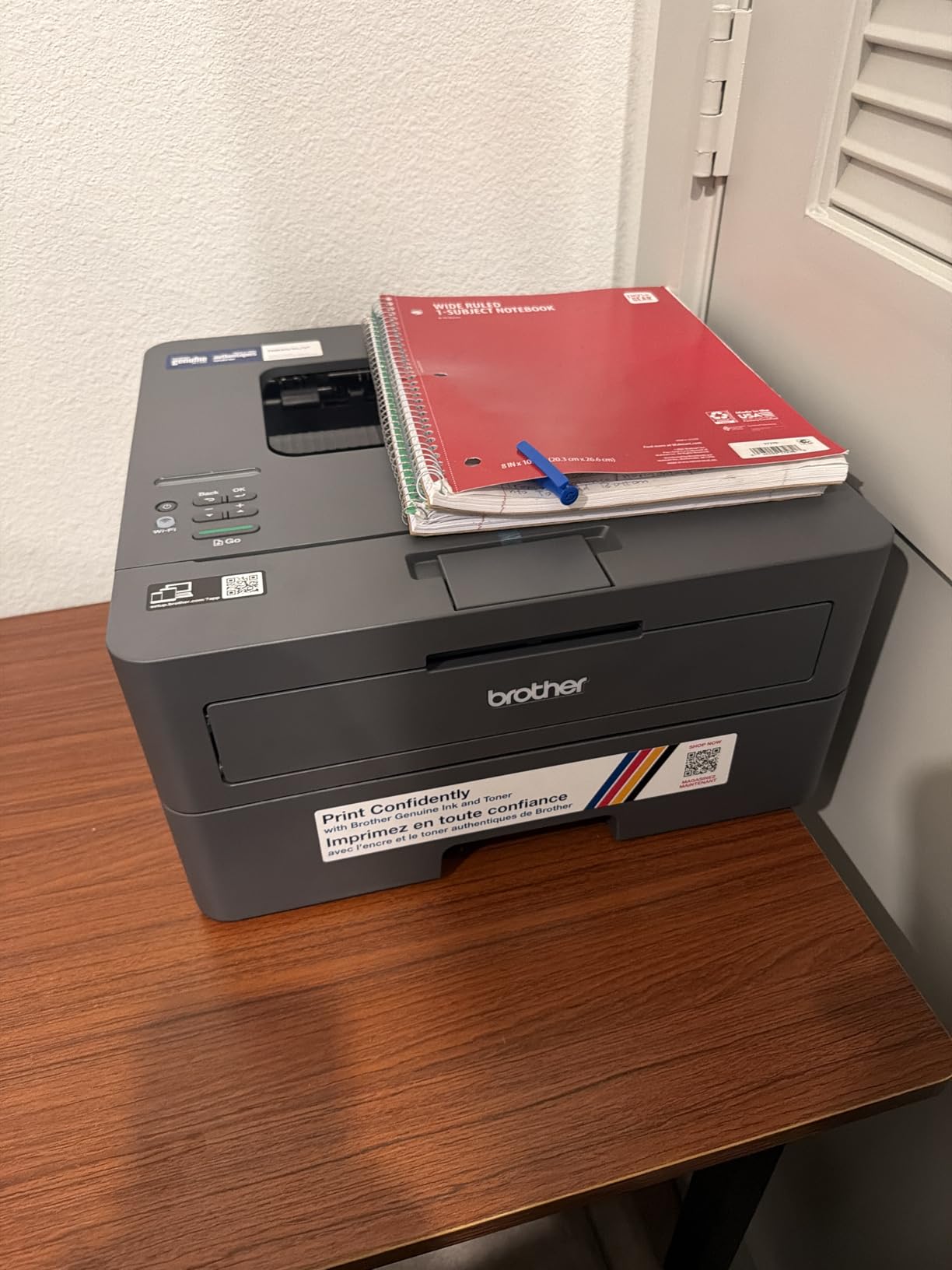
The HL-L2405W is the pick when you do not need a scanner. Print-only design removes the flatbed glass, the ADF and the copy engine, and the result is a 15.1-pound machine at 14.2 by 14 by 7.2 inches that is genuinely small and fast at 30 pages per minute with a first page in 8.5 seconds.
Owners switching from inkjets tend to report the same three things: the text is sharp, the install is clean with no bloatware or forced account registration, and the running cost is dramatically lower. The 250-sheet paper tray with a manual feed slot for envelopes ties for the largest tray capacity in this roundup.
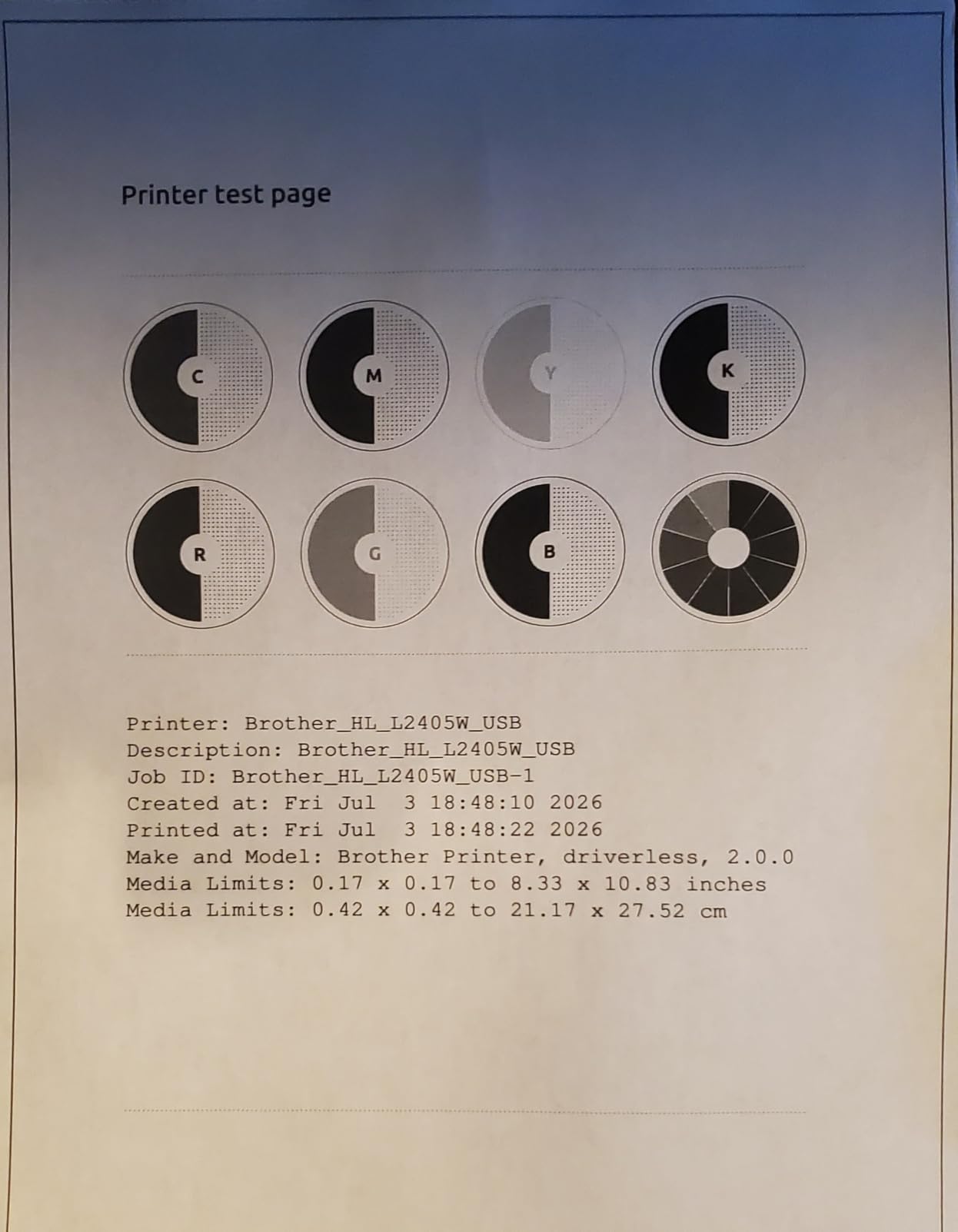
Dual-band 2.4GHz and 5GHz wireless plus USB covers the usual dorm connection paths, and the Brother Mobile Connect app handles remote printing and toner tracking. It also works with Alexa, which is not a dorm requirement but does mean you can check paper levels from your bed.
The duplex story is the weakness. This model is manual duplex, so a two-sided document means re-inserting the stack by hand. Owners also report that deep sleep can take the machine off some mesh Wi-Fi networks, and that toner usage on image-heavy pages runs higher than people expect from a laser.
Who this printer suits
A student who prints only text and does not need to scan, copy or fax anything. At 15.1 pounds it is one of the easier machines here to lift into a car at move-out, and the print-only footprint leaves real desk space next to a laptop and a lamp.
This is also the printer to consider if you are worried about ink drying out. Laser toner in a sealed cartridge is not affected by printing three times a semester, which is exactly the infrequent-use pattern most students follow.
Who should skip it
Skip it if housing or financial aid forms need scanning, because there is no scanner on this model. Skip it if you print double-sided documents every week, because manual duplex turns a two-minute job into a ten-minute one at the end of a long night.
4. Canon PIXMA TS6520: Best Compact Color Printer With Auto Duplex
Canon PIXMA TS6520 Wireless Color Inkjet Printer, Duplex Printing, Copier/Scanner, 1.42″ OLED Display, Compact, White
Color inkjet
14 ppm black
Automatic duplex
1.42 inch OLED
15.4 lb
Pros
- Automatic two-sided printing in a compact body
- OLED display shows ink levels at a glance
- Sharp text and vivid color output
- Stable dual-band wireless with quick setup
Cons
- Inkjet running costs run higher than a comparable laser
- Only two cartridges so color drains a tank fast
- Small paper tray
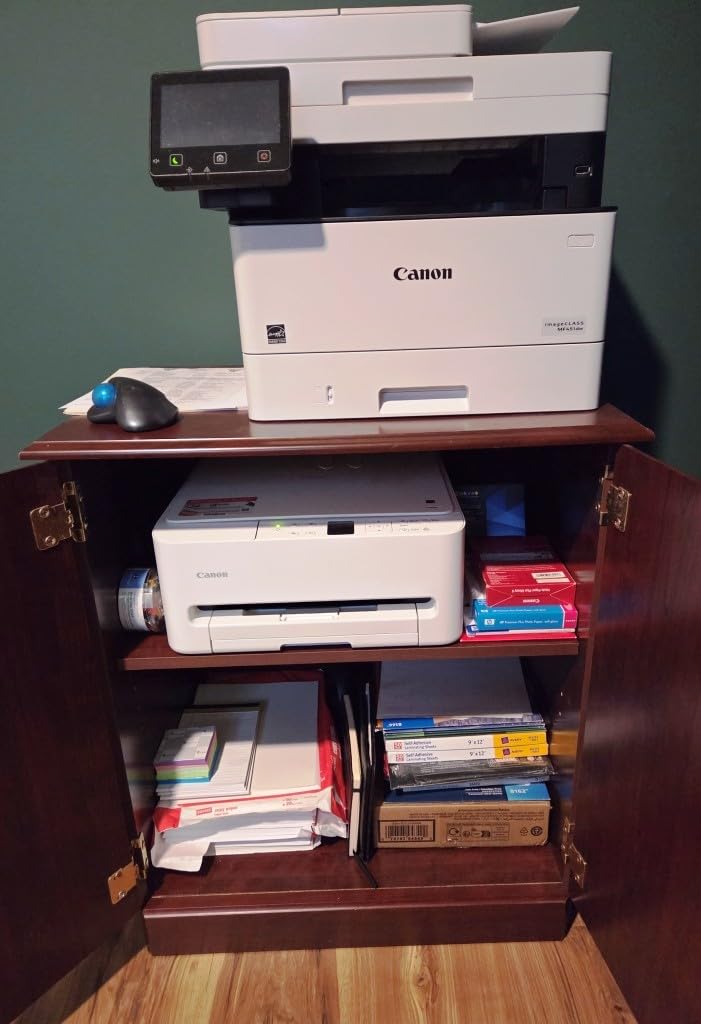
The TS6520 solves a problem most budget printers create: they print one side and make you do the rest. Automatic two-sided printing sits in a 14.8 by 14 by 6.7-inch body, and it runs at up to 14 pages per minute in black and 9 in color, which is the fastest inkjet here.
The 1.42-inch monochrome OLED display is a small thing that matters more than it sounds. It shows ink status without opening an app, so you can tell at a glance whether a blank page is a paper problem or a cartridge problem at 11pm.
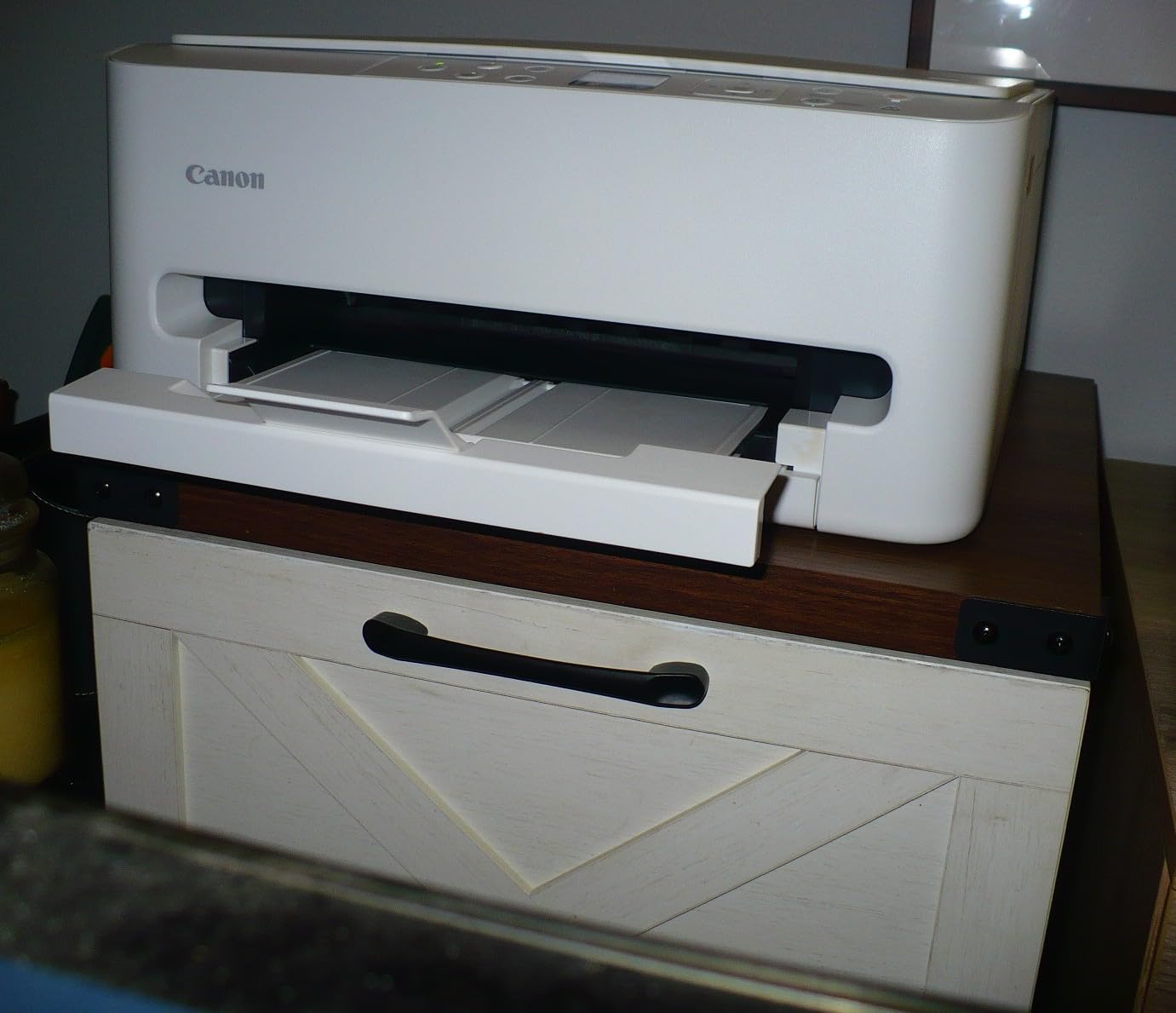
Connectivity is dual-band 2.4GHz and 5GHz Wi-Fi plus USB, with the Canon PRINT app, Apple AirPrint and Mopria for mobile and laptop-free printing. A flatbed scanner and copier handle the sign-a-form workflow, and the two-cartridge hybrid system uses PG-295 black and CL-286 color.
The running cost is the catch. Reviewers treat this as a strong budget all-in-one, and they repeatedly single out ink cost as the caveat for anyone printing heavily. With only two cartridges, one busy color project can empty a tank faster than the refillable machines here would.
Who this printer suits
A student with weekly double-sided handouts, a psychology or marketing project with charts, or anyone who needs to scan a document for an assignment. The OLED status display also makes it a good roommate-friendly choice because you can check supplies without making noise or digging out a phone.
Who should skip it
Skip it if your printing is heavy, because the per-page ink cost will overtake the tank printers in a single semester. If color is optional, spend the difference on a laser and keep the money, or move to a refillable tank machine and accept a larger footprint.
5. Canon MegaTank G3270: Best for Lowest Running Cost
Canon MegaTank G3270 All-in-One Wireless Color Printer
Refillable ink tanks
6000 black pages per ink set
Wireless print copy and scan
13.2 lb
4800 x 1200 dpi
Pros
- Refillable MegaTank bottles cut ink cost sharply
- Up to two years of ink included in the box
- Wireless print copy and scan in one unit
- Large 6000 page black yield per ink set
Cons
- Single-sided printing only
- Noticeably deeper and wider than a typical dorm printer
- Refilling means handling bottles by hand
The MegaTank G3270 is where the running-cost argument stops being theoretical. It ships with GI-21 bottles and yields up to 6,000 black-and-white pages or 7,700 color pages per ink set, which for most students means the ink in the box outlasts the degree. That is why it is the recommendation for anyone who dreads the phrase “the inks cost more than the printer.”
It prints at 11 pages per minute in black, has a 1.35-inch square LCD, and does wireless print, copy and scan plus USB. Maximum resolution is 4800 x 1200 dpi, plenty for coursework, and the flatbed scanner handles the odd form you need to submit digitally.
Two things to be honest about. It is simplex only, so double-sided printing is manual. And at 21.9 by 16.4 by 10.6 inches it is a deep body, deeper than every other machine on this list, which means it earns a real spot on the desk rather than a corner, or it lives on a shelf you clear first at move-out.
Refilling is manual bottle handling, which takes a couple of minutes and a steady hand. Students who resent that step are the same students who later resent cartridge swaps, so the trade is usually worth it.
Who this printer suits
A student who prints every week, a writing-heavy major, or anyone with a research or premed workload that produces steady page counts. It also suits a student who plans to keep the printer after graduation, since the ink supply cost stays low in a first apartment.
Who should skip it
Skip it if desk space is tight or if you need automatic duplex. If you print three times a semester, the included ink is already more than you will use, and a smaller machine would sit more comfortably in the room.
6. Epson EcoTank ET-2800: The Most Reviewed Tank Printer Here
Epson EcoTank ET-2800 Wireless Color All-in-One Supertank Printer – Black
Cartridge-free EcoTank
4500 black pages per set
10 ISO ppm
5760 x 1440 dpi
11.4 lb
Pros
- Refillable ink bottles cut cost sharply versus cartridge printers
- Up to two years of ink in the box
- Print copy and scan with wireless support
- Micro Piezo heat-free print technology
Cons
- Single-sided printing only
- Epson genuine-ink policy can affect warranty coverage
- Wide body takes more desk space than a compact printer
With more than 18,000 owner reviews, the ET-2800 is the most thoroughly documented printer in this roundup, which makes it the safest recommendation when you want a consensus rather than a hunch. The refillable tank design cuts ink cost sharply, and a single set yields up to 4,500 black and 7,500 color pages.
It runs at up to 10 ISO pages per minute using Micro Piezo heat-free technology, prints to 5760 x 1440 dpi, and does print, copy and scan over Wi-Fi or USB. For a design or architecture student the resolution headroom is the reason to look here rather than at a cartridge model.
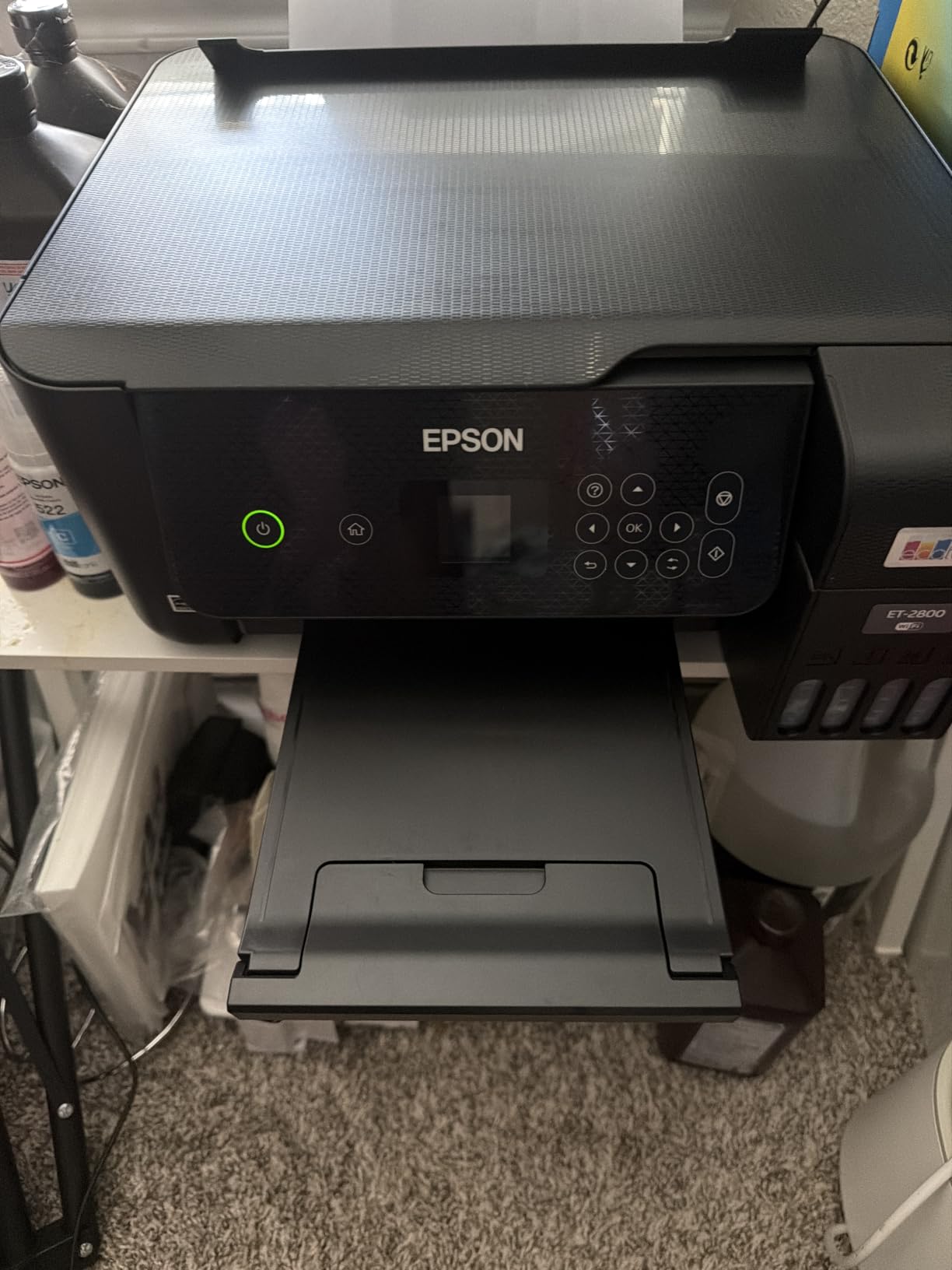
Owners consistently praise the low ink cost and generous supply. The reservations are equally consistent: no automatic duplex, and a wide body at 14.8 by 22.8 by 10 inches that is the widest machine on this list, wider than most dorm desks are deep.
Epson’s genuine-ink policy is worth reading before you buy. Third-party ink can affect warranty coverage, so if you plan on cheaper bottles later, know that the manufacturer draws a line there.
Who this printer suits
A student with a heavy color or image workload, such as art, architecture or marketing, who wants the lowest ink cost and the highest resolution in the roundup. It is also a strong choice if you want a printer with a very large body of owner feedback behind it before committing.
Who should skip it
Skip it if your desk is small. At 22.8 inches wide it needs a real surface, and if your only flat space is a dorm shelf, look at the Canon PIXMA TS6520 or the HP Envy 6155 instead. Also skip it if you need automatic duplex.
7. HP Envy 6155: Best for Touchscreen Setup
HP Envy 6155 Wireless All-in-One Color Inkjet Printer, Print, Scan, Copy, Duplex Printing Best-for-Home, 3 Month Trial of Instant Ink Included, AI-Capable (C2WR7A) Portobello
Color inkjet all-in-one
10 ppm black
Automatic duplex
2.4 inch touchscreen
11.2 lb
Pros
- Automatic duplex printing on a mid-size body
- 2.4 inch color touchscreen makes setup self-explanatory
- Dual-band Wi-Fi with automatic connection recovery
- App support for phone printing and scanning
Cons
- Requires original HP chips so third-party cartridges are blocked
- Inkjet running costs are higher than laser
- Instant Ink trial converts to a monthly fee after three months
The Envy 6155 is the pick if you want the setup to be obvious. The 2.4-inch color touchscreen handles Wi-Fi setup, duplex and scan targets without a phone, and dual-band Wi-Fi that detects and resolves its own connection issues is exactly the feature you want on a network that reboots every semester.
It prints at up to 10 pages per minute black and 7 color, has automatic two-sided printing and a 100-sheet input tray, and uses HP P3 color technology for screen-accurate output. The body is made with at least 60 percent recycled plastic, which some housing offices and sustainability-minded resident groups care about. The 17.05 by 5.35 by 14.21 inch footprint is one of the narrower bodies here, which matters if your desk is a single shelf.
Two cautions, both stated plainly. It requires original HP 68 cartridges with genuine HP chips, which blocks cheaper third-party options. And the included three-month Instant Ink trial converts to a monthly subscription fee if you do not cancel it, which is the single most common regret students report about subscription ink programs.
Who this printer suits
A student who has never set up a printer and does not want to. The touchscreen, the automatic connection recovery and the app support mean the whole process can be done standing next to the desk. It is also a reasonable choice for double-sided color handouts under moderate volume.
The 2.4-inch screen is the feature that separates it from the cheaper models in this roundup. Everything else on the machine is a competent version of what the Canon PIXMA TS6520 already does, but the touchscreen turns a fiddly setup into a two-minute one.
Who should skip it
Skip it if you print a lot, because cartridge ink cost is the weak point. Skip it if you want to buy third-party cartridges or if you do not trust yourself to cancel a trial on time. If you do buy it, set a calendar reminder for the trial end date the day it arrives.
8. Epson Expression Home XP-4100: Best for Art and Graphics Students
Epson Expression Home XP-4100 Wireless Color Printer with Scanner and Copier
Color inkjet all-in-one
10 ppm
Automatic duplex
5760 x 1440 dpi
9.5 lb
Pros
- Compact space-saving body with a real 2.4 inch color LCD
- Automatic two-sided printing
- Individual Claria cartridges so only the empty color is replaced
- Straightforward wireless setup compared with competing brands
Cons
- Ink cartridges are expensive and refill quickly
- Some owners report cartridge recognition problems after firmware updates
- Noisy at the start of a print job and around 10 ppm
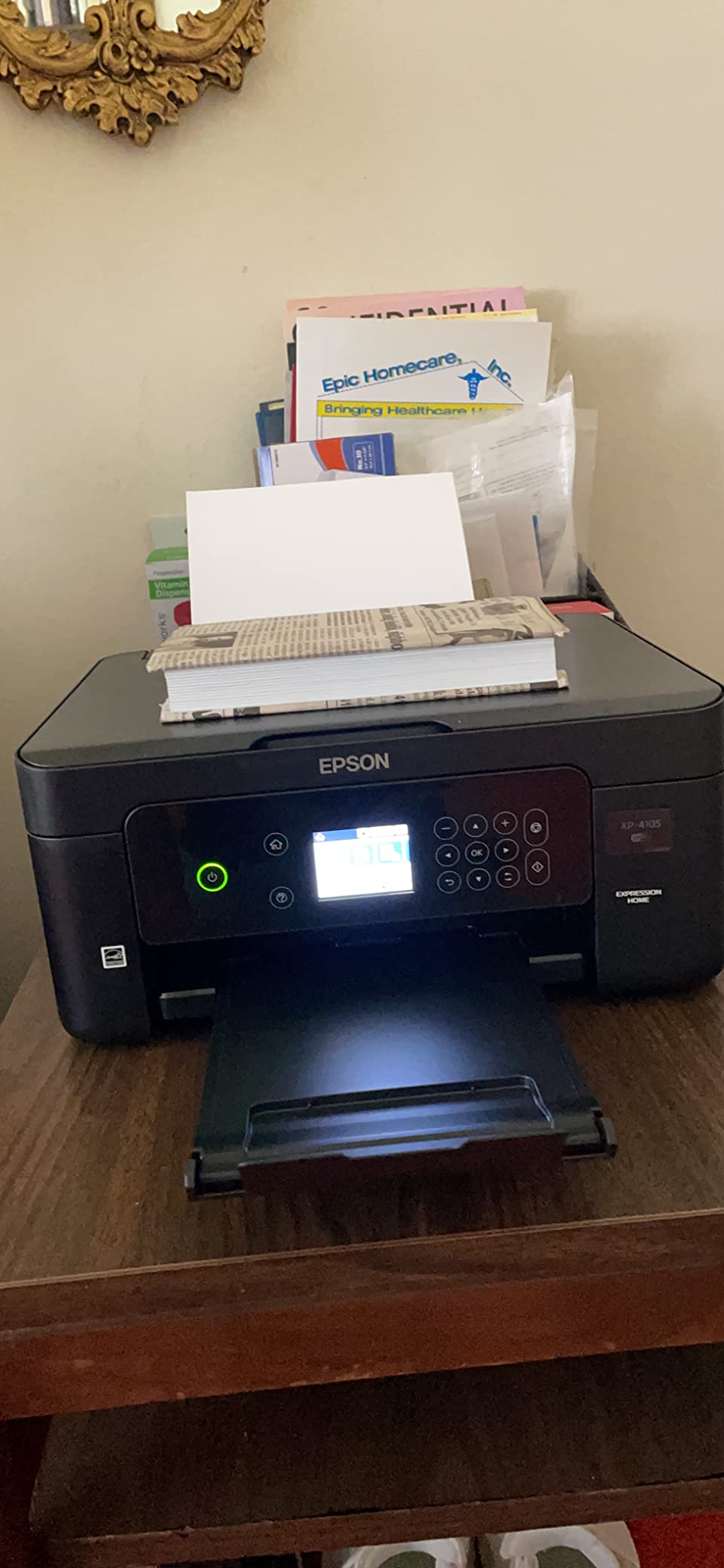
The XP-4100 is unusual in this list because its published dimensions describe the main unit body rather than the full footprint with the tray and output extended, so measure your actual space before buying. Within that body you get a 2.4-inch high-resolution color LCD, which is more control than most machines in this bracket offer. I would still measure twice, because a printer that overhangs a desk edge ends up on the floor within a week.
It has automatic two-sided printing, a 100-sheet feed tray, and prints to 5760 x 1440 dpi, the joint highest resolution here. Wi-Fi, Wi-Fi Direct and voice-activated printing are all supported, and cloud scanning software comes bundled.
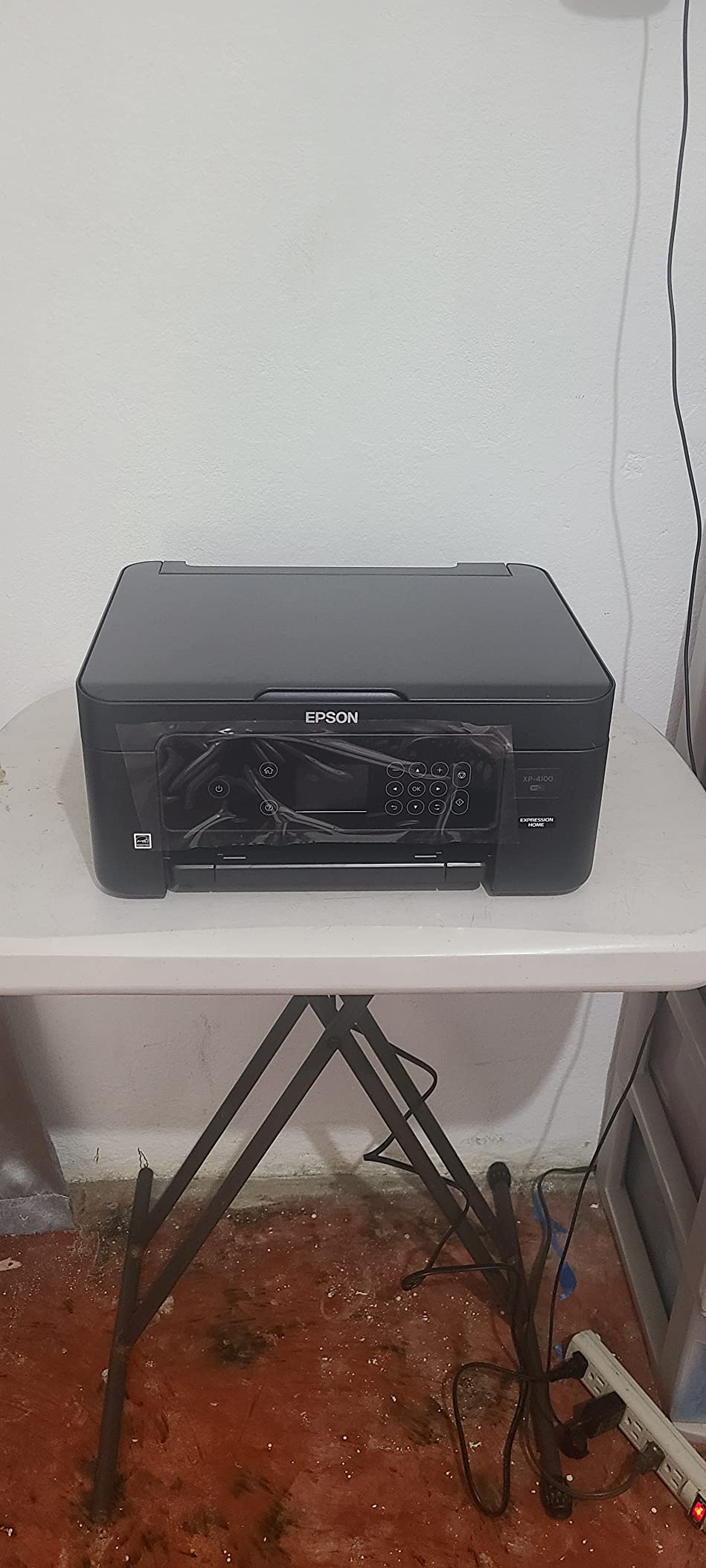
The Claria individual cartridges are a real advantage in color work because you replace only the color that ran out, rather than throwing away a full tri-color tank. Owners rate the small footprint and the straightforward wireless setup highly, and the machine weighs 9.5 pounds, so it moves easily.
Ink cost is the dominant complaint. Owners also report cartridge recognition problems after firmware updates, and several note that the printer is noisy when a job starts, which is a consideration in a shared room.
Who this printer suits
A design, illustration or photography student who needs sharper color output than a plain office inkjet gives, and who wants to swap a single color rather than a full set. The on-printer LCD is also useful for students who prefer adjusting settings without a phone.
Who should skip it
Skip it if you are noise-sensitive, since owners flag the start of a print job. Skip it if you print heavily, because the expensive cartridges erase the benefit of the resolution. If cartridge recognition errors after a firmware update are a deal breaker for you, choose a laser.
9. HP DeskJet 2955: The Lightest Printer to Carry
HP DeskJet 2955 Wireless All-in-One Color Inkjet Printer, Scanner, Copier, Best-for-Home, 3 Month Trial of Instant Ink Included, AI-Capable (A24HJA)
Thermal inkjet color
7.5 ppm black
Manual duplex
7.7 lb
60-sheet tray
Pros
- Lightest body in this roundup at 7.7 pounds
- Low purchase price for a print copy scan unit
- App-based wireless setup works for most users
- Dual-band Wi-Fi
Cons
- Lowest average rating here with reports of error lights and early failures
- Some machines will not power back on without unplugging
- Wireless setup can stall on 5 GHz networks
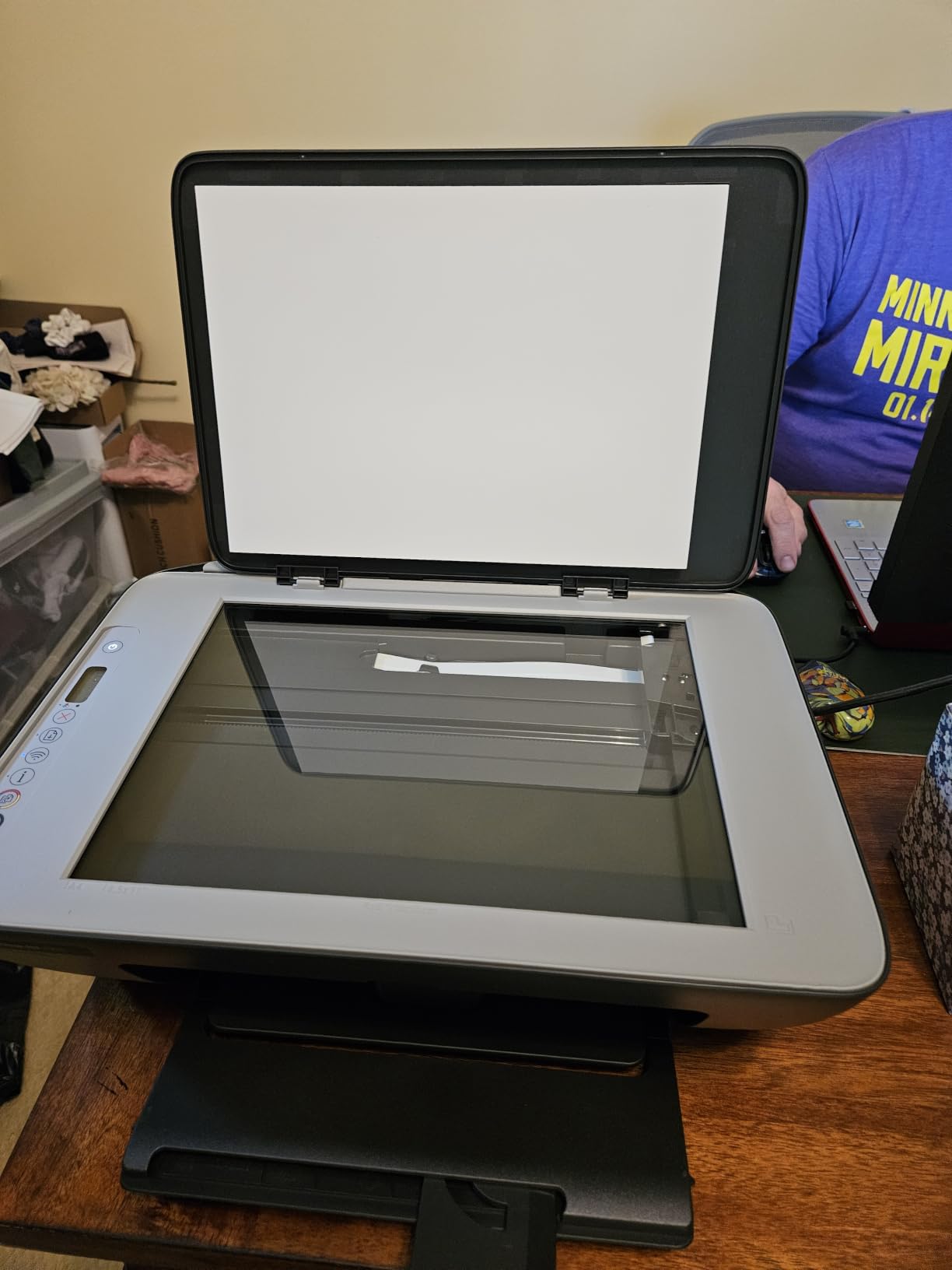
The DeskJet 2955 is the lightest machine here at 7.7 pounds and 11.97 by 16.73 by 6.06 inches, and it does color print, copy and scan with a 60-sheet input tray and an icon LCD. If move-out logistics matter to you, this is the one you carry to the car in one trip without thinking about it.
Connectivity is the surprise: Apple AirPrint, USB, Wi-Fi, wireless direct printing and Mopria, with dual-band Wi-Fi and HP AI print formatting for web pages and email. The body uses at least 70 percent recycled plastics and carries ENERGY STAR and EPEAT certification.
I want to be direct about reliability here. This model has the lowest average rating in the roundup, with owners reporting error lights after a few dozen pages, power-button issues that require unplugging, and wireless setup that can stall on 5 GHz networks. It is duplex only with driver support, not automatic duplex.
That is why it sits at number nine rather than higher. The size and price are genuinely appealing, and for a light-duty dorm printer the complaints are not universal. But a machine that needs a wall outlet reset mid-semester is a bad roommate.
Who this printer suits
A student with the least desk space, the lightest luggage at move-out, and a printing load measured in a few pages a month. The AirPrint and Mopria support also makes it a simple choice if you print mainly from an iPhone or iPad.
Who should skip it
Skip it if you print weekly or more, given the error-light and power-button reports. Also skip it if reliability matters more to you than footprint. For the same size class with a better track record, look at the Canon PIXMA TS3720, which carries a 4.0 average rating across far more owner reviews.
10. Brother HL-L2480DW: Best for Cloud Scanning
Brother HL-L2480DW Wireless Compact Monochrome Multi-Function Laser Printer with Copy and Scan, Duplex, Mobile, Black & White | Includes Refresh Subscription Trial(1), Works with Alexa
Monochrome laser
36 ppm
Automatic duplex
2.7 inch touchscreen
22.2 lb
250-sheet tray
Pros
- Highest average rating among the picks here
- Fast sharp monochrome output with automatic duplex
- 2.7 inch touchscreen with Google Drive Dropbox and OneNote targets
- Quiet operation compared with typical inkjets
Cons
- Setup is tricky before customer support walks you through it
- Monochrome only
- Heavier and costlier than entry-level compact models
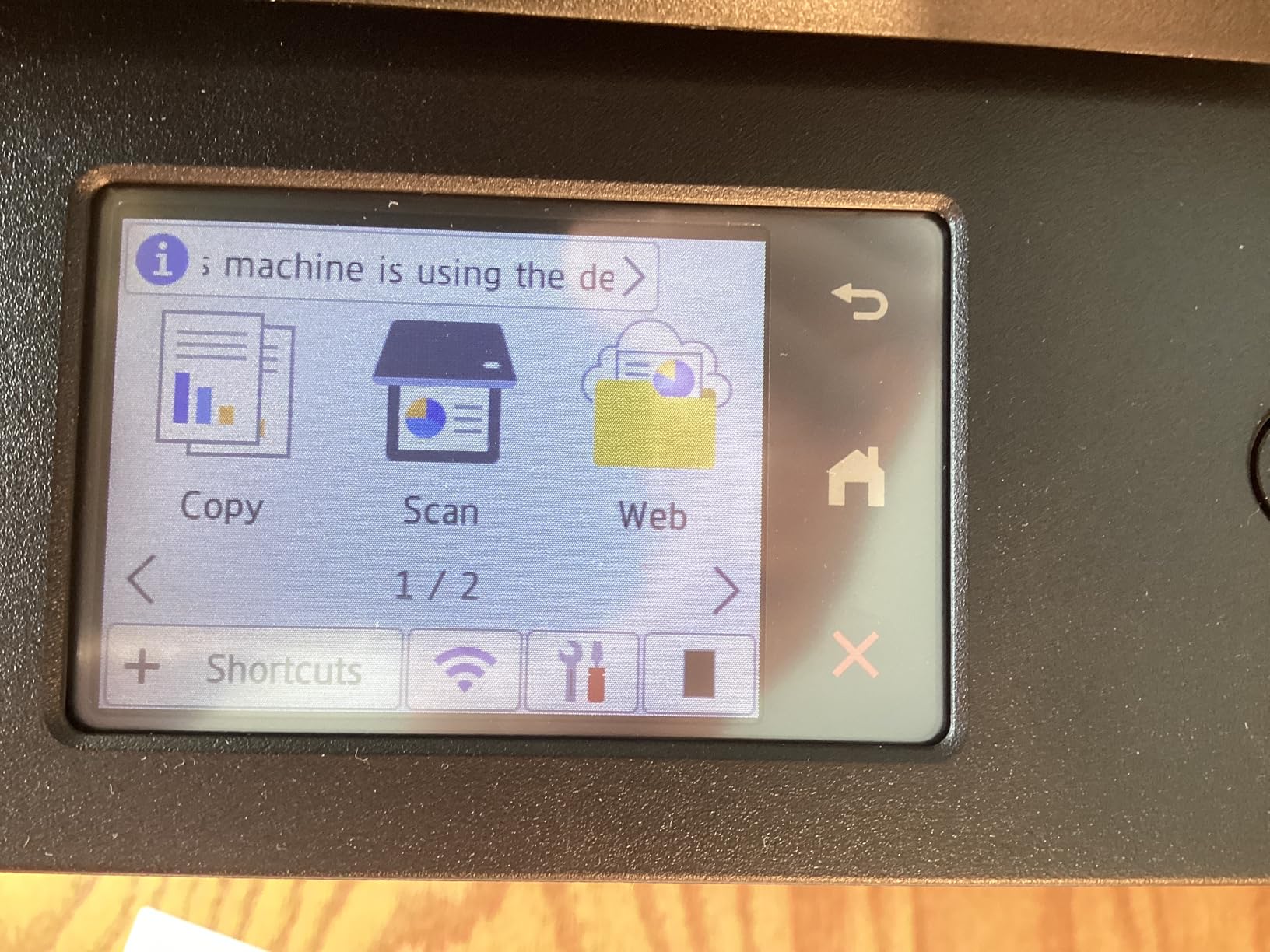
The HL-L2480DW carries the highest average rating of the ten machines here, and its distinguishing feature is the 2.7-inch touchscreen. You can send scans straight to Google Drive, Dropbox, Evernote or OneNote without opening a laptop, which is how most students handle a signed housing contract.
Underneath it is the same proven laser platform as the first pick: 36 pages per minute, automatic duplex, dual-band 2.4GHz and 5GHz wireless plus Ethernet and USB, a 250-sheet tray with a manual feed slot, and TN830 or TN830XL toner. Owners switching from inkjets report fast, quiet and reliable output.
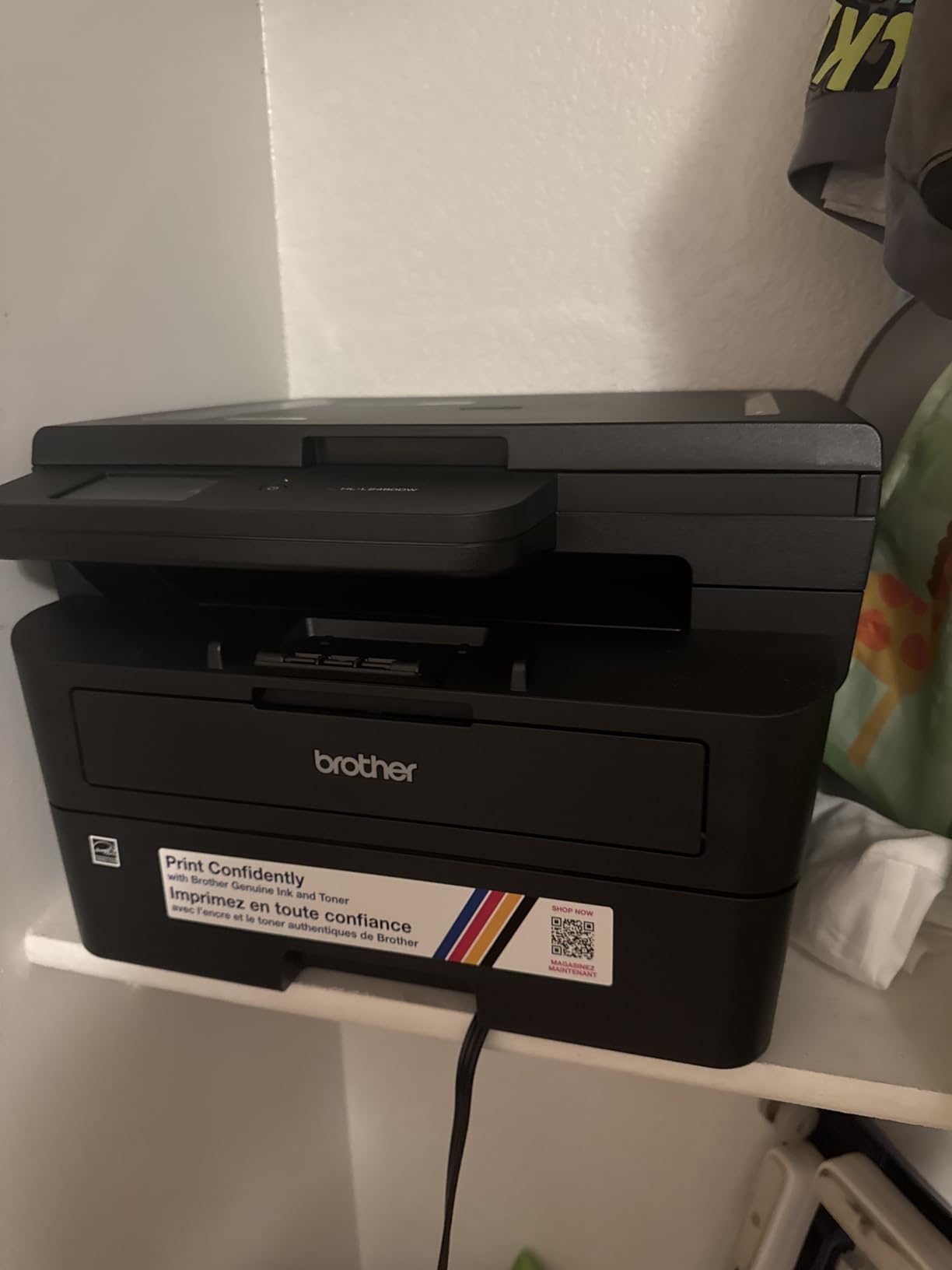
Quiet operation is a genuine differentiator in a shared room, and several owners highlight it directly. The cloud scan targets also cut down on the number of times you have to email yourself a form at midnight.
The trade-offs are weight and setup. At 22.2 pounds and 15.7 by 16.1 by 10.7 inches it is one of the two heaviest machines here, and owners report that initial setup can be difficult before customer support walks you through it. Budget an hour on day one.
Who this printer suits
A student who scans and files more than they print, and who wants documents to land in cloud storage without a cable or a laptop. It is also a good fit for a shared apartment later on, because the toner cost and quiet running make it easy for two people to use.
Who should skip it
Skip it if color appears anywhere in your coursework, because it is monochrome. Skip it if your move-out plan involves carrying a printer down four flights, and if you want a machine that works perfectly from the box with no support call, the first pick on this list is the calmer option.
How to Choose a Printer for a Dorm Room
Inkjet or laser: the decision that drives everything else
Laser if you print black-and-white text. A laser uses powdered toner in a sealed cartridge, prints fast, and does not care that you went two months without printing. Inkjet if you need color, photos or heavy graphics, and accept a higher cost per page with cartridge ink.
A third path is the refillable tank, which is an inkjet that refills from bottles instead of cartridges. It prints in color like an inkjet but runs at a fraction of the per-page cost, at the price of a larger body and no automatic duplex on the two models here.
When I sort these for my own desk, the rule is simple. If I would be annoyed to wait four minutes for a duplexed problem set, I want a laser. If I am printing once a term, I would rather not carry 25 pounds down four flights of stairs, so I take the lighter inkjet.
Cost per page over a four-year degree
Independent testing has put a cartridge inkjet at roughly 30 cents per page and a refillable tank at roughly 0.3 cents per page, a difference of about a hundred times. A student printing 200 pages a semester for eight semesters is printing 1,600 pages, so the gap between those two numbers is where your money actually goes.
The yield figures on the spec sheets tell the same story. The Canon MegaTank G3270 advertises up to 6,000 black-and-white pages per ink set and the Epson EcoTank ET-2800 up to 4,500, against a cartridge machine that needs a swap every few hundred pages. If a cartridge printer is the cheapest option you can find, treat it as a short-term tool, not a degree-long one.
Dorm desk fit: footprint and weight at move-out
Measure the space with the paper tray open, because the depth numbers in spec sheets usually exclude it. Compare the widths across the list: the Epson EcoTank ET-2800 is listed at 22.8 inches wide, the Canon MegaTank G3270 at 16.4 inches and the Canon PIXMA TS3720 at 12.9 inches. That gap decides whether the machine sits beside your laptop or ends up on the floor.
For weight, the light end is the HP DeskJet 2955 at 7.7 pounds and the Canon PIXMA TS3720 at 8.7 pounds. The heavy end is the Brother DCP-L2640DW at 25 pounds and the Brother HL-L2480DW at 22.2 pounds. If you will be carrying the machine down stairs at move-out, that ranking matters more than any feature.
Dorm Wi-Fi reality: 2.4GHz congestion, Wi-Fi Direct, USB and Ethernet
All ten machines on this list publish dual-band 2.4GHz and 5GHz support, so band support is not a differentiator here. The real problem on a dorm network is that the network itself changes under you between semesters, which is why models with automatic connection recovery, such as the two HP printers, have an advantage.
If your printer will not join the dorm network, work through this in order. First, confirm the network is not filtering peer-to-peer or client devices, since some colleges block them by default. Second, use Wi-Fi Direct or the equivalent wireless direct printing, which creates a private link between your laptop or phone and the printer without the campus network. Third, fall back to USB tethering, which always works and is the most reliable option on a captive portal. Fourth, if a machine has Ethernet, such as the Brother DCP-L2640DW or HL-L2480DW, a short cable to the wall port bypasses the wireless problem entirely.
Forum threads on r/printers about dorm printers that cannot use Wi-Fi point to the same conclusion: if black-and-white printing is all you need, a laser printer with a USB fallback removes the problem from your life entirely.
Noise, dorm policy, and the campus print center break-even
On noise, laser printers are the quieter choice, and the Brother HL-L2480DW is noted by owners for quiet operation. Inkjets are louder at the start of a job, which the Epson XP-4100 in particular is reported for. If you share a room with a light sleeper or someone on night shift, that difference decides the purchase.
On policy, check your housing rules before you buy. Some schools limit large electronics, require registration, or restrict devices that draw significant power. The weight figures above are the fastest way to judge whether a machine is a “large appliance” in the eyes of your resident director.
On the break-even question, do simple math with your own numbers. Multiply the per-page cost your campus charges by the pages you would realistically print in a semester. Compare that with the cost of a refillable tank machine plus a couple of ink sets. Students who print only a handful of pages a month are usually better off using the library, and that is not a failure, it is the cheaper answer. If you want the same reasoning applied to a different appliance, our dorm vacuum guide uses the same approach.
One more failure mode to know before you buy: ink drying in the printhead. If you print only around exam weeks, a cartridge inkjet can produce streaks or faded pages after long idle stretches, and some models report cartridge recognition errors after firmware updates. A laser avoids the drying problem entirely, and that is the strongest argument for it in a dorm.
That is also the failure mode I would warn you about most, because it is the one that cannot be fixed by a phone call to support. A machine that prints perfectly in October and streaks in February is a machine that was wrong for the student, not a machine that broke.
Frequently Asked Questions
What is the best printer for a college dorm room?
The Brother DCP-L2640DW is the best overall pick for a college dorm room because it prints 36 pages per minute in monochrome, has automatic duplex and a 50-page document feeder, supports dual-band Wi-Fi plus Ethernet and USB, and uses toner that never dries out between print jobs. Add a compact refillable ink tank like the Canon MegaTank G3270 if color matters more than desk space.
What is the best small printer for a dorm room?
For the smallest usable footprint, the Canon PIXMA TS3720 at 8.7 pounds and 12.9 inches wide is hard to beat. It prints, copies and scans, supports AirPrint, Mopria and Chromebook printing over dual-band Wi-Fi, and costs less up front than any laser here. Its limitation is single-sided printing only and a 60-sheet paper tray.
What is the best laser printer for students?
The Brother DCP-L2640DW is the best laser printer for students because it combines 36 ppm speed, automatic duplex, a 50-page feeder and a 250-sheet tray in a 25-pound body. The Brother HL-L2405W is the cheaper print-only alternative and the HL-L2480DW adds a 2.7-inch touchscreen with cloud scan targets. All three use TN830 series toner, which costs far less per page than color ink.
Why will my printer not connect to dorm Wi-Fi?
Most dorm printer connection failures come from the network, not the printer. Check whether your college filters peer-to-peer or client devices, use Wi-Fi Direct or wireless direct printing to bypass the campus network entirely, fall back to USB tethering which always works, or connect a short Ethernet cable if the printer has an Ethernet port. Splitting the printer onto the 2.4GHz band also helps on congested networks.
Is it worth bringing a printer to a dorm?
It is worth it if you print more than a handful of pages a week or need to scan forms at inconvenient hours, and it is usually not worth it if you print a few pages a month. Multiply your campus per-page charge by your realistic semester volume to find your break-even point. A refillable ink tank printer generally wins within the first full semester of regular printing.
The Bottom Line for Dorm Rooms
The best compact printers for dorm rooms come down to two questions: how much you print, and how much desk you have. The Brother DCP-L2640DW wins overall with fast monochrome laser output, automatic duplex, a 50-page feeder and toner that survives a semester of inactivity. Pick the Canon PIXMA TS3720 when the budget is the deciding factor and the workload is light, and pick the Canon MegaTank G3270 when you print often enough that running cost starts to matter more than footprint.
Measure the desk, check your housing rules, and set a reminder for any subscription trial that comes in the box. Then check the current price for your pick before move-in. If you also need a small printer for a shared apartment later, our compact printer guide for small home offices covers the same machines in a different room. This guide was last updated in October 2026.