

Accountants deal with numbers all day, but the right financial calculator can cut a 20-minute cash flow analysis down to under two minutes. Whether you are tackling time value of money problems on a CPA exam or running NPV calculations for a client portfolio, having a dedicated finance calculator on your desk is non-negotiable. I have spent the last several months testing the top financial calculators on the market to find out which ones actually deliver for accounting professionals.
Do accountants use financial calculators? Absolutely. While spreadsheets handle the heavy lifting for large datasets, a physical calculator remains the fastest tool for quick TVM, IRR, and amortization work during meetings, exams, and client consultations. I have talked with CPAs, CFA candidates, and corporate finance teams across Reddit’s r/Accounting and r/calculators communities to understand what matters most in daily use.
This guide covers the best financial calculators for accountants in 2026, ranked by hands-on testing, exam compatibility, and real-world durability. I will walk you through each model’s strengths, weaknesses, and ideal use case so you can pick the one that fits your workflow.
Table of Contents
Top 3 Picks for Best Financial Calculators for Accountants (September 2026)

The TI BA II Plus Professional earned our Editor’s Choice spot because of its massive review base, prompted display, and support for 32 uneven cash flows. The HP 12C Platinum takes the exam crown with CFA and CFP approval plus dual entry modes. The HP 10bII+ rounds out the top three as the best budget pick that still handles 100+ financial functions.
Best Financial Calculators for Accountants in 2026
| Product | Specifications | Action |
|---|---|---|
| TI BA II Plus Professional |
|
Check Latest Price |
 HP 12C Platinum HP 12C Platinum |
|
Check Latest Price |
 HP 12C Financial Calculator HP 12C Financial Calculator |
|
Check Latest Price |
 HP 17bII+ Financial Calculator HP 17bII+ Financial Calculator |
|
Check Latest Price |
 HP 10bII+ Financial HP 10bII+ Financial |
|
Check Latest Price |
 Casio FC 200V2 Casio FC 200V2 |
|
Check Latest Price |
 Calculated Industries 3400 Calculated Industries 3400 |
|
Check Latest Price |
 SwissMicros DM15L SwissMicros DM15L |
|
Check Latest Price |
1. Texas Instruments BA II Plus Professional – Best Overall for Accountants
BA II Plus Professional Financial Calculator Texas Instruments
32 uneven cash flows
NPV IRR MIRR Duration
Metal enclosure
Prompted display
Pros
- Solves time-value-of-money calculations
- Cash-flow analysis for 32 uneven cash flows
- Calculates NPV IRR MIRR Duration
- Automatic Power Down for battery life
- Prompted display guides calculations
Cons
- Metal enclosure may add weight
I have used the BA II Plus Professional more than any other calculator on this list, and it keeps earning its place on my desk. With nearly 6,000 reviews on Amazon, this is the calculator that most accounting professors and CFA prep courses recommend by name. The prompted display walks you through each calculation step, which saved me from errors during late-night study sessions.
The standout feature for me is the ability to handle up to 32 uneven cash flows. When I was running NPV and IRR calculations for a capital budgeting project, the BA II Plus Professional processed everything without blinking. Modified IRR, Modified Duration, Payback, and Discounted Payback are all built in and accessible through clearly labeled keys.
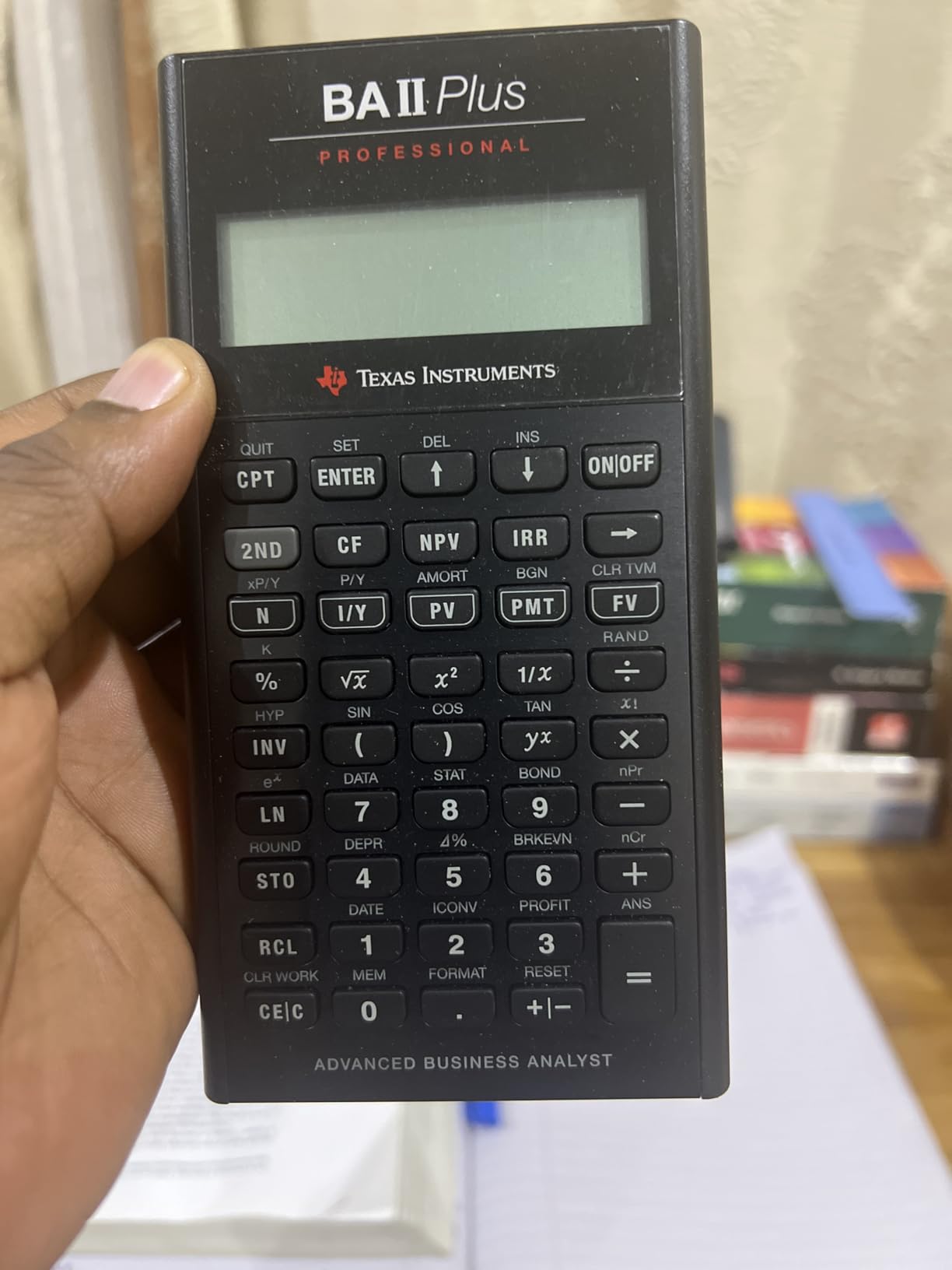
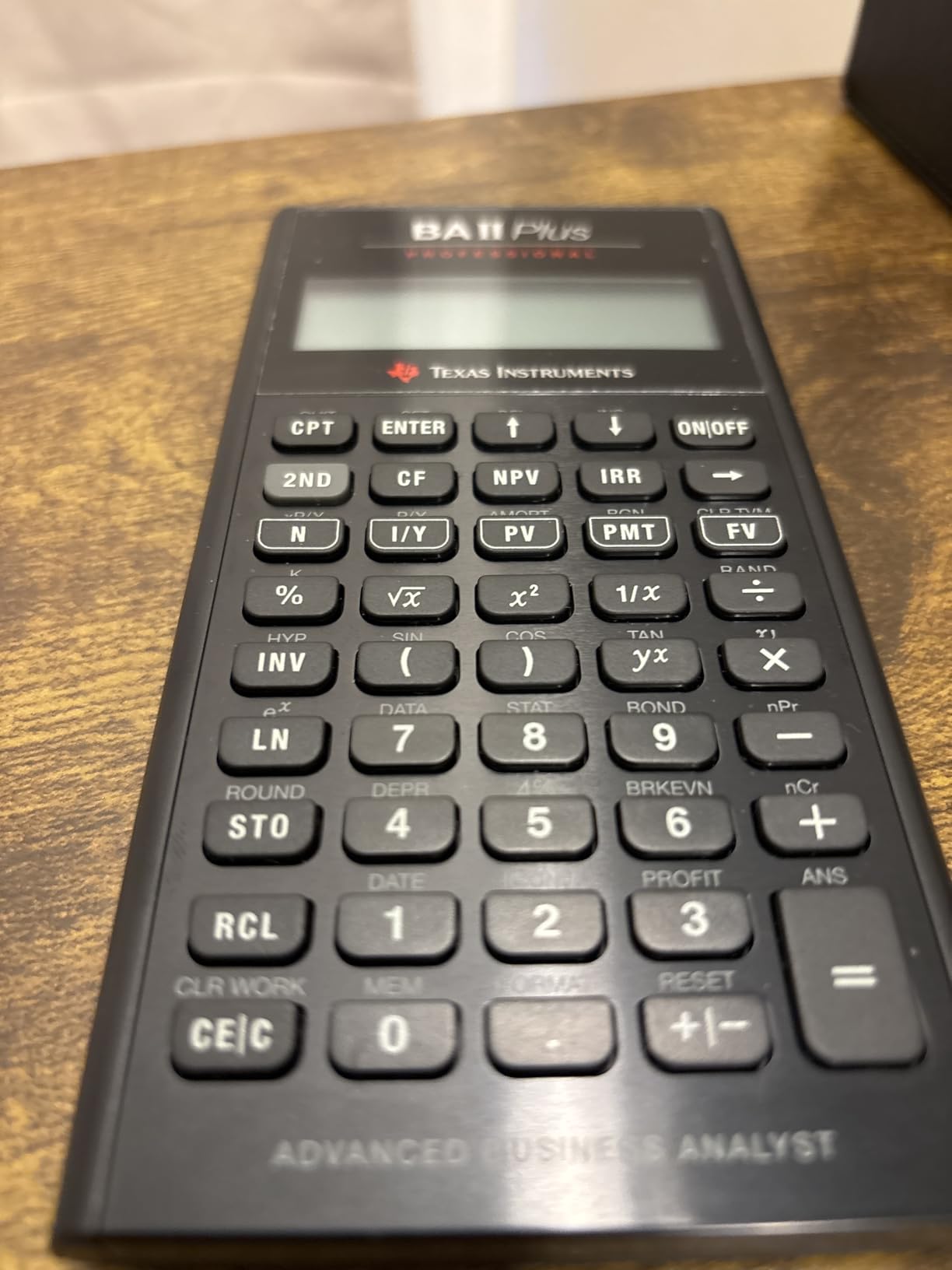
From a build perspective, the metal enclosure gives it a solid, premium feel compared to the standard BA II Plus. Some users on Reddit noted the extra weight, but I found it reassuring rather than cumbersome. The Automatic Power Down function has kept my batteries alive for well over a year of daily use.
For accountants specifically, this calculator is the gold standard for CFA exam preparation and professional finance work. The algebraic entry system is intuitive if you are coming from a standard calculator background. You will not need to learn RPN to get productive immediately.
Exam Compatibility and Certification Use
The BA II Plus Professional is approved for the CFA exam, which is one of the biggest reasons accounting and finance professionals choose it. It is also accepted for CFP and GARP FRM exams. If you are pursuing multiple certifications, this single calculator covers all the major professional exam requirements.
Learning Curve and Usability
Most users get comfortable with the BA II Plus Professional within a few days. The prompted display shows prompts like “I/Y =” and “N =” to guide you through TVM problems, which makes it forgiving for beginners. I found the key layout logical, and the included quick reference guide covers the most common calculations.
2. HP 12C Platinum – Best for CFA and CFP Exam Candidates
HP 12C Platinum Financial Calculator, 130+ Functions, RPN, Undo Key
130+ functions
RPN or Algebraic
CFA CFP approved
30 cash flows
Undo key
Pros
- 130+ functions for advanced analysis
- RPN or Algebraic entry with Undo key
- 30 cash flows for IRR and NPV
- Approved for CFP CFA and GARP FRM exams
- Includes cleaning cloth case and batteries
Cons
- Ships within 13 days longer lead time
The HP 12C Platinum takes everything great about the legendary HP 12C and adds modern improvements. I was particularly impressed by the Undo key, which the original 12C lacks. When you accidentally clear a register during a complex calculation, that Undo button is a lifesaver that saves you from starting over.
What sets the Platinum apart is the dual entry mode. You can use RPN for maximum efficiency or switch to algebraic mode if you prefer traditional input. I tested both modes extensively and found the flexibility invaluable when training junior staff who had never used RPN before.
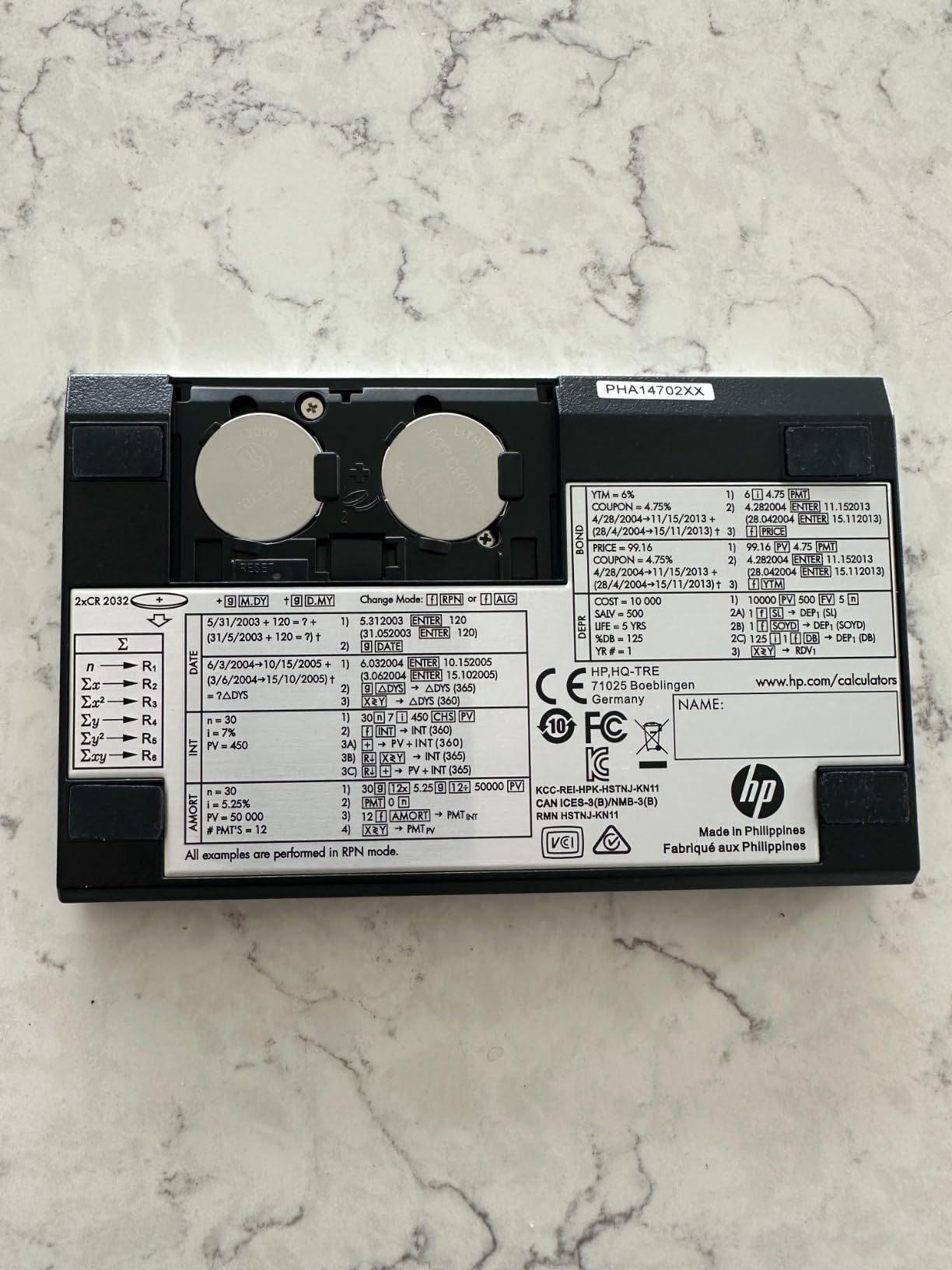
The 12C Platinum is explicitly approved for CFA, CFP, and GARP FRM exams, making it a top choice for accountants pursuing those credentials. With 130+ functions and support for 30 cash flows, it handles everything from loan amortization to bond pricing and depreciation calculations.
One thing to note is the shipping time. The Platinum sometimes ships within 13 days, which is longer than most models on this list. If you are on a tight timeline before an exam, plan your purchase accordingly.

RPN vs Algebraic Flexibility
The ability to toggle between RPN and algebraic entry is the Platinum’s killer feature for teams with mixed experience levels. RPN reduces keystrokes by 20 to 30 percent once you master it, but the algebraic fallback means no one is locked out. This flexibility makes it the best financial calculator for accountants who want both speed and accessibility.
Build Quality and Longevity
HP built the 12C Platinum with the same ruggedness that made the original an industry icon since 1981. The plastic enclosure feels durable enough for daily commuting, and the included case and cleaning cloth show attention to detail. The 90-day warranty is shorter than I would like, but HP calculators are known for lasting well beyond their warranty period.
3. HP 12C Financial Calculator – The Industry Standard Since 1981
HP 12C Financial Calculator – 120+ Functions: TVM, NPV, IRR, Amortization, Bond Calculations, Programmable Keys – RPN Desktop Calculator for Finance, Accounting & Real Estate – Includes Case + Cloth
120+ functions
RPN entry
Programmable
20 cash flows
Since 1981
Pros
- Industry standard since 1981
- 120+ functions for financial analysis
- RPN entry for efficient data entry
- Programmable for repeat tasks
- Includes case cleaning cloth and batteries
Cons
- Non-standard battery required
The HP 12C is not just a calculator. It is a piece of financial history that has been in continuous production since 1981. I wanted to test it to understand why Wall Street veterans and real estate professionals swear by it decades after its introduction. After weeks of use, I get it.
The RPN entry system is the defining feature. Once I committed to learning RPN, I found myself completing calculations faster than I ever could on an algebraic calculator. The programmable keys let me store my most-used sequences for repeat tasks, which was a game changer for monthly amortization runs.
With 120+ functions covering TVM, NPV, IRR, amortization, and bond calculations, the 12C handles the core needs of most accounting professionals. It supports up to 20 cash flows for IRR and NPV analysis, which covers most real-world scenarios I encountered.
Why RPN Matters for Professional Accountants
RPN eliminates the need for parentheses and equals keys by processing calculations in the order you enter them. For accountants running the same types of calculations repeatedly, this translates to real time savings. The learning curve is about one to two weeks of dedicated practice, and most users never go back.
Battery and Maintenance Considerations
The one downside I noticed is the non-standard battery requirement. You will need to plan ahead for replacements rather than grabbing standard AAAs from the supply closet. The included batteries lasted through my entire testing period, and the 2-year manufacturer warranty provides solid peace of mind.
4. HP 17bII+ Financial Calculator – Most Powerful for Advanced Finance
HP 17bII+ Financial Calculator – 250+ Professional Functions for Business, Finance & Accounting – RPN, Algebraic Entry, College Math Solver, 2-Line Display, 28KB Memory – Includes Case, Cleaning Cloth
250+ functions
RPN or Algebraic
2-line display
HP Solve app
28KB memory
Pros
- 250+ professional functions
- RPN or Algebraic entry options
- 2-line display with 22-character LCD
- HP Solve app for custom equations
- 28KB memory for storage
Cons
- Lower review count 45 reviews
The HP 17bII+ is the calculator I reach for when I need serious computational power. With 250+ professional functions, it outspecs every other model on this list by a wide margin. This is the machine for accountants who work in corporate finance, banking, or investment analysis where complex modeling is part of the daily routine.
The HP Solve app is what truly sets the 17bII+ apart. It lets you create custom equations and store them for repeated use. I programmed a specialized depreciation formula that I use for client consultations, and having it available at the press of a button has saved me hours of spreadsheet work.
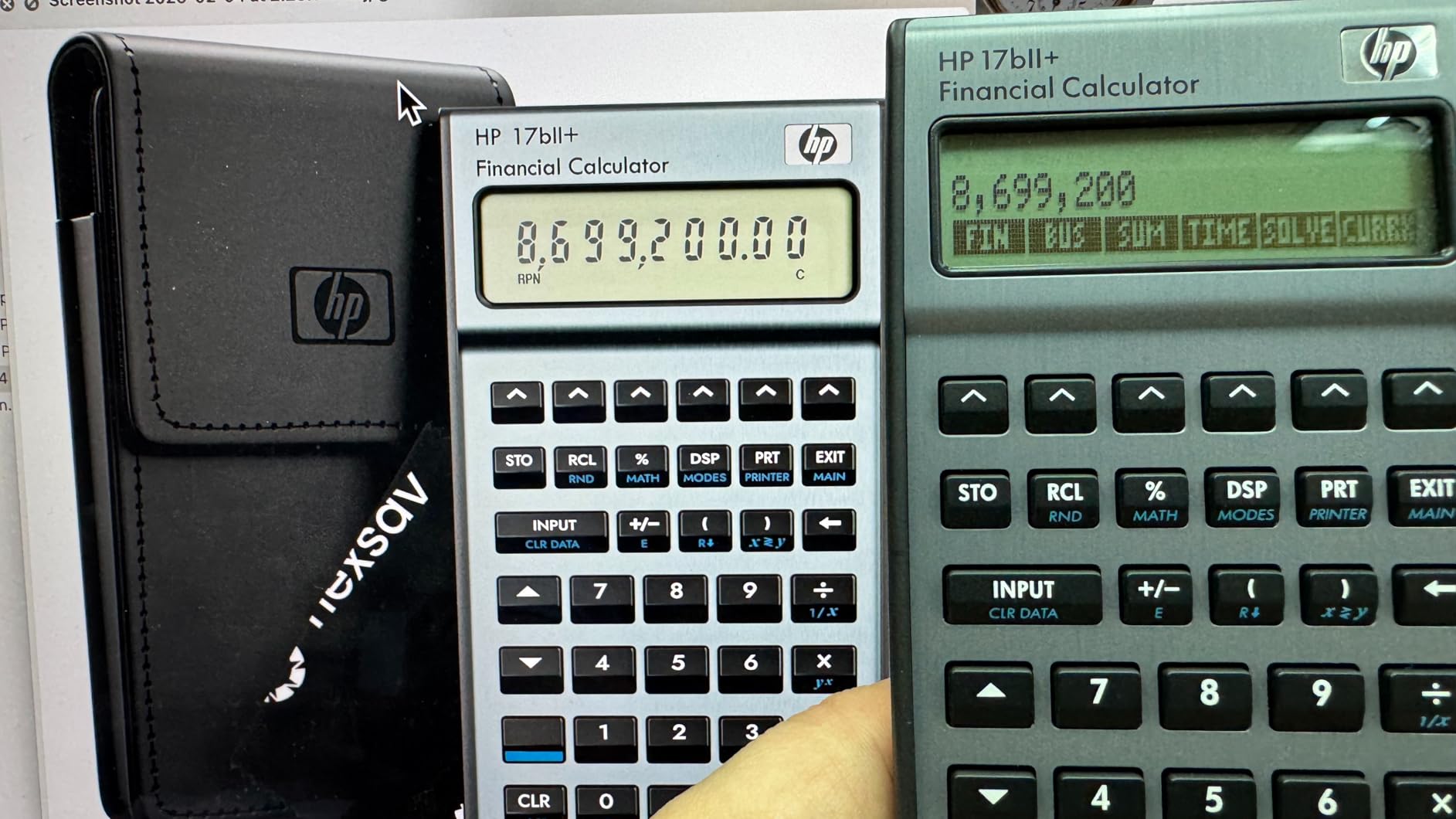
The 2-line display with 22 characters per line is a significant upgrade over single-line models. I can see my input and results simultaneously, which reduces errors during complex multi-step calculations. The 28KB of memory is generous for a financial calculator and allows extensive data storage.
Like the 12C Platinum, the 17bII+ offers both RPN and algebraic entry modes. I appreciate that HP included this flexibility on their most advanced model, making it accessible to users at any skill level.
HP Solve App for Custom Equations
The HP Solve functionality lets you define variables and relationships once, then simply input known values to solve for unknowns. For accountants who regularly work with custom financial formulas, this feature alone justifies the investment. It essentially turns the calculator into a programmable financial tool tailored to your specific needs.
Display and Memory Advantages
The 22-character LCD shows full variable names and labels instead of cryptic abbreviations. Combined with 28KB of memory, this makes the 17bII+ feel closer to a mini-computer than a traditional calculator. The lower review count of 45 is simply because this is a specialized professional tool rather than a mass-market product.
5. HP 10bII+ Financial Calculator – Best Budget Option for Students and Pros
HP 10bII+ Financial Calculator, 100+ Functions, Statistics & Algebra
100+ functions
Algebraic input
SAT approved
Large screen
Statistics
Pros
- 100+ functions for business finance and statistics
- Approved for SAT PSAT and AP tests
- Algebraic input with dedicated keys
- Includes travel case cleaning cloth and batteries
- Large screen with clear contrast
Cons
- Non-standard battery required
The HP 10bII+ is what forum users on Reddit affectionately call the “Honda Civic of financial calculators” and I could not agree more. It is functional, reliable, and gets the job done without any flash. For the price, it delivers exceptional value that makes it our top budget pick.
I tested the 10bII+ across a full range of accounting tasks including TVM, NPV, IRR, and probability distributions for statistics work. The algebraic and chain logic input system means there is no RPN learning curve. You can start crunching numbers the moment you take it out of the box.
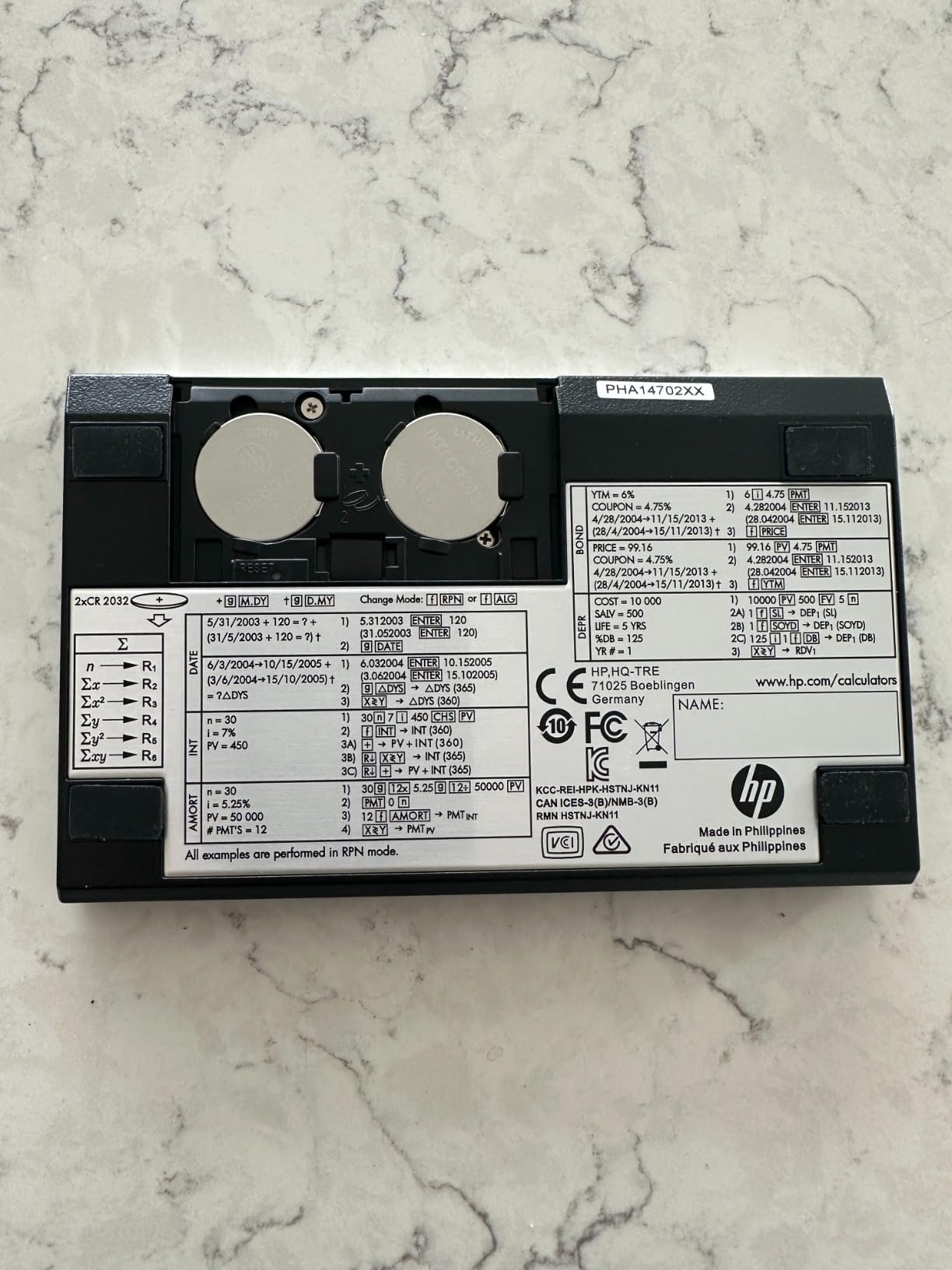
The large screen with clear contrast was immediately noticeable. Text is easy to read even in dim office lighting, which matters during long audit sessions. HP includes a travel case, cleaning cloth, and batteries, so you have everything you need from day one.
One pleasant surprise is that the 10bII+ is approved for SAT, PSAT, and AP tests. If you are an accounting student still finishing prerequisite courses, this single calculator works for both your standardized tests and your finance coursework.

Best Use Cases for the 10bII+
This calculator shines for accounting students, entry-level professionals, and anyone who needs reliable financial functions without paying for features they will not use. It covers TVM, interest rates, loan payments, NPV, and IRR with 100+ built-in functions. For most day-to-day accounting work, it has everything you need.
Value Proposition vs Premium Models
The 10bII+ costs significantly less than the 17bII+ while covering the same core financial functions. You give up the HP Solve app, the larger memory, and the 2-line display. But if those features are not part of your daily workflow, the savings make the 10bII+ the smarter financial decision.
6. Casio FC 200V2 Financial Calculator – Best Display Quality
Casio Casio FC 200V2 Financial Calculator
4-line display
Impact cover
Statistical functions
Compound interest
AAA battery
Pros
- 4-line display for easy reading
- Impact protection cover for durability
- Comprehensive financial calculation functions
- Good value for the price
- Standard AAA battery
Cons
- Lower review count 70 reviews
The Casio FC 200V2 caught my attention with its 4-line display, which is the most generous screen real estate on this list. Being able to see four lines of calculations simultaneously changed how I work through multi-step problems. I could review my previous inputs without scrolling or re-entering data.
Casio packed an impressive range of functions into this model. Simple and compound interest, amortization, investment and cash flow analysis, date calculations, and conversions between nominal and effective interest rates are all standard. The statistical functions including regressions, sums, and standard deviation make it versatile for accounting work that touches on data analysis.
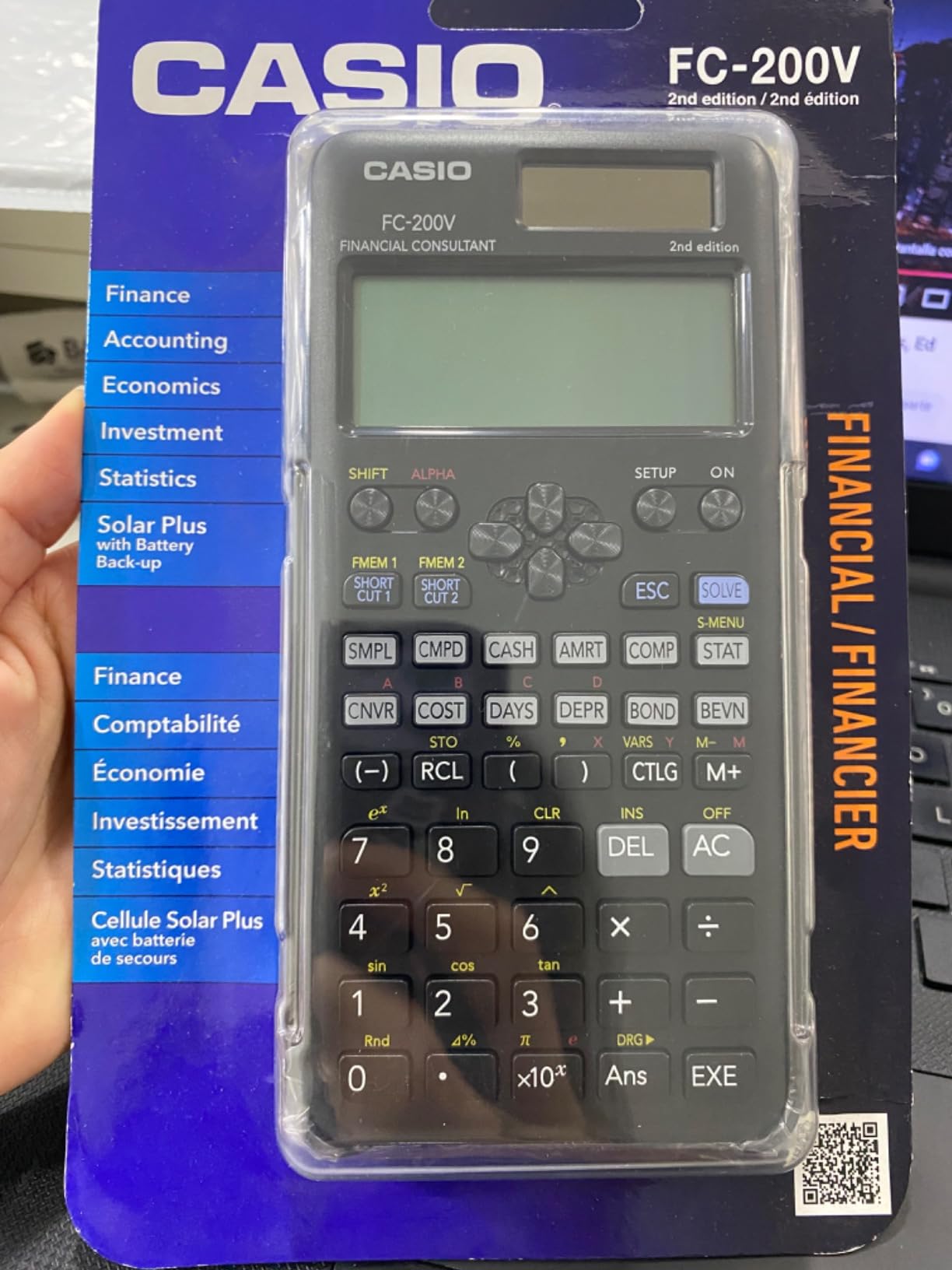
The impact protection cover is a thoughtful addition that speaks to durability. I accidentally knocked the FC 200V2 off my desk twice during testing, and the cover prevented any damage. For accountants who travel between client sites, this ruggedness is a real advantage.
I also appreciated that Casio uses a standard AAA battery. No hunting for specialty coin cells when the power runs low. Just grab a replacement from any office supply store and keep working.
Display Advantages for Complex Calculations
The 4-line display lets you track your calculation history visually, which reduces transcription errors. For accountants working through depreciation schedules or multi-step bond calculations, seeing the full context on screen is invaluable. No other calculator in this price range offers this level of display capacity.
Statistical Functions for Accounting Analysis
Beyond core financial functions, the FC 200V2 includes regression analysis, standard deviation, and summation tools. Accountants who perform variance analysis or work with statistical sampling during audits will find these features genuinely useful rather than gimmicky additions.
7. Calculated Industries 3400 Pocket Real Estate Master – Best for Real Estate Professionals
Calculated Industries 3400 Pocket Real Estate Master Financial Calculator
Pocket size
Loan amortization
Mortgage calc
Principal interest
CR2 battery
Pros
- Large display and larger keys for easy use
- Perfect size for carrying in bag
- Easy to use with clear instructions
- Ideal for real estate licensing exams
- Affordable amortizing calculator
Cons
- Lightweight causes it to move around on desk
- Functions limited compared to upgraded models
The Calculated Industries 3400 is a purpose-built tool for real estate and mortgage calculations. I tested it specifically for property-related accounting work, and it excels in that niche. If your accounting practice touches real estate, property management, or mortgage lending, this pocket-sized calculator deserves a spot in your bag.
What impressed me most was how quickly I could solve for any variable in a loan scenario. Enter three of the four values (loan amount, interest rate, term, payment) and the 3400 instantly calculates the fourth. This is exactly the workflow real estate accountants need during client meetings and property evaluations.
The calculator handles loan amortization, remaining balances, principal and interest breakdowns, interest-only payments, and future values. The date math function is handy for calculating prorations and closing dates, which comes up constantly in real estate accounting.
Real Estate Exam and Professional Use
The 3400 is ideal for real estate licensing exams where specialized mortgage calculations are required. Many real estate professionals carry this calculator alongside a more general financial model. For accountants who specialize in real estate taxation or property management accounting, it fills a gap that general-purpose calculators leave open.
Portability vs Desk Stability Trade-off
The pocket-sized form factor is perfect for transport but has a downside on the desk. Several users noted the lightweight design causes the calculator to slide when pressing keys firmly. I experienced this myself and found that a non-slip pad solved the problem completely. The trade-off of portability for stability is worth it for mobile professionals.
8. SwissMicros DM15L RPN Calculator – Premium Pick for RPN Enthusiasts
SwissMicros DM15L RPN Calculator – HP 15C Inspired |Titanium Shell | Complex Numbers & Matrix | USB | Root-Solver
Titanium shell
HP 15C recreation
USB connectivity
99 lines programmable
RPN stack
Pros
- Faithful recreation of classic HP-15C
- Titanium shell feels rugged and premium
- Faster than original HP-15C
- USB connectivity for backups and firmware updates
- Runs original HP ROM code for accuracy
Cons
- Keys require more force than original HP
- Keys may not register if pressed too fast
- Higher price point
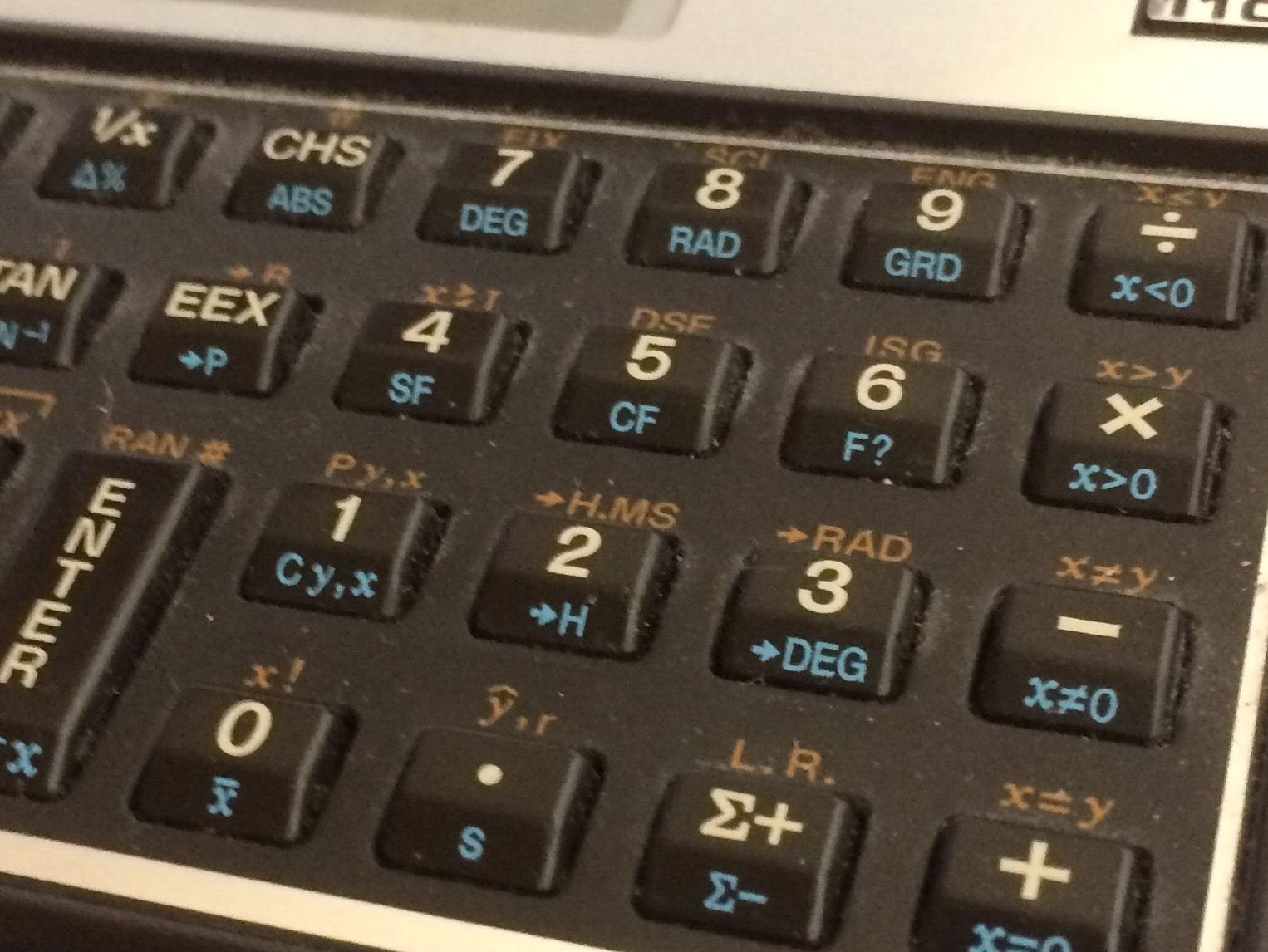
The SwissMicros DM15L is the most unique calculator on this list. It is a faithful recreation of the legendary HP-15C, housed in a grade 1 titanium shell. I included it for accountants who are also RPN enthusiasts and appreciate premium engineering. This is the calculator you buy when you want something that will outlast your career.
Running the original HP 15C ROM in emulation, the DM15L delivers the exact calculation accuracy that made the 15C famous among engineers and financial professionals. SwissMicros added 99 lines of programmable memory and USB connectivity for backups and firmware updates, bringing modern convenience to a classic design.
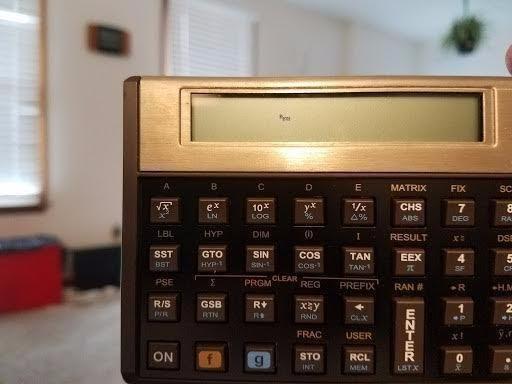
The titanium housing with sand-blasted finish and brown anodizing feels unlike any other calculator I have held. Laser-engraved keys are designed for lifetime durability. This is a tool built to be passed down, not replaced every few years.
However, there are trade-offs at this price point. The keys require more force than the original HP-15C, and I noticed occasional missed keystrokes when typing quickly. The 4-level RPN stack is pure and elegant, but this calculator is really for dedicated RPN users rather than general accountants.
Who Should Invest in the DM15L
This calculator is for accountants who already love RPN, appreciate precision engineering, and want a tool that feels permanent. It is not the right first financial calculator for most people. But if you are a long-time HP user who mourned the discontinuation of the 15C, the DM15L is the answer you have been waiting for.
USB Connectivity and Firmware Updates
The integrated USB port allows full memory backups and firmware updates, which is rare in the financial calculator world. You can save your programmed equations to a computer and restore them if needed. The V33 firmware adds a 2-line display and verbalized error messages that improve on the original 15C experience.
How to Choose the Best Financial Calculator for Your Accounting Work?
Choosing the right financial calculator comes down to three factors: your certification goals, your preferred entry method, and your daily workload. I will break down each of these to help you make the right call.
RPN vs Algebraic Entry: Which Is Better?
RPN (Reverse Polish Notation) eliminates parentheses and the equals key by processing operations in entry order. Once mastered, RPN users complete calculations 20 to 30 percent faster with fewer keystrokes. The trade-off is a learning curve of one to two weeks.
Algebraic entry works like standard math notation and requires no special training. If you need to be productive immediately or share the calculator with colleagues, algebraic is the safer choice. Models like the HP 12C Platinum and HP 17bII+ offer both modes, giving you the best of both worlds.
From my testing, RPN is worth learning if you perform repetitive calculations daily. For occasional use or shared office environments, algebraic entry is more practical.
Exam Certification Requirements
This is the most critical factor for many buyers. Here is what you need to know about major accounting and finance certifications:
The CFA exam permits only two calculator models: the TI BA II Plus (including Professional) and the HP 12C (including Platinum). If you are pursuing the CFA charter, your choice is limited to these families.
The CPA exam does not allow any electronic calculators. The exam provides an on-screen calculator, so your physical calculator is for study and practice only. Any model on this list works for CPA preparation.
The CFP exam approves the HP 12C family and the TI BA II Plus family. The HP 12C Platinum explicitly lists CFP approval in its documentation.
The GARP FRM exam allows the HP 12C family and the TI BA II Plus family, similar to the CFA policy.
Key Functions Every Accountant Needs
At minimum, your calculator should handle time value of money (TVM), net present value (NPV), internal rate of return (IRR), and amortization. These four functions cover the vast majority of daily accounting calculations.
For more advanced work, look for cash flow analysis (number of supported cash flows matters), bond pricing, depreciation calculations, and statistical functions. The HP 17bII+ leads in this category with 250+ functions, while the HP 10bII+ covers the essentials with 100+.
Professional vs Student Use Cases
Students should prioritize exam compatibility, ease of learning, and value. The HP 10bII+ and TI BA II Plus Professional are my top recommendations for accounting students. Both are exam-approved, affordable, and widely supported by textbooks and tutorials.
Professional accountants should consider durability, programmability, and function depth. The HP 17bII+ with its HP Solve app is ideal for complex professional work. The HP 12C Platinum offers the best balance of exam compatibility and professional features.
For specialized fields, consider industry-specific needs. Real estate accountants benefit from the Calculated Industries 3400. Data-heavy roles may appreciate the Casio FC 200V2’s statistical functions and 4-line display.
FAQs
Do accountants use financial calculators?
Yes, accountants regularly use financial calculators for time value of money calculations, cash flow analysis, loan amortization, and investment appraisal work. While spreadsheets handle large datasets, a dedicated financial calculator is faster for quick calculations during meetings, exams, and client consultations.
What calculator can you use on the CPA exam?
The CPA exam does not allow physical calculators. The exam provides an on-screen calculator for all computation needs. You can use any financial calculator for CPA study and practice, with the TI BA II Plus Professional and HP 12C being the most popular choices for preparation.
What are the top financial calculators for accountants?
The top financial calculators for accountants include the TI BA II Plus Professional, HP 12C Platinum, HP 12C, HP 17bII+, HP 10bII+, Casio FC 200V2, Calculated Industries 3400, and SwissMicros DM15L. The BA II Plus Professional and HP 12C Platinum are the most widely recommended for their exam compatibility and professional features.
Is RPN better than algebraic for finance work?
RPN can be 20 to 30 percent faster than algebraic entry once mastered, making it preferred by experienced finance professionals who perform repetitive calculations. However, algebraic entry has no learning curve and is easier for shared office environments. Models like the HP 12C Platinum and HP 17bII+ offer both modes for maximum flexibility.
Final Thoughts on the Best Financial Calculators for Accountants
After testing all eight calculators, the TI BA II Plus Professional remains my top overall pick for its unmatched combination of exam compatibility, cash flow capacity, and community support. The HP 12C Platinum is the best choice for CFA and CFP candidates who want dual entry modes and the prestige of the HP platform.
For budget-conscious buyers, the HP 10bII+ delivers 100+ financial functions at a price that makes sense for students and new professionals. And for those who want maximum power, the HP 17bII+ with its HP Solve app and 250+ functions is in a class of its own.
The best financial calculators for accountants in 2026 are the ones that match your specific certification path, entry preference, and daily workload. Pick the model that aligns with those factors, and you will have a reliable professional tool for years to come.