
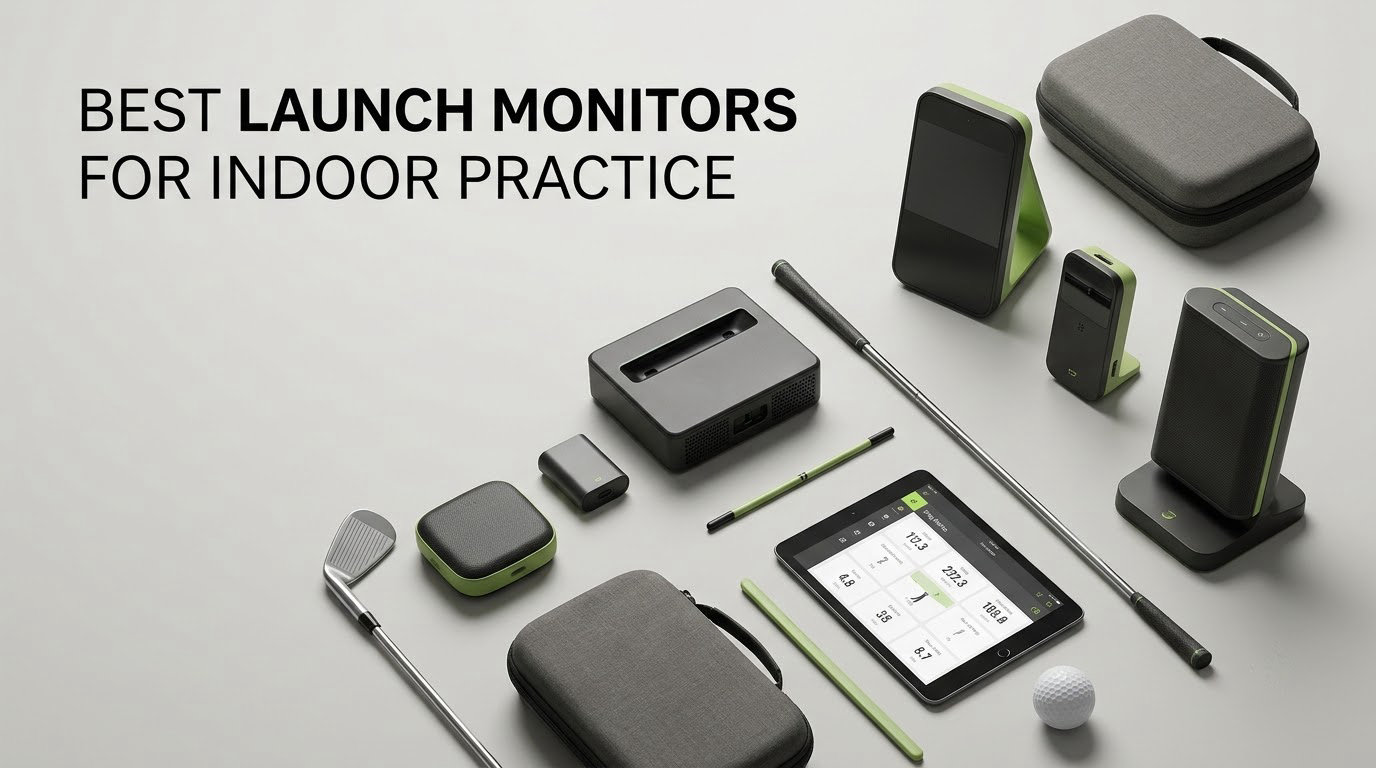
Most golfers swing into a net in a garage or a spare room and never find out whether anything actually changed. Ball speed, launch angle, spin rate and carry distance are the numbers that turn blind practice into measurable practice, and a launch monitor is the only piece of kit that hands them to you without a range trip.
After comparing ten current indoor-focused units side by side, weighing what each one measures against what it costs to run every month, this is our read on the best launch monitors for indoor practice in 2026. If you want the wider market instead, our general roundup of the [best golf launch monitors tested and ranked](https://finforum.org/best-golf-launch-monitors/) is the natural next stop.
The category splits cleanly in two. Radar units and phone-based units are simple, portable and forgiving, but they hand you four or five numbers and little else. Camera-based systems cost more, need a wired install or a phone nearby, and give you ball and club data that actually changes a practice plan. Which one suits you comes down almost entirely to your room and to how deep you want the data.
Below, each pick gets a plain-language verdict, the specs that matter indoors, and an honest note on where it falls short. Nothing here quotes a price; use the buttons to check current pricing, and check it before you commit, because these numbers move often.
Table of Contents
Top 3 Best Launch Monitors For Indoor Practice (October 2026)

Rapsodo MLM
- Doppler radar plus camera
- Video replay with shot tracer
- Carry and shot shape data

Garmin Approach R10
- Up to 10 hours battery
- Per-club dispersion charts
- Clip video with metrics

Best Launch Monitors for Indoor Practice in 2026
All ten units below are suitable for indoor hitting. The right-hand columns tell you what each one measures and where it fits, so you can match a unit to your bay rather than buying the biggest number on the page.
| Product | Specifications | Action |
|---|---|---|
| Rapsodo MLM |
|
Check Latest Price |
| Garmin Approach R10 |
|
Check Latest Price |
| Rapsodo MLM2PRO |
|
Check Latest Price |
 SkyTrak ST MAX SkyTrak ST MAX |
|
Check Latest Price |
 Garmin Approach R50 Garmin Approach R50 |
|
Check Latest Price |
 Uneekor EYE MINI CORE Uneekor EYE MINI CORE |
|
Check Latest Price |
 FlightScope Mevo Gen2 FlightScope Mevo Gen2 |
|
Check Latest Price |
 PRGR HS 130-A PRGR HS 130-A |
|
Check Latest Price |
 Voice Caddie SC200Plus Voice Caddie SC200Plus |
|
Check Latest Price |
 TheStack Radar TheStack Radar |
|
Check Latest Price |
Doppler Radar vs Photometric: Which One Works Indoors?
A launch monitor is a device that measures what the ball and club do at impact, and only two technologies really dominate indoor practice today. Doppler radar units emit a microwave signal and measure the frequency shift off the moving ball, while photometric units use high-speed cameras to capture the ball and club at the moment of contact. That one sentence is the whole distinction, and it explains almost every practical difference you will run into.
Radar is lighter and simpler to set up, and it works equally well at the range or in a bay. Its limitation indoors is space, because the unit needs clear air in front of and behind the ball. Players on r/Golfsimulator repeatedly describe needing roughly eight feet on each side before readings hold steady, which is exactly the constraint people in short rooms run into first.
Photometric camera systems read the room instead of the air, so a unit can sit close to the ball and still produce ball and club data. The tradeoff is that they are sensitive to the room around them. A dim basement, a garage with a single bare bulb, or direct sunlight falling across the hitting area can degrade or block a reading entirely.
Neither technology is strictly more accurate indoors. What changes is the depth of data and how much setup friction you accept. Ball-only radar trainers are fine for tempo and speed work. If you want club path, face angle, spin axis and a record of the swing itself, you need a camera system with a phone, tablet or PC driving it.
One more practical note from the forums: some camera units want marked balls or club stickers to unlock specific metrics, and that recurring consumable cost is what turns an affordable monitor into an expensive habit. We call out which picks need them below.
1. Rapsodo MLM – Best Overall Indoor Launch Monitor
Rapsodo Mobile Launch Monitor Golf Simulator | MLM iPhone & iPad Only
Doppler radar plus camera
Ball and club speed, launch angle, carry
0.4 kg, iPhone and iPad only
Pros
- Video replay with an on-screen shot tracer
- GPS satellite view maps dispersion
- Light enough for a garage net or a range bag
- Clear metrics best suited to irons and wedges
Cons
- iOS only with no Android support
- No spin rate measurement
- Alignment must be precise or shots are missed
The original Rapsodo MLM is the most reviewed indoor tracker in this group, and owner reports from the garage explain why. It records ball speed, club speed, launch angle, carry distance and shot shape on every swing, then pairs each number with a video replay and an on-screen shot tracer so you can see whether the number matches the swing.
Owners like the portability more than anything. At 0.4 kg it fits in a golf bag, moves from an indoor net to a backyard or a range without ceremony, and long-running user reports describe hitting more than 1,200 balls into a garage net with consistent shot detection. If you want indoor data you actually take to the range, that flexibility is hard to beat.
Alignment is the other friction point. The unit has to be lined up precisely relative to the ball or it simply will not pick up the shot, and first-time owners lose a fair number of shots working out the placement. Once it is set correctly it is stable. The GPS satellite view, mapping where each shot lands and showing dispersion across the bag, is a genuinely useful feature at this level.
Video is useful but simple. You get a fixed behind-the-ball angle with a tracer, and there is no slow-motion markup or annotation. The device also leans hard on your phone: it consumes a noticeable amount of battery and mobile data during a session, which matters if you are doing ninety balls twice a week.
Who this suits?
This suits the golfer who wants one number they can trust before they start swinging, and who wants that number in a format that fits a phone. Iron and wedge carry and dispersion data is enough to build a real practice loop around, and the video replay is genuinely helpful for a high-handicap player working on delivery.
It also suits anyone splitting time between a home bay and the course, because the whole unit fits in a bag pocket. If your practice is a mix of short game and full swing on a mat, the accuracy profile matches the shots you are actually hitting.
Who should skip it?
Skip it if your phone runs Android, because there is no Android version of the app. Also skip it if you are chasing club data, since there is no club path or face angle here at all, or if you want to work through a full simulated round inside.
It is also the wrong pick for a player whose whole plan is driver and long-iron data. On faster, longer shots the readings loosen, and if that is what you are practising, a unit with a stronger sensor and a larger hitting zone will serve you better. Our general guide to [the best golf launch monitors](https://finforum.org/best-golf-launch-monitors/) covers that case in more detail.
2. Garmin Approach R10 – Best Value Indoor Launch Monitor
Garmin Approach R10, Portable Golf Launch Monitor, Take Your Game Home, Indoors or to The Driving Range, Up to 10 Hours Battery Life – 010-02356-00
Radar with 10 hour battery
Club and ball speed, spin, launch angle
340 g, pairs with a smartphone
Pros
- Up to 10 hours of battery for long sessions
- Training mode charts dispersion by club
- Video clips saved automatically with metrics
- IPX7 waterproof and tripod included
Cons
- Full course play needs a Garmin Golf membership
- Depends on a phone rather than a built-in screen
- Indoor ball flight can affect readings
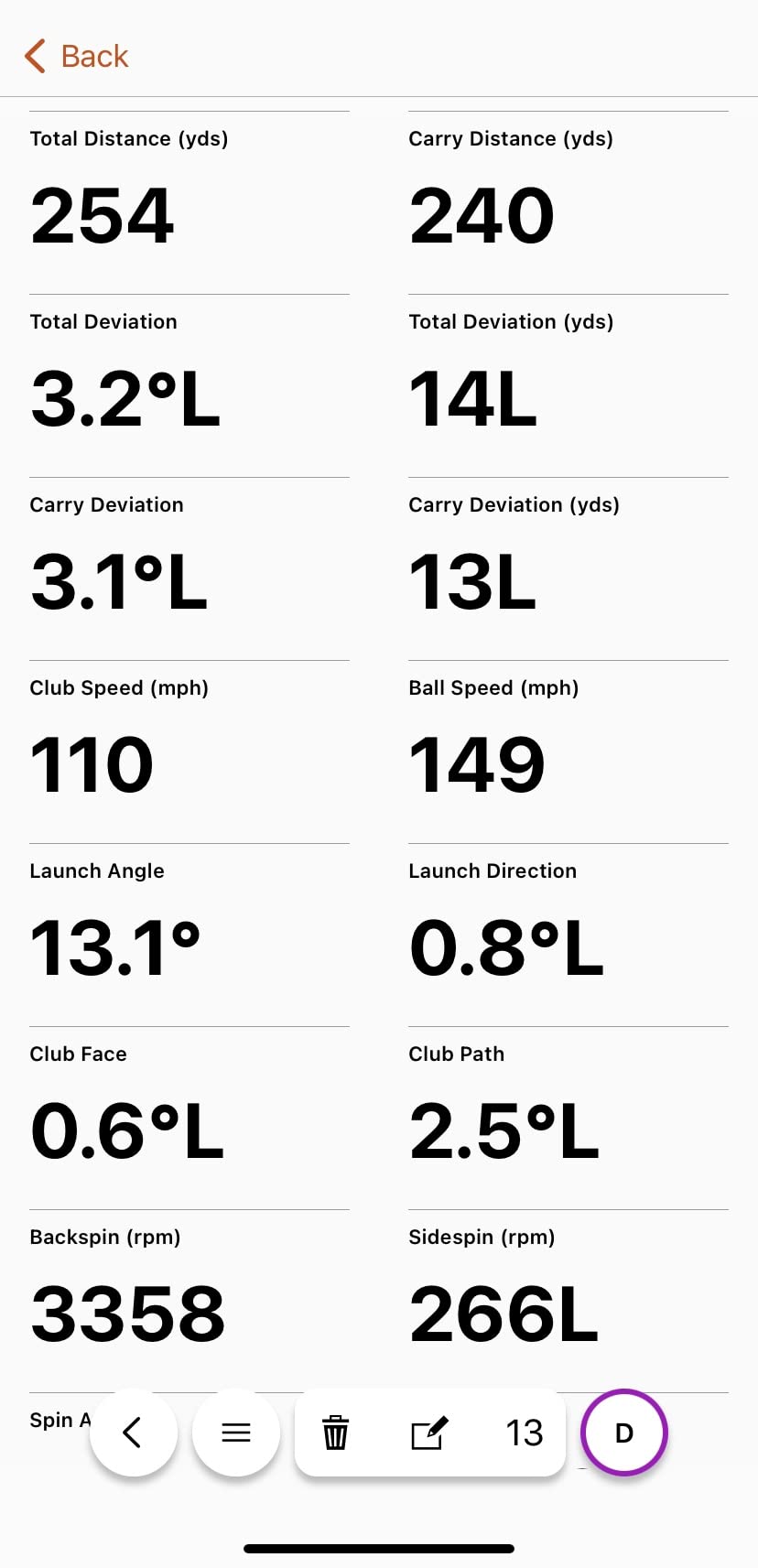
The Garmin Approach R10 is the pick we send people to when they want real launch monitor data without turning their spare room into a studio. It tracks club head speed, ball speed, swing tempo, ball spin and launch angle, and Garmin publishes the accuracy figures: club head speed within plus or minus 3 mph, ball speed within 1 mph, launch angle within 1 degree and launch direction within 1 degree.
Battery life is the quiet hero indoors. At up to 10 hours on a charge, you are not stopping a session halfway through to find a wall outlet, and the IPX7 waterproof rating means the same unit works in a damp basement bay. Training mode stores per-club stats and draws a shot dispersion chart, which is the view we would use to spot a pattern across a practice block.
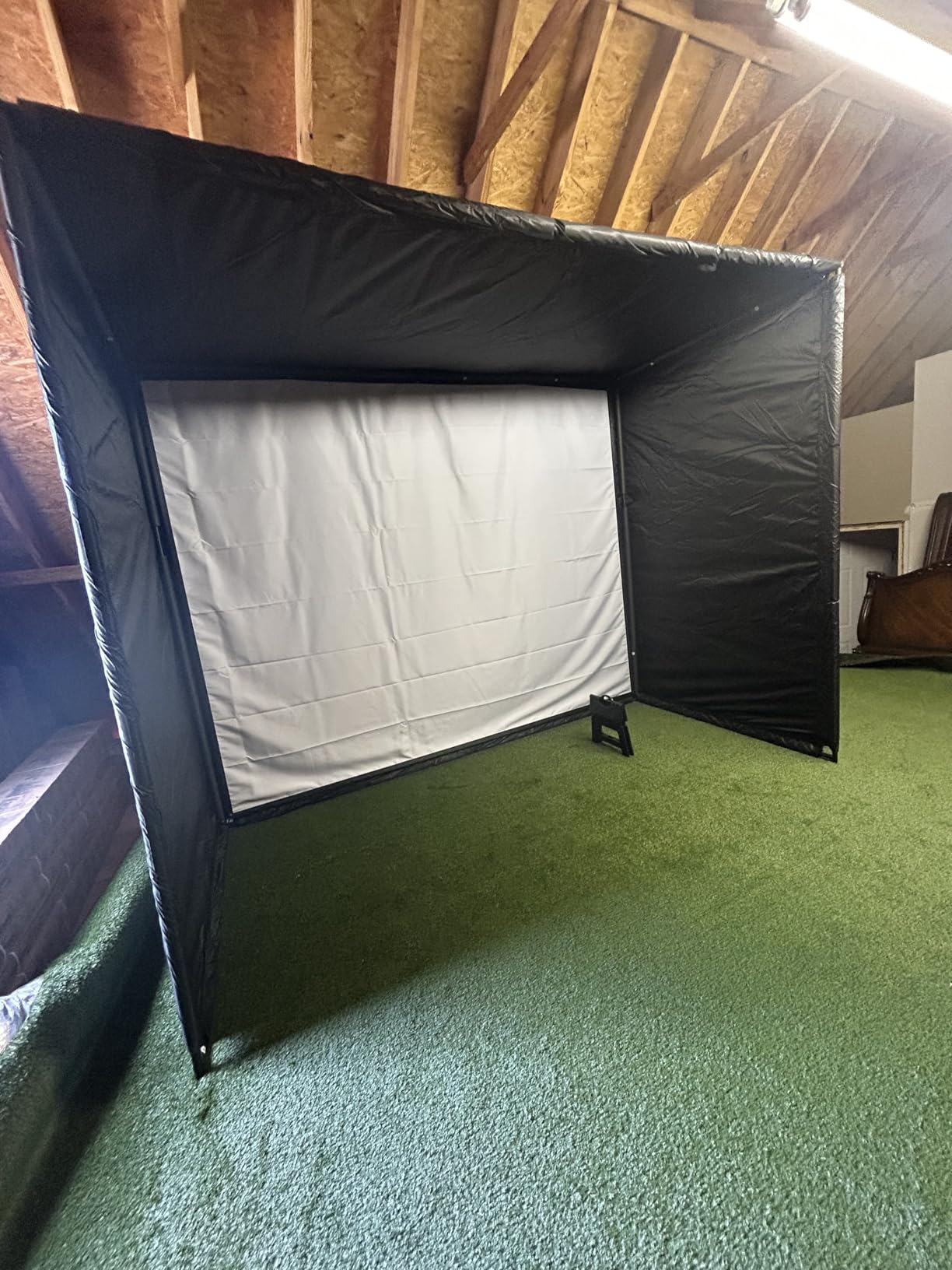
Video is handled well too. Clips are recorded automatically and carry the metrics of that swing, so you can scroll back to the shot that went off the target line and see the numbers attached to it. That pairing of clip and data is something reviewers consistently single out.
It is also among the most portable serious units in the list at 340 g, and it includes a tripod stand, a bag phone mount and a carry case. Moving between a garage net, a spare room and the range takes a couple of minutes rather than a rebuild.
The catch is the phone dependency and the membership. Full simulated course play across tens of thousands of courses requires an active Garmin Golf subscription, and deeper analytics sit behind that same membership. Ball and club readings themselves do not require it, which is the important distinction for indoor data work.
Who this suits?
This is our pick for a beginner building a first indoor setup, and for anyone who wants a single device that works in the house and at the range without ceremony. The per-club dispersion chart makes it easy to see whether a change you made last month actually tightened your grouping.
It also suits golfers with limited ceiling height or a short bay, because a radar unit can be placed at ground level in front of the ball and needs far less room overhead than a ceiling-mounted camera system. Our testing notes on indoor setups are consistent on that point: if the room is tight, radar placement is the deciding factor.
Who should skip it?
Skip it if you refuse to pay a recurring membership, because that is how virtual course play is enabled. Also skip it if you want a screen you can glance at without picking up a phone, and if your data priorities are club path, face angle or spin axis rather than speed and launch.
Be realistic about noisy indoor ball flight. A net and a mat change how the ball behaves after strike, and a unit that relies on tracking the ball rather than only the club will show some of that. Practise into a decent net with a mat, and treat carry numbers as a comparison tool rather than a range reading.
3. Rapsodo MLM2PRO – Best for Spin and Club Data Indoors
Rapsodo MLM2PRO Mobile Launch Monitor Golf Simulator | 3 Chrome Tour Balls
Doppler radar plus dual cameras
15 metrics including spin axis and club path
16 oz, includes 3 marked balls
Pros
- Genuine spin rate
- spin axis and club path data
- Club path is unusual at this tier
- Video from the club and ball contact
- 45 day Premium trial included
Cons
- Premium membership is an ongoing cost
- Shared Wi-Fi connection can be unstable
- Included marked balls wear out quickly
The MLM2PRO is where indoor data stops being basic. It combines Doppler radar with a dual camera setup to capture 15 metrics, including spin rate, spin axis, club path and launch angle, and reviewers report the numbers land within a few percent of commercial Trackman units. That club path reading is the metric that makes this unit interesting for anyone trying to curve a ball deliberately.
It ships with three Callaway RPT Chrome Soft X balls, which matters. Spin rate and spin axis need a marked ball to read, so those three balls are not a bonus, they are the input for the headline features. Budget for replacements, because owners report they wear out faster than a normal sleeve.
Display options are flexible. With an iPad on a stand you get six metrics on screen at once, and an iPhone shows three. The 45 day Premium trial is long enough to decide whether the course library and third-party app integration are worth keeping, and Combine practice mode gives you a two-ball comparison drill that works well indoors.
Connectivity is the friction point in lower reviews. On a shared Wi-Fi network the link is reported as unstable, and while a direct Wi-Fi connection is more reliable, it takes the device offline and blocks some third-party app use. Many owners settle on an iPad paired directly with the unit and stop tinkering, which is the configuration we would recommend.
It also drains phone battery and cellular data during a session, and chipping from inside roughly 10 yards reads poorly. Simulated course graphics are functional rather than beautiful, so treat the on-screen course as a scorekeeping tool and not as a simulator upgrade.
Who this suits?
This suits the improving player who has already fixed distance control and now wants to know why shots curve. Spin axis and club path are the two numbers that let you shape a shot on purpose, and this unit reports both without needing a club head camera.
It also suits anyone with an iPad who wants a full indoor setup with video, spin data and a large on-screen readout. The impact video from club and ball contact gives you a slow-motion look at strike quality, which pairs well with the data.
Who should skip it?
Skip it if you dislike recurring costs or replacing marked balls. The Premium membership gates the most advanced features and the marked balls are a consumable line item that never stops, which adds up when you are hitting several hundred balls a month indoors.
It is also the wrong pick for short-game and putting work, since chips inside about 10 yards read poorly. If your indoor plan is a full swing practice only, this is a strong fit. If it is a chipping and putting station, a simpler trainer with a putting focus will serve you better.
4. SkyTrak ST MAX – Best for Training Drills in a Home Bay
SkyTrak ST MAX Golf Launch Monitor with 1-Year Software Included
Dual radar plus photometric sensors
Full ball and club data
5 lb unit, needs about 10 ft by 10 ft
Pros
- GOLFTEC speed training drills built into the device
- Works on both Mac and Windows
- Runs on an internal battery between rooms
- Modular internal build owners describe as heavy duty
Cons
- Small hitting zone means no-reads on low-lofted shots
- Course play requires a subscription
- USB wired mode can drop shots
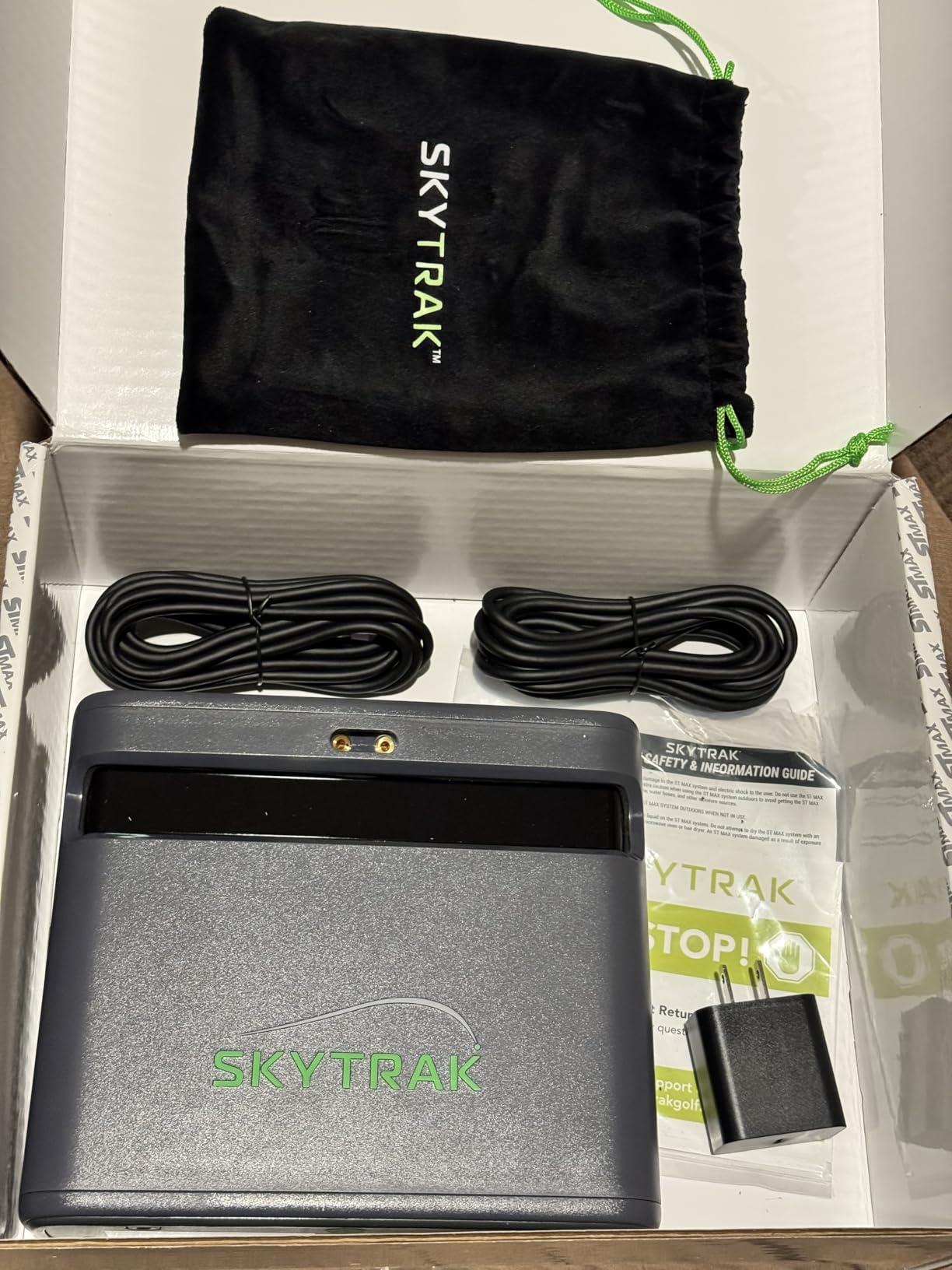
The ST MAX is one of the most complete single-box indoor units in this group, and the reason is the sensor combination. Dual Doppler radar is paired with photometric cameras, which is how you get complete ball and club data from a freestanding box that does not need to be hardwired to a gaming PC. It runs on Mac as well as Windows, which is rare in this category and matters for a lot of home setups.
What separates it from the base model is GOLFTEC Speed Training built directly into the device. Those guided drills come from a system used in more than 10 million lessons, and they give you a structured practice plan instead of a number to stare at. Skills Assessments, Bag Mapping, Wedge Matrix and Randomized Practice modes cover the range of work a single-player indoor bay actually needs.
Setup is close to plug and play. Owners building home simulators report easy Wi-Fi connection and minimal delay between the hit and the data appearing on screen, which is the difference between a practice session that flows and one that does not. The internal battery holds a full session, and modular internal architecture with dual USB-C ports means it can charge and transfer data at the same time.
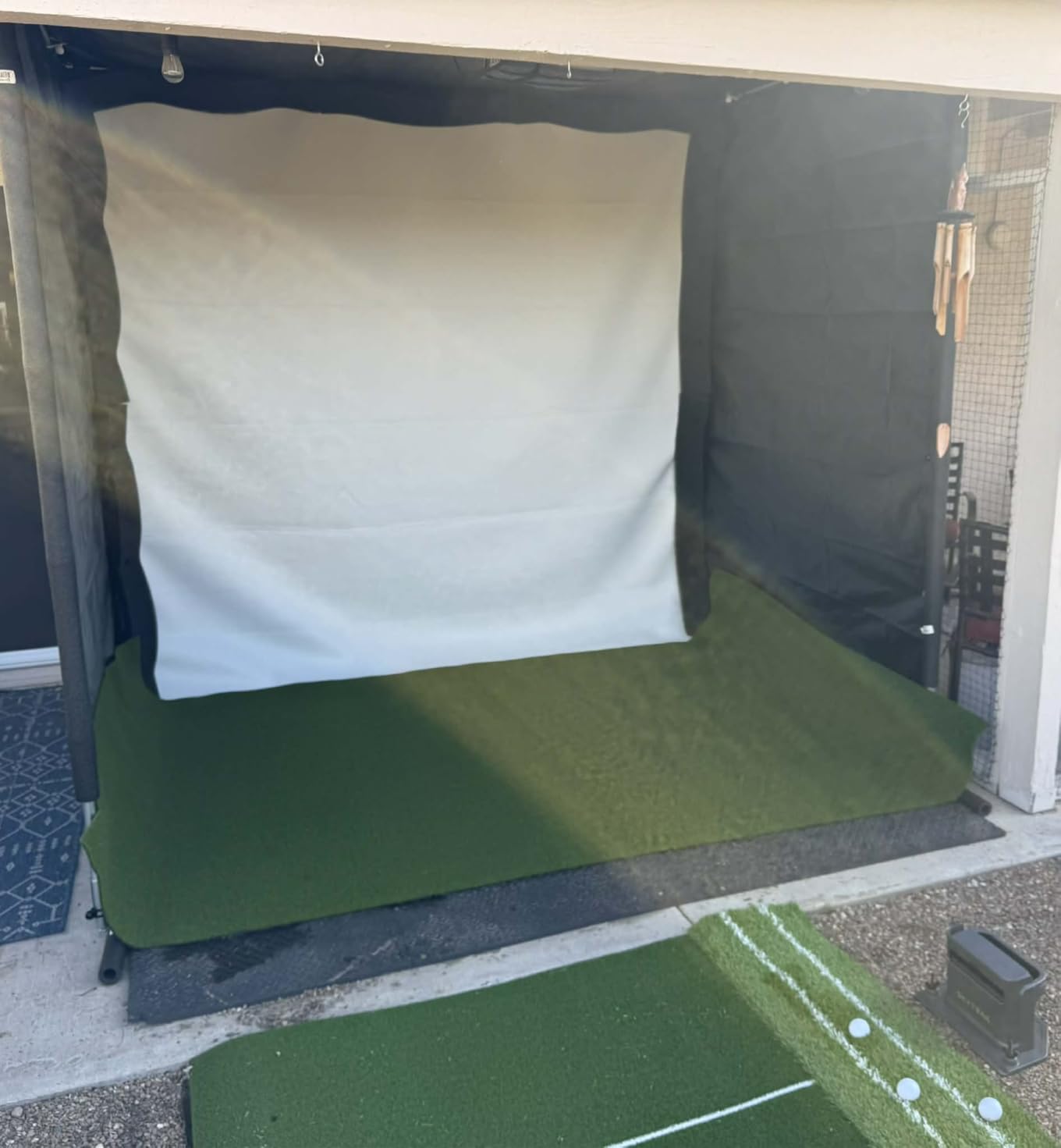
The sticking point is the hitting zone. It is fairly small, so ball placement has to be precise, and no-reads are common on low-lofted shots. Owners also flag that there are no meaningful built-in free courses, and that subscription plans are steep relative to the step up from the base model. Plan the room before you buy: roughly 10 ft by 10 ft of indoor footprint is the recommended space for swinging naturally.
USB wired mode is the one setting to avoid. Owners report missed shots and the device freezing mid-round until a power cycle, while Wi-Fi direct mode works well but leaves the unit offline and blocks course downloads. Treat it as a wireless device and it behaves.
Who this suits?
This suits someone building a dedicated indoor bay who wants ball and club data plus structured drills in one box, without assembling a PC-based camera rig. Mac users get a device that simply works, which removes a recurring source of frustration in home simulator builds.
It also suits a golfer who wants speed training to be a first-class activity rather than a side note. If you are working on tempo and delivery as much as contact, the built-in drill library is the reason to choose this over a simple radar box.
Who should skip it?
Skip it if your room is small. The recommended footprint is roughly 10 ft by 10 ft, and the small hitting zone is unforgiving if you are not placing the ball consistently. In a tight garage bay with a low ceiling, a radar unit placed at ground level is a better fit.
Skip it if a recurring software cost is a dealbreaker, and be cautious if you rely on wired connections for a shared bay. It is also worth weighing whether the drill library alone justifies the step up from a simpler unit, because that integration is the core of what you are paying extra for.
5. Garmin Approach R50 – Best Standalone Simulator With a Touchscreen
Garmin Approach® R50, Premium Golf Launch Monitor & Simulator
Three camera system
10 inch colour touchscreen
9 lb unit, 4 hours of battery
Pros
- Self contained touchscreen with no phone needed
- Improved spin rate plus spin axis and face to path
- Built-in barometer corrects carry for pressure and elevation
- HDMI output for a larger room display
Cons
- Course play needs a Garmin Golf membership
- Face to path needs the included tracking stickers
- 4 hours of battery is short for range sessions
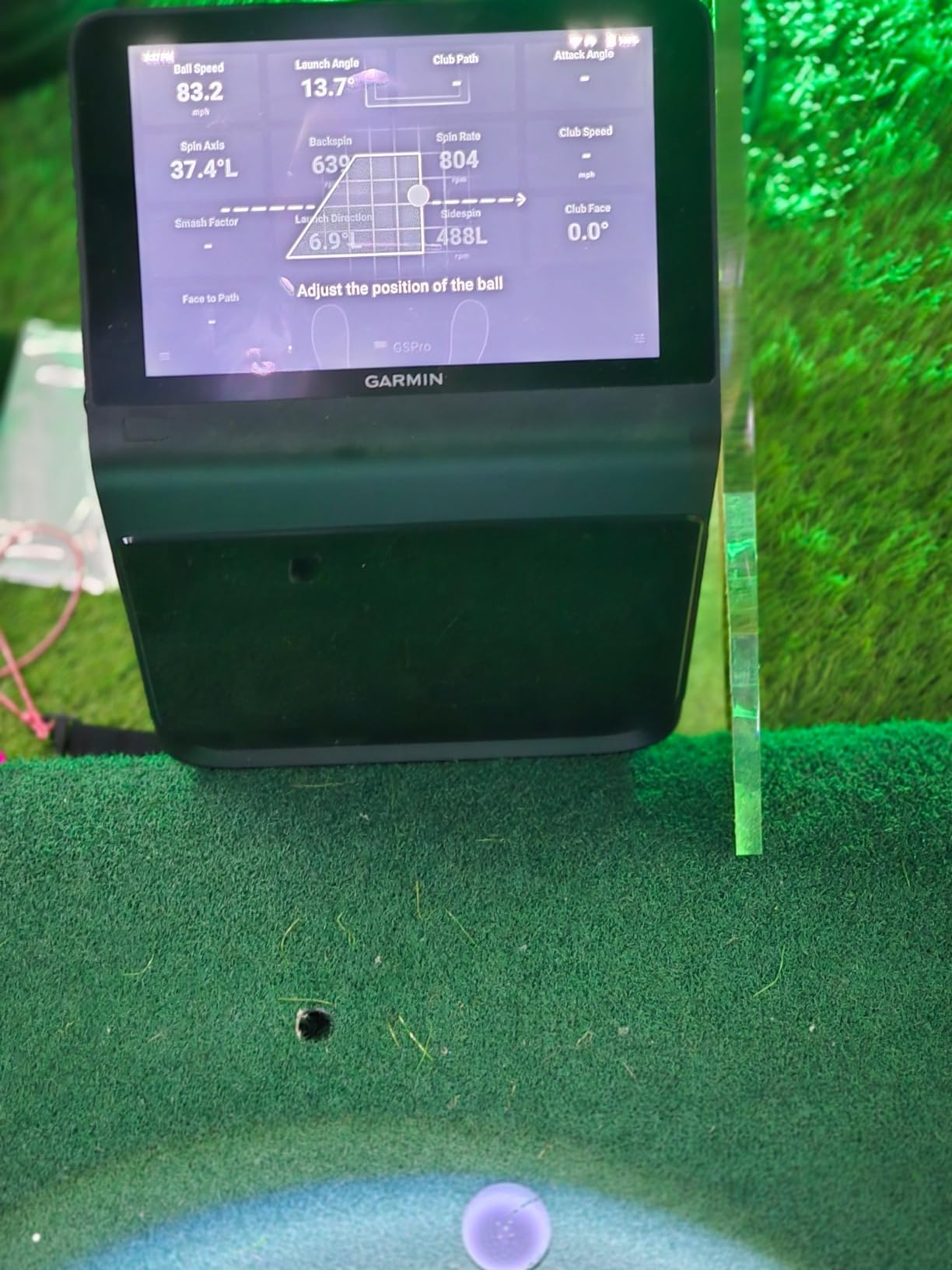
The R50 is a convincing all-in-one indoor simulator, and the reason is the 10 inch colour touchscreen. For basic operation you need no phone and no computer. You pick a course, hit, and read the numbers off a screen you can see from address, which removes the single most common complaint about phone-based units.
Behind the screen sits a three camera system, and that is where the accuracy lives. Owners highlight improved spin rate, spin axis and face to path, plus high-speed impact video for immediate visual feedback on how the ball was struck. The built-in barometer measures atmospheric pressure so carry distance is corrected for your location, which matters more indoors than you might expect.
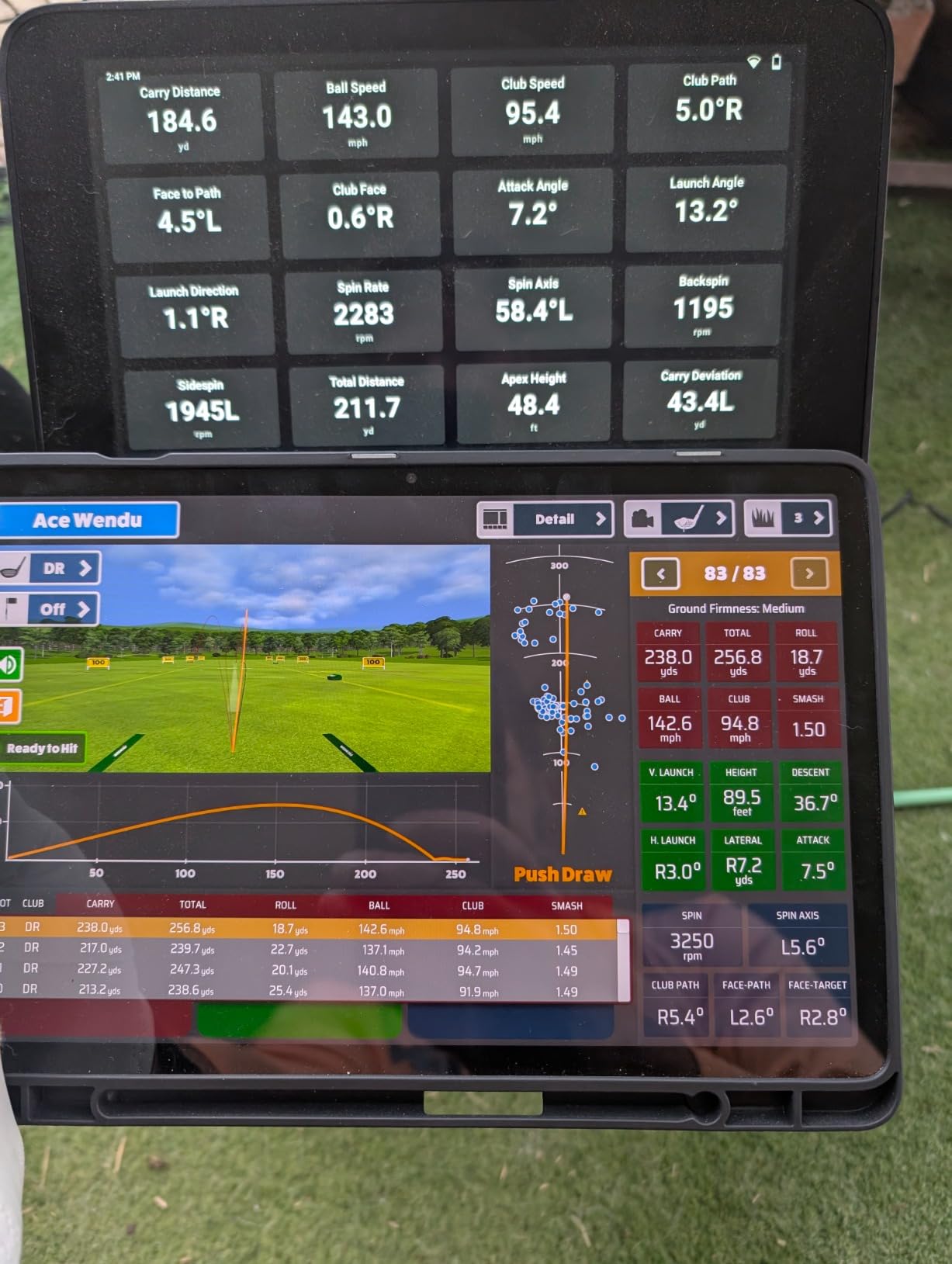
Training mode tracks per-club stats and shows shot dispersion from an advanced ball flight model, and virtual rounds including putting support up to four players across more than 43,000 courses through Home Tee Hero. For a family or a shared bay, the four-player putting and virtual round support is a real differentiator.
Physical setup is straightforward. At 9 lb and 10.6 by 7.5 by 16.5 inches it is larger and heavier than a phone-based portable unit, but it stands on the floor and needs no mounting.
Two limitations to plan around. Virtual course play and Home Tee Hero need an active Garmin Golf membership, and face-to-path tracking requires the included tracking stickers on the ball, which is a recurring consumable. Four hours of battery is also short compared with the 10 hours on the R10, so think of this as an indoor machine first. The HDMI output lets you mirror it to a bigger screen or projector for a room-based setup, and a carrying case is included.
Who this suits?
This suits a household that shares one bay, because up to four players can go through virtual rounds and putting in the same session. It also suits anyone who has stopped enjoying grabbing a phone between shots and wants the data to appear on its own screen.
Coaches running a fixed indoor space will like the HDMI output, since the whole room can watch a swing replay. The barometer-corrected carry distance also makes this a good fit for a basement bay where pressure readings differ from the surface level outside.
Who should skip it?
Skip it if you want to take it to the range regularly, because four hours of battery does not cover a full practice day, and the 9 lb weight is noticeable when you are carrying it across a car park. It is an indoor-first machine despite the range capability.
Also skip it if the membership cost bothers you or if you never intend to use face-to-path, since that metric is the main thing the tracking stickers unlock. Ball speed, launch angle, spin and dispersion are all available without any marked-ball consumable.
6. Uneekor EYE MINI CORE – Best Camera System for a Serious Home Bay
Uneekor EYE MINI CORE Golf Launch Monitor & Simulator, 15 Ball Data Points, Near-Zero Latency, Works with GSPro, TGC19 & E6
Hardwired high speed cameras
15 ball data points
8.4 lb metal unit, 2 year warranty
Pros
- All-metal build owners describe as premium
- Reads any dimple pattern with no ball stickers
- Very large hitting area with few no-reads
- Works with GSPro plus E6 Connect and TGC19
- Works with Creative Golf 3D
Cons
- A recurring third-party software subscription
- Club data needs a later software upgrade
- Needs a reasonably powerful gaming PC and a wired install
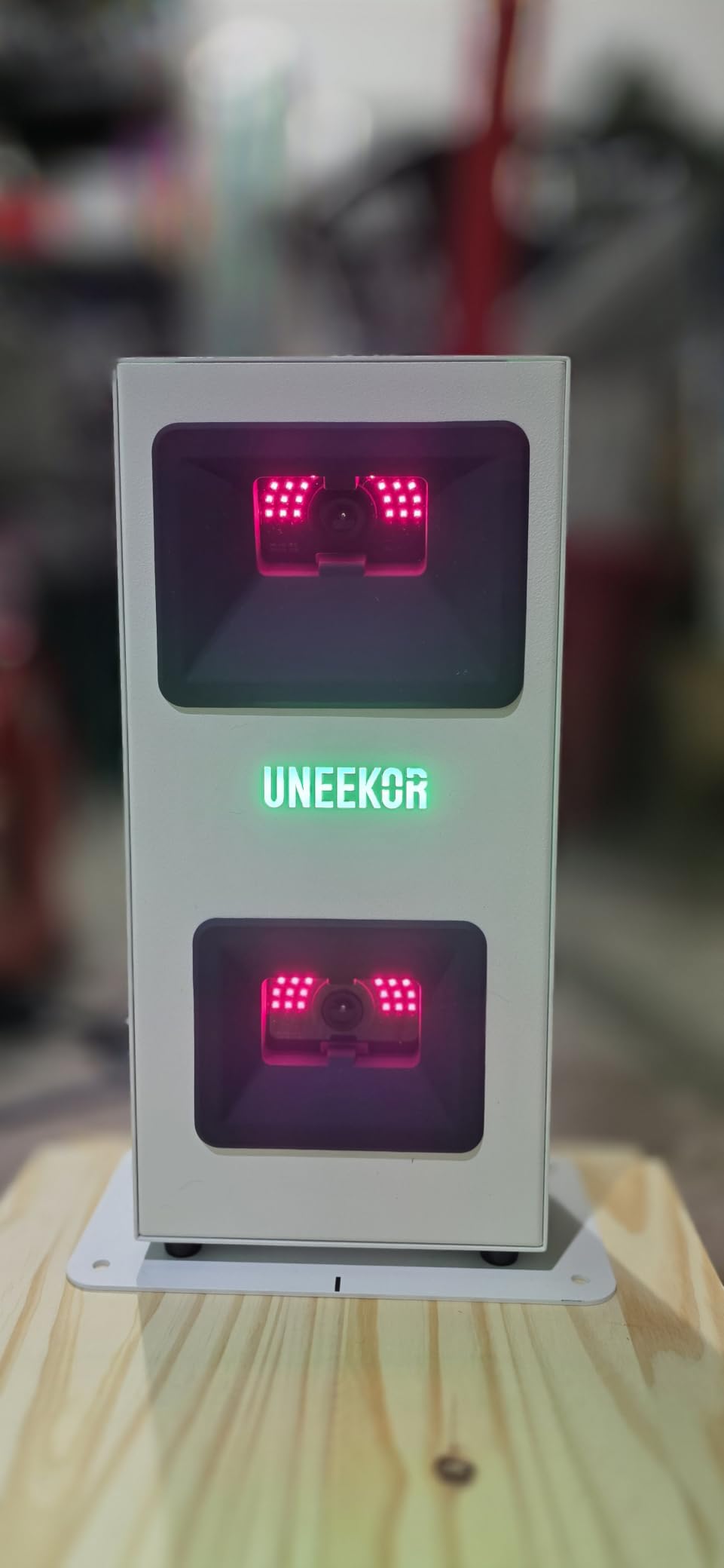
The EYE MINI CORE is a serious camera option for this roundup, and owners who already own a cheaper camera unit describe it as a clear step up in build quality, accuracy, hitting area size and read consistency. The all-metal chassis is 8.4 lb and, as reviewers put it, built like a tank, with a two year warranty behind it.
Latency is the headline. Because the cameras and infrared sensors are hardwired, the system reports near-zero latency between the hit and the data appearing, which is what makes it feel like a real fitting room device rather than a phone accessory. The hitting area is generous, and some long-term owners report zero misreads, which is rare for any indoor camera system.
Dimple Optix is the feature that removes the most common complaint about camera monitors. It reads any dimple pattern, so no special balls and no ball stickers are required for ball data. Twenty club sticker sheets are included in the box, and club data such as swing speed and face-to-path arrives through a later software upgrade rather than being bundled at this level.
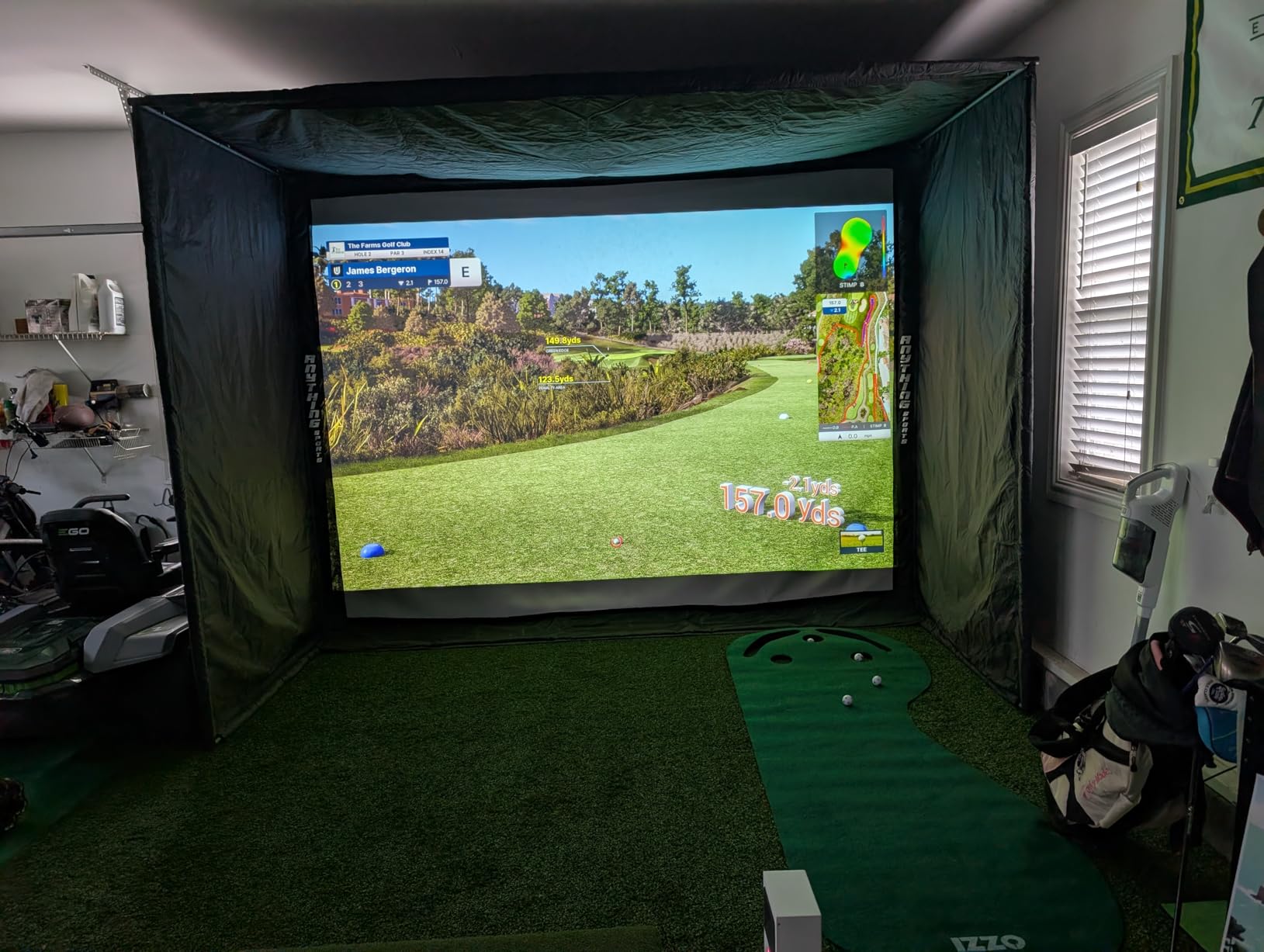
Simulation compatibility is the real reason to buy it. It works with GSPro, E6 Connect, TGC19 and Creative Golf 3D, and the box includes a three month trial of the Ultimate Package with championship courses in 4K and GameDay competitive modes. Uneekor publishes the PC requirements for both VIEW analysis and full simulation, and they are not modest.
The honest caveat is running cost. Connecting to GSPro needs a third-party software subscription on a recurring annual basis, and the bundled Uneekor software has a limited course catalog with a real learning curve. Delicate putts and short chips are sometimes not read, so it is a full swing machine rather than a putting trainer.
Who this suits?
This suits someone building a permanent indoor bay who wants the flexibility to move between analysis and full simulation software rather than being locked into one ecosystem. The wired install and the hardwired latency make it a poor fit for casual use, and a great fit for a room set up once and used for years.
It also suits anyone tired of buying marked balls. Reading any dimple pattern removes a recurring consumable from the running cost, and with 15 ball data points reported through the included VIEW software there is plenty to work with even before you connect GSPro.
Who should skip it?
Skip it if you do not already own, or are not willing to buy, a reasonably powerful gaming PC with a wired network connection. It cannot be driven from an iPad, and the simulation requirements go well beyond an everyday laptop.
Skip it if club data is a must-have right now, because face-to-path and swing speed are gated behind a later upgrade. The most commonly cited surprise in forum threads is exactly this: people buy expecting club data and find it is an add-on, so budget for it before you commit.
7. FlightScope Mevo Gen2 – Best for Subscription-Free Practice
FlightScope Mevo Gen2 Portable Golf Launch Monitor and Simulator with 18 Swing Data Parameters, Front Facing Camera, 8 E6 Simulation Courses with GPS Overview and Shot Tracer | Indoor and Outdoor
3D Doppler radar plus image processing
18 data parameters and 8 E6 courses
1.1 lb unit, 6 hours of battery
Pros
- No subscription
- hidden fees or annual licence fees
- 18 parameters covering swing
- chipping and putting
- Shot Tracer draws the 3D ball flight in the video
- Up to three mobile devices for multi-cam video
Cons
- Setup is difficult and early units needed firmware updates
- Elevation must be set correctly or distances are wrong
- Connection drops are reported often enough to interrupt a round
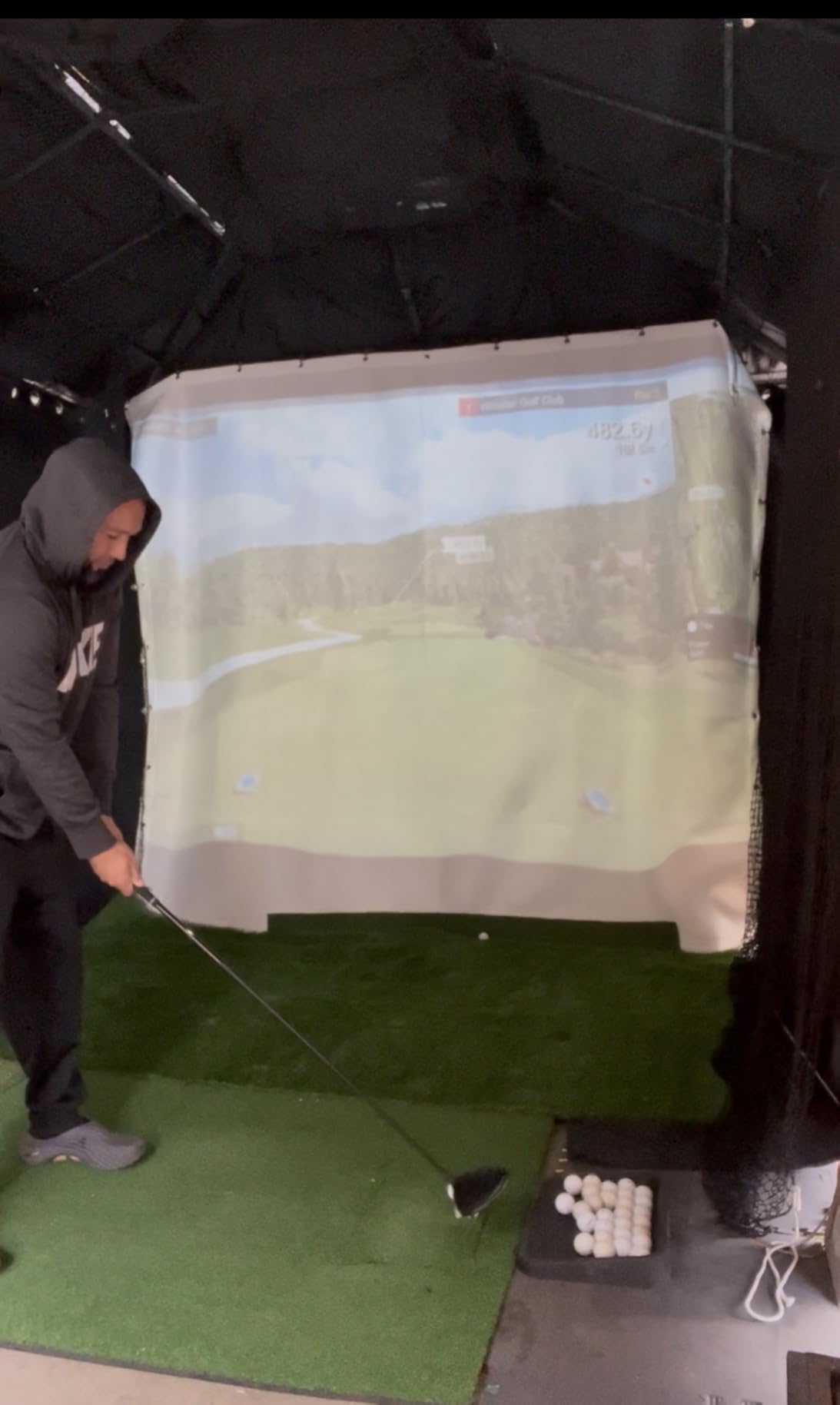
FlightScope is the clearest answer in this group for anyone who refuses to pay a recurring fee. The E6 Connect bundle includes eight courses, including Kiawah and Torrey Pines, with no recurring subscription, and the Shot Tracer, FS Golf, FS Skills and Action Video all stay unlocked for life. Over three years that difference is where the money is.
Fusion Tracking combines 3D Doppler radar with synchronised high speed image processing, and it reports 18 swing, chipping and putting parameters, more than most competitors at this level. Including putting parameters is unusual and useful if your indoor station covers more than full swing.
Video is the other strength. A front facing internal camera plus multi-cam support lets you connect up to three mobile devices, and you can draw lines and circles on the footage and add voiceover, which is close to the analysis workflow people build custom rigs for. Up to six hours of practice time per charge and a 1.1 lb body make it genuinely portable.
Reviews are polarised, and the cause is firmware and connectivity rather than accuracy. Early units needed several firmware updates before connecting reliably, some owners track only a small fraction of shots in practice, and connection drops are reported often enough to interrupt a round. Several owners confirm later firmware updates resolved both the connection and the distance issues, so give it time before judging it.
One setting matters more than it looks: elevation has to be entered correctly, or reported distances can be off by 15 yards or more. That is an easy fix that people miss. Simulation graphics can also need a higher-spec graphics card than the minimum listed.
Who this suits?
This suits anyone who has been put off by subscription fatigue. One charge, one purchase, eight courses and the analysis tools with no annual licence is a genuinely different long-term maths from every other unit in this list.
It also suits golfers who practise putting and chipping indoors alongside full swing, since 18 parameters span all three. For a room with a hitting bay and a putting mat, that coverage is unusual at this size and weight.
Who should skip it?
Skip it if you want a frictionless setup. Owners who are not technically confident describe setup as difficult, and the connection behaviour is the most common complaint in the reviews. If your household is not going to spend an evening with firmware updates, choose a unit that pairs automatically.
Only one mobile device can connect at a time, so multi-device analysis is not a thing here, and the shot-capture rate issues reported by some owners make it a weaker choice for a coach running sessions for several players. The data is good when it lands; the reliability is the question.
8. PRGR HS 130-A – Best Simple Pocket Speed Trainer
PRGR HS 130-A Portable Golf Launch Monitor | Doppler Radar Measures Club & Ball Speed, Smash Factor, Total & Carry Distance | Tracks Swing Speed Training Aids
Doppler radar, 135 to 270 yard range
Club and ball speed, smash factor, carry
4.9 oz, runs on AAA batteries
Pros
- Measures club head speed with or without a ball
- No app and no subscription needed
- Stores 500 previous swings
- Also works for baseball and hockey
Cons
- Only four metrics with no launch angle or spin data
- Not a simulator and there is no shot tracer
The PRGR HS 130-A is the simplest thing you can put in a garage, and the reason is that it does almost nothing beyond speed. It tracks club head speed, ball speed, smash factor and total and carry distance using Doppler radar across a 135 to 270 yard measuring range, and owners report readings comparable to far more expensive units.
There is no app, no Wi-Fi, no Bluetooth and no subscription. It runs on AAA batteries, it measures 3.03 by 1.69 by 5.63 inches and weighs 4.9 oz, which means it slips into a golf bag permanently. Nothing to pair, nothing to update, nothing to go wrong on a software update.
Two details make it more useful indoors than the price suggests. It measures club head speed with or without a ball, so you can do tempo and speed work in a living room with no net and no ball at all. and it stores 500 past swings in memory for later review. It is also a multi-sport speed trainer, which is how a lot of households justify it.
Who this suits?
This suits a beginner who needs a baseline, not a diagnosis. Knowing your club head speed and your smash factor gives you two honest numbers to work from, and the gap between them tells you whether contact is the problem. For that purpose the PRGR is more than enough.
It also suits anyone practising indoors without a full swing. The swing speed mode is genuinely useful in a small space, and with no connected app there is nothing to fiddle with between shots, which keeps the practice loop tight.
Who should skip it?
Skip it if you care about trajectory. There is no launch angle, no spin rate, no apex and no descent angle, which means the four metrics it gives you cannot tell you why a ball behaved the way it did. That is a real ceiling on what a practice plan built around this device can achieve.
Skip it if you want a simulator or video. There is no on-screen shot tracer, no virtual course and no clip library. Think of it as a very good swing speed trainer that happens to also measure the ball, and it will never disappoint you.
9. Voice Caddie SC200Plus – Best Hands-Free Swing Speed Trainer
Voice Caddie SC200Plus Portable Golf Launch Monitor and Swing Analyzer with Real-Time Shot Data Tracking – 12-Hour Battery Life
Doppler radar with pressure calibration
LCD display plus voice output
8 oz, up to 20 hours of battery
Pros
- Voice output keeps you in your swing posture
- Swing speed mode works indoors with no ball
- Doppler radar with an atmospheric pressure sensor
- Stores per-club averages
- 20 hour battery
Cons
- Fewer metrics than camera based monitors
- No app and no video analysis
- Not a virtual course simulator
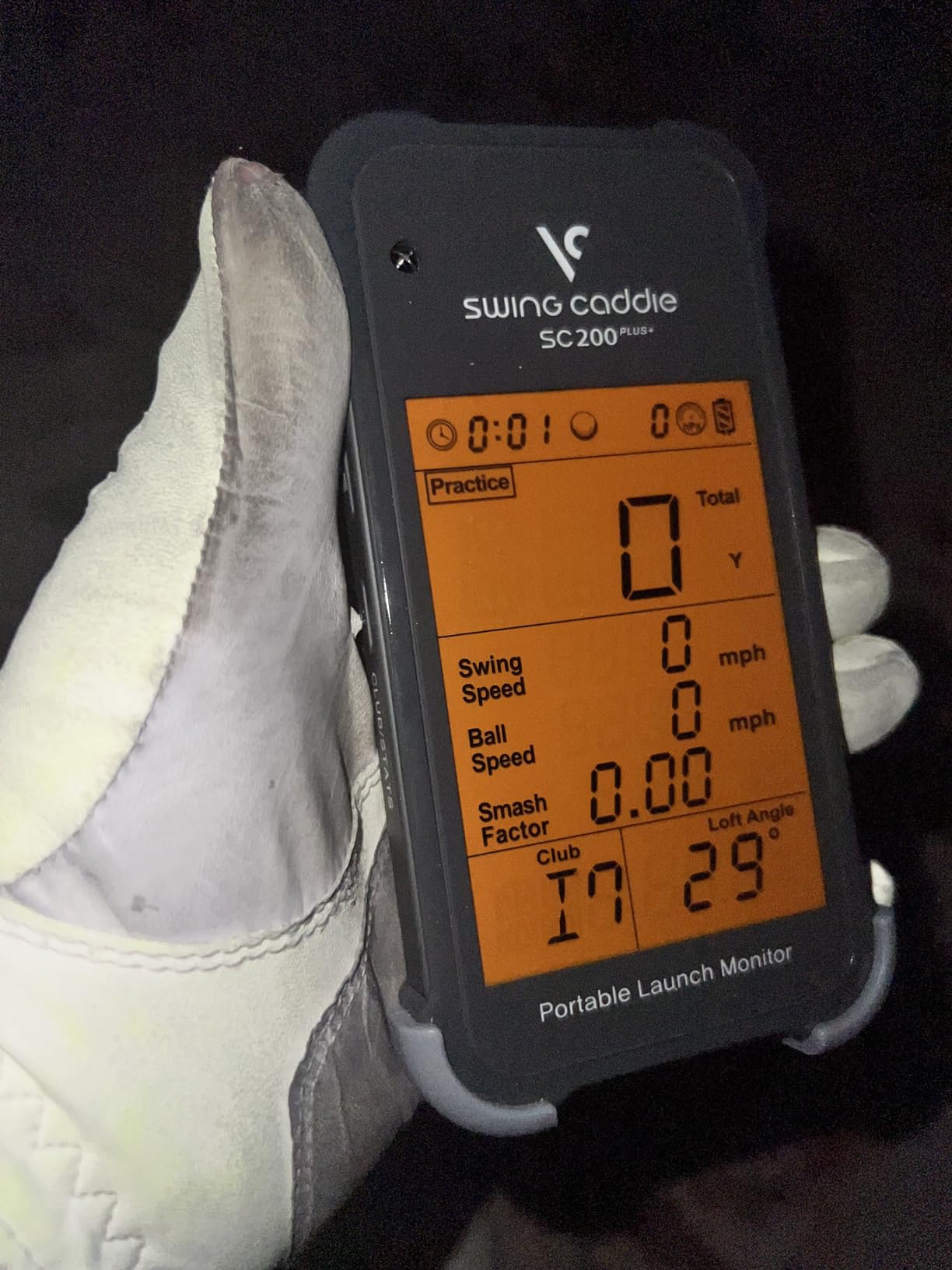
The SC200Plus solves a specific problem well: you do not want to look at anything mid-practice. Voice output calls your result after every shot, so you stay in your address position and keep your rhythm instead of bending over a screen or reaching for a phone. Owners consistently point to that hands-free loop as the reason the unit gets used at all.
Technology is Doppler radar with atmospheric pressure sensors for calibration, which helps carry readings stay sensible as conditions change. Adjustable loft angles let you simulate different clubs and conditions, and the unit stores shot data and club statistics so you can track average distance per club over a block of sessions.
At 8 oz the unit is effectively a permanent fixture in a garage or a bag, and the swing speed mode lets you work on tempo and speed with no ball at all, which makes it a good companion for off-season indoor work.
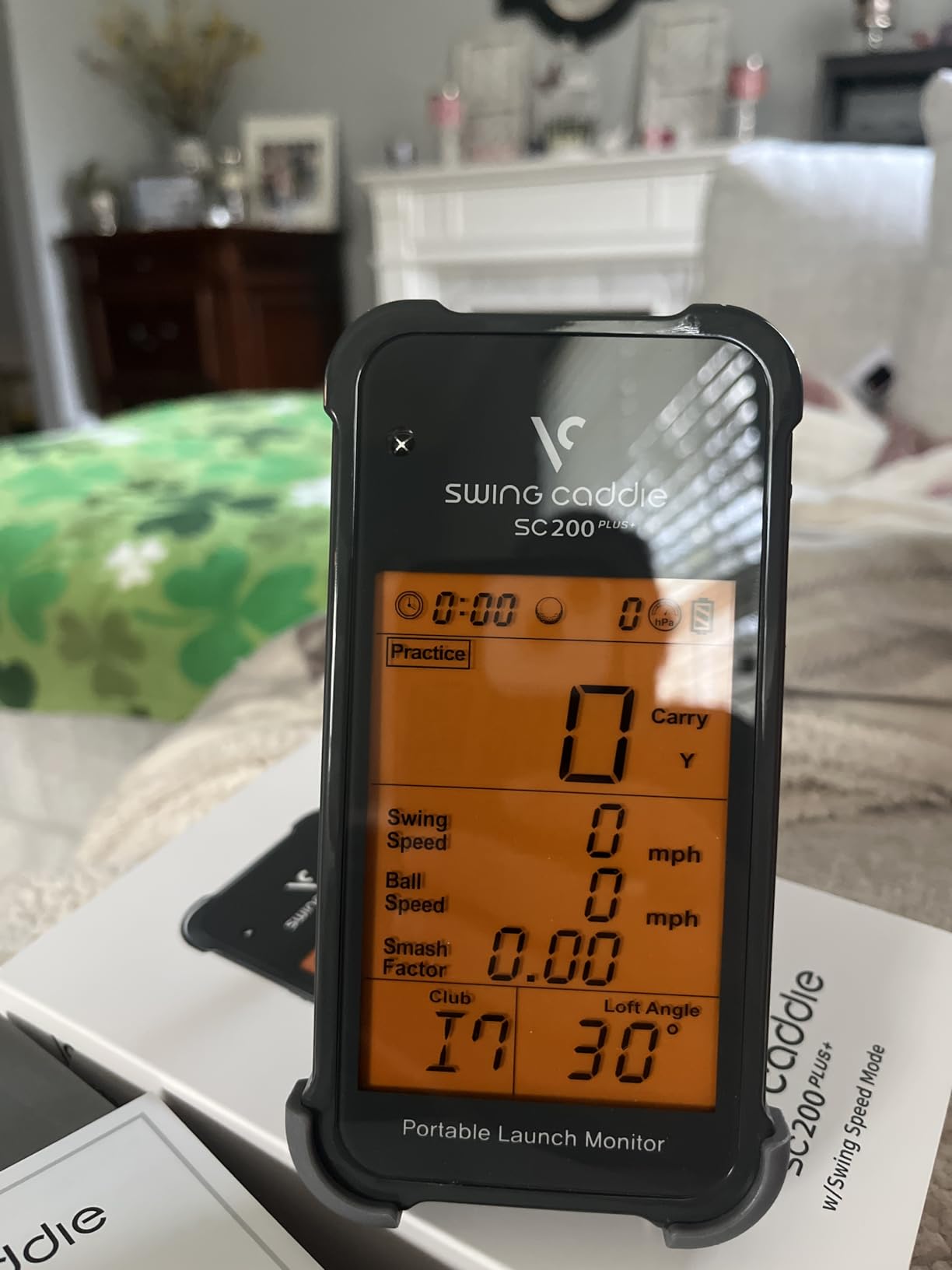
The limitation is the metric set. There is no spin rate and no shot tracer, the LCD display is simple, and there is no companion app or video analysis. Several owners pair it with an indoor net and a putting mat simply to keep a practice session going, which tells you how it is really used.
Who this suits?
This suits a golfer working on tempo and club speed, especially in a small space where a full swing bay is not an option. The no-ball mode means you can get a meaningful workout in a spare room without a net, a mat or a ball bucket.
It also suits anyone who finds reaching for a device disruptive. Voice output keeps the feedback loop tight, and a 20 hour battery means you set it up and forget it, which is a good match for a basement or garage station that gets used irregularly through the winter.
Who should skip it?
Skip it if you want to know why a shot did what it did. Speed and average distance per club is the ceiling, and any plan built around launch windows or spin will stall. If you have already worked on tempo and want contact data, this is the wrong tool.
Skip it if you need a record you can review later on a screen. There is no video and no app, so the only interface is the LCD and the voice call, and the stored statistics are simple club averages rather than anything you can chart.
10. TheStack Radar – Best Value Speed Tracker for Practice Drills
TheStack™ Radar – Portable Golf Launch Monitor, Swing Speed & Ball Tracker
Pocket radar, swing and ball speed
Estimated carry and smash factor
0.12 kg, Bluetooth app connection
Pros
- Highest average rating in this roundup at 4.6
- Connects on both iOS and Android
- Packs into a pocket at 0.12 kg
- Includes guided putting practice sessions
Cons
- Carry distance is an estimate
- not a tracked measurement
- Wedge and putting content is iOS only
- Not a simulator with no virtual course play
TheStack Radar sits at the entry point of this list but at the top of the ratings here, with a 4.6 average across its reviews and roughly 78 percent of ratings at five stars. It is a very small piece of kit at 0.12 kg, and it measures swing speed and ball speed, then calculates estimated carry distance and smash factor the moment you finish the swing.
Connection is refreshingly simple. It links over Bluetooth to TheStack App on both iOS and Android, which is rare in a category dominated by iPhone-only devices. It is built to pair with TheStack speed training clubs, so if you already own those it is the natural companion piece.
There is more in the box than the headline suggests. Stack Wedging practice sessions are gamified and broken into skill-specific drills, and a Stack Putting app with guided sessions and insights is included, with a one month free trial of the wedge mode. TheStack is used by 2022 US Open champion Matt Fitzpatrick, which is a fair signal for a speed trainer.
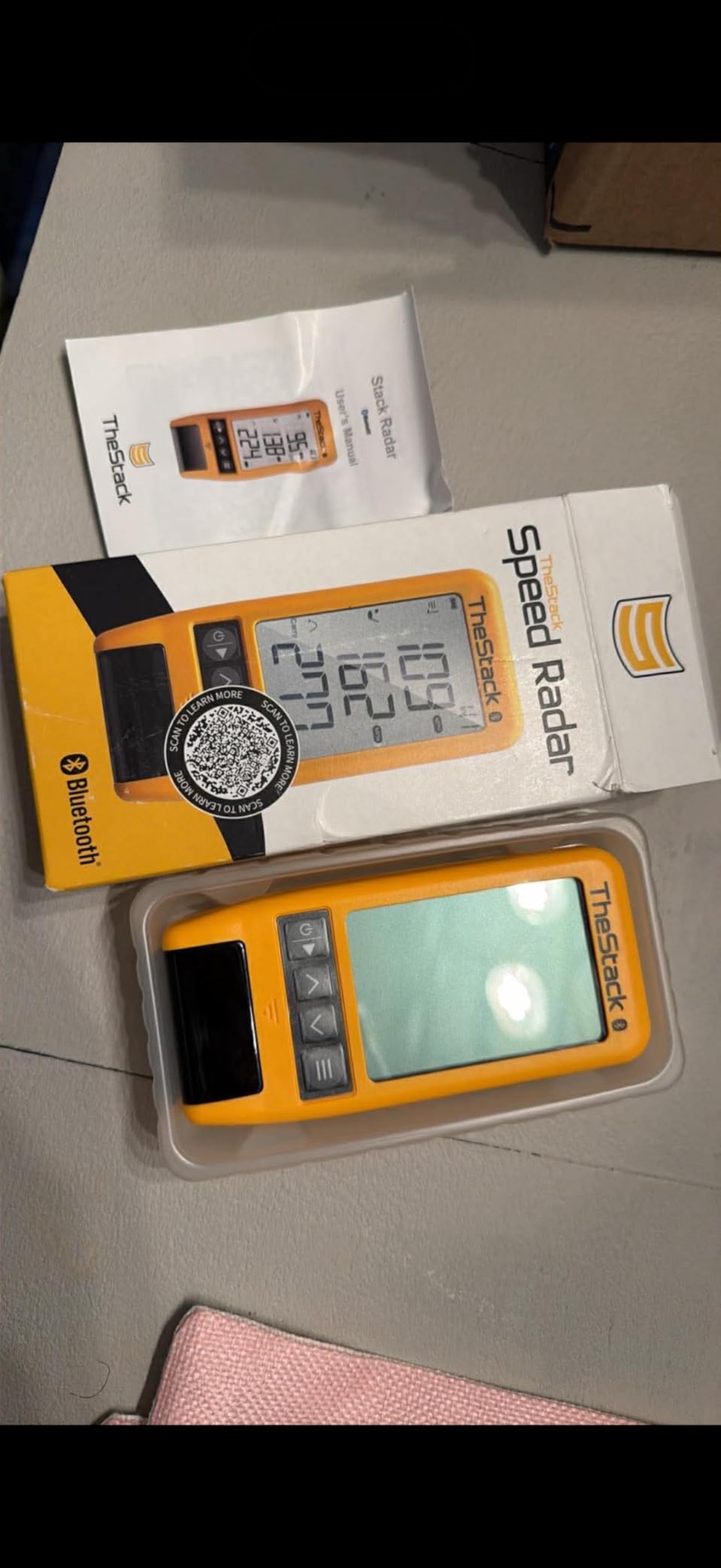
The limitation is that carry distance is an estimate rather than a tracked measurement, so it is a training feedback tool rather than a measurement instrument. Stack Wedging and Stack Putting need an Apple device running iOS 15.0 or later, and Android is limited to speed training. There is no virtual course play of any kind.

Who this suits?
This suits anyone starting a swing speed programme, and it is especially good for younger golfers or anyone who wants a drill structure rather than a raw number. The gamified wedge sessions and guided putting sessions give a practice session a shape even when motivation is thin.
It also suits a household split across phone platforms, since the core speed training works on both. For a teenager learning tempo and speed in a garage or a spare room, the combination of a 0.12 kg device, an app and structured drills is hard to beat at this level.
Who should skip it?
Skip it if you want accurate carry figures or any kind of simulator experience. The estimated carry number is a guide, not a measurement, and there is no course to play. If you are building a home simulator, this belongs in a pocket, not in the bay.
Skip it if your practice is centred on wedge and putting work and you are on Android, because those features are iOS only. It is also a narrow tool: it reports four numbers, and the value is in the app and the drills rather than in the data depth.
Buying Guide: How to Choose an Indoor Launch Monitor?
Room size decides more than any spec sheet. Radar units need clear air in front of and behind the ball, and players on r/Golfsimulator put that at roughly eight feet on each side, which is why people in 14 ft rooms keep asking how to make radar work at all.
Camera systems read the room instead of the air, so a unit can sit close to the ball. If your bay is tight, the camera option is not a luxury, it is the one that works.
Lighting is the second room factor. Photometric systems rely on high-speed cameras and, in some cases, an embedded infrared light system, and a dim garage or a basement with one window can degrade or block readings entirely.
Keep the hitting area evenly lit and keep direct sunlight off the hitting zone. If you cannot control the lighting in your space, choose a radar unit.
Ball data versus club data is the third decision, and it is where consumables bite. Ball speed, launch angle and carry need only a ball. Spin rate, spin axis and especially club path, face angle and face-to-path need either a marked ball or club stickers.
The MLM2PRO includes three marked balls and those wear out. The R50 needs its tracking stickers for face-to-path. The EYE MINI CORE reads any dimple pattern and needs no ball stickers at all, though club data there is a later upgrade. Players on r/golfsimulator and r/golftips consistently flag this as the thing nobody tells you at the point of purchase.
Subscriptions are where the real cost lives, and the number that matters is the three-year total rather than the price tag. A unit with a recurring membership can easily exceed a more capable no-subscription device over the same period.
The FlightScope Mevo Gen2 makes the strongest no-subscription case, with eight E6 courses and the analysis tools unlocked for life. The Uneekor EYE MINI CORE needs a recurring third-party subscription to reach GSPro, and the Garmin units gate full course play behind a Garmin Golf membership. The PRGR and the Voice Caddie need nothing at all.
Portability is the last factor, and it decides whether one device or two is the right answer. The Garmin R10 gives up to 10 hours of battery and weighs 340 g, so it moves between a garage and the range without any setup. The MLM and TheStack Radar are small enough to live in a bag.
The R50 has four hours of battery at 9 lb, and the EYE MINI CORE at 8.4 lb is hardwired by design, so both are indoor-first machines. If you want range data and home data from one box, weigh the portable picks more heavily.
A final setup habit that saves more time than any feature: place the unit, mark the ball position, and hit twenty calibration shots before you start judging anything. Owners who report erratic readings are usually measuring alignment or lighting rather than a fault in the device.
Frequently Asked Questions
Which launch monitor is the most accurate?
Among the units here, the Garmin Approach R50 and the Uneekor EYE MINI CORE sit at the camera-heavy end, where three cameras and a hardwired infrared system produce the most complete ball and club data. The Rapsodo MLM2PRO is reported by owners as landing within a few percent of commercial Trackman units on spin rate, spin axis and club path. In a real indoor bay, accuracy depends as much on alignment, lighting and the quality of your net as on the sensor, so calibrate before you compare.
Is there a cheaper alternative to TrackMan?
Yes. The Rapsodo MLM2PRO reports spin rate, spin axis and club path at a fraction of premium radar system pricing, and reviewers describe its data as within a few percent of commercial Trackman units. The Garmin R50 adds a three camera system with a built-in touchscreen. If you need the TrackMan feature set without the TrackMan outlay, either of those covers most of it.
Do indoor launch monitors need marked golf balls?
It depends on the metric. Ball speed, launch angle and carry need an ordinary ball. Spin rate, spin axis, face-to-path and club data usually need a marked ball or club stickers. The Rapsodo MLM2PRO includes three marked balls that wear out and need replacing, and the Garmin R50 uses the included tracking stickers for face-to-path. The Uneekor EYE MINI CORE reads any dimple pattern, so it needs no ball stickers for ball data.
How much space do I need for an indoor launch monitor?
Radar units need roughly eight feet of clearance in front of and behind the ball, which is the single most common reason people in short rooms rule them out. Camera-based systems need far less, since they read the ball and club rather than tracking the ball through the air. Plan about 10 ft by 10 ft of indoor footprint if you want to swing a full driver naturally, and keep the hitting area evenly lit with no direct sunlight on it.
Which launch monitor is best for a beginner?
The Garmin Approach R10 is the most beginner-friendly serious option, because it is light, runs for up to 10 hours and charts dispersion by club so you can see whether a change is working. If you want an even simpler starting point, the Voice Caddie SC200Plus gives voice feedback with no phone and no app, and the PRGR HS 130-A gives you club speed and smash factor with nothing to set up.
Can indoor launch monitors work in a garage?
Yes, and a garage bay is the most common indoor setup. Put the unit on the floor in front of the ball with enough clear air behind the golfer, use a proper mat and net, and keep the area evenly lit. Photometric camera units are more sensitive to a dim or unevenly lit garage, so if your bay has one bare bulb, a radar unit at ground level is the safer choice.
Final Verdict: Pick by Room Size and Data Depth
If you want the best all-round indoor tracker you can carry anywhere and do not need spin, the Rapsodo MLM is our top pick. It records the five numbers that matter for iron and wedge work, pairs each with video, and fits in a bag. If you want club data and spin without building a wired bay, the MLM2PRO is the step up, and you should budget for marked balls.
Match the type to the room before anything else. Short bay or low ceiling means a camera-based system, and a large open room means radar is fine. Then pick by data depth: ball data only for tempo and carry work, ball and club data if you are trying to shape shots, and a standalone screen if you would rather not handle a phone between shots. Add up subscriptions over three years before you buy, because that is the number that decides between otherwise similar units.
Whichever one you choose, set it up once, mark your ball position, light the area evenly and hit twenty shots before you trust a number. That habit is worth more than any spec on the box, and it is where the best launch monitors for indoor practice in 2026 start to pay off.