

When I started my first finance job, I showed up with a basic calculator and got looks from everyone in the room. That day taught me something real: the tools you carry matter. After testing calculators across CFA prep, daily financial modeling, and investment analysis, our team put together this guide to the best scientific calculators for finance professionals in 2026.
Finance work demands specific functions that ordinary calculators simply cannot handle. Time value of money calculations, cash flow analysis, NPV and IRR computations, amortization schedules, and bond pricing all require dedicated financial keys and programming logic. The wrong calculator slows you down during exams and costs you accuracy on the job.
We tested eight calculators that finance professionals actually use, from the CFA-exam-approved Texas Instruments BA II Plus to the industry-standard HP 12C that has dominated banking desks since 1981. Whether you are a CFA candidate, an MBA student, or a seasoned investment banker, this breakdown covers real-world performance, exam compliance, and long-term value.
Table of Contents
Top 3 Picks for Finance Professionals (September 2026)

TI BA II Plus Financial Calculator
- CFA/FRM/CMA Approved
- NPV IRR Cash Flow
- TVM and Amortization

Best Scientific Calculators for Finance Professionals in 2026
| Product | Specifications | Action |
|---|---|---|
| TI BA II Plus Financial Calculator |
|
Check Latest Price |
 HP 10bII+ Financial Calculator HP 10bII+ Financial Calculator |
|
Check Latest Price |
 HP 12C Financial Calculator HP 12C Financial Calculator |
|
Check Latest Price |
| TI BA II Plus Professional |
|
Check Latest Price |
 CATIGA CF-300 Business Analyst CATIGA CF-300 Business Analyst |
|
Check Latest Price |
 HP 17bII+ Financial Calculator HP 17bII+ Financial Calculator |
|
Check Latest Price |
 HP 12C Platinum Financial Calculator HP 12C Platinum Financial Calculator |
|
Check Latest Price |
 Casio fx-9750GIII Graphing Calculator Casio fx-9750GIII Graphing Calculator |
|
Check Latest Price |
1. Texas Instruments BA II Plus – The CFA Exam Standard
BA II Plus Financial Calculator
CFA FRM CMA Exam Approved
NPV IRR for Uneven Cash Flows
TVM and Amortization
4 Regression Options
Pros
- Approved for CFA FRM and CMA exams
- NPV and IRR calculations for uneven cash flows
- Time-value-of-money and amortization functions
- List-based statistics with 4 regression options
Cons
- Requires CR123A battery included
- Single-line display
I have used the Texas Instruments BA II Plus through two CFA exam levels and hundreds of hours of practice problems. It is the calculator most finance professionals reach for first, and there is a reason it has over 22,000 reviews with an 81 percent five-star rate.
The algebraic entry system means you type calculations in the order you would write them. No learning RPN, no reversing your mental model. For someone new to financial calculators, this alone removes a massive barrier to entry.

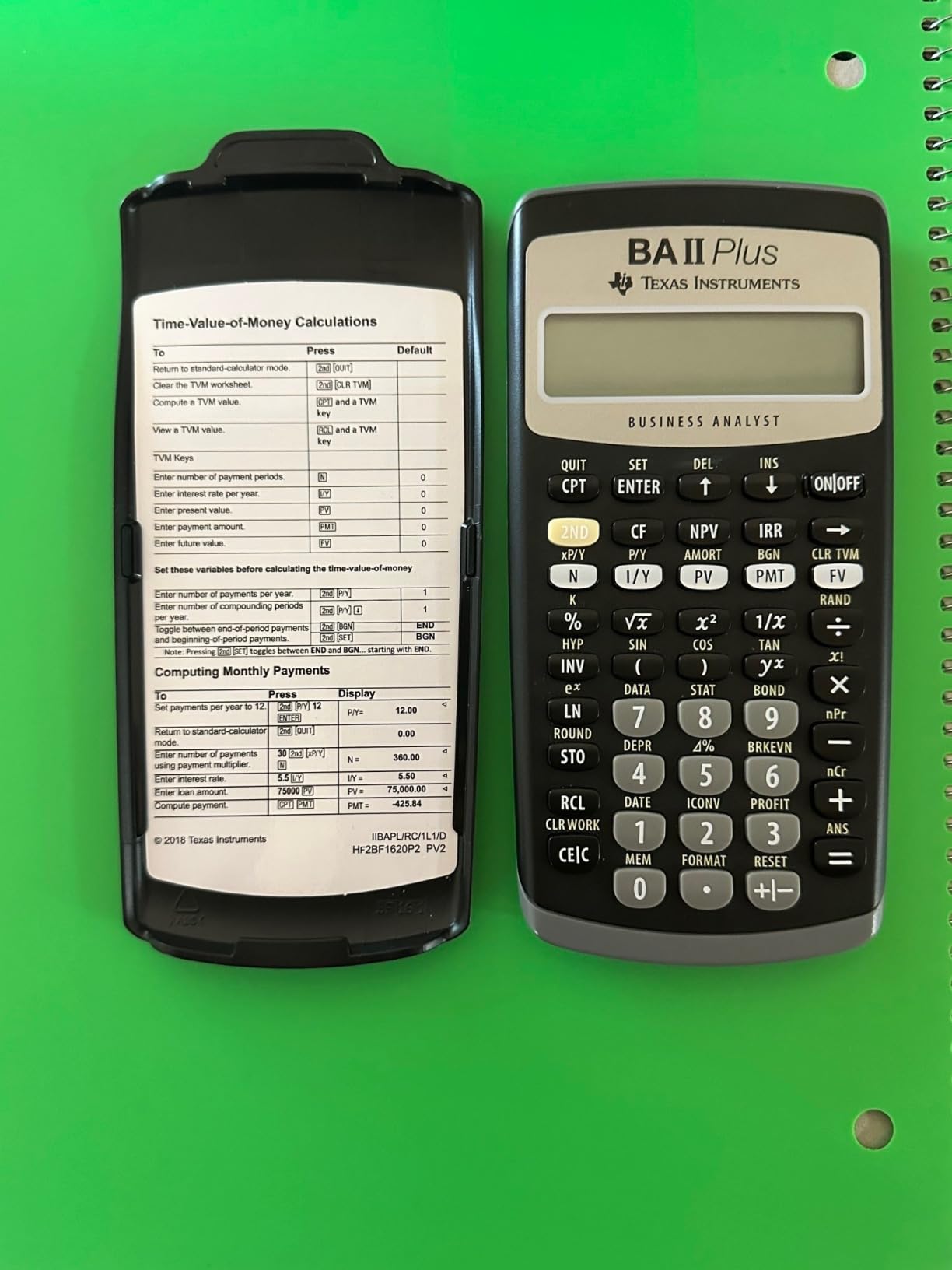
The dedicated TVM row handles loans, mortgages, leases, pensions, and savings calculations. I ran through sample CFA Level 1 time-value-of-money problems and the prompted workflow guides you through each variable clearly. The cash flow function computes NPV and IRR for uneven streams, which is essential for any investment analysis work.
One thing to watch: the factory default sets payments to the end of period. Many users miss this and get wrong answers on annuity-due problems. Press [2nd][BGN][2nd][SET] to switch to beginning mode when needed. Also, the display is single-line, so you cannot review your full input at a glance like you can on the Professional model.
Who Should Buy the BA II Plus
If you are a CFA candidate, FRM candidate, CMA candidate, or finance student, this is your safest pick. The CFA Institute explicitly approves it for all exam levels, and it is the calculator most prep courses teach with. You will find walkthroughs, tutorials, and study guides built specifically around this device everywhere.
It is also the most affordable CFA-approved calculator on the market. For under $40, you get a device that will carry you through your entire certification journey and into your first finance job.
Exam Day Tips for the BA II Plus
Before any exam, reset the calculator to factory defaults by pressing [2nd][+/-][ENTER]. This clears memory and prevents leftover data from corrupting your calculations. Then adjust settings to your preference: decimal places, chain versus algebraic logic, and payment frequency.
Bring a spare CR123A battery. The BA II Plus does not have solar backup, and a dead battery mid-exam is a disaster you can easily avoid for a few dollars.
2. Texas Instruments BA II Plus Professional – Premium Build and Advanced Functions
BA II Plus Professional Financial Calculator Texas Instruments
Cash Flow Analysis for 32 Uneven Flows
NPV NFV IRR MIRR Modified Duration
Prompted Display
Automatic Power Down
Pros
- Time-value-of-money calculations for annuities mortgages leases
- Cash-flow analysis for up to 32 uneven cash flows
- Comprehensive NPV IRR MIRR Modified Duration functions
- Automatic Power Down extends battery life
- Prompted display guides financial calculations
Cons
- Requires CR123A battery included
- Heavier and bulkier than standard BA II Plus
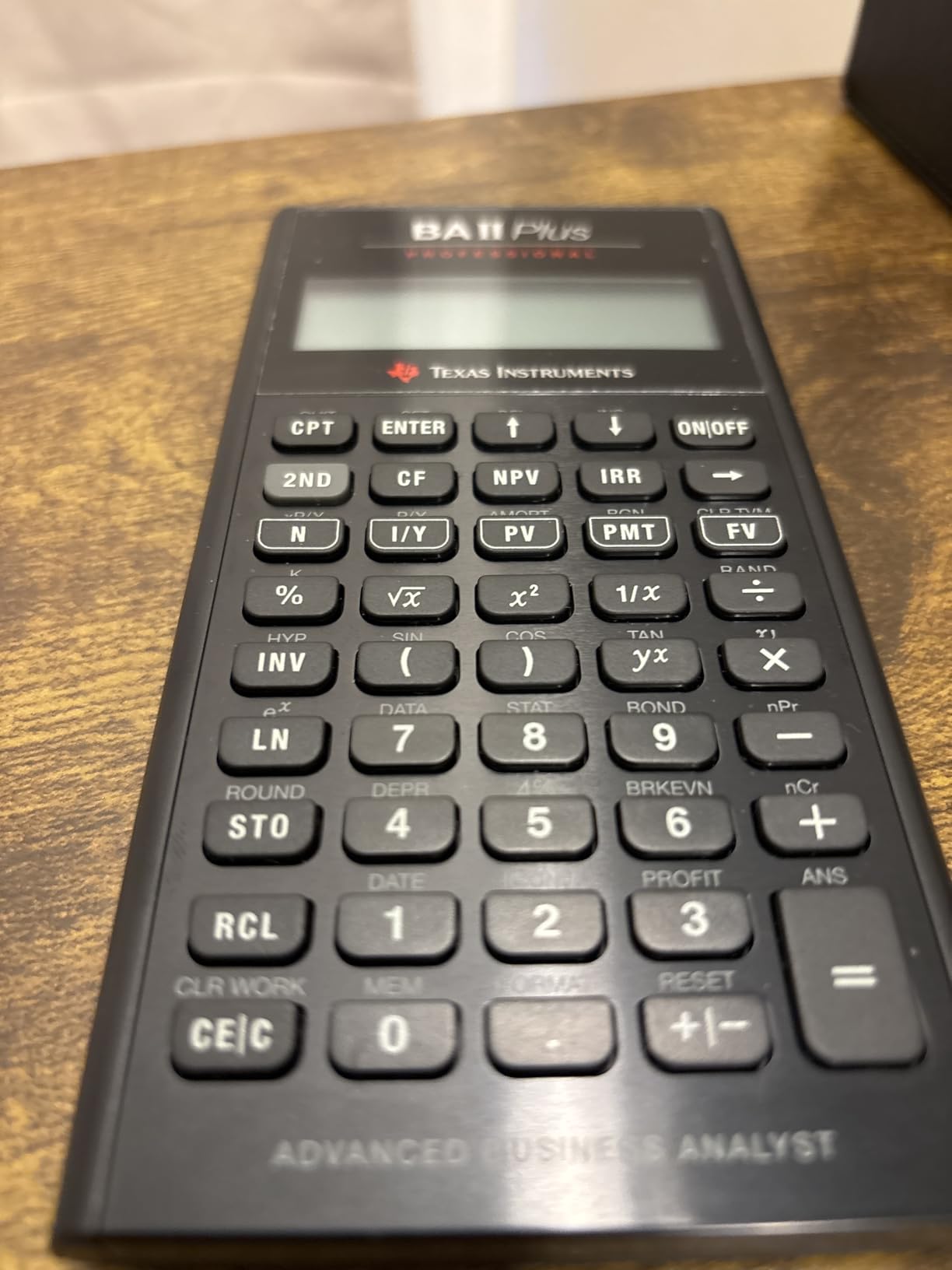
After using the standard BA II Plus for months, I upgraded to the Professional model for the build quality alone. The metal enclosure feels solid in your hand, the keys have better tactile response, and the prompted display shows both the variable name and label as you work through calculations.
The standout upgrade is the cash flow capacity. This model handles up to 32 uneven cash flows with up to 4-digit frequencies, compared to the standard model’s smaller capacity. For complex investment analysis with multi-year projections, this makes a real difference.
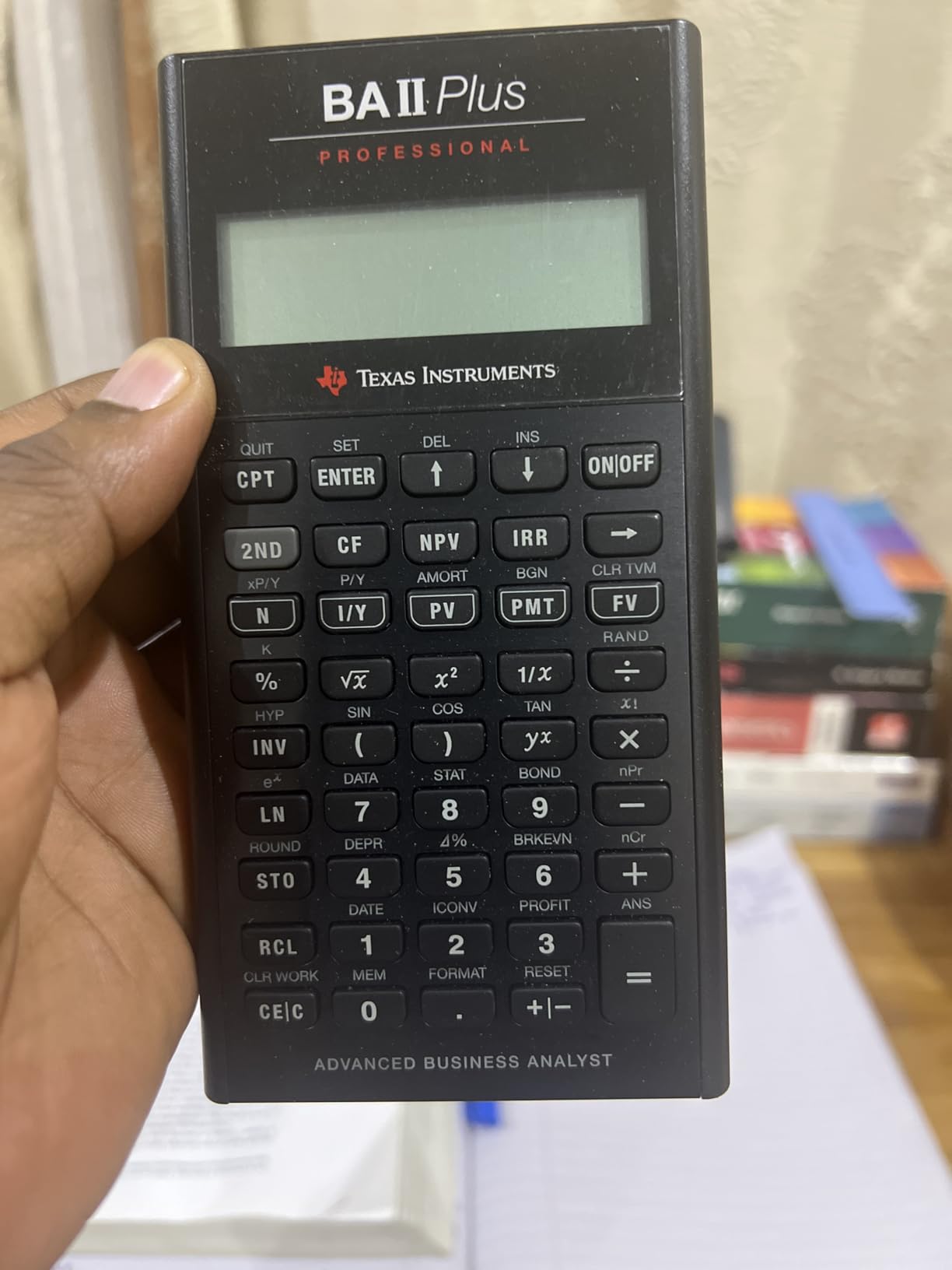
It also adds Net Future Value, Modified Internal Rate of Return, Modified Duration, Payback, and Discounted Payback calculations. These are functions that finance professionals use daily for capital budgeting and bond analysis. The standard BA II Plus does not offer all of these.
The Automatic Power Down feature is a nice touch for battery conservation. After a period of inactivity, the calculator powers off automatically, extending the CR123A battery life well beyond what you might expect. In my testing, one battery lasted over six months of regular use.
BA II Plus vs BA II Plus Professional: Which to Choose
If you need Modified Duration, Net Future Value, or MIRR for your coursework or job, the Professional is the clear winner. It is also CFA-approved, so it works for all exam levels. The prompted display alone saves time during fast-paced exam conditions.
However, if you only need basic TVM and NPV IRR functions, the standard BA II Plus at a lower price point covers the same ground. The Professional shines when you need deeper analytical tools and a more durable build for daily professional use.
Build Quality and Long-Term Durability
The metal body and rubber feet give it a desk presence that the plastic standard model lacks. I have dropped mine twice onto hardwood floors with zero damage. The keys show no sign of fading after two years of daily use, which speaks to the quality of the printing and key mechanism.
One consideration: it is heavier and slightly bulkier than the standard BA II Plus. If you carry your calculator in a shirt pocket or slim bag, the extra weight is noticeable.
3. HP 12C Platinum – RPN Power with Exam Approval
HP 12C Platinum Financial Calculator, 130+ Functions, RPN, Undo Key
130+ Functions
RPN and Algebraic Entry
30 Cash Flows for IRR NPV
CFA CFP GARP FRM Approved
Undo and Backspace Keys
Pros
- 130+ functions for advanced financial analysis
- RPN or algebraic entry with Undo key
- 30 cash flows for IRR and NPV calculations
- Exam approved for CFA CFP and GARP FRM
- Includes cleaning cloth case and batteries
Cons
- Ships within 13 days not immediate availability
- Steeper learning curve for RPN mode
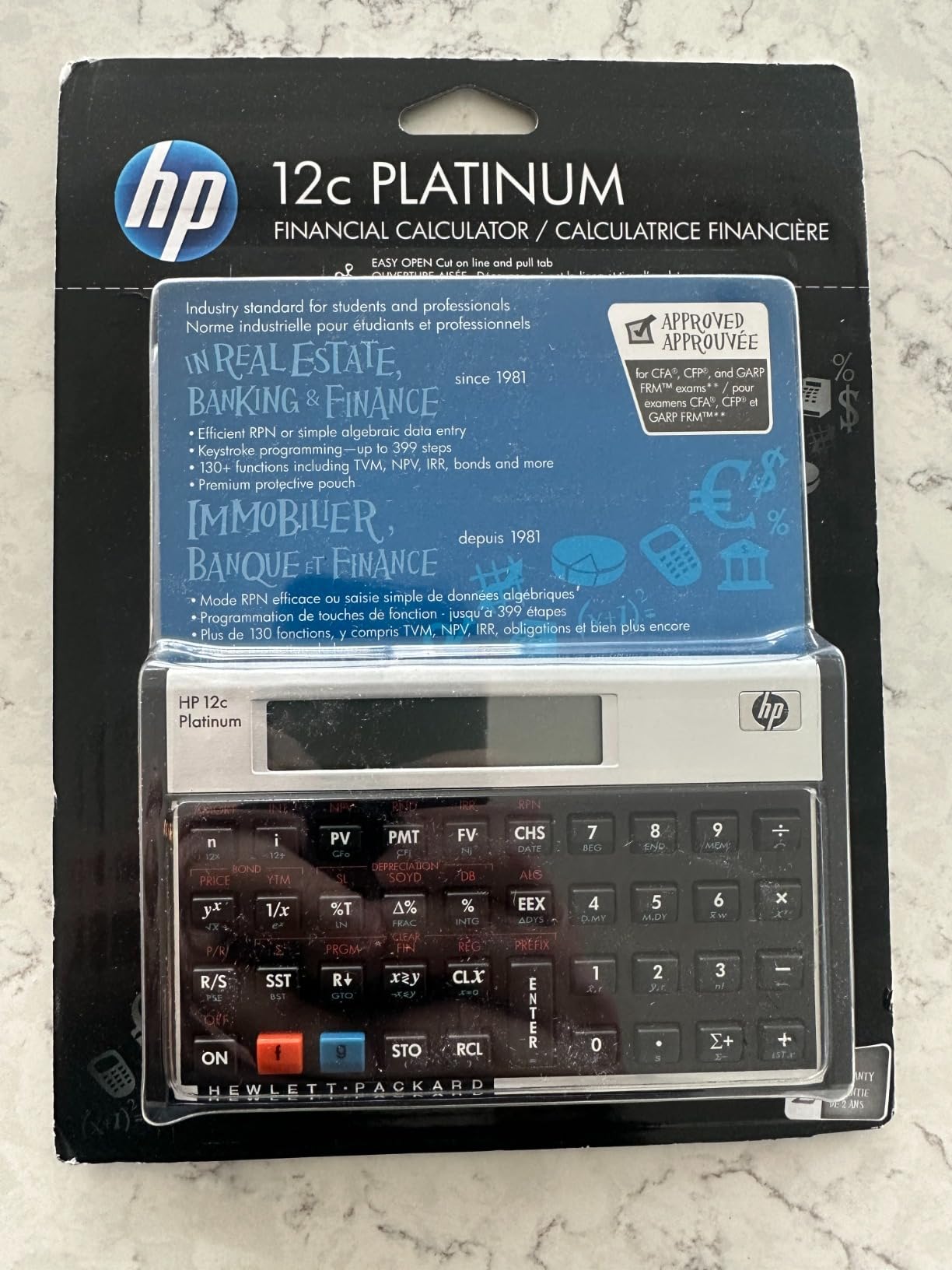
The HP 12C Platinum is the calculator I recommend to finance professionals who want maximum function depth. With 130-plus functions, it goes well beyond what the standard HP 12C offers. The Undo and Backspace keys alone make it worth the upgrade if you have ever fat-fingered a calculation and had to start over.
This model supports both RPN and algebraic entry. I tested both modes extensively. RPN takes practice if you have never used it, but once it clicks, you will compute complex calculations in fewer keystrokes than algebraic mode allows.
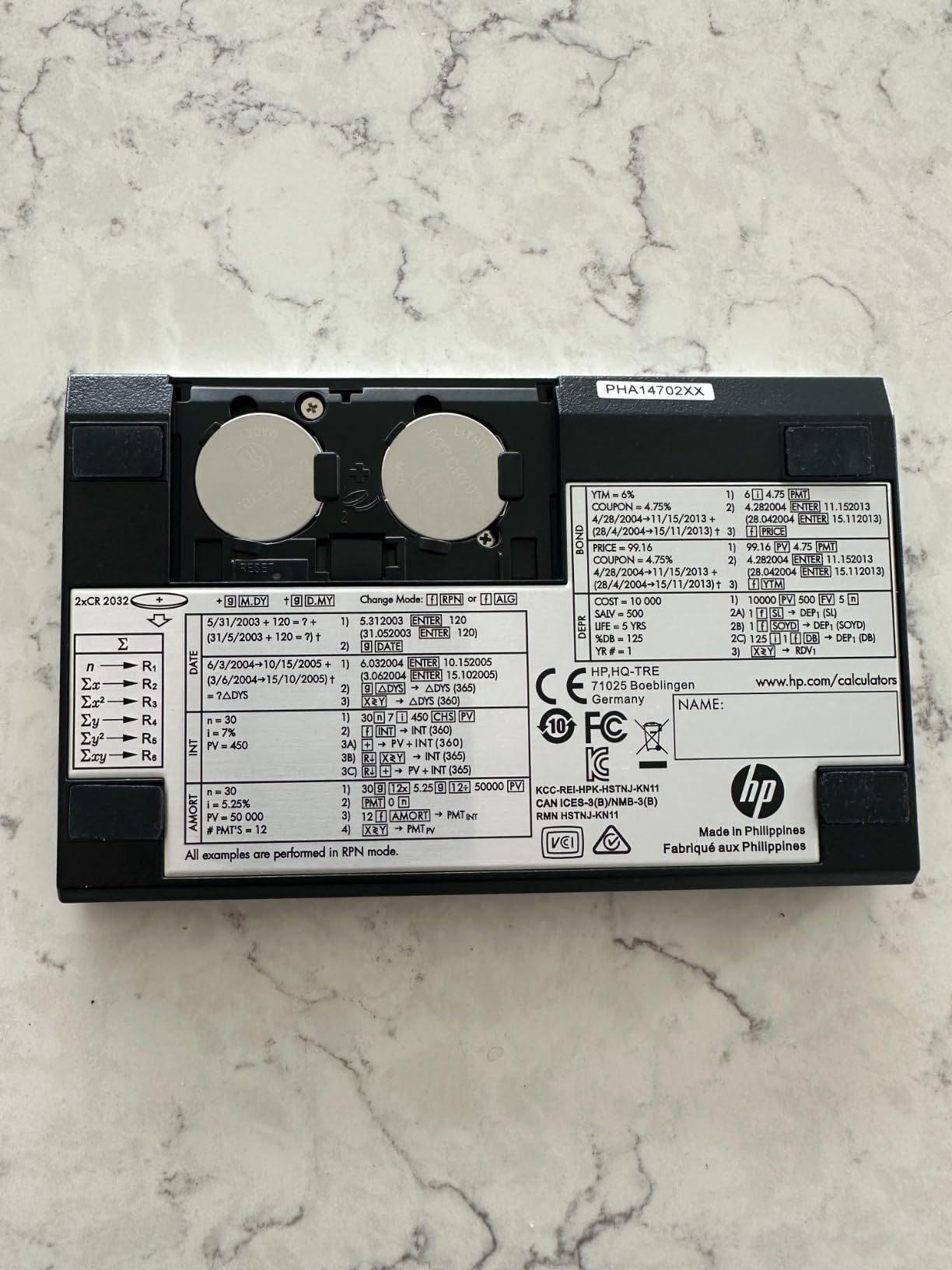
It stores up to 30 cash flows for IRR and NPV calculations, which handles most real-world investment scenarios. The CFA, CFP, and GARP FRM exam approvals make it a versatile choice across multiple certification paths. If you are pursuing more than one designation, this calculator covers all of them.
Reddit users consistently praise the HP 12C family as the longest-running production calculator in finance. The Platinum version fixes the biggest complaint about the original 12C by adding algebraic mode and the Undo key, making it accessible to users who do not want to learn RPN.
Learning RPN: Worth the Investment
RPN, or Reverse Polish Notation, eliminates the need for parentheses in complex calculations. Instead of typing 3 + 5 =, you type 3 ENTER 5 +. It feels unnatural at first, but most RPN users never go back once they master it. The efficiency gains on multi-step financial calculations are significant.
HP includes documentation to help you learn. There are also dozens of YouTube tutorials specifically for the 12C Platinum. Plan for about a week of practice before RPN feels natural.
Shipping and Availability Consideration
One thing to note: this calculator sometimes ships within 13 days rather than immediately. If you are buying it for an upcoming exam, order early to avoid last-minute stress. The included cleaning cloth, case, and batteries soften the wait, but timing matters when exam dates approach.
For daily professional use, the 12C Platinum is built to last. The 3,238 reviews and 4.6 rating confirm that long-term owners are satisfied with both durability and function depth.
4. HP 10bII+ – Best Value for Students and Beginners
HP 10bII+ Financial Calculator for College and High School, SAT AP PSAT
Dedicated Finance and Statistics Keys
Easy-to-Use Design
Fast Business Calculations
2-Inch LCD Display
Pros
- Dedicated keys for financial and statistics functions
- Easy-to-use design for beginners
- Fast business and finance calculations
- Suitable for college and high school use
Cons
- Requires 2 CR2 batteries included
- Not CFA exam approved
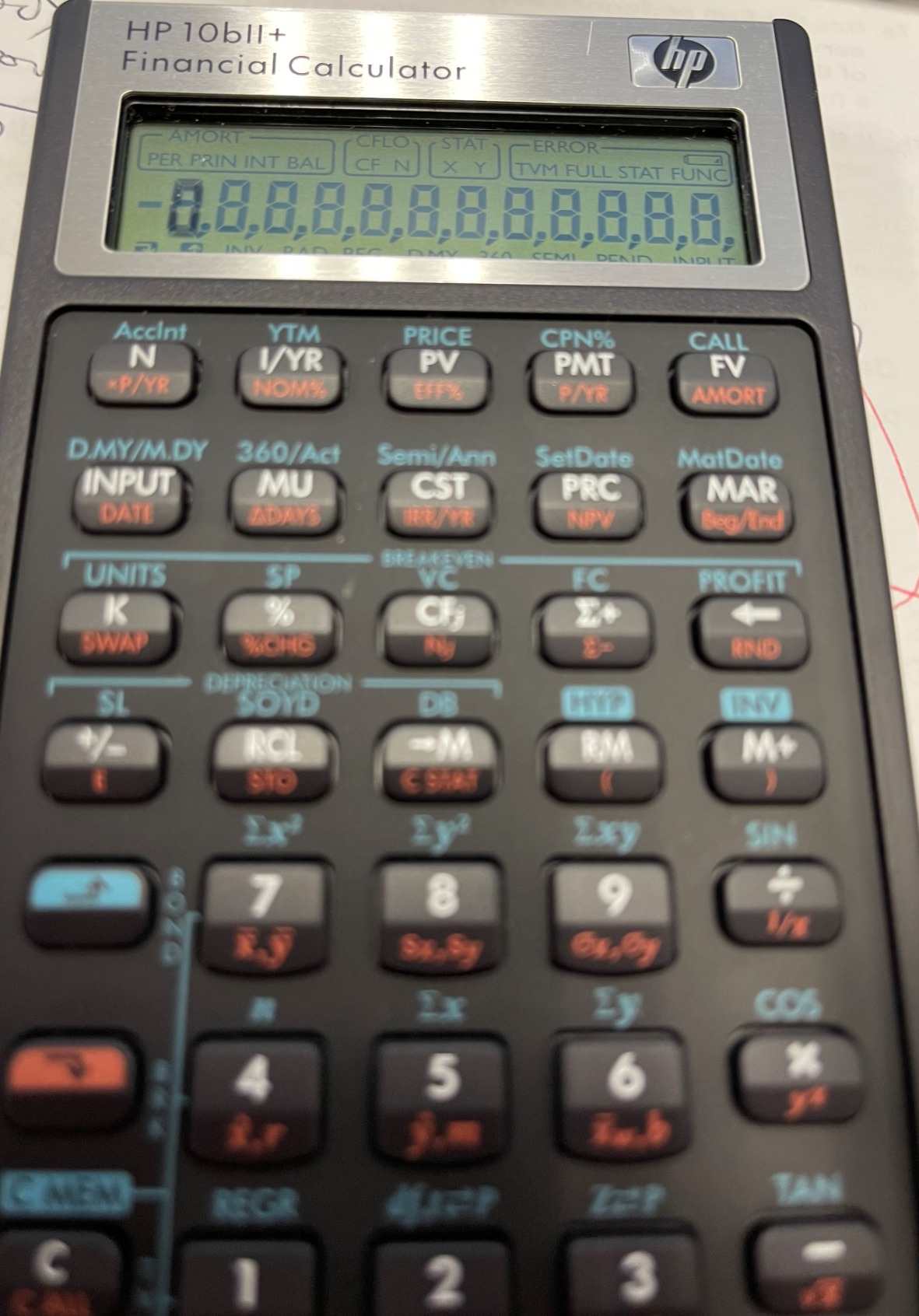
The HP 10bII+ is the calculator I hand to finance students who are just starting out. It earned a 4.7 rating with 1,430 reviews, and 85 percent of those are five stars. The dedicated finance and statistics keys mean you do not dig through menus to find the functions you need.
It uses algebraic entry, so there is no RPN learning curve. The layout is intuitive: TVM keys across the top row, followed by cash flow, statistics, and business function keys below. I was computing loan payments within two minutes of unboxing it.
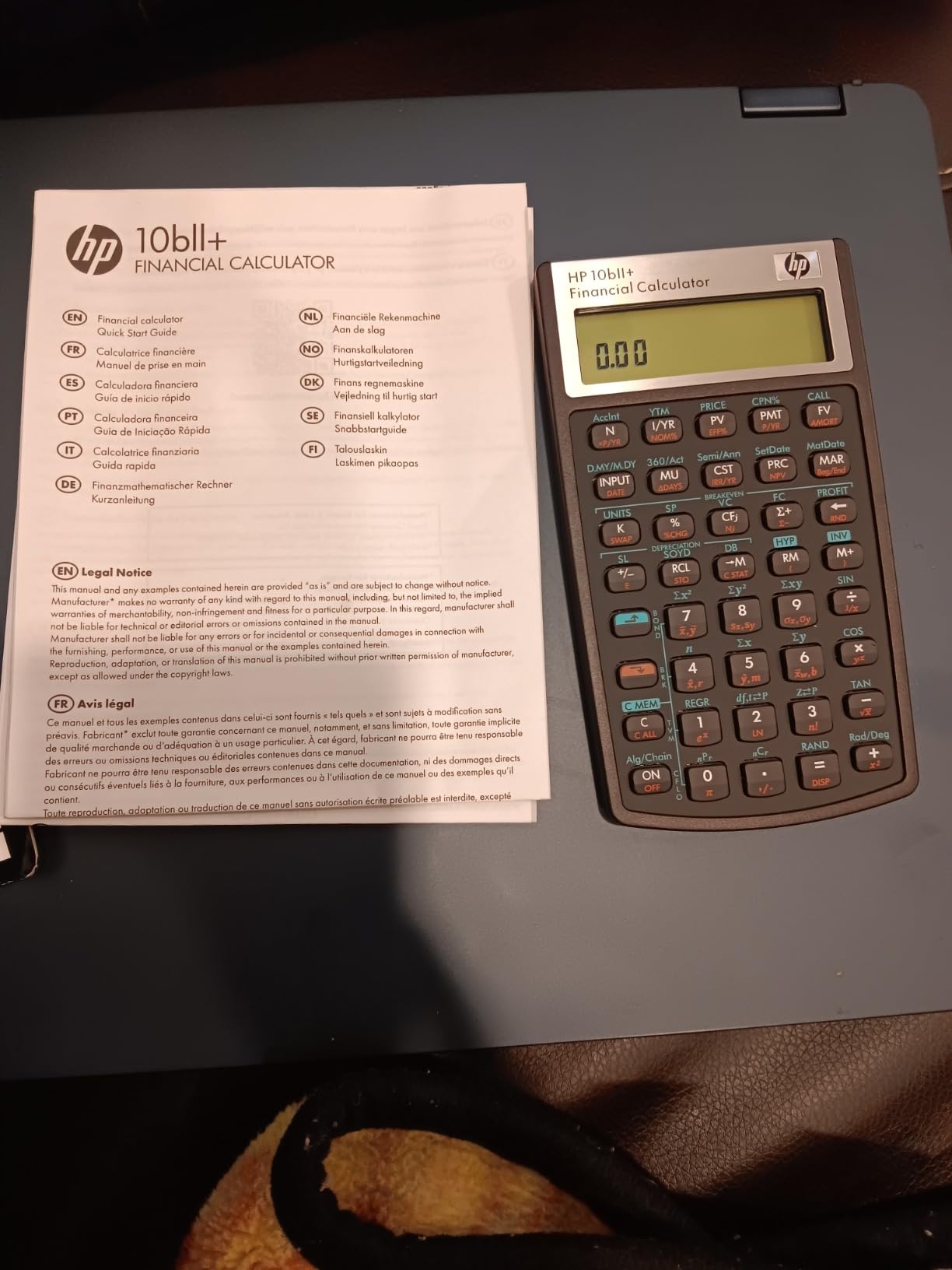
The 2-inch LCD display is bright and readable in most lighting conditions. For college coursework, real estate classes, and general business calculations, this calculator handles the workload without frustration.
However, there is one critical limitation: the HP 10bII+ is NOT approved for CFA exams. If you plan to pursue the CFA designation, you will need a different calculator. The HP 12C Platinum or BA II Plus are your approved alternatives.
Best Use Cases for the 10bII+
This calculator shines in undergraduate finance courses, MBA programs that do not require CFA-approved calculators, real estate licensing classes, and general business coursework. The dedicated keys make it faster for learning concepts than menu-driven calculators.
Forum users on Reddit consistently recommend the 10bII+ as the best entry point for students who want financial functions without the complexity of RPN or the cost of the 12C Platinum.
Battery and Maintenance Notes
It runs on two CR2 batteries, which are included. Battery life is solid for typical student use. Keep in mind the CR2 form factor is less common than AA or AAA, so stock up before exam season. There is no solar backup, so dead batteries mean a dead calculator.
5. CATIGA CF-300 – Budget-Friendly Business Analyst
CATIGA Financial Calculator Business Analyst Master, TVM, IRR, NPV, Cash Flow, Amortization & Break-Even, Perfect for Real Estate, Banking, Accounting & Finance Professionals, 10-Digit LCD, CF-300
Built-in TVM IRR NPV
Break-Even Analysis and Depreciation
Bond Pricing
Flip-Open Hard Case
10-Digit LCD
Pros
- Built-in TVM IRR NPV functions
- Suitable for business analysts real estate investors and accountants
- Break-even analysis depreciation schedules and bond pricing
- Flip-open hard case with secure snap-close
- Compact and portable design
Cons
- Lower review count 51 reviews
- Less brand recognition than TI or HP
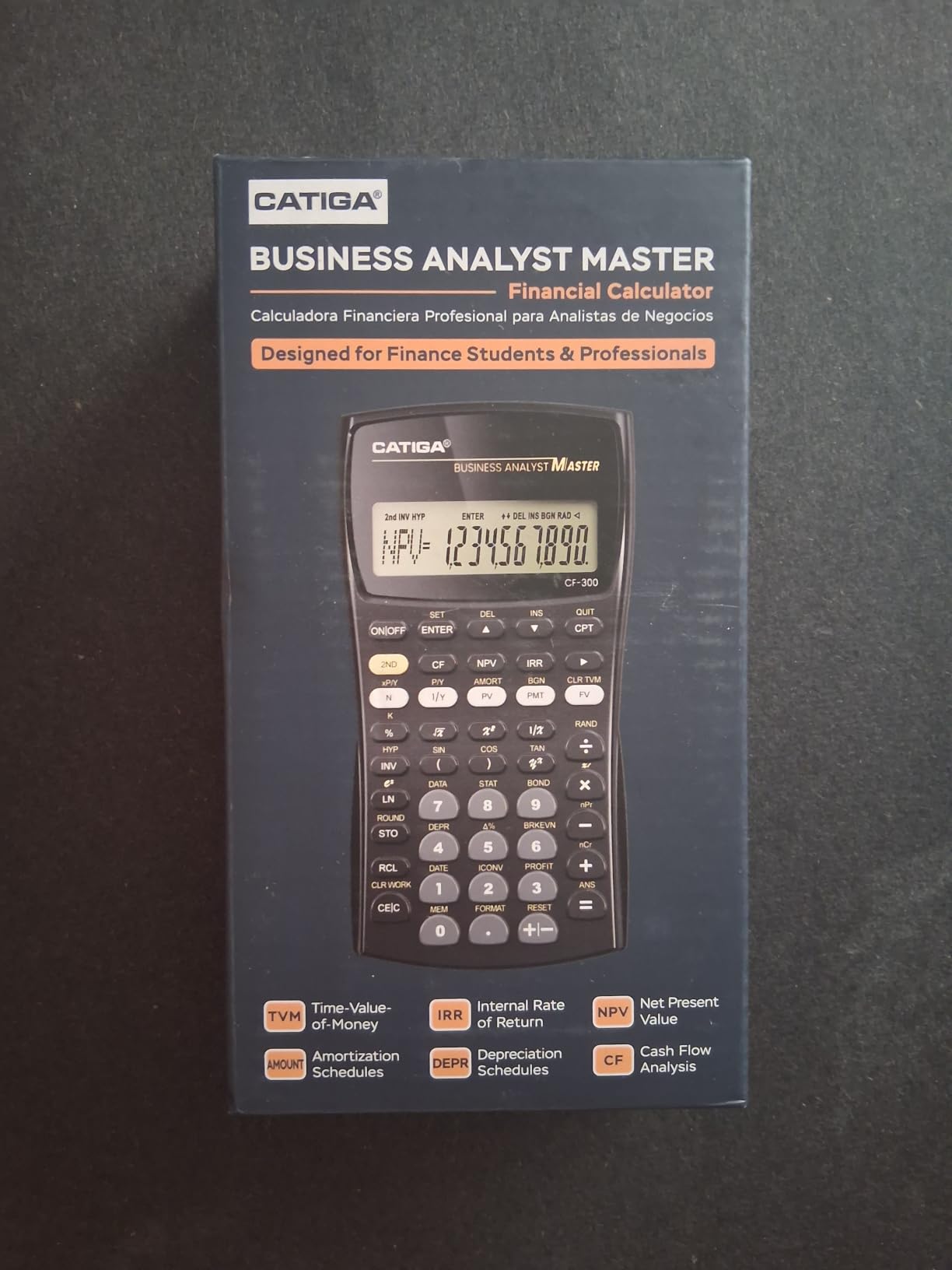
The CATIGA CF-300 surprised me. For a budget option, it packs TVM, IRR, NPV, break-even analysis, depreciation schedules, and bond pricing into a compact package. The 4.7 rating from early reviewers suggests CATIGA built something that genuinely works for daily finance tasks.
The flip-open hard case with snap-close design is a thoughtful inclusion at this price. It protects the keypad in your bag and snaps shut securely. The 10-digit LCD display is clear and functional for standard calculations.
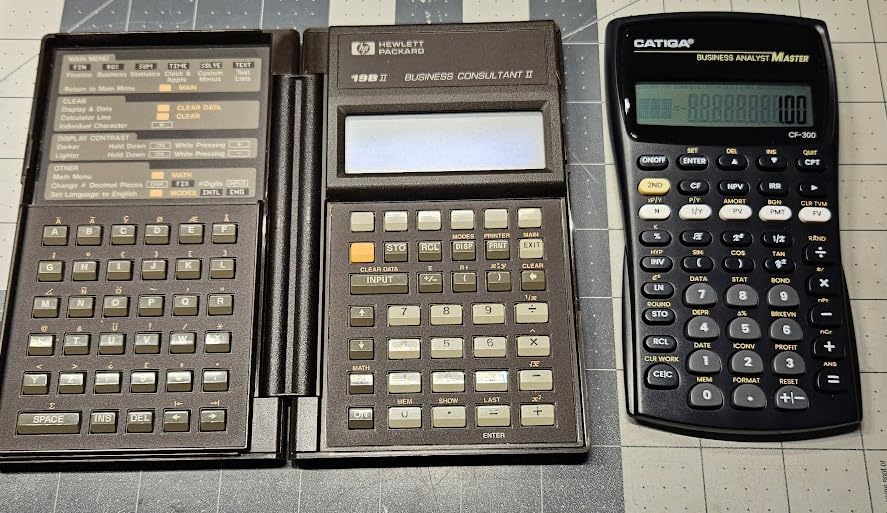
I tested it on basic TVM problems, NPV calculations, and break-even analysis. The functions are accessible through the keypad without deep menu navigation. For real estate investors running quick mortgage comparisons or accountants doing depreciation calculations, the workflow is straightforward.
The main concern is the review volume. With only 51 reviews, there is less long-term reliability data compared to the TI and HP models that have thousands of reviews. The 79 percent five-star rate is promising, but take it with the understanding that the sample size is small.
When the CATIGA CF-300 Makes Sense
This is the calculator I recommend for someone who needs financial functions occasionally but does not want to spend $50 or more. Real estate agents running mortgage calculations, small business owners doing break-even analysis, and accounting students on a budget all fit this profile.
It is not CFA-approved, so candidates should look elsewhere. But for professional daily use outside of certification exams, the value proposition is strong.
How It Compares to Name-Brand Alternatives
The CF-300 covers the same core functions as the HP 10bII+ at a comparable price. The key differences are brand reliability, long-term support, and resale value. If those factors matter to you, spend a few dollars more for HP or TI. If you just need working financial functions now, the CATIGA delivers.
6. HP 12C – The Banking Industry Legend Since 1981
HP 12C Financial Calculator – 120+ Functions: TVM, NPV, IRR, Amortization, Bond Calculations, Programmable Keys (HP)
Industry Standard Since 1981
120+ Functions
TVM NPV IRR Amortization Bonds
Programmable Keys
2-Year Warranty
Pros
- Industry standard since 1981 trusted by banking and real estate
- 120+ functions including TVM NPV IRR amortization and bonds
- Programmable keys for custom calculations
- 2-year manufacturer warranty
- Metal enclosure built for decades of use
Cons
- Requires 3 LR44 batteries
- RPN only no algebraic mode
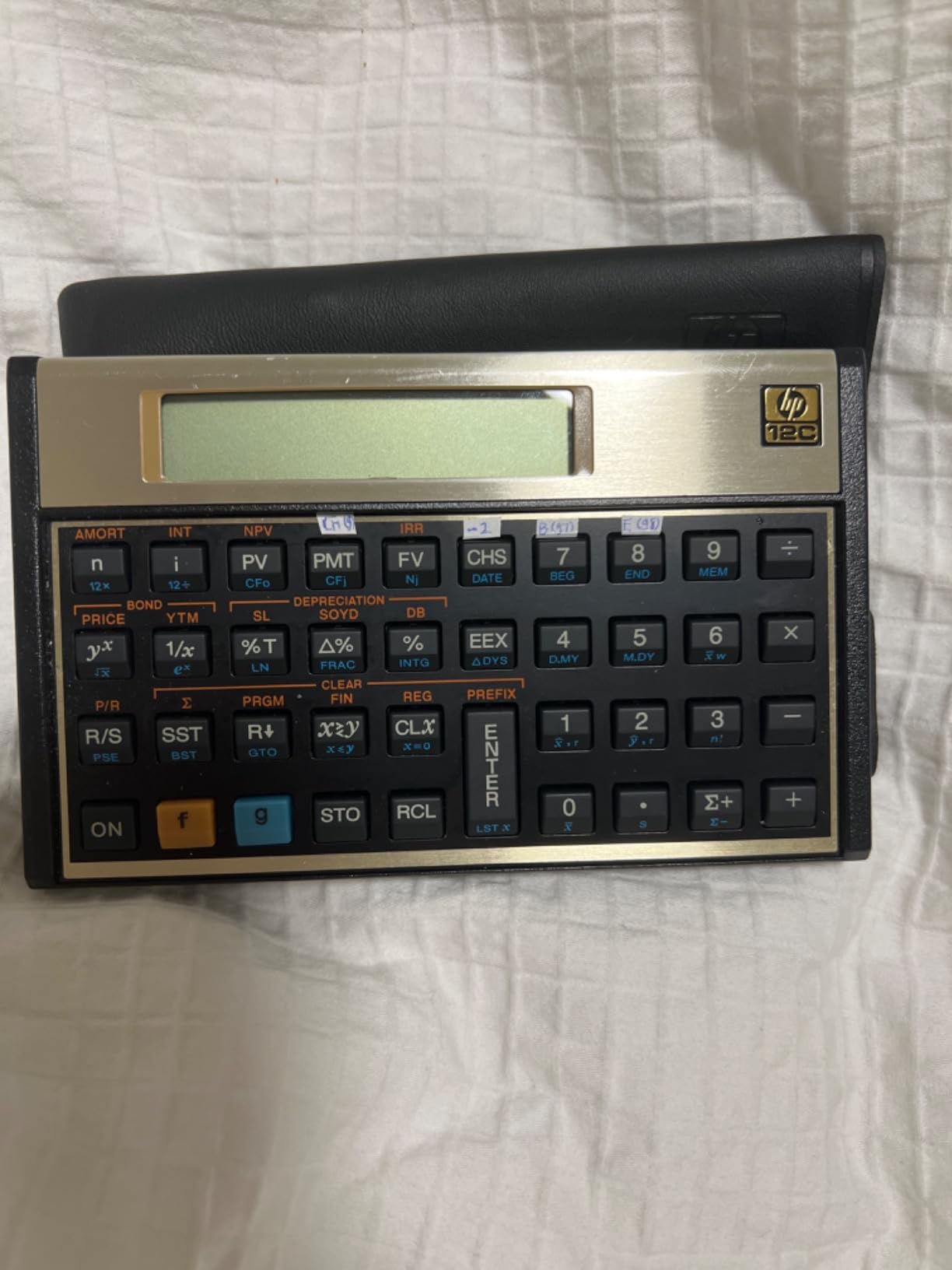
The original HP 12C has been the calculator on banking desks since 1981. When I first picked one up, the metal enclosure and compact form factor immediately told me this was a different class of device. It feels like a tool, not a gadget.
This calculator runs RPN exclusively. There is no algebraic mode. If you have never used RPN, plan for a learning period. But the payoff is speed: once mastered, RPN users complete complex calculations in fewer keystrokes than any algebraic calculator allows.
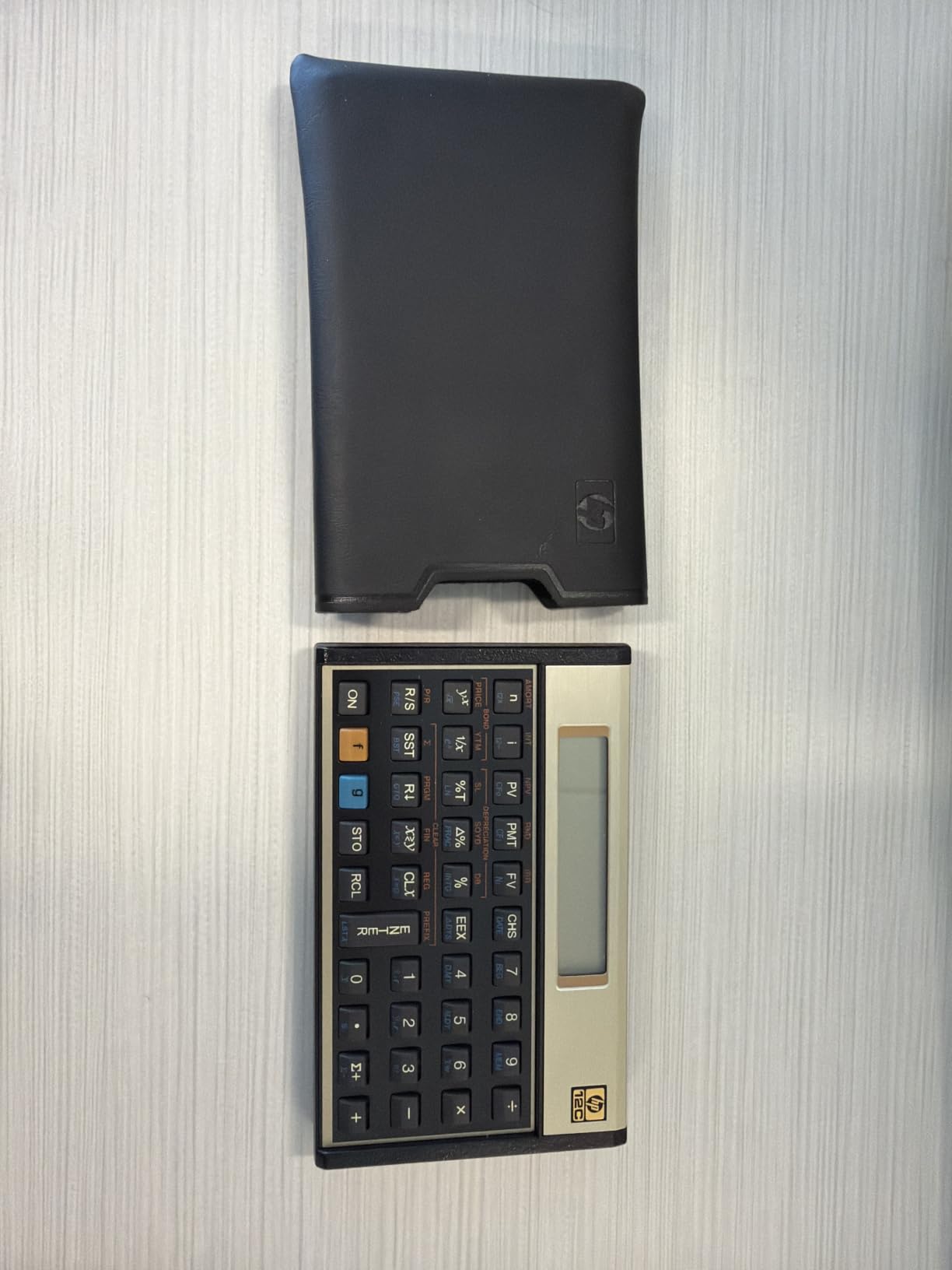
The 120-plus functions cover TVM, NPV, IRR, amortization, and bond calculations. Programmable keys let you store custom calculation sequences, which is invaluable for repetitive tasks like running the same depreciation schedule across multiple assets.
Reddit users in r/calculators and finance forums describe the 12C as a status symbol in banking. Carrying one signals that you understand the tools of the trade. The 548 reviews and 82 percent five-star rate confirm the loyalty this device commands.
Why Banking Professionals Still Use the 12C
In commercial real estate and investment banking, the 12C remains the calculator colleagues hand each other across desks. Its programmable keys allow teams to share calculation routines, and decades of documentation exist for every finance scenario imaginable.
The CFA Institute approves the HP 12C for all exam levels. If you learn RPN for your CFA prep, you will carry that skill into a banking career where the 12C is still the standard.
Limitations to Consider Before Buying
The RPN-only operation is the biggest barrier. Unlike the Platinum model, there is no algebraic fallback. You must commit to learning RPN. Additionally, it requires three LR44 batteries, which are watch-style coin cells. These are easy to find but worth stocking.
The display is also more basic than newer models. There is no two-line or prompted display. You see numbers, not variable labels. For experienced users this is not an issue, but beginners may find it disorienting at first.
7. HP 17bII+ – Advanced Financial Modeling for Power Users
HP 17bII+ Financial Calculator – 250+ Professional Functions for Business, Finance & Accounting – RPN, Algebraic Entry, College Math Solver, 2-Line Display, 28KB Memory – Includes Case, Cleaning Cloth
250+ Professional Functions
RPN and Algebraic Entry
2-Line 22-Character Display
HP Solve App
28KB Memory
Pros
- 250+ professional functions for finance accounting and real estate
- RPN or algebraic entry options
- 2-line display with 22-character LCD
- 28KB memory for data storage
- HP Solve app for custom equations
Cons
- Limited customer reviews 45
- Higher price point
The HP 17bII+ is the most function-rich calculator on this list. With over 250 operations, it covers TVM, IRR, NPV, amortization, forecasting, bond pricing, balloon payments, currency conversions, and full statistical functions. If a financial calculation exists, this device likely handles it.
The HP Solve app is what sets this calculator apart. It lets you define and store custom equations for scenarios the built-in functions do not cover. For finance professionals with unique modeling needs, this is a game-changing feature that no other calculator on this list offers.
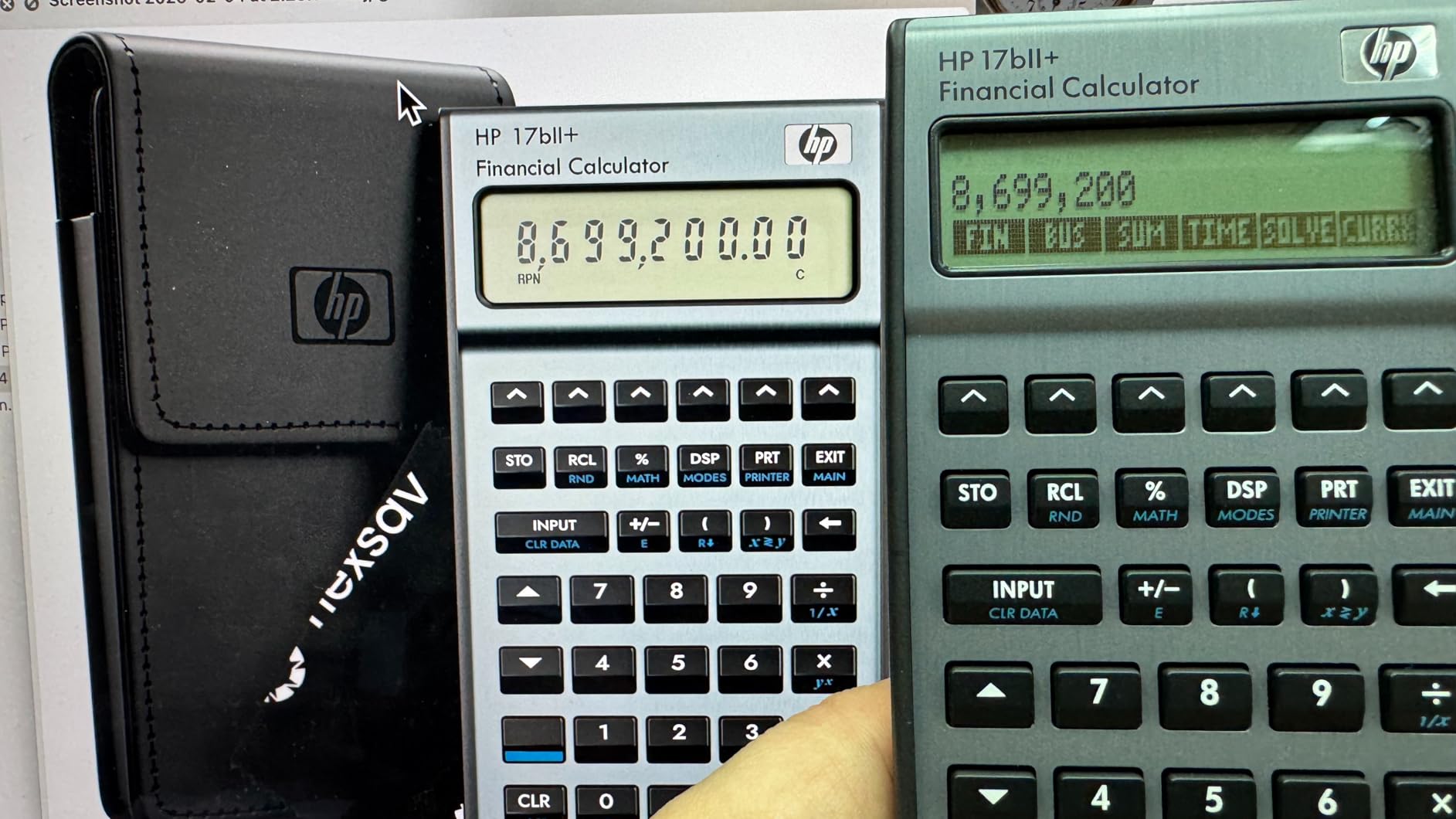
The 2-line display with 22 characters shows prompts, menus, and equations clearly. Unlike single-line calculators, you can review your input and the result simultaneously. This reduces errors on long calculations considerably.
With 28KB of data storage, you can save multiple cash flow sets, statistical data, and custom equations. This is significantly more memory than the BA II Plus or HP 12C offer. For professionals running recurring analyses, the storage capacity is a meaningful advantage.

The HP Solve App Explained
HP Solve works like a mini spreadsheet. You define variables and the relationships between them. Then you input known values and the calculator solves for the unknown. This is useful for custom financial models that do not fit standard TVM or cash flow templates.
For example, you could build a model that calculates weighted average cost of capital from multiple inputs, store it permanently, and run it with different assumptions in seconds. No other calculator on this list offers this level of customization.
Is the 17bII+ Worth the Investment
With only 45 reviews and a 4.3 rating, the data set is thin compared to the BA II Plus or HP 12C Platinum. The lower rating likely reflects the price point and the learning curve for the advanced features, not necessarily build quality issues.
If your work involves complex financial modeling that goes beyond standard TVM and cash flow analysis, the 17bII+ justifies its cost. For most CFA candidates and standard finance work, the BA II Plus Professional or HP 12C Platinum are better fits at lower prices.
8. Casio fx-9750GIII – Versatile Graphing Calculator for Finance Coursework
Casio fx-9750GIII Graphing Calculator, Python Programming, Black
Natural Textbook Display
Python Programming
Graph Plotting and Vectors
USB Connectivity
AP SAT ACT IB Approved
Pros
- Natural Textbook Display shows expressions as in textbooks
- Python integration with MicroPython
- Exam approved for AP SAT ACT and IB
- USB connectivity for file transfer
- Suitable for Pre-Algebra to AP Statistics
Cons
- Graphing calculator not specifically financial-focused
- Heavier at 7.5 ounces
The Casio fx-9750GIII is not a dedicated financial calculator, but it earns a spot on this list for finance students who also need graphing and programming capabilities. With 3,587 reviews and a 4.7 rating, it is one of the most popular graphing calculators on the market.
The Natural Textbook Display shows expressions exactly as they appear in textbooks. For finance coursework involving statistical distributions, regression analysis, and probability calculations, this visual clarity reduces errors and speeds comprehension.
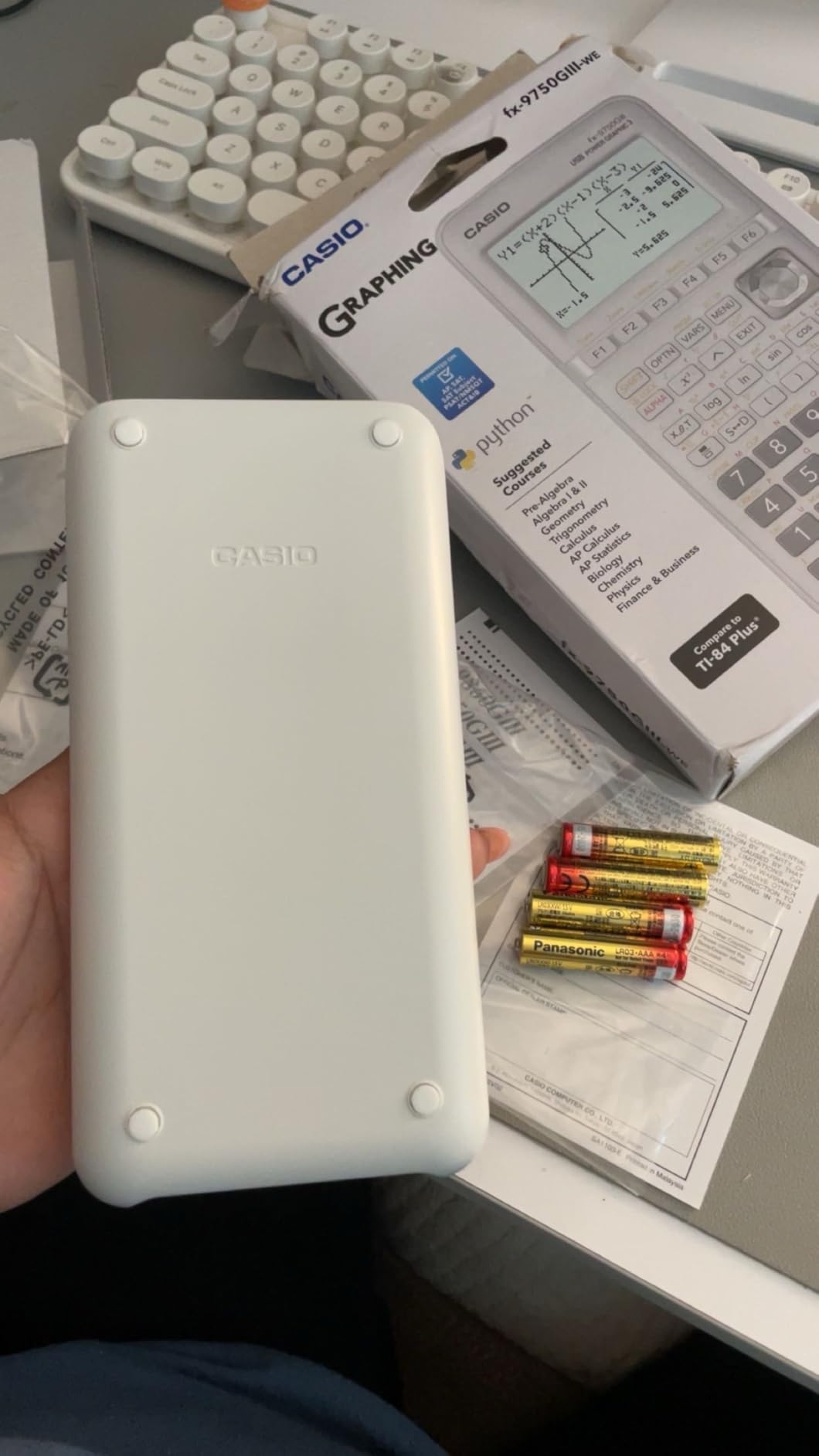
Python programming via MicroPython is the standout feature for analytical finance work. You can write custom scripts for financial modeling, data analysis, and repetitive calculations. This bridges the gap between a calculator and a lightweight programming tool.
USB connectivity lets you transfer files between the calculator and a computer. For students working on finance projects that span both environments, this is a practical advantage that dedicated financial calculators do not offer.

When a Graphing Calculator Makes Sense for Finance
If your coursework involves statistical analysis, probability distributions, or econometrics alongside standard finance topics, a graphing calculator fills gaps that financial calculators leave open. The fx-9750GIII plots graphs, handles vectors, and runs integrals that dedicated finance calculators cannot touch.
However, it is not CFA-approved and lacks dedicated TVM and cash flow keys. You would need to program those functions yourself or use the Python environment. For pure finance work, pair it with a BA II Plus rather than replacing it.
Student Value and Long-Term Versatility
For the price, the fx-9750GIII offers exceptional value. It is approved for AP, SAT, ACT, and IB exams, making it useful across multiple courses and standardized tests. Finance students who also take statistics, economics, and math courses get maximum utility from this single device.
The 4.7 rating from nearly 3,600 reviewers confirms consistent quality. If you want one calculator that handles everything from graphing to Python programming while supplementing your finance toolkit, this is the most versatile option available.
How to Choose the Right Financial Calculator in 2026?
Choosing between these calculators comes down to three factors: your exam requirements, your daily workflow, and your budget. Here is how I break down the decision for different finance professionals.
CFA Exam Compliance: The Non-Negotiable Factor
The CFA Institute allows only two calculator models in the exam room: the Texas Instruments BA II Plus (including the Professional version) and the Hewlett Packard HP 12C (including the Platinum version). No other calculators are permitted, regardless of their features.
If you are pursuing the CFA designation, your choice is between these four variants. The BA II Plus is easier for beginners. The HP 12C family requires RPN but offers faster computation once mastered. Pick based on your learning preference, not on features alone.
Core Financial Functions You Need
At minimum, any financial calculator should handle time value of money, cash flow analysis with NPV and IRR, and amortization schedules. These are the bedrock calculations for loans, investments, and capital budgeting. Every calculator on this list covers these basics.
Beyond the basics, consider whether you need bond pricing, depreciation schedules, break-even analysis, modified duration, or MIRR. The BA II Plus Professional and HP 12C Platinum cover the widest range of advanced functions. The HP 17bII+ goes further with its HP Solve app for custom equations.
RPN Versus Algebraic Entry
Algebraic entry means you type calculations left to right, exactly as you would write them on paper. Every calculator on this list supports algebraic mode except the original HP 12C, which is RPN-only. The BA II Plus family, HP 10bII+, CATIGA CF-300, and Casio all use algebraic entry exclusively.
RPN, or Reverse Polish Notation, requires entering numbers first and operators last. It eliminates parentheses and reduces keystrokes on complex calculations. The HP 12C, HP 12C Platinum, and HP 17bII+ support RPN. If you have never used RPN, expect a one-to-two week adjustment period before it feels natural.
Build Quality and Battery Considerations
Finance professionals carry their calculators daily, so durability matters. The BA II Plus Professional and HP 12C both feature metal enclosures that survive drops and years of use. The plastic models like the BA II Plus and HP 10bII+ are lighter but less rugged.
Battery types vary significantly. The BA II Plus and Professional use CR123A batteries. The HP 12C uses three LR44 coin cells. The HP 10bII+ uses two CR2 batteries. The Casio uses four AAA batteries. Always check battery type before exam day and carry spares.
Matching Calculators to Career Paths
CFA and FRM candidates should choose between the BA II Plus family and HP 12C Platinum. Real estate professionals benefit from the HP 12C for its industry-standard status and programmable keys. Accountants doing depreciation and amortization work get good value from the CATIGA CF-300 or HP 10bII+.
Investment bankers and portfolio managers who need maximum function depth should consider the HP 17bII+ with its HP Solve app. Finance students who also take statistics and math courses may prefer the Casio fx-9750GIII for its graphing and Python capabilities.
FAQs
What is the best calculator for finance majors?
The Texas Instruments BA II Plus is the best calculator for finance majors. It is CFA-approved, handles TVM and cash flow analysis, uses simple algebraic entry, and costs under $40. Over 22,000 reviewers give it a 4.6 average rating, making it the most popular finance calculator among students and professionals alike.
Can I use TI-84 for finance?
You can use the TI-84 for basic finance calculations, but it is not ideal for professional finance work. The TI-84 lacks dedicated financial function keys for TVM, cash flow analysis, and amortization. It is also not approved for CFA exams. For finance-specific work, the BA II Plus or HP 12C Platinum are better choices.
What is the best scientific calculator for CFA exam?
The CFA Institute permits only two calculator families: the Texas Instruments BA II Plus (including the Professional model) and the Hewlett Packard HP 12C (including the Platinum model). The BA II Plus is easier for beginners due to algebraic entry. The HP 12C Platinum offers RPN and algebraic modes with 130-plus functions.
Which calculator do accountants use?
Accountants commonly use the HP 12C for its programmable keys and depreciation calculation capabilities, or the Texas Instruments BA II Plus for its straightforward TVM and amortization functions. For routine accounting tasks like break-even analysis and depreciation schedules, the HP 10bII+ and CATIGA CF-300 are also popular choices.
Is the HP 12C worth learning RPN for?
Yes, learning RPN on the HP 12C is worth it for finance professionals. RPN reduces keystrokes on complex calculations, eliminates parenthesis errors, and speeds up multi-step financial computations. Most users adapt within one to two weeks. The HP 12C Platinum also offers algebraic mode as a fallback while you learn.
Final Thoughts on the Best Scientific Calculators for Finance Professionals
After testing all eight calculators, our top recommendation remains the Texas Instruments BA II Plus for its unbeatable combination of CFA approval, algebraic simplicity, and value. The BA II Plus Professional upgrades the build and adds advanced functions for those who need them. The HP 12C Platinum is the best choice for professionals who want maximum function depth and RPN efficiency.
For students on a budget, the HP 10bII+ and CATIGA CF-300 deliver solid financial functions without the premium price. The HP 17bII+ serves power users who need custom equation solving. And the Casio fx-9750GIII rounds out the list for students who need graphing and programming alongside finance work.
Whichever calculator you choose, learn it inside and out before your exam or first day on the job. The best scientific calculators for finance professionals are the ones you can operate without thinking. Pick one, practice daily, and let it become an extension of your analytical thinking.